

Supporting clinical improvements in the healthcare industry is an admirable task that demands both great effort and meticulous organization.
We were glad to discover that one clinical research center relies on our tool, Plaky, to manage all their processes.
The Clinical Research Centre (CRC), based in Perth, Australia, helps North Metropolitan Health Service (NMHS) deliver top-quality research- and evidence-based mental health care.
We had the pleasure of speaking to Milan Dragovic, NMHS Senior Scientist and CRC’s Acting Manager, to learn about how Plaky changed the way his team organizes work throughout their projects.
If you’re eager to learn how Milan’s team uses Plaky to stay methodical and organized in their line of work, keep reading.
The CRC team’s main challenges
Milan highlights reluctance to embrace new tech as one of the main difficulties his team faces in their line of work:

“Working within an organization that is notoriously hesitant to adopt new data management technologies presents a unique challenge.”
Overcoming such a challenge isn’t easy — you need to encourage people to venture into what they would see as uncharted territory. But, as Milan explains, it’s possible if you take the time to understand the hesitation and try to resolve it:
“Overcoming this challenge involves understanding their concerns and educating stakeholders about the benefits.”
How they discovered Plaky
Curiously enough, Milan has his own family to thank for introducing him to Plaky:
“Thanks to my awesome daughter Anja, I have become a passionate Plaky user too. Although my team is in the early stages of incorporating this tool, its integration within the team has generally been positive.”
Seeing as there are so many different project management tools for small teams on the market, we wondered whether Milan decided to switch to Plaky after using another tool for a while.
But, as luck would have it, this is the first project management software the team has ever committed to:
“We did not use any project management tools for our projects before Plaky. However, we did occasionally experiment with Jira and MS project management tools.”

How Plaky helps Milan’s team stay organized
Plaky comes with a varied set of features that help teams across many different industries stay organized at work and keep track of their projects.
Milan and his team mainly rely on Plaky to keep track of all their ongoing work:
“We use Plaky primarily to maintain a well-structured, transparent backlog list containing tasks and responsibilities related to multiple projects.”
In Plaky, users can create separate boards for all their projects and populate them with all their tasks, essentially creating extensive to-do lists — much like Milan’s team does.
The tool lets users organize their work further by grouping tasks into different sections, classifying task information using custom fields, and so much more.
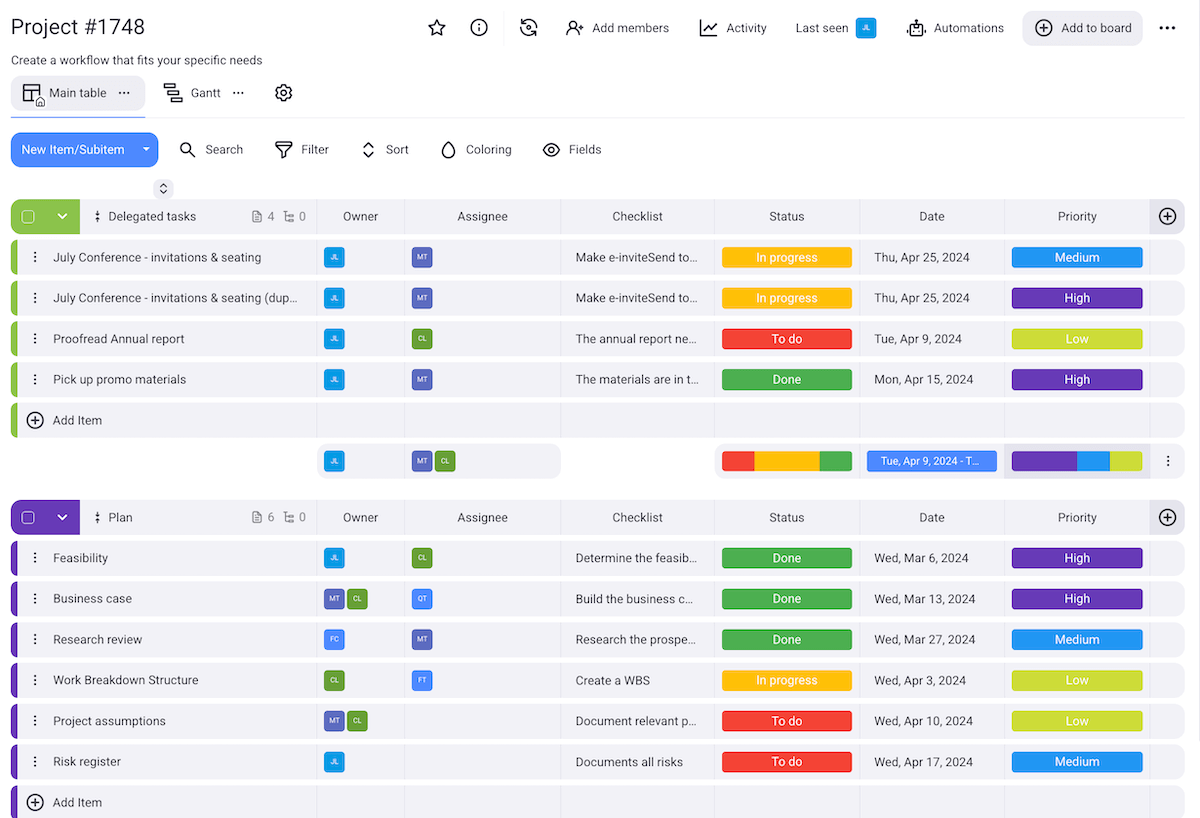
Milan’s team also appreciates the fact they can make customized Plaky boards from scratch:
“We lean towards creating our custom boards tailored to suit both Agile and Scrum project methodologies. The team places significant emphasis on tailored board setups.”
But what makes Plaky so useful to Milan’s team? Which specific benefits have made them stick with Plaky and incorporate it into their work?
#1 Better project planning, communication, and information sharing
When it comes to the benefits of using Plaky, Milan highlights the following:
“From my perspective, the major benefits of using Plaky include streamlined project planning, improved communication and collaboration, and simplified information sharing.”
As project planning software, Plaky serves as a centralized platform for planning, assigning, prioritizing, and tracking all your project tasks.
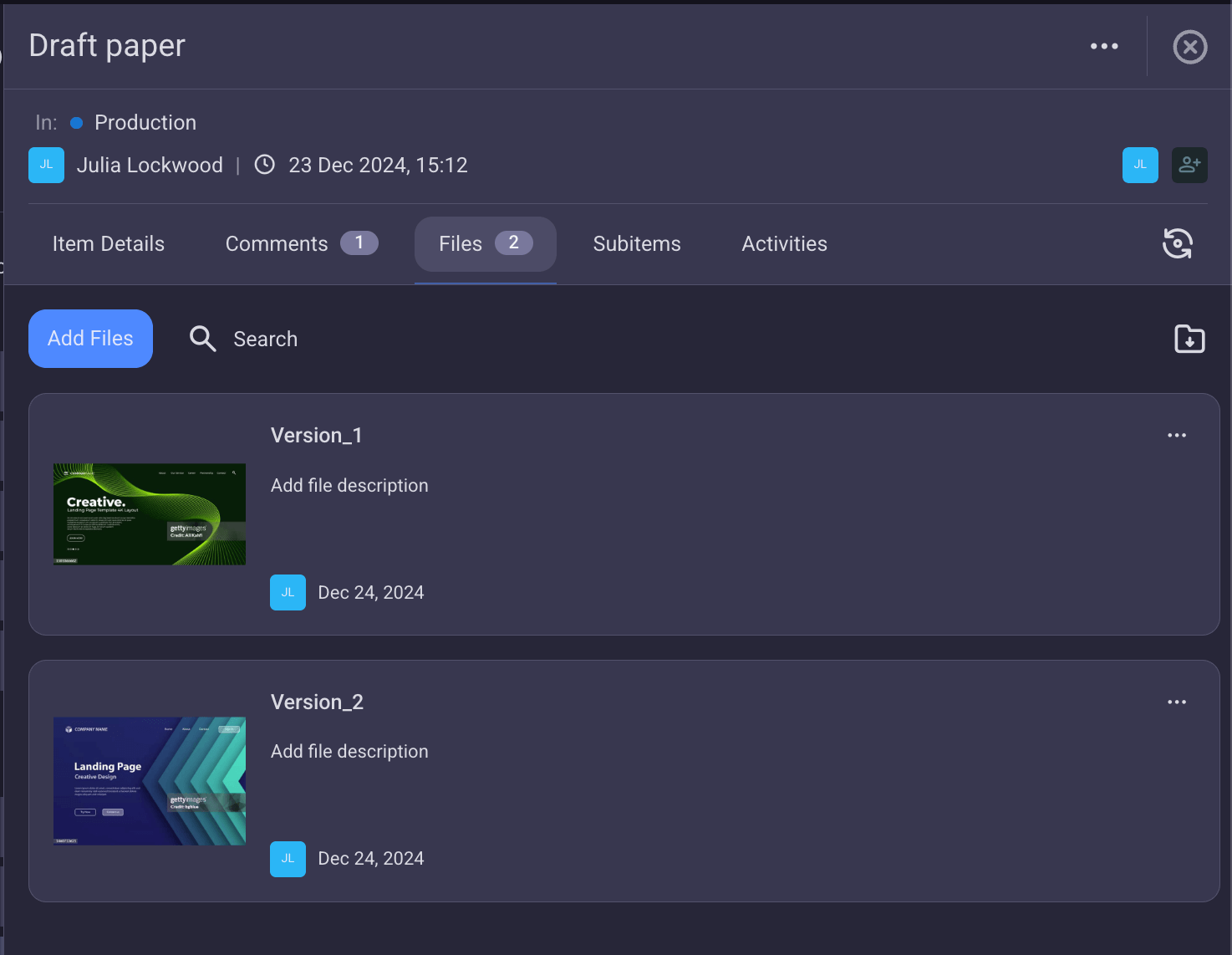
Plaky also eases collaboration in teams by letting users share files in task cards keeping all data about the projects organized. Plus, users can communicate directly in the task cards via comments to:
- Speed up information sharing,
- Keep the team engaged throughout the project, and
- Encourage better project collaboration.
#2 Effective progress tracking
Milan also emphasizes progress tracking as one of the crucial benefits of Plaky:
"Most importantly, [using Plaky gives us] the ability to effectively track and monitor progress."
In Plaky, users can check task and project progress at a glance to stay informed about any recent developments. In fact, Plaky comes with a few key progress-tracking features that aim to promote transparency and accountability among teams, including:
- Status field — to help you spot which tasks are in progress, done, or stuck with a single glance at the board,
- Kanban view — to easily group tasks according to their status,
- Gantt view — to see how your tasks are progressing on a timeline,
- Chart view— to have a visual representation of the overall project progress, and
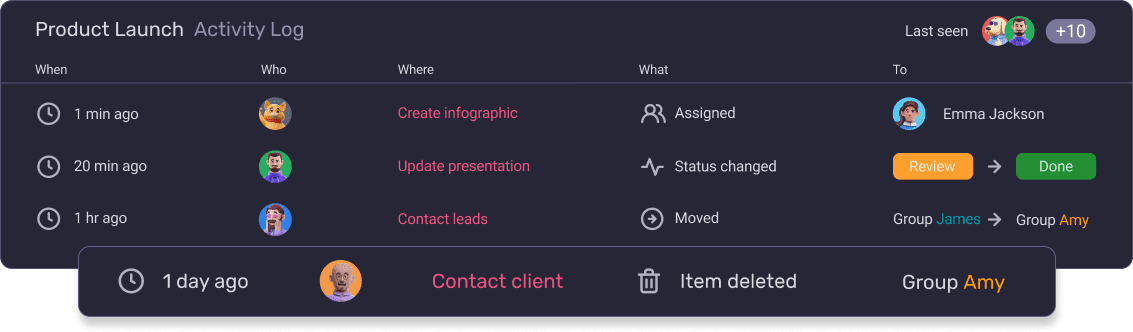
- The activity log— to keep track of all changes made to a task or board.
CRC team’s favorite Plaky features
Interestingly enough, the team’s appreciation of Plaky doesn’t stop at task management software itself.
They’re also quite taken with the resources that are readily available on Plaky’s website for users to explore:
“Curiously, of all the features the Plaky producers offer, the Knowledge Hub is our favorite. It’s like a treasure of knowledge, neat, and well organized.”
Who would Milan recommend Plaky to and why?
When asked about whether Plaky could prove useful to other teams and industries, Milan didn’t hesitate to recommend the tool:
“We are advocating the use of simple but effective tools across our organization. In this regard, Plaky is perfectly suited for systematic use across various government departments.”
As a project management tool for the public sector, Plaky’s aim is to ensure public and government organizations stay accountable and nurture transparency across their programs.
Plaky ensures team efficiency and methodical project management
Overall, Milan believes Plaky has helped his team improve their work organization and project management.
As he puts it:
“Working on multiple projects requires structured attention to various tasks, roles, deadlines, and timely deliverables. Plaky serves as a valuable tool that enables us to stay methodical and organized in our work.”
The CRC team has responded positively to Plaky’s integration into their workflow, and they’ve already had a chance to reap the benefits.
This ultimately shows simple, intuitive organizational software like Plaky can indeed make all the difference when trying to streamline your work and manage tasks on a daily basis.
Get started with Plaky