
Communication in project management is a prerequisite for project success. In an environment where success is directly linked to good coordination and cooperation of the people involved, communication is crucial for effective project execution.
This post will go over the importance of communication in project management and some strategies on how to improve it to boost your project success rates.
- Communication in project management is a transparent exchange of information between project managers and other project stakeholders with the goal of keeping everyone informed and aligned.
- The most common communication channels in project management are: in-person meetings, virtual meetings, emails, team communication tools, phone calls, project schedules, status reports, and questionnaires and surveys.
- Proper communication sets clear expectations, unifies the project vision, and gets everyone on the same page.
- To effectively communicate, project managers should: practice active listening, use PM tools, eliminate jargon, keep everyone in the loop, and create a communication plan.
What is communication in project management?
Communication in project management is a transparent exchange of information between project managers, higher management, and other project stakeholders, meant to keep everyone’s expectations and goals aligned.
To properly coordinate projects, PMs need mastery of over a dozen project management skills. This includes both hard skills like project planning, task management, and risk management, and soft skills like leadership and communication, just to name a few.
In theory, hard skills combined with the right project management methodology, a solid project plan, and immaculate task sequencing should be able to carry out a project on their own. But in practice, communication is what’s needed to keep things from falling apart.
💡PLAKY PRO TIP
Communicating in Plaky is a breeze. Read all about it:
Types of communication channels in project management
The most popular and most relevant communication channels for project management include:
- In-person meetings — Enables reading nuances in tone and non-verbal cues. This makes it best suited for important conversations where misunderstandings can have disastrous effects, such as interviews with stakeholders, conference and stand-up meetings.
- Virtual meetings — They share many of the benefits of in-person communication, including the ability to read non-verbal cues. However, it’s easy to go overboard with conference calls — especially when they go into overtime and include people who really don’t have to be there.
- Emails — A classic form of formal, asynchronous communication most often used when establishing contact with 3rd parties, such as the clients or vendors.
- Team communication tools — Fast-paced, synchronous communication conducted via software such as Pumble, Slack, or Microsoft Teams. It enables quick exchange of information using group chats, one-way memos, or one-on-one messages. It’s the type of internal communication preferred in remote and hybrid project teams.
- Phone calls — Active, remote, audio-only communication most often used for quick clarification, negotiation, crisis management, or other time-sensitive matters.
- Project schedules — A passive means of communication via a schedule board that’s accessible to everyone. Most often, they are in the form of Gantt charts or Kanban boards.
- Status reports — A means of written, upward communication from team members to project managers or project managers to higher management. They’re used to assess project progress and keep things documented.
- Questionnaires and surveys — An effective means of one-way communication used in early project stages to identify project requirements. It’s also used in later stages of Agile projects, to gather customer feedback and inform future product iterations.
How to effectively communicate in project management
Until now, we’ve mostly dealt with the theoretical basis for communication in project management. So now, here are 6 concrete tips on how to effectively communicate in project management.
#1: Practice active listening
Active listening is the ability to understand client requirements by focusing primarily on their needs and wants rather than just deliverables. Before a project even gets underway, the project manager must master this skill to truly understand what drives the client.
The project manager needs to actively listen to understand the project requirements, so that they can workshop ways of executing the project with key stakeholders.
#2: Eliminate jargon
To facilitate mutual understanding between teams, it’s best to stop using jargon and opt for vocabulary that everyone understands.
Large projects often demand the cooperation and collaboration of multiple company departments. Within their respective teams, professionals can communicate just fine using their occupation-specific jargon. But, when they mingle across departments its use negatively affects understanding.
For example, for IT folk, a pipeline may well be a logical queue of parallel CPU instructions. But, for salespeople, a pipeline is a guide for converting leads into customers.
When 5 people from 5 different teams bring this kind of jargon into a conversation, the intended message easily gets lost.
#3: Keep everyone in the loop
Open communication channels prevent information silos, so all project stakeholders are aligned. A stakeholder is anyone who is actively involved in a project or who will be affected by the project.
An easy solution when it comes to communication with the project team is to keep the work and communication related to that work in the same place.
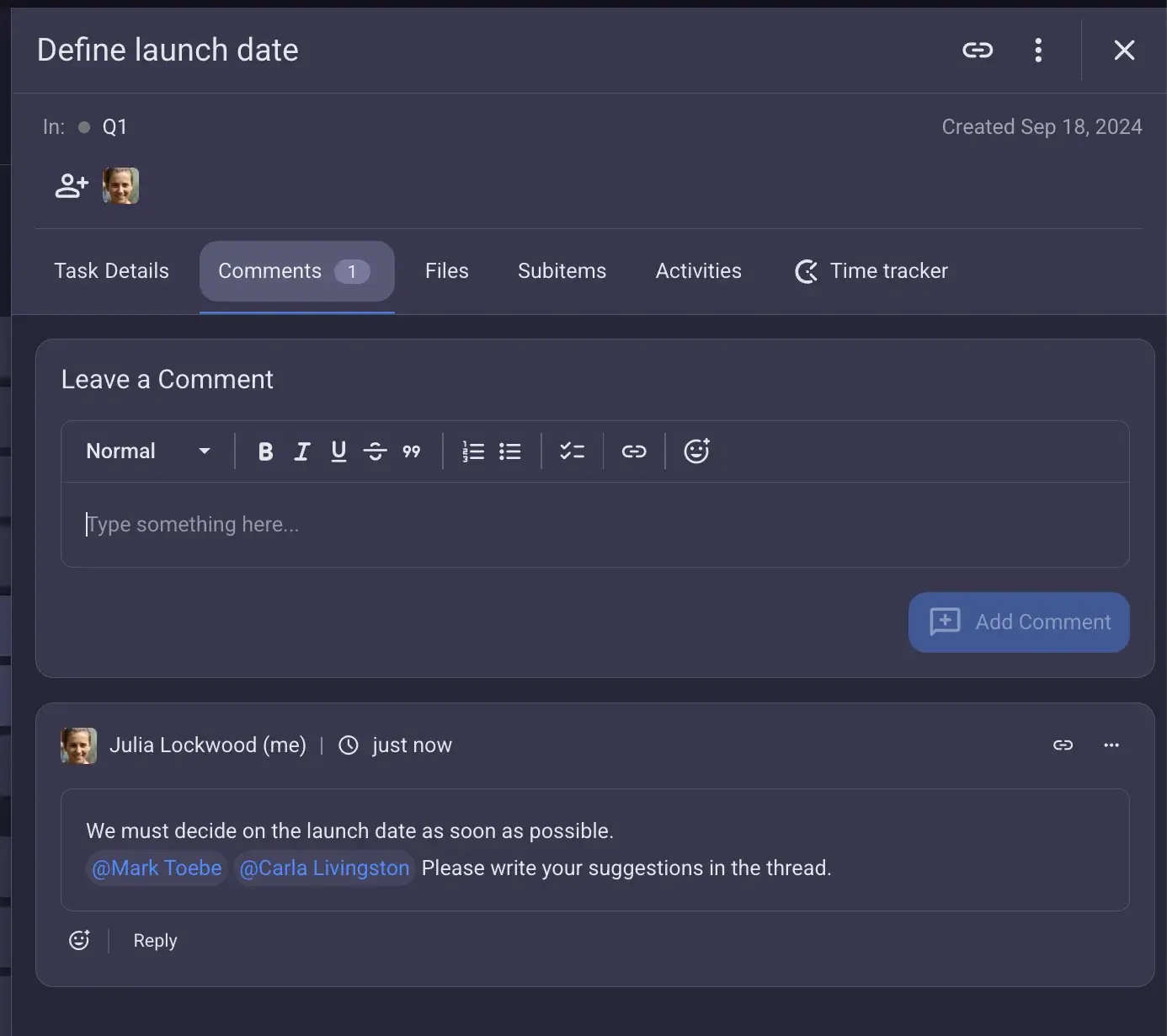
For example, in Plaky you can communicate through the Comment section located on each individual Item card. This way, all your task-related information is in one place and all assignees and subscribers get a Notification whenever there’s a new update or comment.
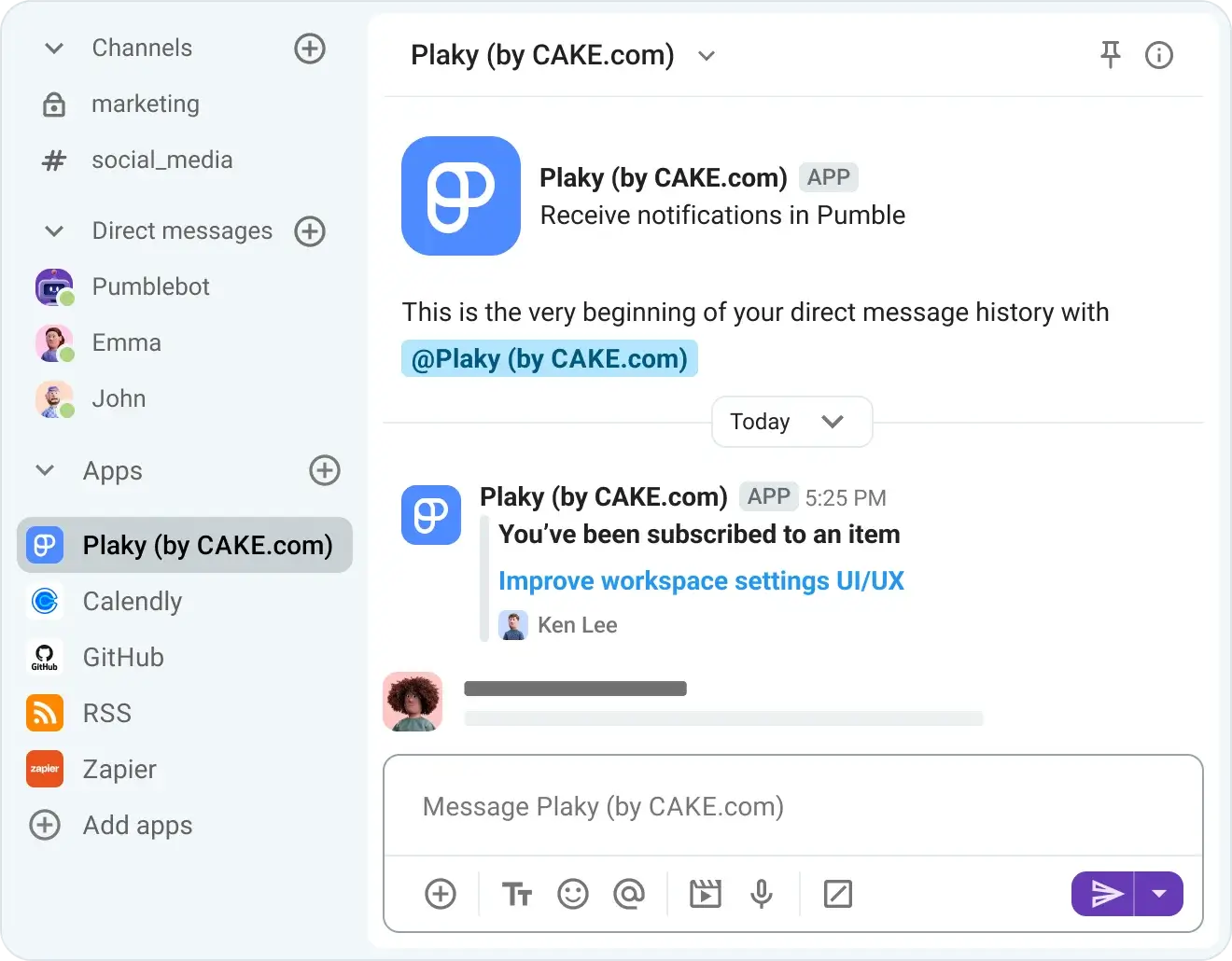
There’s also the option to use the Plaky-Pumble integration. It lets you receive curated notifications related to your Plaky tasks as direct messages in the Pumble team communication app, building a seamless flow between the spaces where you work and communicate.

#4: Avoid virtual meeting fatigue
Virtual conference calls demand a higher cognitive load than in-person meetings, leading to fatigue.
The 3 main contributing factors to this are:
- Excessive amounts of close-up eye contact
- The self-view window that shows us what we are doing in real-time
- The lack of physical freedom during calls
You can combat some of these issues by turning off the video feed that shows you what you’re doing and not using the full-screen option for conference calls. However, the best remedy is to reduce the amount of unnecessary time spent sitting in conference calls.
You can still get all the benefits of virtual meetings without any of the downsides by making sure to:
- Schedule meetings only when necessary.
- Be concise.
- Only require the people essential to the meetings to be there.
This isn’t done to gatekeep information. You can still leave the option for non-essential team members to join without making this a requirement.
#5: Use project management tools
Project management tools are a central hub where all your work and work-related communication happens. As such, they are a one-stop-shop for everyone who wants to get informed about the project.
You could look at task management as a form of passive communication — assigning team members to task cards, seeing when they pull these cards, establishing deadlines, and leaving comments are all acts that communicate expectations and share information in a clear and succinct way without inhibiting productivity.
Most of the time, PM tools offer the option to see the information from different angles using different Board views. For example, Plaky offers Table, Kanban, Gantt, Chart view, and Dashboard that make it easy to take in or skim large amounts of data.
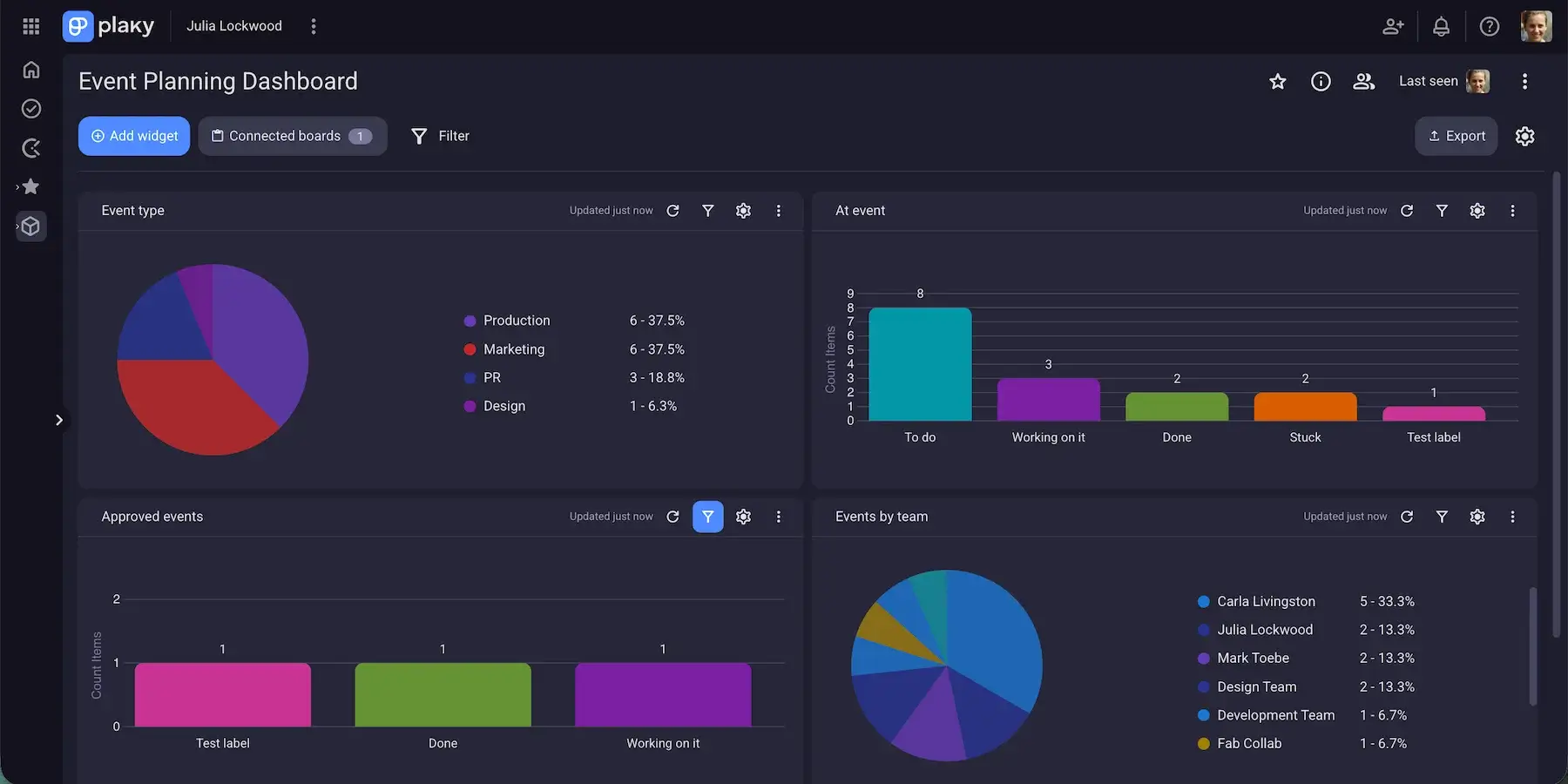
Similar helpful tools include Sort and Filter, Global search, and Summary row, which synthesizes data from each column on your board and presents it in a quick overview at the bottom of the Item group.
Without these and similar features, check-ins, update meetings, and micromanagement become a regular occurrence. This is why PM tools are excellent for fostering workplace transparency since the information is available to everyone.
That said, we understand that not everyone needs to know everything. So, Plaky also lets you create Private Boards, Closed Spaces, and tinker with user roles and permissions to make sure sensitive information stays safe, while the rest always reaches the right people.
Among the user roles you can choose is the Viewer role. This lets you share data with outside users who can get informed at their own pace without disturbing your work environment.
Besides effortless communication, PM tools are irreplaceable for daily task management.
You could have the best communicator in the world managing a project — but if they don’t know how to create and manage an effective project schedule, it wouldn’t matter.
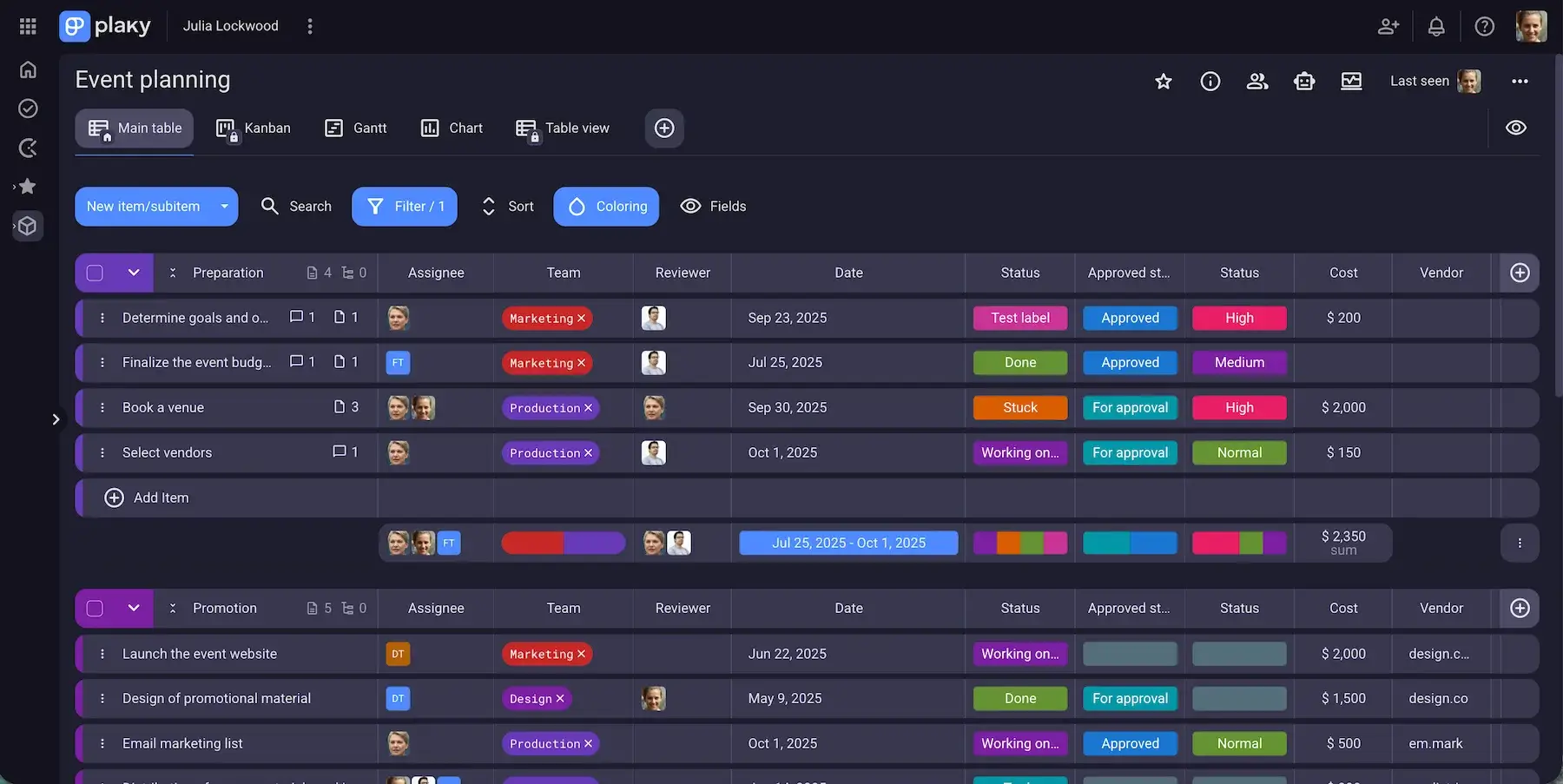
Task management, in particular, can and should be facilitated by using professional project management software that can help you communicate deadlines and task progress in a streamlined manner.
For example, teams that use Plaky can:
- Create an unlimited number of tasks.
- Assign them to an unlimited number of users.
- Track progress using customizable views that conform to the needs of different project teams.
#6: Create a communication management plan
The communication management plan should describe when and how frequently communication is expected, and through which channels. Whether it’s daily, weekly, or even monthly, a well-defined plan establishes firm guidelines for communication frequency, channels, direction, degree of formality, and more.
The benefit of such a plan is that it lets every stakeholder know in advance whom they should contact for which purpose and how they should communicate with them.
In terms of setting expectations, it doesn’t get much better than this.
Why is communication in project management important?
Projects are all about a group of people collaborating to create or do something. This is why proper communication is crucial, as it:
- Sets clear expectations
- Unifies the project vision
- Gets everyone on the same page
For projects to progress smoothly, you need to set proper expectations. This means sharing this unified vision among the PM, client, and other stakeholders — you can’t expect employees to just know what higher-up management wants if you don’t tell them. In the long run, this prevents scope creep by clearly defining achievable milestones and deliverables.
Let’s imagine that 2 HR members are organizing a party to celebrate their small company’s anniversary. They get talking and come up with the following plan:
- They both check with employees in different departments whether or not they’re interested in attending the party.
- One of them calculates and requests the budget while the other works to get audio equipment properly set up.
- Once the budget is approved, one rings in orders for food and drinks while the other handles the decorations.
Is this the best office party plan? Probably not, but that’s beside the point.
What matters is that the 2 people working on this mini-project came up with the plan together by communicating. This shows the importance of communication on a micro level — they both know what needs to be done, who’s doing what, and why.
Project management on a macro scale is effectively the same. There are more people involved and more at stake as the goal of the project is always in service to the larger company vision. But, the only way to get everyone in on this unified vision is by communicating it.

Communicate with your team every step of the way with Plaky by CAKE.com
To stay on top of all your conversations, and task-related comments, it’s important to be able to keep it all in one place. So, a good project management software that also lets you communicate with your team is an invaluable tool for both the project manager and the project team, and Plaky does it for free!
Larger businesses that want more functionality can always opt for one of Plaky’s affordable paid plans. But regardless of whether you’re a free or paid user, some perks always remain the same:
- 24/7 expert human customer support
- 99,99% uptime
- Enterprise-grade security
- Intuitive interface
If what you’re looking for is a secure, reliable, and intuitive tool for managing communication and tasks in one place, try Plaky by CAKE.com.
Get started with Plaky by CAKE.com