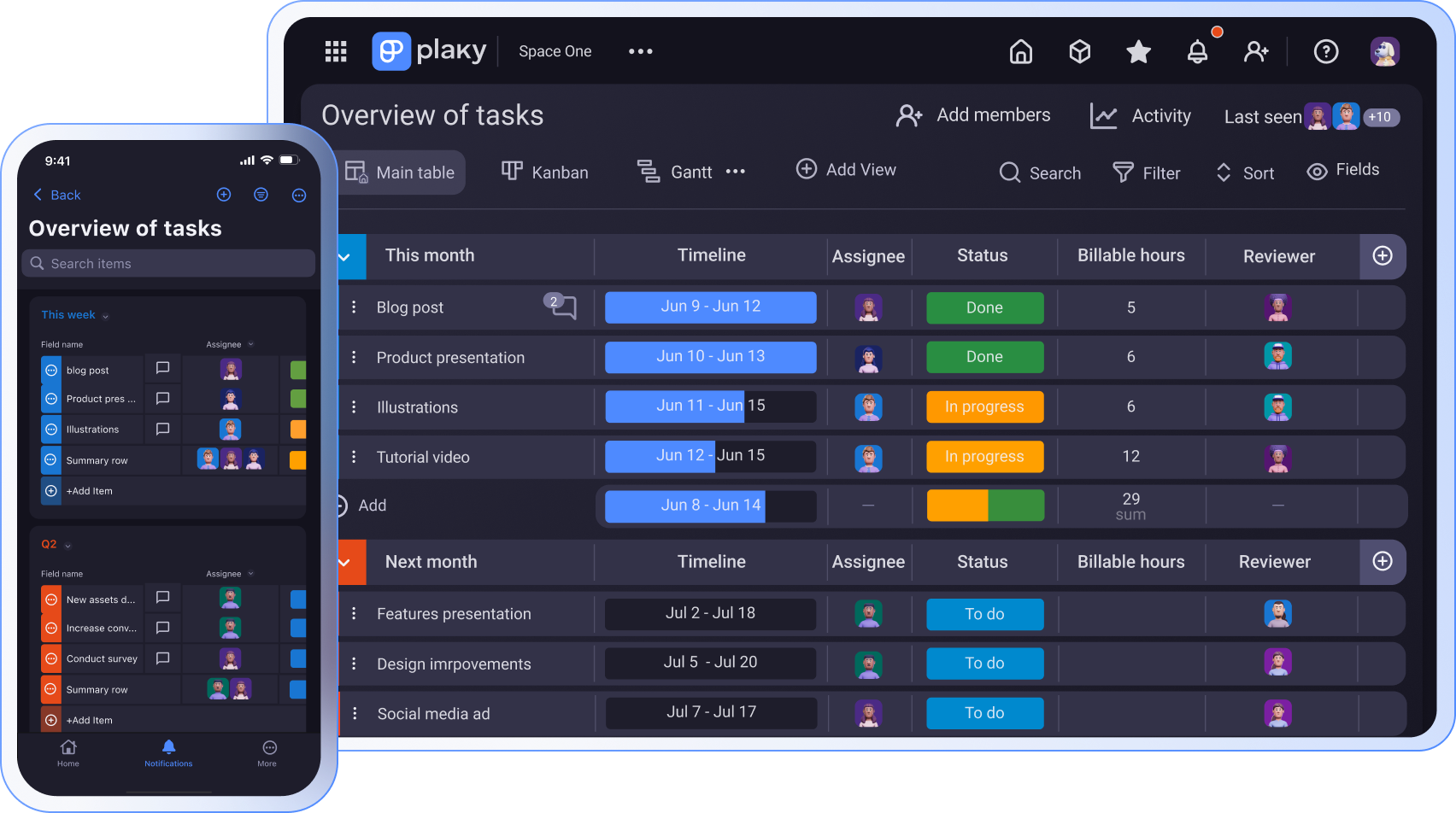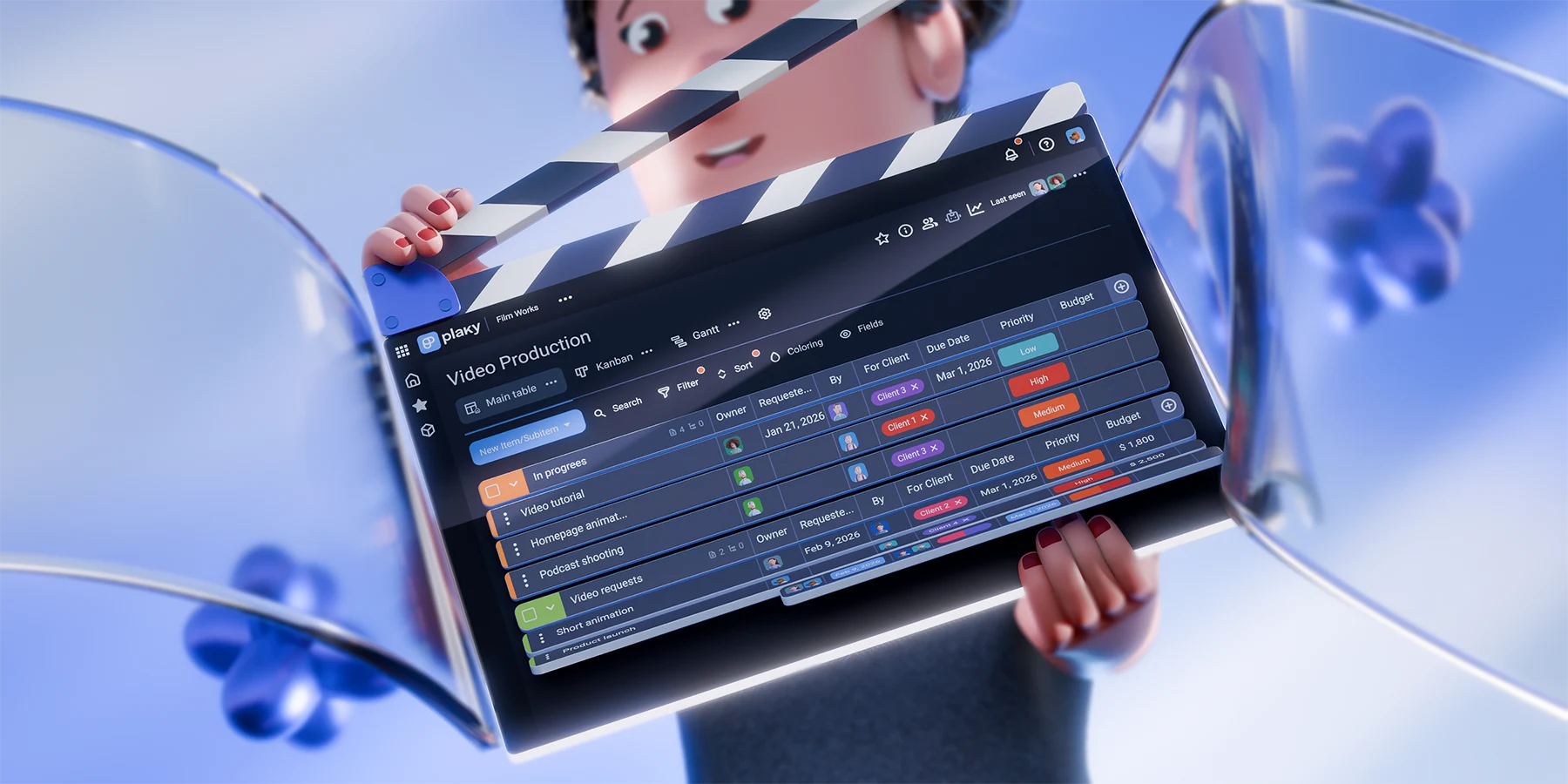
Video production means constantly balancing between creativity and coordination. Without a clear system, even the most exciting projects quickly become overwhelming.
Using a project management (PM) tool like Plaky by CAKE.com can make a huge difference for video teams. Instead of relying on scattered spreadsheets and chat threads, you can keep your entire workflow organized in one place.
Keep reading to learn how video creators use Plaky, from the first spark of an idea to the final published video.
- Video production becomes notably easier when all stages are managed in one structured system.
- Thanks to Plaky’s clear hierarchy, customizable fields, and templates, creators can turn flexible ideas into organized, repeatable workflows.
- Built-in comments and time tracking in Plaky improve coordination and accountability.
- With automations and workload insights, Plaky allows your team to stay aligned and scale production without losing control.
Why video creators go for Plaky by CAKE.com
Plaky works well as a PM app for video production teams, as it helps them manage the entire production process by keeping tasks, deadlines, and progress clearly organized.
With our platform, you get:
- Centralized work — keep all your tasks, client lists, links to scripts, publishing schedules etc. in one place so that everyone can quickly find the information they need.
- Clear deadlines and task assignment — make responsibilities and due dates visible at a glance to minimize confusion and delays.
- Easy budget and status tracking — keep budgets under control, and monitor production status in real time to prevent issues.
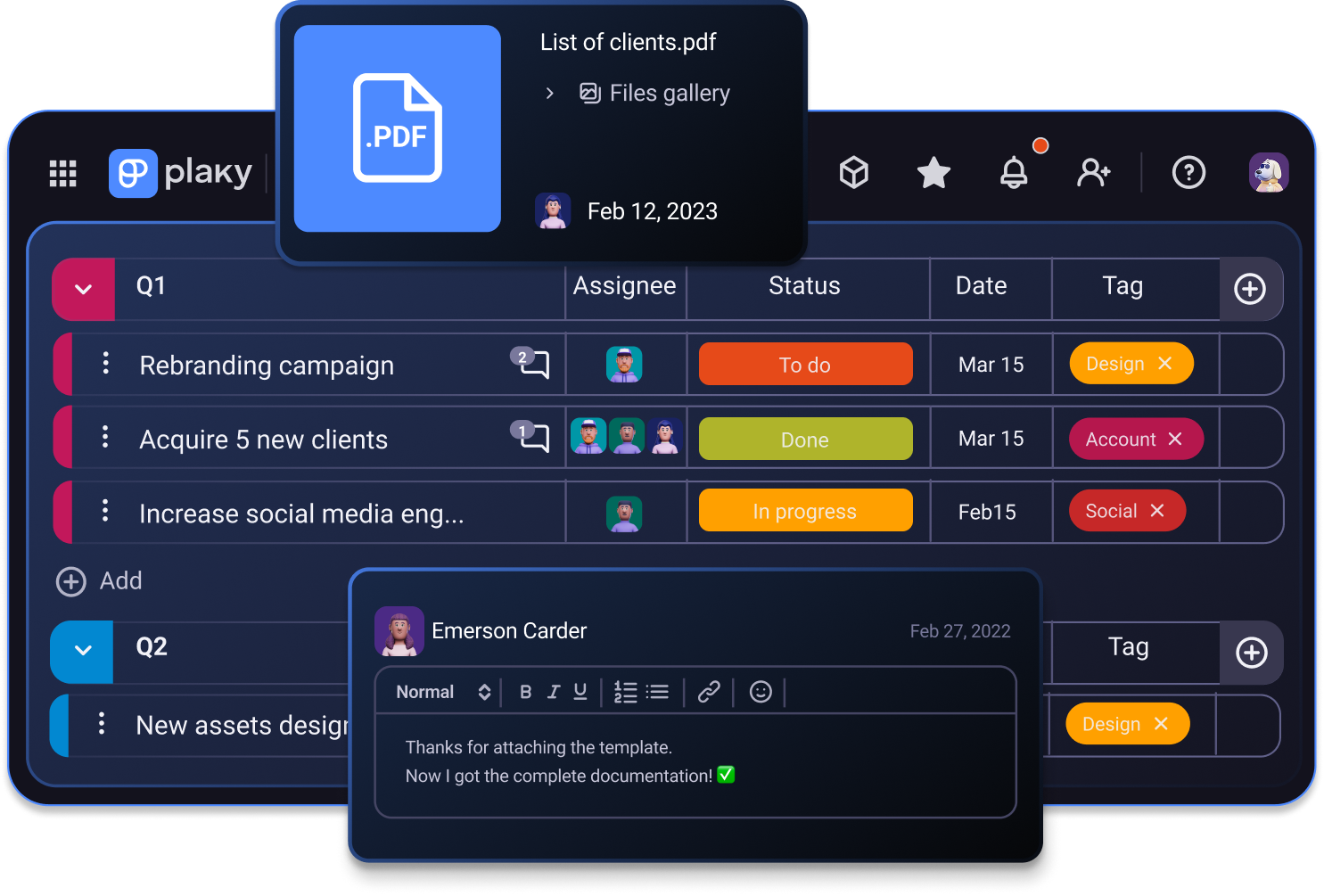
- Simplified team collaboration — connect feedback, files, and updates directly to the relevant tasks and projects.
- Better time management — track how long tasks actually take to improve scheduling accuracy and allocate resources more efficiently.
With our robust yet user-friendly app, you’re much less likely to lose momentum or miss important deadlines.
How to use Plaky throughout the video creation process
Anyone — from freelance videographers to agencies with multiple clients — can follow these 6 easy steps for managing the video creation process in Plaky.
#1 Plan content and strategy
A successful video starts with a solid plan, and our platform’s clear hierarchy makes it easy to break down ideas and strategies. Teams can:
- Create dedicated Spaces for different channels, brands, or campaigns,
- Use Boards to separate workflows such as planning, production, or sponsorships, and
- Group Items by status, platform, content type, and so on.
If you want to segment your plans even further, you can use Subitems or create checklists using the Rich Text field.
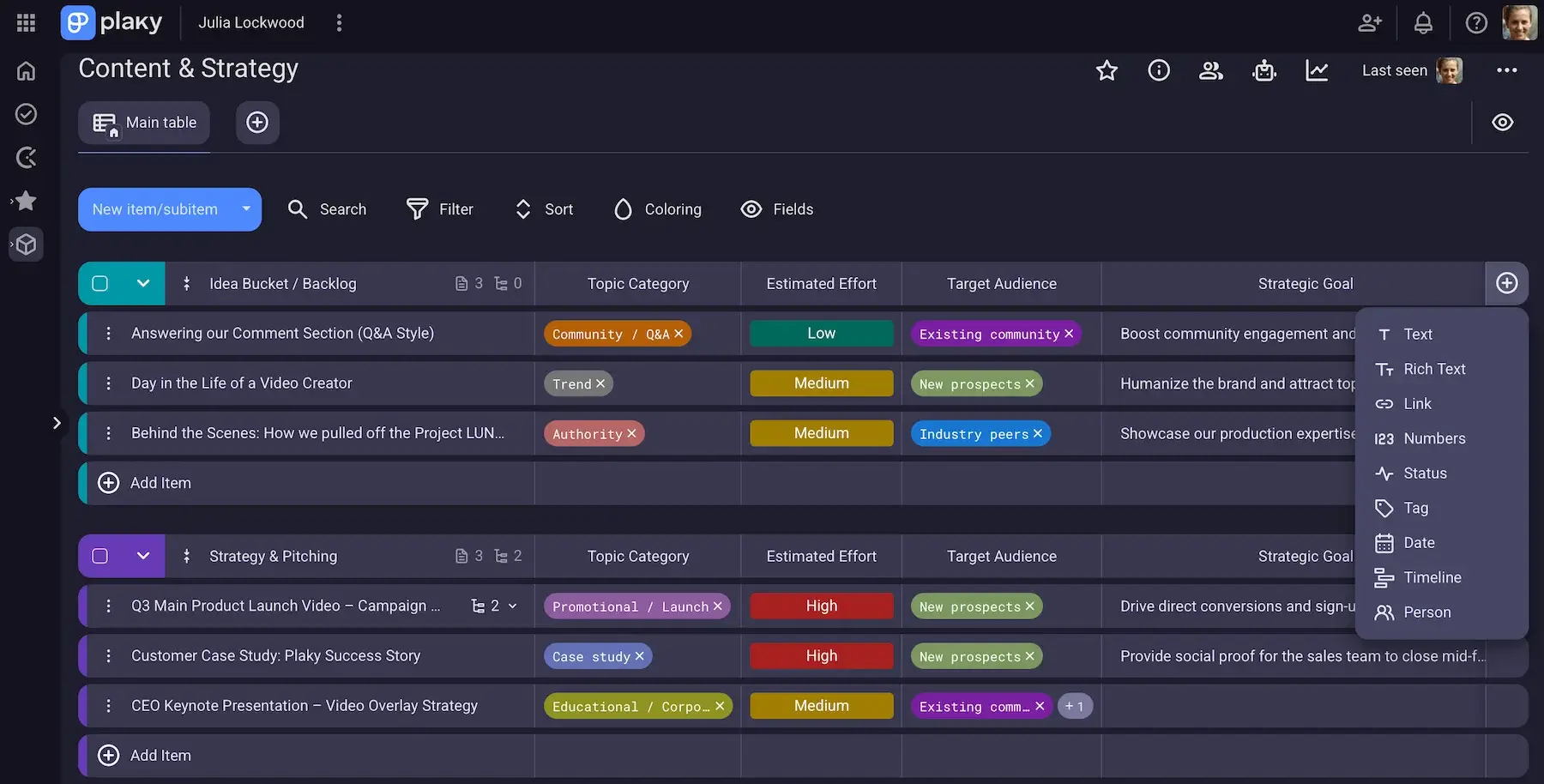
Speaking of Fields, this is the feature that makes Plaky flexible for all kinds of planning approaches. Some of the most useful Fields in the brainstorming stage are:
- Text — for concepts and quick notes,
- Number — for estimated budgets and projected views,
- Link — for reference materials,
- Tag — for specifying target audience, platform, and content pillars, and
- Status — for priorities and estimated effort.
And, if you’re unsure how to start, check out Plaky’s pre-made templates. Here are 3 very useful ones:
- Video production template — set up the entire production workflow to save effort and time.
- Creative requests template — organize and track incoming creative ideas and production needs from stakeholders or team members.
- Strategy plan template — define goals and long-term direction for your video efforts.
You can edit all Plaky templates to tailor them to your specific needs. And, for extra convenience, users on our paid plans can save any board as a template to reuse proven structures with ease.
#2 Organize pre-production
Once ideas are approved, you need to organize every moving part of pre-production before filming begins.
I highly suggest using the Number field to specify budgets and the Date/Timeline field to schedule filming dates, approval deadlines, or publishing targets.
Also, you can add more details with columns for:
- Shooting locations,
- Required equipment,
- Crew assignments, and more.
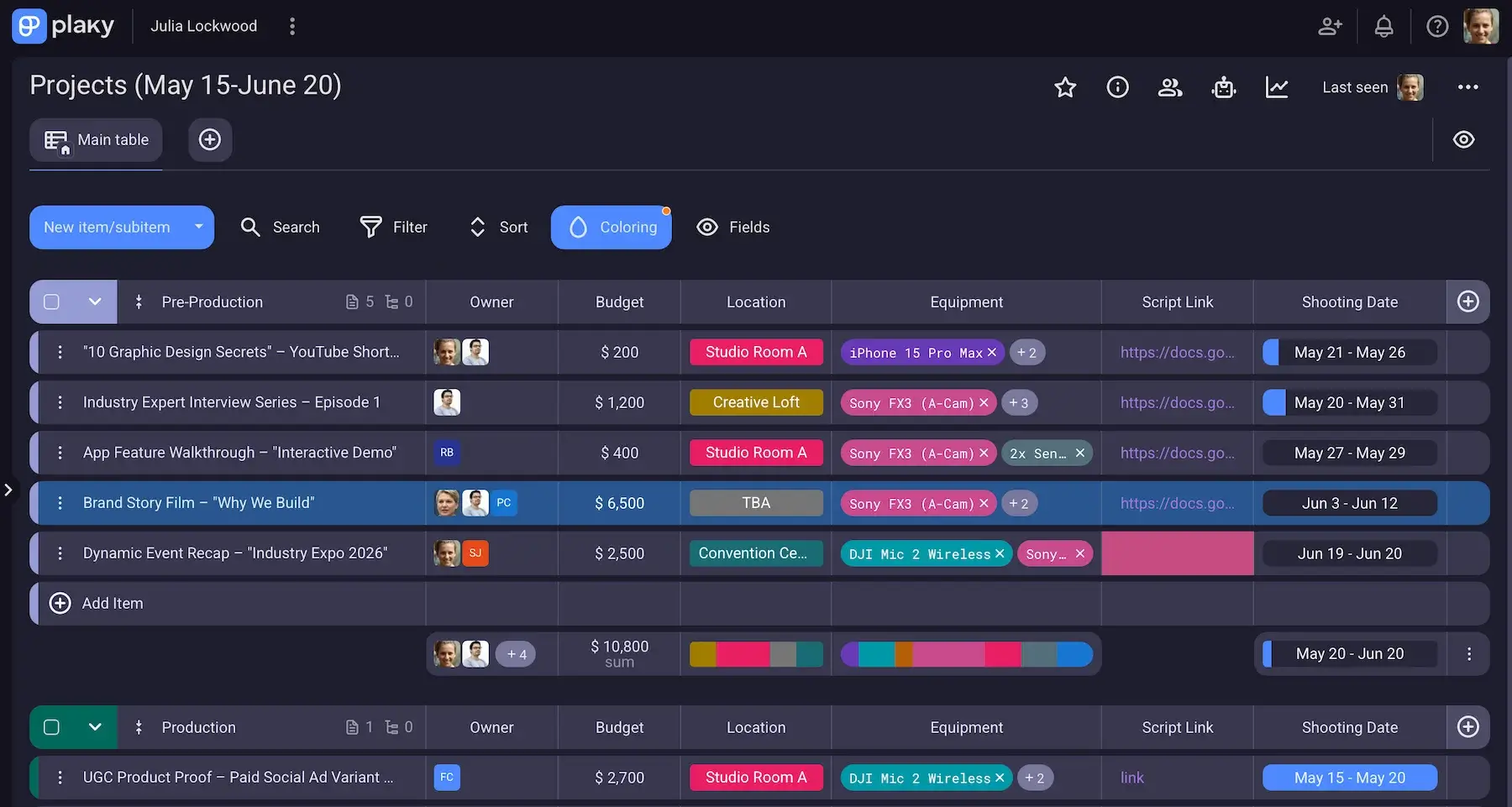
Moreover, scripts and creative briefs can be stored directly inside Items thanks to the Files tab, or you can add their URLs via the Link field. With centralized files, everyone involved has access to the latest materials without digging through emails or cloud folders.
Plaky’s Conditional coloring adds another level of visibility during pre-production. You can automatically highlight items when required fields are incomplete or fail to satisfy any other relevant condition.
For example, a video task could turn red if no filming date has been assigned or if the script link field is empty — making it easier to spot issues early.
#3 Track production progress
To stay on top of active production, you need clear, real-time progress tracking — visualizing exactly where each video stands and what still needs attention.
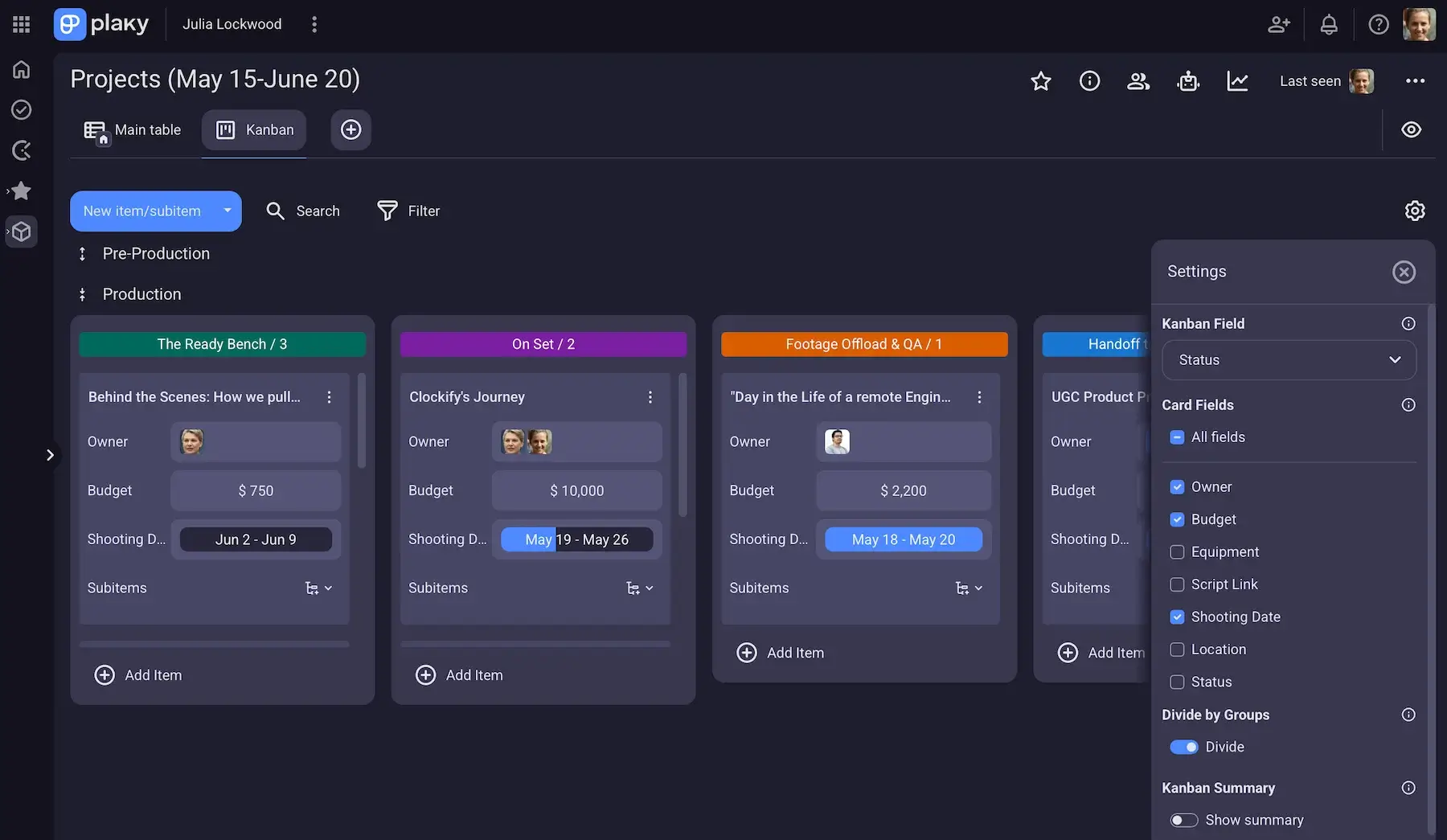
A Kanban tool is especially useful during production, as it turns the production pipeline into a simple drag-and-drop workflow. Plaky lets you fully customize stages to match your process (e.g., The ready bench, On set, Footage offload & QA, Handoff to post-production).
It’s much easier to spot bottlenecks with Kanban and keep momentum across multiple projects at once.
For those who prefer a timeline perspective, the Gantt chart offers a broader view of production schedules. With all tasks laid out across a visual timeline, you understand which projects overlap and never lose sight of deadlines.
Plaky supports several zoom levels in Gantt charts:
- Hours,
- Days,
- Weeks,
- Months,
- Quarters, and
- Years.
There’s also Autofit for instant optimal scaling.
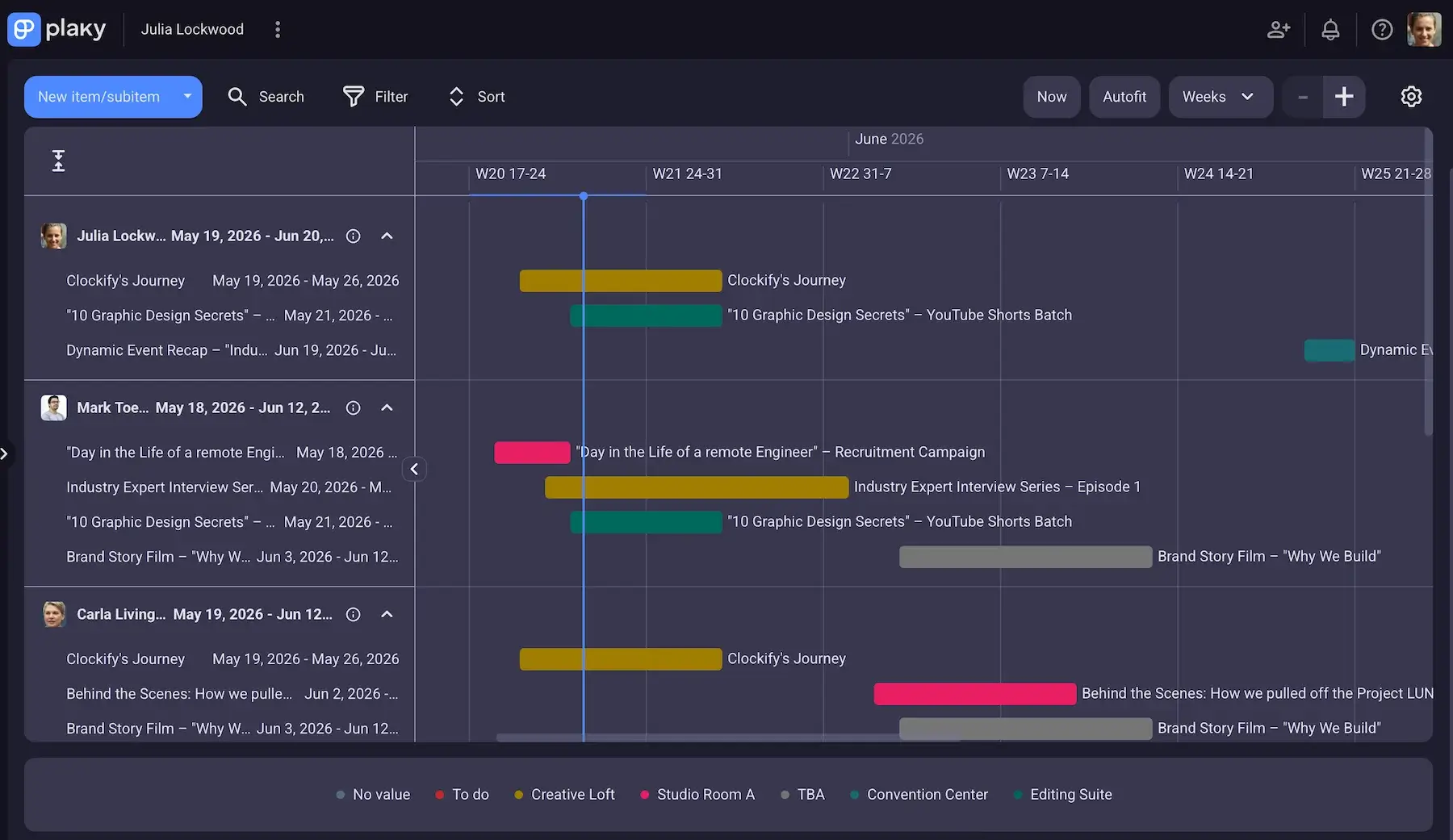
So, feel free to switch between detailed task execution and big-picture planning, making sure nothing gets forgotten or delayed along the way.
Another cool feature: Activity Log — a time-stamped record of every single change made in Plaky. You can always see who updated what and when, which is especially useful in fast-moving production environments when multiple people are working on the same video at once.
💡 Plaky Pro Tip
Keen to learn more about Gantt charts and their benefits? Check out this guide:
#4 Organize editing, and share feedback
Once footage is captured, Plaky helps you streamline the editing phase. Much like in the previous steps, you can set up custom statuses to reflect your editing stages (e.g., Rough cut, Fine cut, Color and audio polish, Ready for review) and assign users (reviewers/approvers).
Native time tracking through the Plaky-Clockify integration is particularly valuable here. Instead of relying on estimates, track how long the editing process actually takes for different kinds of videos.
With the help of Clockify by CAKE.com, you can spot which parts of the process consistently require more effort and use the insights to improve overall scheduling accuracy in the future.
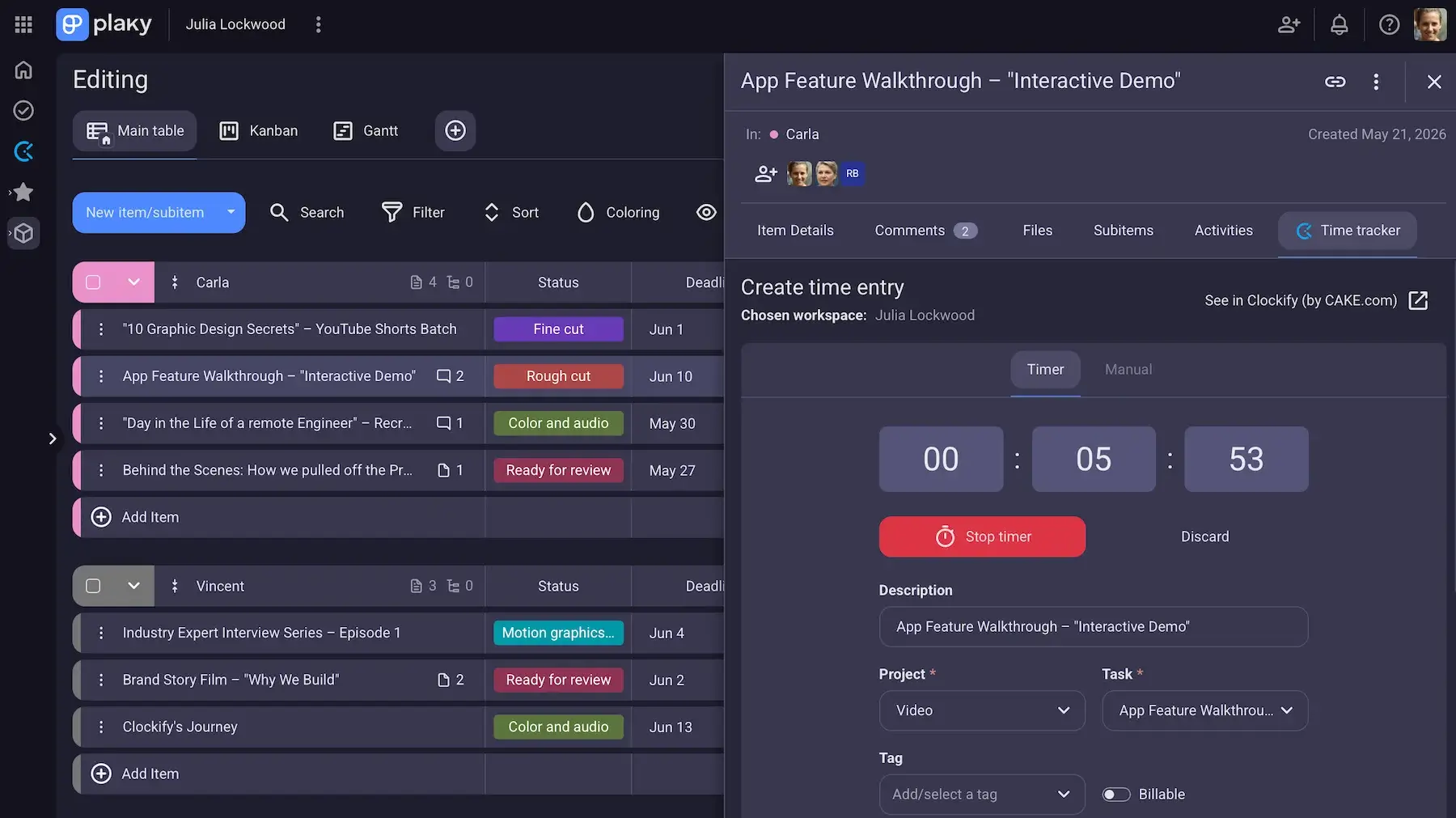
If you work in a team, you’ll be glad to know our platform supports collaboration through in-task comments. So, leave precise notes, suggest changes, or ask questions without losing context.
In addition, you can @mention users in comments to ensure the right people are looped in immediately.
By the way, comments can also come in handy to solo creators, serving as personal reminders or checkpoints within the editing process.
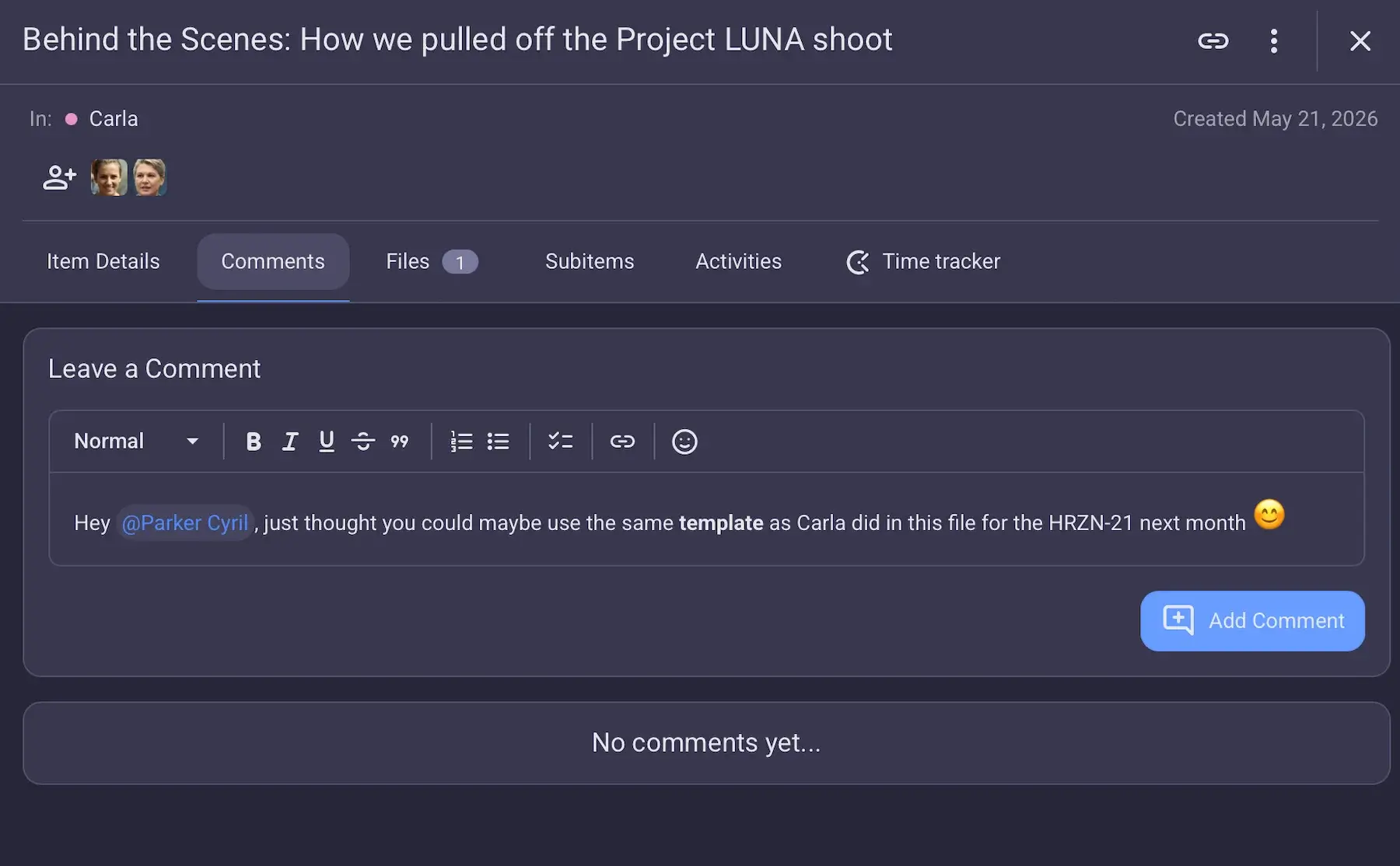
If you need full chat functionality and video calls, I recommend getting another CAKE.com app — Pumble. In fact, there’s also a native Plaky-Pumble integration, allowing Plaky notifications inside Pumble as an extra way of staying up to date with your projects.
And, the best news is that Plaky + Clockify + Pumble equals CAKE.com’s Productivity Suite, offering fully upgraded access to all 3 apps with a huge discount.

#5 Plan video publishing
When a video is ready for release, Plaky turns publishing into a predictable system rather than a last-minute task.
Our content calendar template can help you plan and schedule content across platforms to maintain consistency. The template comes with the following Fields:
- Owner,
- Stage,
- Schedule,
- Publish date,
- Channel,
- Target audience, and
- Link.
As always, you can add/remove/rename the columns as needed.
Another useful feature is Board automation — handling repetitive manual work and ensuring videos move through the final stages consistently and on time.
Automations in Plaky use the simple When-If-Then logic. For instance, when a video is marked as Ready to publish, it can automatically move into the Scheduled group, notify the responsible manager, or prompt the team to add final assets like thumbnails or captions.
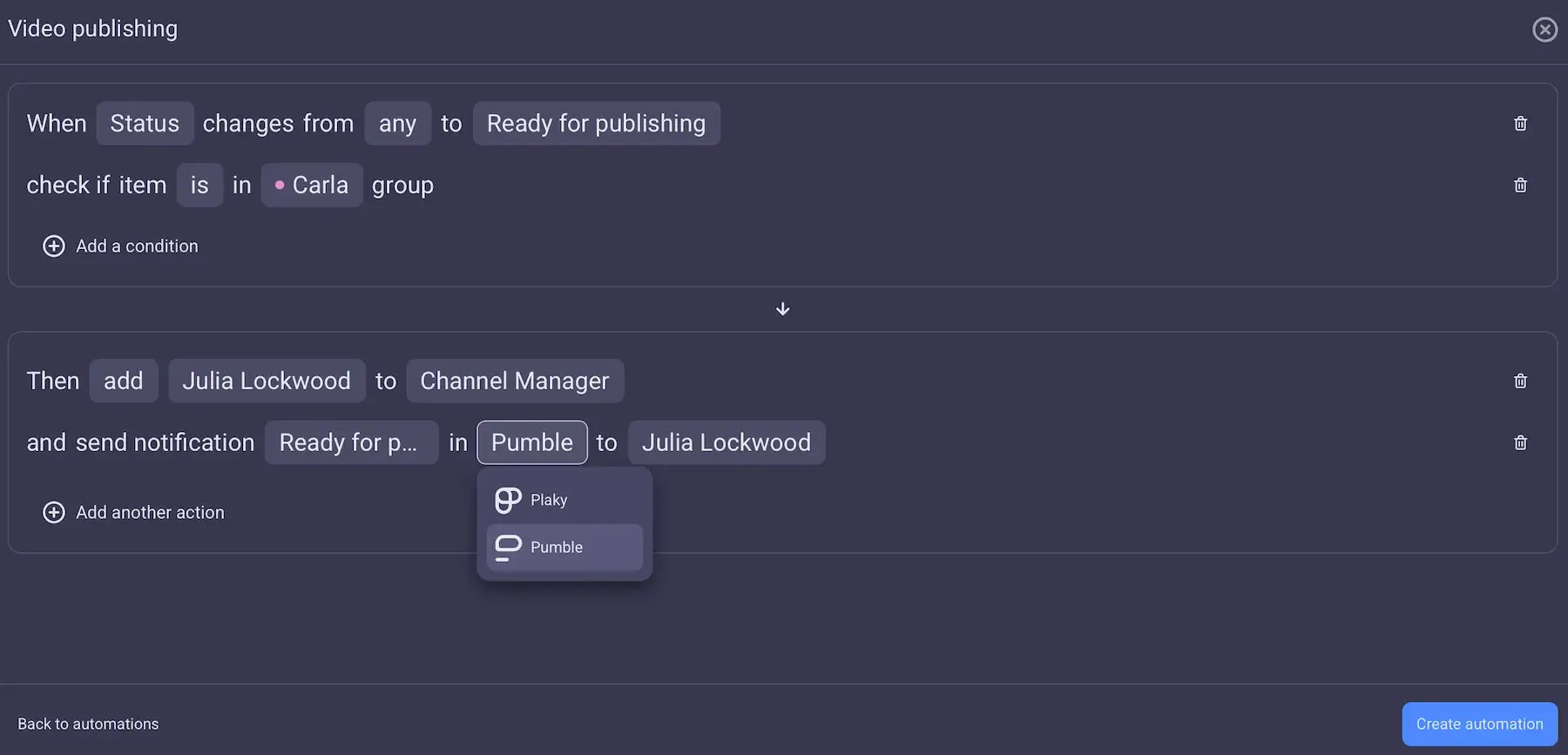
Solid templates and automations are essential when managing multiple platforms and frequent video uploads if you want to reduce human error and boost consistency across all releases.
#6 Monitor video distribution and active projects
After videos are published, Plaky can help you analyze publishing patterns and manage other ongoing work.
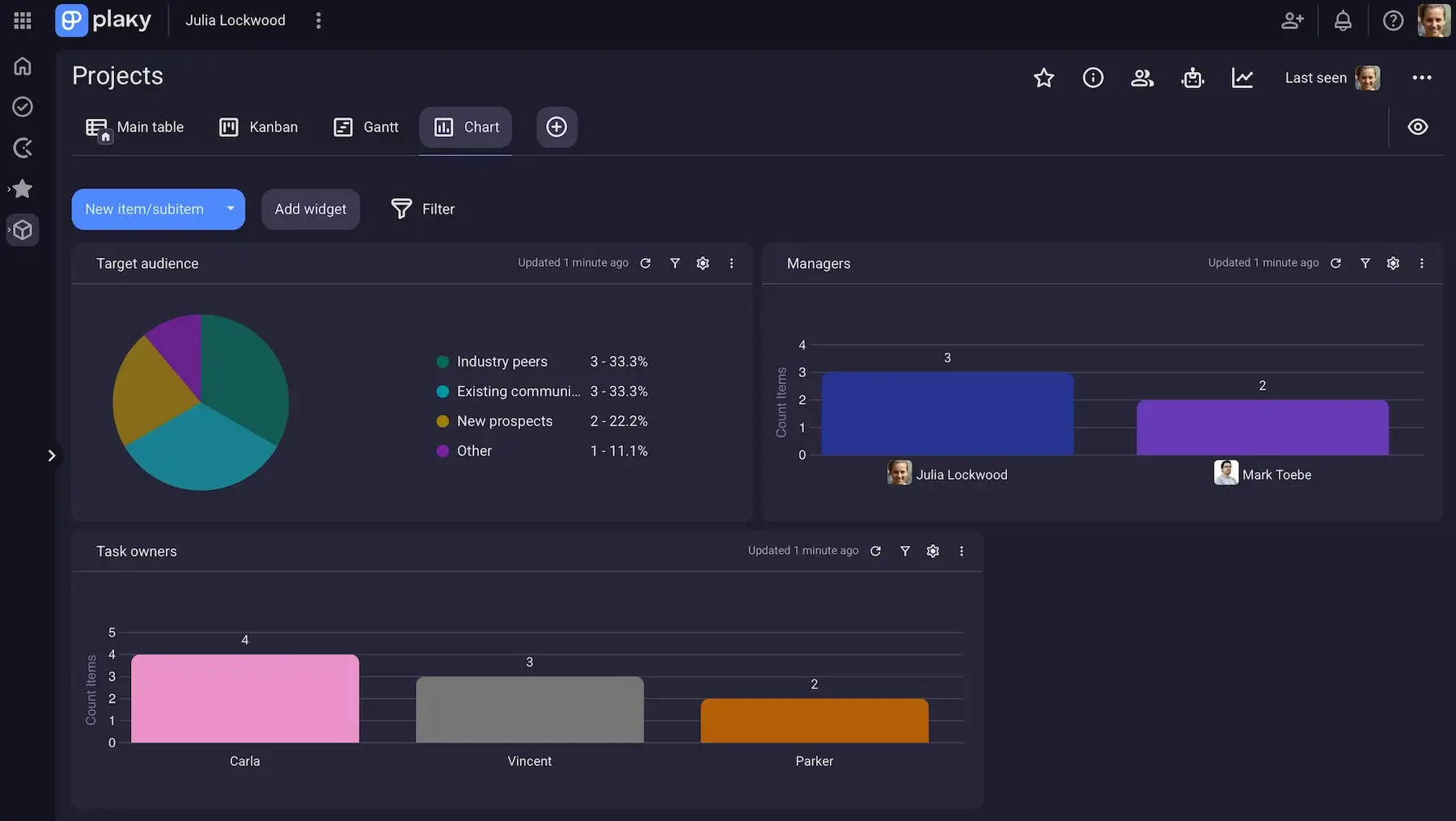
The Chart view, for example, enables you to study how content is distributed and organized across the workflow. In fact, you can add up to 30 chart widgets per Board and get summarized info regarding content categories, project statuses, workload distribution, and more.
Speaking of workloads, the My tasks view is another handy functionality. Instead of navigating through multiple boards separately, you get a centralized overview of all your tasks.
The aim is to prioritize responsibilities with ease and avoid missing deadlines when juggling several assignments.
For managers and team leads, My tasks also provides visibility into tasks assigned to specific teammates. Seeing individual team members’ tasks helps you make sure responsibilities are distributed realistically across the team.
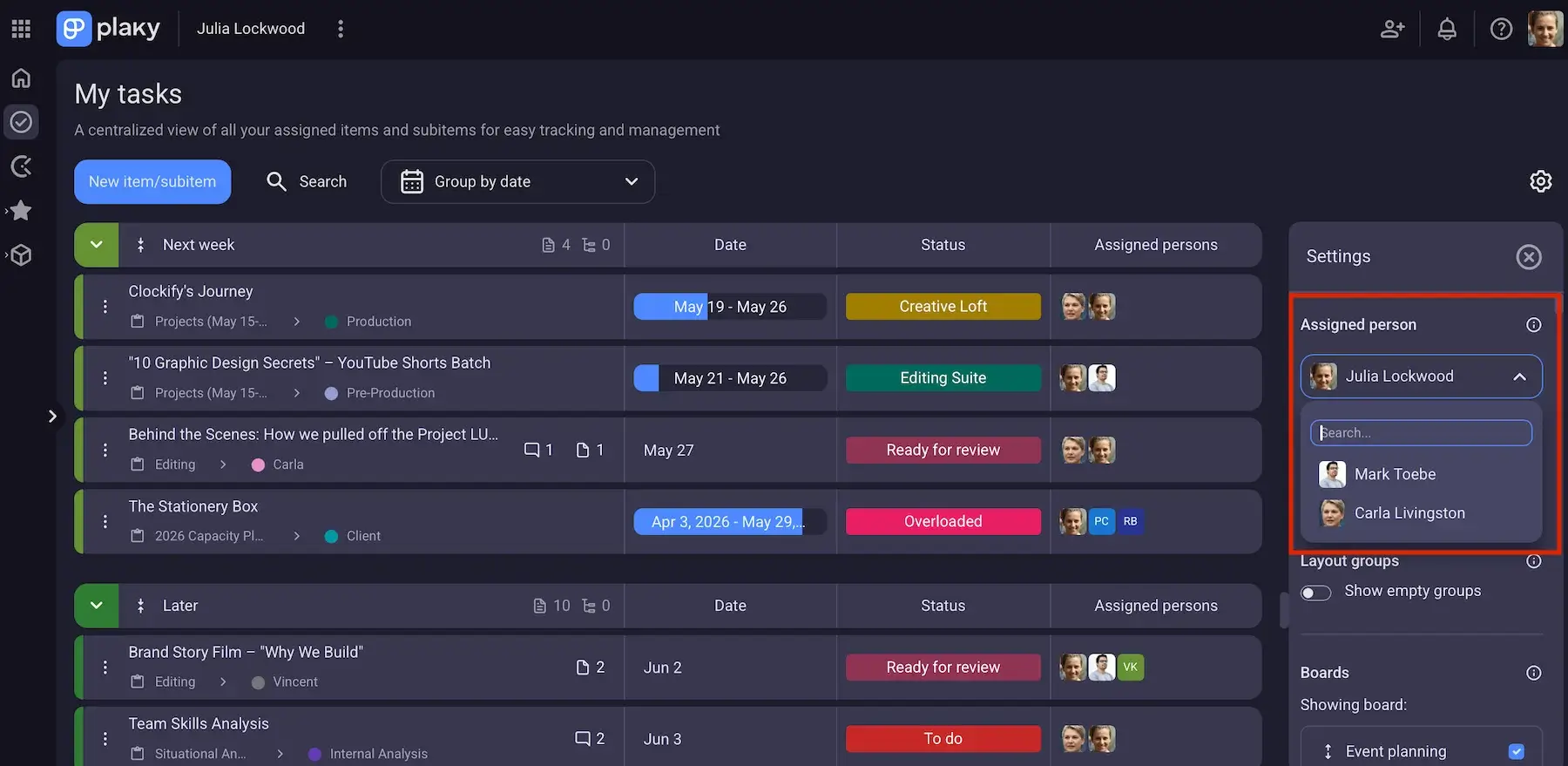
By combining visual workflow analysis with centralized workload management, Plaky allows creators to stay organized long after a video is published, while keeping active projects and responsibilities under control.
Reliable PM tool for video production teams — Plaky by CAKE.com
Whether you’re a solo creator handling your own content or part of a larger production team, a solid PM app makes it easier to keep projects moving forward smoothly.
Nobody wants to spend time chasing updates and searching for files, which is why Plaky is designed to reduce operational friction and let you focus on what matters most: planning and publishing high-quality content consistently.
Video production moves fast, but our platform helps your workflows keep up. Get Plaky by CAKE.com now!
How we reviewed this post: Our writers & editors monitor the posts and update them when new information becomes available, to keep them fresh and relevant.