


Managing a logistics workflow can sometimes feel like juggling too many apples and oranges (aka shipments and orders) at the same time.
Luckily, you can rely on Plaky — a powerful project management platform. Plaky assists logistics companies in their everyday operations and collaboration without breaking the bank.
So, read on and discover what you’ve been missing!
- Plaky helps logistics companies in organization, collaboration, and managing operations for an affordable price.
- You can centralize all your workflows on a Plaky board so you don’t need Excel or Word documents at all.
- Plaky’s Kanban board lets you visually track a shipment’s progress from start to finish.
- You can use Plaky’s integration with Pumble to combine your task management tool with a communication app.
- Plaky’s workflows can be automated to save you time and effort.
- You can track working hours across items and projects directly in Plaky.
Why logistic businesses go for Plaky
Logistic businesses need a tool that can help them manage their transportation and storage jobs. Plaky by CAKE.com is perfect for this thanks to its:
- Ease of use — You can master Plaky quickly no matter what level of tech knowledge and experience you have. It’s simple to set up and manage without any unnecessary features clogging the interface.
- Clear hierarchy — Plaky is organized into: Spaces (for departments, company branches, teams), Boards (shipment schedule, storage inventory), and Items (shipment orders, cargo). These features let you systematically catalog your information so you have everything neatly organized.
- Affordability — Try a strong Free (forever) plan with unlimited users, boards, and teams, or opt for one of the 2 affordable paid plans: Pro plan ($3.99/user/month) and Enterprise plan ($8.99/user/month).
- Customizability — Make changes whenever and however you want. You can reschedule orders, assign a different driver to a shipment, reprioritize work, etc. Most importantly, every time you make changes relevant people will be notified.
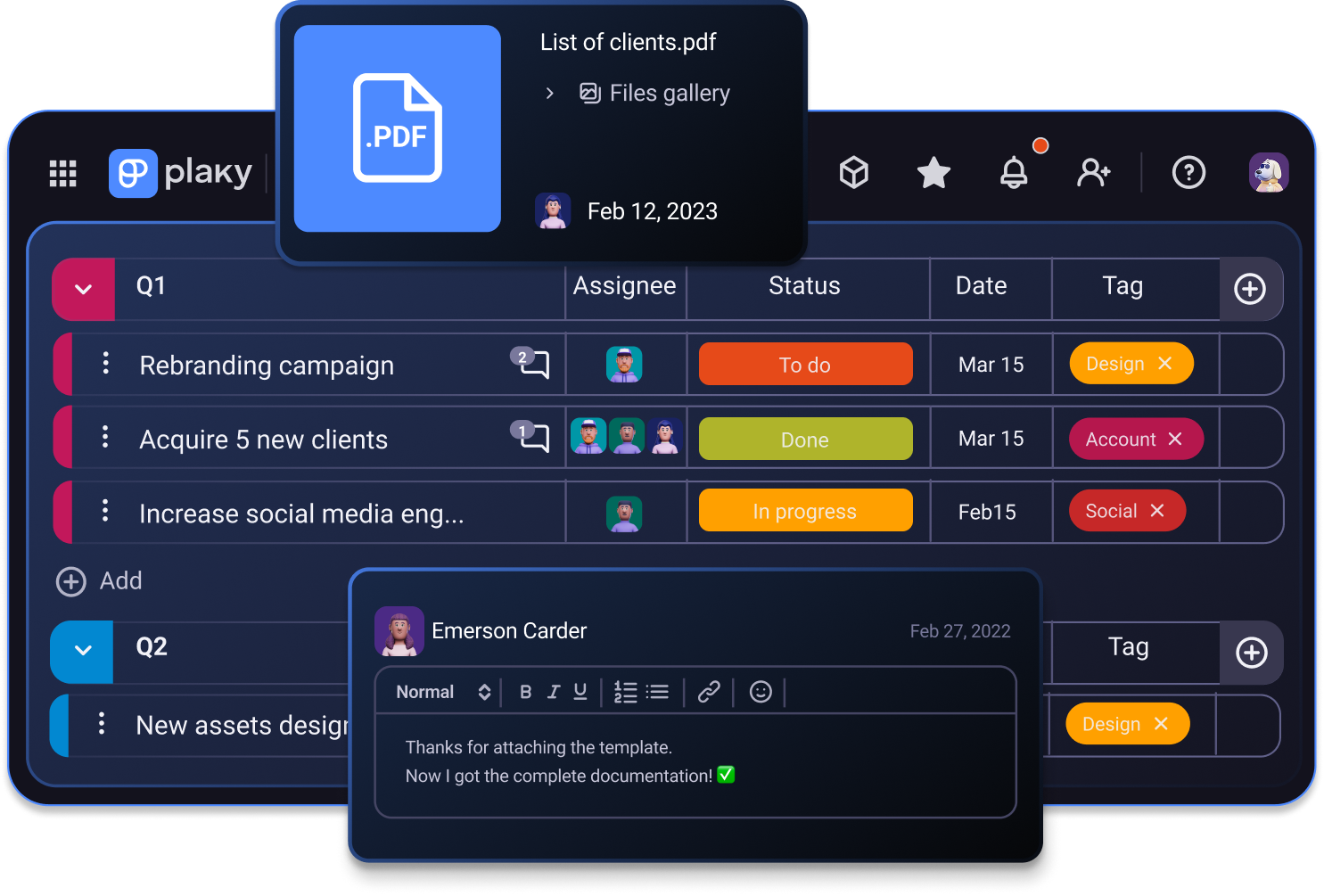
How to use Plaky to organize your logistics business
Here are 7 simple ways Plaky helps you manage your logistics company.
#1 Centralize your workflows with clear boards
Keep all the moving parts in one place — Plaky.
No need for endless Excel sheets, emails, and DMs between the office and drivers. You can store all information in Plaky’s intuitive boards.
Plaky’s boards consist of Items and Subitems, which can be grouped together based on a criteria of your choice. You can also sort and filter Items to navigate through a large number of them easily.
You can create a Plaky board to:
- Manage inventory — organize your cargo across different storage facilities depending on time of shipment to improve supply chain flow.
- Organize fleet maintenance — track when your trucks need oil changes, general checkups, or registration renewals.
- Coordinate drivers and routes — group routes by the assigned drivers to quickly see who is available for more work and who has a full schedule.
- Create a comprehensive schedule — build a detailed schedule for all your orders, deliveries, and shipments.
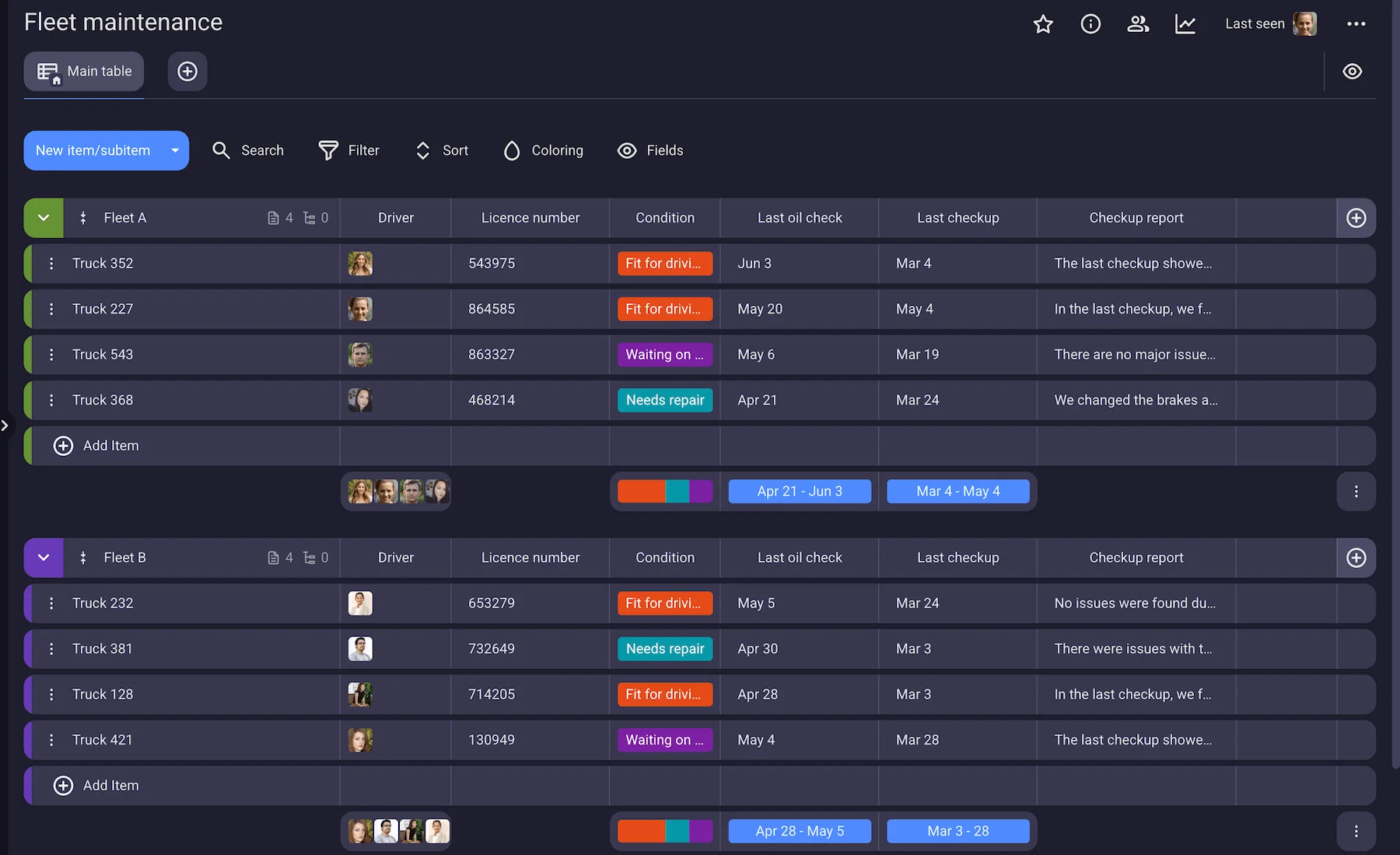
According to Milos Stanic, Head of Recruiting at 1st Platinum Freight, Plaky keeps inventory management simple and clear. Stanic created an inventory of trucks in Plaky to replace a list they used before, which wasn’t regularly updated. As a result, their organization improved significantly:

“Now, as we’ve expanded and new people have come to the company, I’m glad we have that inventory for easier organization.
Thanks to Plaky, at this very moment, a dispatcher knows that, if we get 2 more trucks, they will be immediately put in the inventory. They don’t have to look around — everything is in one place.”
💡 Plaky Pro Tip
Read more about how Milos Stanic and his team use Plaky to help them in their everyday work in a freight company:
#2 Track all types of information in one place
Plaky offers custom Fields, which can track any type of information such as:
- Date (delivery date, shipment due date, arrival in storage)
- Status (shipment and order status)
- Person (driver, client, dispatcher)
- Tag (storage units, types of cargo, types of transport)
- Number (truck plates, number of shipment, cargo value)
- Rich text (order details, checklists, instructions for the driver)
- Timeline (transportation timelines, supply chain timelines)
- Links (client sites, Google maps)
But, this is not all. In addition to the information you can include in Fields, Plaky’s items can also store:
- Images and video — Attach pictures or video files of trucks, cargo, or routes in various forms (png, jpeg, gif, mp4, mov, etc.).
- Files — Add important documentation (invoices, customs clearance, insurance) to each item so that it’s easy to locate them when needed.
- Personal information — Each user has a custom profile where you can find all relevant information about your employee. For example, you can include the location area for each driver, their contact information, and timezone.
Structure your workflow in Plaky
Stanic points out that they use Plaky’s powerful items to include all the necessary information. They have the entire fleet listed in Plaky, and each truck has its own description and picture. He explains how this classification helps them:
“We use that inventory when we need to recover a truck, for example. Namely, if the driver is ill or has some family emergency, they cannot continue to drive.
So, we just mark the number of the unit and the current location of the truck, and then we send another driver to pick that truck up.”
💡 Plaky Pro Tip
You already have a board with all your routes in another app? No problem — import that board into Plaky in under 10 minutes. Check out our articles on how to import from:
#3 Communicate with your team with ease
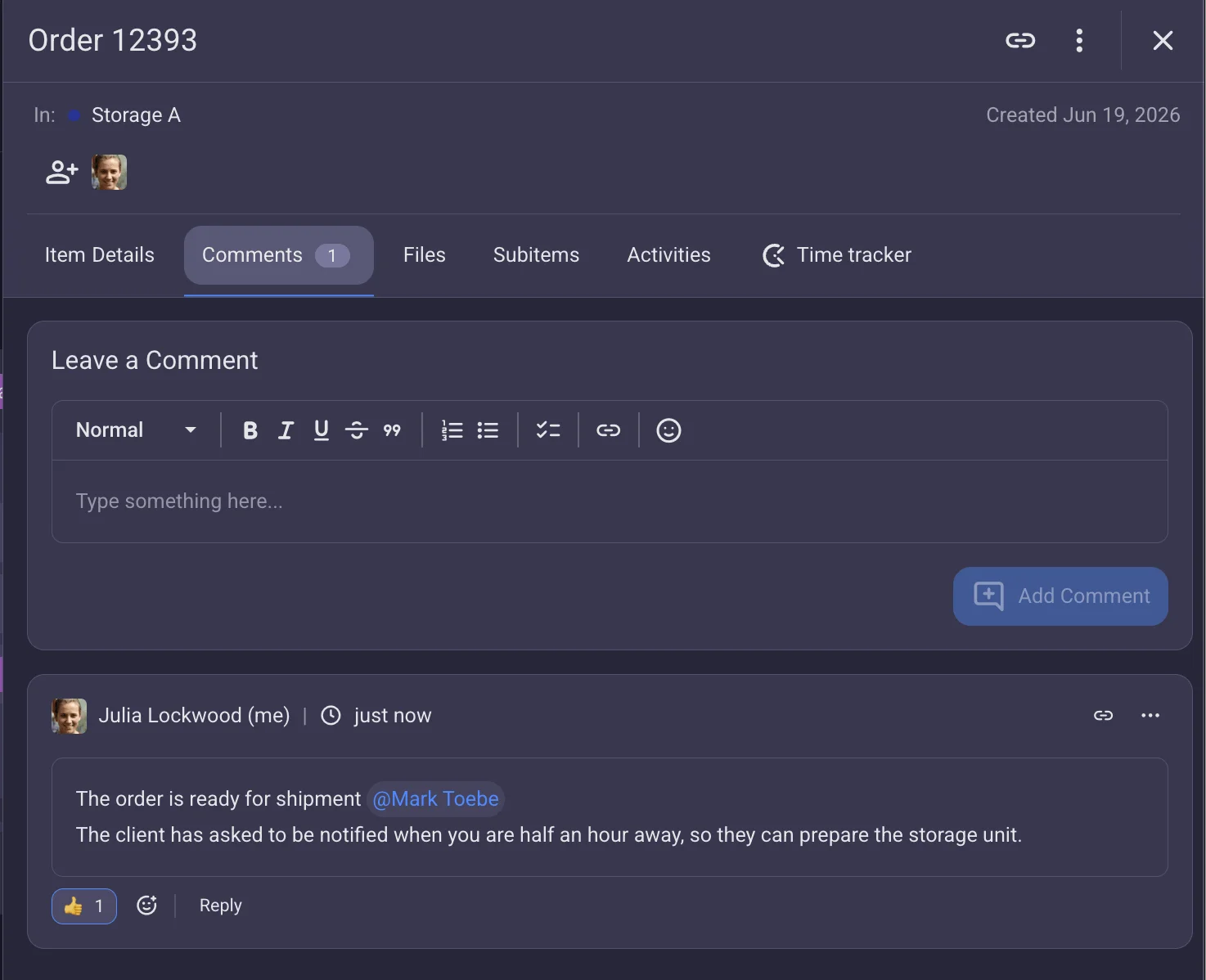
Each item in Plaky has a separate comment section for instructions, questions, updates, etc.
For example, if a driver wants to check something about a particular shipment, they can just ask right there in the comments, no need to DM the dispatcher.
And, if you want more robust communication options, go for Plaky + Pumble integration, which adds a business communication app to Plaky. Both apps are developed by CAKE.com and share the same design style and simplicity, making the transition seamless.
You can manage all your business communication and receive Plaky notifications directly in Pumble, giving you a centralized platform to track all updates.

#4 Stay in the loop with mobile apps
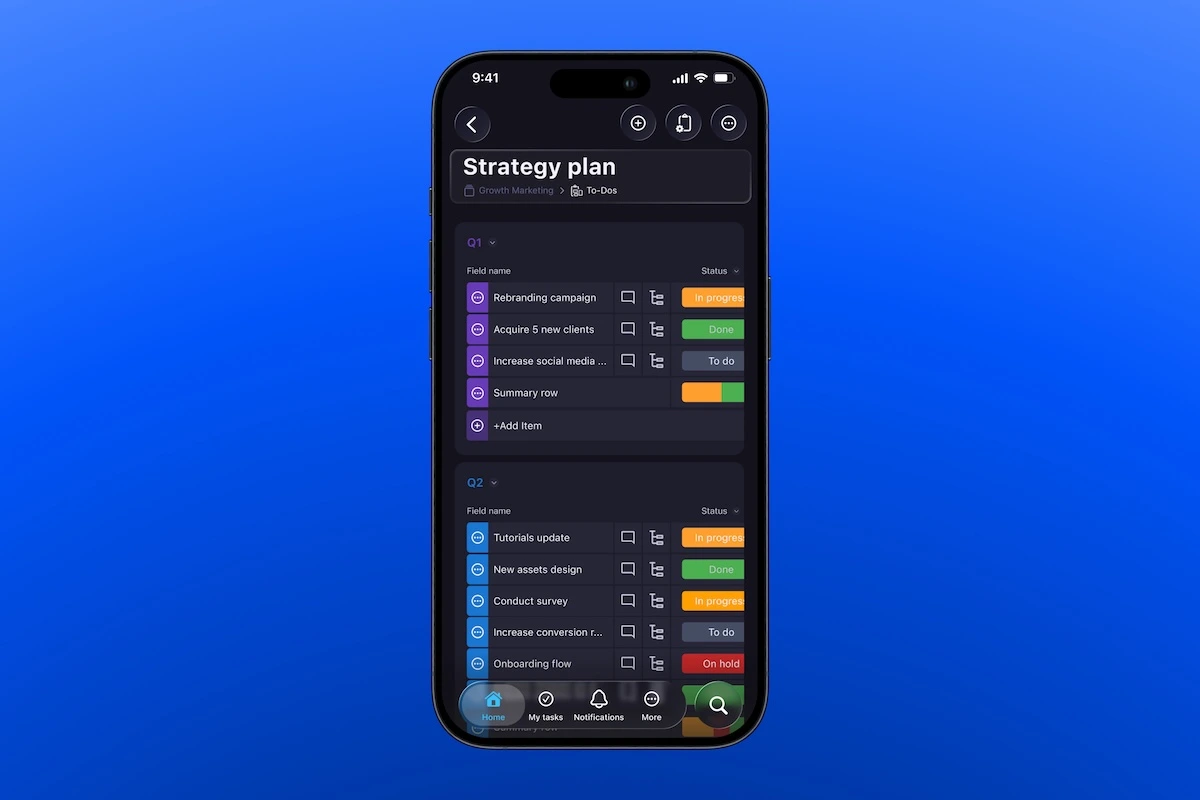
Plaky has iOS and Android apps that enable everyone on the team to stay in touch wherever they are.
For example, while on the road, drivers can:
- Check shipment details.
- Ask their dispatcher questions.
- Update the rest of the team in case of unplanned events on the road.
- Receive notifications for any changes to the schedule.
This means the drivers and the office are connected at all times, ensuring drivers don’t feel abandoned on long trips in case of any issues.
💡 Plaky Pro Tip
Not sure how Plaky’s mobile apps work? Check out this guide:
#5 Simplify shipment tracking with Kanban
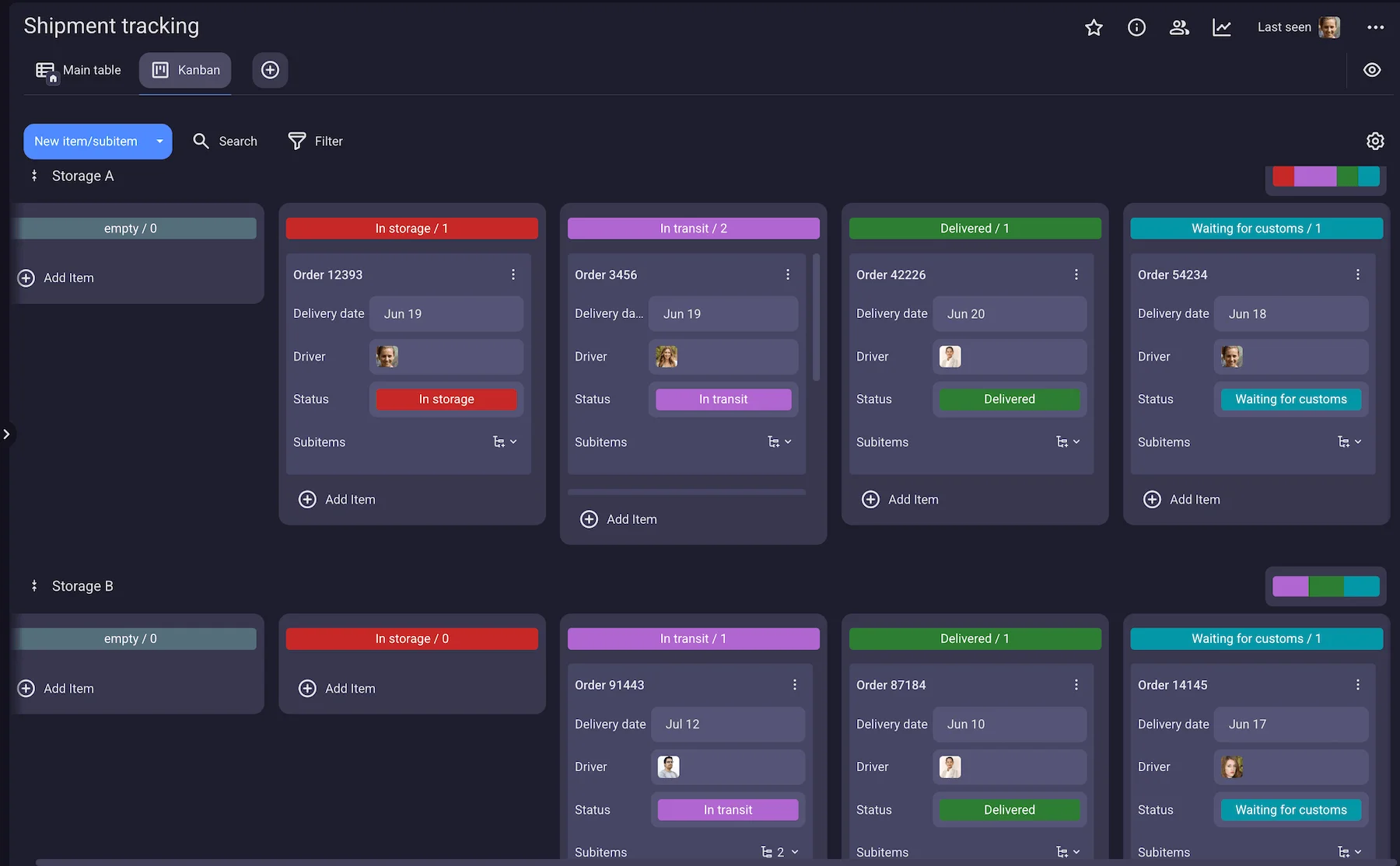
Plaky’s Kanban board makes shipment tracking a breeze thanks to its clear organization and transparency.
In the Kanban view, your items are organized according to status. You can customize your statuses so you can track shipments progress through phases such as In storage, In transit, Waiting for customs, Delivered, etc.
This way, you can see at a glance how many shipments are currently in transit, and spot potential bottlenecks before they cause trouble.
Plus, the sticky notes style of Kanban allows you to drag and drop items across the board, resulting in easier board management.
#6 Save time with automations
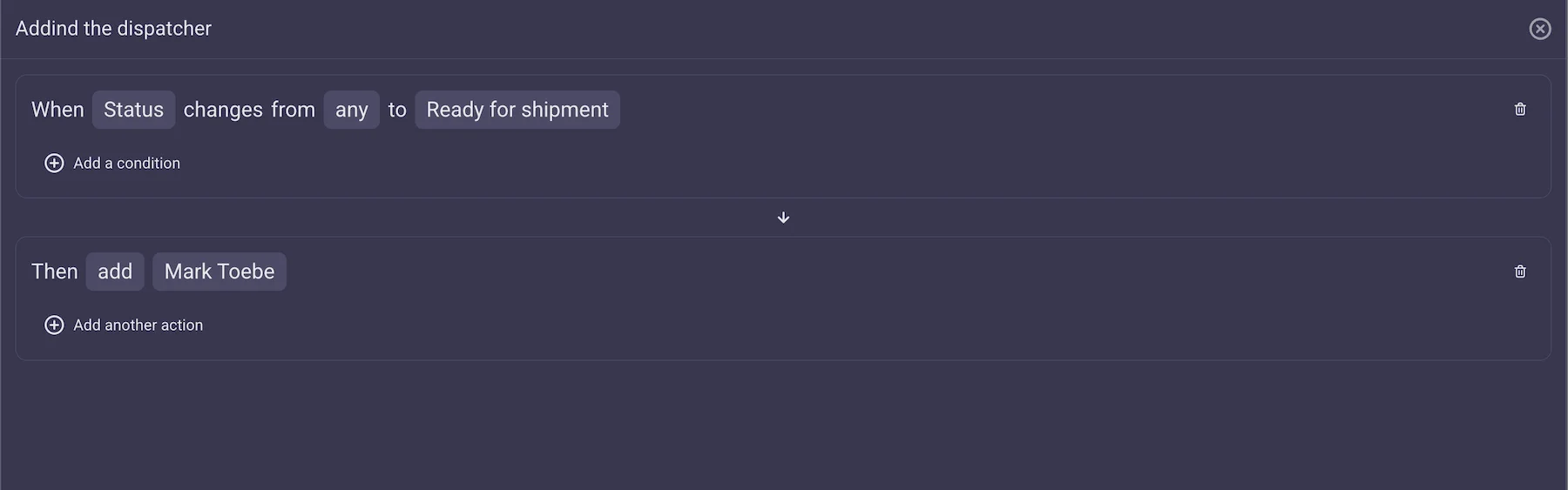
Plaky helps you automate manual processes, so you don’t have to waste precious time on mind-numbing tasks. Instead, Plaky handles them for you with intuitive IF this THAN that automations.
For example, you can set up a Plaky board to automatically subscribe a dispatcher when an order status changes to “Ready for shipment,” allowing them to immediately assign an available driver.
This, of course, is just the tip of the iceberg. You can set up automations to:
- Move items across the boards.
- Assign team members.
- Change statuses, progress, or dates.
#7 Clock working hours with Plaky + Clockify integration
Thanks to Plaky’s integration with Clockify, all workers can clock in their working hours for each item directly in Plaky. Same as with Pumble, this integration is seamless since it connects 2 apps from the CAKE.com suite.
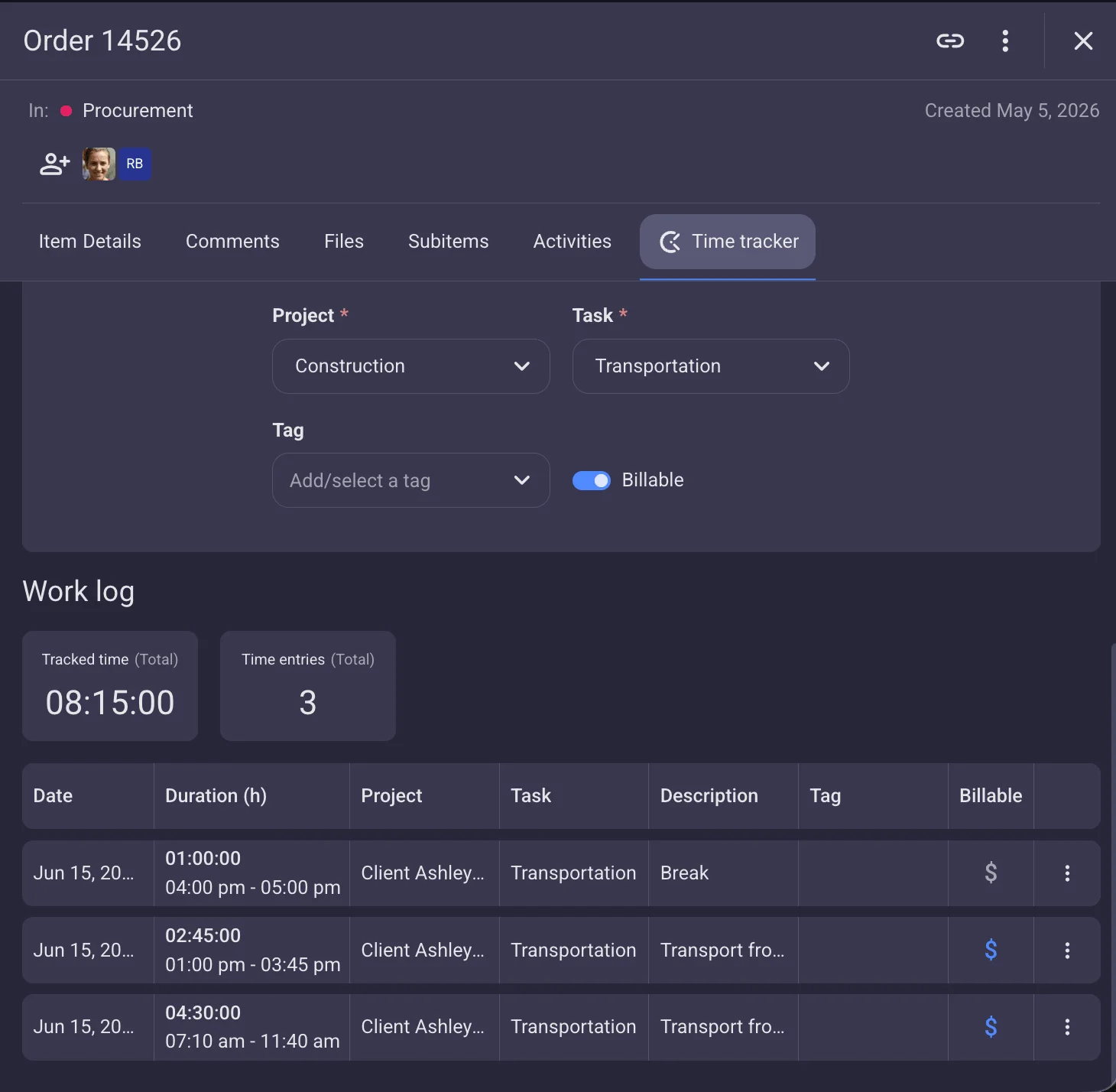
Workers can use a timer or enter the time manually, and they can even choose the project/client the said item belongs to for easier invoicing.
Moreover, you can track billable and non-billable hours, so your drivers can track hours they spend driving as well as times spent waiting between trips separately.

Organize your logistics workflows with Plaky by CAKE.com
No matter if you’re just a small business with a few trucks in one city or a large enterprise that has a network covering the entire country, Plaky can help you manage it without any hiccups.
Besides the Kanban view we mentioned above, you organize your data in different ways:
- Chart view — get visual representation of your data in form of a bar and pie charts.
- Gantt chart — track shipments across a timeline and spot any overlaps or potential bottlenecks.
- Table view — view all information on a straightforward and colorful table.
- My tasks — see all items assigned to you across boards in one place for a birds-eye view of your work.
Use any of these boards, filled with detailed items and time-saving automations to create efficient workflows.
Plus, take advantage of item’s comment sections to stay in touch with your team.
Finally, try Plaky + Clockify integration to track working hours as well.
Say goodbye to complicated Excel files and scattered documentation — sign up for Plaky today!
How we reviewed this post: Our writers & editors monitor the posts and update them when new information becomes available, to keep them fresh and relevant.