


If you have a growing manufacturing team, keeping a clear plan in your head — or across a few spreadsheets — is difficult. A delayed component can affect production, which affects QA, packaging, and shipping, while the people managing each step may not know what changed.
That is where a project management tool like Plaky can help. Instead of adding another complicated system to your workflow, Plaky gives everyone one place to see what needs to happen, who owns which task, what depends on it, and whether the project is still on track.
So, read on to discover how to boost your manufacturing with the right project management tools and techniques.
- Manufacturing project management includes planning, coordinating, and tracking manufacturing projects from start to finish.
- Failure in manufacturing projects often stems from disconnected teams and siloed information, which obscure project status and workflow transparency.
- Using project management tools like Plaky unifies data across departments and provides visibility into task ownership, dependencies, and progress.
- Effective project management allows teams to standardize processes, minimize costly errors, and improve on-time delivery rates.
What is manufacturing project management?
Manufacturing project management is the process of planning, coordinating, and tracking a specific manufacturing project from start to finish.
It covers the temporary work needed to achieve a specific manufacturing goal. That could mean installing a new machine, improving a production process, completing a custom order, or setting up a new production line.
Manufacturing project management is different from production planning, which deals with recurring production activities.
For example, production planning tells you when to make 500 units of an existing product. A manufacturing project involves setting up the equipment, materials, people, and process needed to make a new product for the first time.
You can also think of the difference in terms of the outcome.
If you manufacture the same product every week, scheduling the next production run is production planning. If a customer requests a customized version that requires new materials, a different machine setup, additional QA checks, and a specific delivery date, you’re managing a project.
The same applies to internal work. Installing a machine, changing a production layout, introducing a new quality-control process, or reducing waste on a production line all have a beginning, an end, and a defined result.
So, manufacturing projects need their own plan and visibility.
5 common failure points of manufacturing projects
Manufacturing project management usually breaks down when materials, tasks, people, and information aren’t connected. A project can have a solid production plan and still miss its deadline because one part of the workflow wasn’t visible to everyone involved.
Here are 5 common failure points to look for.
A stock-out stops the work
A production task can’t start if the required component isn’t available. If someone notices the shortage only when production is ready to begin, you may have to place an emergency order and push the delivery date.
The problem isn’t only the missing stock. It’s the lack of connection between the stock level and the project task that depends on it.
A handoff gets lost
Production may finish a batch, but QA doesn’t know it’s ready for inspection. Or QA flags an issue, but the packaging team doesn’t see the update.
Each team can be doing its job while the overall project still stalls because information isn’t reaching the next person.
Ownership isn’t clear
When a supplier misses a delivery date, you need to know who is following up. If a machine installation is delayed, someone needs to own the next step.
Without clear ownership, a problem can sit untouched because everyone assumes someone else is dealing with it.
Assign responsibilities in Plaky
Teams work with different information
You might have one spreadsheet for materials, another for production, emails for supplier updates, and also rely on verbal updates. When those sources disagree, nobody has a reliable answer about the actual project status.
You then spend time checking which version is correct instead of working on the problem.
Reporting takes too much manual work
If a manager has to ask every department for an update before reporting project progress, reporting becomes a task of its own.
A shared project workspace can capture updates as work happens, so you can see completed tasks, overdue work, and outstanding issues without rebuilding the report every time.
What counts as a manufacturing project?
A manufacturing project is any defined piece of work that has a specific objective, deadline, and set of deliverables. It doesn’t have to be a massive factory-wide initiative.
For a 20–50 person manufacturer, examples include:
- Setting up a new production line — Coordinate equipment installation, testing, materials, training, and the first production run.
- Installing new equipment — Track delivery, installation, electrical work, testing, operator training, and sign-off.
- Improving a production process — Identify the problem, test changes, measure results, and standardize the improved process.
- Completing a custom customer order — Manage special materials, production steps, QA requirements, packaging, and the promised delivery date.
- Running a contract manufacturing order — Coordinate the agreed quantities, customer specifications, materials, production schedule, inspections, and shipment.
These projects can involve the same people and equipment as your regular production work. That’s why you need a way to see project work alongside the operational work it affects.
For example, suppose you’re handling a contract manufacturing project for 2,000 units. The production team can’t simply start when the order is approved. Materials need to arrive, specifications need to be confirmed, equipment may need to be prepared, QA needs to know the requirements, and shipping needs to know when the finished units will be ready.
The project plan needs to account for all of those steps.
The 5 stages of a manufacturing project
A manufacturing project management process can be broken into 5 stages:
- Initiating
- Planning
- Executing
- Monitoring
- Closing
The exact tasks will differ by project, but the questions you ask at each stage are the same.
Initiate: What are you trying to deliver?
Define the outcome, deadline, budget, and people involved.
For a new machine installation, for example, the goal might be to have the machine installed, tested, and ready for production by a specific date.
Plan: What needs to happen first?
Break the outcome into specific tasks and identify the materials, people, equipment, and time each task requires.
Check material availability here rather than waiting for production to discover a shortage. If a component has a 6-week lead time, that information belongs in the project plan.
Execute: Who is doing the work?
Assign tasks and start the work according to the plan.
A clear owner matters. Just “Order the components” is less useful than an assigned task with a responsible person, quantity, supplier, and expected delivery date.
Monitor: Is the project still on track?
Compare the current status with the planned timeline, budget, and deliverables.
If a material delivery moves from Tuesday to Friday, don’t treat that as an isolated purchasing update. Check which production task it affects and whether the final delivery date needs to change.
Close: Did you deliver what was planned?
Confirm that the work is complete, outstanding issues are resolved, and the required documents or approvals are stored.
For a process-improvement project, this might mean confirming that the new process is working and recording the final results so the team can use it consistently.
How to choose a methodology: Waterfall, Stage-gate, Lean, Six Sigma, or Agile?
Project management leans on different types of methodologies.
When picking the approach for you and your team, choose the one that fits the type of manufacturing project you’re running rather than forcing every project into the same method. Some of the most popular and widely used project management methodologies include:
Here are some examples of project types and the methodologies that would work best.
| Project type | Useful approach | Why |
|---|---|---|
| New production line | Waterfall or Stage-gate | Major requirements, costs, and approvals usually need to be settled before the next stage. |
| Equipment installation | Waterfall | The work has a fairly predictable sequence and defined completion criteria. |
| Process improvement | Lean | It’s useful for identifying and removing unnecessary steps, waiting, and waste. |
| Reducing defects or variation | Six Sigma | It’s useful when you need to identify causes and improve a measurable quality problem. |
| Product or process development | Agile | Useful when you need to test, learn, and adjust the result through iterations. |
| Custom customer order | Waterfall | Clear specifications, quantities, dependencies, and delivery dates make a sequential plan practical. |
Waterfall is a sequential approach where you define the requirements and plan the project before moving through each stage. It works well for predictable projects with clear deliverables, such as installing equipment or setting up a production line.
Lean focuses on removing waste and unnecessary steps from a process while delivering the required result with fewer resources. It can be useful for improving production workflows, reducing waiting time, or making a process more efficient.
Stage-gate means dividing the project into stages and reviewing each stage before moving on to the next one. For example, you might approve the design of a new production line before committing to equipment purchases.
Six Sigma is a structured approach to reducing defects and process variation. If a manufacturing process regularly produces inconsistent results, a Six Sigma project can help you measure the problem, identify its cause, and verify whether a change actually improved it.
Agile project management in manufacturing can make sense when the work is expected to change. For example, a team developing a new production process may run a small test, review the result, adjust the process, and test again rather than defining every detail upfront.
You don’t need to choose one methodology for your entire operation. Different projects can use different approaches.
Connecting stock and materials to project status
Your project status is only useful if you know whether the materials needed to complete the work are actually available. This is one of the easiest parts of manufacturing project management to overlook.
Consider a simple chain:
Stock runs out → production can’t start → delivery is delayed → emergency reorder is needed → costs and lead time increase
Tracking stock separately doesn’t necessarily prevent this. You also need to know which project or task depends on that material.
For example, imagine a custom order requires 300 specialized components, and our inventory view shows that you have 200 in stock. If that information sits separately from the production project, someone may not realize that there’s a shortage of supplies.
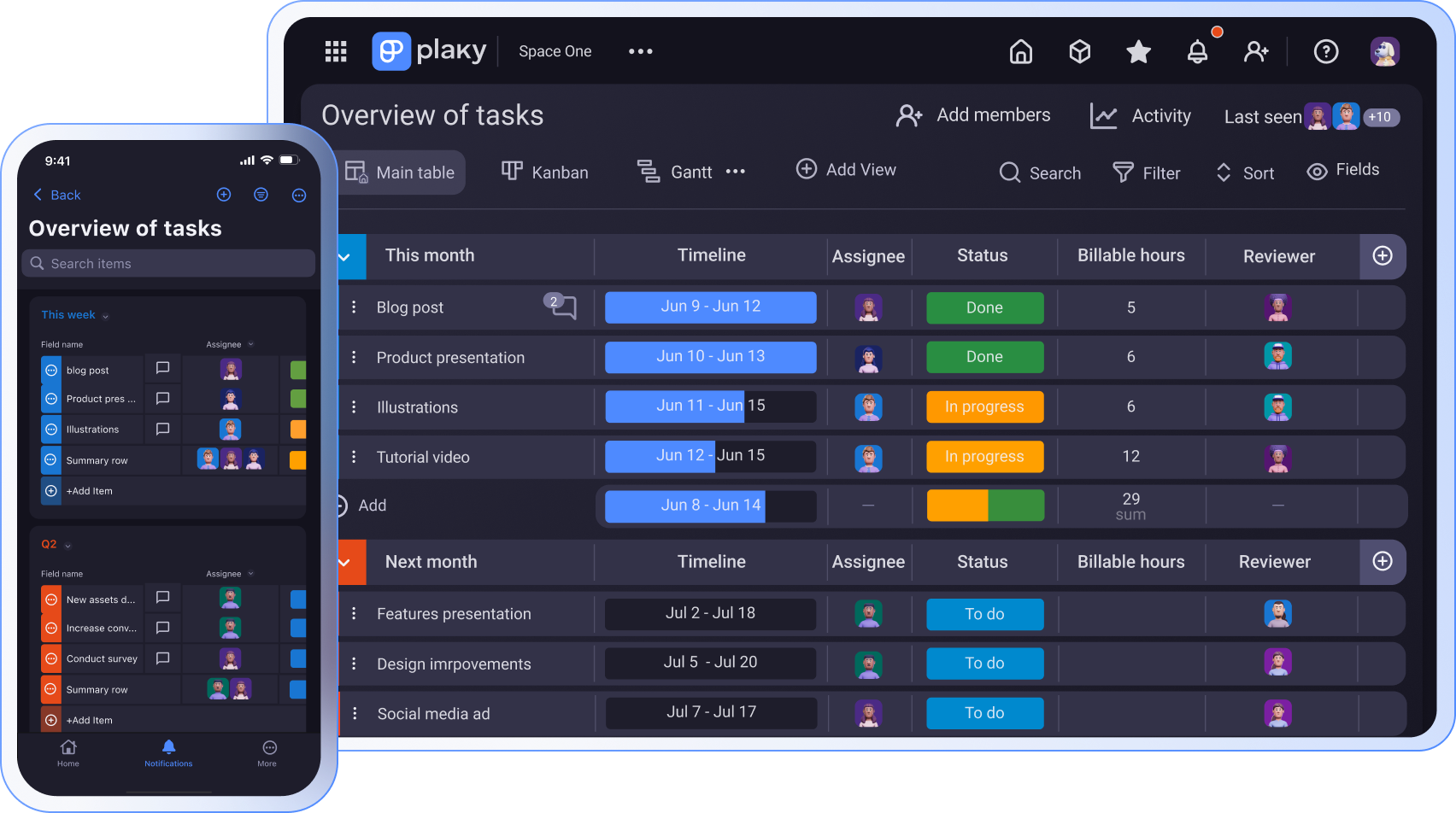
A shared project view makes the connection much clearer. Project management tools such as Plaky give you the ability to centralize and organize the entire manufacturing workflow.
With Plaky, you can structure a board around your existing manufacturing process and include fields for materials, quantities, suppliers, owners, expected delivery dates, production deadlines, and statuses.
This way, you can see that the missing 100 components aren’t simply an inventory problem. They’re a potential production and delivery problem.

You can also use Board automations to reduce repetitive updates and Conditional coloring to make important changes easier to spot. For example, you could highlight overdue material deliveries or tasks that need attention instead of relying on someone to notice them in a long spreadsheet.
You can highlight entire rows or specific cells.

The goal isn’t to create another inventory system. It’s to connect the information you already need to the work it affects.
Metrics worth tracking
You don’t need dozens of metrics to understand whether your manufacturing projects are working. Start with a small set you can collect consistently:
- On-time project completion — Track how many projects finish by their planned deadline. If several projects are late, look at where the delays are happening rather than only recording the final result.
- On-time material delivery — Measure whether required materials arrive when expected. This can help you identify suppliers or ordering processes that repeatedly put production schedules at risk.
- Production task completion — Compare completed production tasks with planned tasks. A growing number of overdue tasks can show that the workload or schedule needs attention before the final delivery date is affected.
- Rework or defect rate — Track how often completed work needs to be repeated or corrected. This is particularly useful for process-improvement and quality projects.
- Project cost vs. budget — Record planned and actual project costs. You don’t need a complex financial system to notice that a project is repeatedly spending more than expected.
You can use Plaky’s Chart view and Dashboards to turn project data into a more useful overview. Instead of manually collecting updates from each department, managers can see progress and completed work based on the information teams are already maintaining.
How to set up a manufacturing project board
If you decide to use Plaky, here’s a step-by-step guide on how to set up your manufacturing project board.
Start with the physical stages your work already passes through, and group these tasks into Item groups according to the stages.
For a custom production order, you could use groups such as:
- Materials
- Production prep
- Manufacturing
- QA
- Packaging
- Shipping
Then, within the Item groups, give each Item the information needed to move it forward.
#1: Create your production stages
Set up task groups based on the actual workflow. Don’t use generic project management categories if they don’t match how your team works.

#2: Add the work as tasks
Create tasks for concrete pieces of work, such as “Order 300 aluminum housings,” “Complete machine setup,” or “Inspect batch #245.”
Avoid vague tasks such as “Handle production.”

#3: Add the information people need
Choose appropriate fields to include useful information such as:
- Status
- Owner
- Due date
- Material
- Quantity
- Supplier
- Project or order number
- QA status

You can add more information when it’s necessary, but don’t turn every task into a form nobody wants to maintain.
#4: Choose the right view
Use Table view when you need to work with detailed information such as quantities, suppliers, and dates.
Use Kanban board view when you want to see where work currently sits in the process. Everyone can quickly see which orders are waiting for materials, in production, at QA, or ready to ship.
Use Gantt chart view when timing matters. If a late material delivery could push production and shipping dates, seeing those tasks on a timeline makes the effect easier to understand.

#5: Make problems visible
Use conditional coloring to draw attention to overdue or at-risk work. Automations can handle simple repetitive actions, such as updating information when a task reaches a particular status. For example, when a task has reached the deadline, you can set up an automated action that will color that Item in a different color to be more visible.
This reduces the amount of checking someone has to do manually.
#6: Stay up to date with the work
Use Comments for updates that relate to a specific task and File sharing for things such as drawings, specifications, QA documents, or supplier files.

That gives the people working on an order access to the relevant information without having to search through email threads.
According to Matevz Lovko, Production Manager at Lepton-Quark, Comments in Plaky reduce unnecessary questions:
“All department leaders first look at the production plan. Everything is marked there: the priority, the handling, special comments — so there is no need to ask me silly questions.”
#7: Give managers a higher-level view
Your production team needs task-level information. Department heads and managers may need different information overview: how many projects are complete, which ones are late, where work is blocked, and whether projects are staying within budget.
Dashboards bring that information together without requiring managers to inspect every task.
💡 Plaky Pro Tip
To see how a production company uses Plaky to organize their manufacturing process and make it more efficient, check out our customer story:
Managing several manufacturing projects at once
When several projects share the same people, machines, or materials, you need to see overlapping work before it becomes a scheduling problem.
Imagine you have 3 customer orders due within the same week. All 3 need the same machine, and one also depends on a component that won’t arrive until Wednesday.
Looking at each order separately can make all 3 schedules seem reasonable. Looking at them together shows the actual conflict.
This is where project portfolio management for manufacturing becomes useful at a smaller scale. You need a shared view of the projects competing for your limited capacity.
In Plaky, you can keep related projects in the same workspace and use Dashboards to bring information from multiple boards together. That can help you compare progress, deadlines, workload, and other information without asking each project owner for a separate report.

For complex manufacturing project management, this shared view also makes prioritization easier. If 2 projects need the same machine on the same day, you can see the conflict, and decide what needs to move before the problem reaches the customer.
The same principle applies to people and materials. If one technician is responsible for machine setup across several projects, or one supplier provides a component used in several orders, those shared dependencies need to be visible.
FAQ
Now, let’s answer some frequently asked questions about project management for manufacturing companies.
How do you plan a manufacturing project?
Start by defining the required outcome, deadline, budget, and people involved. Break the project into concrete tasks, then identify the materials, equipment, and dependencies each task needs. Assign owners and due dates, and track progress throughout the project so you can act on delays before they affect the final delivery.
What are the 5 stages of project management in order?
The 5 stages are initiating, planning, executing, monitoring, and closing. In manufacturing, each stage includes practical decisions about materials, equipment, production capacity, quality requirements, deadlines, and costs. Monitoring should continue throughout execution so that problems such as late materials or failed QA checks can be addressed before they delay the project.
What is Six Sigma project management?
Six Sigma is a structured approach to improving processes by reducing defects and variation. In manufacturing, you might use it when a production process regularly produces inconsistent results. The project team measures the problem, identifies its causes, tests improvements, and checks whether the changes produced the expected result.
What are the 7 elements of a project plan?
A practical project plan usually includes the project’s objective, scope, tasks, timeline, resources, budget, and risks. For manufacturing projects, it’s also useful to capture materials, quantities, suppliers, quality requirements, and task owners where they affect delivery.
How do you plan a project roadmap?
Start with the final delivery date, and work backward through the major stages required to reach it. Identify dependencies, assign owners, and add the materials and resources each stage requires. A timeline view such as a Gantt chart can show how individual tasks fit together and where a delay could affect the final deadline.
What are the 4 types of project management?
Common types of project management approaches include Waterfall, Agile, Lean, and hybrid approaches. For manufacturing, the best choice depends on the project: predictable equipment installations may suit Waterfall, while process improvement may benefit from Lean or Six Sigma.
What are the 4 manufacturing strategies?
Common manufacturing strategies include make-to-stock, make-to-order, assemble-to-order, and engineer-to-order. The right approach depends on factors such as customer demand, product complexity, lead times, and how much customization is required. Your project workflow may look different depending on which strategy you use.
What are the 6 main categories of manufacturing processes?
Manufacturing processes are commonly grouped into forming, casting, machining, joining, additive manufacturing, and finishing processes. The exact classification can vary by source. What matters for project management is understanding which processes, equipment, materials, and quality checks your particular project requires.
How can manufacturing project management tools help?
Manufacturing project management tools give teams a shared place to organize tasks, deadlines, owners, materials, and project information. The useful part isn’t simply having a digital task list. A well-structured tool can connect work across departments, make delays visible, reduce manual reporting, and give managers a clearer view of several projects at once.
Keep manufacturing projects organized and visible with Plaky by CAKE.com
When production, materials, QA, maintenance, and shipping departments depend on each other, you need more than a list of tasks. You need to know what’s happening, what is holding up the work, and how one change can affect the rest of the project.
Plaky gives you that visibility without adding another complicated process for your team to maintain. You can organize projects around the way your team already works, connect tasks with the information they depend on, and use different views to see the details or the bigger picture.
With one shared space for tasks, materials, deadlines, updates, and project data, teams can:
- Catch problems early.
- Keep departments aligned.
- Deliver manufacturing projects on time and within budget.
So, sign up for a free account and try Plaky today.
How we reviewed this post: Our writers & editors monitor the posts and update them when new information becomes available, to keep them fresh and relevant.