Switching to Plaky can reduce your project management software bill, but the real savings depend on your team size, current plan, and the amount of money you spend on features you may not need.
Use the calculator below to compare your current PM tool costs with Plaky by CAKE.com.
* Users who can create/edit boards
PM software pricing can look different depending on several factors.
Most PM tools use per-seat pricing, which means you pay based on the number of users who need a paid license. For example, if a plan comes at $10/user/month, 15 paid users would require $150/month. As your team grows, so does the bill.
Flat-rate pricing works differently — you pay one fixed price for the account or a particular usage level. This can be particularly attractive for larger or fast-growing teams because adding users doesn’t necessarily increase your subscription cost.
A plan advertised as “$10/user/month” doesn’t always mean you can purchase as many seats as you need. Some tools require a minimum number of seats and/or sell seats in predefined blocks.
For instance, monday.com’s pricing policy currently starts paid plans at 3 seats. With more users, monday.com increases the available seat counts in groups of 5. So, a team of 6, for example, would need to buy 10 seats to accommodate everyone.
Most PM tools offer both monthly and annual billing. Monthly plans give you more flexibility to switch apps if needed, while annual plans usually reduce the effective monthly price in exchange for committing to a year.
When comparing apps, make sure you’re looking at the same billing cycle — i.e., be careful not to compare an annual price from one product with a monthly price from another.
Not everyone who uses your PM software necessarily needs a regular paid seat — like external collaborators, clients, or vendors. That’s why roles like viewers and guests exist. Viewers typically have read-only access and may be free or included at a set ratio with paid seats (e.g., Plaky allows you to invite up to 5 viewers for each paid seat at no additional cost).
A product may also offer guest access — more flexible permissions for non-standard members. Again, the pricing varies between tools and plans. Some tools don’t count guests toward its subscription sets limits, while others have different limits based on the tier.
The vast majority of PM solutions offer different paid plans, and the higher the tier, the wider the extent of features. The exact features breakdown varies by product, but paid tiers generally follow a familiar progression:
Most commonly, a decision maker identifies the features their team actually needs, then opts for the lowest tier that includes them.
Stop paying more just to unlock basic features. Enjoy unlimited users, tasks, and projects with Plaky by CAKE.com — even on the free plan!
Here’s a quick project management software cost comparison with some of the most notable names in the industry.
| Plan | monday.com | Asana | ClickUp | Plaky |
|---|---|---|---|---|
| 1st paid tier* | Basic: $9/user/month |
Starter: $10.99/user/month |
Unlimited: $7/user/month |
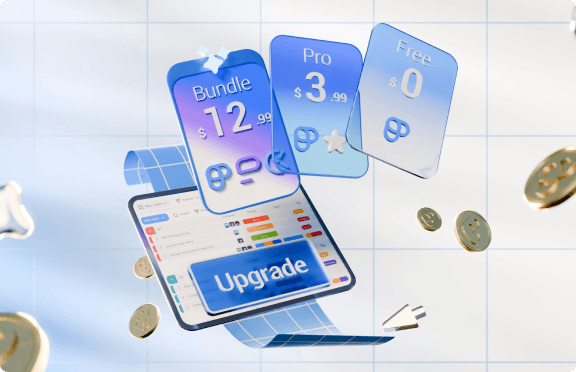
Pro: $3.99/user/month |
| 2nd paid tier* | Standard: $12/user/month |
Advanced: $24.99/user/month |
Business: $12/user/month |
Enterprise: $8.99/user/month |
| 3rd paid tier* | Pro: $19/user/month |
Enterprise: Custom price |
✖ |
| 4th paid tier* | Enterprise: Custom price |
Enterprise+: Custom price |
✖ | ✖ |
| Minimum number of users | 3 | 2 | N/A | N/A |
| * billed annually | ||||
But what if you’re paying more and still running into frustrating limits?
Switching PM software isn’t just a matter of signing up for a cheaper plan.
First, there's the migration effort. Someone needs to export existing boards, recreate workflows in the new app, map fields, and check if anything important was lost.
To illustrate, Plaky supports CSV board imports, letting you transfer existing data and tasks instead of rebuilding everything from scratch. One important caveat: Subitems can’t be imported, and you have to map columns to keep them.
Then there’s retraining. Even if the new tool is easier to use, your team still needs to learn which features have changed and take some time to adjust.
The biggest concern, however, is usually what features you’ll lose by switching. For instance, Plaky covers core project management well, including customizable Fields, Gantt, Dashboards, and Automations. However, features like Calendar integration or Forms are yet to come, as shown on Plaky’s Roadmap.
So, consider all these factors in addition to the cost of project management software.
The price of PM software depends on the tool and the plan, but in most cases, you can get a solid app for anywhere from $0 to $30+ per user per month.
There isn't one cheapest option, as pricing varies by team size and billing plans. However, some apps — like Plaky, ClickUp, or Trello — are known as affordable.
Yes. Many PM tools have free plans with essential task and project management features. These plans often come with major limitations, though, but there are also apps like Plaky that offer unlimited users, projects, and tasks even on the free plan.
For beginners, tools such as Plaky, Trello, or Todoist are generally among the easier options to get started with.
Schedule a demo to discuss your needs.