 Published: October 21, 2025
Scattered communication, missed deadlines for product launches, and confusion over who owns the social media strategy — sounds familiar?
When you’re managing a team facing all these challenges (and a limited budget, to add insult to injury), you’re in a real pickle.
But, you can cut through the chaos and make your job easier by using Plaky by CAKE.com for marketing tasks. From market research and brand management to full campaign execution, our platform helps you stay organized and focused.
Let’s see how you can use Plaky for marketing and boost your team’s productivity!

Why marketing teams go for Plaky by CAKE.com
There’s a lot on a marketing manager’s plate, from running marketing campaigns to doing market research, developing marketing strategies, taking care of product launches, and managing a whole team.
That’s precisely why you should take advantage of all the help you can get — like Plaky.
As a marketing project management tool, Plaky can, among other things, help you:
- Develop a unified marketing strategy — You can set up a plan for reaching your goals and align your team members with your vision at the same time.
- Plan every tiniest aspect of your marketing initiatives — Break down larger tasks into subtasks (subitems) and ensure no task is overlooked.
- Streamline your creative process — Organize your files, designs, and communication within the task cards and have more time to focus on your creative work.
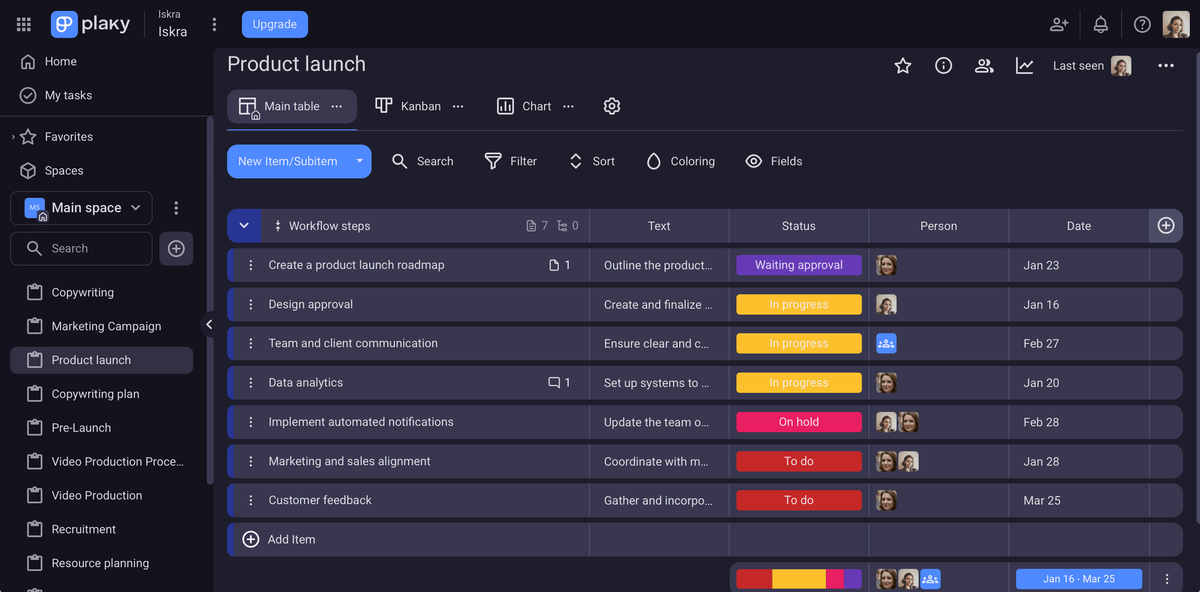

How Plaky by CAKE.com solves common challenges marketing teams face
By including Plaky into your everyday workflow, you can solve some of the most common issues you and your team run into, like:
- Disorganized collaboration — Plaky helps you eliminate chaos by keeping everything you need for collaboration in one place. Communicate with your teammates directly in the comment section within the task itself, check on the progress, and share files — all in one centralized hub.
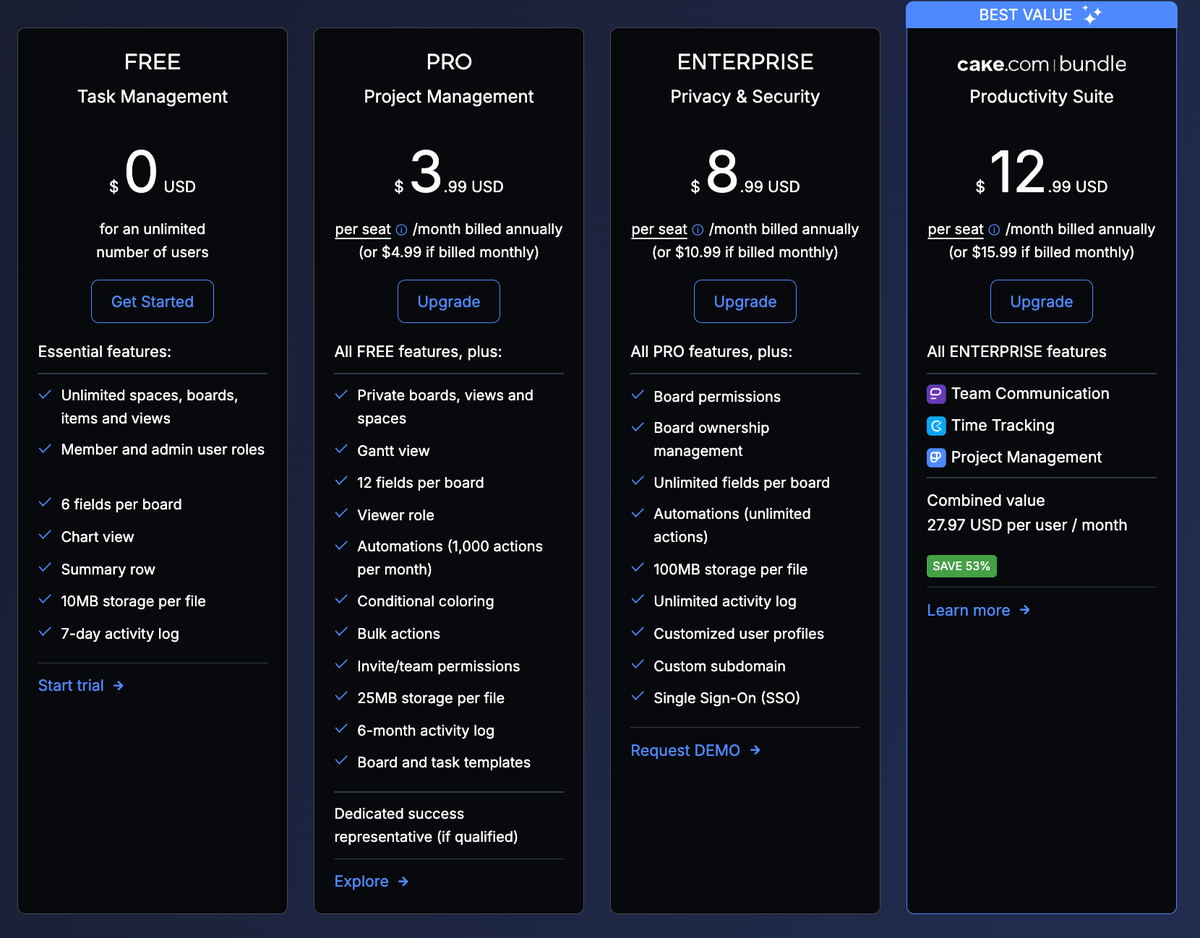
- Limited budget — Stop stressing about the budget. Plaky’s free plan offers unlimited users, boards, and items, allowing you to scale your business at your own pace. Plus, its paid plans are among the most affordable on the market.
- Inefficient workflows — Plaky helps you automate manual, repetitive tasks like sending status updates, giving your team more time to focus on high-value work, like creative strategy.
According to Vladimir Milic, the CEO of the marketing company VM Digital, Plaky has saved him and his team a ton of time:

“What we would otherwise have to discuss on a 30-minute call, in this case, I can open Plaky, tag the person I need, ping them, Plaky notifies them, and that’s it. If I need to participate in the comment [section of a Plaky card], I simply enter the relevant information. Basically, it made us more efficient and saved our time.”
💡 Plaky Pro Tip
Read the whole story on how Vladimir Milic discovered our marketing project management software and how it helped him and his company become more efficient:
Here’s how to use Plaky by CAKE.com for your marketing campaigns
Getting your team to use a new tool can be tricky. Luckily, Plaky is user-friendly, and the onboarding won’t take up too much time.
Here’s a step-by-step guide on how to organize your board to streamline your marketing tasks.
#1 Set up a board from scratch or use a ready-made template
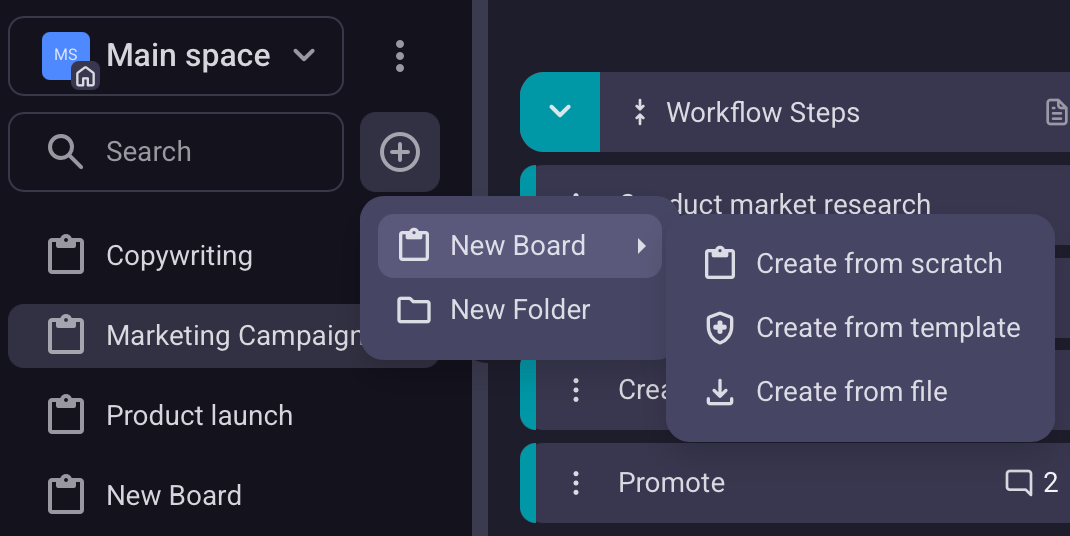
In Plaky, you can either create a board from scratch or use one of the many marketing templates available in Plaky’s template center (like Content calendar, Strategy plan, or Event planning template).
No matter how you start, use custom fields to personalize the board. These fields help you structure your board information the way it suits your workflow.
For example, you can add a Rich Text field, where you can upload, edit, and revise your marketing strategy draft with your teammates. Similarly, you can add a Person field for assignees and reviewers, as well as a Timeline field (paid plans only) to visually track task start and end dates.
Also, for recurring projects, you can make your own template from the board you’ve made from scratch. This will save you a ton of time down the road!
💡 Plaky Pro Tip
If you decide to switch from another marketing project software to Plaky, don’t sweat it. Transferring data from other project management tools is a breeze. We even have articles to guide you through it all:
#2 Add tasks and assign them to teammates
Now that your board is ready, the next step is to add tasks, or items, and assign them to your team members. So, no more confusion — nothing gets missed, and responsibilities are crystal clear.
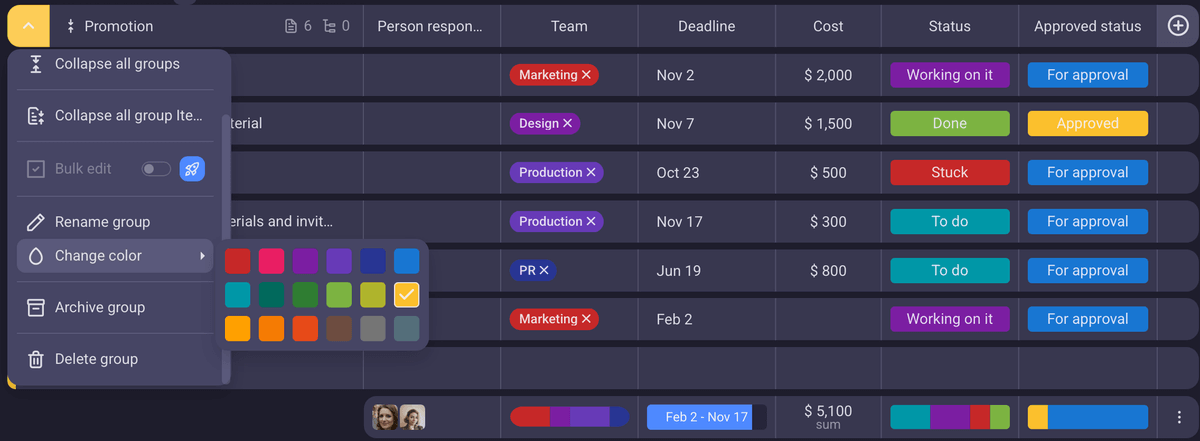
In Plaky, items are sorted into item groups, which can be color-coded. This way, you can categorize items into different sections, each of them related to a specific project or activity. So, when you take a quick look at the board, it’s faster and easier to find the information you need.
#3 Collaborate with your colleagues effectively
According to the 2025 Workplace Communication Statistics, 43% of people have battled burnout, stress, and fatigue because of communication issues in the workplace.
Luckily, Plaky offers a solution for eliminating miscommunication and scattered messages — comments and @mentions.
You can leave a comment and mention your team member directly within the task in question, keeping the context tied to it (and ensuring the information doesn’t get lost in email threads). If you mention your colleague in the comment, they will be notified instantly, which speeds up the whole collaboration process.
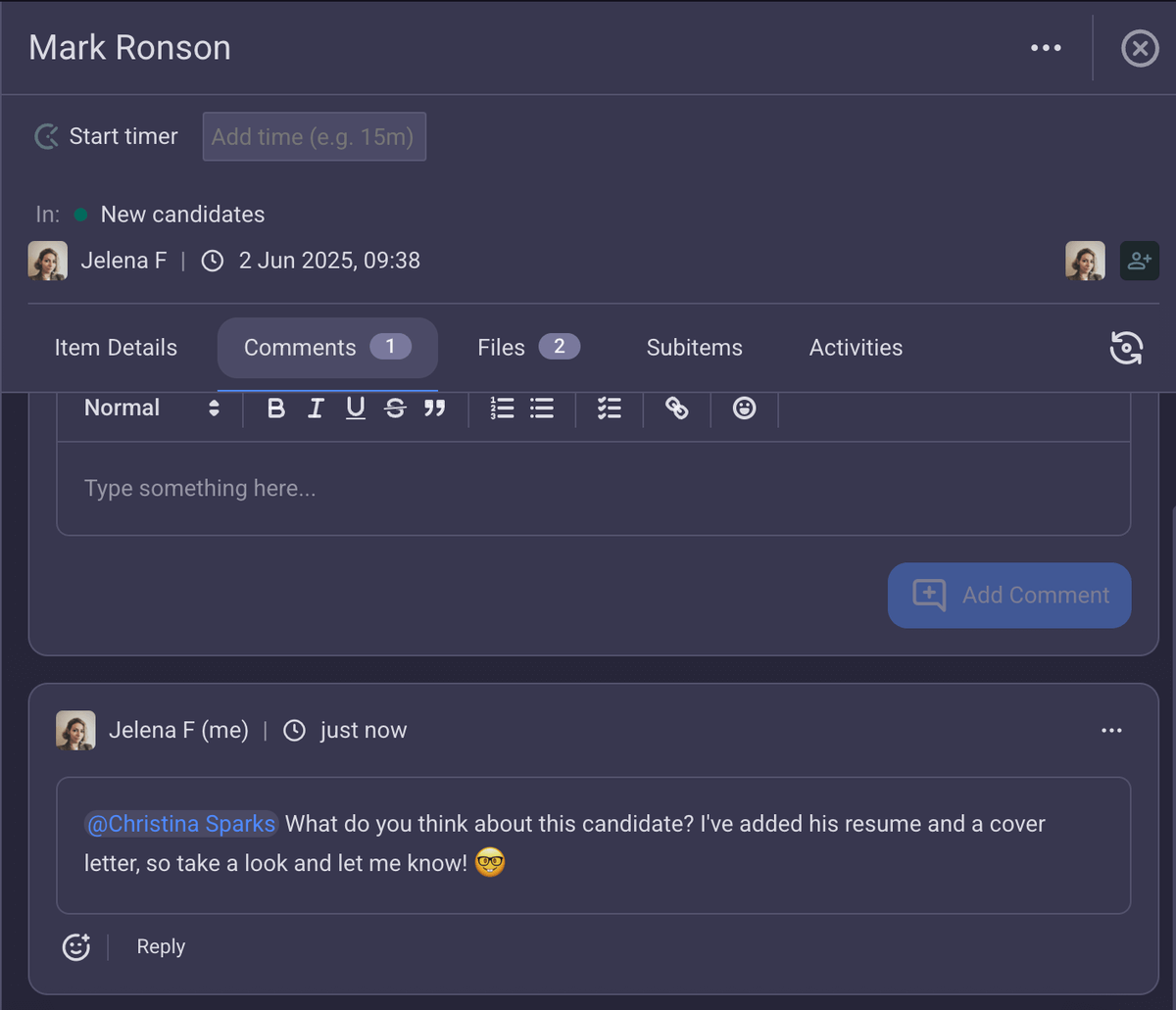
Aside from that, Plaky acts as a centralized files library — you can attach relevant files (designs, briefs, reports) directly to the task cards. This enables easy access to relevant data for all your team members and stakeholders, improving collaboration and saving time.
For better cross-team collaboration, you can share spaces and boards with other teams too. For example, you can create a separate board for collaborating with the design team on illustrations for your marketing campaigns. This breaks silos between teams and prevents duplicate work: one board for one project, one card for one task.
Collaborate with your colleagues in Plaky
#4 Easily track your project’s progress
Marketing campaigns can quickly get chaotic — especially when the deadlines are tight. In these situations, keeping track of your project’s progress becomes essential. After all, no one wants to lose a client over a missed deadline.
To give you complete visibility, Plaky by CAKE.com offers 4 distinct board views, each customized to different user needs:
- Table view — This view is ideal for spreadsheet lovers, providing you with a quick overview of everything your team is doing.
- Kanban view — Plaky’s Kanban board view is perfect for status-based work, allowing you to visualize your work across different stages (To Do, In Progress, Stuck, and Done).
- Gantt chart view — This view is best suited for spotting overlaps and task planning since it displays tasks as horizontal bars on a timeline.
- Chart view — Plaky’s chart view is convenient for easy data visualization according to various criteria. For instance, you can use it to check workload distribution (group data by Person field) or status (group data by Status field).
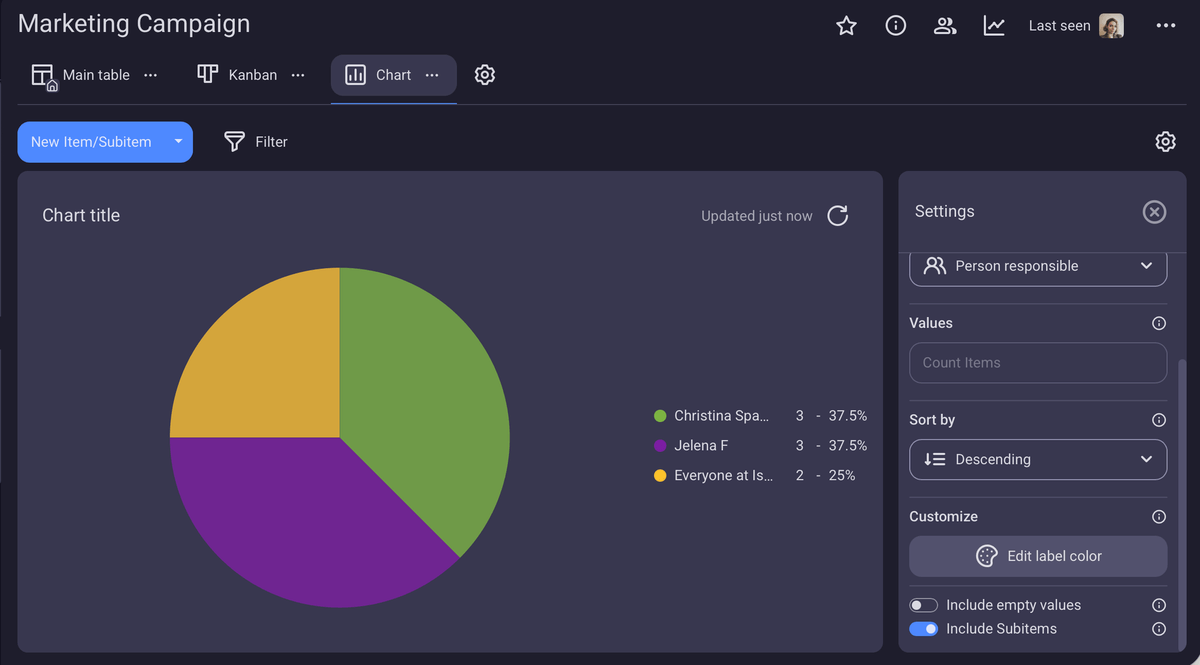
Easily track your progress with Plaky
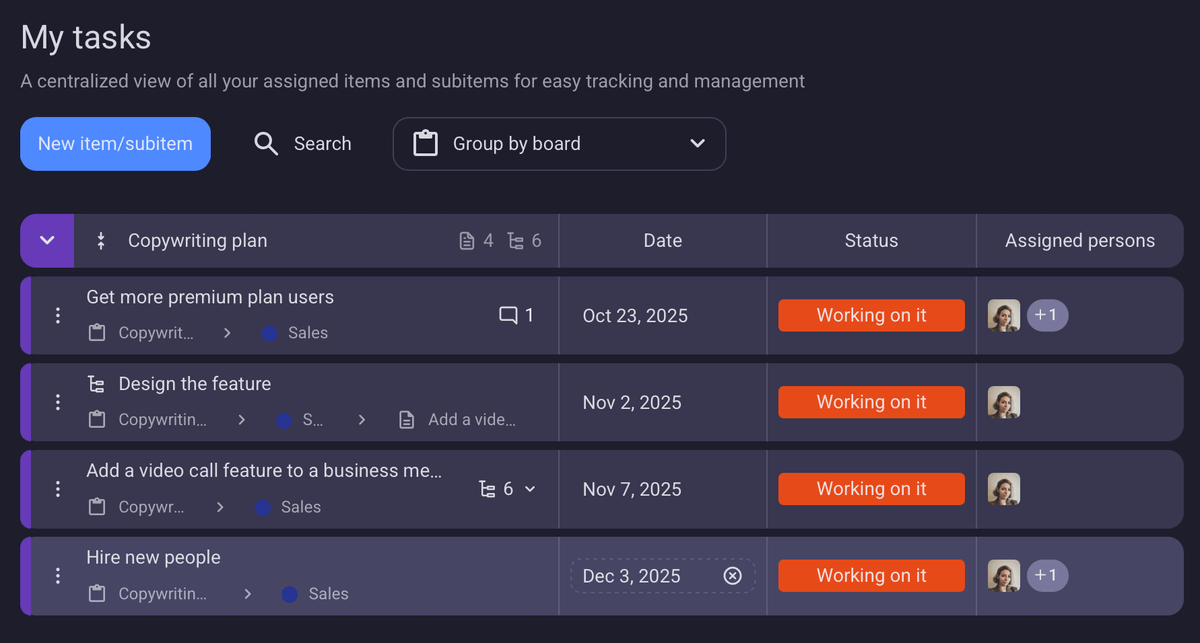
Another plus? You can use the My tasks tab to track all your tasks across projects on a single page.
Essentially, this helps you effectively organize your day and prioritize tasks. Each team member can use their own My tasks tab to get a clear overview of all the tasks assigned to them, without having to hunt them down across different boards.
💡Plaky Pro Tip
Want to take a deeper dive into My tasks view in Plaky? Check out this article:
#5 Eliminate repetitive tasks with automation
Admit it, your job would be much more enjoyable without those pesky little tasks that you have to do every day (like adding a designer to the card once the content has been approved). No creativity whatsoever, and if you forget to do these tasks, the consequences can be serious.
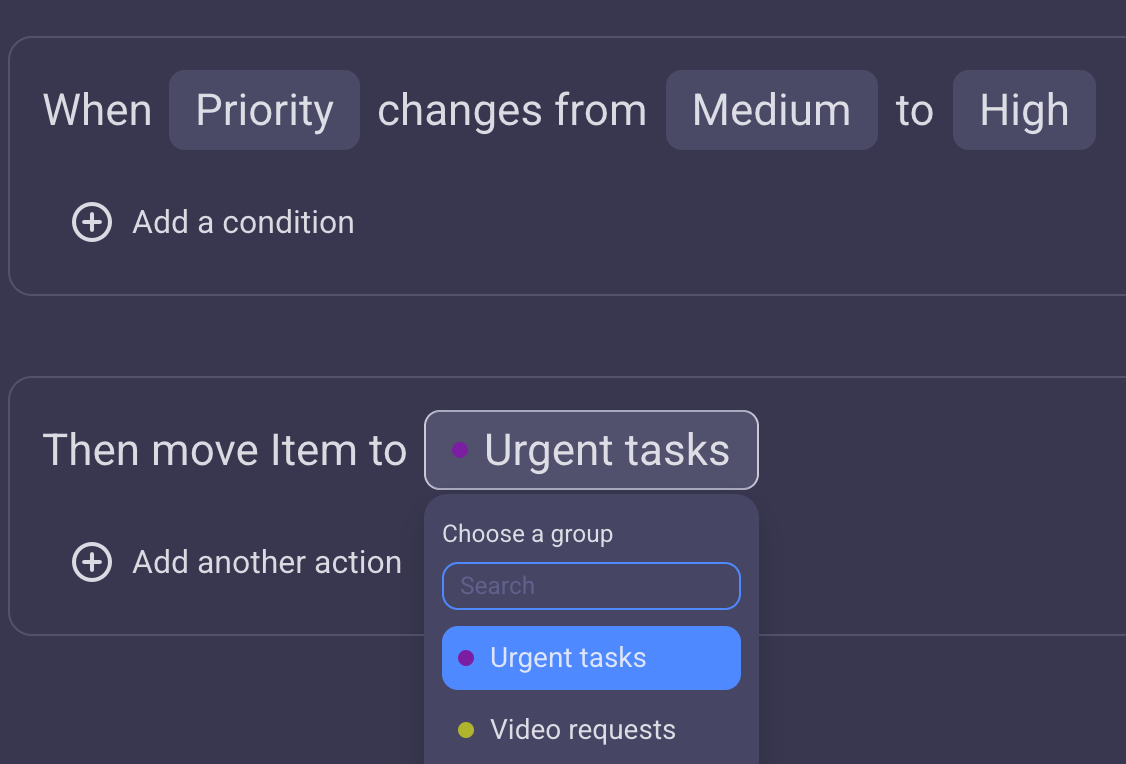
To ensure you never miss a step and keep your board organized, use Plaky’s board automations. You just need to set the triggers, add more conditions (if you want to), and define actions — “When this happens, then do that”. This way, you get to:
- Change statuses,
- Move items,
- Update fields, and
- Notify your team — without actually having to lift a finger!
#6 Improve marketing team productivity with time tracking
You’re already juggling clients and deadlines and what not. The last thing you need is to keep track of billable hours manually or predict how much time you’ll need for a task.
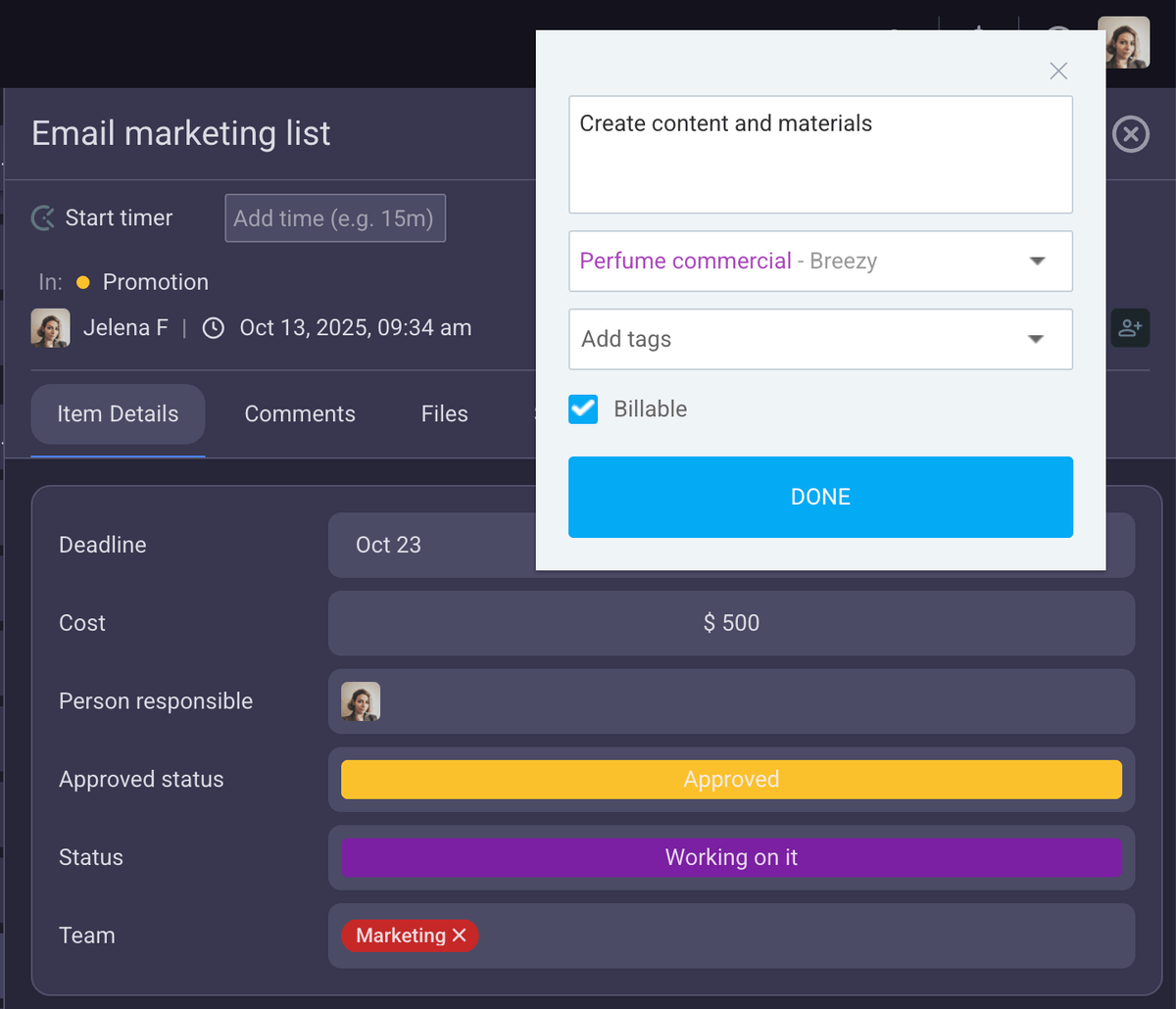
Thanks to Plaky’s integration with Clockify, you can track your time directly from your item/subitem card. You just need to start the timer at the beginning of your task and stop it once you finish — no need to switch tabs or log time manually.
This integration enables you to:
- Track time more accurately,
- Generate invoices using this data (in Clockify), and
- Predict timelines for similar future tasks with more precision.
Streamline marketing tasks with Plaky by CAKE.com
Marketing is not all about creative ideas. You need a structured process to realize them and make your projects successful.
In the end, it all comes down to the fact that task and project management are an integral part of your marketing strategies. There’s no use of great ideas if you can’t execute them properly.
This is where Plaky comes in and helps you plan, track, and execute your marketing projects.
And the best part? With Plaky, your budget concerns about a PM tool are practically non-existent.
There’s a neat free plan with unlimited spaces, users, boards, and views — so your team can easily grow with Plaky by CAKE.com.
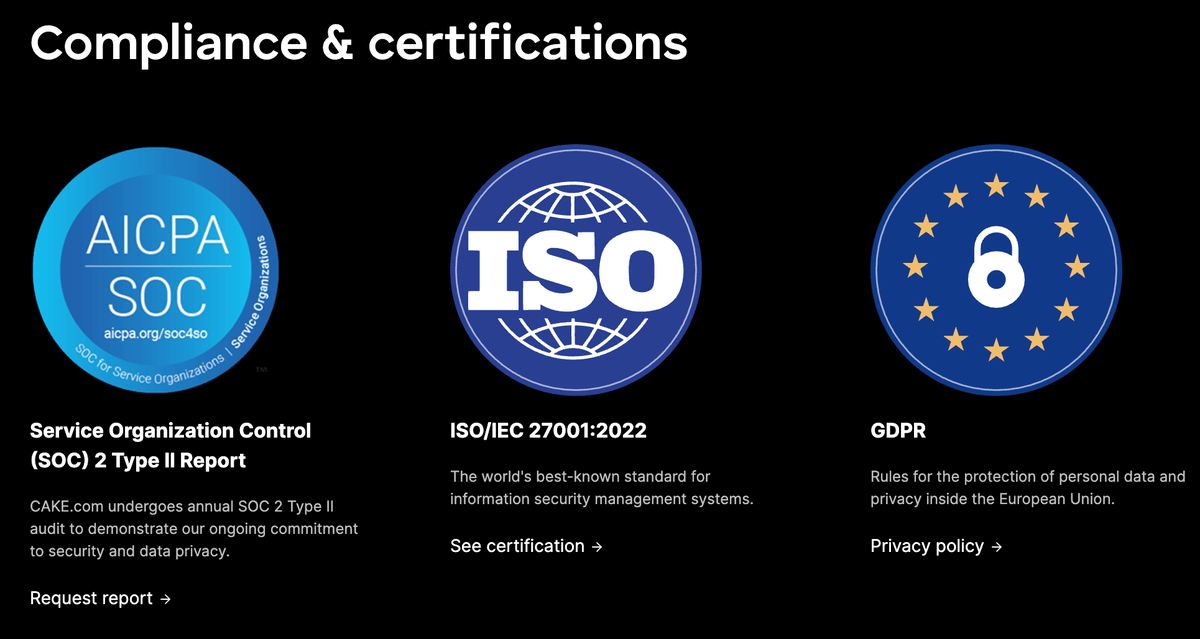
What’s more, you don’t have to worry about security. All your data is safe, thanks to a 24/7 security audit and penetration tests. Moreover, Plaky is compliant with:
- Service Organization Control (SOC) 2 Type II Report,
- ISO/IEC 27001:2022, and
- GDPR.
So what are you waiting for? Focus on creativity and let Plaky handle everything else.
