#SALES

Sales Pipeline Template

Plaky’s template helps your team move leads through every stage of the sales process, from the initial contact to the closed deal.

Get started
Stay up to date in Plaky

A visual roadmap to your next win

Are you losing track of leads?

Is your team using a consistent, structured workflow to track prospects?

Use Plaky to:

Break down the sales pipeline into manageable phases

Track every opportunity

Analyze performance

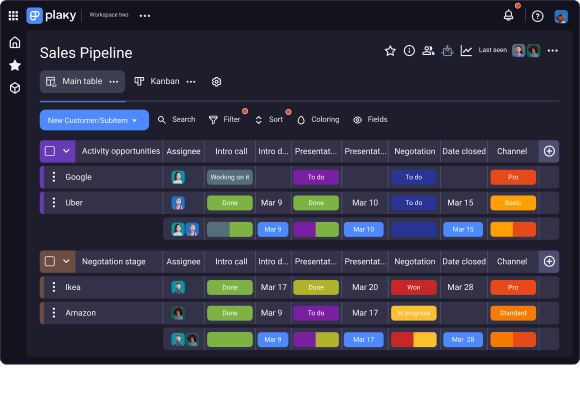
Sales pipeline in Plaky

Benefits of using Plaky’s sales pipeline template

Clear picture of your sales funnel

Get a visual overview of your entire sales funnel with structured groups. Instantly tell how many active leads you have, how many deals are in negotiation, and what your overall success rate is.

Master the negotiation stage

Track all your ongoing conversations, proposals, and follow-ups in one place and with ease so that you can close deals faster and with more confidence.

Track every opportunity

The "Active Opportunities" group keeps every lead in your pipeline visible. With a clear overview of who you're engaging with and their current stage in the process, you’ll never lose a potential customer again.

Customize your sales pipeline in 3 steps

Step 1 Populate the groups

Dedicate an item card to each client and use it as a central hub for all information and files. Drag and drop the card to the correct stage to track their progress, ensuring your team stays aligned and is ready to guide them from a new opportunity to a closed deal.

Step 2 Check each client’s status

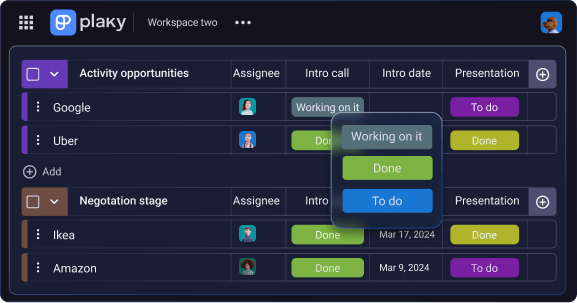
Use the Status field to track each client’s progress, from the intro call to the signed contract. Having a clear visual overview of progress will help you know exactly where each client stands and make quick decisions to win deals.

Step 3 Use the Kanban view

Visually manage your workflow for a clear, instant overview of your entire pipeline. Each column represents a stage in your process, like "Active Opportunities" or "Negotiation Stage." As the deal progresses, you simply drag and drop the item card to the next column.

Features you’ll love in Plaky’s sales pipeline template

The Status field

checkmark

The Status field is essential for planning, organizing, and tracking all of your team’s work according to status labels.

checkmark

Easily see if a task is yet to be completed, in progress, or done, and whether its priority is high or medium.

Status field in Plaky

Kanban view

checkmark

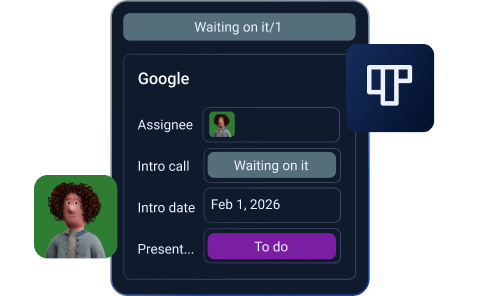
Our Kanban tool organizes tasks into customizable columns, making project management simple and clear. It maximizes efficiency by visually sorting items by status, so you always know what's next.

checkmark

You can simply drag and drop tasks like sticky notes. This makes task management and process organization quick and intuitive.

Kanban view in Plaky

Filters

checkmark

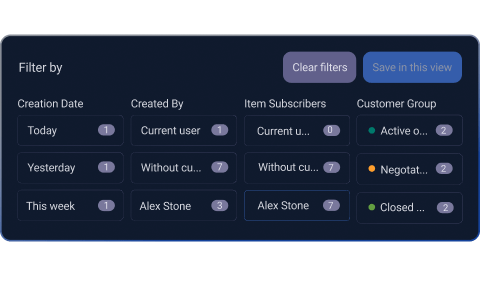
By having your tasks sorted by relevance, you make your projects transparent, leaving almost no room for misinterpretation.

checkmark

Using filters to customize project views gives you more clarity regarding where you are and where you want to be, as far as progress goes.

Filters in Plaky

Explore Plaky further

Discover versatile tools and resources to help your team plan and execute the best projects.