 Updated: May 26, 2025

Good strategic planning is the foundation for making your business or project successful. It boosts performance and helps all stakeholders and team members understand what the company’s ultimate goals are.
To make the complex strategic planning process easier, you can use premade templates and save valuable time and energy.
We’ve created 14 free strategic planning templates, ranging from ones that cater to specific business types to those that can be used throughout specific business planning stages.
You don’t have to strictly follow these templates — feel free to further adapt them to your needs. Indeed, think of their structure as a type of guideline, rather than strict rules.

What is a strategic plan template?
A strategic plan template is a pre-made document you can use to formulate and develop your company’s strategy.
Strategic planning can benefit your business in many ways, especially when utilizing a visual strategic plan, since it:
- Transparently communicates future goals and strategy to all stakeholders.
- Helps you focus on the right goals and make better decisions.
- Ensures you don’t overlook possible issues with your strategy.
- Serves as a constant reminder of your project’s strengths and weaknesses, as well as internal and external threats.
- Helps team members cooperate by uniting them under the same shared strategy.
- Helps all company departments align their goals with wider business goals.
- Manages the expectations of everyone at the company.
- Helps you track progress toward overall goals.
The strategic plan templates we’ve made contain pre-made sections, but — since they are completely editable — you can always add any categories of your own to fit your specific needs.
The point is to use a template as a guideline to kickstart the strategic planning process — not to follow it rigidly.
These templates come in various formats. In this guide, you’ll find Word, PowerPoint, Excel, and Google Sheets and Docs templates. For your convenience, we’ve made each template available in several formats.

Nonprofit strategic plan
Download: Google Sheets | Google Docs | Excel | Word
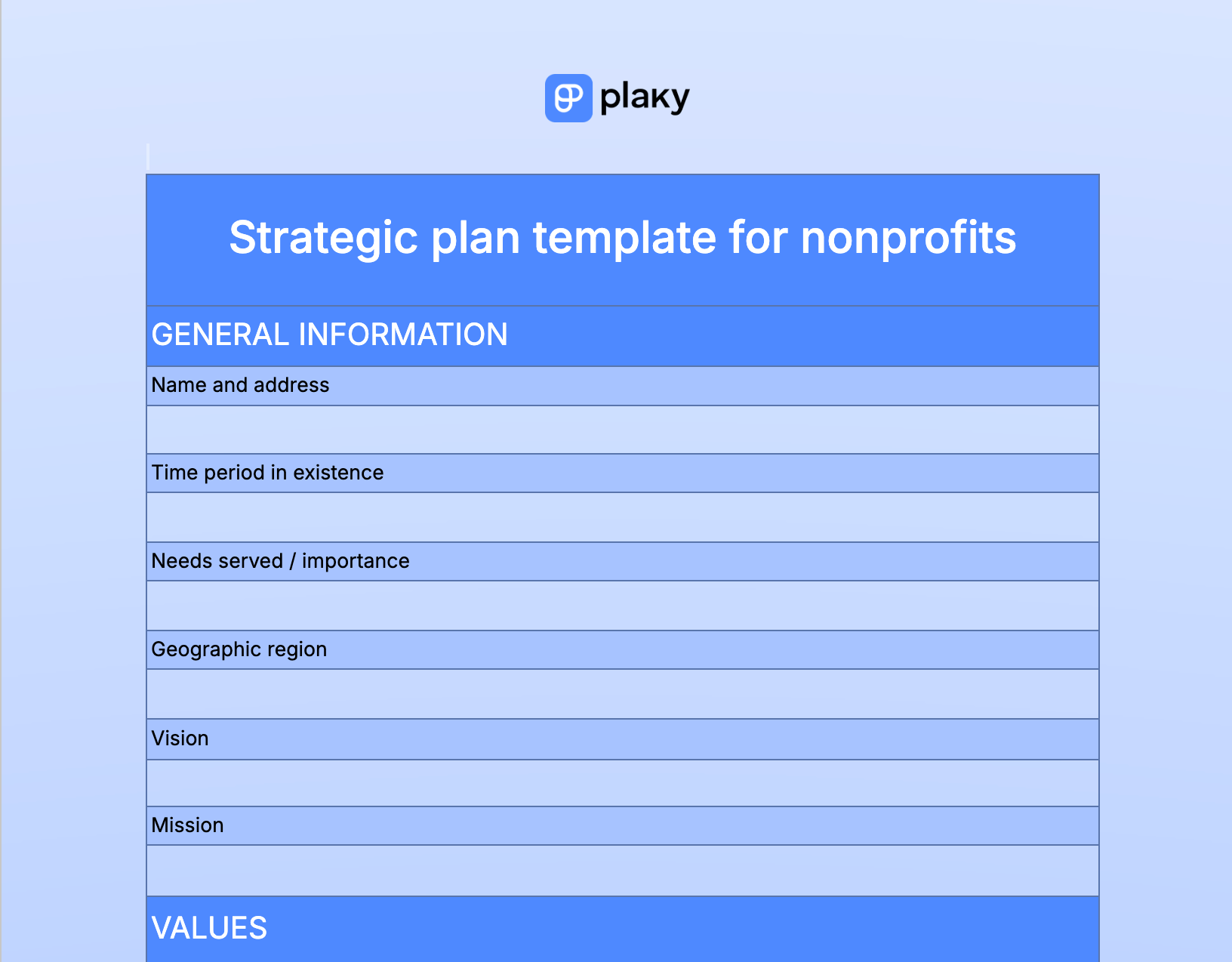
Our strategic plan template for nonprofits can be used to create a comprehensive roadmap that outlines general information about your organization, such as:
- Its importance,
- Geographic region,
- Mission,
- Vision, and
- Values.
In addition to this, it also offers dedicated sections for:
- Budgeting, including projected income and expenditure,
- Describing your marketing strategies, SWOT analysis, and KPIs, and
- Adding your SMART goals and the tasks necessary to achieve these goals.
💡Plaky Pro Tip
Are you planning a non-profit event? Here’s a useful checklist to follow:
Strategic marketing plan
Download: Google Sheets | Google Docs | Excel | Word
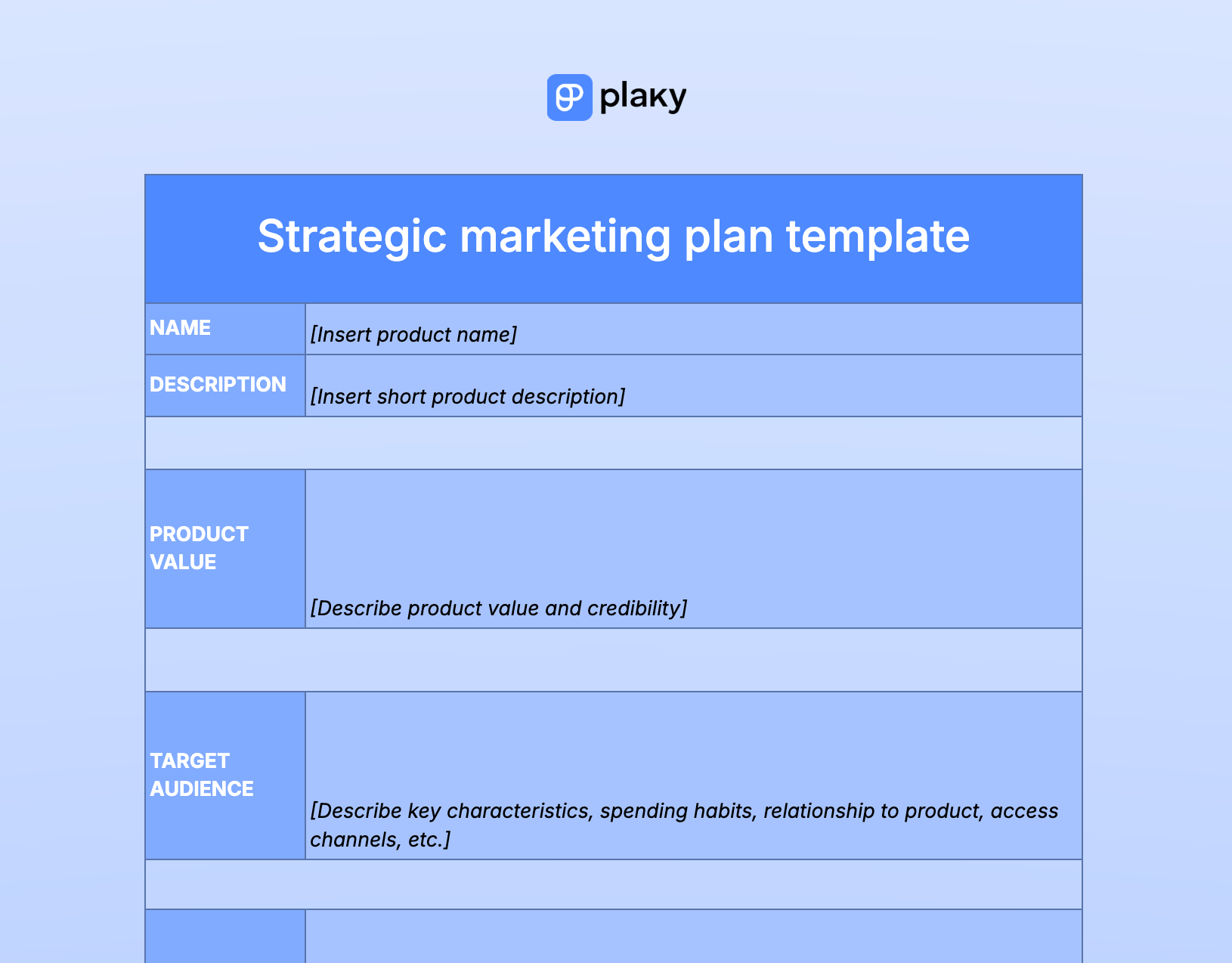
Our strategic marketing plan template is for marketing teams that want to get a better understanding of their overall marketing strategy.
The main benefit of this template is that it allows you to keep the most significant information stored in one place when creating your strategic marketing plan. This includes information on the:
- Product value,
- Target audience,
- Strategy and business objectives,
- Budget overview,
- Competitor analysis, and
- Marketing mix.
Strategic business plan
Download: Google Sheets | Google Docs | Excel | Word
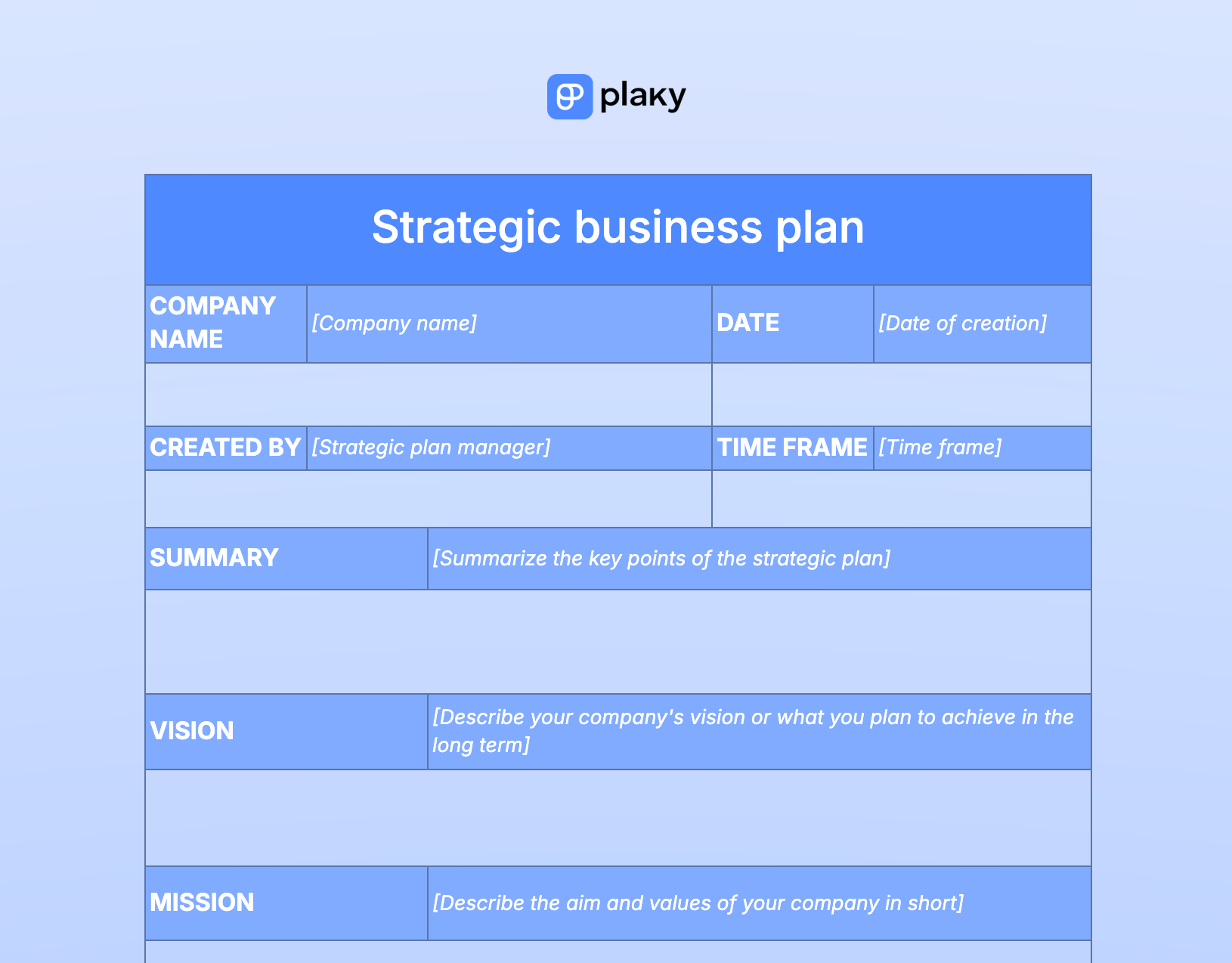
Our strategic business plan template can be used by any business and is great for people looking to try out strategy planning to see how it would work.
Use it if you want a more generic template that has a smaller scope than the previous templates. It only incorporates:
- A section with basic company information and a summary of the strategic plan,
- The company’s vision and mission statement,
- SWOT analysis,
- Business goals,
- Operational plan,
- Key performance indicators (KPIs),
- Financial projections,
- Risks, and
- Team roles and responsibilities.
This may still sound like a lot, but strategic planning encompasses a lot. If you’re just looking to play around with the idea of strategic planning until you get a better grasp of it, you can stop after the third bullet point.
💡Plaky Pro Tip
Tired of Excel? Check out the best alternatives below:
One-page strategic plan
Download: Google Docs | Word
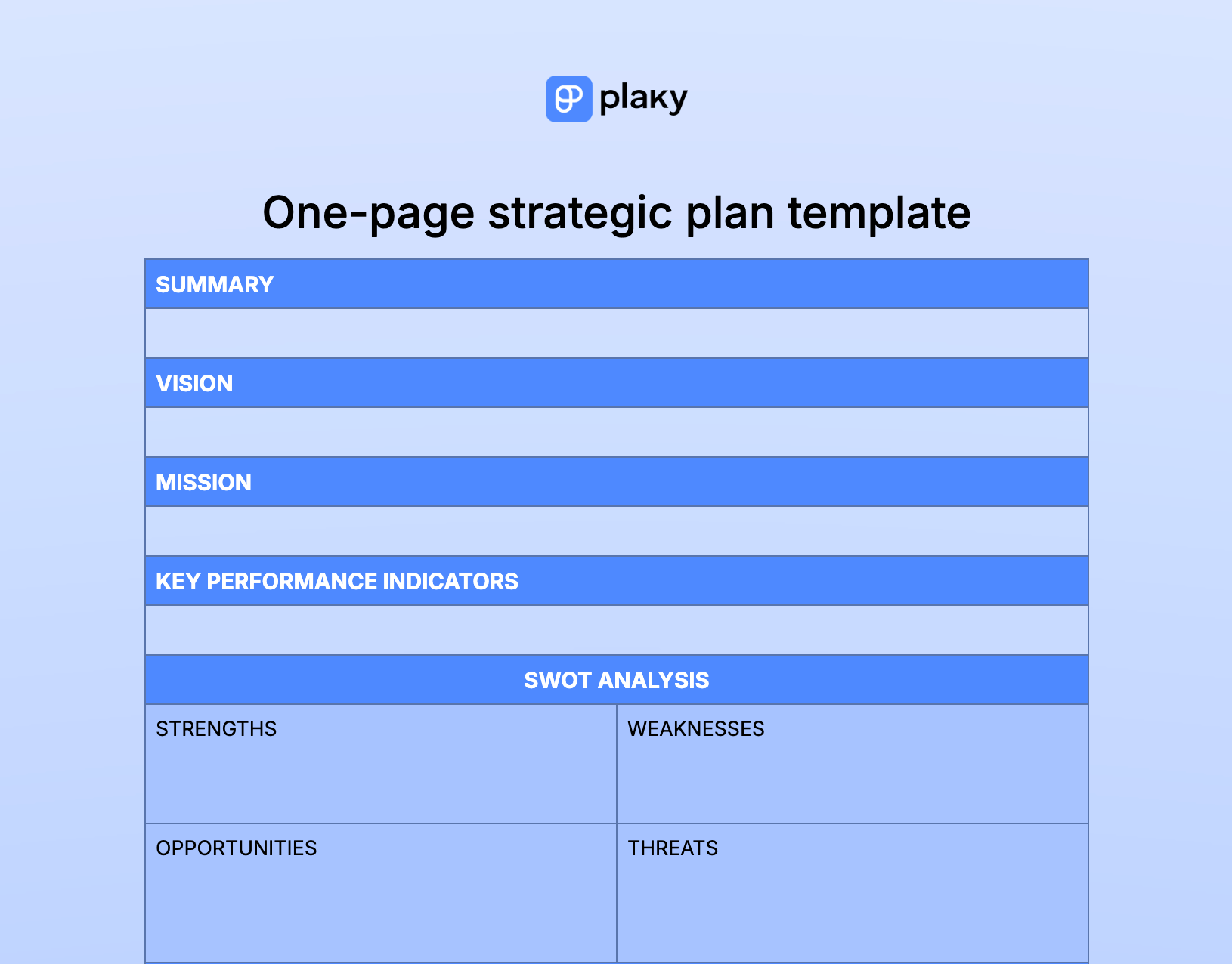
The one-page strategic plan template is a short version of the comprehensive business strategic plan mentioned above, great for anyone looking to dabble in strategic planning.
The template features:
- A summary, mission, and vision statement,
- Spaces dedicated to KPIs, SWOT analysis, the operations plan, and
- Spaces for finances, risks, and team organization.
This simple strategic plan template aims to present a concise overview of the plan, ideally with 1 or 2 sentences dedicated to each section. It fits perfectly on one A4-sized paper when printed. Just know that, if your answers are longer, it’ll turn into a 2-page strategic plan.
Strategic communication plan
Download: Google Sheets | Google Docs | Excel | Word
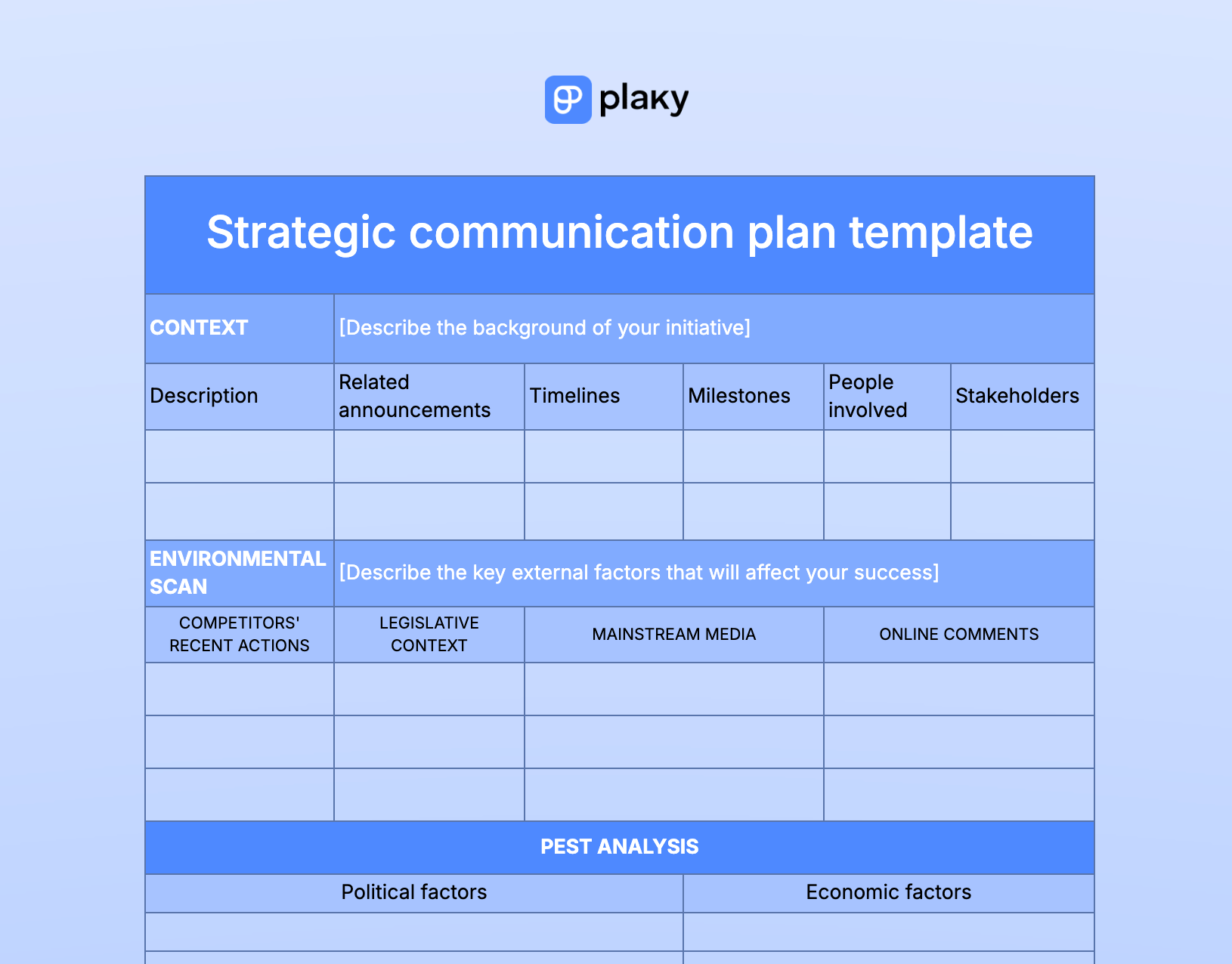
Our strategic communication plan template is excellent for anyone planning a communications initiative.
Use it if you need a highly detailed template that delves deeper into the context of your initiative, including:
- External and internal factors that may affect it,
- PEST analysis,
- SWOT analysis,
- Stakeholder reactions,
- Target audience analysis,
- Objectives, strategies, and tactics, and
- Issues and budget specifics, along with metrics.
HR strategic plan
Download: Google Sheets | Google Docs | Excel | Word
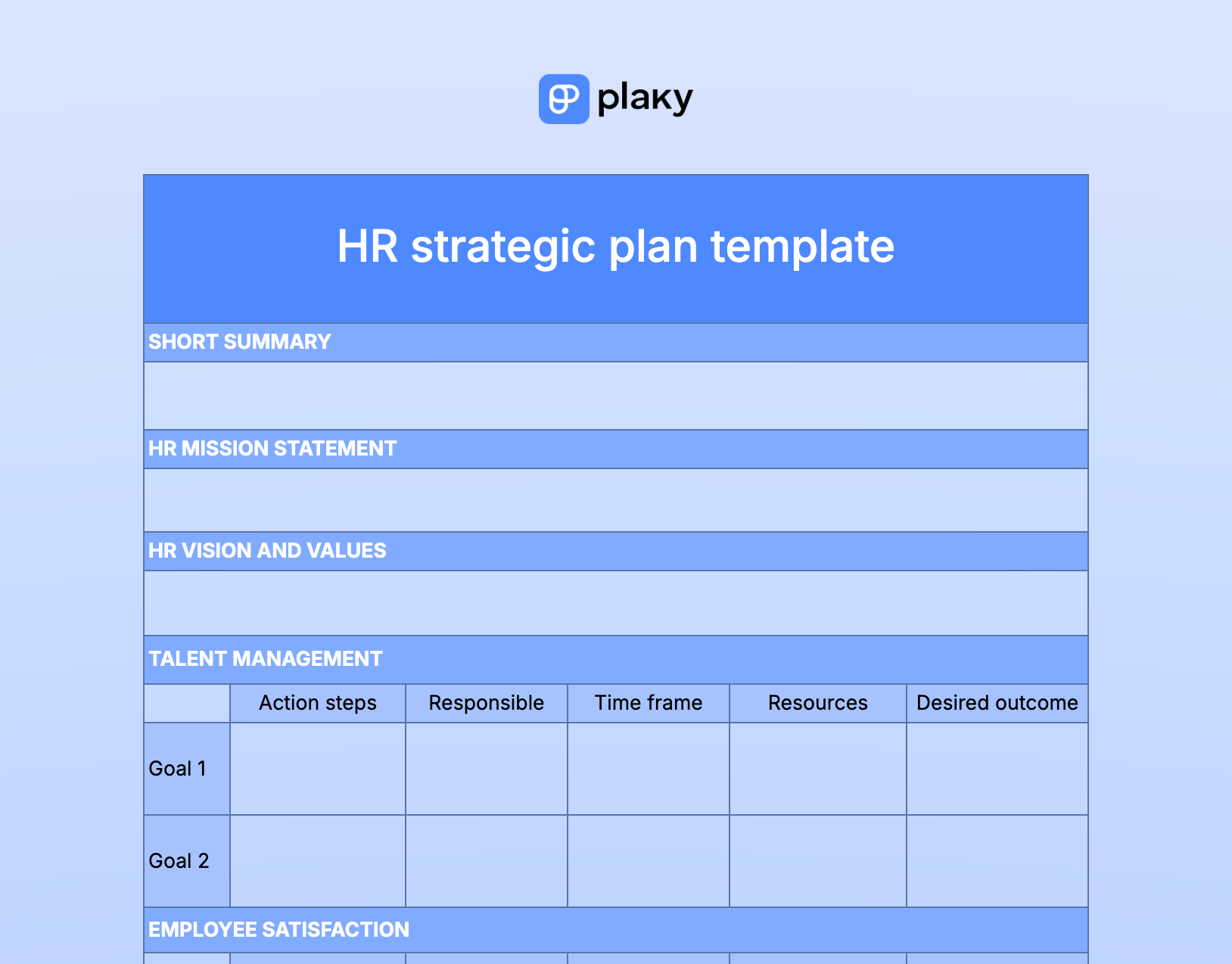
Our HR strategic plan template is tailor-made for HR teams looking to set clear and actionable goals.
It facilitates goal-setting across various HR domains by including fields for:
- A short summary,
- HR mission, vision, and values,
- Talent management,
- Employee satisfaction,
- Performance management,
- Diversity and inclusion,
- Compensation and benefits, and
- Resource allocation.
Within each of these areas, you can include goals and further specify them with action steps, owners, due dates, resources, and desired outcomes.
Strategic action plan
Download: Google Sheets | Google Docs | Excel | Word
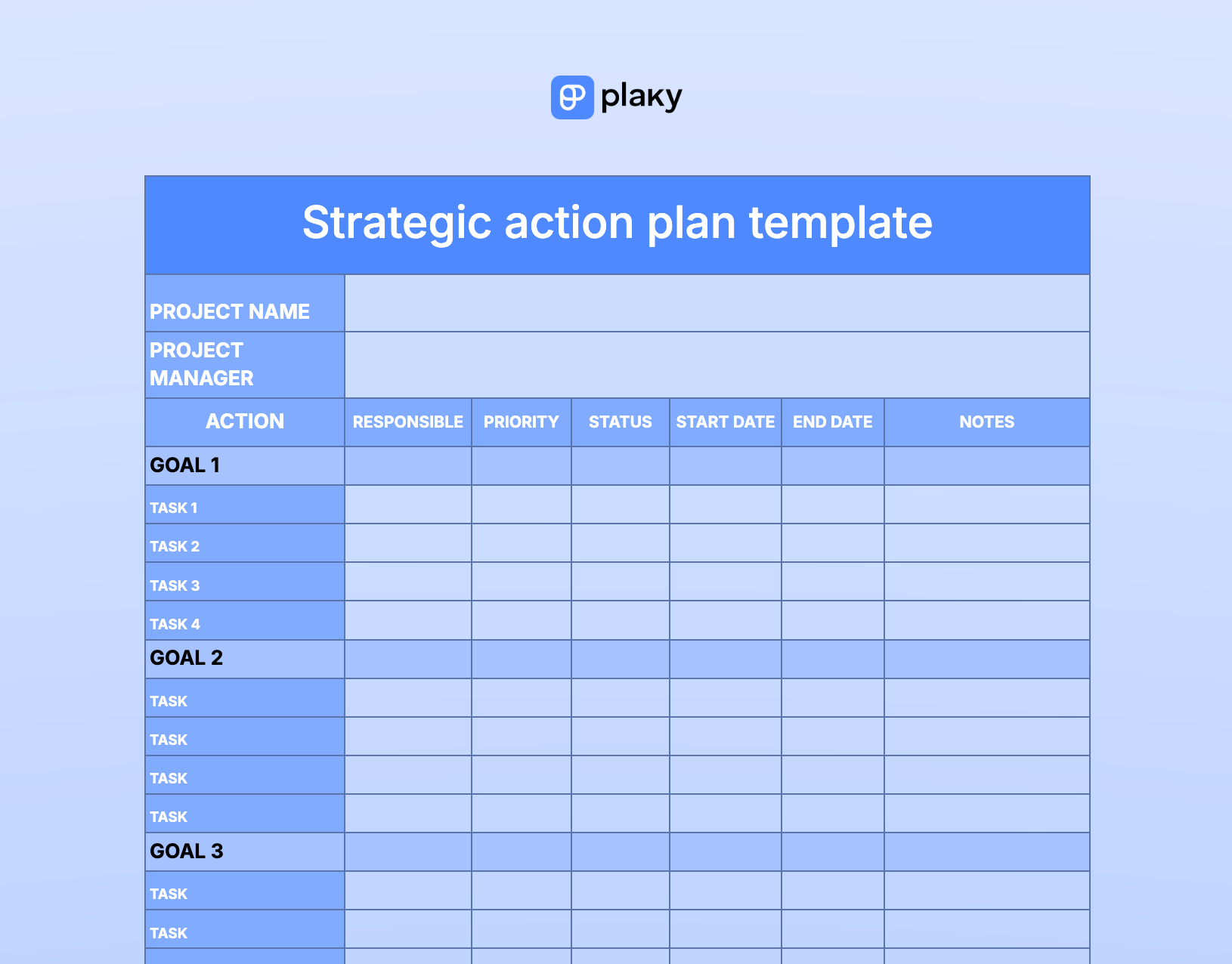
Our strategic action plan template is a solid option for anyone who needs help tracking all the tasks necessary to achieve planned goals.
The template includes an outline for tracking tasks by different categories, e.g.:
- The person responsible,
- Priority,
- Status, and
- Start/end date.
By keeping all actual tasks transparent, you’ll increase the chances of reaching the set goals.
Note: While the Docs and Word version of this template are text-only, the Sheets and Excel versions are a bit easier to use since they have drop-down menus in Priority and Status columns.

5-year strategic plan
Download: Google Sheets | Google Docs | Excel | Word
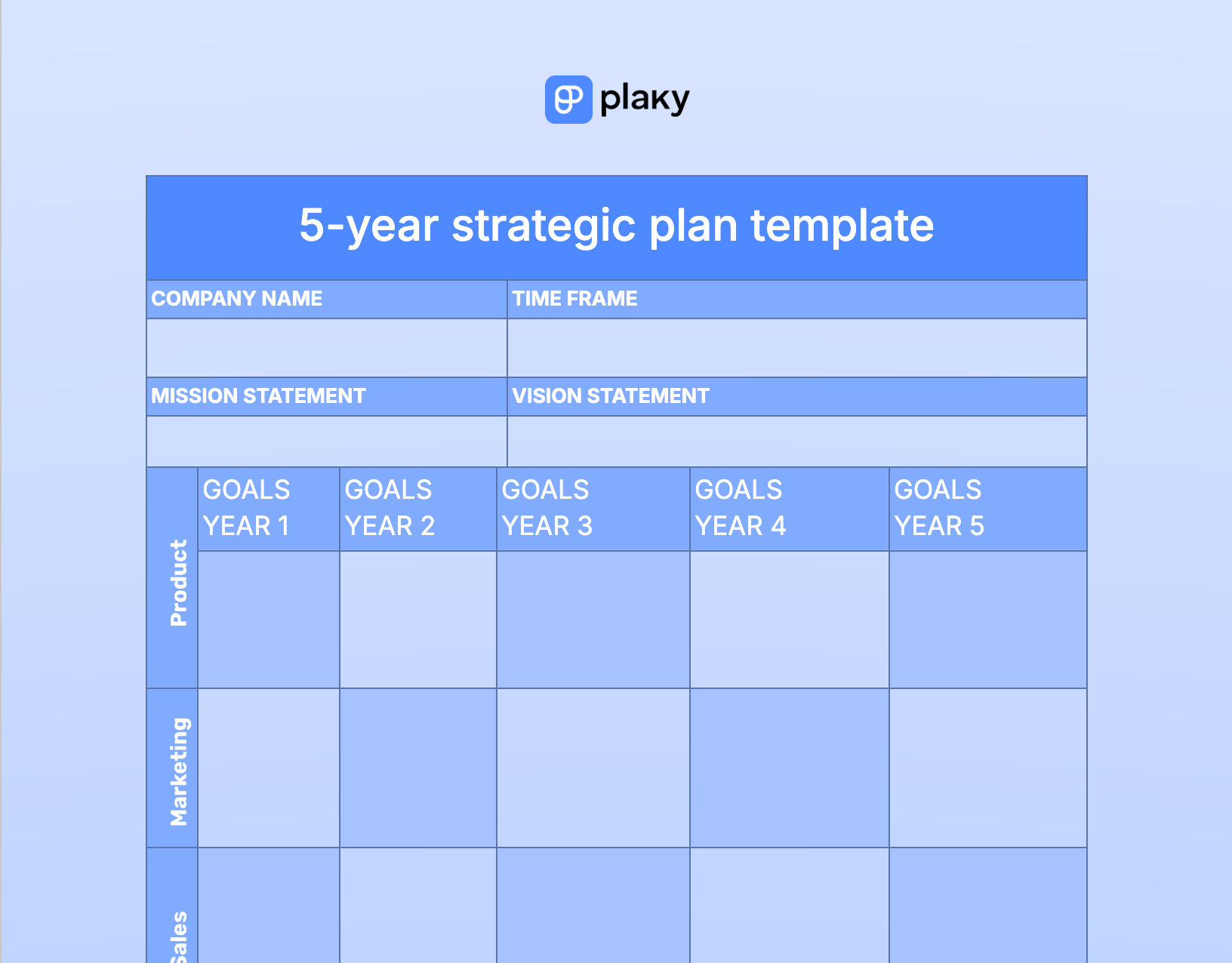
Our free 5-year strategic plan template is an ideal option for anyone looking to do some long-term strategic planning.
It helps you establish long-term strategic goals for your company by displaying your company goals over a 5-year period, including:
- Product,
- Marketing,
- Sales,
- Financial, and
- Operational goals.
You can edit the template by adding any other category relevant to your business.
SWOT analysis
Download: Google Sheets | Google Docs | Excel | Word
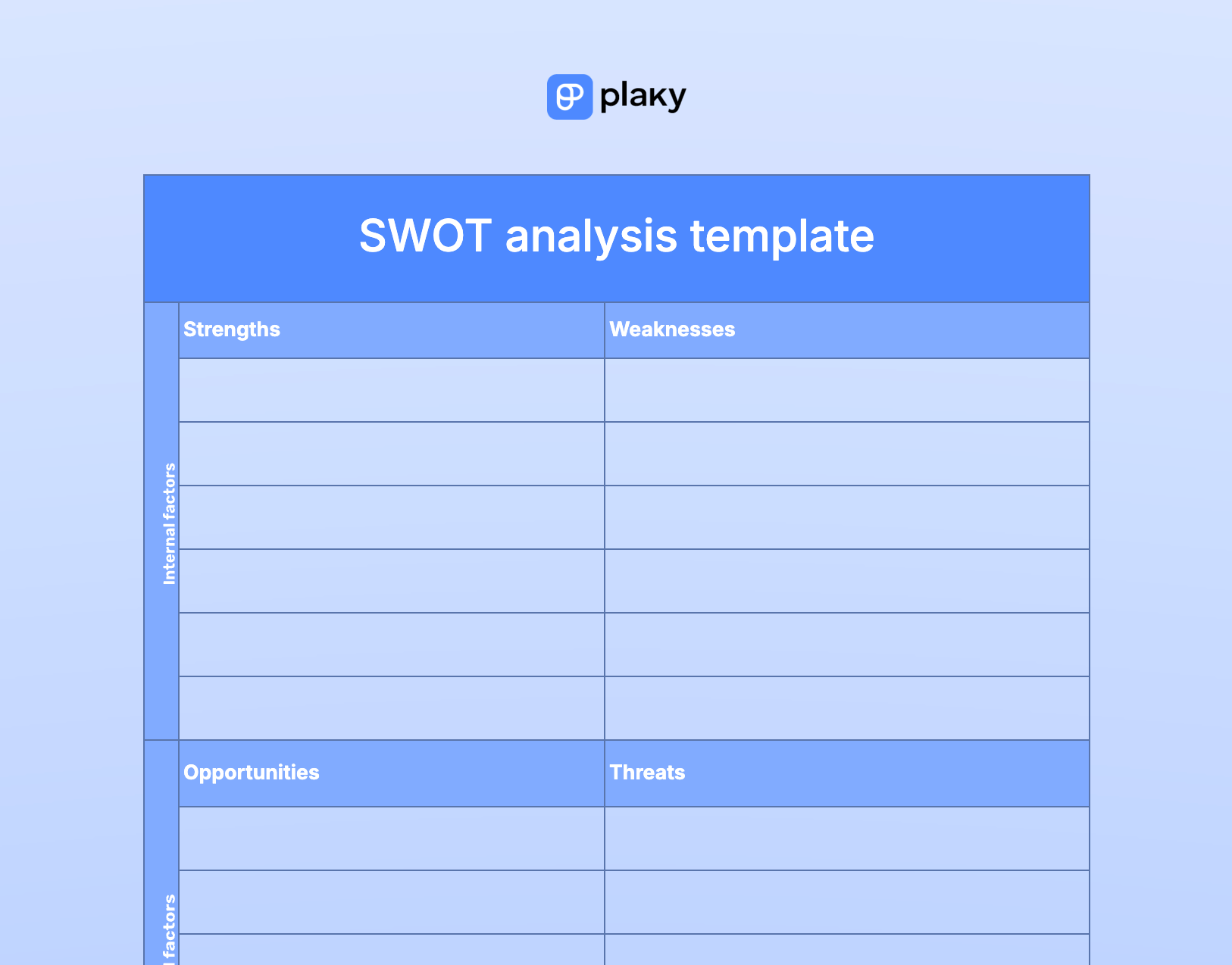
SWOT is one of the most commonly used strategic planning tools, as it visually represents your project’s strengths, weaknesses, opportunities, and threats. Understanding these factors will help you gain a better understanding of your company’s or project’s current strategic position.
Most of the templates above this one include a SWOT segment within them. But, if you just want to do a SWOT analysis without all the other strategic planning elements taking up space in your document, this is the template for you.
Use it to identify internal (strengths and weaknesses) and external (opportunities and threats) factors that may impact your projects or business success.
💡 Plaky Pro Tip
Learn how using shortcuts, such as the SWOT analysis template, can help you improve your project’s performance:
Strategic vision and mission
Download: Google Sheets | Google Docs | Excel | Word
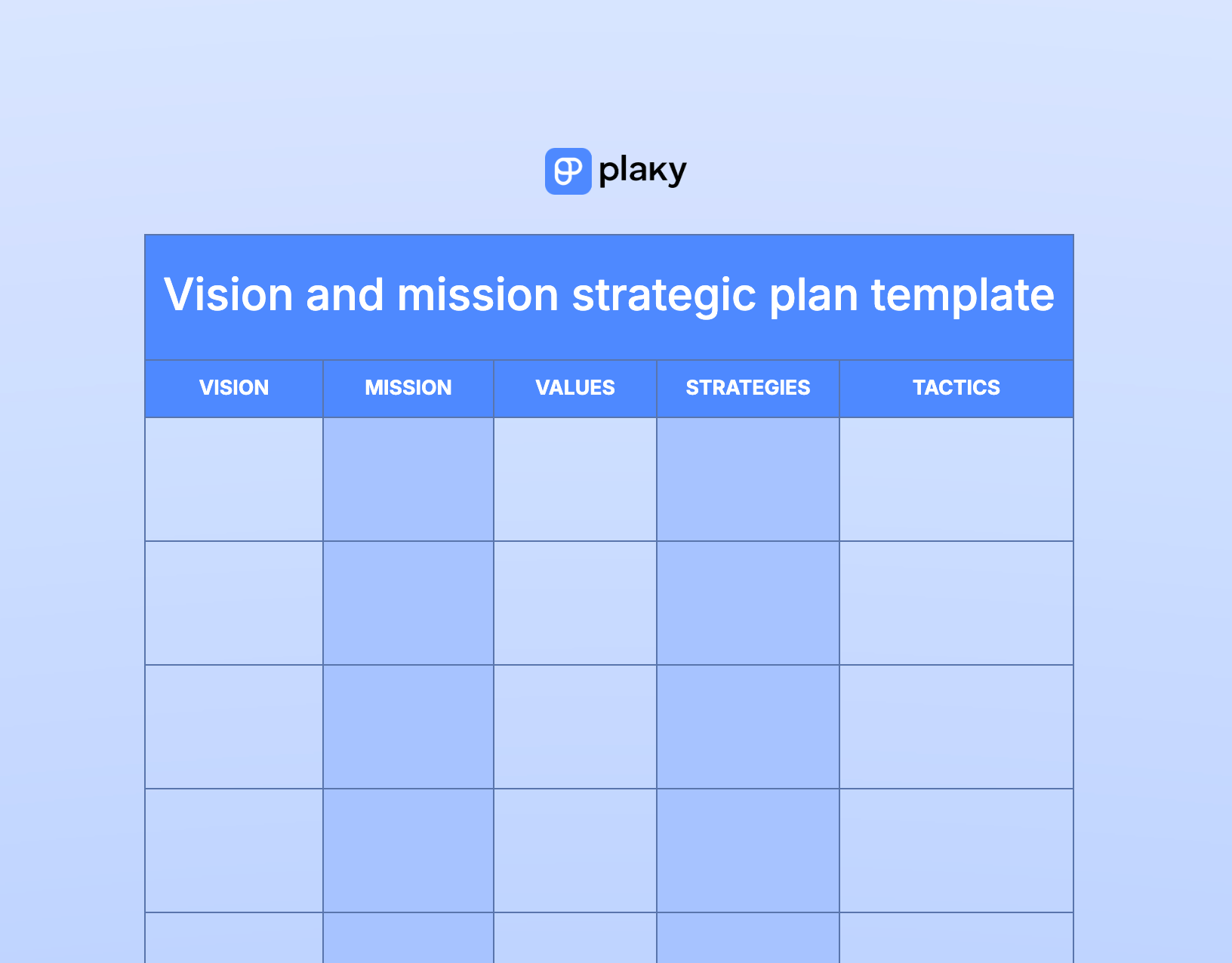
Our vision and mission strategic template is great for anyone who wants to ensure that all team members and stakeholders work toward a common goal that aligns with the overall company vision.
Essentially, this template helps you to focus on the big picture — what your company stands for.
The key elements of this vision and mission template include:
- Vision,
- Mission,
- Values,
- Strategies, and
- Tactics.

Executive summary
Download: Google Sheets | Google Docs | Excel | Word
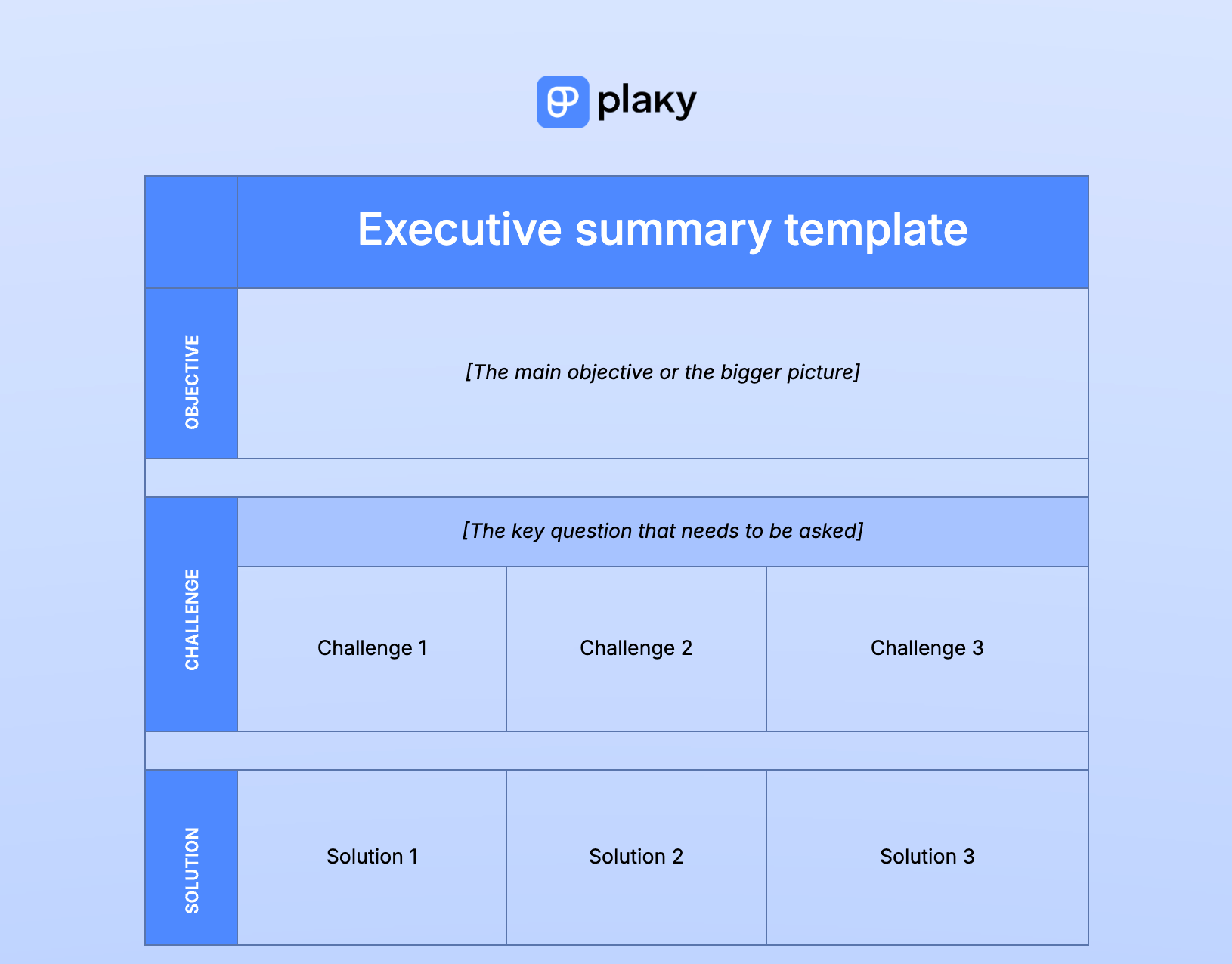
Our executive summary template can be used to draft a short and sweet summary of your strategic plan before presenting it to stakeholders.
This template comprises 3 categories commonly addressed in executive summaries:
- Objectives,
- Challenges, and
- Solutions.
Balanced scorecard
Download: Google Sheets | Google Docs | Excel | Word
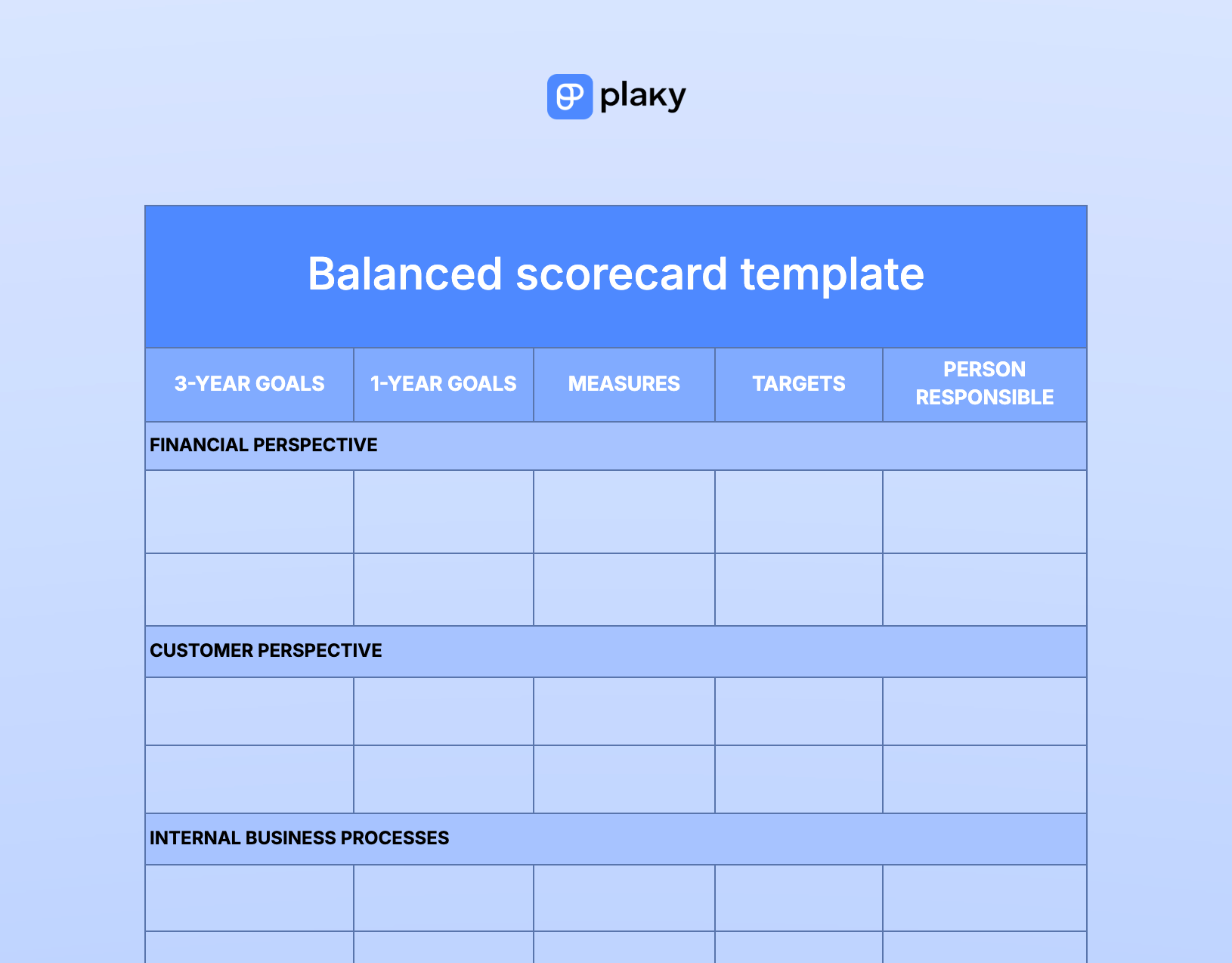
Our balanced scorecard template is used to provide a better perspective on your business by examining 4 crucial perspectives involved in the strategic planning process.
In general, you can use it if you need help defining overall goals and objectives.
This template measures the performance of your business from these 4 perspectives:
- Financial,
- Customer,
- Internal business processes, and
- Employee learning and growth.
Simple change plan
Download: Google Sheets | Google Docs | Excel | Word
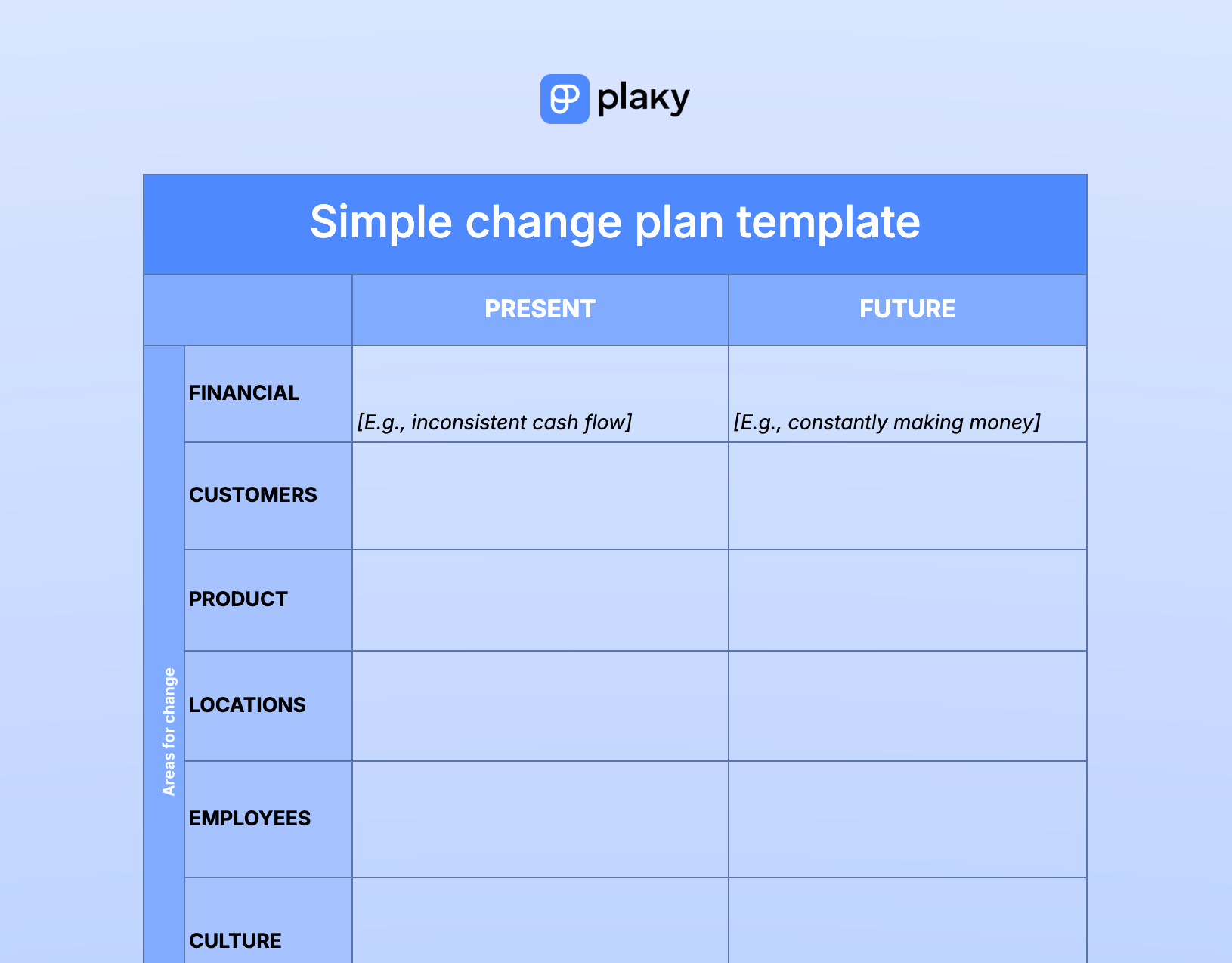
Our simple change plan template is for anyone who needs help addressing the following question regarding their company: “What needs to change?”
Use it if you want to break down the current state of your company and compare it to the desired state. Specifically, this template helps you plan changes in these business areas:
- Financial situation,
- Customers,
- Product,
- Locations,
- Employees, and
- Culture.
OKRs strategic plan
Download: Google Sheets | Google Docs | Excel | Word
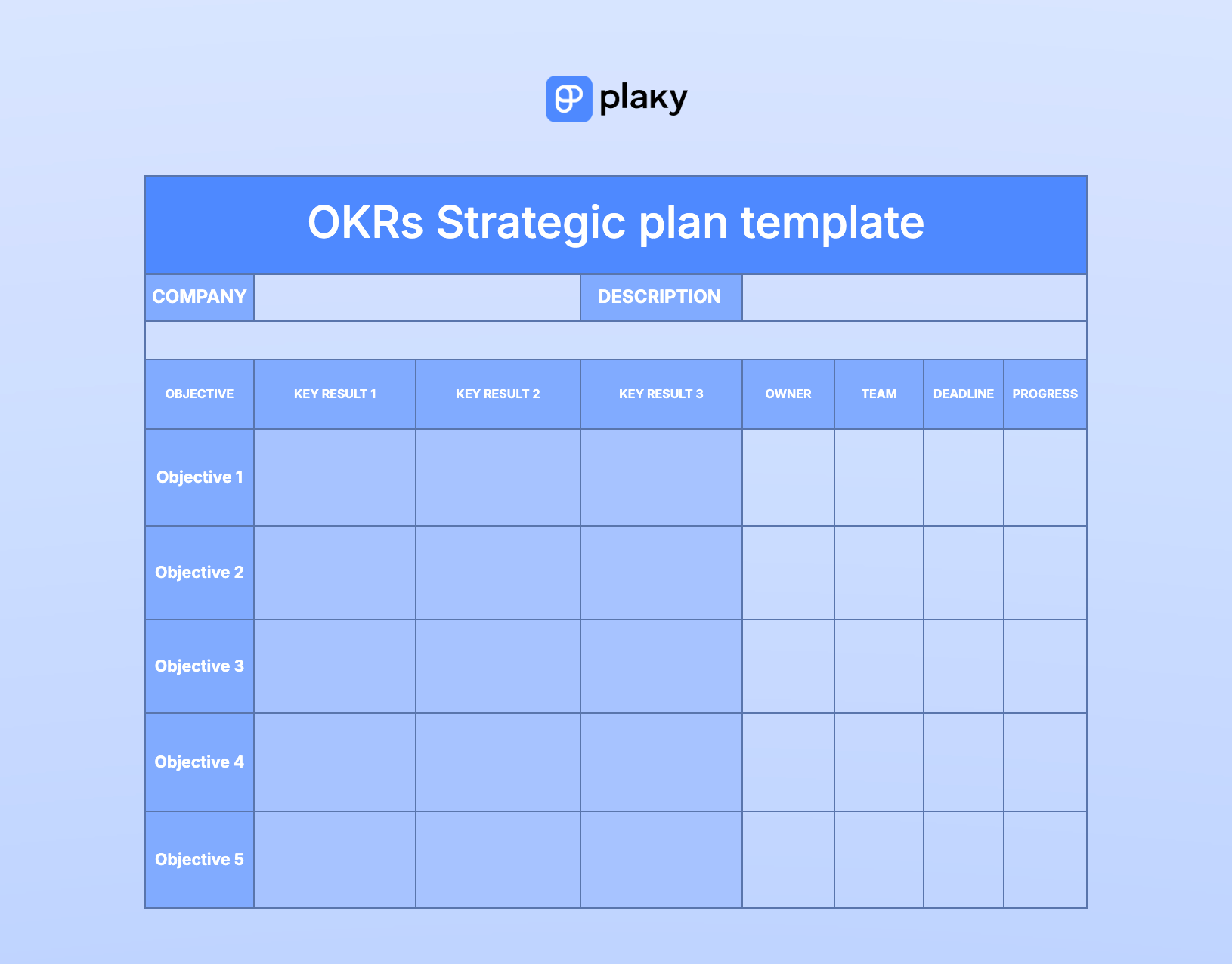
Our OKR strategic plan template is great for anyone who wants to base their strategic plan around objectives and key results.
Use it if you need assistance in setting objectives and key results for your team and want to visually track your goals.
The key objectives are listed in the far-left column, with key results listed right next to them. This layout provides clarity on what to expect from each objective, along with details such as the responsible person or team, deadlines, and progress.
💡 Plaky Pro Tip
OKRs are a great way to set tangible goals for your team. If you want more OKR-specific templates, check out the link below:
Carry out your strategic plans with Plaky by CAKE.com
Using a template to create a strategy plan is great, but that’s just step one — you then need to carry out this plan and realize the goals and benefits you’ve listed within it.
And, to do this, the templates don’t help that much. Instead, what you’ll need is a project management tool like Plaky.
Plaky by CAKE.com is a highly customizable tool that you cantailor to any goal or workflow — make a board for each goal, invite your team members, create tasks, assign them, and track progress.
You could technically accomplish this through shared documents, similar to the ones we used to make these templates, but you would be investing a lot more time and energy for far less efficiency and productivity. And that’s not even mentioning the increased likelihood of human error, which can easily result in a missed deadline and inspire serious consequences.
Plaky, on the other hand, increases your efficiency and productivity, while also significantly reducing the chances of human error.
Get started with Plaky by CAKE.com
For example, in Plaky, you can set the deadline using a Date field. Thanks to the conditional coloring feature, the date will be highlighted as the deadline approaches.
And, if someone should accidentally change the date, this change will be recorded in the activity log and all people assigned to the task will receive an email notification about the date change, making mistakes easier to identify.
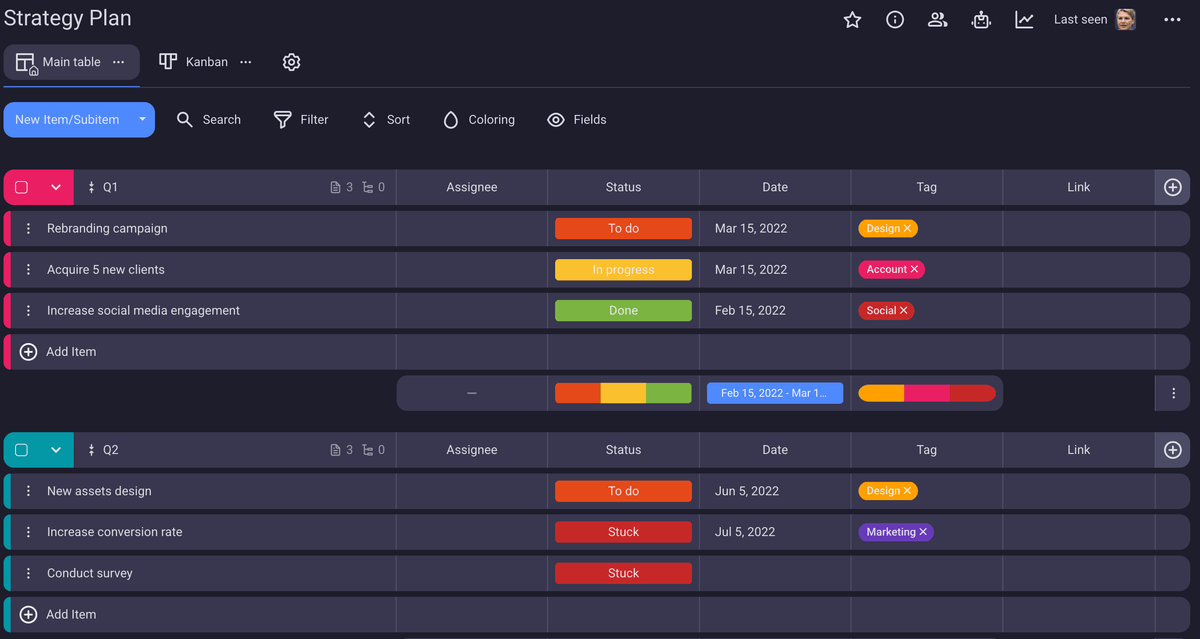
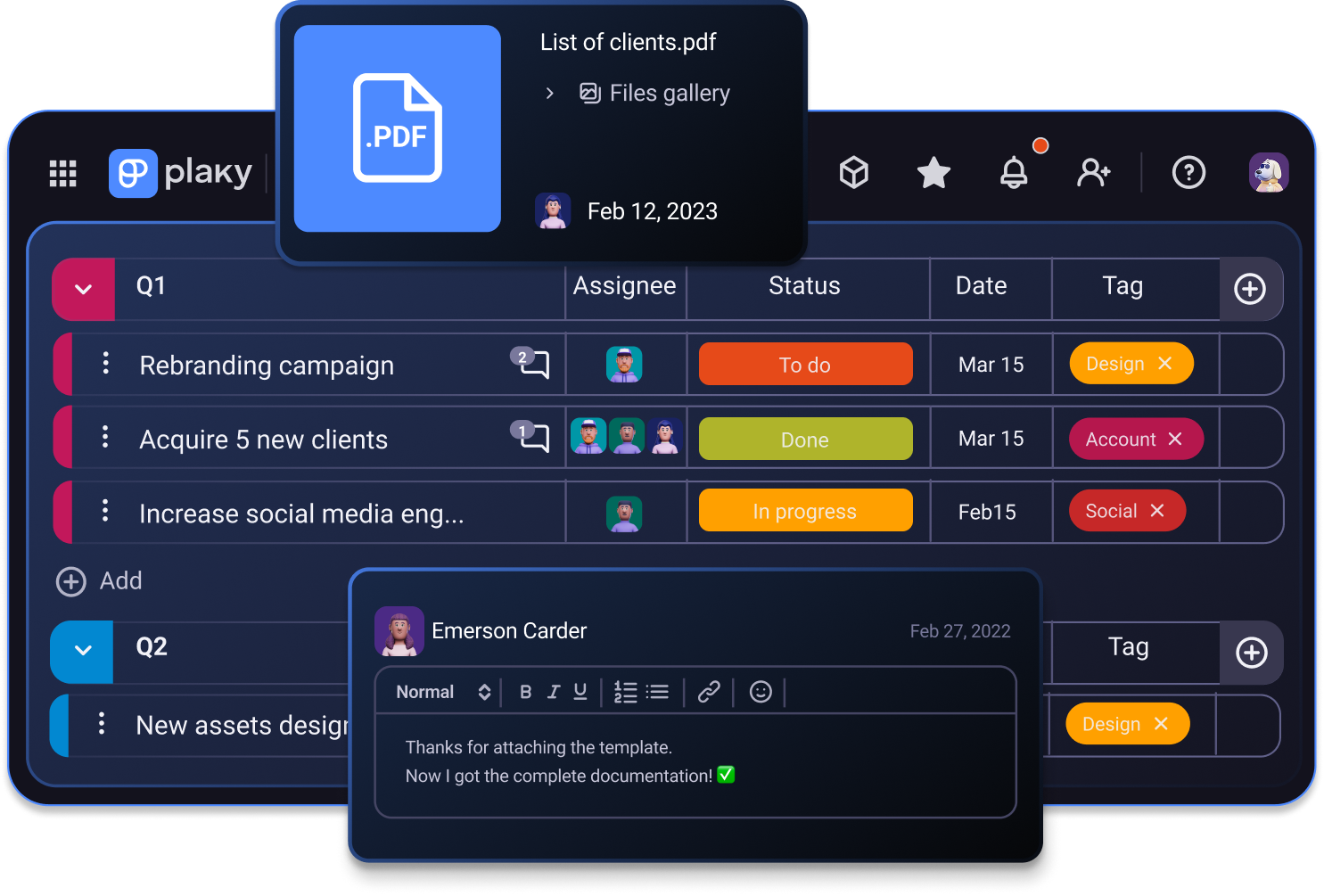
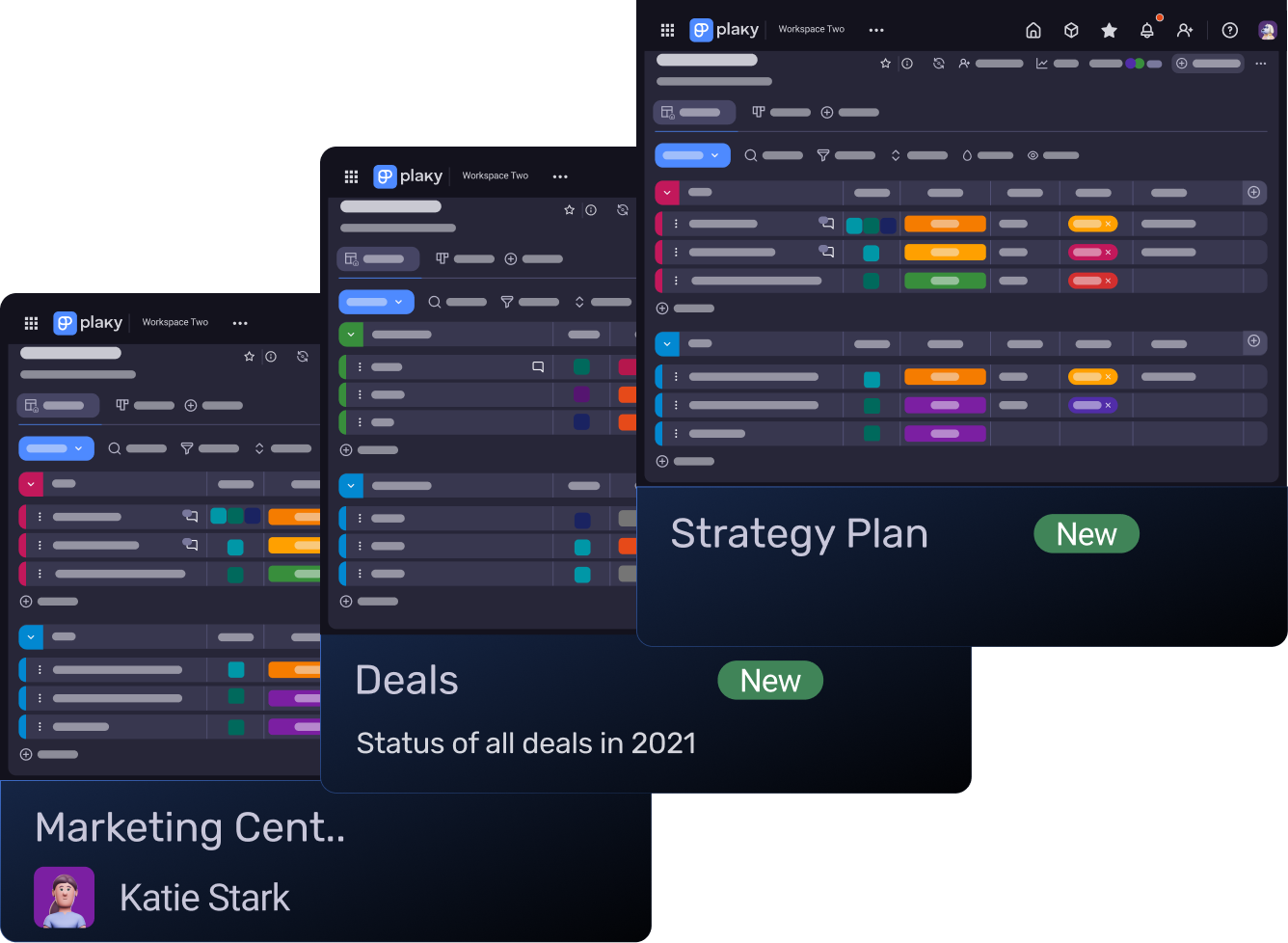
What’s more, you can skip external templates altogether and make a strategy plan inside Plaky by CAKE.com, effectively using it as a one-stop strategic planning tool. There’s even a marketing strategy plan template that’ll kickstart this process by automatically populating the board, like you can see in the image above.
Check out our marketing strategy plan template
It has all the basic marketing tasks, already grouped according to quarters, and all the important custom fields already set — though you can always further customize everything.
Create a strategy plan and execute it all within the same tool.
Try Plaky by CAKE.com for free
How we reviewed this post: Our writers & editors monitor the posts and update them when new information becomes available, to keep them fresh and relevant.