If you’re managing construction projects, you know how many moving parts each project has — and how difficult it is to make it all progress smoothly. Luckily, we have created clear and simple construction project management templates to help you through this.
You’ll find 10 free project management templates for construction for Docs and Sheets that will ensure you’re always one step ahead of any potential problem or bottleneck.
#1 Construction schedule template
Get Plaky’s construction schedule
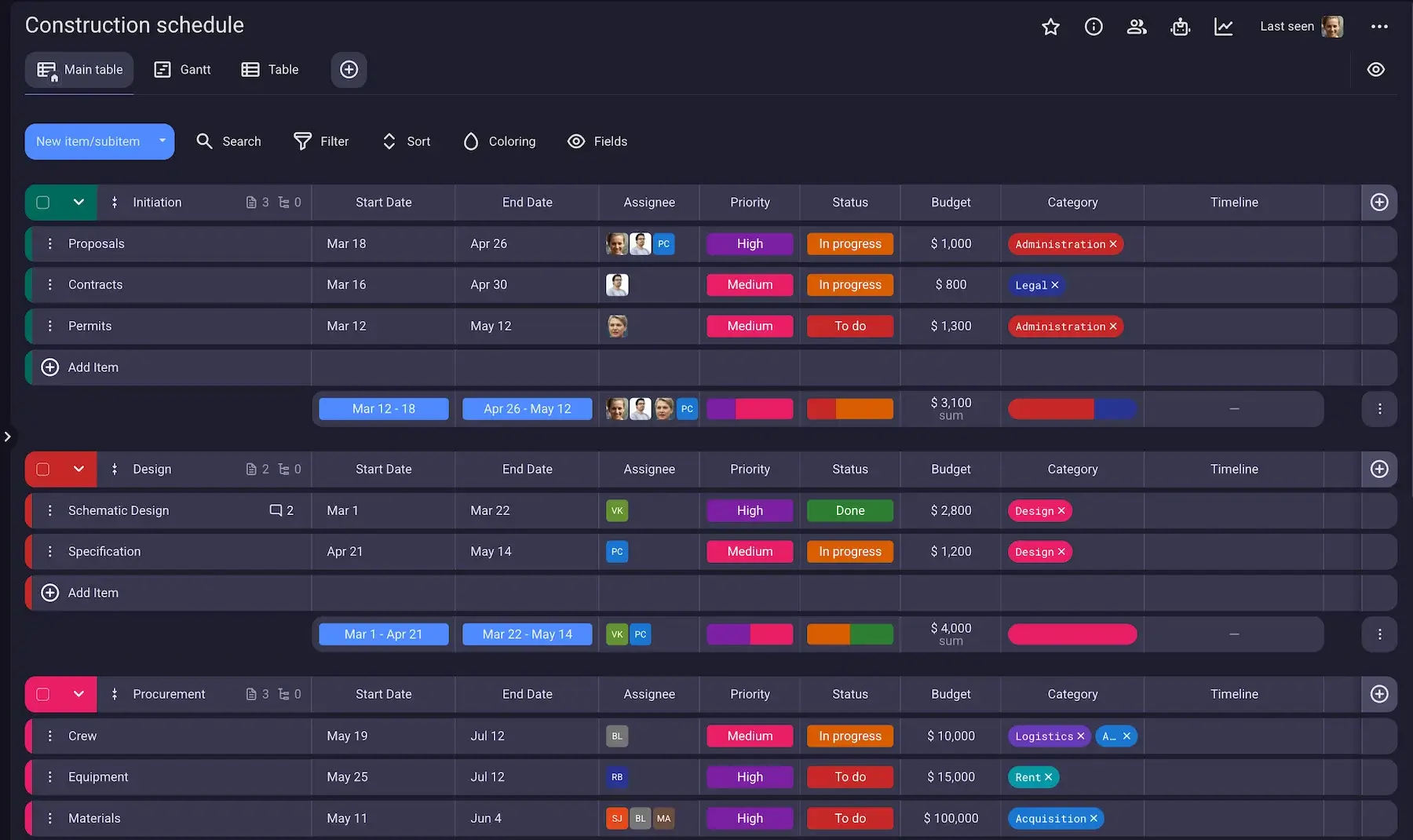
The construction schedule template helps you keep all your project plans in one place. Unlike other templates on our list, this template comes as a part of an intuitive and powerful project management tool — Plaky by CAKE.com.
This means it offers a comprehensive way to track everything (tasks, deadlines, orders, files, assigned workers, etc.) on a single board while collaborating seamlessly with your team.
As construction projects are unpredictable, schedules need to be adapted constantly. With Plaky’s template, you can adjust any aspect of the schedule (dates, status, priority, etc.) anytime, and all subscribers will be notified of the change.
But that’s just the beginning — Plaky also lets you:
- Communicate with your team through Comments,
- Add Files to Items to keep all documentation in one place,
- Group tasks into stages for a clear work schedule,
- View your schedule on a Gantt chart,
- Keep track of all changes, who made them and when with Activity log, and
- Immediately notice important tasks (e.g., tasks due date today, stuck tasks) with Conditional coloring.
Best of all — you’ll never have to waste time on boring, manual tasks again. Simply set up Board automations, and let Plaky do it for you.
#2 Construction daily report template
Download: Docs
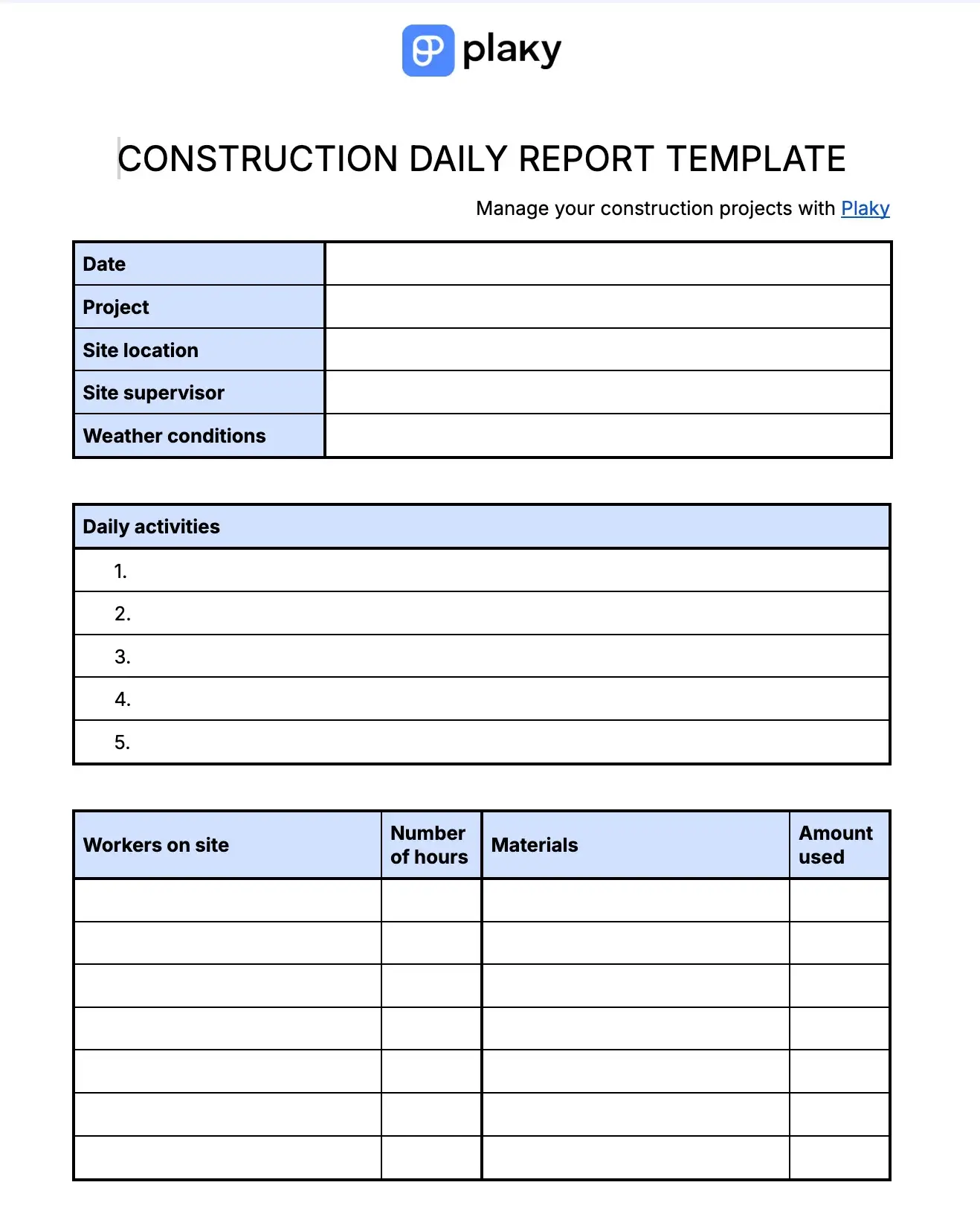
The daily report template for construction is used to keep track of what’s happening on the construction site every day. It gives the project manager a clear idea of:
- Daily activities,
- The number of hours each worker clocked in,
- The materials that were used and the amount used, and
- The equipment that was used.
Perhaps the most important part of this template is the incident section. Here you can note any potential incidents with a detailed report of what happened, including the time of the incident and the personnel involved. This ensures every incident is documented, and the project manager is made aware of it.
#3 Construction proposal template
Download: Docs
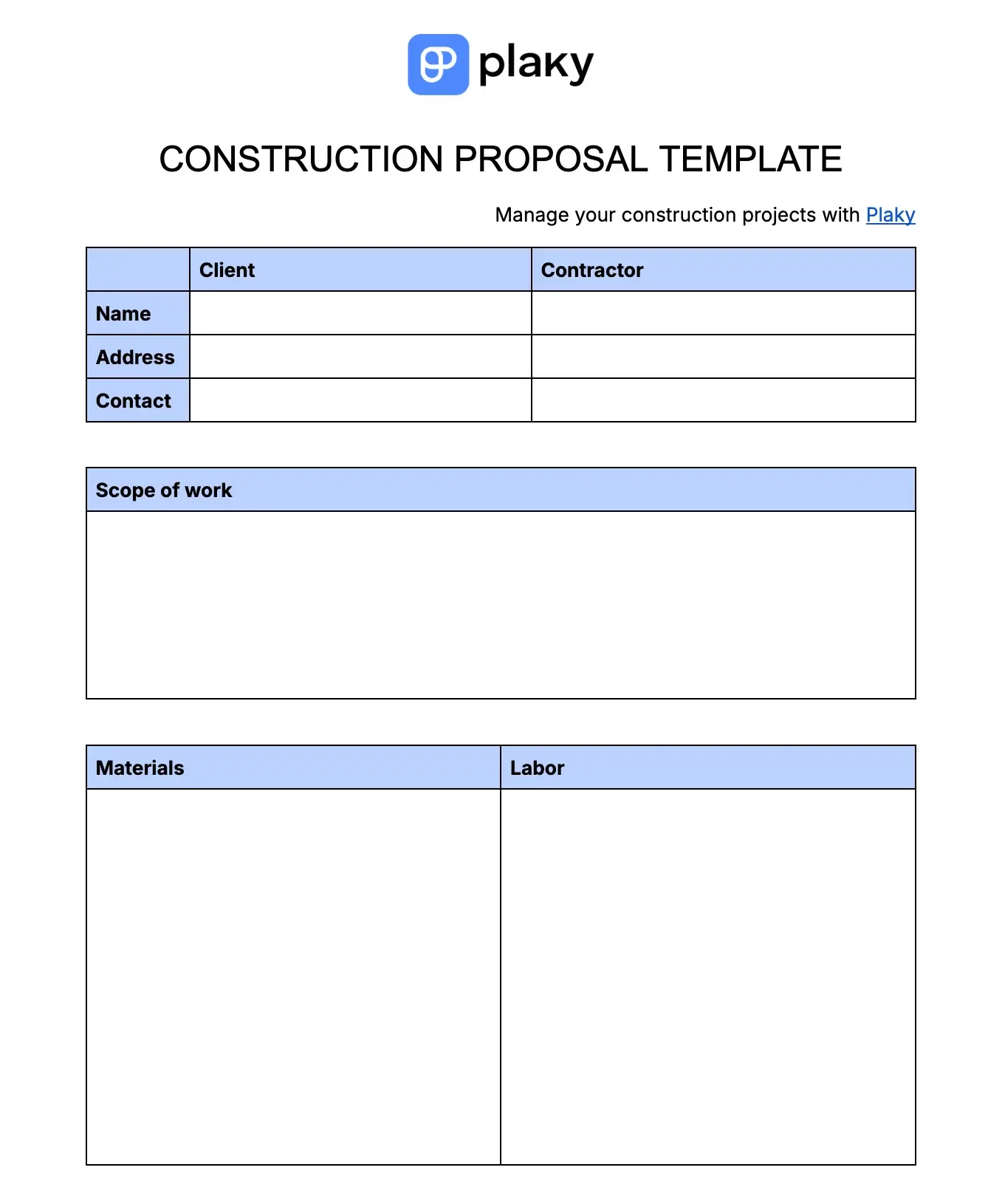
This template is used by contractors to create a detailed proposal with which they can bid for a construction project.
Besides general information about the client and the contractor, it has dedicated space for:
- Scope of work,
- Materials necessary,
- Labor (types of construction workers needed),
- Cost of the project,
- Schedule, and
- Terms and conditions.
It functions as a formal document that ensures your construction project proposal looks professional and informed.
#4 Time and materials construction template
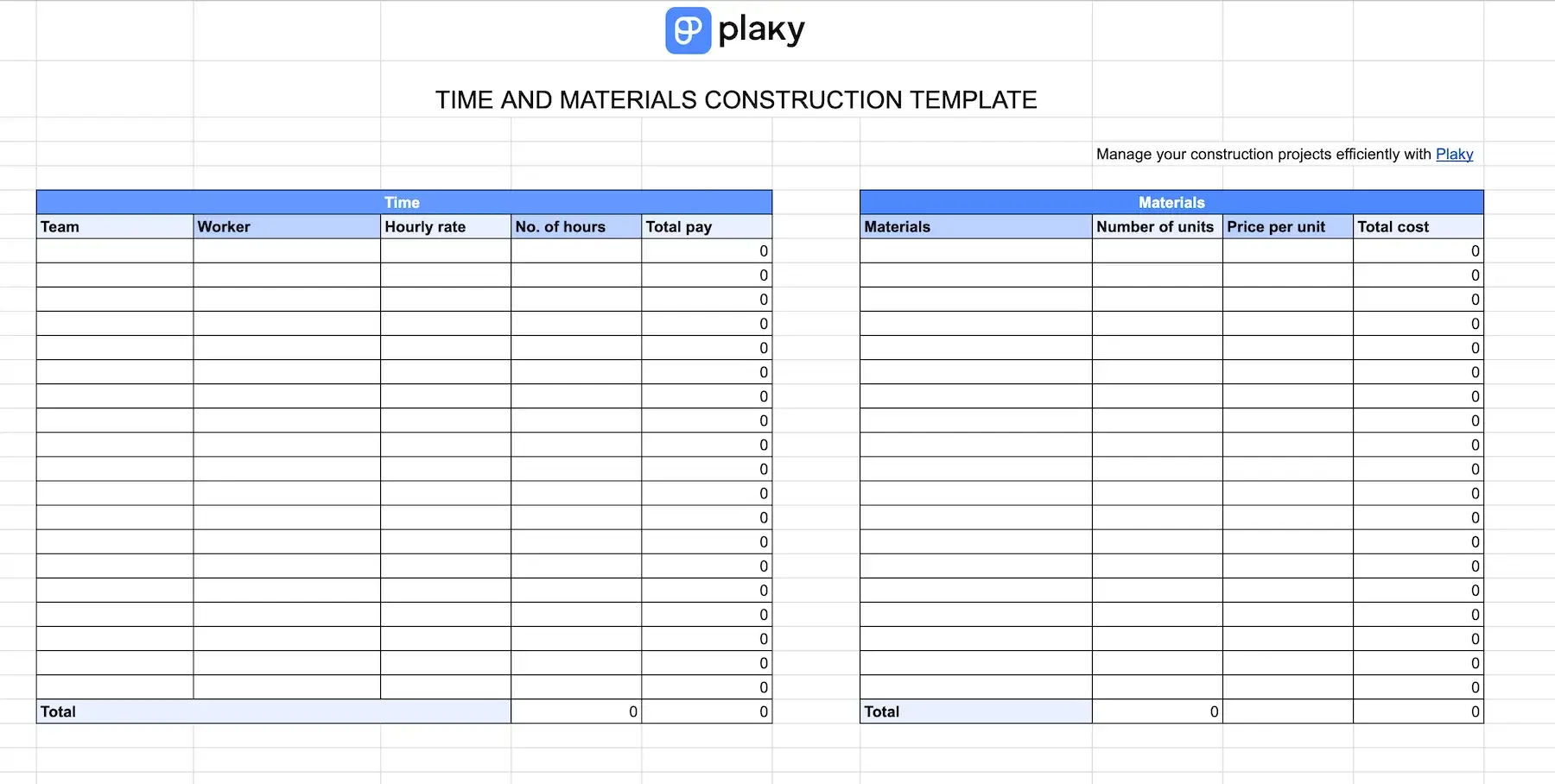
This template is intended for those who use the time and materials cost contract, i.e. contract where time spent working and cost of materials are charged separately.
It consists of 2 tables. In the first table, you can track information for each worker individually, namely:
- Worker’s name,
- Team they belong to,
- Number of hours worked,
- Hourly rate, and
- Total pay.
In the other table, you can track:
- Types of materials you need,
- How much of each material you need,
- Cost of material per unit, and
- Total cost of materials.
The time and materials construction template is designed to help project owners and contractors accurately track expenses.
#5 Unit price construction template
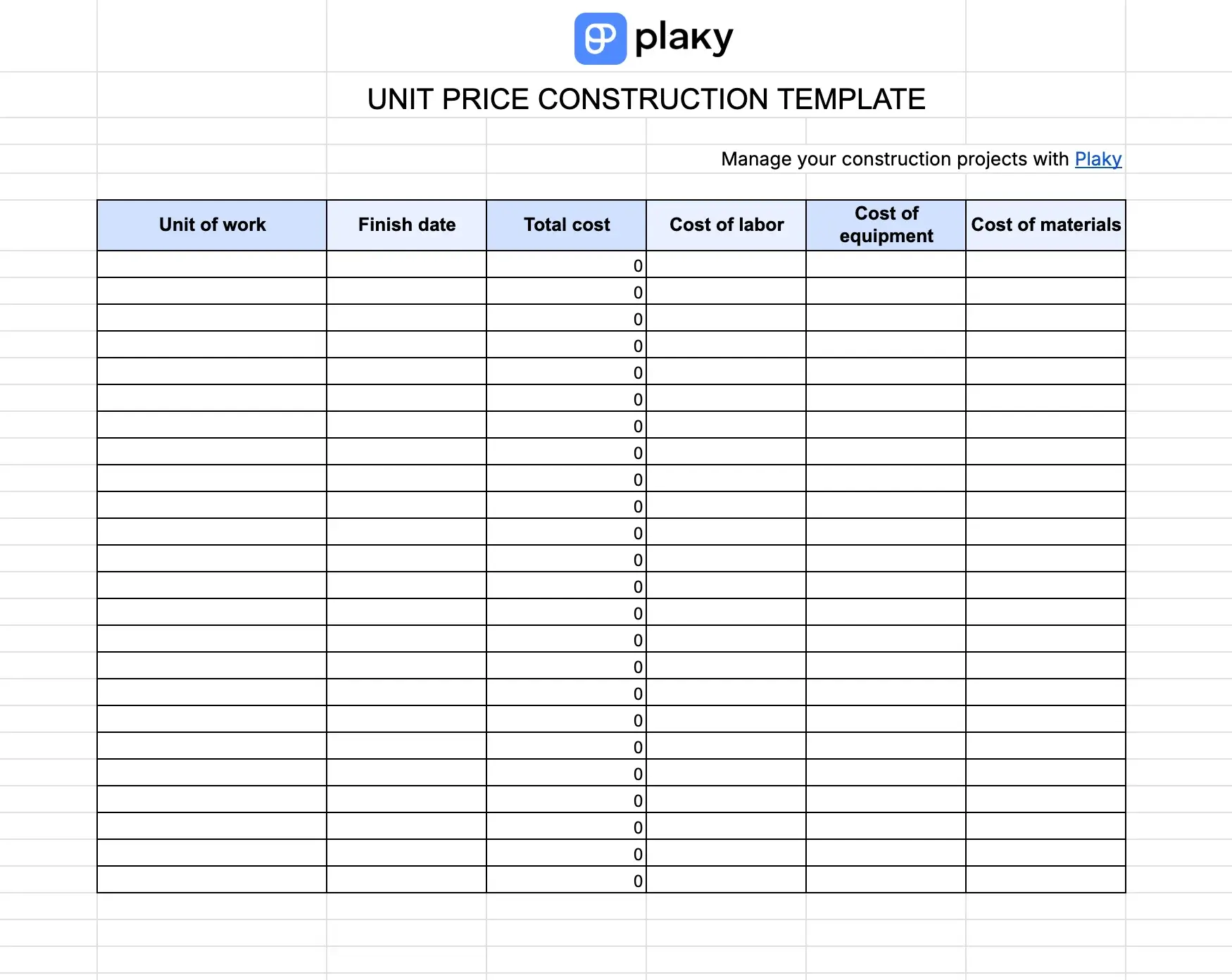
Designed for unit price contracts, this template simplifies tracking completed work and payments.
You can track all the relevant information:
- Date the unit of work was finished
- Cost of labor
- Cost of materials
- Cost of equipment
- Total cost of all units of work
The unit price construction template gives the project owner a detailed breakdown of all the costs so they know exactly what they’re paying for, guaranteeing transparency.
#6 Construction equipment management template
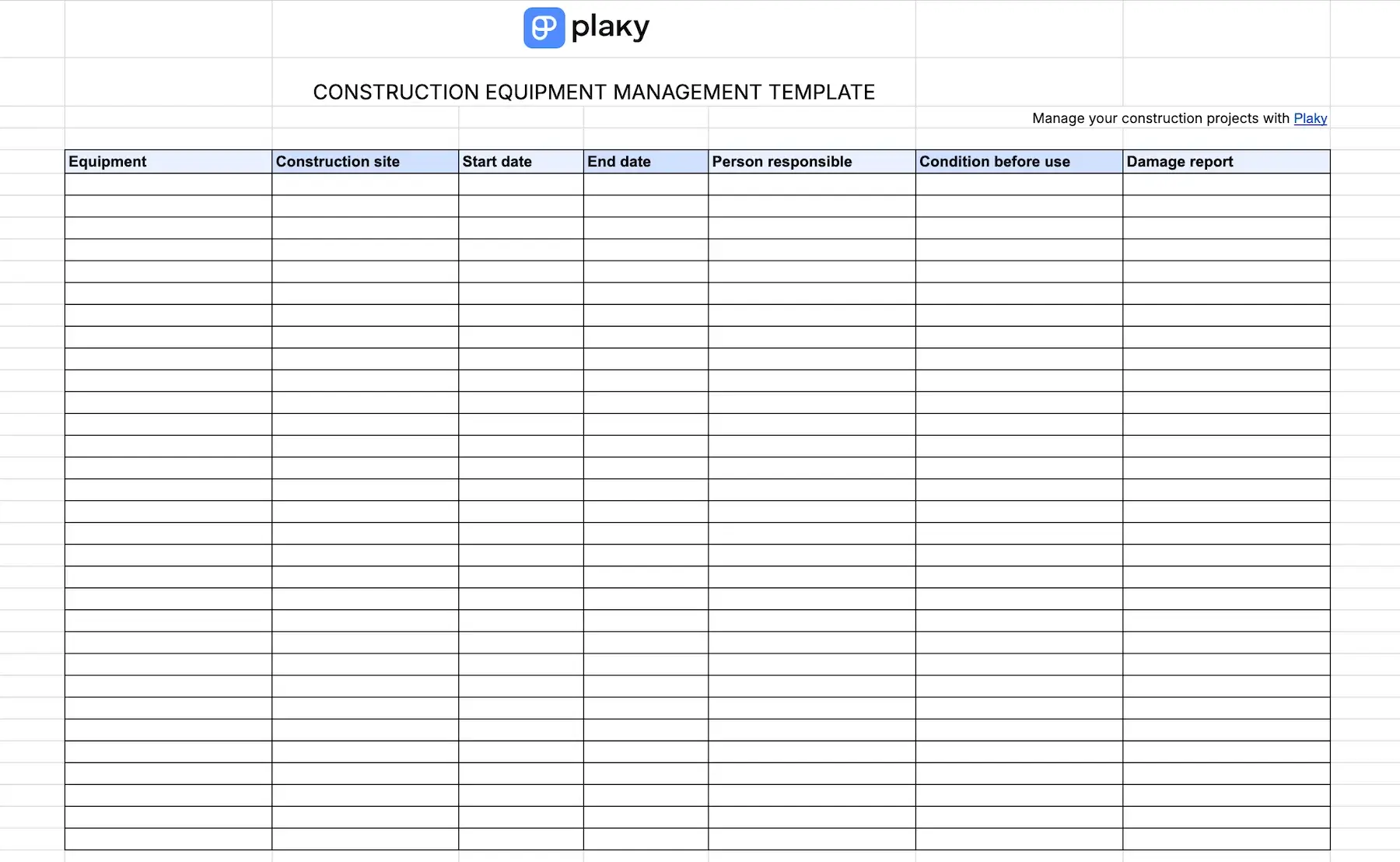
This construction project template is designed to help construction companies keep track of how they are using their equipment.
In the template, project managers and general contractors can track relevant information for every piece of equipment:
- The site it’s used on
- Time it spent there
- Condition before use
- Any potential damage to the equipment
- Person on site responsible for it
That way, if something is amiss with the equipment, or it’s not where it’s supposed to be, you can quickly see where and when it was last used, and who’s responsible for it.
#7 Construction material procurement log template
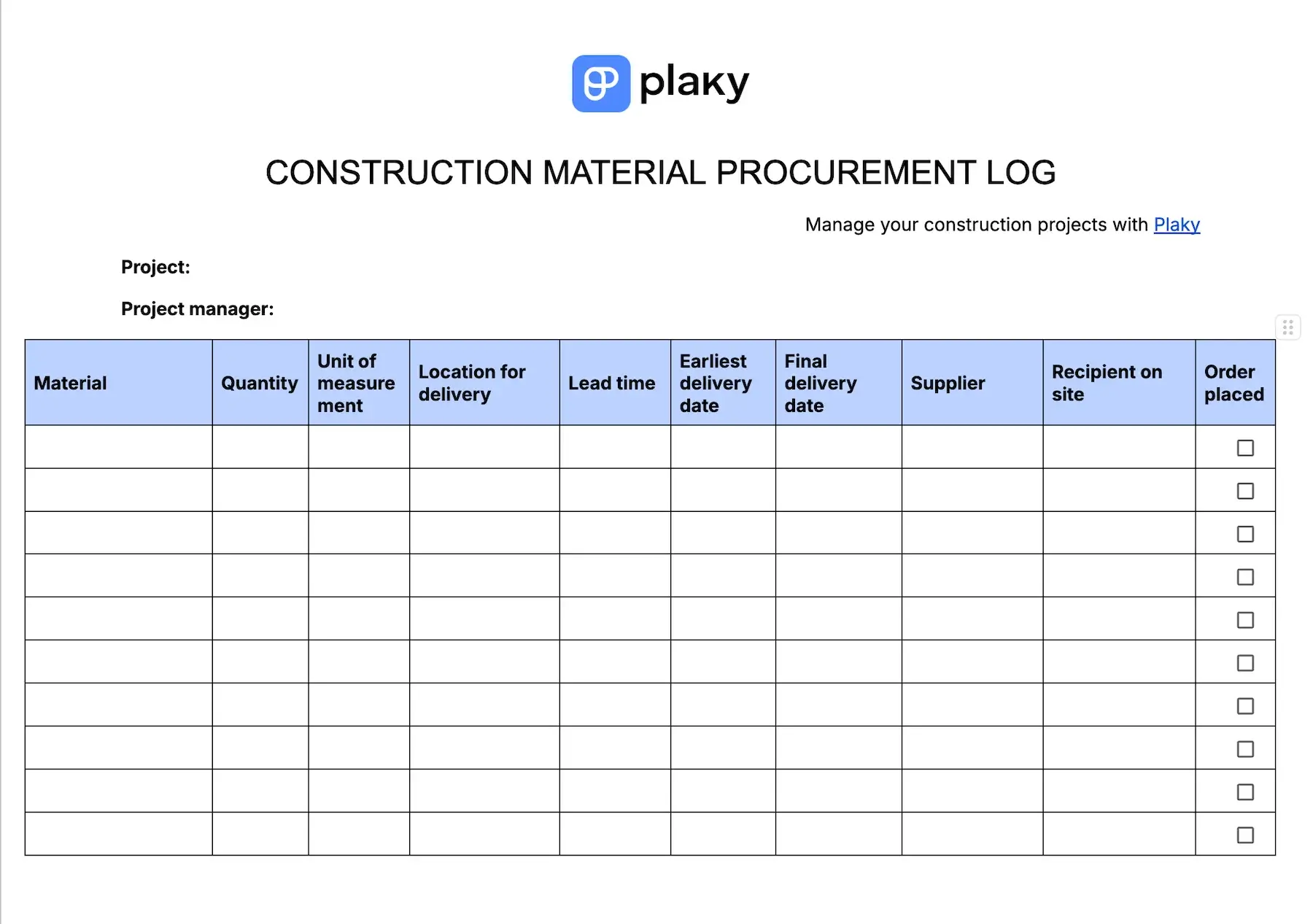
The procurement log template is designed to help keep all the details about orders of materials in one place.
You need to obtain or order all the materials during the pre-construction phase, so they are ready when construction begins.
This template enables you to track:
- The size of the order,
- The supplier,
- Location for delivery,
- Lead time,
- Earliest and latest delivery time, and
- Recipient of the order.
This way, you know when and where the materials are coming, so you can plan out storage organization and construction site delivery.
#8 Construction project handover template
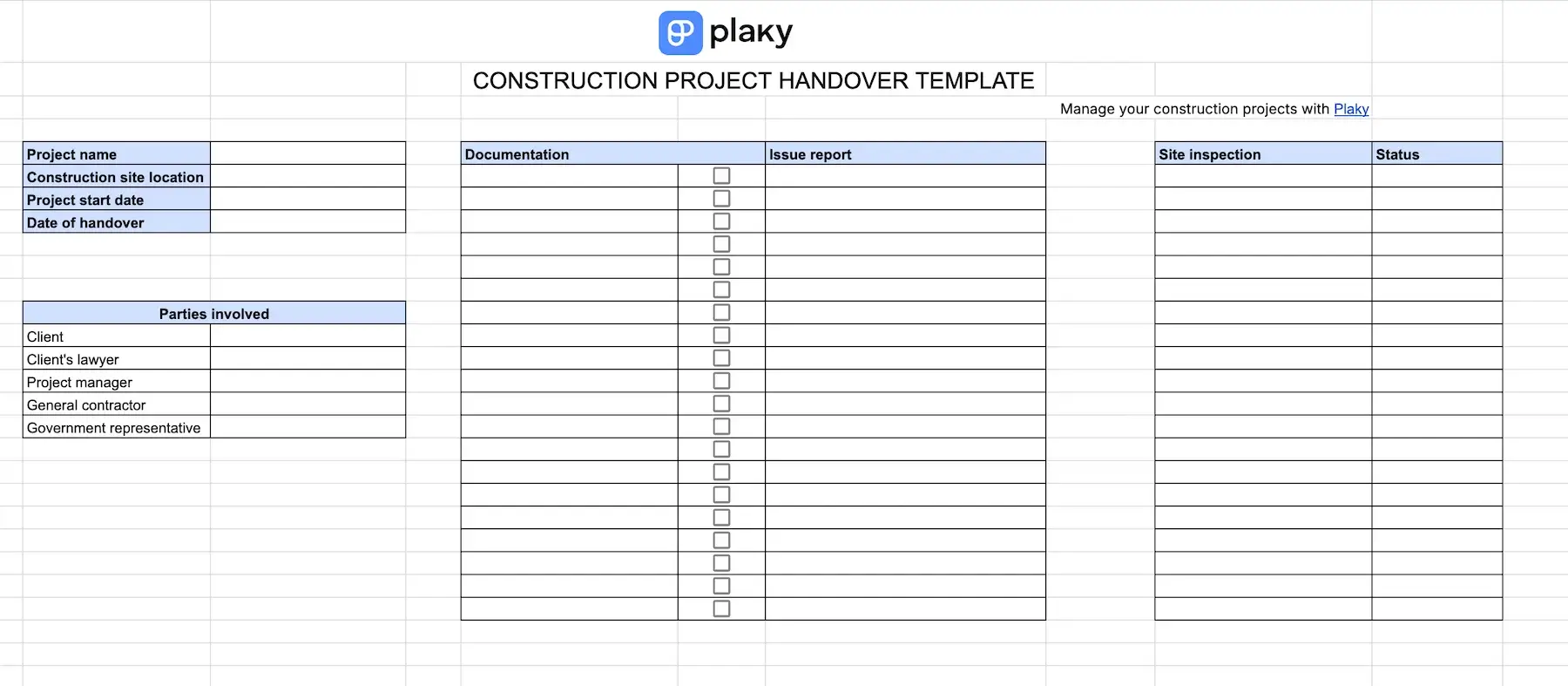
This template serves to keep the final process of construction running smoothly.
The project handover template includes general information about the project and lists all parties involved in the handover process.
It also has a checklist for documentation with space for reporting potential issues if any document needs rewriting or is missing.
Moreover, there’s a table for construction site inspection where you can write down the status of all relevant construction aspects such as electricity, plumbing, site cleanup, fire safety test, etc. This gives a clear overview of the state of the finished building when it’s handed to the client.
#9 Multiple project template for construction
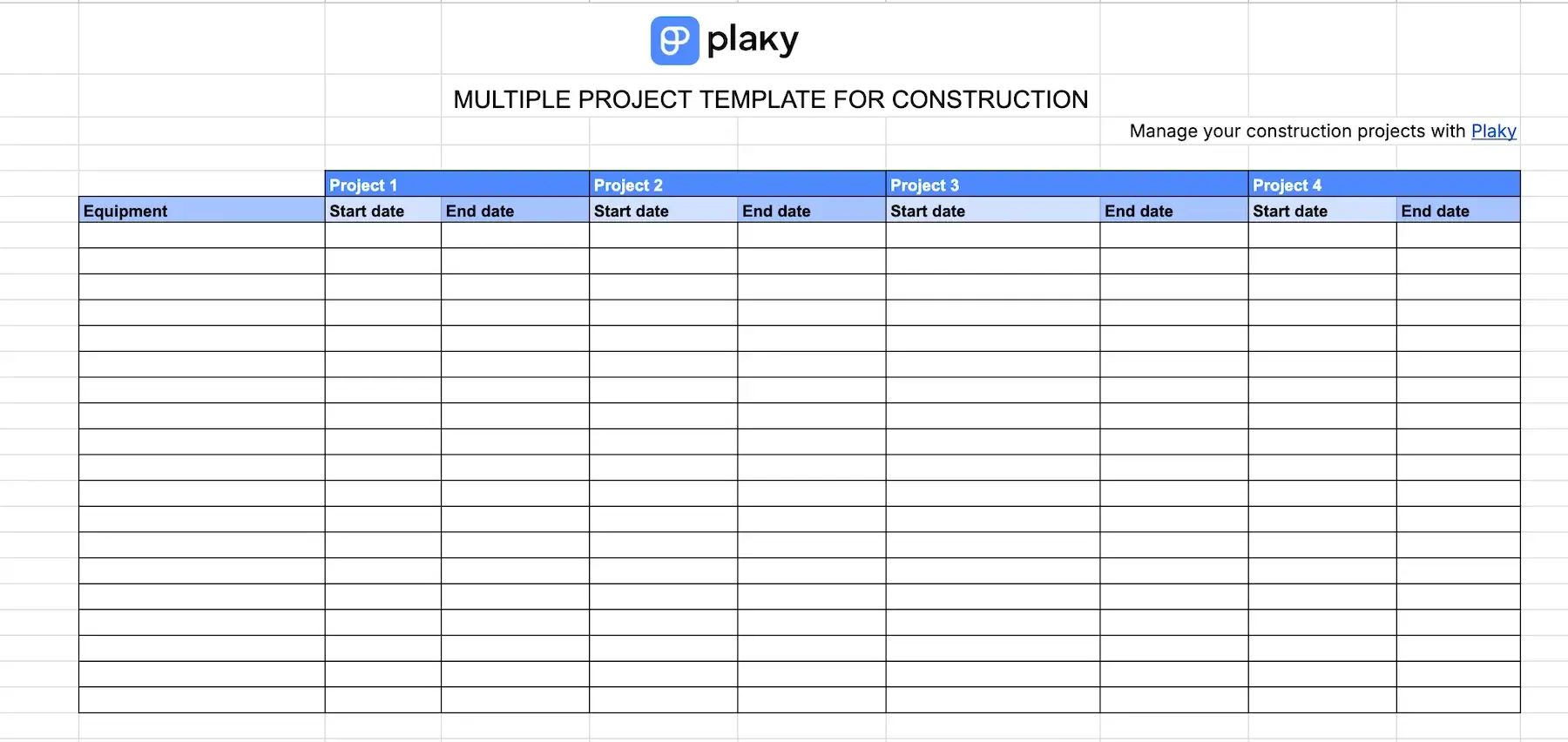
If you’re running multiple construction projects at the same time, you need to organize your equipment as well as manpower to be available at the right time for the right site. This multiple project template helps you achieve this without any hiccups.
It consists of 2 tables — one for equipment, where you can track when it will be needed for which project, and the other for construction workers divided into teams with the start and end date for each project they work on.
By using this template, you eliminate the possibility of double-booking your teams or promising your site manager you’ll have the equipment on the site when it’s already booked elsewhere.
#10 Construction budget allocation template
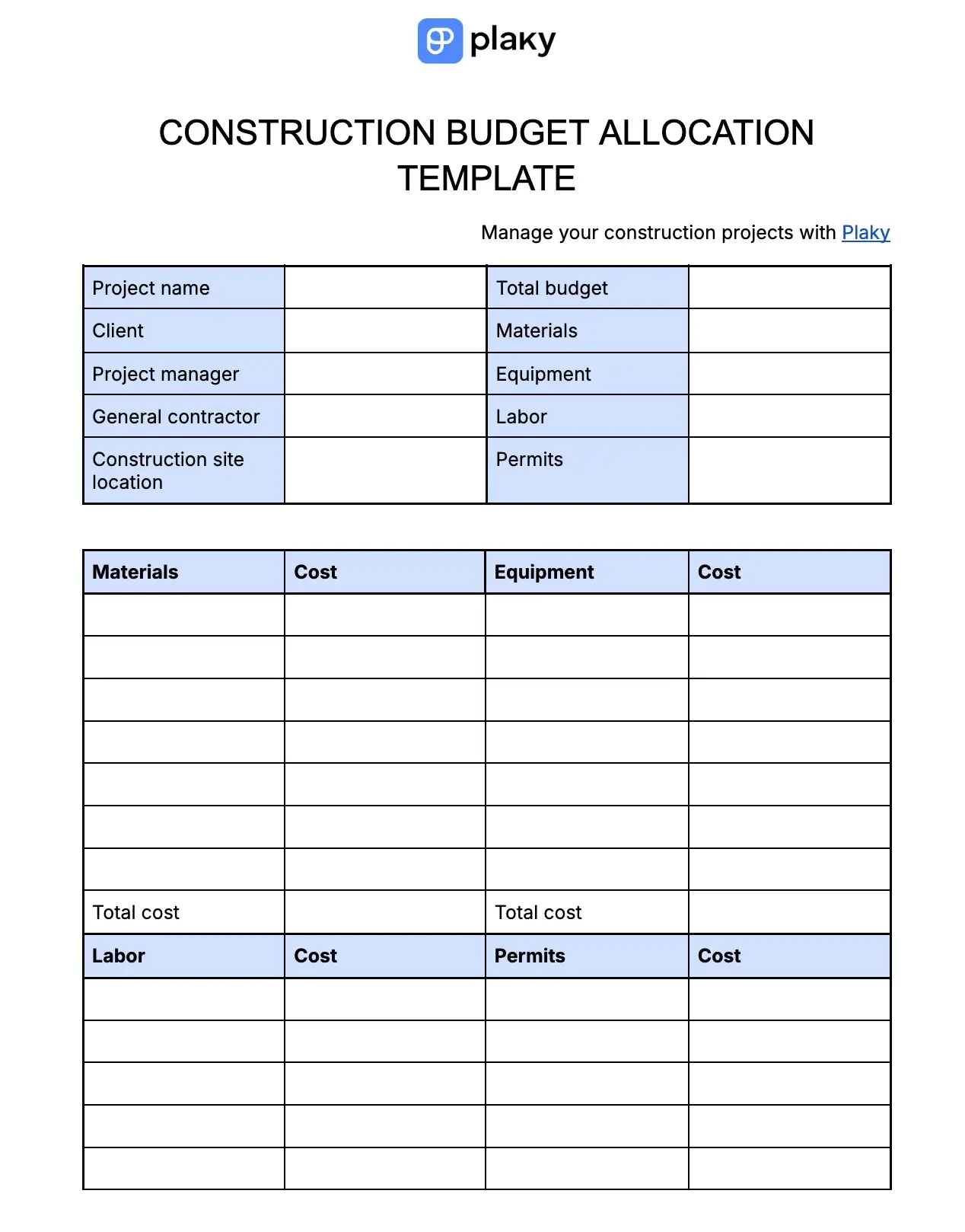
This free template helps construction project managers calculate their budget and allocate it to needed resources.
Besides the general information about the project (name, project manager, general contractor, etc.), the template contains budget estimates for:
- Materials,
- Equipment,
- Labor, and
- Permits.
Moreover, each of these has a separate table where you can write down the cost for every item individually, and then calculate the total cost at the bottom. The best part is, if the total cost goes over the estimated budget, it becomes bright red, warning you that you need to adjust the budget.
A better way to manage construction projects — Plaky by CAKE.com
Templates in Google Sheets or Docs can certainly help you, but they are not powerful enough to carry the entire construction project. Plaky, on the other hand, can do it easily.
With Plaky, you can:
- Manage your construction project plan in Table, Kanban, Gantt, and Chart view.
- Automate repetitive and manual tasks to save time.
- Sort and Filter items to always find what you need.
- Have an overview of all your tasks across all boards in My tasks.
Plus, Plaky comes with 3 very affordable pricing plans:
- Free forever — unlimited users, boards, items, summary row, etc.
- Pro plan (3.99/user/month) — viewer role, Gantt chart, automations, conditional coloring, bulk actions, etc.
- Enterprise plan ($8.99/user/month) — board permissions, Single Sign-On (SSO), unlimited activity log, etc.
Launch your construction projects successfully every time with Plaky!
How we reviewed this post: Our writers & editors monitor the posts and update them when new information becomes available, to keep them fresh and relevant.