 Published: January 28, 2026
Managing an onboarding process can be taxing — so you don’t want to go into it unprepared.
However, it’s even more tiring to prepare for it every time you get a new employee. Especially if you’re running a growing team.
So, streamline and simplify that process by using onboarding templates. Learn to make one yourself, or use one of the 10 useful templates we’re sharing in this article.

Get new employees up to speed with these 10 onboarding templates
To make your onboarding process streamlined and consistent, we’ve gathered and created 10 of the best templates you can use.
Every one of these templates is fully customizable, too — so you can add fields, change values, or adjust them as you see fit.
#1 Plaky’s employee onboarding template
The best template comes with a complimentary project management tool — Plaky by CAKE.com.
Plaky’s employee onboarding template is ideal for simplifying this process and keeping an eye on all related tasks.
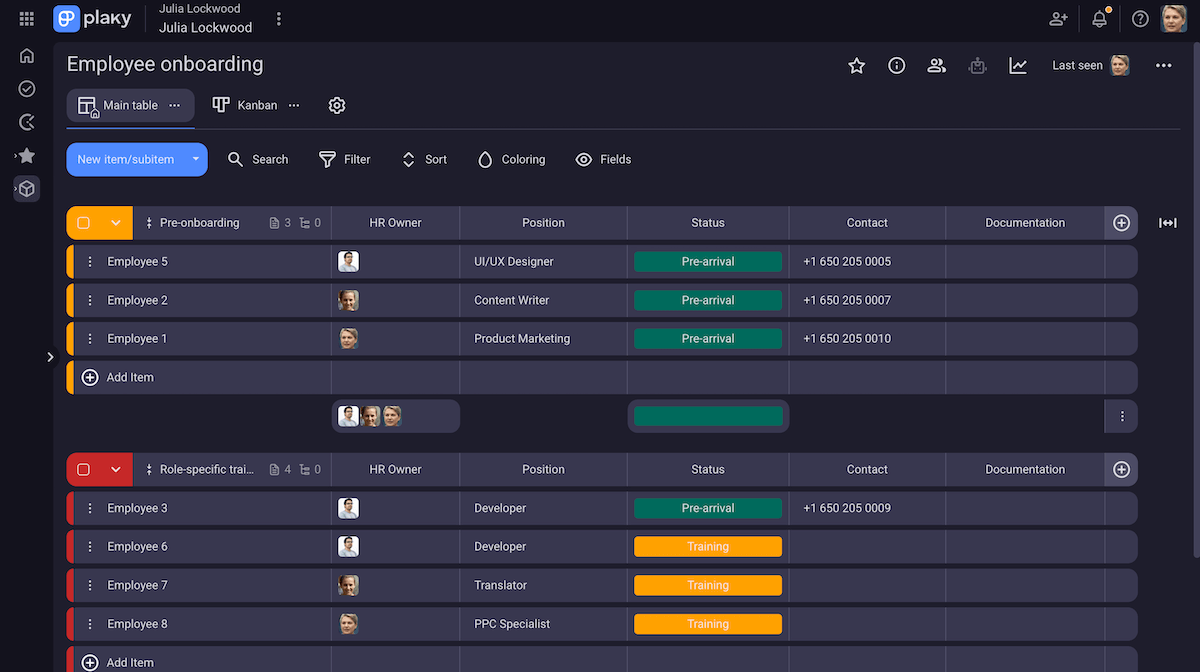
With this template, your tasks are clearly sorted into onboarding phases, so you can easily break down the onboarding process into more manageable steps. This helps you keep track of tasks — after all, you don’t want to be just as confused as the new employee.
You can get even more clarity with Plaky’s various board views:
- Table view — This view gives you and your new employee full transparency over all relevant info. With instant insight into task data, you can easily make adjustments and change tactics without wasting time.
- Kanban view — The Kanban view sorts tasks by categories, where you can easily change their status, phase, priority, etc. simply by drag-and-dropping it.
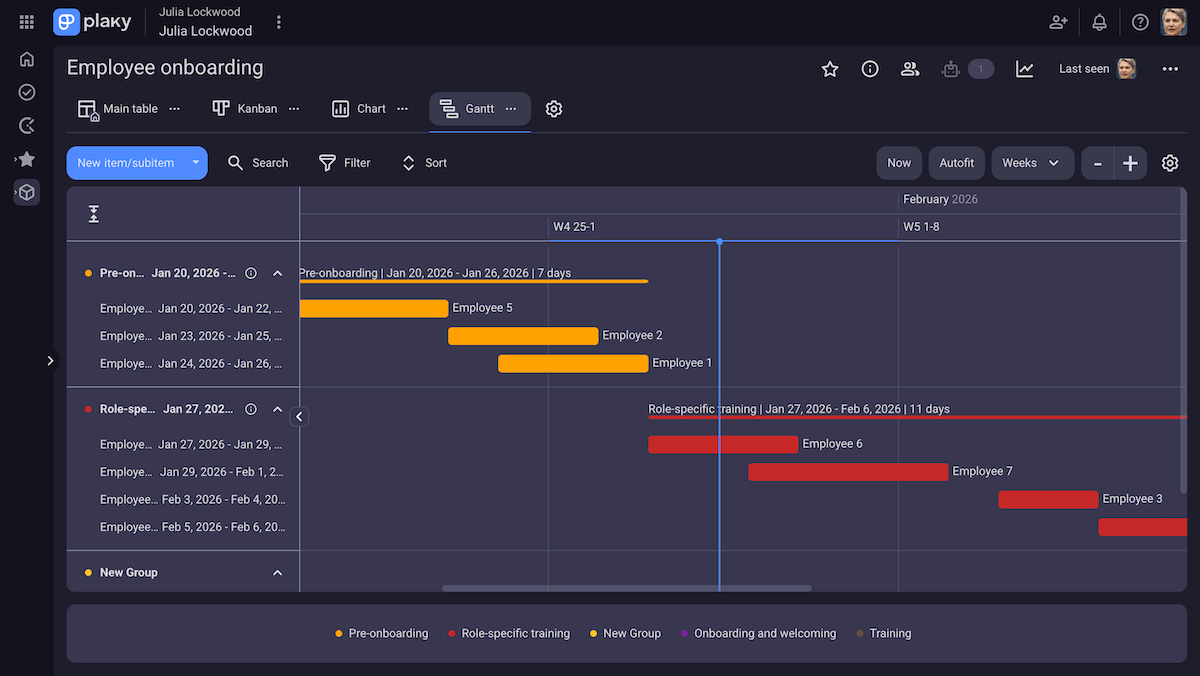
- Gantt chart view — With a clear overview of the project timeline, you can make sure new employees aren’t overwhelmed by overlapping meets and tasks as soon as they join your organization.
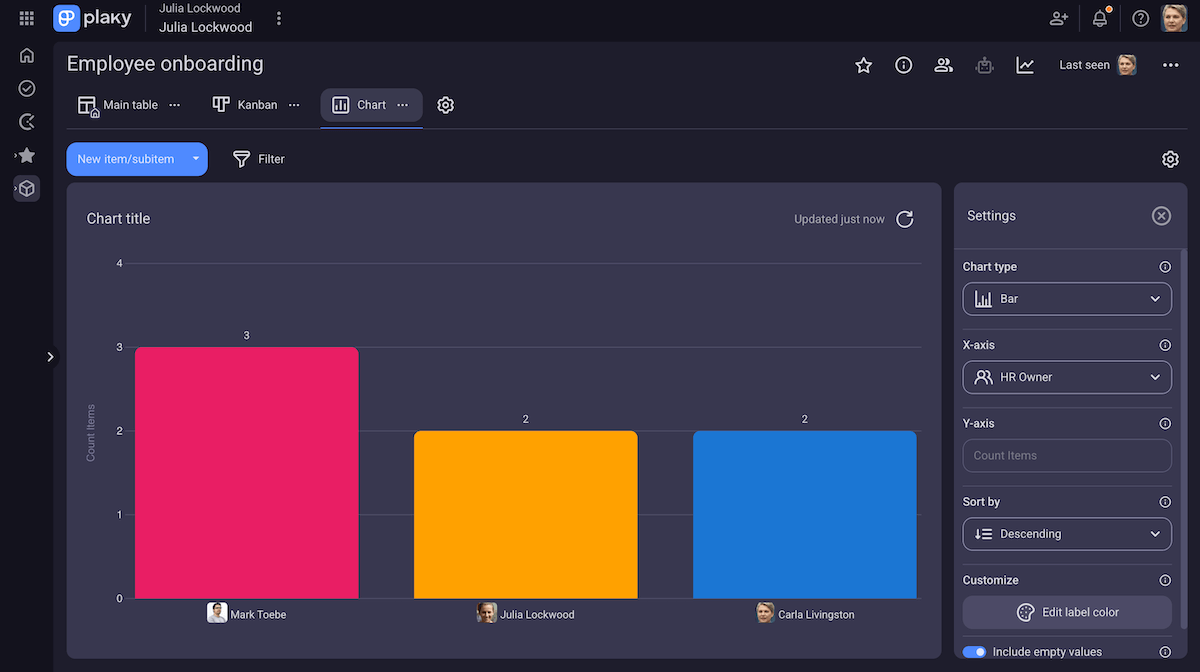
- Chart view — This view lets you make sure the onboarding is progressing according to plan, and helps you consolidate and analyze results.
Then, take these views to their full potential with custom Fields — which let you keep information transparent in any industry.

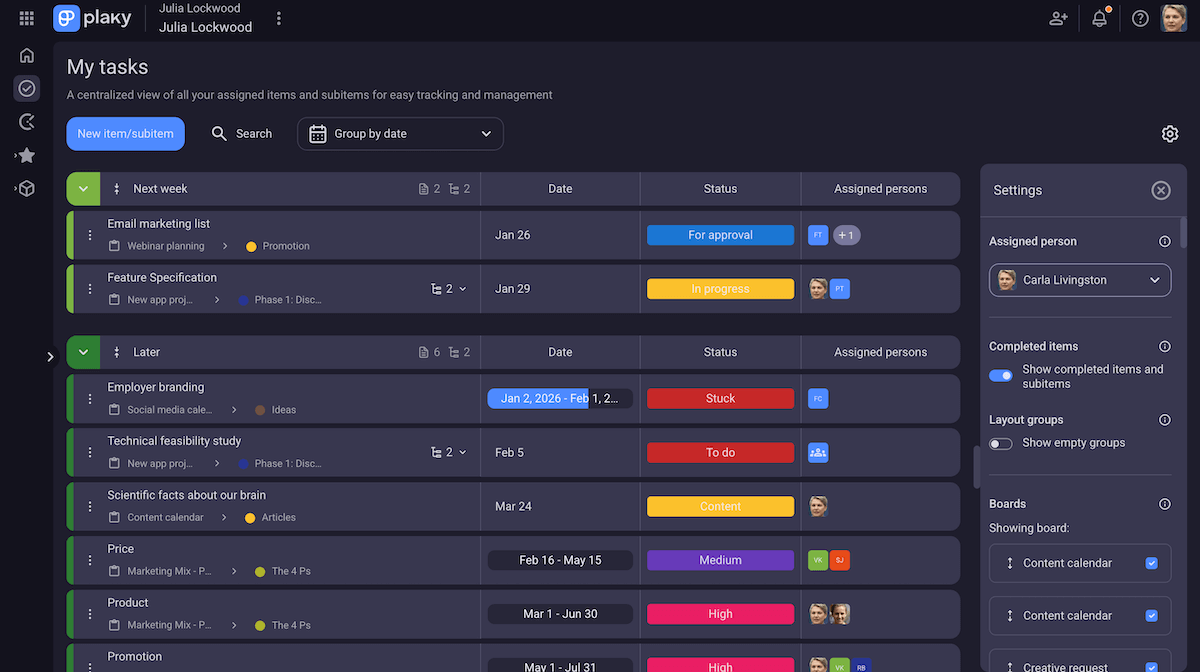
Plaky’s onboarding template is not only useful for HR, but for the new employee as well thanks to the My tasks tab. It’s a nifty view where team members can see a list of all tasks they’re assigned to, no matter the board.
This way, new employees can easily make sense of the hectic mess of onboarding and focus on delivering all new tasks in time.
You can’t get this with standard spreadsheets. There, employees would waste so much time trying to find every task they’re assigned to. In Plaky, planning your tasks is as simple as clicking a button.
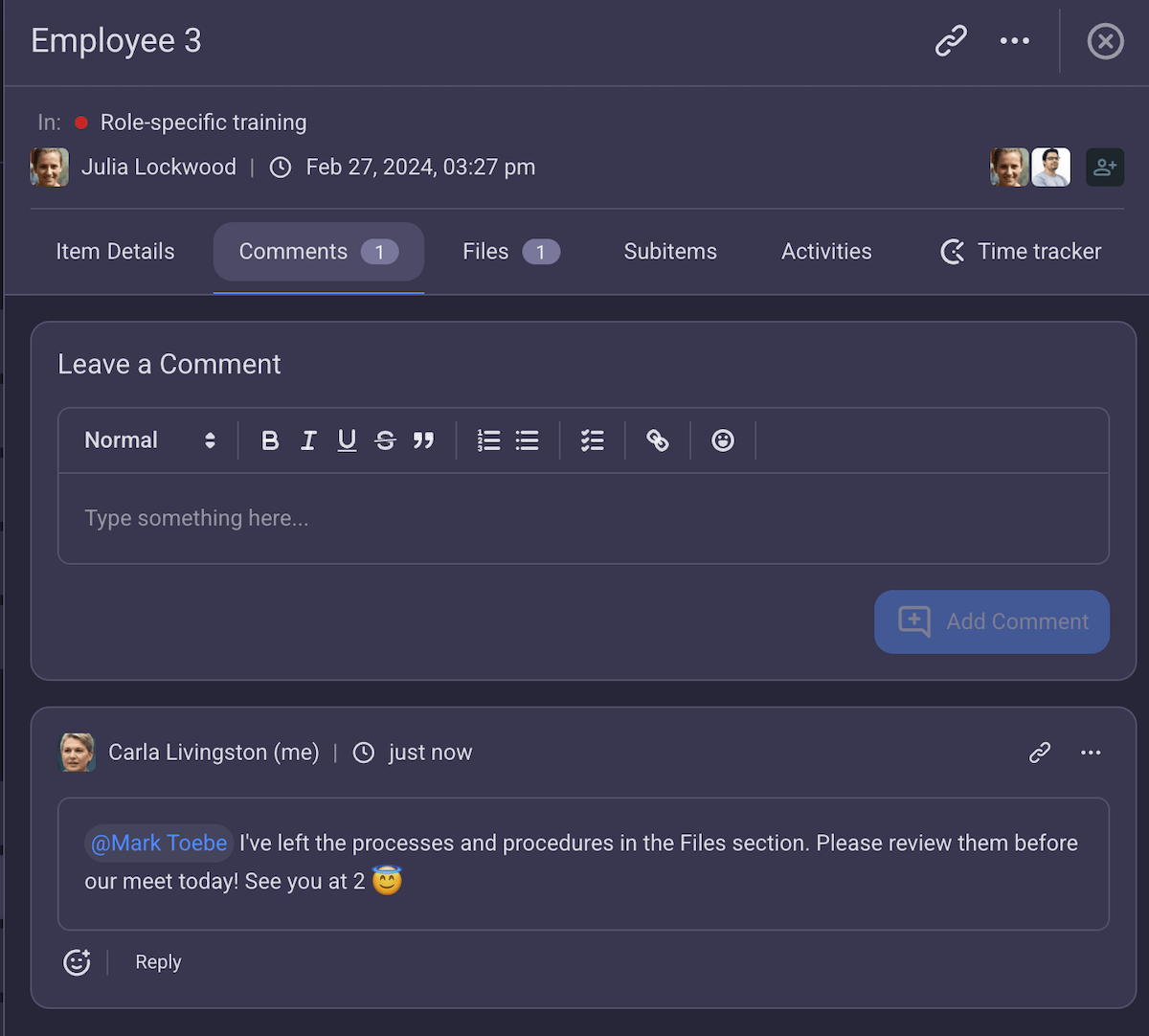
You can also use Plaky to communicate across departments using comments and @mentions, as well as share files to keep your documents sorted and available for every new employee.
There’s also replies and reply threads in the comments, so all information is even further sorted and easy to find for future reference.
But, it’s hard not to think: “Isn’t Plaky just another thing for the new employee to onboard to? Won’t they be overwhelmed?”
Not at all! Plaky by CAKE.com is one of the most intuitive project management tools out there, regardless if you’re tech savvy or not.
💡 Plaky pro tip
Before you onboard an employee, you need to hire one first. Don’t worry, though — Plaky has a template that can simplify that process, too:
#2 Employee onboarding template
Let’s start with the basics — this template has everything you need to lead a successful onboarding process, without overcomplicating things.
In essence, it’s for when you want to get things done with no hassle. This template is also the easiest to personalize, since it covers all the essentials.
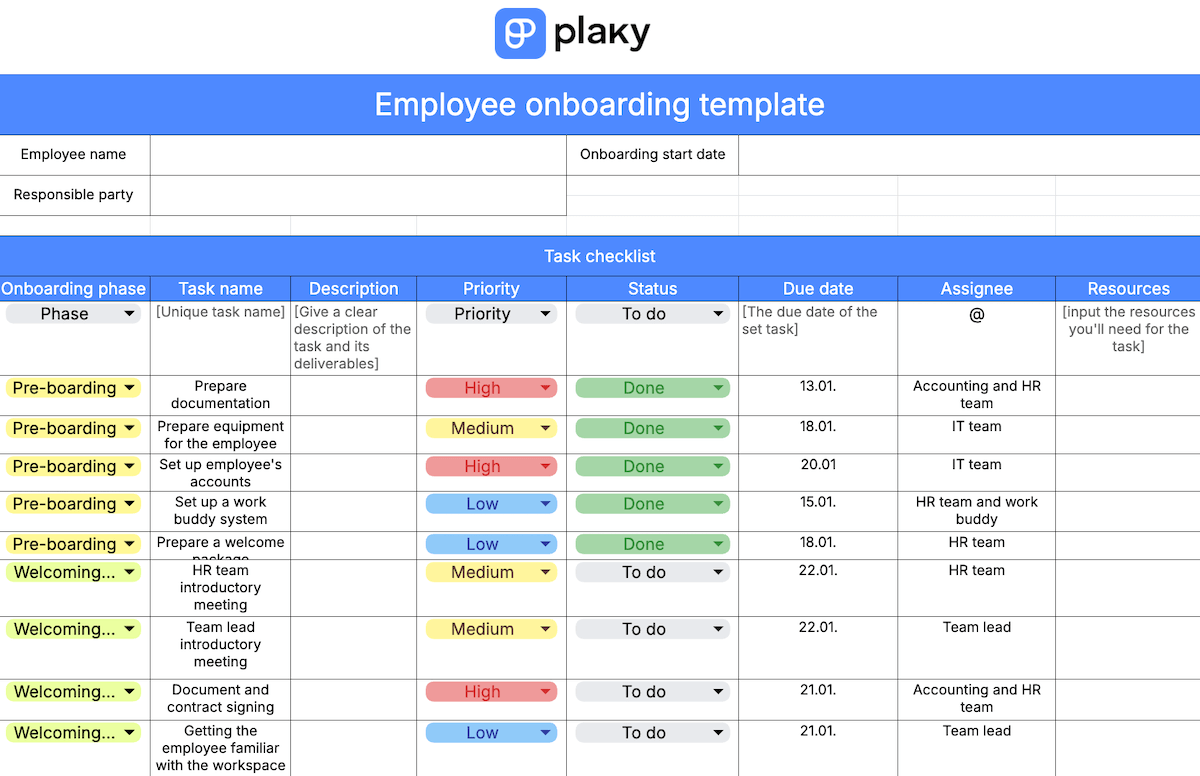
Download: Google Sheets, Microsoft Excel
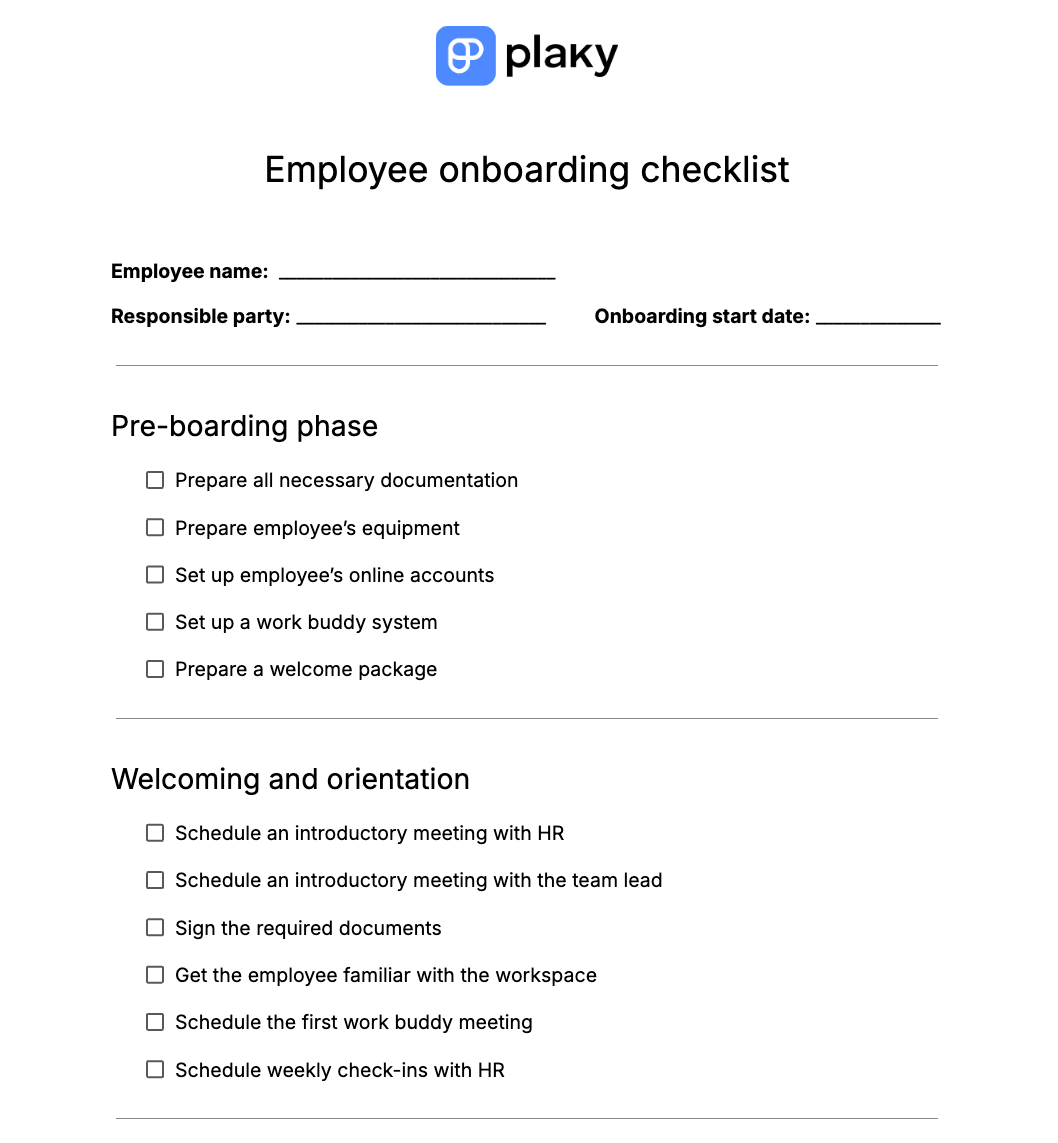
#3 Onboarding checklist
Want an even simpler onboarding template, that can be easily printed out and marked out with a pencil’s satisfying “chk!”?
Then this onboarding checklist is just for you — divided into onboarding phases, you’ll be able to make sure every task is done, without cluttering it with unnecessary info. For example, if you’re dealing with little info due to running a small team.
We took the liberty of filling out this checklist with some common tasks you’d see in any step by step onboarding process template — however, you can still add more tasks as you see fit.
#4 Client onboarding template
New employees aren’t the only ones who need onboarding — clients you collaborate with also need to be introduced and given insight into your work process. Whether it’s for security, efficient collaboration, or even simply the client’s peace of mind.
This template helps you make sure the client is well informed while keeping in mind their needs and tracking results easily.
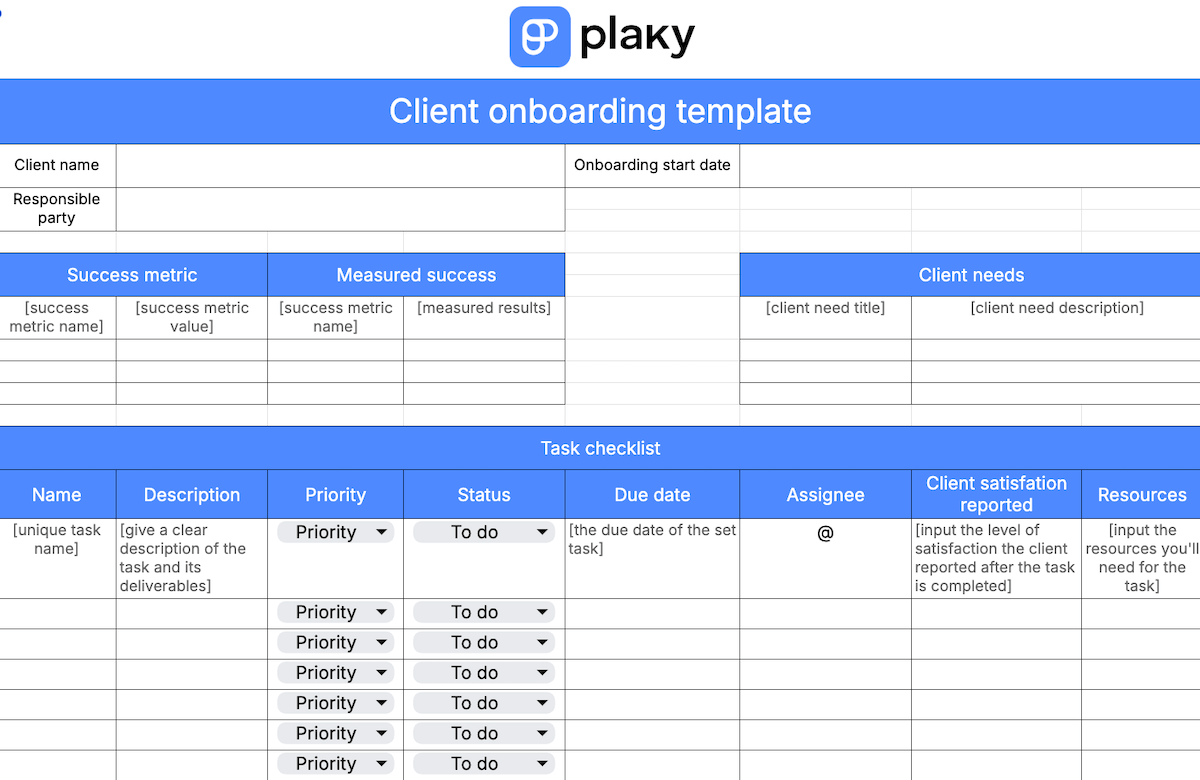
Download: Google Sheets, Microsoft Excel
#5 30-60-90 day template
The 30-60-90 day onboarding program template is commonly used to bring clarity to the process and set a solid timeline for new hire expectations.
This plan divides a new employee’s goals into 3 set stages:
- Training — Every goal and task in the first 30 days is catered to developing the skills the new hire needs to work effectively.
- First tasks — The 30-60 day period is dedicated to the first actual tasks your new hire will perform for them to be better integrated into the team’s workflow.
- Long-term planning — The following 60-90 days are meant to solidify integration and prepare a plan for the employee’s future growth in the company.
For every stage, the hire will have different goals, tasks, and training.
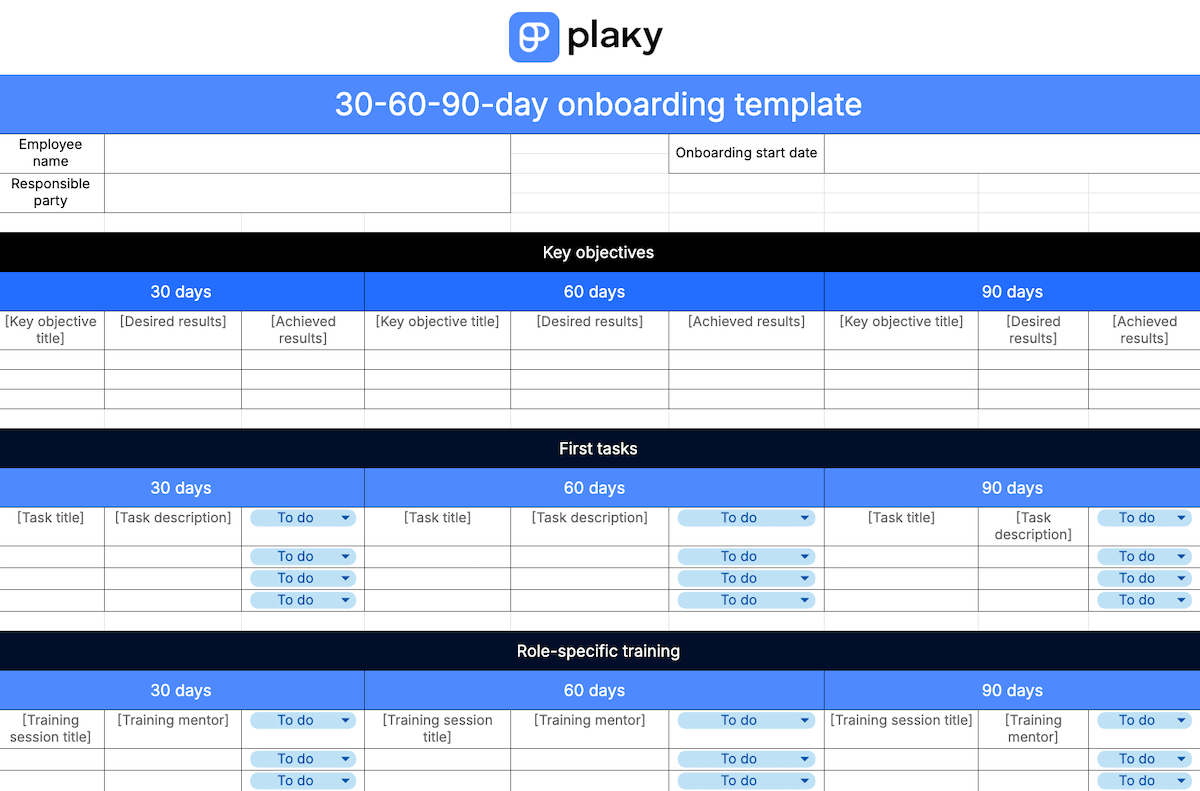
Download: Google Sheets, Microsoft Excel
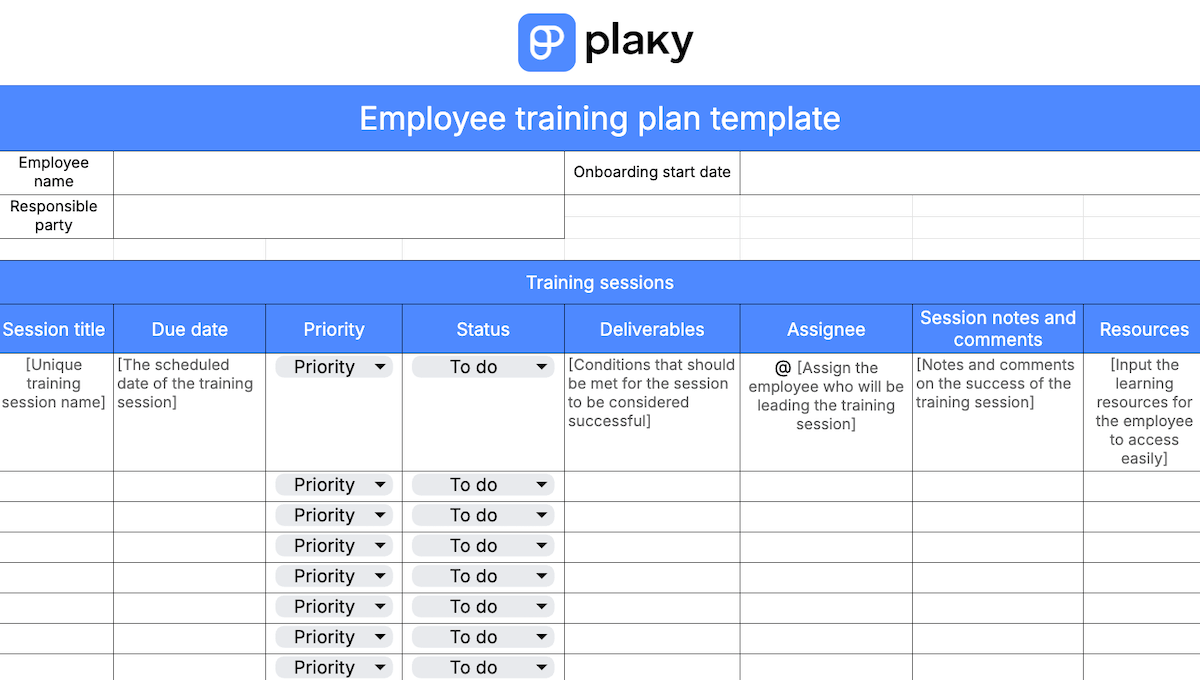
#6 Employee training plan template
New hires always need to be trained to be fully prepared to work in a specific environment.
But, training can’t be done willy-nilly — you need to have a solid, well-thought-out plan to get the most out of it.
This template covers training plan sessions, makes sure you can save info on who’s responsible for training the employee, and lets you easily share relevant documents that refer to different training modules.
Download: Google Sheets, Microsoft Excel
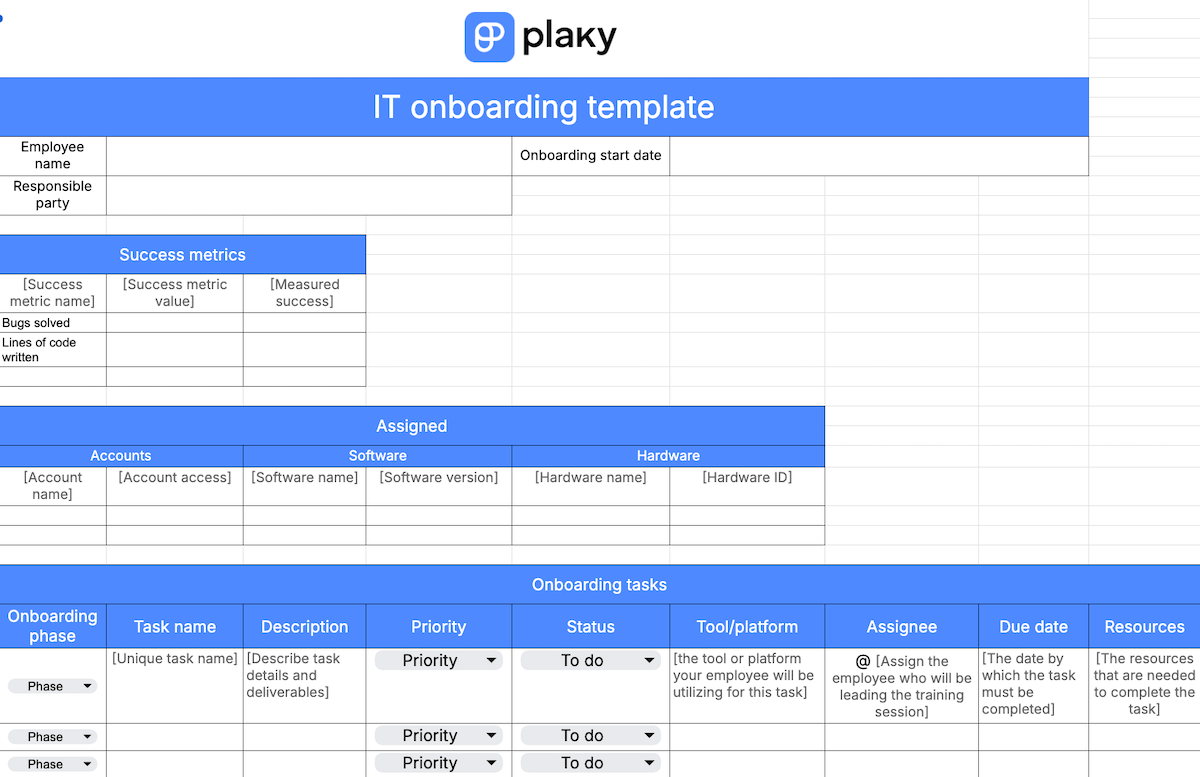
#7 IT onboarding template
Onboarding in IT often comes with getting familiar with the framework and the permission structure of the whole organization — so it can be a rather difficult process without proper organization.
This industry-specific template lets you get a grip on onboarding tasks, but also:
- Track the success metrics of your process and your new hire, and
- Track which hardware, software, and permissions your employee has access to.
You can now refer back to this info when planning training sessions or first tasks.
Download: Google Sheets, Microsoft Excel
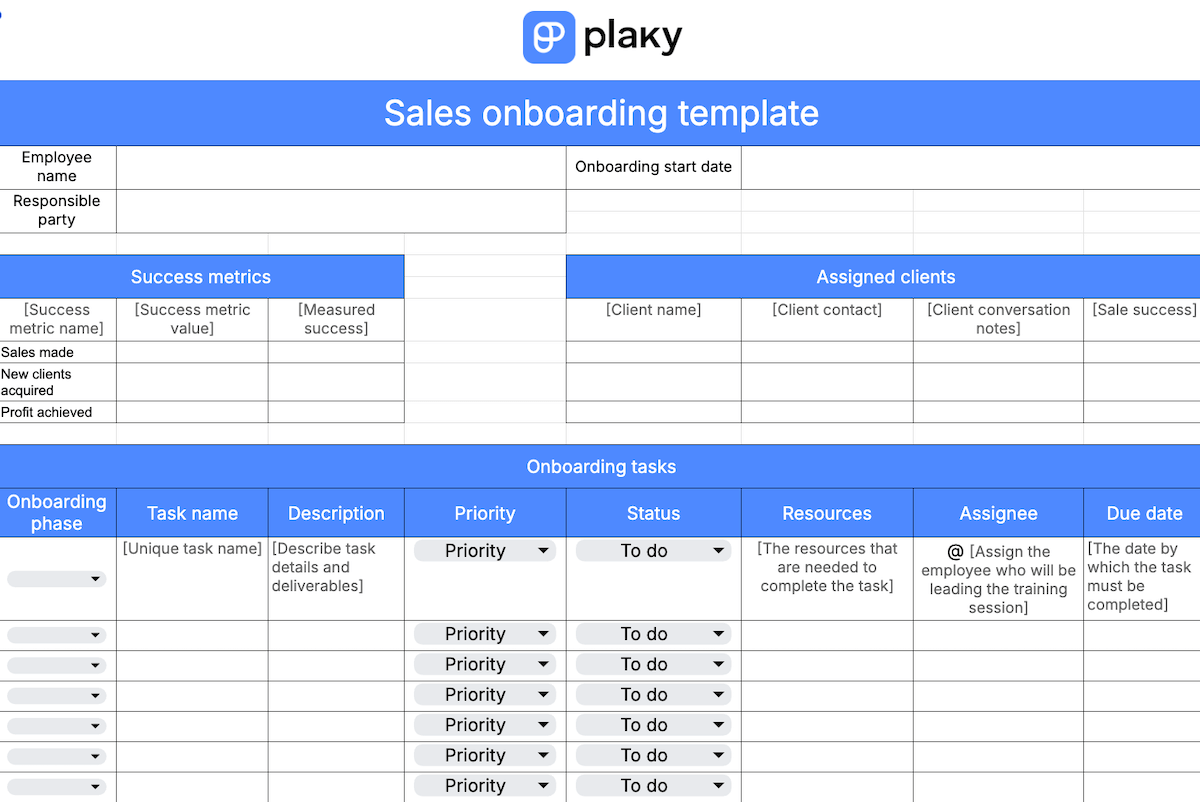
#8 Sales onboarding template
The sales team needs to juggle client handoffs, customer relationship management (CRM), or cold calling daily, so onboarding to such a fast-paced environment can be difficult.
This template saves the information about the new hire’s first clients, so that:
- The employee has easy access to their starting client list and contact notes and can review their successes and mistakes easily, and
- The responsible party for onboarding can easily track the progress the new hire makes with each of their starting clients.
This template also lets you measure success criteria, as well as track all info you need for onboarding tasks.
Download: Google Sheets, Microsoft Excel
💡Plaky pro tip
If you want to learn more about leading a successful sales team, check out this useful guide:
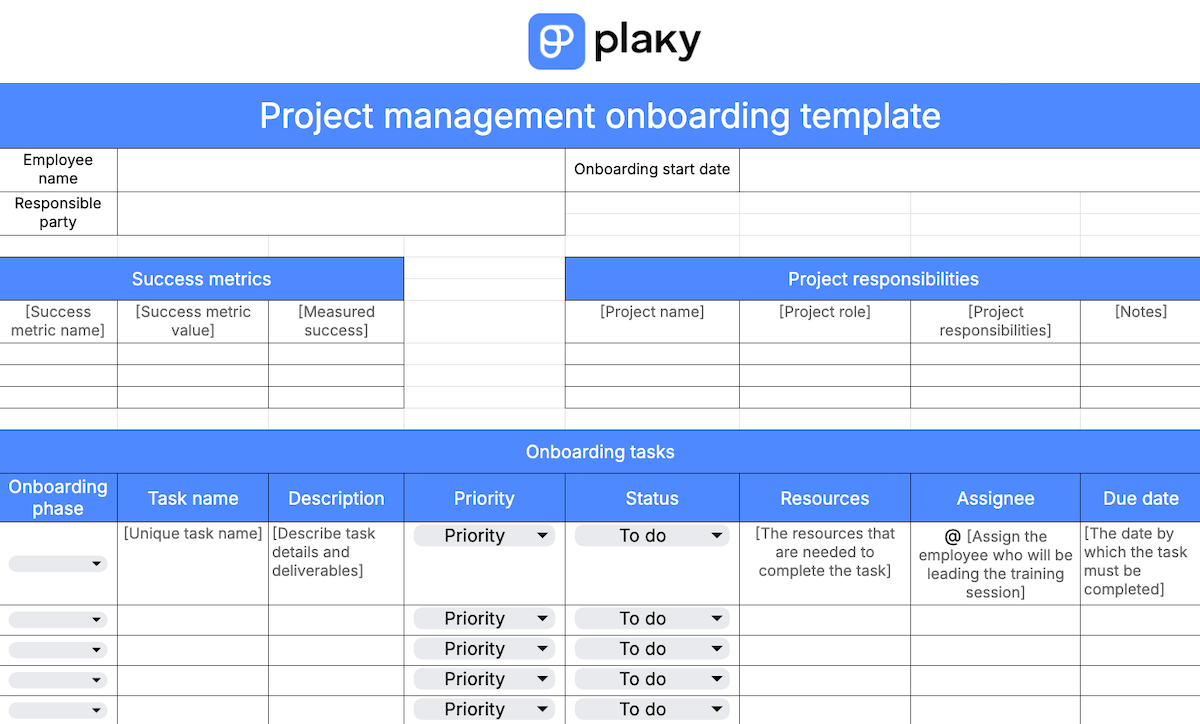
#9 Project management onboarding template
Project management is a difficult field to onboard — the first tasks need to require limited responsibility, as the project manager needs to be the most familiar with the project’s workflow, processes, and plans.
Your new employee needs to have their project responsibilities clearly defined, so there’s no confusion with what part of the project they’re accountable for. So, this template offers a list of responsibilities that the employee and the responsible party can easily access and review.
This template also includes a standard task list and success metric tracking.
Download: Google Sheets, Microsoft Excel
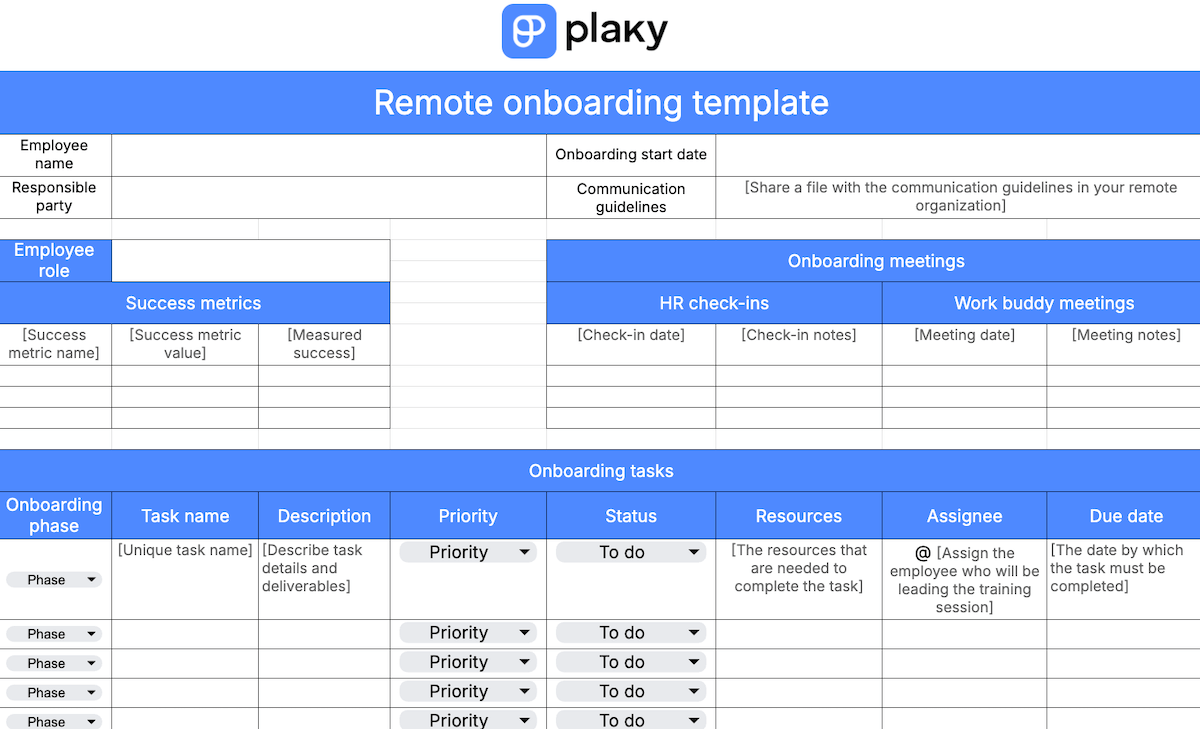
#10 Remote team onboarding template
Remote teams have difficulty staying in touch and collaborating effectively — 2 things that are key for a successful onboarding process.
So, you need a comprehensive communication plan to keep your remote team in line and collaborating effectively. This template keeps your new hires informed easily by helping them know who to contact whenever they need to.
It also sets a clear schedule for HR and work buddy meetings, which are crucial for a remote worker to be integrated into company culture. There’s also a notes section to track the employee’s questions, issues, and observations.
Download: Google Sheets, Microsoft Excel
How to make an onboarding template
Templates are meant to make your onboarding process easier — and to be used for every new employee in the future.
But, templates also need to be catered to your workflow. And while all templates in this article are customizable, you might want to make one from scratch.
So, how can you do that?
#1 Divide into phases
An onboarding template makes sure this process is clearly divided into 4 phases:
- Pre-boarding,
- Welcoming and orientation,
- Training and first tasks, and
- Transition to new role.
Make sure you take this into account when creating your template — the tasks you create and goals you set will change depending on which phase you’re in. It makes the process of filling out your template much quicker and easier.
#2 Define task parameters
Every onboarding task will have data you’ll need easy access to — so figure out how it’ll be organized by setting clear parameters.
Some basic ones you’ll likely need are:
- Name,
- Description,
- Status,
- Due date, and
- Assignee.
Other parameters simply depend on your organization — for example, if you’re in the IT industry, you might need “Access & permissions” or “Software” parameters.
Store data easily with Plaky by CAKE.com
#3 Define additional segments
Depending on your exact workflow and the needs of your team, you might need additional segments in your onboarding template — aside from simply “onboarding tasks”.
These might include:
- Success metrics,
- Access and permissions,
- Gear and dedicated resources,
- HR meetings, etc.
If any additional elements are included in your onboarding process, make sure they’re included in the template, too.
#4 Define onboarding tasks
Defining tasks is useful if you’re making an onboarding checklist. Since your onboarding tasks likely won’t be tailored to a specific new hire, you can already figure out which tasks you expect to complete.
You already divided your process into 4 phases, so you can further organize your tasks this way, too. You can even pre-define priority or assignees — even if you’re unsure of who exactly it’ll be, you can use placeholders like “HR representative”.
This way, you barely have anything to prepare as you start your onboarding process.
Lead a successful onboarding process with Plaky by CAKE.com
To lead a successful onboarding process, you don’t just need a good template — you need a way to make sure the actual process runs smoothly.
And that’s exactly what you’ll get with Plaky. With it, you’ll keep onboarding information transparent, while monitoring the progress of all tasks. In essence, it’ll take some weight off your shoulders.
It’s also a breath of fresh air for new employees — there’s no worry about where to find resources, or who to contact. Instead, they can simply focus on getting the hang of your Plaky workflow.
The recruitment process is often costly — so your onboarding process shouldn’t pour money down the drain, too.
And with one of Plaky’s affordable plans, you can be sure that you’re saving both time and money.
Set up for an effective onboarding process in minutes — get Plaky by CAKE.com today!
How we reviewed this post: Our writers & editors monitor the posts and update them when new information becomes available, to keep them fresh and relevant.