 Published: January 21, 2026
What’s content management without a schedule? Every marketer knows that you need a plan for every week and month if you want to keep up with the competition and post regularly.
If you’re struggling and wondering how to create a content calendar, you’ll find 7 free content calendars in this post that will help you organize your posting schedules and define long-term goals.
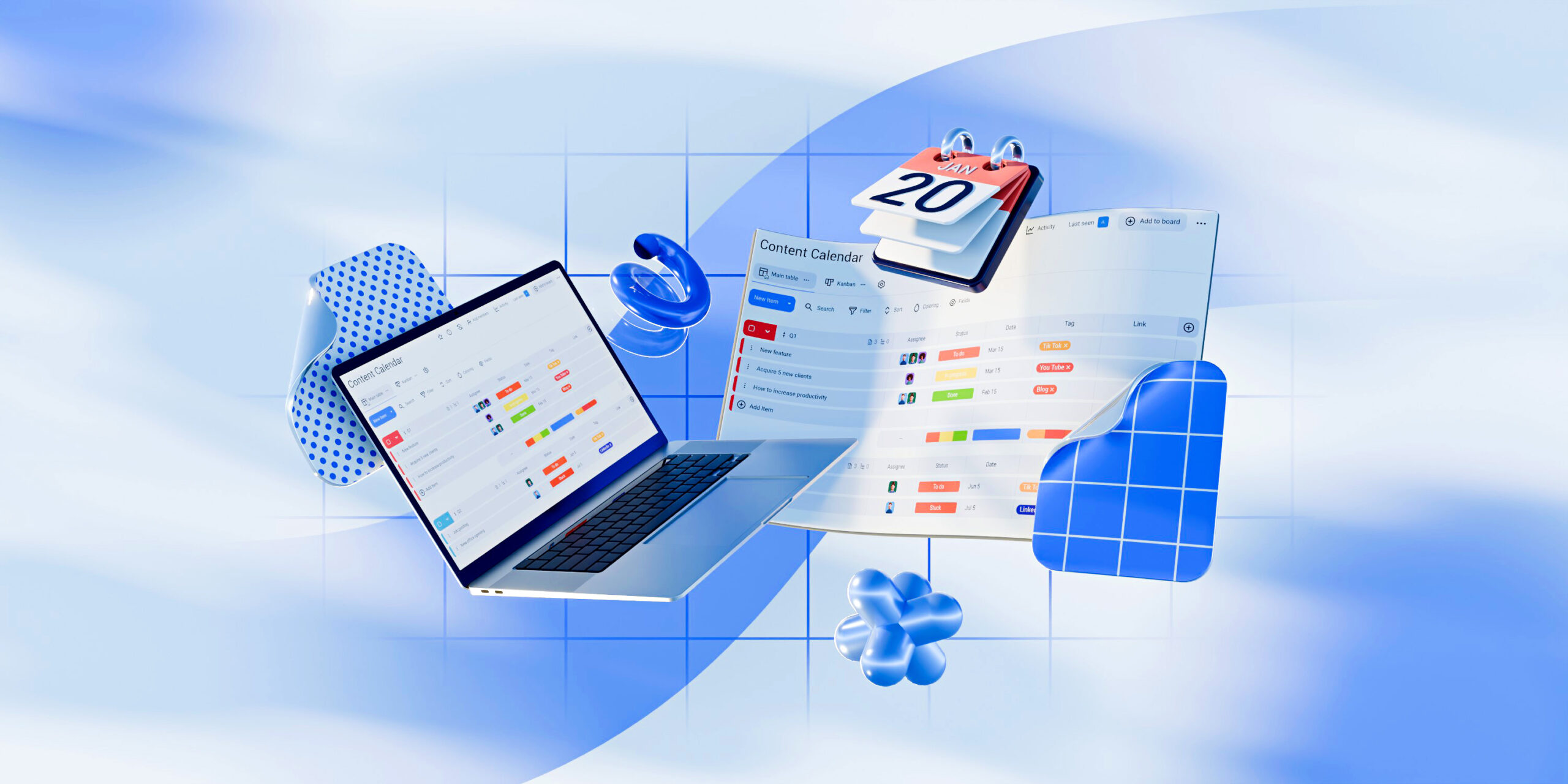
#1 Plaky’s content calendar template
If you’re not already using a project management platform, you should consider Plaky by CAKE.com as it offers a ready-to-use template for content planning.
Plaky’s content calendar template is free, and it’s a great way to start organizing your publishing schedule in a space that allows the entire team to collaborate.
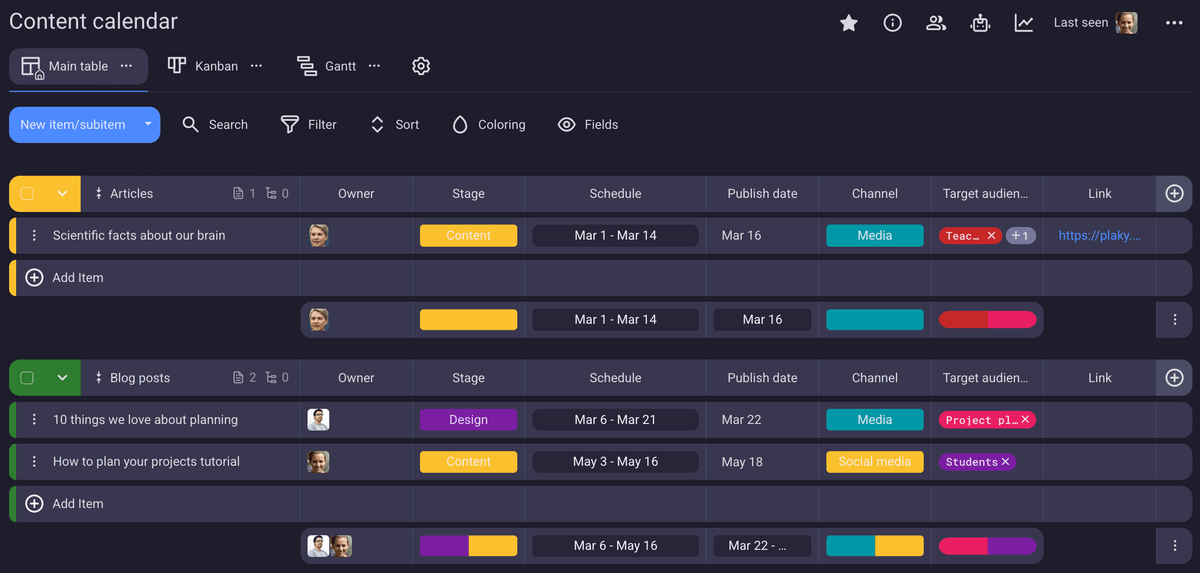
In Plaky’s content calendar, you’ll find fields such as:
- Owner — Determine who’s responsible for each Item.
- Schedule — Define the task start and due dates.
- Publish date — Plan ahead and post regularly.
- Target audience — Create labels for each target group.
- Link — Keep the links to all published posts in one place.
With all this information, you’ll be in total control of your content publishing.
But what if you want to adapt this template to your specific needs? Say no more — you’ll be able to switch up the columns we prepared and add new ones within minutes. All thanks to handy custom Fields! You can add numerical fields for metrics, status updates, and descriptions.
And if you thought that’s where the “keep everything in one place” concept ends, let us prove you wrong. You can attach files to each item, so that no cover image or social media asset goes astray.
No, that’s not all folks! In Plaky by CAKE.com, you have plenty of collaboration and management options that will save you time:
- Comments— Let teams communicate directly on items instead of chasing each other through emails, chats, and unnecessary meetings.
- Board automations — Automate actions and cut manual work.
- Gantt chart — View your posting schedule on a timeline.
- Kanban view — Track each post’s progress from planning to publishing.
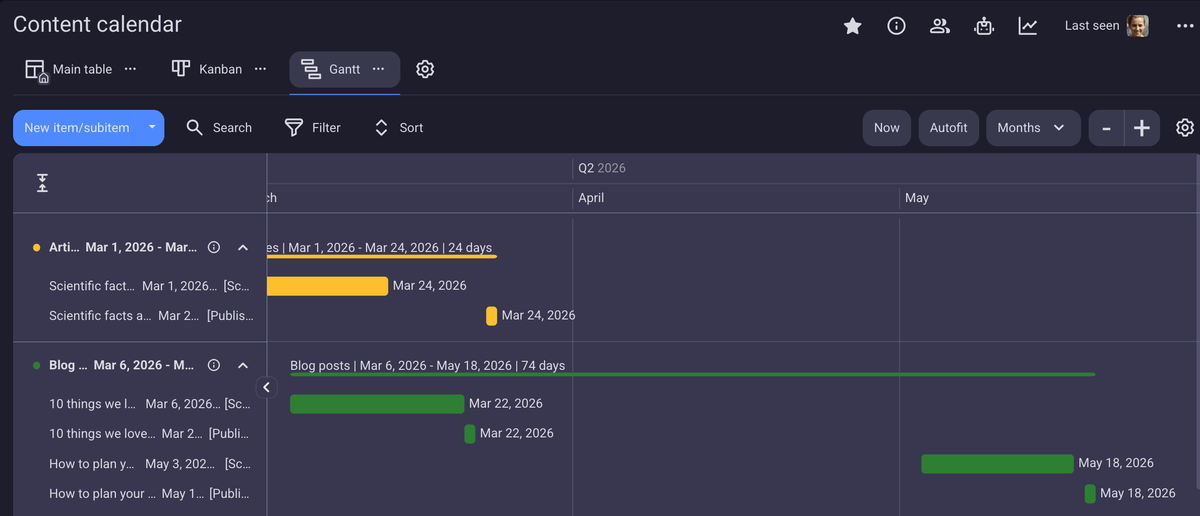
All these options may seem too much to take in. Luckily, we have a video that makes it easy to get you started with Plaky:
#2 Weekly content calendar template
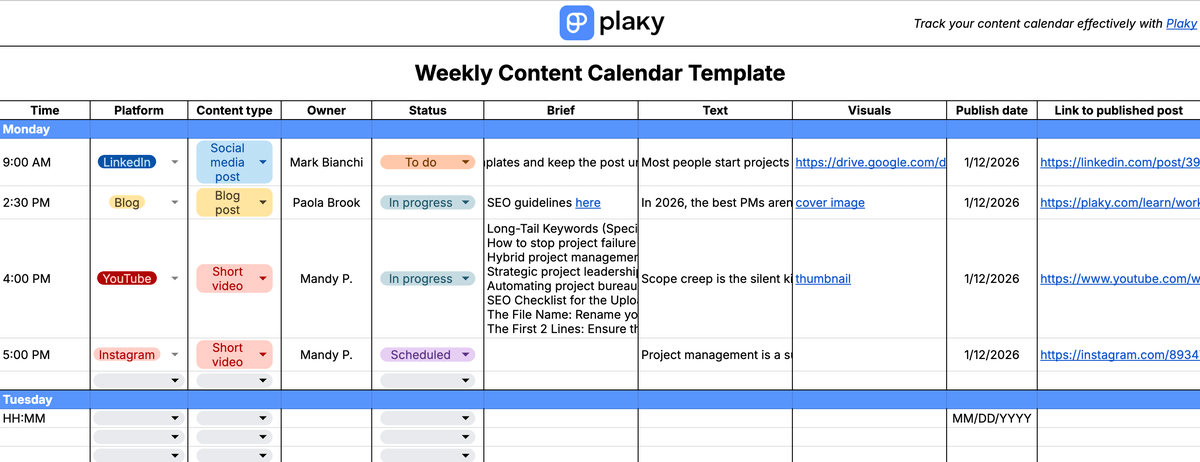
Download: Google Sheets | Microsoft Excel
A weekly plan is a must-have for anyone who is invested in posting regularly on their website and social media profiles.
This weekly content calendar template includes:
- Day-by-day schedule — Overview the posting distribution.
- Posting time — Maximize posting efficiency.
- Platform — Select multiple platforms for certain posts.
- Owner — Define the responsible person for each task.
- Status — Track progress from planning to publishing.
- Brief — Keep the instructions at hand.
- Text — Link documents to scripts and blogs.
- Visuals — Include links to the necessary images.
- Publish date — Keep track of the actual publishing date.
- Link to published post — Review and repost easily.
If you want to keep control over your posting schedule, the weekly content calendar is the bread and butter for every marketing team.
💡 Plaky Pro Tip
Wondering what the difference between an editorial and a content calendar is? We got you:
#3 Monthly content calendar template
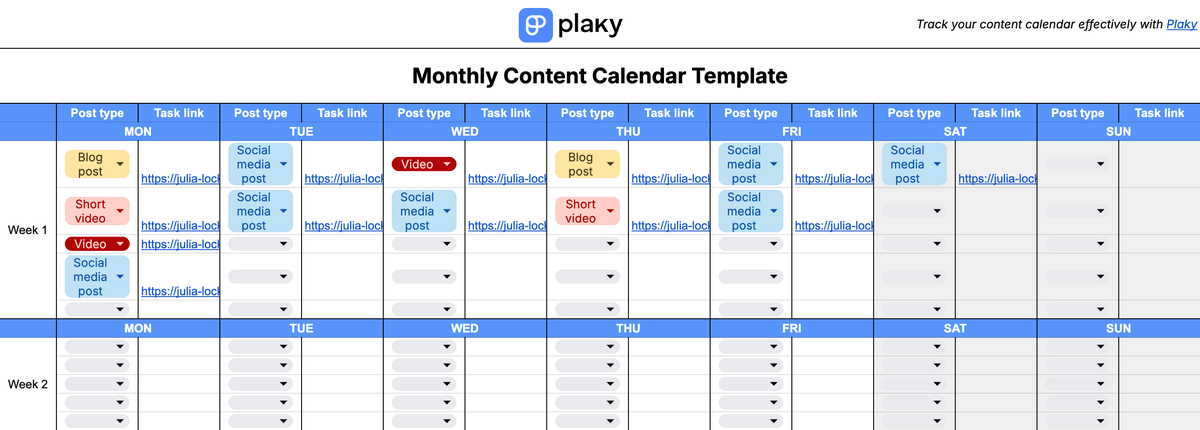
Download: Google Sheets | Microsoft Excel
For all those who strive to post constantly with a balanced schedule, the monthly content calendar template is an essential part of the toolkit.
With our monthly calendar template, you’ll be able to:
- Sort posts by week and day on a monthly grid,
- Select the post type from a dropdown, and
- Link to a document or task with all the details.
This template is ideal for overviewing the content calendar and ensuring posts are equally distributed throughout the month. At the same time, you can include links to specific locations where you keep track of all task details.
#4 Quarterly content calendar template
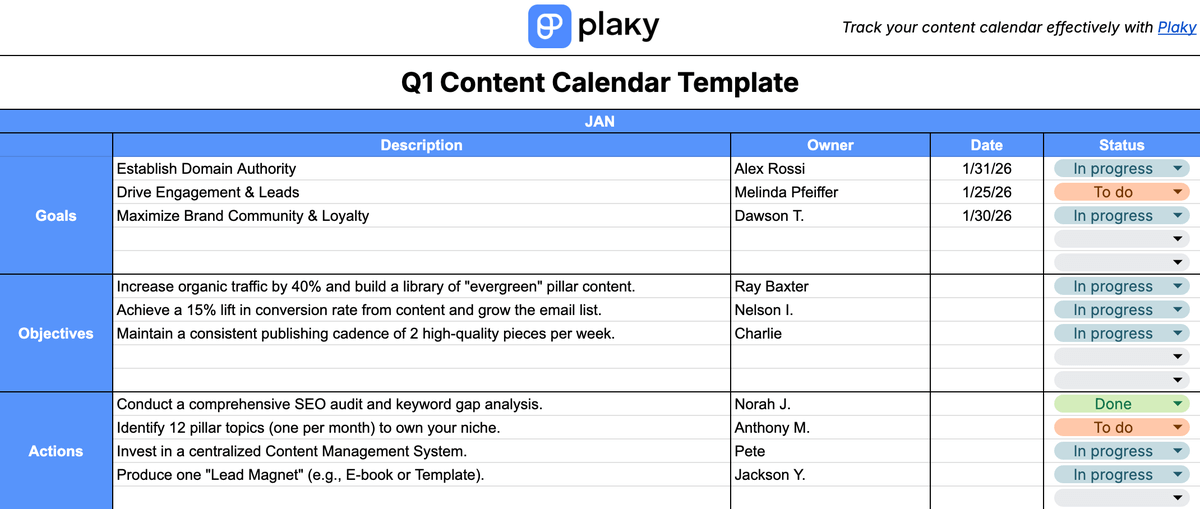
Download: Google Sheets | Microsoft Excel
Content planning is crucial for growth and increasing traffic, so you’ll want to have a yearly calendar in place. However, it’s difficult to make detailed plans so far ahead.
The quarterly content calendar template we made is great for:
- Outlining the goals and objectives for the whole year,
- Defining the desired results for each quarter,
- Making sure a specific person is responsible for every goal, and
- Checking the status of every actionable item at a glance.
Yearly and quarterly plans are only meant for broad framing of the team’s long-term targets, and this template gives you a structure where you can do exactly that. To avoid empty promises, make sure to assign every item and follow through with status updates.
💡 Plaky Pro Tip
Plan ahead with ease, and transform goals into actionable items with Plaky’s strategy template for marketing:
#5 Social media calendar template
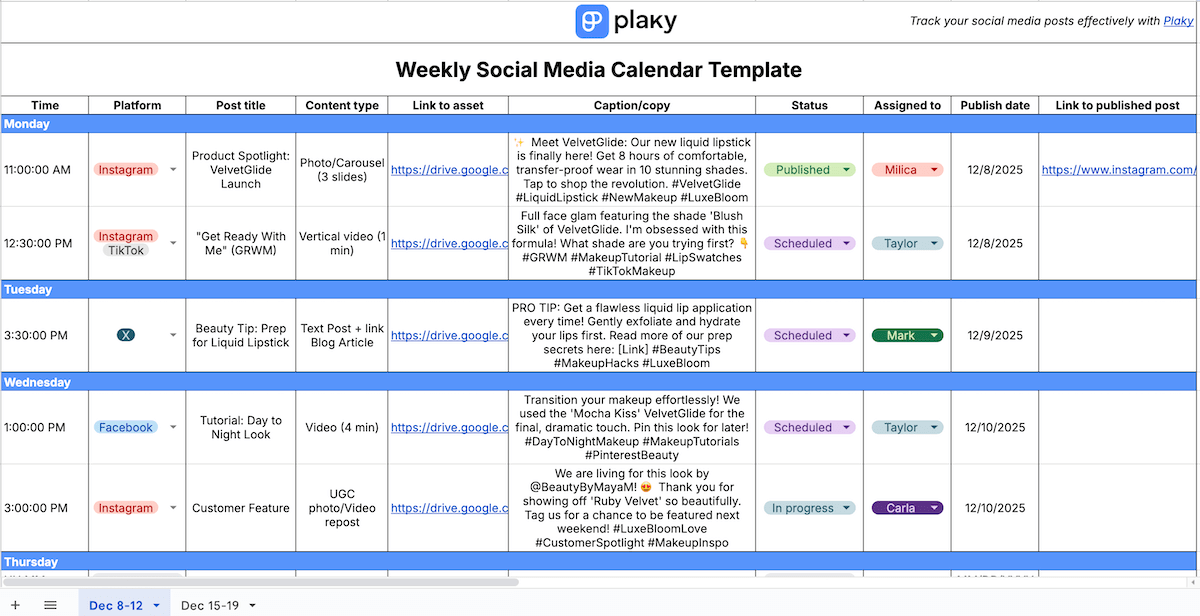
Download: Google Sheets | Microsoft Excel
There’s no real content plan without social media. We created a posting schedule template for social media that you can use to organize your online presence.
The weekly social media calendar is similar to the weekly content calendar, and it contains fields that can help you:
- Schedule posts throughout the day,
- Keep all the copy in one place,
- Check the status at a glance, and
- Overview who’s accountable for which post.
You can duplicate the sheet every week for all platforms or create separate sheets for each channel. For example, you can use them as a YouTube or Instagram calendar template and organize scheduling individually.
💡 Plaky Pro Tip
Find this free social media content calendar template and 10 other ones made specifically for different industries:
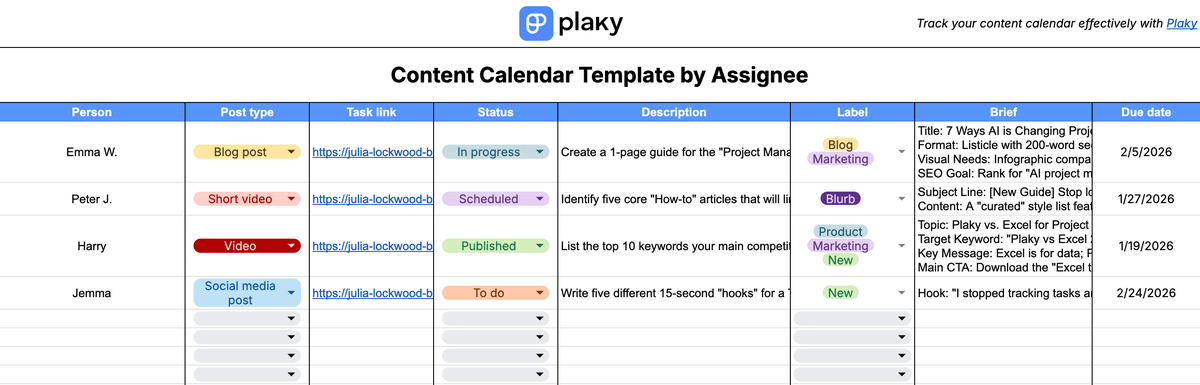
#6 Content calendar template by assignee
Download: Google Sheets | Microsoft Excel
It’s hard to keep up with everyone’s workload and daily tasks, especially in content teams. So, we’ve created a template that lets you:
- Overview tasks by assignee,
- Jump to a more detailed task item easily,
- Include descriptions and briefs, and
- Set a due date for each task.
If you have more than one team to manage, you can duplicate this sheet and distribute tasks across different teams without them overlapping.
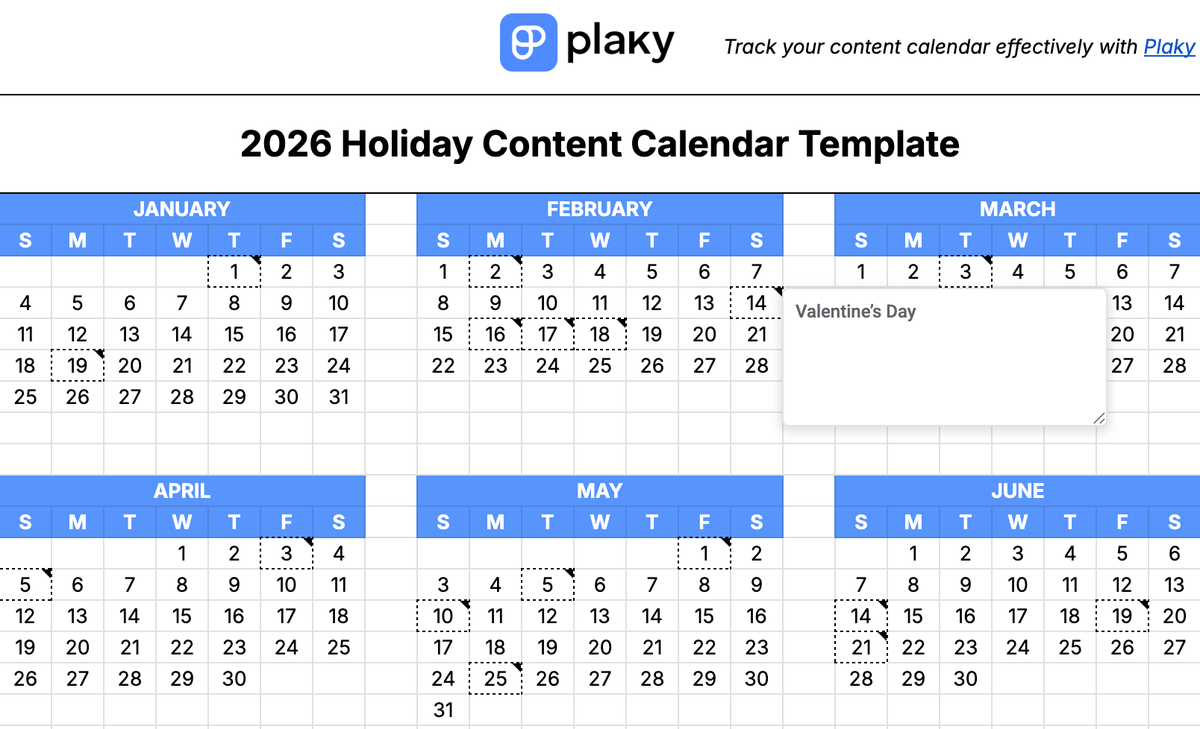
#7 Holiday content calendar template
Download: Google Sheets | Microsoft Excel
Content managers know that it’s necessary to tailor their posts according to current events and holidays. But even the best among us forget important dates.
The 2026 holiday content calendar template is perfect for:
- Planning ahead around relevant holidays,
- Creating customized posts each month, and
- Scheduling posts on time.
Never miss another opportunity to create compelling content and stay ahead of your competitors.
Plan your marketing activities with Plaky by CAKE.com
Plaky by CAKE.com is a project management tool that can help you organize all marketing activities and beyond. You can include all your teams and let them collaborate seamlessly, so that all communication and information stays concentrated rather than scattered across multiple platforms.
If you think that having more than one team is messy or that including clients is a security hazard, don’t worry. Plaky lets you define:
- User roles — Determine who can view or edit your project items.
- Space permissions — Include team members or external collaborators into certain Plaky spaces.
- Board permissions — Keep private boards accessible only to some teams.
Quit postponing your plans, and start organizing your content calendar in Plaky today — a free 7-day trial is a click away!
How we reviewed this post: Our writers & editors monitor the posts and update them when new information becomes available, to keep them fresh and relevant.