 Published: September 10, 2025
Are you in customer relationship management (CRM) and searching for an efficient tool to tackle your work?
Well, look no further, as we have a top-notch solution for you. Underneath its checklists and timelines, Plaky actually has the building blocks of a lightweight CRM tool.
Besides monitoring projects and tasks, our platform lets you manage leads, track deals, and keep customer communication organized.
Keep reading to learn exactly how to use Plaky for CRM!

Why you need a CRM tool
CRM software is imperative if you find yourself in one of these groups:
- Sales teams — tracking opportunities, deals, follow-ups, etc.,
- Marketing teams — segmenting audiences and tracking campaigns,
- Customer success and support teams — managing onboarding, renewals, and customer satisfaction,
- Executives and managers in sales — dealing with revenue tracking and KPIs, and
- Freelancers and small business owners — keeping track of projects and invoices.
As soon as you have more than a handful of clients, tackling CRM via spreadsheets and scattered folders becomes messy and inefficient. In contrast, a dedicated CRM tool helps with:
- Centralizing customer data — Store all relevant data in one place to avoid digging through emails or sticky notes.
- Easy sales pipeline management — Track leads and deals through specific stages to achieve clarity and focus.
- Better collaboration across teams — Ensure that everyone in your organization works off the same system, reducing work in silos (working in isolation).
- Improving sales and revenue — Gather insights from the tool to shorten the sales cycle and increase deal closure rates.
- Customer service and retention — Look at the complete customer history to personalize your approach and strengthen customer loyalty.

How to use Plaky for CRM: 5 simple steps
Plaky can help you simplify and monitor various aspects of CRM. Here are 5 steps you can follow or adjust to your specific CRM needs.
#1 Create relevant boards
Start by mapping out your CRM workflow in Plaky. The best way to approach this is to create different boards mirroring your customer journey — for example:
- Contacts/accounts — all customers/companies with details like industry, notes, and contact info,
- Leads/prospects — new potential customers with appropriate stages (e.g., New, Contacted, Qualified),
- Deals/opportunities (pipeline) — the heart of most CRM workflows, with stages such as Prospecting, Negotiation, and Closed,
- Customer success/account management — ongoing client relationships after the deal closes, and
- Supplementary boards — daily tasks, marketing campaigns, partnerships, etc.
Build intuitive boards with Plaky
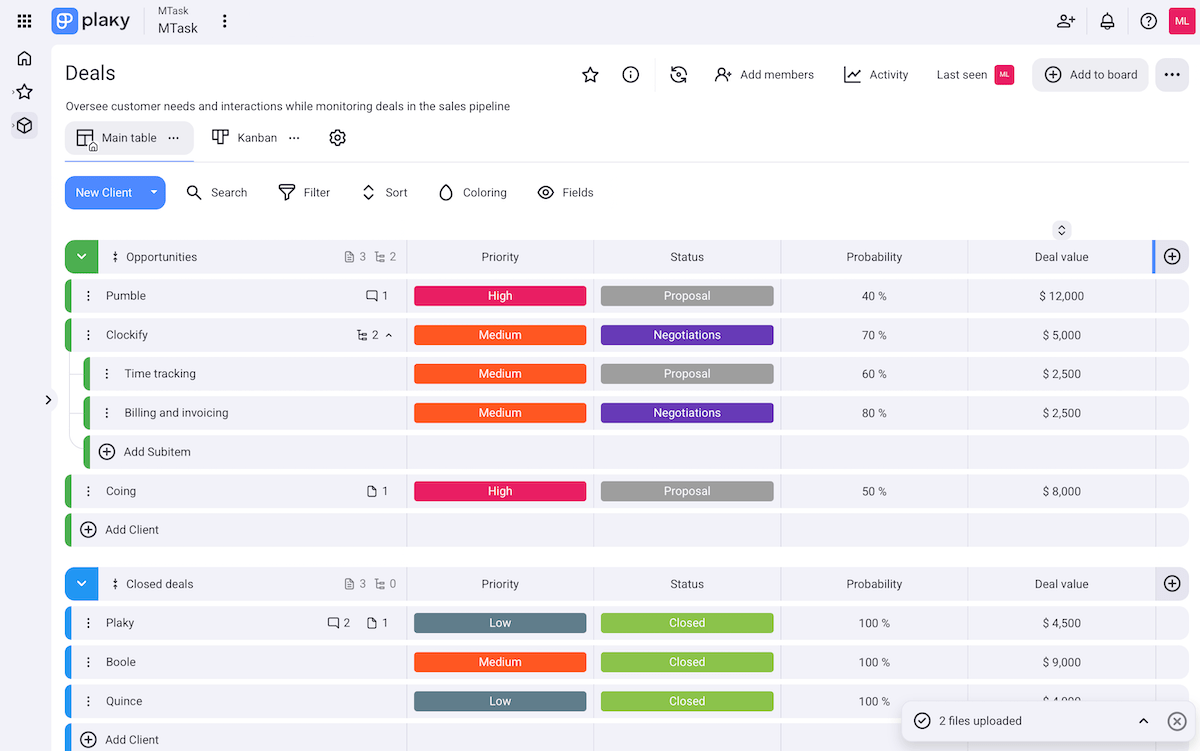
Creating a board in Plaky takes just a few clicks. There are 2 ways to approach this:
- Rely on Plaky’s template center — Save time by picking one of our ready-made customizable templates (e.g., deals, customer inquiries).
- Build boards from scratch — Add custom fields one by one to specify different types of data (text, numbers, dates, links, and more).
In other words, Plaky can double as a CRM tool and general work management software. All of this makes our platform highly flexible without compromising the ease of use, which is vital for new or non-technical users.
💡 Switching to Plaky and are worried about losing data from your previous CRM tool? Here’s how to transfer data to Plaky with ease:
#2 Automate operations where possible
Take advantage of Plaky’s board automations to save time and minimize human error. These are no-code automations, which means anyone can set them up (no developer required).
Essentially, you set up triggers, optional conditions, and results — “When this happens, then do that” logic.
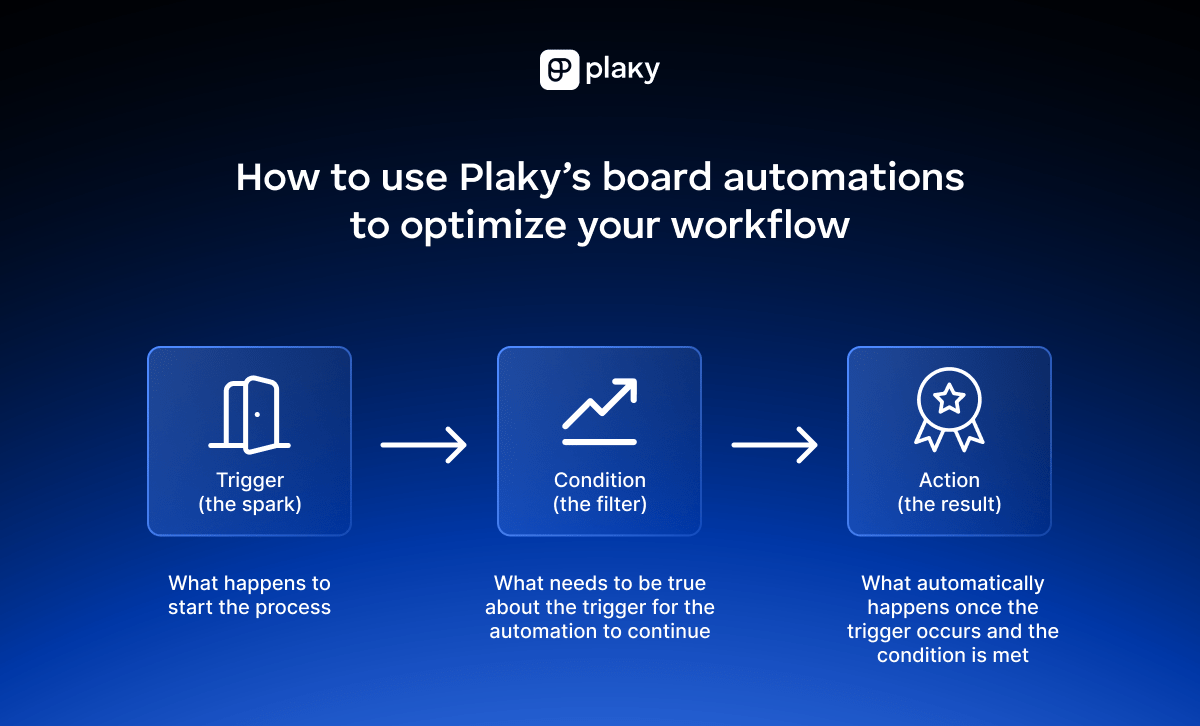
Here are some automation examples you might find useful for CRM:
- Lead assignment — Automatically assign new leads to the right rep based on product or territory.
- Pipeline stage updates — When a deal moves to Proposal Sent, change its probability and add a due date.
- Notification triggers — Alert a manager when a high-value deal moves stages.
The main benefit is that automations keep your pipeline moving smoothly without requiring constant manual input.
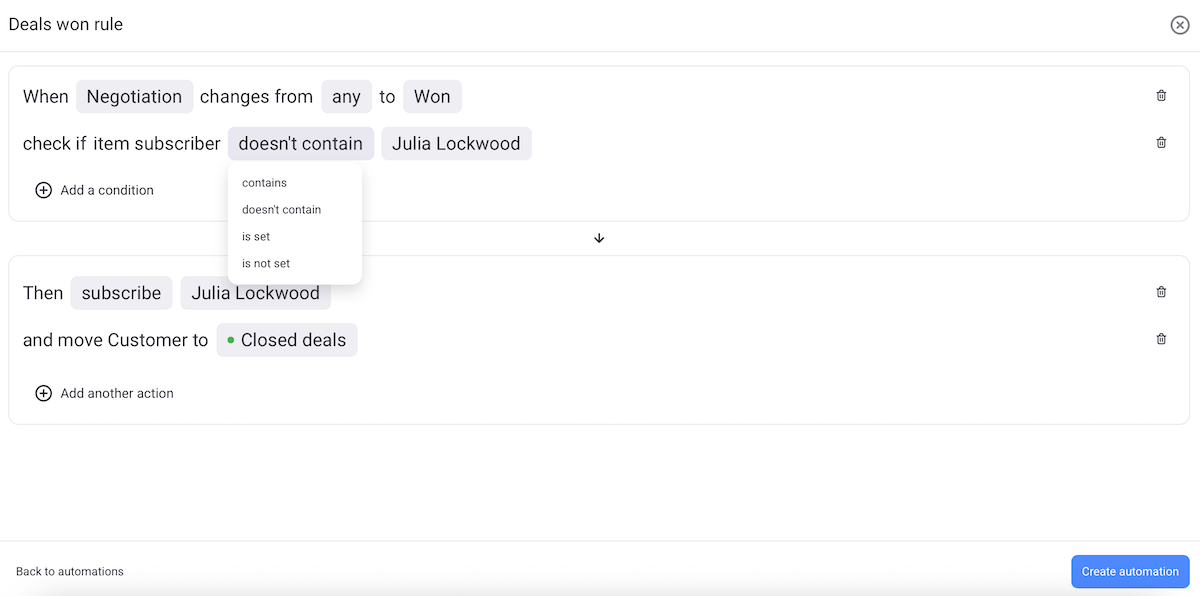
However, there are also cases when automations might not be the best idea, such as:
- Complex problem-solving — Customer issues or complaints that require discussion shouldn’t move automatically.
- Sensitive data handling — Automating access or visibility of private client info could create privacy risks.
Put simply, you should automate routine and predictable workflow steps and avoid automating anything that requires human judgement.
💡 Plaky Pro Tip
Want a detailed, step-by-step guide on applying automations in Plaky? Read this:
#3 Visualize data and monitor progress
Switch between different board views depending on what you need to track and analyze. Plaky has:
- Table view — a spreadsheet-like view, best for quick data entry, bulk actions, sorting, and filtering,
- Kanban view — columns with cards moving through stages (e.g., Prospect → Proposal → Negotiation → Closed), perfect for your sales pipeline,
- Gantt chart view — a timeline view that lets you see overlapping items and avoid bottlenecks, ideal for managing time-sensitive tasks, and
- Chart view — pie and bar charts showing proportions and distribution, excellent for comparison over time or across team members.
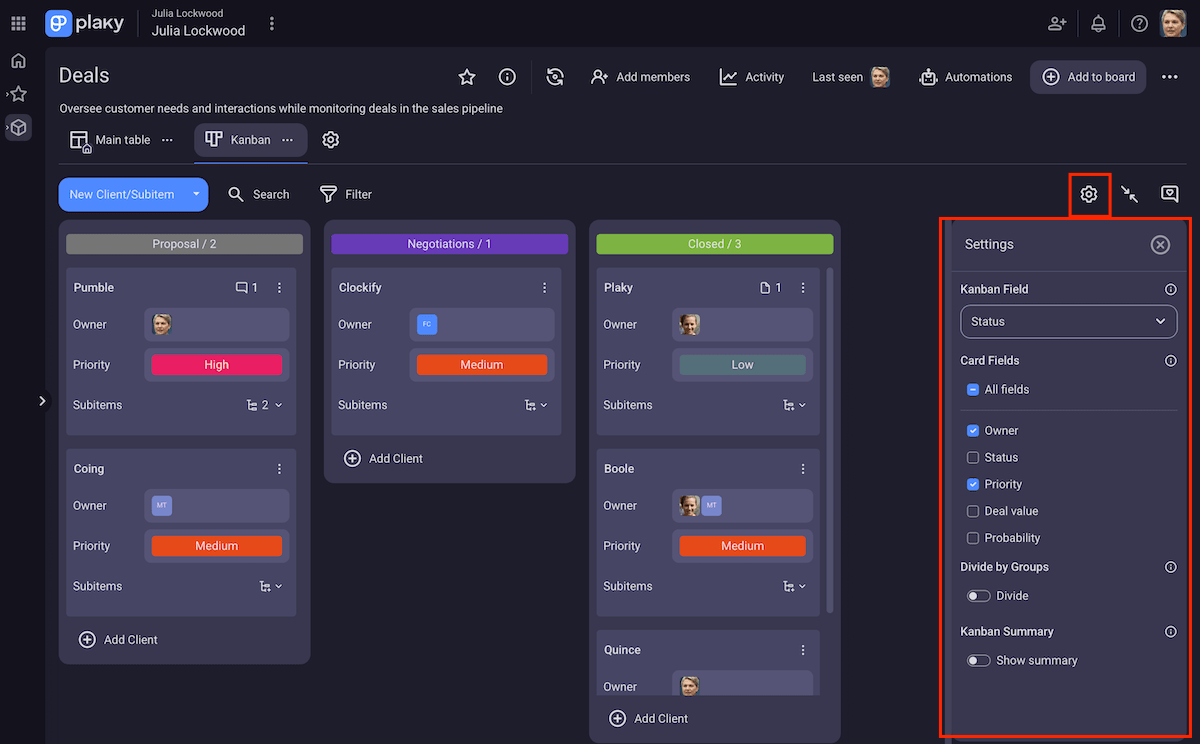
Moreover, it’s crucial to regularly review data in order to:
- Monitor project KPIs (like the number of new leads or deals won/lost),
- Spot underperforming campaigns or stalled deals and react accordingly,
- Prioritize work and adjust lead management, and
- Get realistic ideas about future planning and revenue expectations.
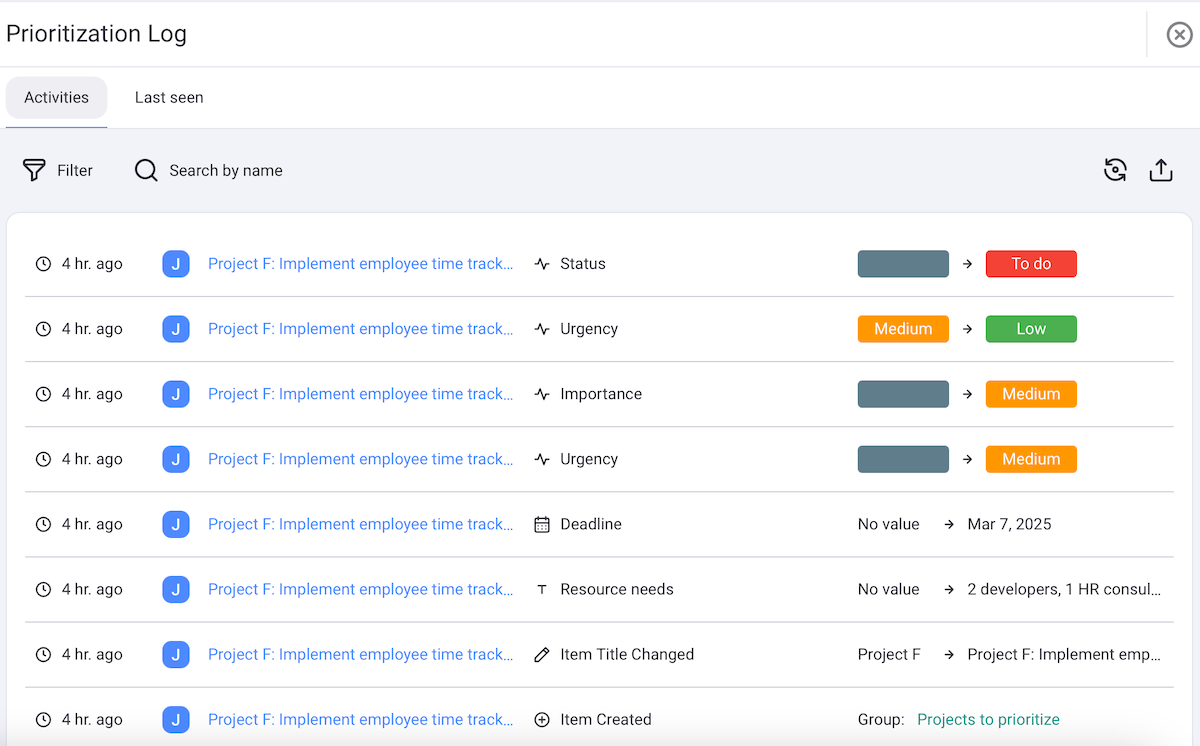
Plaky’s activity log is the backbone of monitoring progress. It’s a chronological record of every interaction and update on the platform. You’ll always know who did what and when — changes to statuses, deadlines, planned calls, and anything else you track using the app.
#4 Communicate with team members
A CRM setup is more than just data and boards. Your goal is to keep your team aligned and ensure everyone’s up-to-date at all times. Shared context and transparency prevent issues like forgetting leads or double-contacting clients.
So, keep your team communication and collaboration within Plaky as much as possible to avoid lost emails and messy folders. The main features here are:
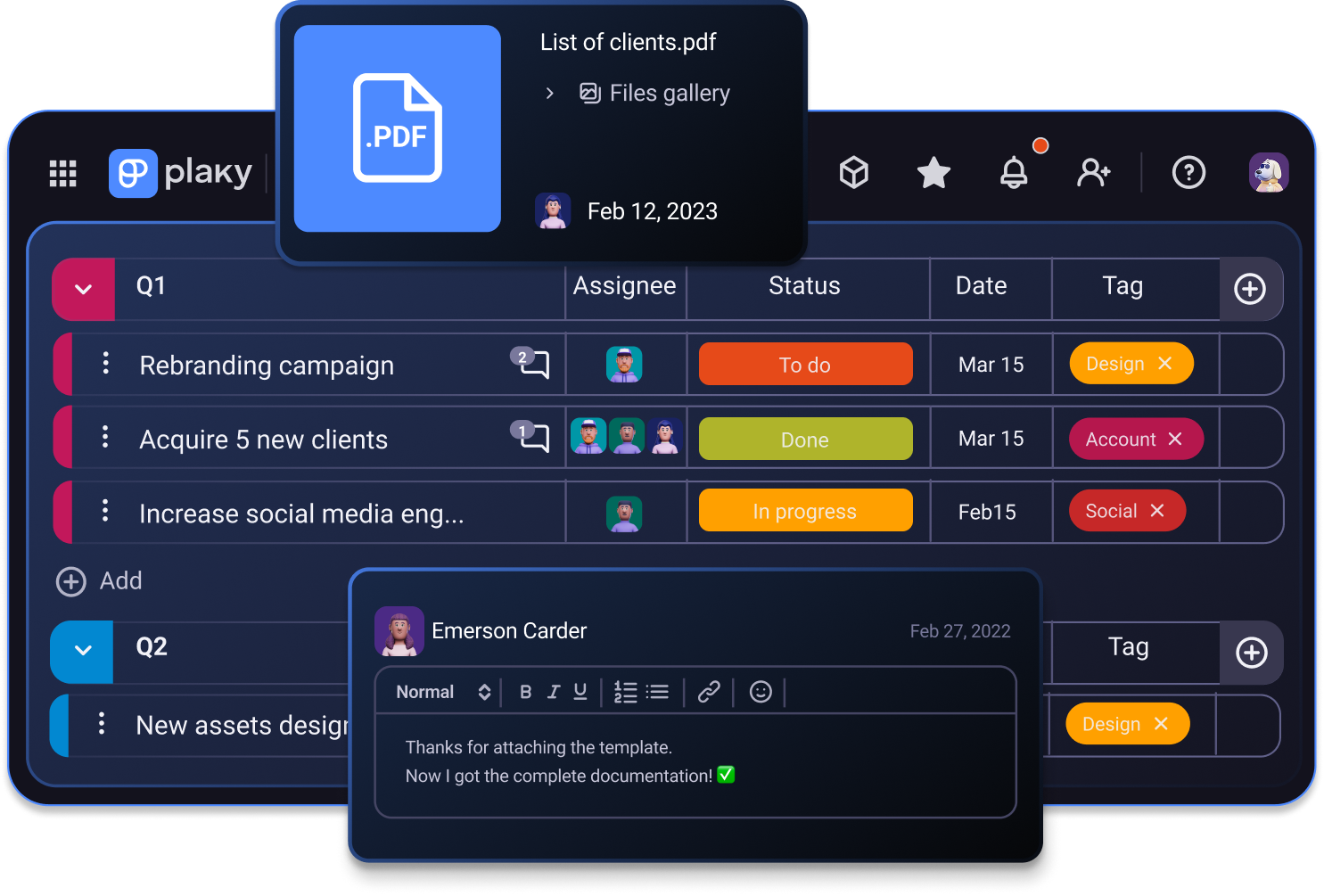
- Comments & @mentions — Leave feedback and remarks directly within items tied to a certain customer. Tag teammates to quickly get their attention and replace unnecessary replies with emoji reactions.
- Notifications — Rely on real-time notifications, keeping the whole team in the loop when there are changes in items they’re subscribed to.
- Files — Attach contracts, proposals, presentations, etc. so that the relevant teammates have easy access to them without chasing down email attachments.
- Link field — For reference materials that aren’t files, simply add URLs in link fields (e.g., a client’s website, LinkedIn profiles, a shared document online).
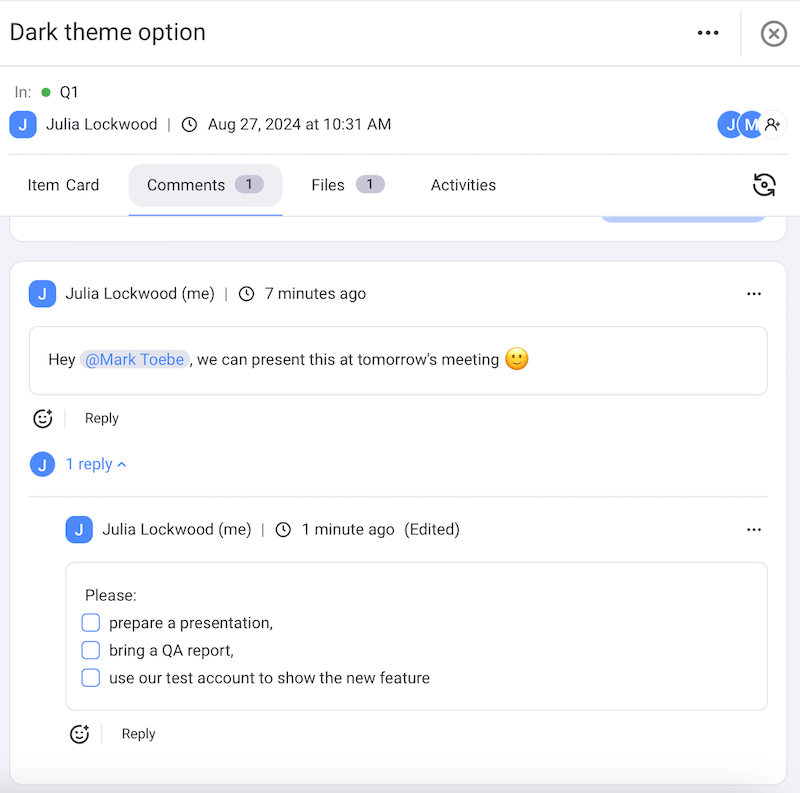
All these Plaky features prevent lost data and make it easy to onboard new team members since they can see all the relevant info and files in one place.
#5 Refine your approach as needed
Don’t forget that your workflow must evolve as your team and clients do. In Plaky, you can refine CRM processes by:
- Editing/deleting boards and items — Adapt your workflows in just a few clicks as your process changes.
- Updating/deleting automations — Avoid clutter and errors by updating or removing automations when board content changes.
- Adding/removing team members — Keep your CRM aligned with your current staffing.
- Updating user roles & permissions — Control access to sensitive data by involving only the relevant team members.
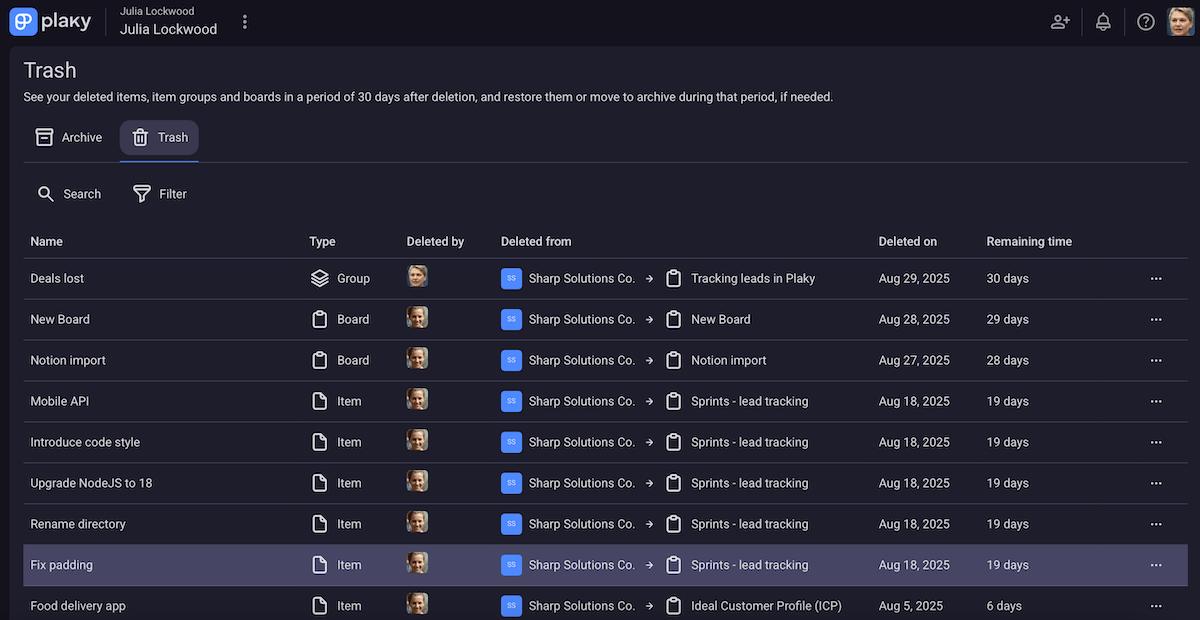
And don’t worry if you change your mind about deleting something — Plaky stores deleted boards and items in the Trash section of the app for the next 30 days. This means you can restore them within that period.
All in all, regularly reviewing and refining your approach keeps it efficient, with benefits such as:
- Smoother workflows — eliminating bottlenecks and making tasks flow more naturally,
- Fewer errors — cleaning up duplicate or outdated info for better focus, and
- Improved consistency — standardizing fields and processes to boost reliability.
Use a reliable and secure CRM tool — Plaky
In the end, CRM comes down to having an efficient system you can trust. Plaky delivers on that since it’s easy to use while providing enterprise-grade security.
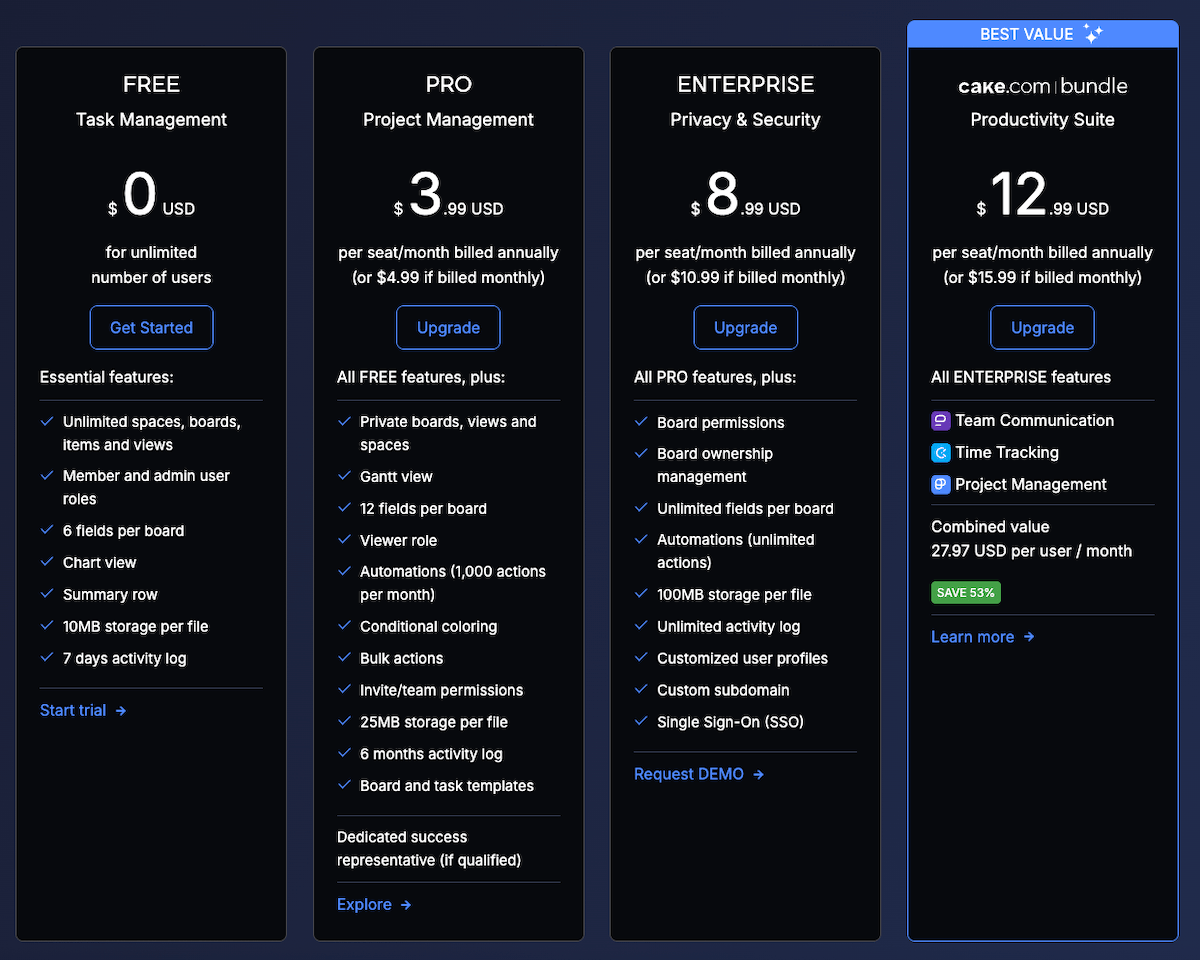
What’s more, Plaky’s pricing makes it accessible to everyone — large companies, growing teams, and solo users alike.
Lastly, it’s important to mention mobile access. Frankly speaking, client work doesn’t always happen only at the desk, and with Plaky’s mobile app (iOS and Android), you can check progress and stay aligned with your team no matter where you are.
Get the CRM power your team needs, without extra cost or complexity. Try Plaky!
How we reviewed this post: Our writers & editors monitor the posts and update them when new information becomes available, to keep them fresh and relevant.