 Published: September 15, 2025
A day in the life of creative teams is hectic — from unclear client requests and rough timelines to struggling to get the creative juices flowing.
It takes an expert project manager to get things even slightly under control. But, of course, even the best PM can’t handle every challenge of leading a creative team.
There’s a simple solution to this — don’t run the whole project by yourself. Run it with Plaky to:
- Keep collaboration flowing,
- Update clients with ease, and
- Organize that headache of a timeline.
Let’s see how you can use Plaky effectively and boost your creative team’s success!

Why should creative teams use Plaky?
Creative teams usually deal with tight deadlines, miscommunication, and disorganized task management. This can lead to too much stress for one manager to bear.
According to Vladimir Milic, the CEO of the marketing company VM Digital, that’s exactly why they turned to Plaky:

“Plaky allowed us to sort some things out in terms of projects, to-do lists, some day-to-day matters, and certain interpersonal and organizational capabilities and protocols.”
💡Plaky Pro Tip
If you want to know exactly how VM Digital started using Plaky and their experience with it, read the whole story below:
How Plaky solves common creative project management challenges
Plaky doesn’t just make creative project management easier — it solves many of the common struggles of creative teams, like:
- Limited budget — Small creative teams often struggle with a limited budget, but Plaky offers unlimited users, boards, and items, as well as most of its views, in the free plan. This way, you can use all PM features you need as a small team and scale with ease.
- Client communication — Needy clients take up too much of a creative PM’s time. To combat that, add them to your Plaky board as viewers and keep them updated with ease.
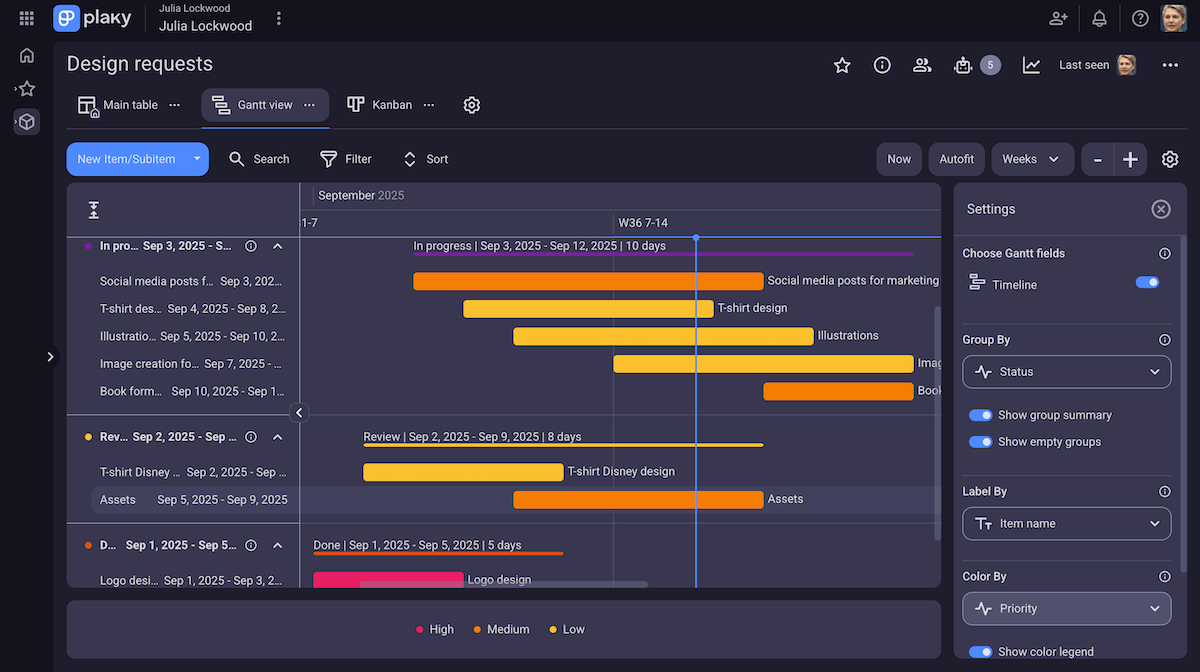
- Quick turnarounds — While dealing with too much work, teams need to keep an eye on their deadlines too. Plaky’s Gantt view gives PMs an in-depth overview of the project timeline. With it, you’ll spot deadline issues before they wreak havoc.
- Work overload — Creatives can often get overworked and burn out, so tracking your team’s workload is a must. You can get a better overview of individual schedules by toggling Gantt view’s filters and settings in Plaky. Don’t let overlapping tasks or gaps in the timeline disrupt productivity!
- Limited resources — You need a way to juggle physical resources, budget, and workforce in a limited time frame. In that case, simply add each project resource as a custom field in your board and use Plaky to track them. For example, play around with the Gantt view settings to see if a physical resource is needed in 2 places at the same time. Another option is to use the Status field to give more info about each resource’s state, current location, quantity, and more.
- Scope creep — All of these issues can lead to your scope growing out of proportion. Lucky, you can use Plaky’s activity log to track every change made to your board. This information will help you stay on top of your project scope and spot any issues before they get out of hand.

How to organize a Plaky board for your creative team
With lots of urgent client requests, if you waste too much time onboarding new talent, you might even lose some clients. So, Plaky’s main attribute to creative teams is its ease of use.
Of course, that’s not all — once you get your bearings, you can create the perfect Plaky board to optimize your creative project management. Let’s see the steps you can take to achieve this.
#1 Set up a custom board or use a ready-made template
In Plaky, you can either make a board yourself or start easy with a template.
You can set up your project from scratch with custom fields. These let you create a board personalized to your needs — whether that’s advertising or book publishing.
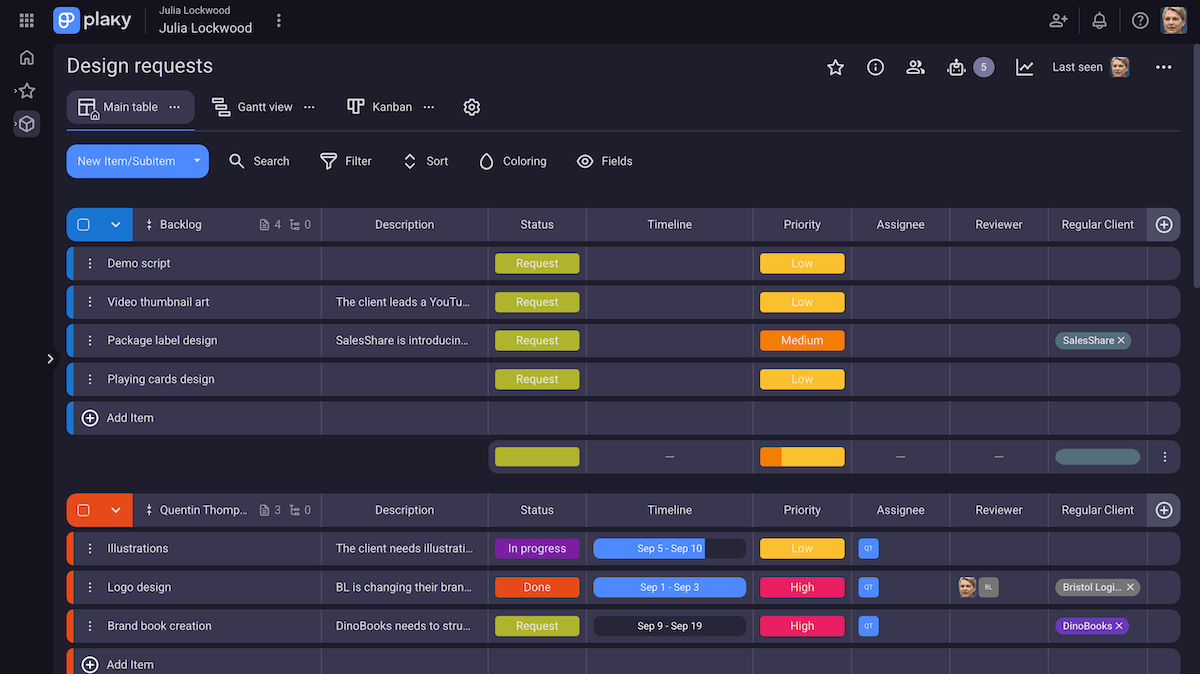
But if setting up boards yourself takes too much time, you can always visit Plaky’s template center. From there, you can choose a template — like the design requests template — and not worry about scrolling through and adding field types yourself.
On top of that, if there’s a project structure that repeats frequently, you can always save a board you’ve made from scratch as a template. No setting up from scratch ever again!
Create your own board templates in Plaky
#2 Delegate and manage tasks
Once you’ve got your board set up, it’s time to add tasks.
Unlike more traditional tools like spreadsheets, tasks in Plaky are neatly sorted in item groups — and each item or field focuses on visual clarity to get your team on the same page.
For example, you can use the Person field to make task ownership transparent. This increases accountability and lets your team know who to contact regarding that task.
To reduce confusion in your team even more, use subitems and break down complex tasks into several easy-to-understand ones. That way, you and your team can easily keep a keen eye on your workload and deadlines.
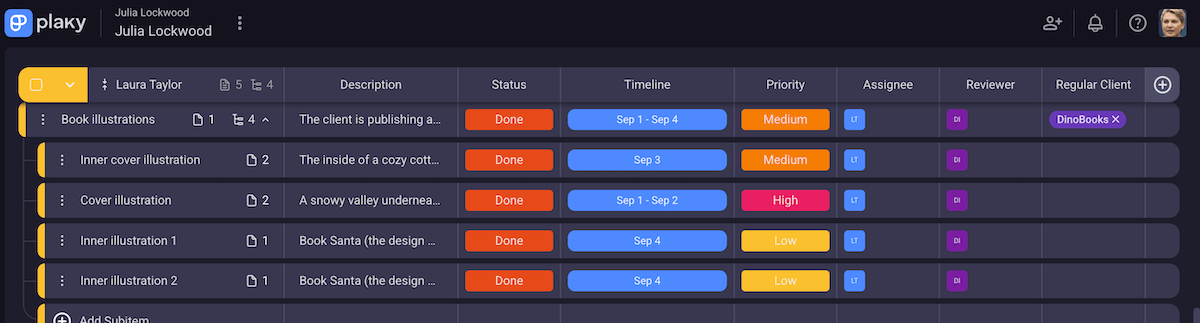
But, with so many tasks and subtasks, you need a way to manage them without wasting time. In that case, you can use bulk actions in Plaky to move, duplicate, and trash items — or even convert multiple items into subitems at once!
💡 Plaky Pro Tip
If you’re thinking of switching from another app to Plaky, but don’t want to recreate your whole project — you can simply import it! Learn how to import data into Plaky here:
#3 Communicate effectively
Say you’re working on an urgent brand book for a client — one designer is working on typography and color schemes, and another on logo designs.
If they don’t communicate, the final product will be mismatched, and the client will be furious.
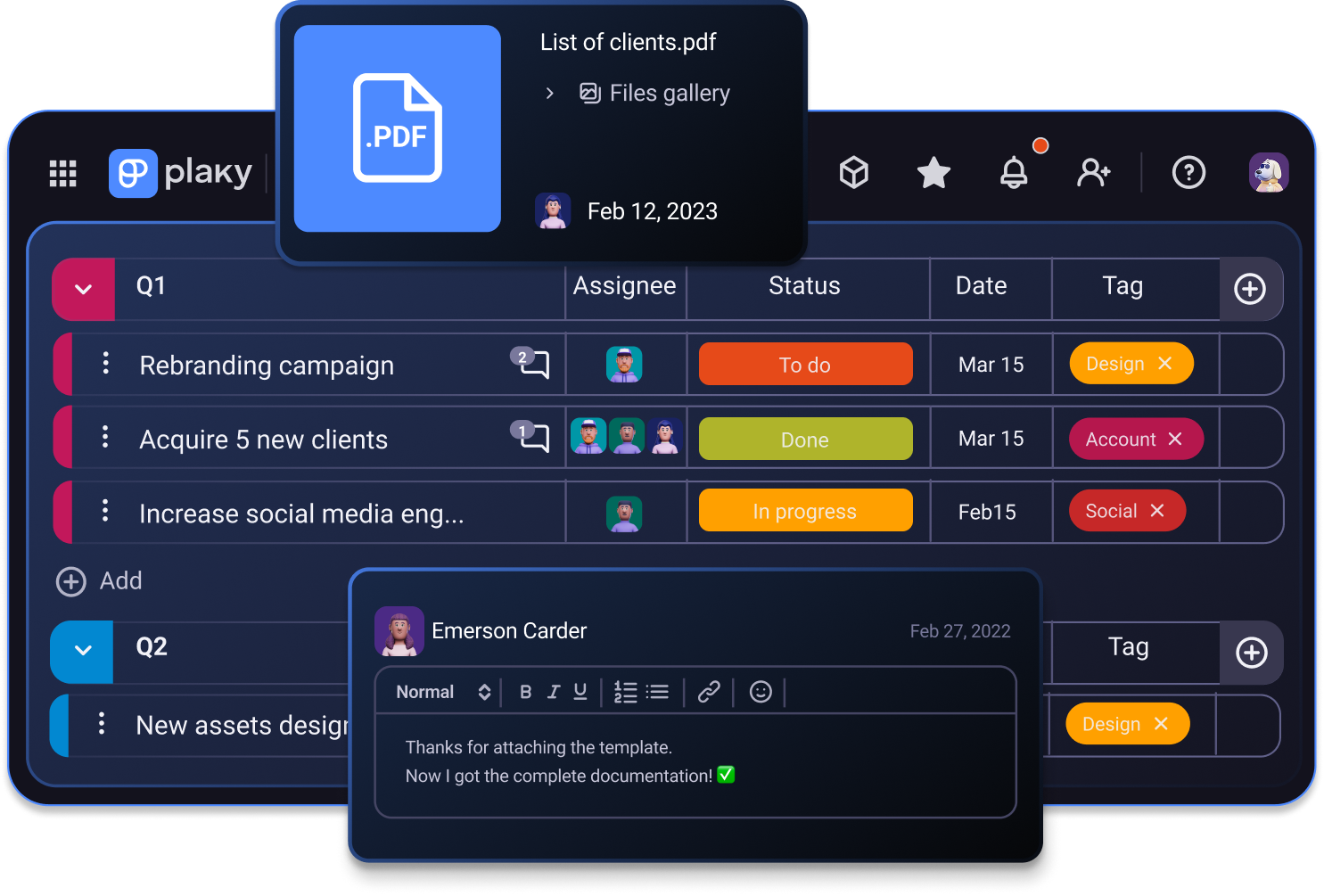
In Plaky, collaboration flows naturally with dedicated comments and @mentions. The way communication is organized means all info is tied to an item and accessible to everyone — so no one gets left in the dark and ends up working in silos.
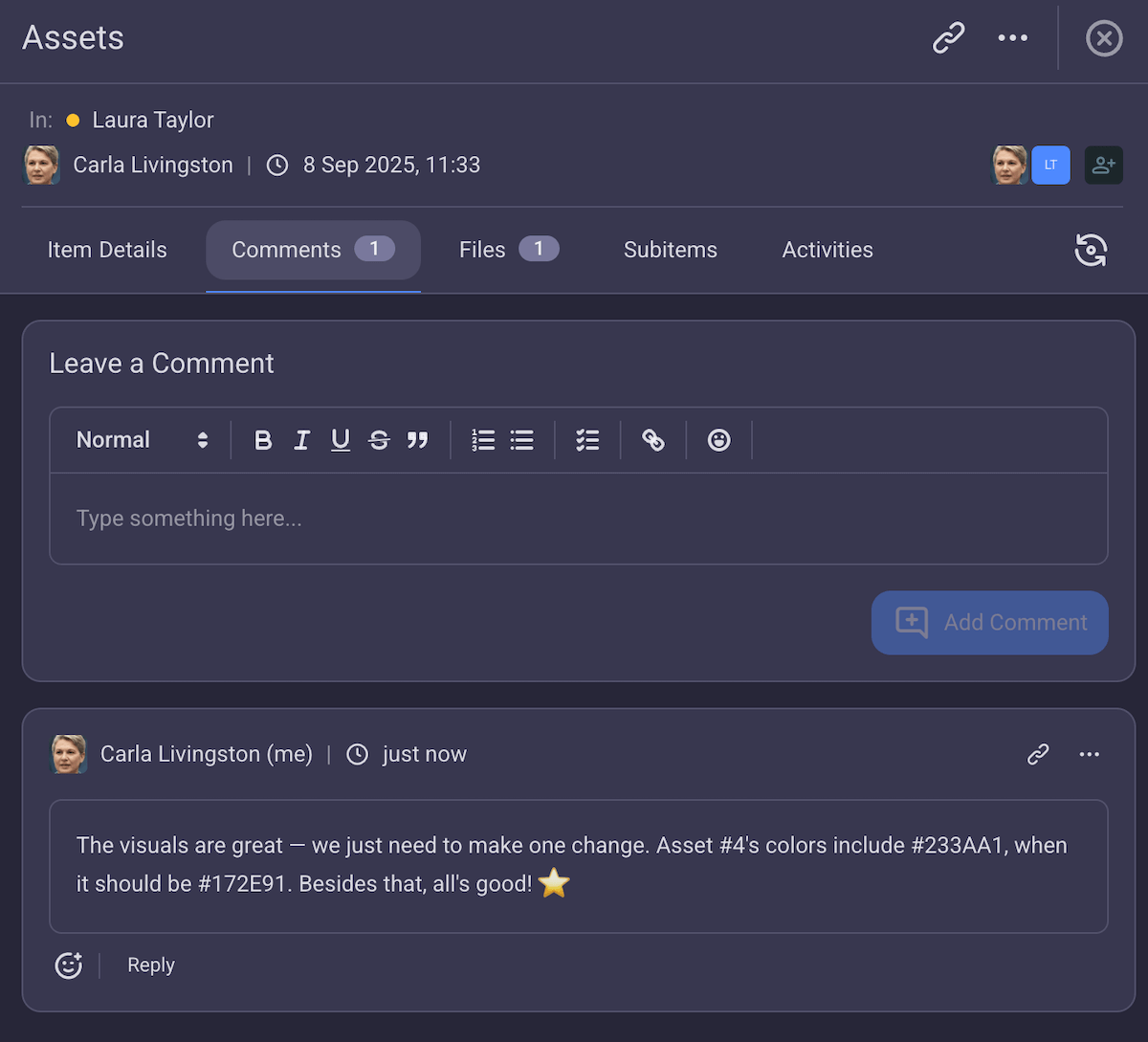
Further, with notifications, no team member will miss information about an item they’re subscribed to. This way, you avoid having to wait for someone to simply notice a change — and any disastrous delays.
Keep team communication centralized with Plaky
#4 Share files with ease
Creative teams share, create, and manage tons of files on a daily basis. So, you need an easy way to store and organize them in your project.
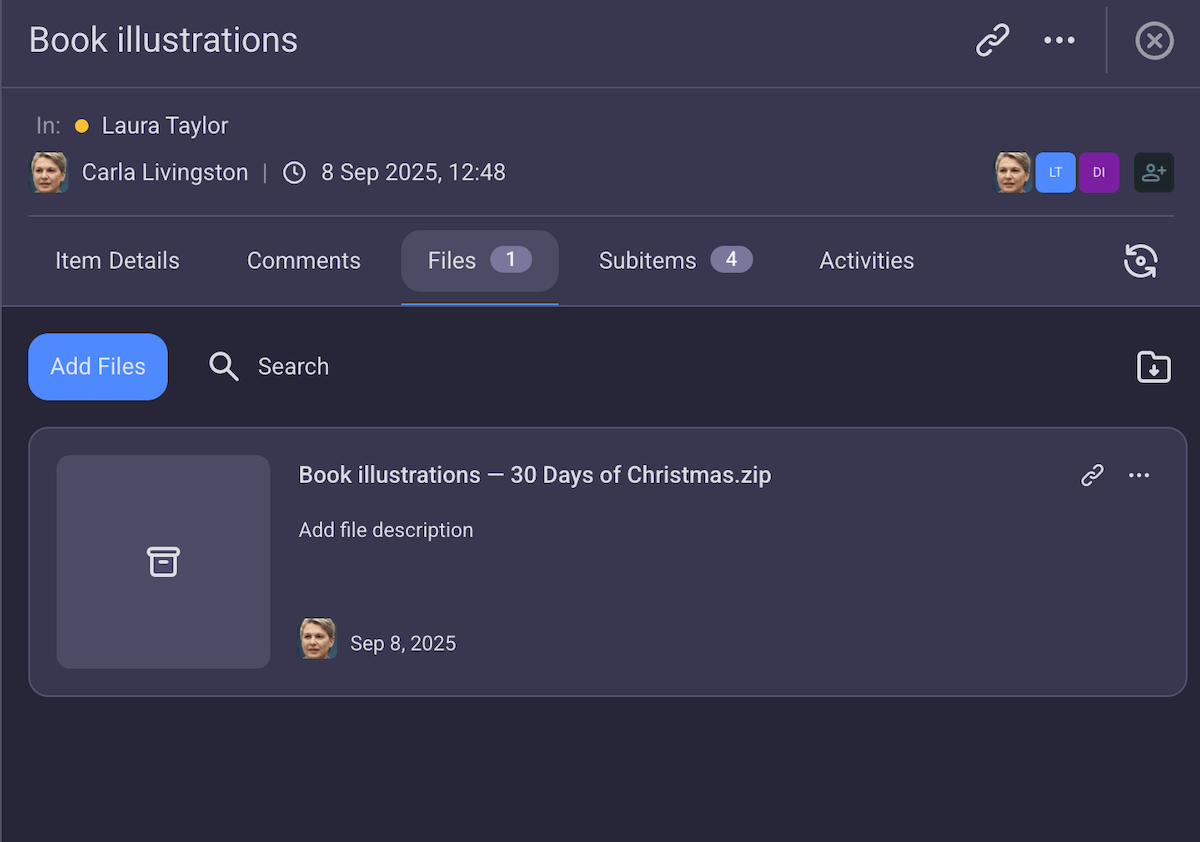
In Plaky, files are organized like all project information — each item has a separate files tab where you can store all task-specific PDFs, PNGs, JPGs, etc.
A lengthy review process can lead to delays and bottlenecks. However, Plaky’s file organization makes this process more efficient by keeping files centralized in one shared hub.
This way, there’s no need to waste time switching between Plaky and other file-sharing tools. Instead, reviews flow easily, and teams can move on to their next task sooner.
#5 Use custom views to stay flexible
Since creative work can get hectic, you can’t simply rely on one perspective on your project. You need flexibility in how you approach creative project management.
So, Plaky gives you several views, depending on what you need to observe:
- Table view — a full table-based overview of project tasks that’s best for adding and manipulating items, setting up custom fields, and organizing item groups.
- Kanban view — an overview of items based on their status that’s ideal for spotting bottlenecks, keeping an eye on progress, and prioritizing effectively.
- Gantt view — a visual representation of items on your project timeline that’s good for keeping an eye on the scope, tracking work overload, and manipulating deadlines with a simple click-and-drag.
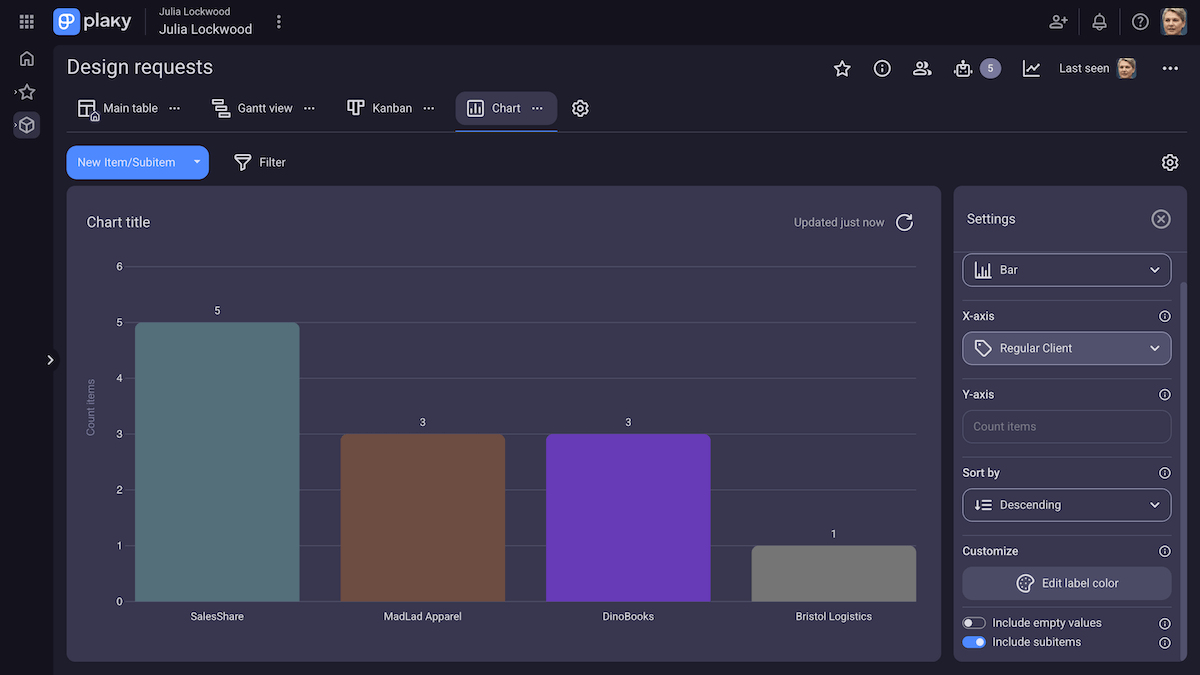
- Chart view — a pie or bar chart made up of your project information that’s best for tracking project progress, analyzing project data, and deciding on future changes.
Each view in Plaky is fully customizable, with plenty of sorting and filtering options. So, even with a bajillion creative tasks, you’ll always find the exact info you need with zero effort.
Keep processes flexible with Plaky
#6 Boost productivity with time tracking
With tight deadlines and impatient clients, you need ways to accurately predict timelines for future tasks. That’s only possible if you know how much time similar tasks took to complete in the past.
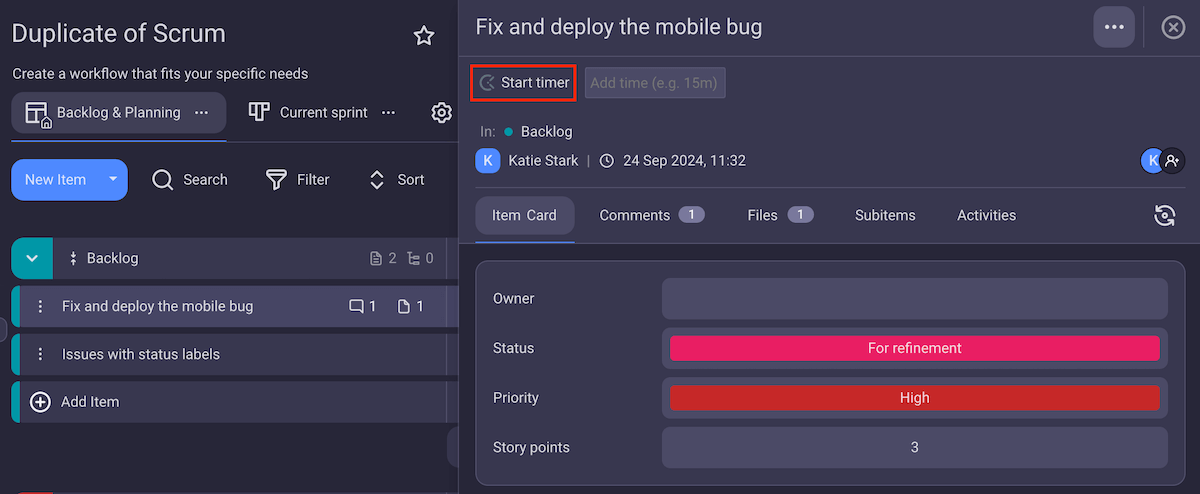
Plaky’s time tracking integration with Clockify lets you do just that — log how much time your team spends on different tasks.
This information lets you keep an eye on your team’s productivity and make sure all deadlines are met.
Later, you can use tracking data in Clockify to easily create invoices and bill your clients. With clear results, no matter how large your project gets, you can make an invoice in no time.
💡Plaky Pro Tip
Plaky + Clockify integration saves you time by letting you organize your projects and track hours in one tool. Read more:
#7 Optimize your workflow with automations
Creative teams have more than enough on their plate — managing their boards constantly is the last thing you want to add to it.
So, how do you make sure your board stays organized, with no update forgotten, and no mistakes made? You use Plaky’s automations.
With automation, you can get rid of the menial, repetitive tasks your team performs and delegate them to Plaky. This way, you improve productivity, reduce the chance of burnout, and create a smooth workflow.
For example, say you need to add a regular client as a reviewer of a task once it’s done. Instead of having a team member scroll through the list of people, forget the name, or simply misclick — you can have an automation do it.
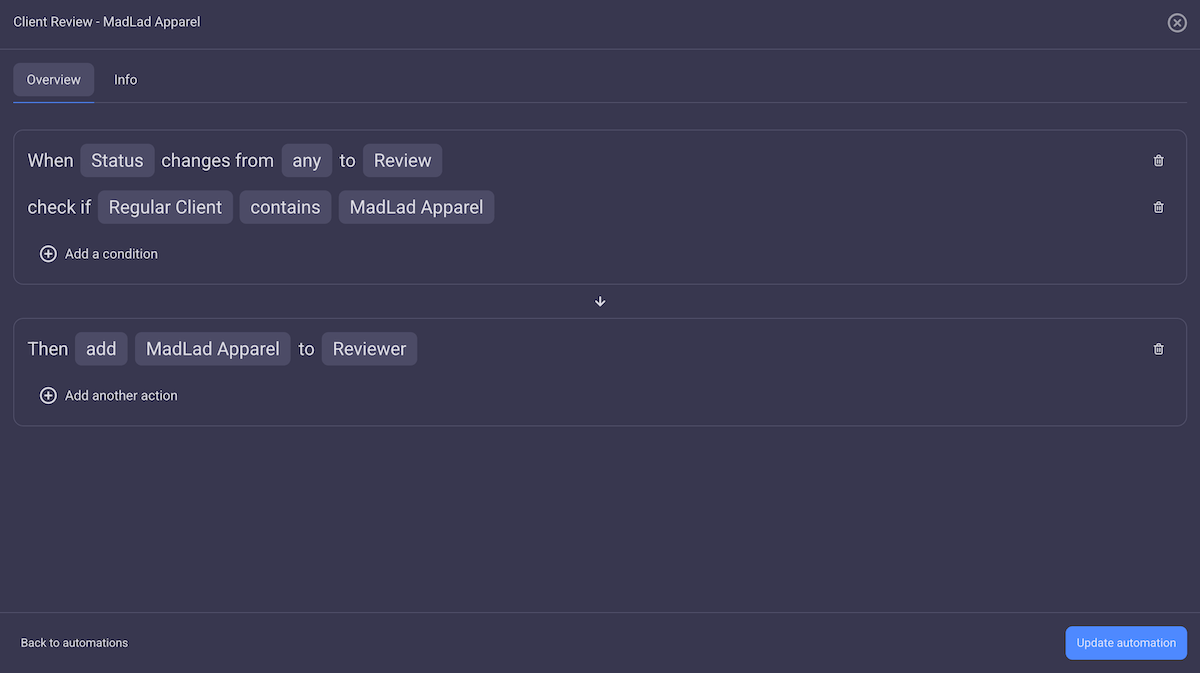
Even though automation helps, keeping track of what to focus on with too many tasks is still a struggle for most teams. Plaky’s conditional coloring lets you fix that — e.g., you can set it to highlight an item as the deadline approaches.
Now, your teams can focus on work and know exactly what to prioritize.
Automate your workflows in Plaky
Optimize your creative projects with Plaky
As your client list grows, so will your workload — which means you’ll want to scale your business. Often, this growth can be rapid, so you’ll need a tool that won’t hold you back.
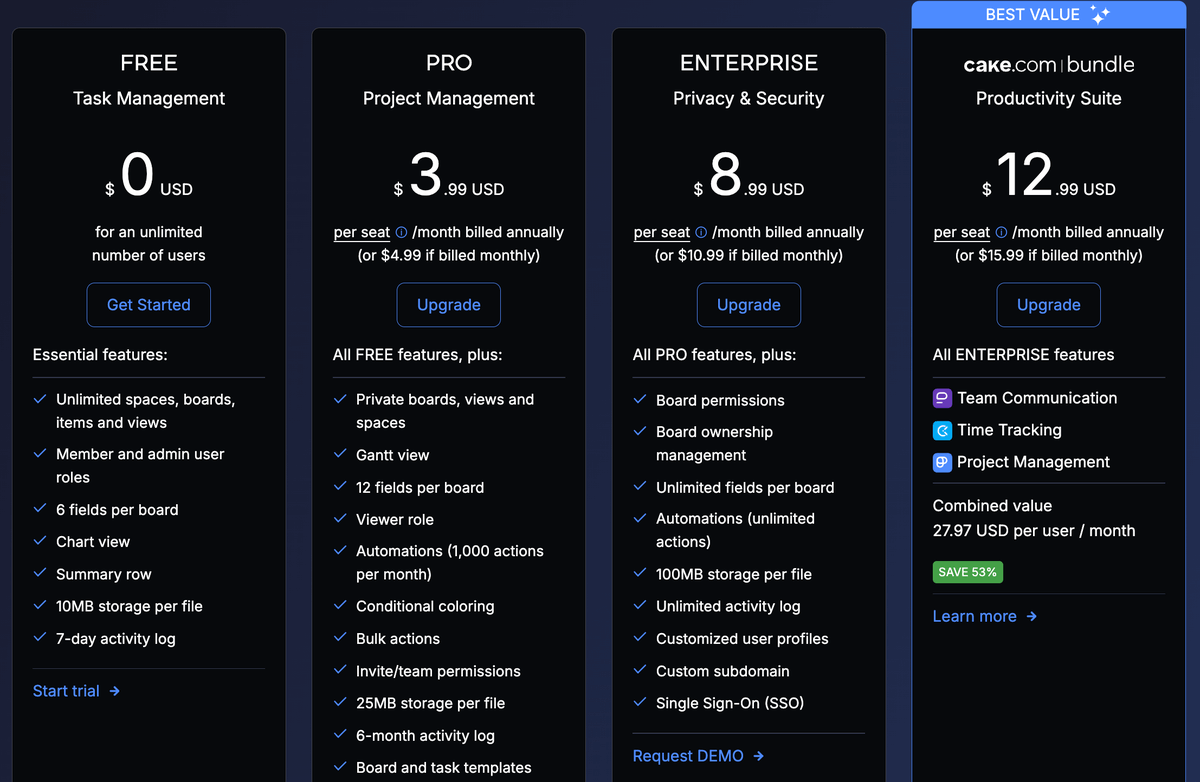
With unlimited users, you won’t have to upgrade in Plaky as soon as you pass an arbitrary user count. Instead, you can scale when you need some of its more comprehensive features — like automations or the Gantt view.
And with one of the most affordable paid plans out there, the barrier to scale with Plaky is practically nonexistent.
So, whether you’re a small production company or a large advertising firm — you’ll find a perfect match here!
