 Published: abril 3, 2026
Don’t know who you should ask for input or who provides the final sign-off?
When too many cooks work on a project with unclear roles, the lack of coordination spoils the broth. What you get are endless revision loops, overlapping tasks, and missed deadlines.
Still, there’s a great way to get things back in order with a simple RACI chart and finally solve the puzzle over who’s responsible for what.
Read on to find out what a RACI chart is, when to use it, and how to create one. Plus, we’ve prepared 11 free practical RACI chart templates to help you organize projects and avoid confusion once and for all.
You’ll find templates in Word, Excel, Google Docs, and Google Sheets versions, or you can download them in PDF format and print them out.

What is a RACI chart?
A RACI chart is a simple project management tool used to map out roles and responsibilities in the project team.
Also known as the responsibility assignment matrix, RACI brings in clarity and structure to your project and makes it easier to collaborate by defining who’s doing what.
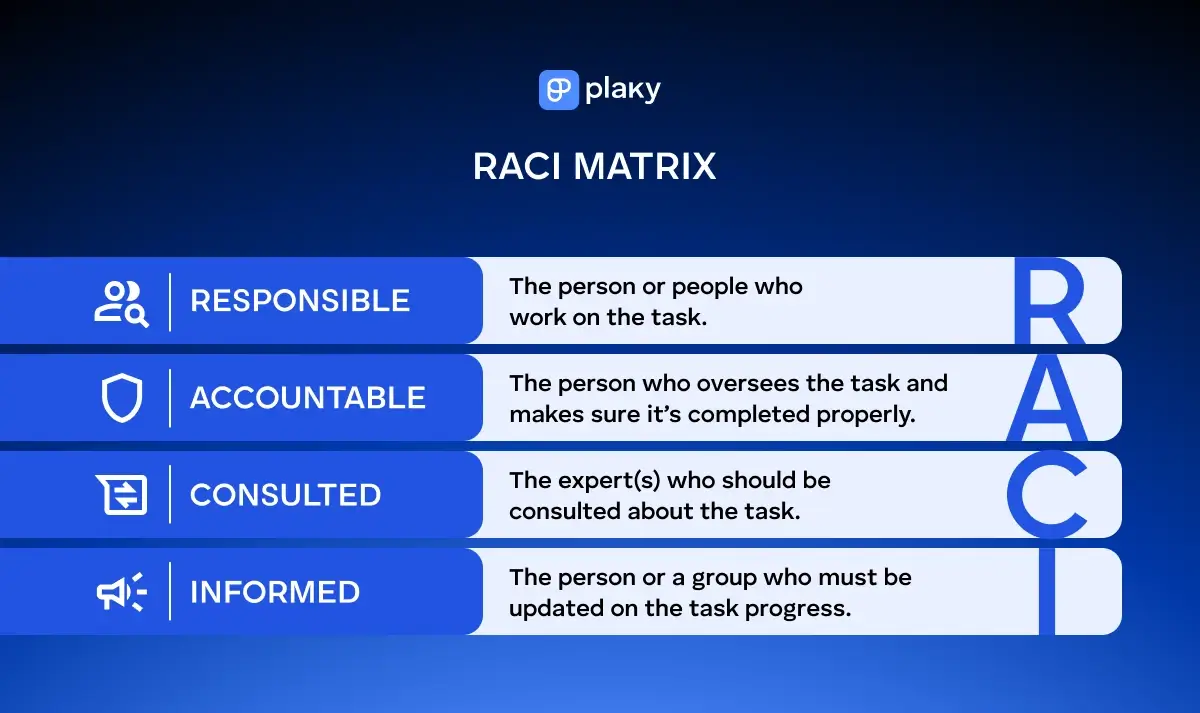
RACI is an acronym for responsible, accountable, consulted, and informed. Here’s what each of these roles implies:
- (R)esponsible — This is the team member responsible for completing the task or deliverable. You can have more people responsible, in which case it’s best to divide a large task into smaller chunks for better control over who’s working on what. People in this role are usually content writers, software developers, UI/UX designers, business analysts, etc.
- (A)ccountable — This role is reserved for one person who delegates work and makes sure it gets completed on time and budget. This person oversees the task completion process. Each task should have only one accountable person who typically has the final say on the task before its marked as completed. People holding this role are project managers, team leads, product managers, departments leads, etc.
- (C)onsulted — These people are subject-matter experts who you turn to when you need their input and feedback on the work. Their opinion is valuable when you’re not sure what to do and need a helping hand to steer your project in the right direction. People you would usually consult are compliance officers, software architects, creative directors, content editors, etc.
- (I)nformed — These are individuals or a group of people who need to stay up-to-date with the project progress. The informed parties can be external clients and partners, senior executives, finance directors, or anyone else interested in the outcome of the project. They always know the project status, but aren’t directly involved in the process.
RACI chart example
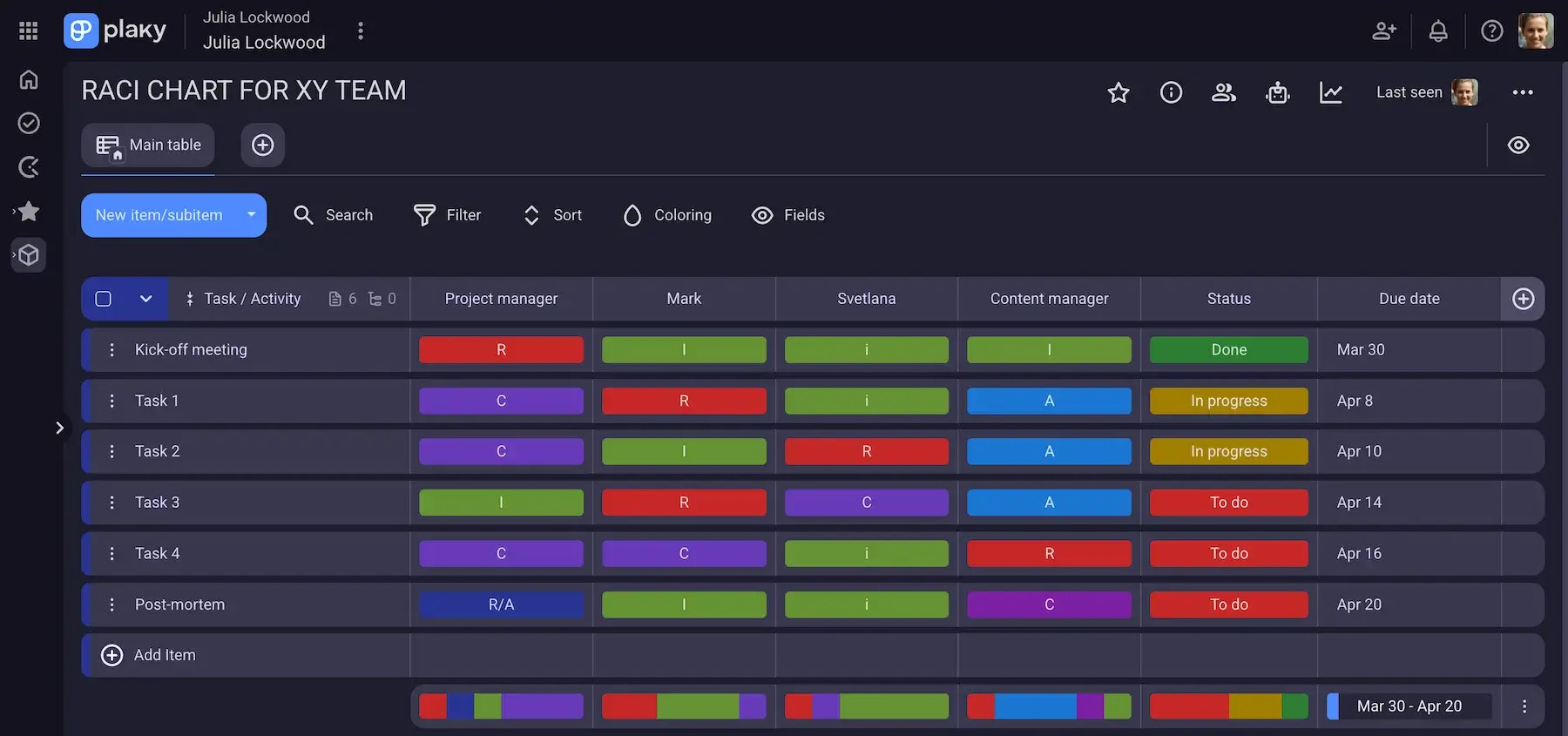
To build a RACI chart, you’ll need to list tasks and project activities and choose people who will take on the roles defined by the RACI framework.
Luckily, the format of the RACI chart stays the same, no matter the number of tasks and people involved. Here’s a basic setup of a RACI chart for a monthly company newsletter project:
| Task/Actividad | Content writer | Content editor | Graphic designer | Marketing manager | Stakeholder/ SME | CEO/ Director |
|---|---|---|---|---|---|---|
| Topic and article ideas | C | C | I | R | C | I |
| Draft articles | R | A | I | C | C | I |
| Layout and visuals design | I | I | R | A | I | I |
| Reviews | I | R | I | A | C | I |
| Final approval | I | I | I | A | I | C |
| Distribution | I | I | I | R/A | I | I |
When to use a RACI chart?
You can use a RACI matrix for all sorts of projects to improve clarity, set boundaries, and avoid “blame games” in your team. RACI charts are especially helpful when you:
- Start a project — to establish clear roles and responsibilities from the start, clarify who does what within the project, and ensure everyone understands their role.
- Manage complex projects — to maintain clear boundaries between cross-functional teams working on complex projects and make sure everyone knows who to turn to for specific issues.
- Go through structural reorganization — to keep roles and responsibilities clear, allow faster onboarding for new team members, and ensure project stability.
- Experience delays in decision-making — to reduce delays by establishing clear accountability so that everyone knows who has the final say.
- Face a responsibility overlap — to untangle overlapping responsibilities by ensuring clear task ownership and preventing “too many cooks” problems.
How to create a RACI chart
RACI charts are quite simple to create. Their table-based structure allows you to list tasks on the vertical axis (left-hand column) and roles on the horizontal axis (top row) — piece of cake, right?
However, the tricky part is to decide which role seems logical for each person involved in the task. It’s best to create a RACI chart during the planning project phase to ensure clarity before the project kicks off. To ease the pain, follow the steps below.
#1 Identify project tasks
The first step is to list the core elements of your project including:
- Tasks
- Deliverables
- Milestones
- Important decisions
- Meetings
Remember, you can always break down tasks to subtasks as well as include approval points, reviews, training, and other relevant activities to the chart when needed.
#2 Identify project roles and responsibilities
The next step is to determine roles and list team members and all stakeholders involved in your project. These are typically:
- Team members
- Managers
- Department heads
- Executives
- External partners
- Clients or customers
Make sure that each role gets its own column. It’s good practice to list job titles along with the names of people carrying a particular role to avoid overlaps and confusion. Also, if you have, let’s say, more writers or developers working on a task, you can place them under development and content team roles.
#3 Set up your RACI chart
Now that you have roles and tasks determined, it’s time to import them to your RACI chart.
To make your chart more visually appealing, you can assign specific colors to each of the roles for instant recognition and efficiency.
#4 Assign each task to the right role
Once you have the chart ready with names and roles included, you can match the roles to the right people or teams. This means you can add letters R, A, C, and I to the corresponding boxes in the chart.
Still, there are some rules that should be followed such as:
- Each task must have at least one responsible person.
- Only one person should be accountable for a task.
- Not every task requires every letter.
- No person or team should have too many Rs.
#5 Agree on the chart with your team and stakeholders
Gather your project team, and share your RACI chart with them for a review and discussion.
This step is important to get everyone on the same page, clarify any potential ambiguities, and identify possible gaps before the project starts.
Let the team share their concerns, ask for clarification, and help you fine-tune the chart to eliminate gaps and bottlenecks.
#6 Provide regular updates
Just like your project evolves during its lifecycle, your RACI chart should keep pace with it. That’s why regular revisions and tweaking are necessary to keep your RACI chart a living document anyone can rely on.
Consider the review of your RACI chart when you face:
- A change in project scope
- A change on the timeline
- Issues that hinder the progress
- Project phase transitions
- Changes in team structure, etc.
RACI chart templates
Templates come in quite handy when you’re short on time and need to organize your team and projects. We’ve compiled a list of 11 RACI chart templates for different use cases — from recruitment and marketing to sales and website launch.
Find the RACI chart template that suits your projects, and feel free to further customize it to your needs.
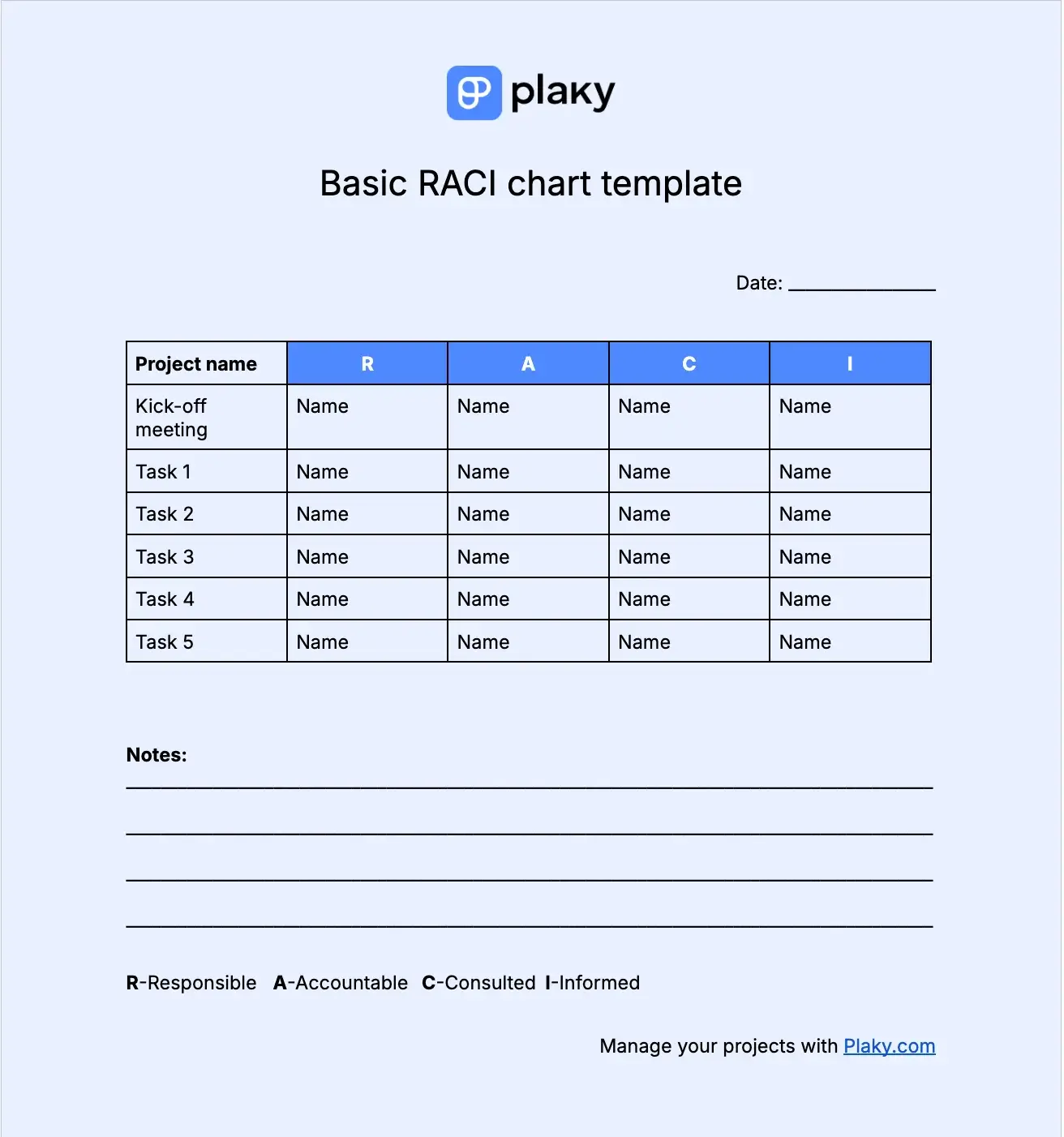
#1 Basic RACI chart template
Download: Google Docs, Word, Google Sheets, Excel, PDF
This RACI chart template is as simple as it can be. You can use it to:
- Add the date when the chart is created.
- Add names of the team members taking part in a task under the relevant RACI role column.
- Add notes about the tasks or people involved.
This template is great for daily or weekly work organization. You can color code it to make it more visually appealing.
#2 RACI chart template with status, priority, and due date
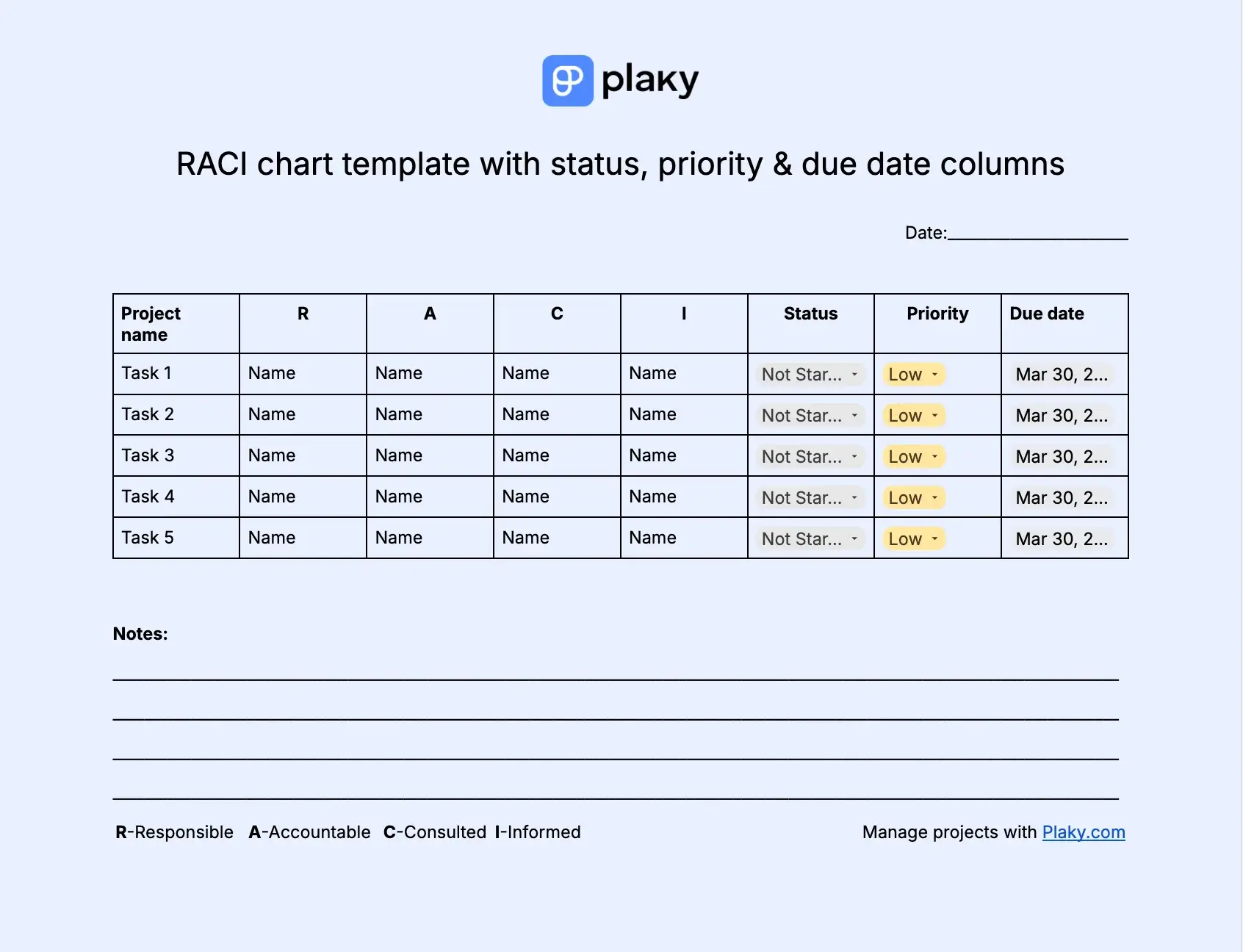
Download: Google Docs, Word, Google Sheets, Excel, PDF
If you’re looking for a bit more advanced RACI chart template with added dropdown menus for important task info, this one is your match. You can use it to:
- Add the date when the chart is created.
- Add names of the team members taking part in a task under the relevant RACI role column.
- Set the status of the task by choosing statuses like Not started, In progress, Completed, or Blocked from the dropdown menu.
- Set the priority status of the task by choosing statuses like Low, Normal, High, or Urgent from the dropdown menu.
- Set the due date and time for each of the tasks.
- Add notes about the tasks or people involved in the project.
With this customizable template you can add additional info to your RACI chart so that your team members can also participate and update task statuses as they move along the project timeline.
💡 CONSEJO PRO DE PLAKY
Need some ready-made templates to visualize your project timeline? Check out the article below:
#3 RACI chart template for recruitment
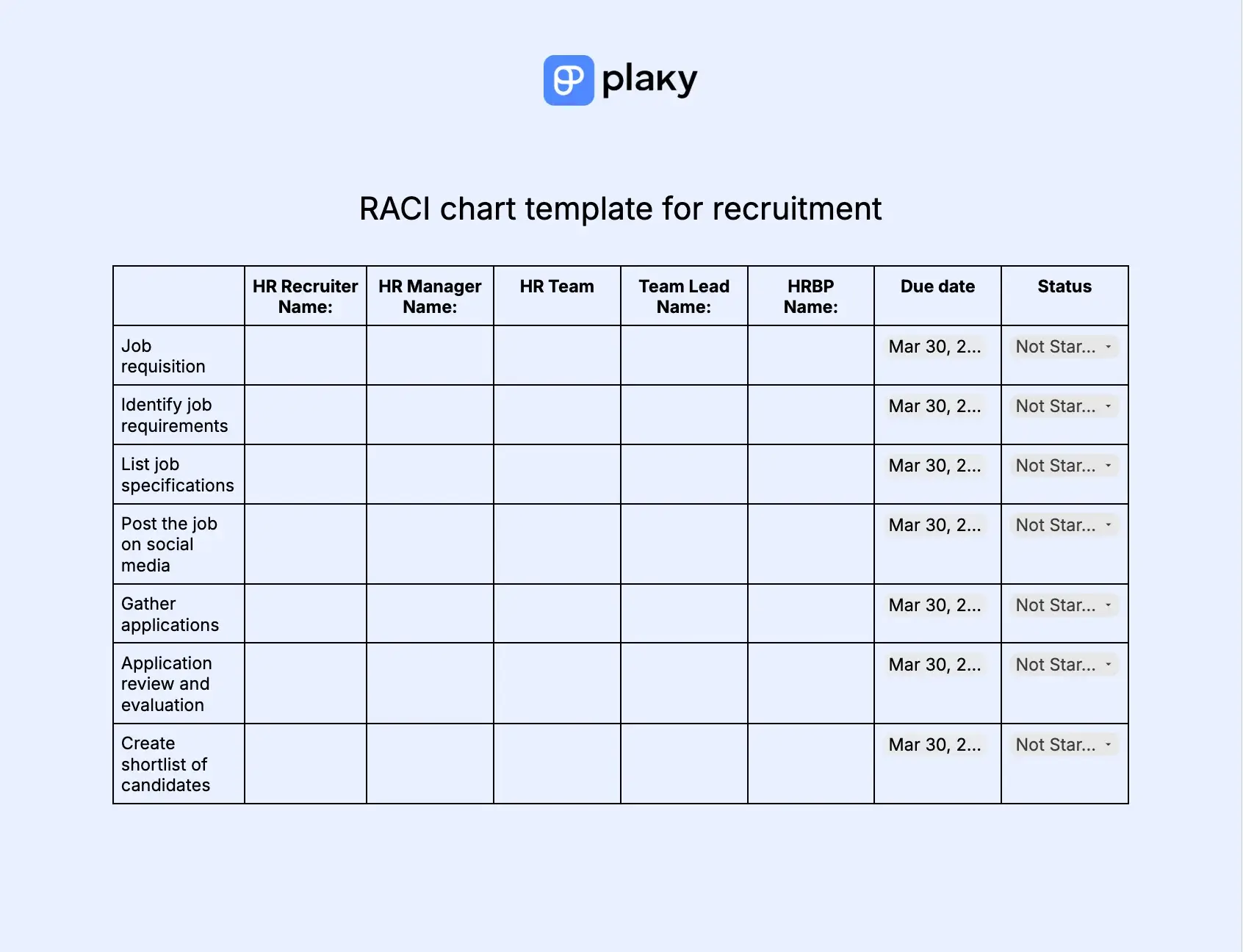
Download: Google Docs, Word, Google Sheets, Excel, PDF
Our RACI chart recruitment template maps out the steps of the recruitment process and the people who are involved in it. You can use the template to:
- Assign roles for all the people involved. (Not all the people will have roles in all tasks.)
- Set due dates for each of the tasks to keep the process flow.
- Set the current status for each task, which ensures efficiency and proactiveness and reduces “time-to-hire”.
This template is fully customizable, and you can adapt it to your own needs by adding tasks, meetings, and involving more people.
💡 CONSEJO PRO DE PLAKY
Wanna make your recruitment process better? Find out how you can do it in 7 steps in the article below:
Try out Plaky’s recruitment template
#4 RACI chart template for product launch
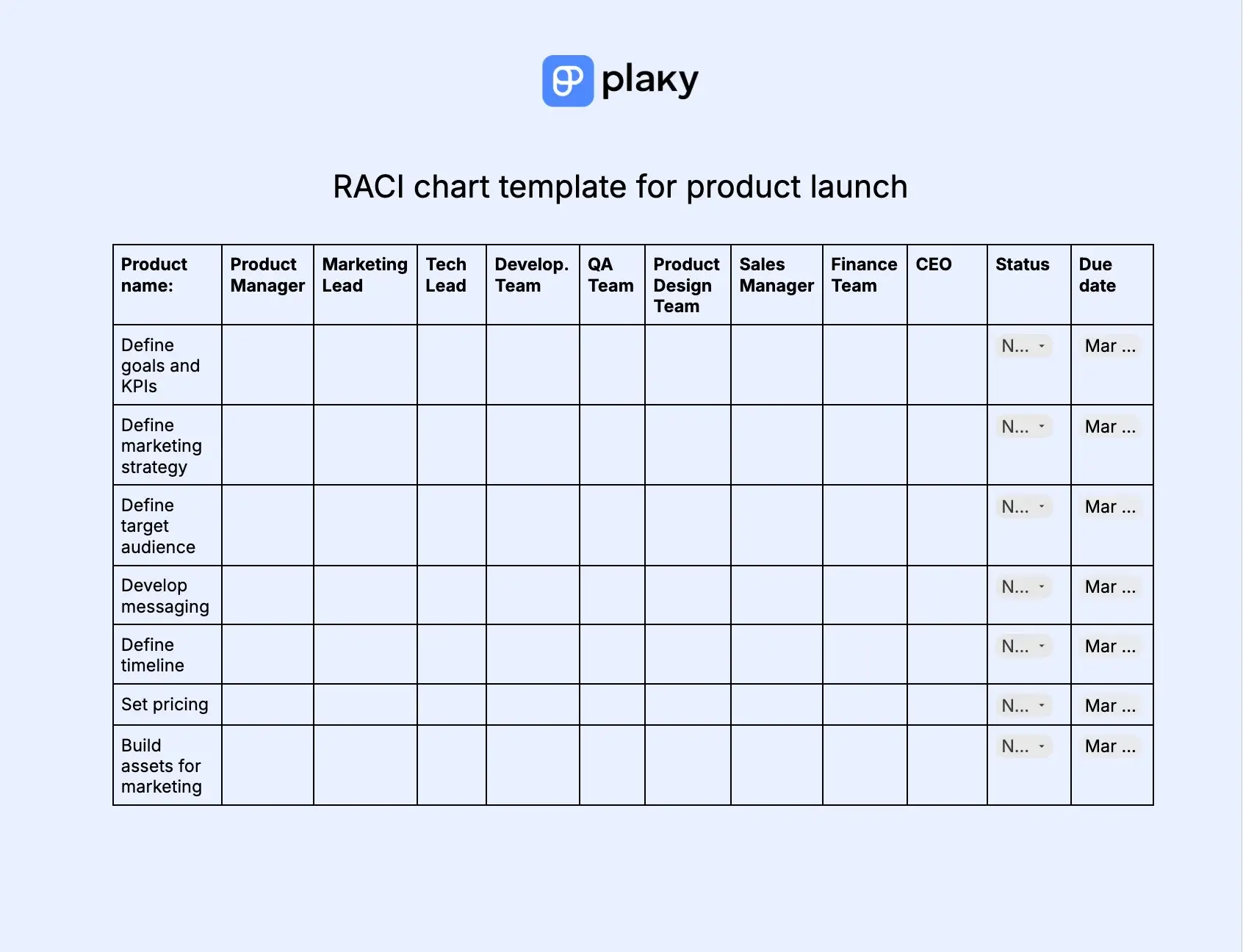
Download: Google Docs, Word, Google Sheets, Excel, PDF
Behind every successful product launch stands a good RACI chart template. Joking aside, to make success with your product and find your customers, you need impeccable cross-functional team collaboration and clear accountability.
This template helps you engage all people involved in product launch, and you can use it to:
- Define roles for all the people involved. (Not all the people will have roles in all tasks.)
- Set due dates for each task.
- Set status for each task.
- Jot down additional notes.
Thanks to this template, you’ll clearly assign roles and unite people around the same goal. Still, you should know that some people might share roles, for example, you’ll probably mark both Marketing Lead and Product Manager as “Rs” because they will both take part in defining marketing strategy.
💡 PLAKY PRO TIP
Read the article below to get all the necessary steps on launching a high-quality product:
Try Plaky’s product launch template
#5 RACI chart template for customer service
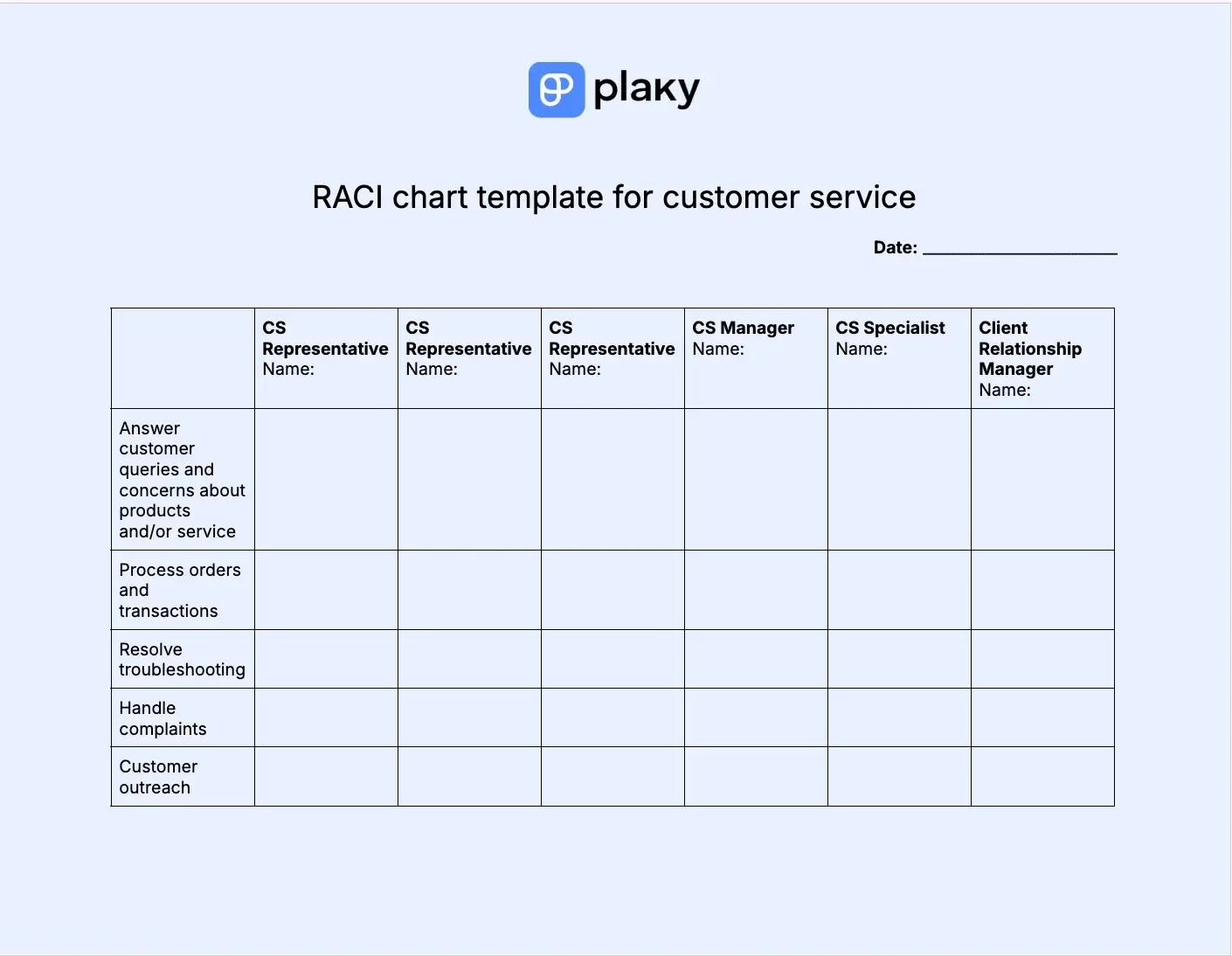
Download: Google Docs, Word, Google Sheets, Excel, PDF
If you’re working in customer service, you know how good work organization matters to ensure fast and effective support and foster loyalty.
Our RACI chart template for customer service allows you to:
- Add date when the chart is created.
- Assign roles for all the people involved. (Not all the people will have roles in all tasks.)
- Add notes about the tasks or people involved in the project.
You can further customize the template by adding new tasks and activities and use it for daily, weekly, or monthly tasks. By having an organized system, you can reduce resolution times and easily turn your customer into advocates.
#6 RACI chart template for event planning
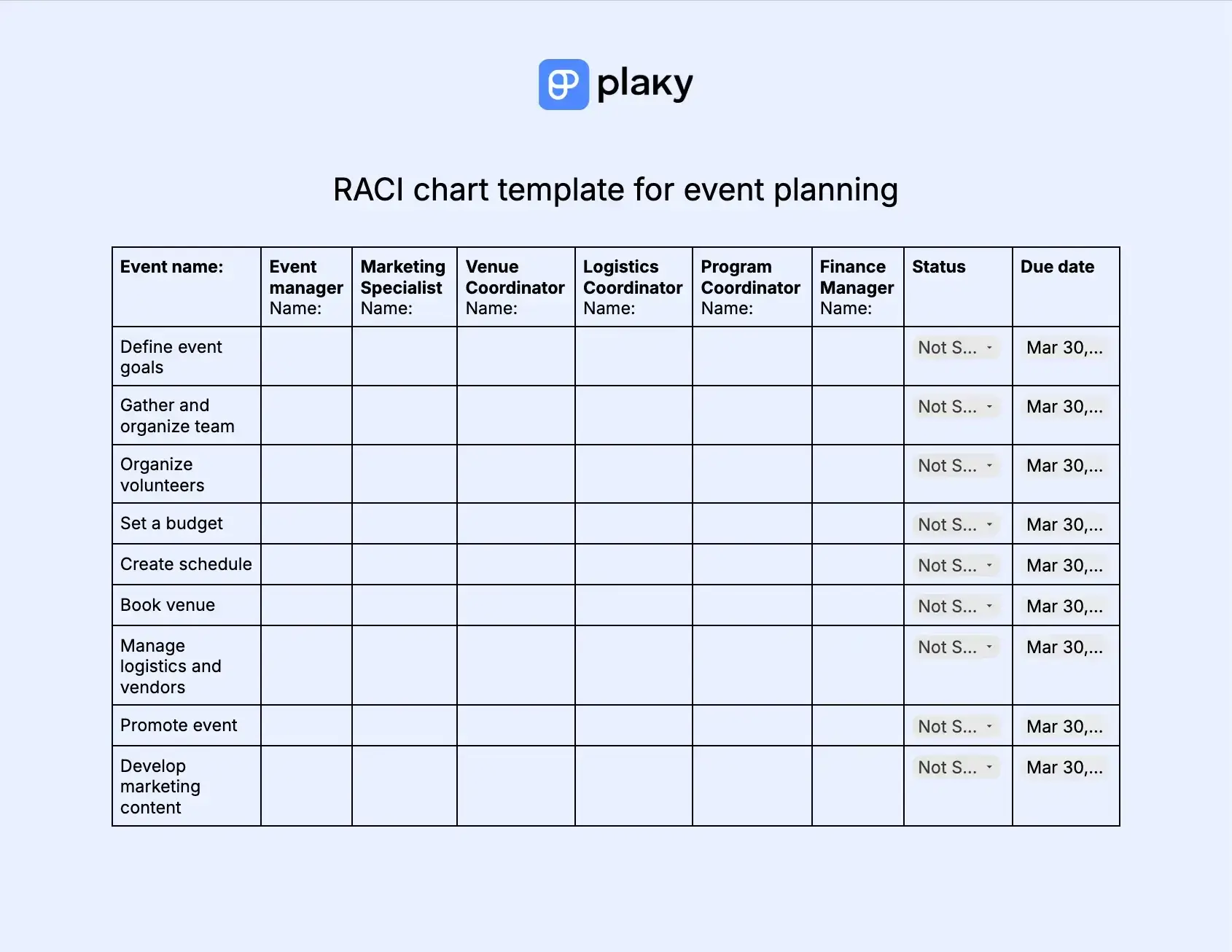
Download: Google Docs, Word, Google Sheets, Excel, PDF
Event planning always includes a lot of hustle and bustle, as such endeavors include plenty of folks. But, when everyone knows their roles and responsibilities, it gets easier to keep things running smoothly. And, that’s exactly where this RACI chart template comes in to save the day.
You can use the template to:
- Assign relevant roles to relevant people.
- Set due dates to keep the process smooth.
- Set status like In progress, Completed, Blocked, or Not started to easily follow the progress and reschedule if needed.
- Leave notes.
With this template, you can ease cross-functional collaboration and make it easy for everyone to catch up and see who or what blocks the process.
💡 CONSEJO PRO DE PLAKY
Need to plan a corporate or nonprofit event, but have no idea how to start? No worries! Check out the articles below, and plan events with no trouble:
Try Plaky’s event planning template
#7 RACI chart template for content creation
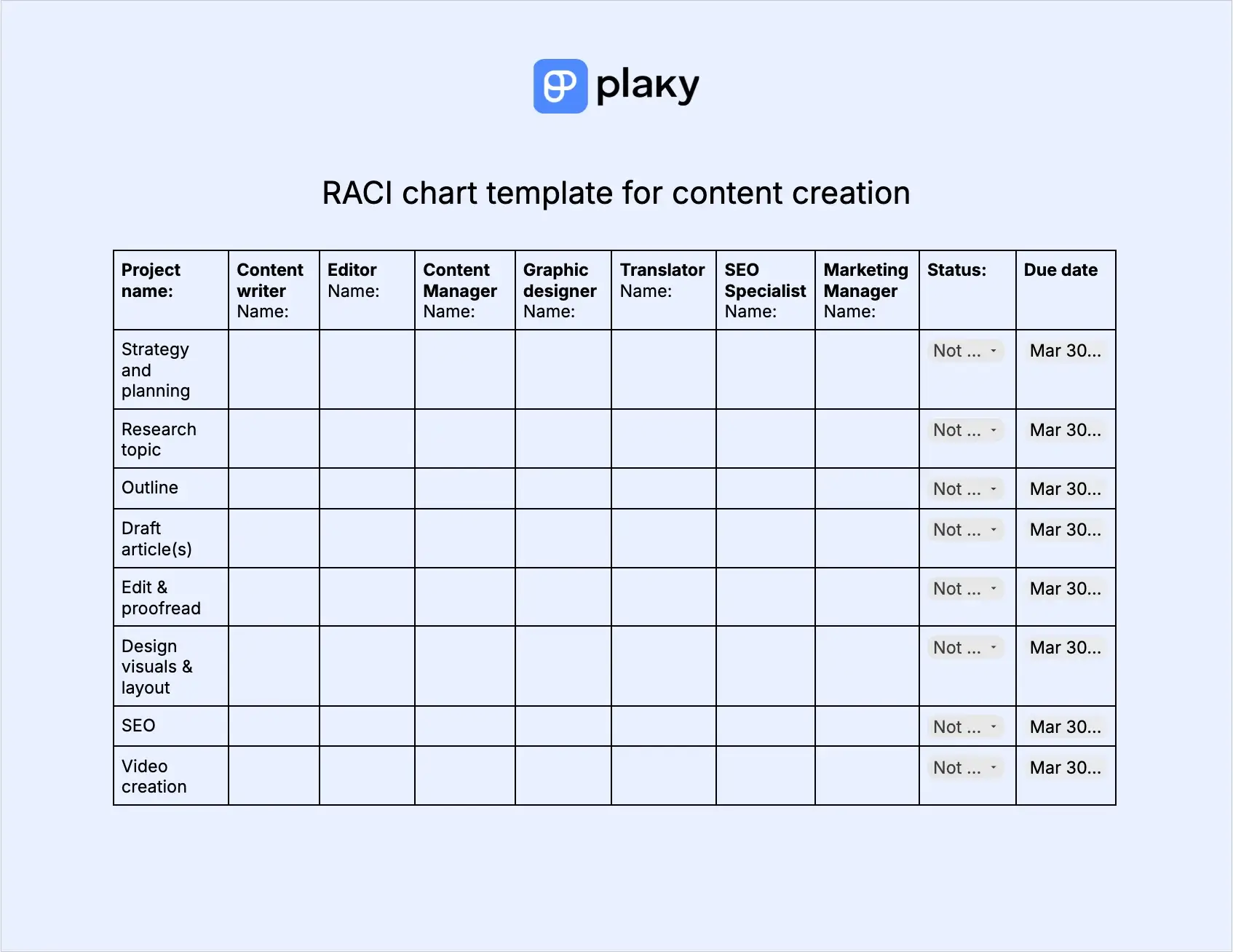
Download: Google Docs, Word, Google Sheets, Excel, PDF
This template catches the major steps you need to take in content creation. From strategy and planning to publishing, you’ll improve organization and streamline teamwork. Use the template to:
- Assign roles to relevant people in the process.
- Track task status and see when it’s In progress, Blocked, Completed, or Not started.
- Set due dates so the process can move forward.
- Add additional remarks in the Notes section.
This RACI chart template helps you save time allowing faster editing and approval process thanks to clear roles.
💡 CONSEJO PRO DE PLAKY
You can create a content plan in only 5 steps. Find out more in the article below:
#8 RACI chart template for construction projects
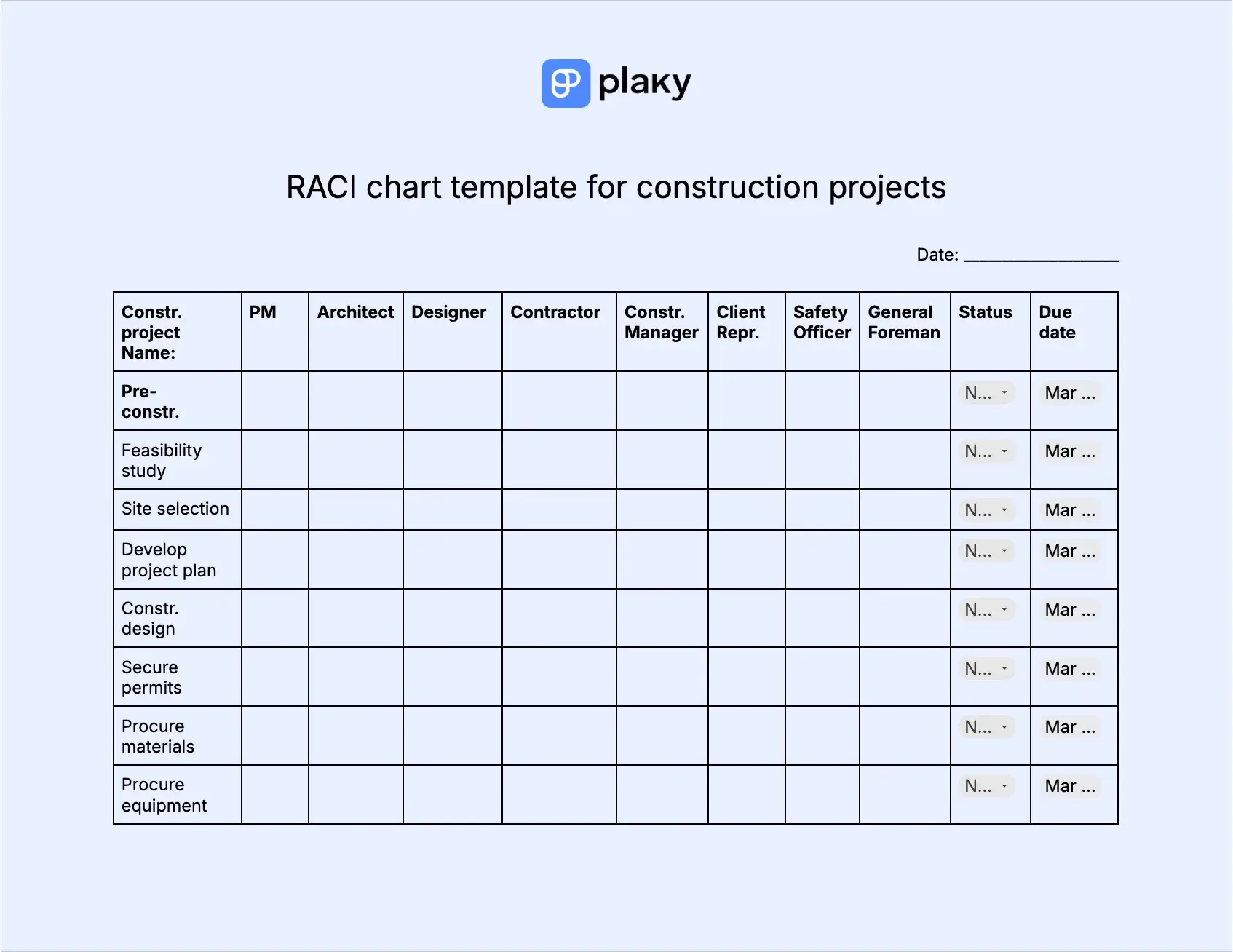
Download: Google Docs, Word, Google Sheets, Excel, PDF
From initiation to completion, construction projects involve tons of tasks and an army of workers and professionals. That’s why it’s crucial to know who does what and in what phase.
With our RACI chart template for construction projects, you’ll be able to:
- Share roles and responsibilities to people in charge of the project.
- Keep track of steps in pre-construction, construction, and post-construction phases.
- Set due dates for all the steps.
- Set current status for all the steps to enhance prioritization and plan on time.
- Add notes if needed.
This RACI chart template will help you keep the construction project management process in order and through all the phases. Having clear roles helps you stick to specified time frames, improve efficiency, and streamline decision-making and approval system.
#9 RACI chart template for website launch
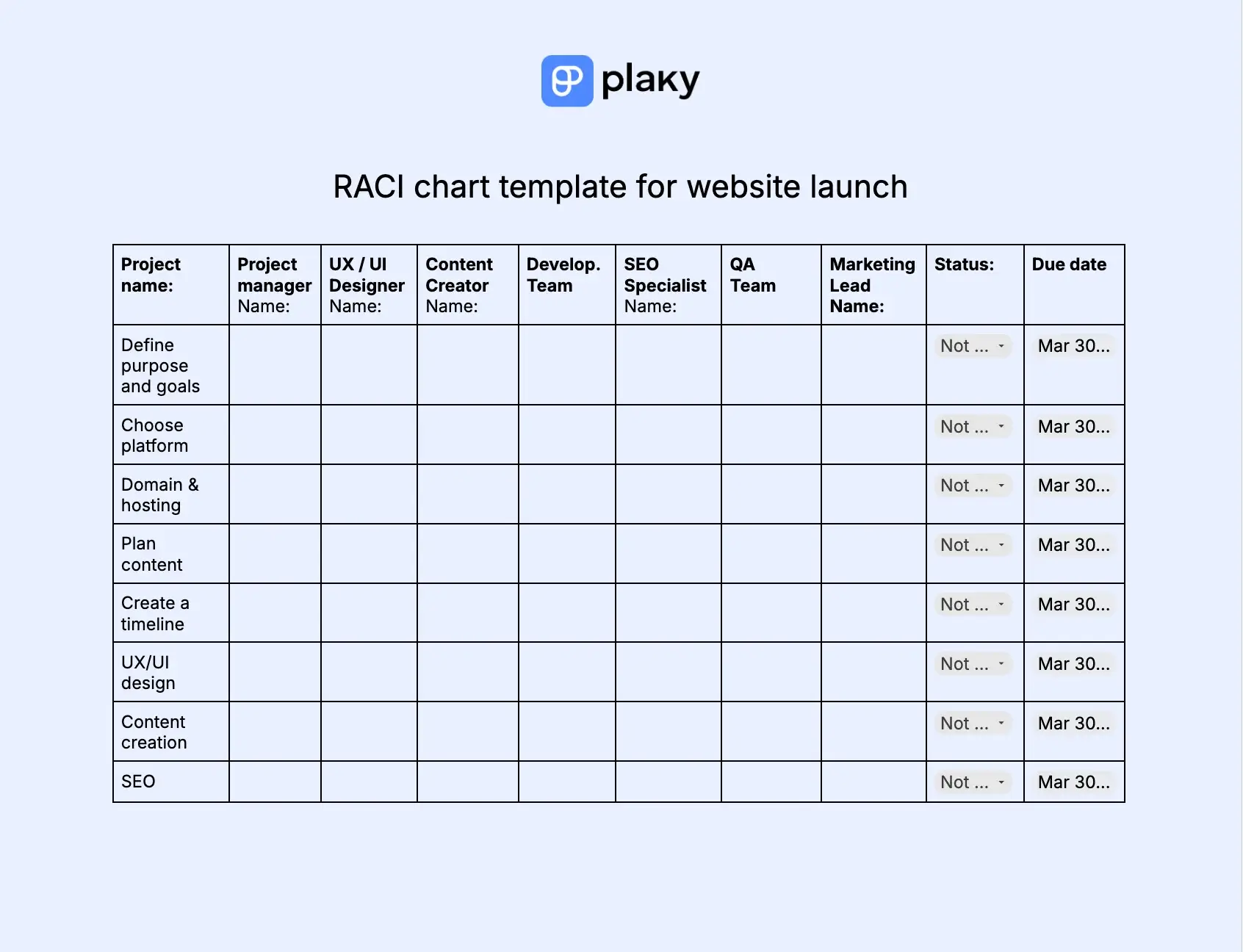
Download: Google Docs, Word, Google Sheets, Excel, PDF
RACI chart template is a great tool to standardize the way your agency launches a website. You can use this template to:
- Assign roles to relevant people.
- Set due dates for each step.
- Track status of each step and spot bottlenecks on time.
- Add additional remarks.
As a single point of accountability, you’ll always know who is on the hook and whose door to knock on for sign-offs.
#10 RACI chart template for a marketing campaign
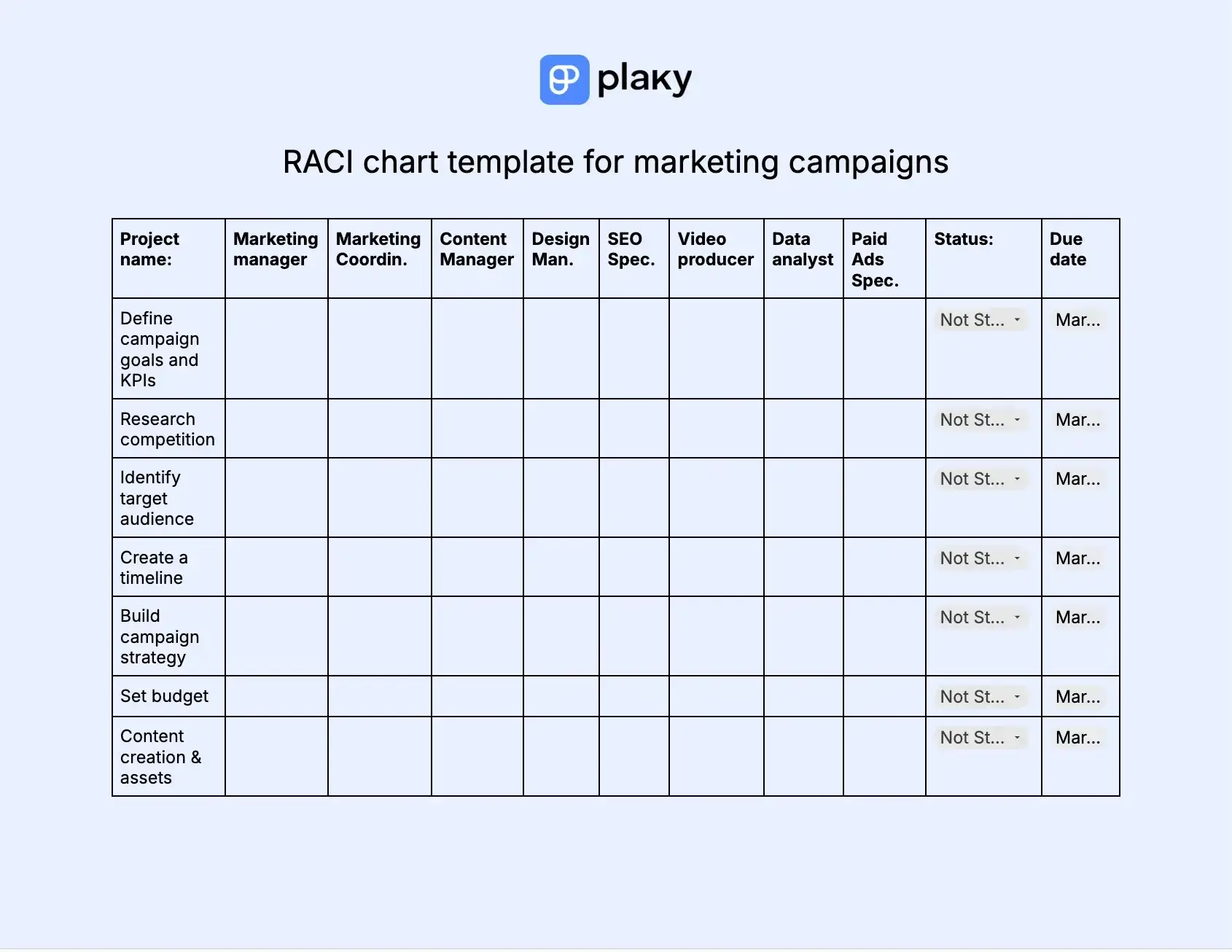
Download: Google Docs, Word, Google Sheets, Excel, PDF
If you’re planning a new marketing campaign, RACI chart template is your go-to tool. You can use it to:
- Assign roles and responsibilities to the right people.
- Set due dates for each task.
- Keep track of task status to enable smooth campaign progress.
- Add additional remarks in the notes section.
A detailed and yet fully customizable RACI chart template helps you adapt tasks to any marketing campaign and still keep the same organizational standards. Clear roles and responsibilities improve approval processes and reduce bottlenecks.
💡 CONSEJO PRO DE PLAKY
Managing marketing campaigns sounds exciting, but once you step into it, things can quickly go off the track. Read the article below to learn how to launch your campaigns without a hitch:
#11 RACI chart template for sales
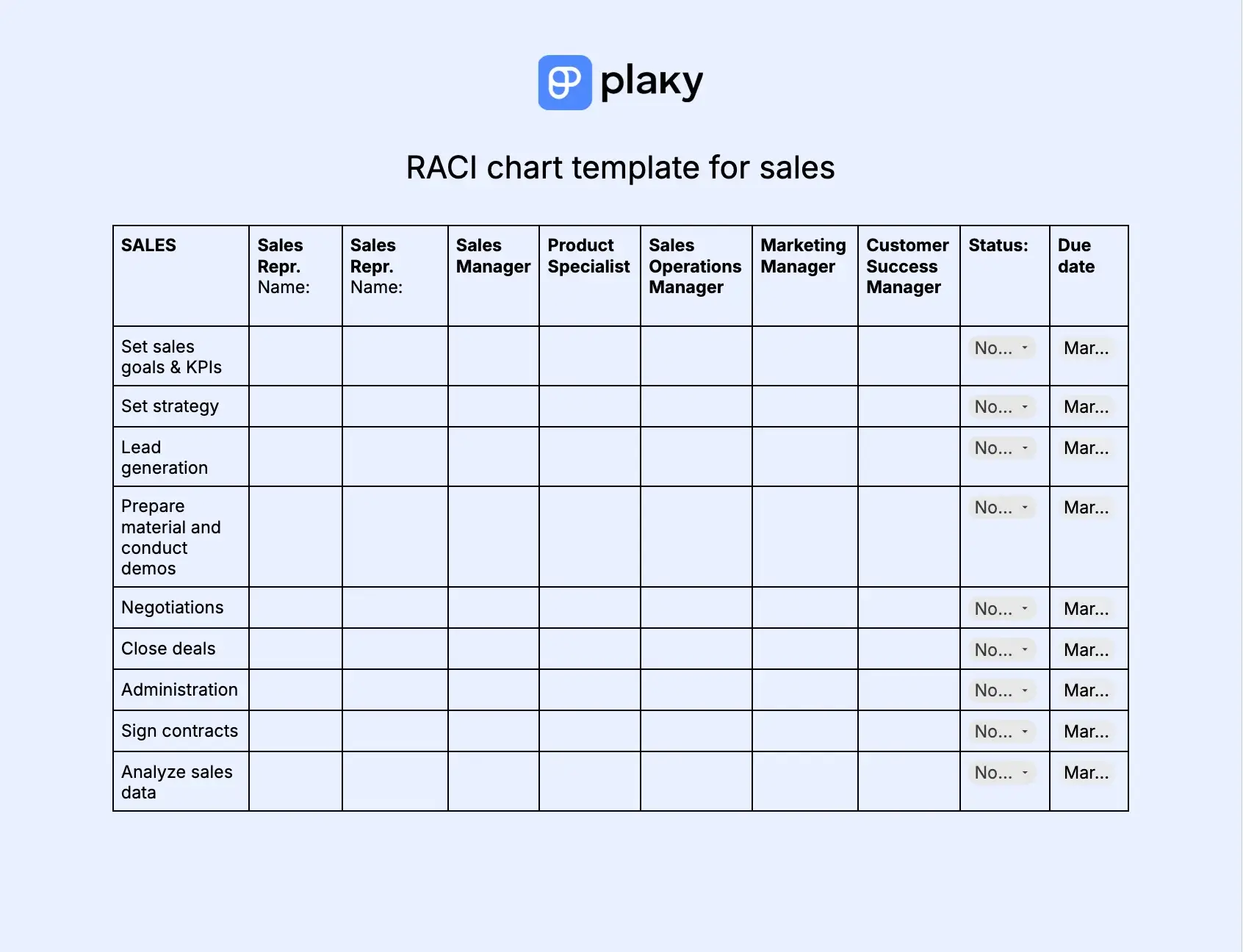
Download: Google Docs, Word, Google Sheets, Excel, PDF
Just like with any of the previous use cases, role clarity is essential for sales as well. This RACI chart template allows you to:
- Distribute roles across your Sales team.
- Track status of your tasks and streamline the sales process effectively.
- Set due dates for each task to prevent leads from falling through the cracks.
- Add notes relevant for the sales process.
Knowing who does what in your dynamic sales process helps you avoid duplicate work and close deals faster. Additionally, you keep customer success, product, and marketing teams in the loop, which reduces friction and improves collaboration.

RACI chart benefits and limitations
Clear roles and responsibilities are more than welcome, and that’s exactly where RACI charts excel. Let’s name some other pros of using RACI charts in project management:
- Streamlined communication — With a RACI chart, you always know who to loop in, consult, or update about the progress, which helps you reduce unnecessary fuss.
- Enhanced accountability — Defined roles in a RACI chart help you eliminate confusion over who’s accountable. There are no “I thought someone else was handling it” situations.
- Efficient decision-making process — RACI charts clearly state who has the final say and/or gives approvals. This prevents decision bottlenecks and speeds up processes.
- Improved delivery — There’s no duplicate work with a RACI chart, as it eliminates any ownership ambiguity. This way processes are well-optimized and delivery speed highly improved.
- Reduced micro-management — As RACI charts clearly define responsibilities, it helps you set boundaries. This keeps overbearing executives or stakeholders from micro-managing the tasks they should only be consulted or informed about.
- Easy identification of role overload — In case one person gets too many “Rs” or “As” in the RACI chart, you can easily identify overload and prevent burnout or delays.
- Minimized interpersonal friction — RACI charts are a single source of truth, as they clearly define who does what helping you avoid conflicts and blame-shifting.
Still, with all the benefits RACI charts offer, it’s hard to bring limitations into the open before you stumble on them. Here are a few main problems with RACI charts:
- Complexity — they are often too rigid for small, simple projects.
- Ambiguity — a lack of full role scope definition can create confusion, as team members don’t know their range of obligations and duties.
- Lack of any task details — this can cause misunderstanding over the responsibilities one should take on.
- Rigidity — strict role assignments limit flexibility in dynamic teams where certain team members often play multiple roles.
- Incompatibility — these charts are often redundant in Agile teams where accountability is team based.
Best practices for using a RACI chart
If you’re planning to put a RACI chart to use, make sure you follow some of these practices to get the most out of it:
- Don’t complicate the chart — A RACI chart should be lightweight and simple so that everyone can understand who does what.
- Share a RACI chart with your team — A RACI chart is a fast-reference guide for your entire project team, and you should clearly communicate it with them.
- Review and update the chart regularly — Once you create a RACI chart, don’t let it drop off the radar. Keep it up-to-date, especially when projects are dynamic to prevent mistaken assumptions and speed up onboarding.
- Integrate the chart with your project management software — Let the chart live where your tasks and timelines reside. This makes it easier to update the chart and notify team members about it. Also, you’ll ensure enhanced visibility and real-time accountability.
Sign up for Plaky’s free trial
What are the RACI chart alternatives?
Sometimes, the RACI chart won’t be the right tool for your new project or team. Take a look at some good alternatives that might be a smarter choice.
| Framework name | Definition | Best for: |
|---|---|---|
| RASCI | Responsible, accountable, supportive, consulted, and informed | Complex projects when you need to include additional support/help (internal or external) |
| RAS | Responsible, approve, support | Simple projects that don’t require consulted and informed parties |
| RAPID | Recommend, agree, perform, input, and decide | Faster decision-making processes that often require input from stakeholders |
| CLAM | Contribute, lead, approve, and monitor | Projects that require distinct leadership and supervision |
| CARS | Communicate, approve, responsible, and support | Projects that need a multi-layered oversight because they go through multiple stages and require effective communication |
| DACI | Driver, approver, contributor, and informed | Action-oriented projects where task execution is the central focus |
| RACIQ | Responsible, accountable, consulted, informed, and quality reviewer | Projects that require strict quality assurance |
Frequently asked questions
Let’s go over some of the questions that might help you understand the value of RACI charts.
What does RACI stand for?
RACI is an acronym for its 4 components: “Responsible”, “Accountable”, “Consulted”, and “Informed”. Each of these stands for a particular role one is assigned to, and each role takes on certain responsibilities for successful task completion.
Is RACI outdated?
No, not at all. A RACI chart is still in use as an effective tool that provides clarity, encreases efficiency, and reduces role overlap.
What is the golden rule of every RACI chart?
The golden rule of every RACI chart is — Keep only one person accountable.
When should you create a RACI chart for your team?
It’s best to create a RACI chart when you:
- Start a project
- Manage complex projects
- Manage cross-functional teams and projects
- Want to avoid role confusion, etc.
Is RACI part of Six Sigma?
Yes, RACI charts are used as an effective tool in Lean Six Sigma. They help managers define roles and responsibilities. A RACI chart is often added to the recognize phase before DMAIC projects start to reduce confusion and conflict making sure nothing falls through the cracks.
Improve team efficiency and keep accountability with Plaky
A RACI chart is a valuable tool that helps you coordinate roles team members have and improve team efficiency.
But, to keep your projects and teams on track, you need something more powerful than a RACI chart — you need Plaky by CAKE.com.
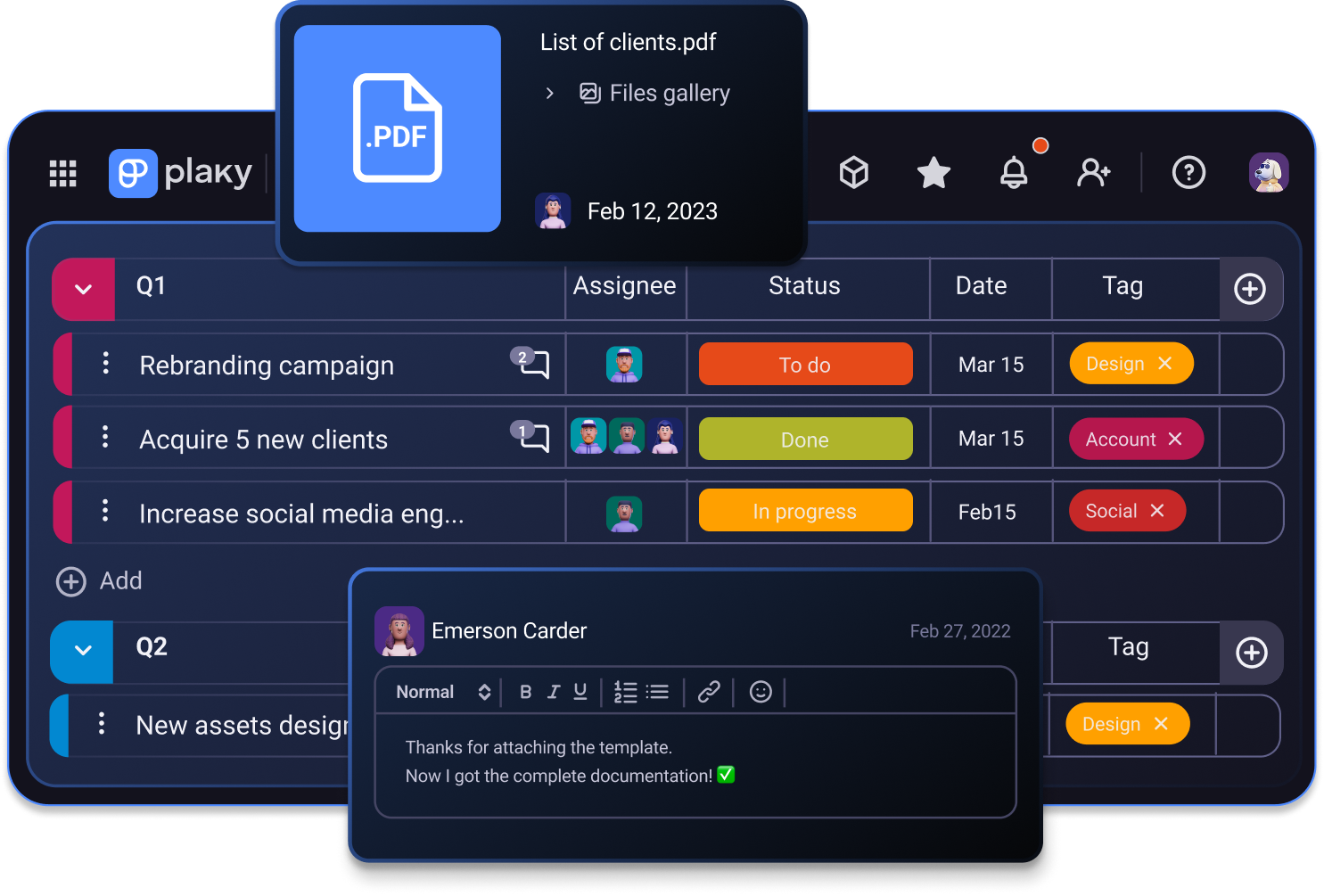
Plaky is simple and affordable software for smooth management of your projects, tasks, and teams. It lets you:
- Organize and keep all task-related info in one centralized space — you get a complete and clear overview of task status, due dates, assignees, and more.
- Keep track of all changes — Plaky’s Activity log allows you to track project and tasks’ history helping you stay informed.
- Track progress — you can use Plaky’s Gantt chart view to get the big picture of your project and see progress on a timeline.
- Collaborate with your team in real-time — use comments to share task-related info, keep files right in a task card for easy access, and instantly receive notifications on all project and task updates.
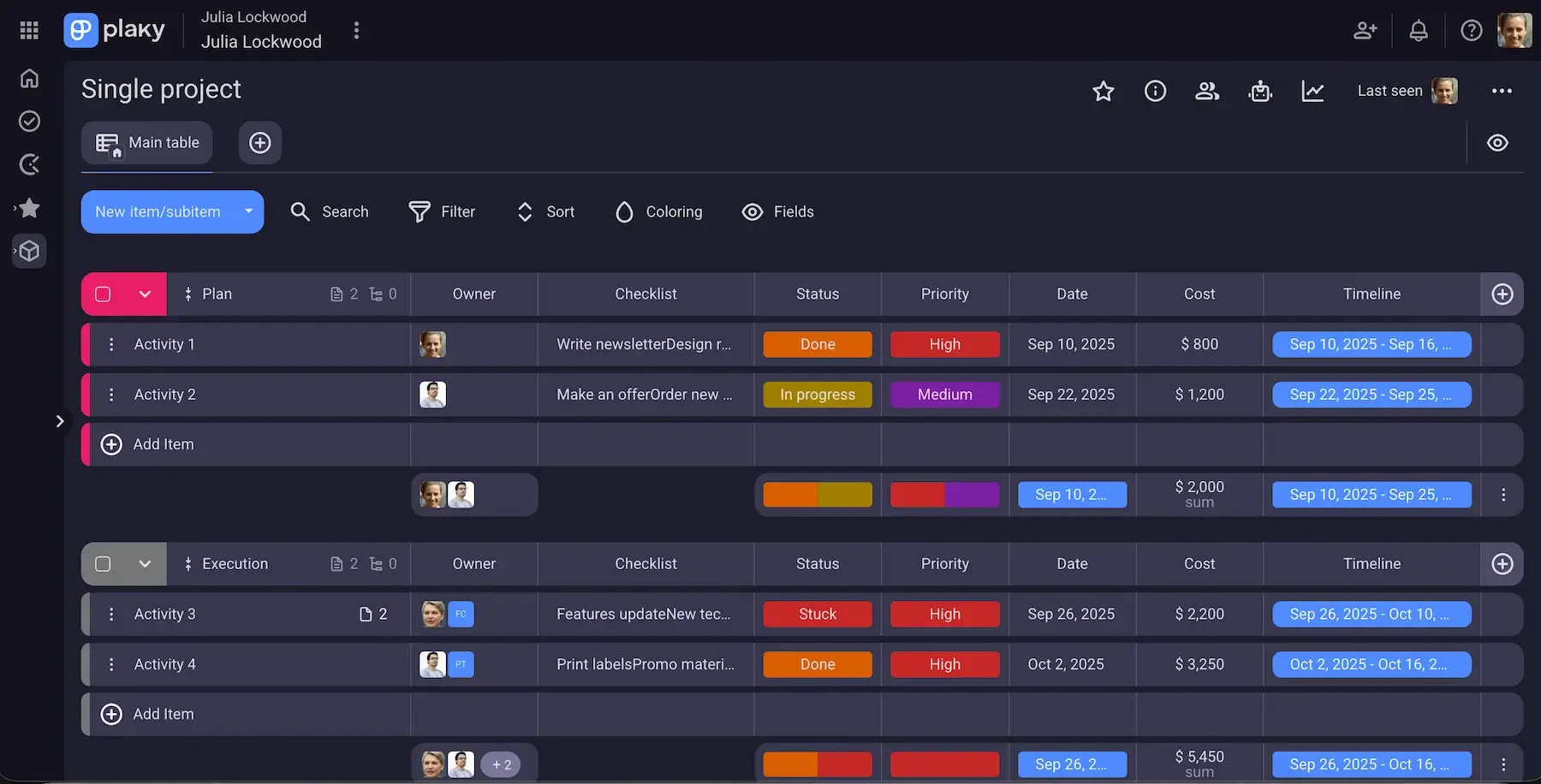
The best thing about Plaky by CAKE.com is that even its free plan offers unlimited:
- Espacios
- Tableros
- Files
- Elementos
- Storage
So, whatever plan you opt for, Plaky won’t limit the essentials you need to streamline your projects and teams. And, if you want to upgrade and get some advanced features like board automations, or Gantt charts, you can do it for only $3.99 per seat/month.
¿Y qué más?
If you want to improve your team’s productivity in the long run, you should consider Plaky + Clockify integration. By measuring time through Clockify (time tracking app) directly in Plaky, you’ll know how much time your “Responsible” team members spend on tasks and make future plans more accurately.
Clarify roles and streamline projects easily with Plaky. Sign up for a free trial today!

