 Updated: September 11, 2025

Managing a business means always knowing what needs to be perfected — and then drafting specific goals and objectives to make it better.
Sometimes, managers define strategic objectives that are qualitative or too complex to be achieved in a short period of time or only by 1 team. That’s where key results enter the scene.
Objectives and key results together make up the OKR framework, which helps you stay on the right track when trying to achieve your goals.
Coming up with OKRs from scratch can be time-consuming, so we’ve made 8 OKR templates that you can use right away for free. Keep reading to get access to them in different formats – Google Docs, Word, Google Sheets, Excel, Google Slides, and PowerPoint.

What is an OKR template?
An Objectives and Key Results (OKR) template is a document that businesses use to organize and track their objectives and the key results necessary to achieve them.
Besides objectives and key results, OKR templates usually include:
- Assignees,
- Due dates or timelines, and
- OKR’s progress.
OKR templates are reusable and let companies track their progress throughout the years in a uniform way.

Why you should track OKRs
Essentially, tracking OKRs helps you:
- Stay focused — Stop wasting time and energy on non-priority tasks with a clear list of OKRs that reminds you to focus on what’s important.
- Track progress and measure success — Use OKRs to see whether all the objectives have been accomplished in the predicted time frame.
- Improve strategic planning — Organize your work and resources more strategically to meet your goals with precisely defined OKRs.
- Increase accountability — Assigning OKRs to teams or a specific project role makes it clear who’s responsible for what.
8 free OKR templates
Want to create OKRs for your company but have little time and no clue where to start? Don’t worry — you can use our free OKR templates to get started right away.
Note: Add or remove sections from the templates to customize them to your needs.
#1 Simple OKR template
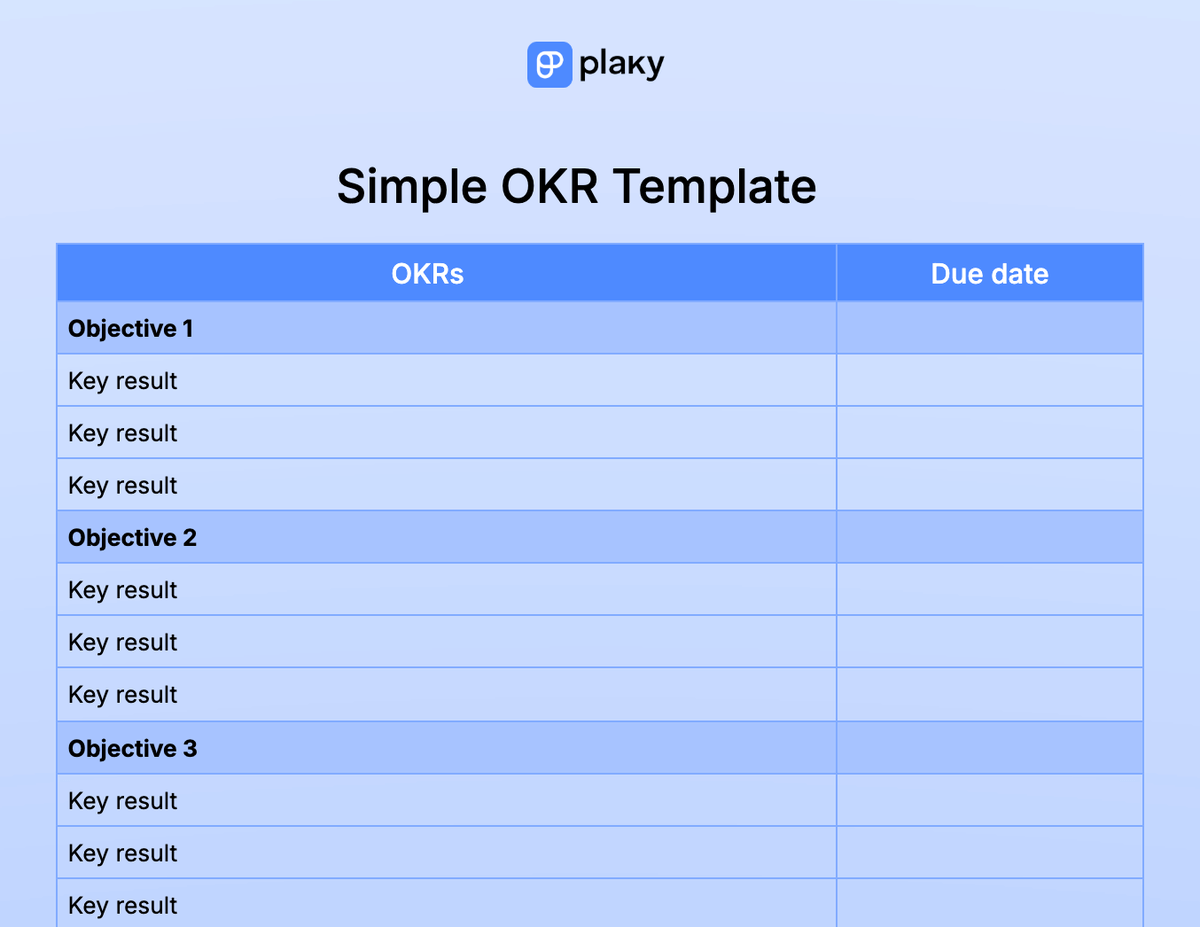
Download: Google Docs | Word | Google Sheets | Excel | PDF
Our simple OKR template includes objectives, the key results needed to accomplish them, and the date by which they should be accomplished.
As the name suggests, this is a simple template with only 3 components that should help you stay on the right track and meet all your goals.
#2 OKR goals template
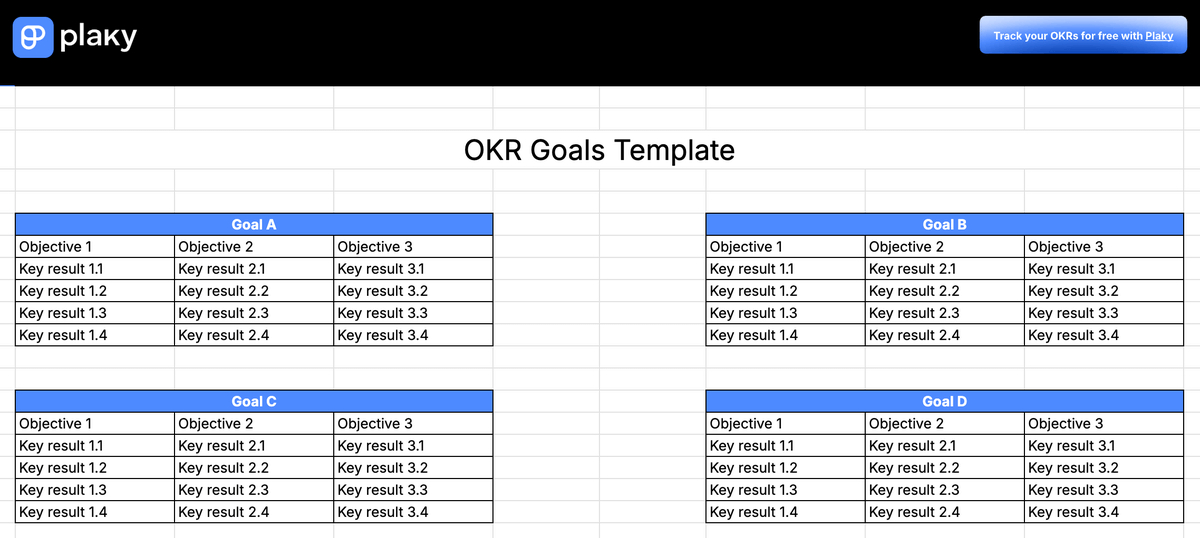
Download: Google Docs | Word | Google Sheets | Excel | PDF
Our OKR goals template can be used to track both personal and company goals.
In the template, objectives and key results are divided according to goals, and each goal has its objectives with corresponding key results.
#3 OKR PowerPoint Template
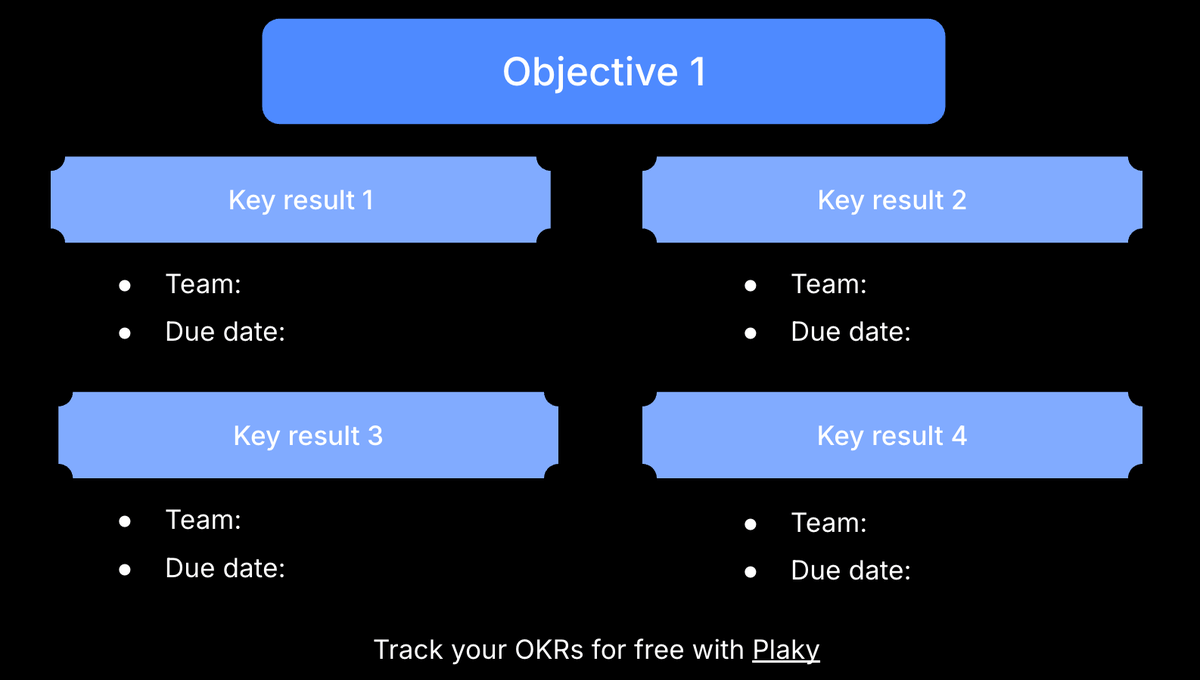
Download: PowerPoint | Google Slides
Our OKR PowerPoint template offers a visual presentation of objectives and key results. It’s also available as a template in Google Slides.
You can dedicate each slide to one objective and include its corresponding key results. Then, assign each key result to a team and define its deadline.
#4 Team OKR template
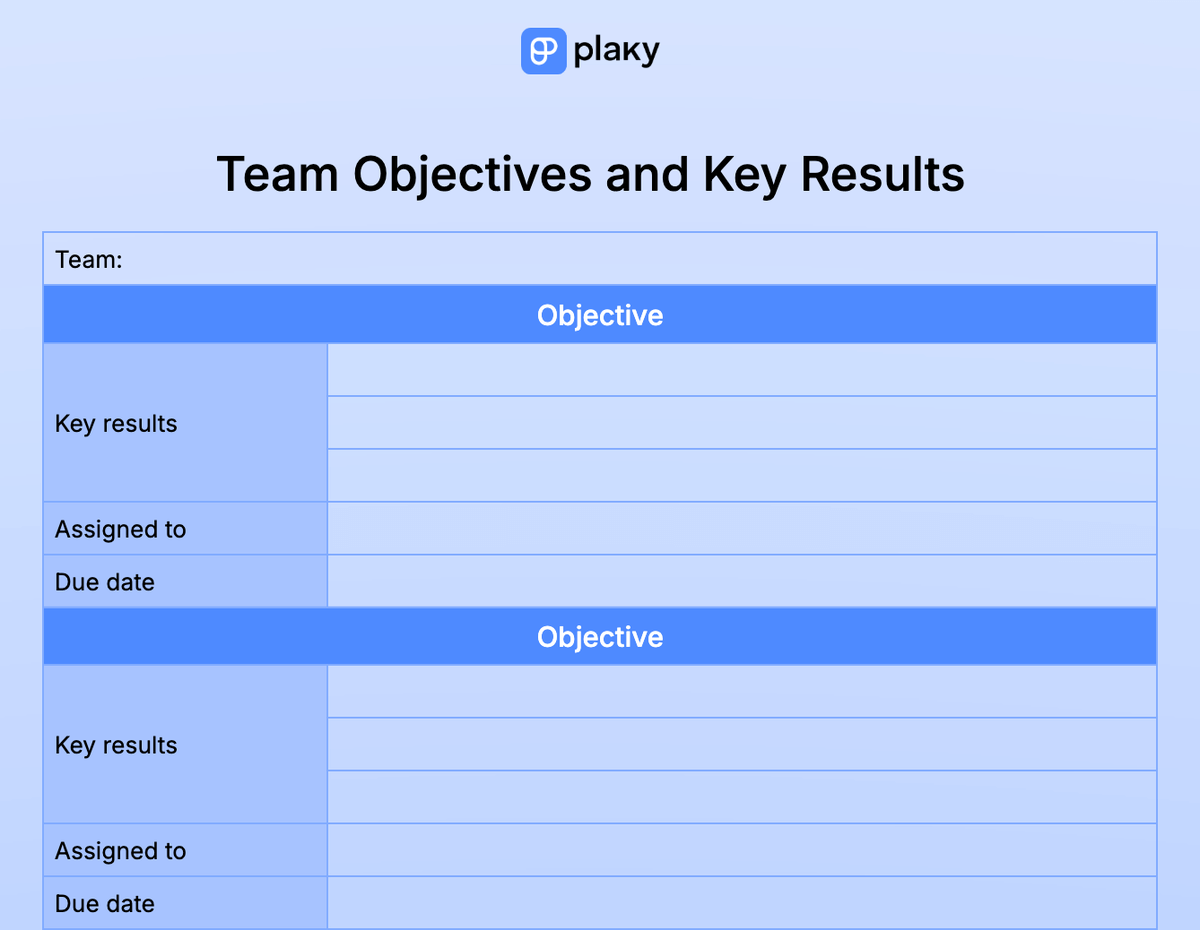
Download: Google Docs | Word | PDF
Our team OKR template includes:
- Objectives,
- Key results,
- Assignees, and
- Due dates.
This template is especially useful for increasing accountability since every objective is assigned to a team member. This way, it’s easy to track individual contributions across the entire team.
#5 Company OKR template
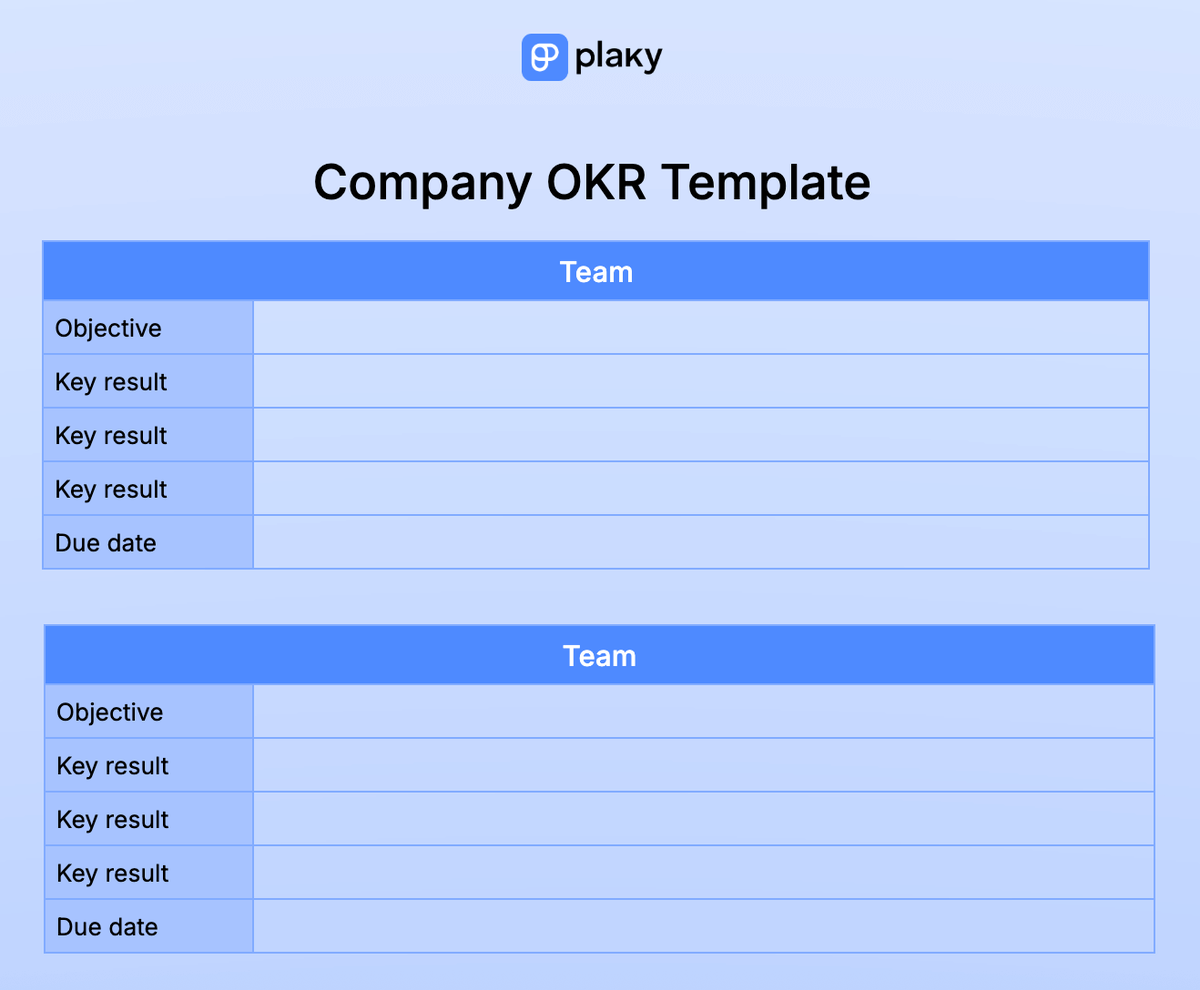
Download: Google Docs | Word | Google Sheets | Excel | PDF
Our company OKR template includes sections dedicated to each team. This kind of template is specifically designed for C-level management as it can be used for establishing strategic goals for a variety of teams.
Within the template, you can define objectives for each team in the company, followed by key results and an estimated due date.
#6 OKR planning template
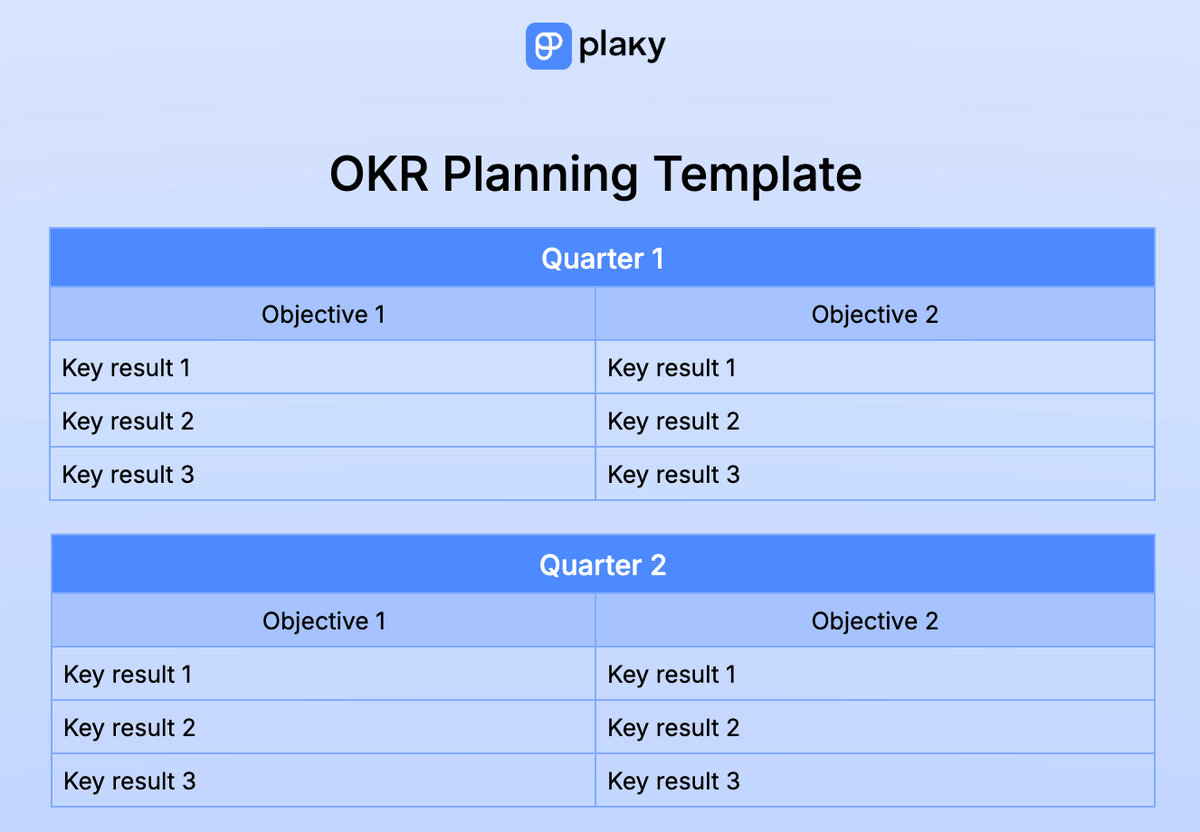
Download: Google Docs | Word | Google Sheets | Excel | PDF
Our OKR planning template helps you plan your company’s future by dissecting objectives one quarter at a time.
You’ll have enough space to plan your OKRs for the current year, quarter by quarter, in the first page/tab. Meanwhile, the other pages and tabs are dedicated to long-term plans for the next 4 years.
💡 Plaky Pro Tip
Looking for templates to help you map your strategies with ease? Try one of our strategic planning templates:
#7 OKR tracking template
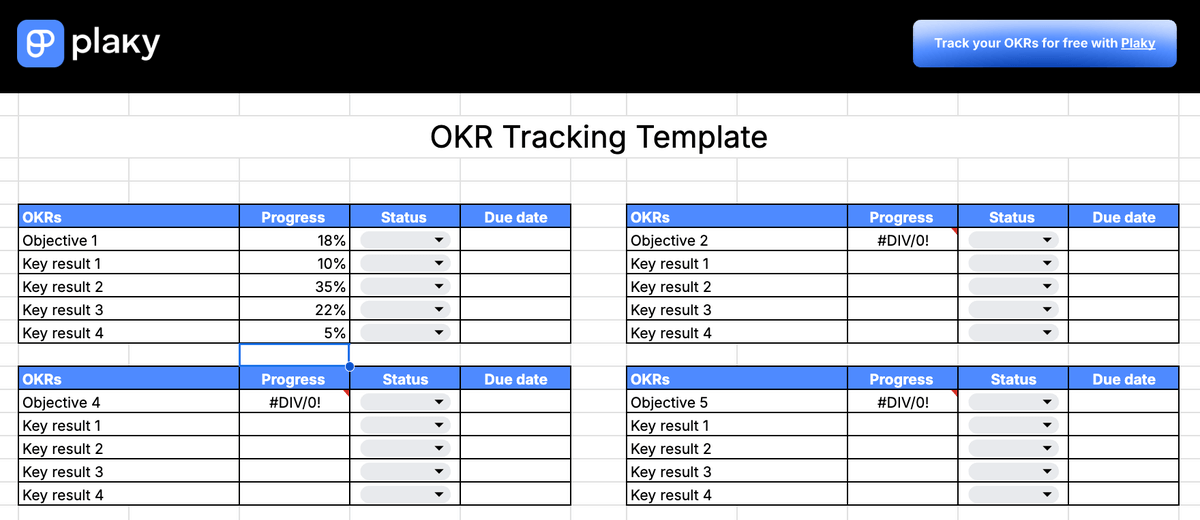
Download: Google Sheets | Excel
Our OKR tracking template includes:
- OKRs,
- Progress expressed in percentages,
- Status, and
- Due date.
With this template, you can track the progress of your OKRs and see if you are falling behind on any of your objectives.
Note: Once you enter the percentage of the key result’s progress, the objective’s progress will be automatically calculated.

#8 Weighted OKR template
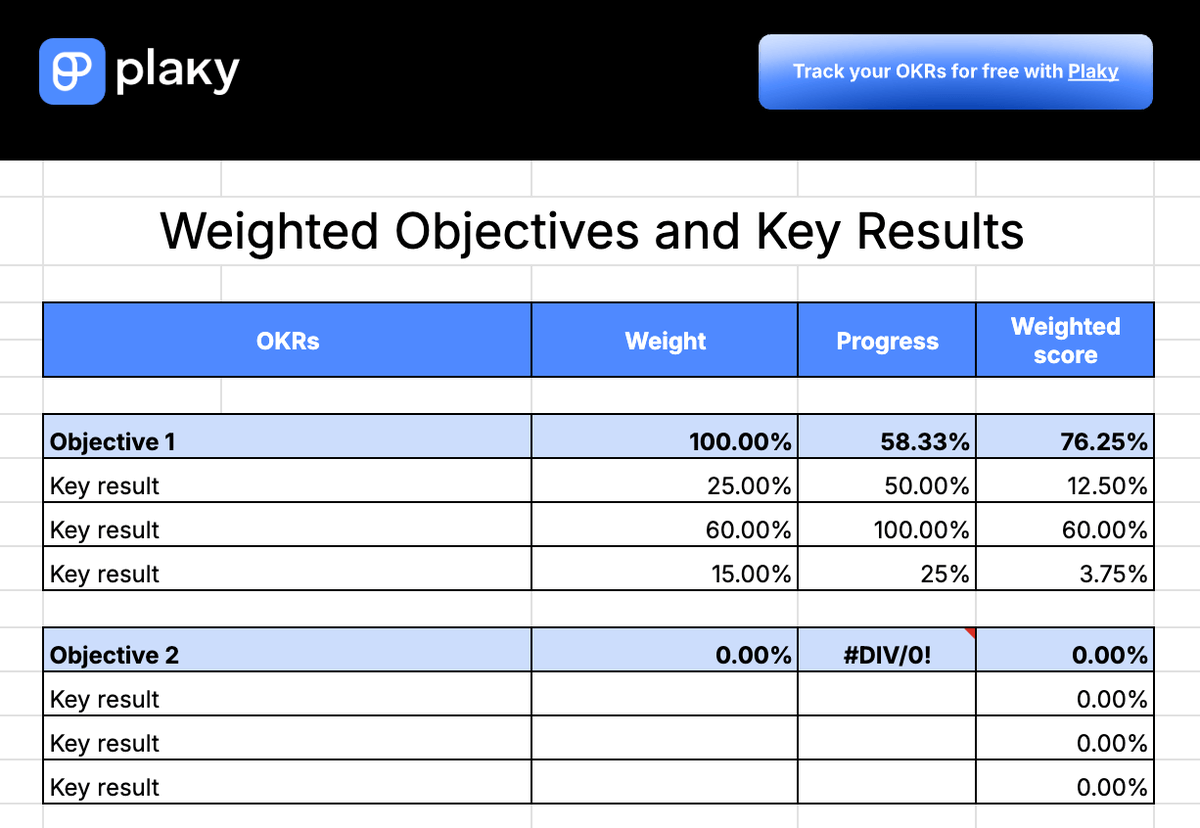
Download: Google Sheets
Our weighted OKR template is perfect for teams where key results don’t have the same weight, i.e., when some key results are much more important than the others.
This template includes:
- The weight of key results expressed in percentages,
- Progress, and
- Weighted scores.
Compared to our OKR tracking template, this template enables you to take into account the difference in the key results’ importance when calculating progress. Keep in mind, though, that the total weight of all key results should be 100%.
How to organize and track your OKRs with Plaky by CAKE.com
Tired of templates and eager to try a more efficient tool? Plaky is a project management tool that you can use to create a centralized system for tracking your OKRs.
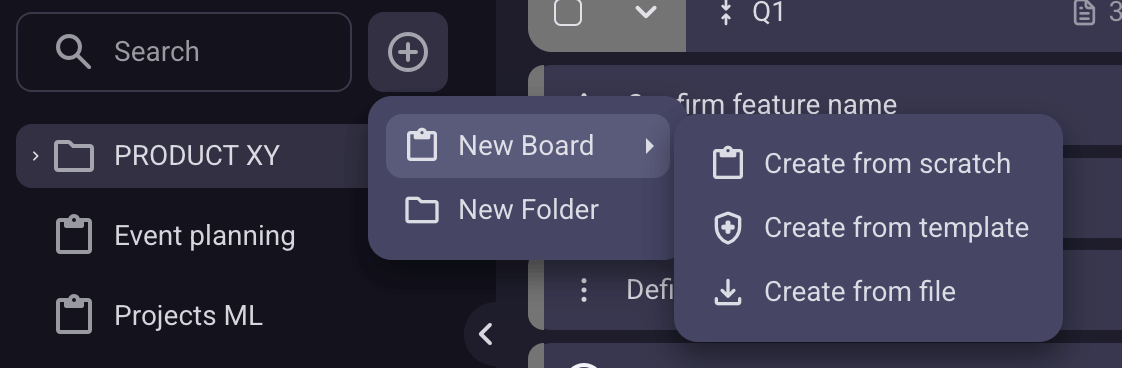
Plaky’s interface is highly customizable, letting you create and organize boards according to your needs. So, it’s possible to create a board specifically for tracking OKRs in a few simple steps:
- Click the + button in the menu on the left.
- Select New Board.
- Choose Create from scratch.
- Name the board (for example, “Company OKRs”).
- Click on Create Board.
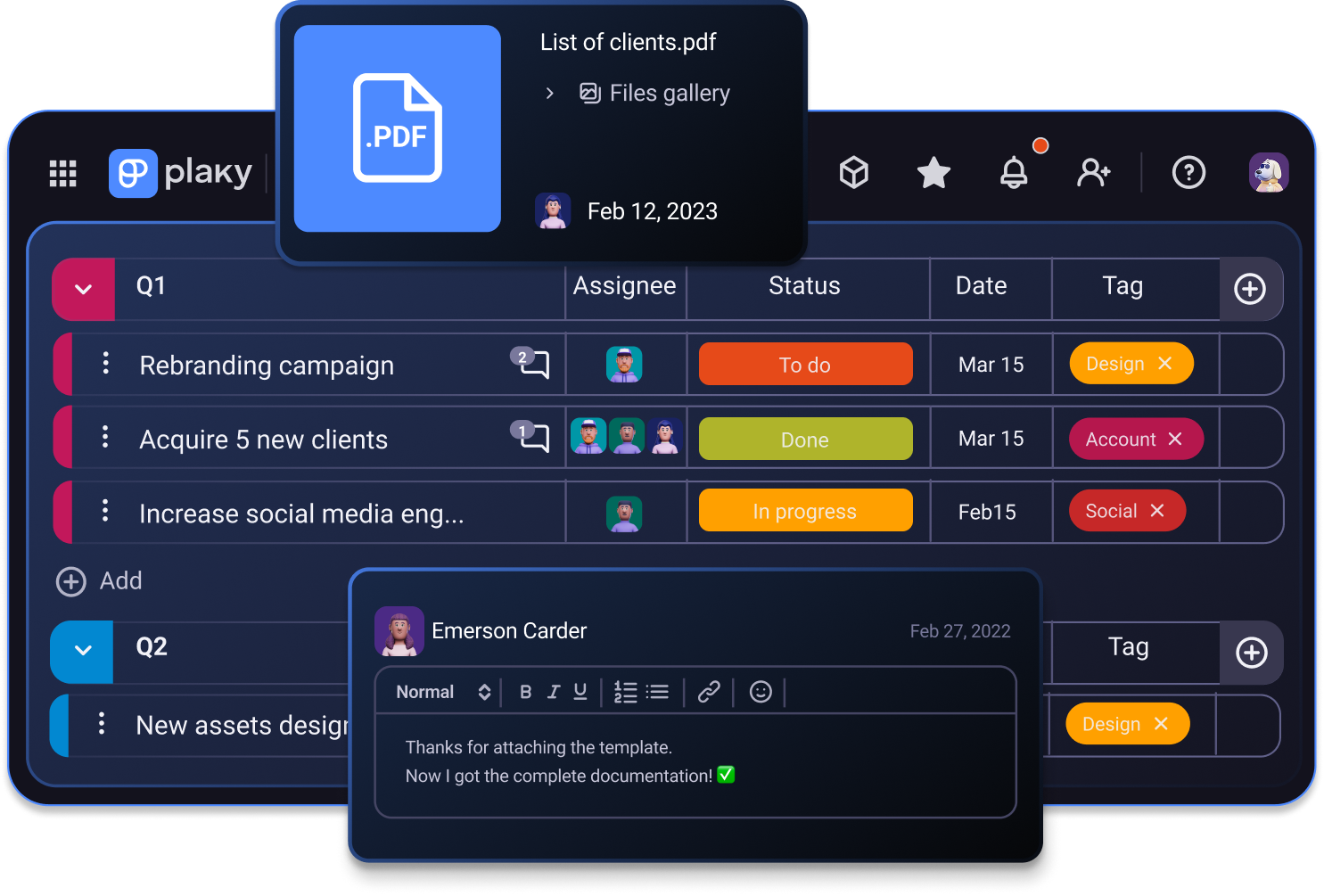
Once you have your board, you can create item groups that represent objectives and list key results as items within them. Each item can be enriched with as many details as necessary with custom fields, like:
- Status,
- Timeline, and
- Assignees.
Once you’re done, all the information will be in one place, enabling you to track and review your OKRs at a glance.
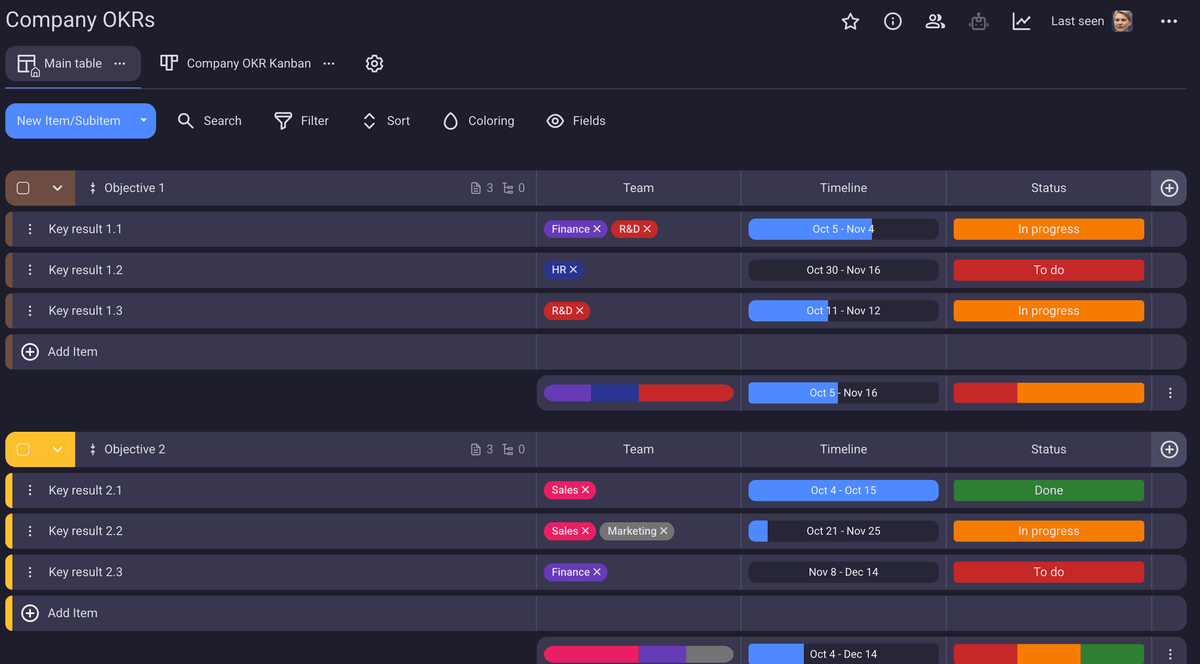
Of course, this is just one example. You can create as many boards as you want to track all types of OKRs.
We’ve provided a template for team OKRs, but you can create one in Plaky by CAKE.com, too. In fact, every team can have a dedicated board with its own objectives and key results that you can assign to one or more individuals!
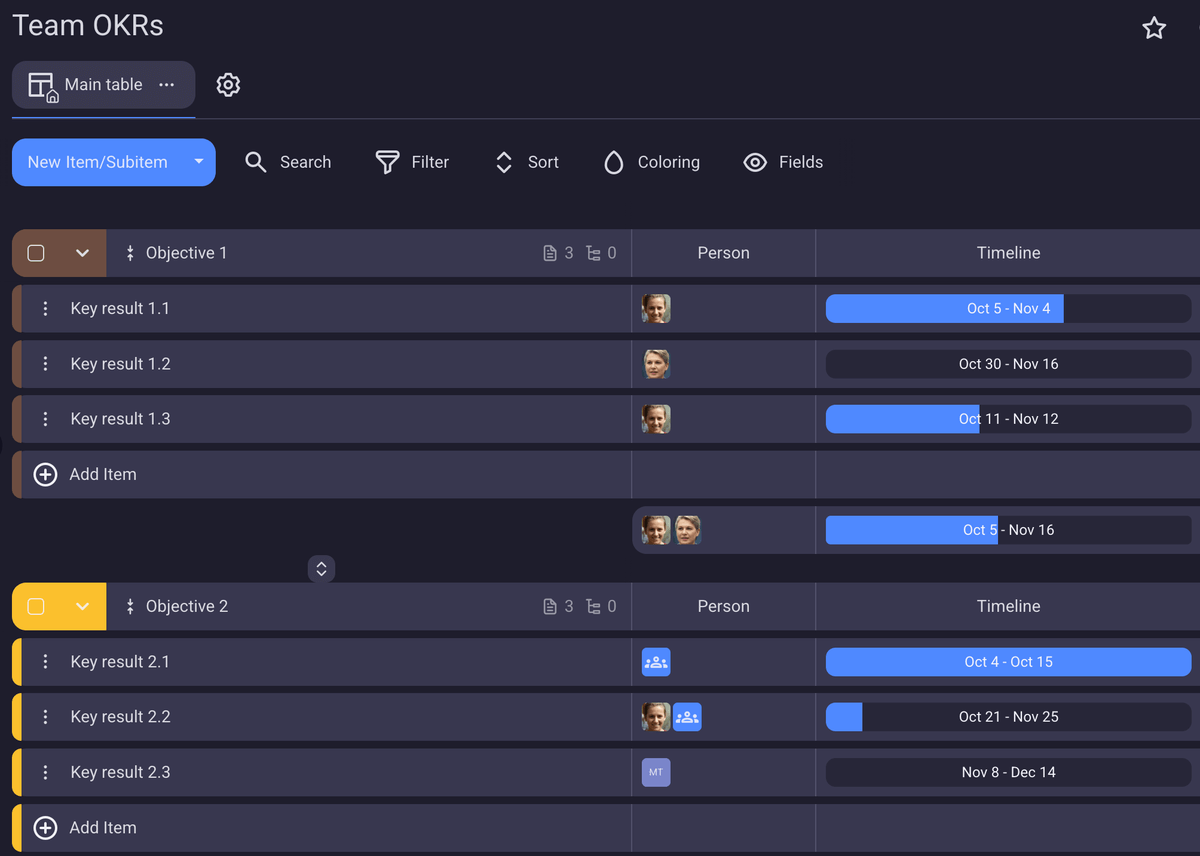
Not only will you be able to document your OKRs in Plaky, but you’ll also have the opportunity to track their progress. Here’s how:
- Let team members update each other by leaving comments within item cards and replying in threads.
- Don’t let any information slip through the cracks by @mentioning individuals and teams in comments.
- Keep all information in one place by adding files and links to item cards.
- Simply change the status of an item to notify subscribers in real time about any new development.
Prefer a more visual demonstration? Check out this video to find out how Plaky works:
Looking for a better way to track your OKRs? Try Plaky by CAKE.com! Sign up for a free 14-day trial and organize your OKRs in mere minutes.
Get started with Plaky by CAKE.com
How we reviewed this post: Our writers & editors monitor the posts and update them when new information becomes available, to keep them fresh and relevant.