



Inventory sheet templates provide a simple way to track, organize, and monitor inventory data without having to build a tracking system from scratch.
Whether you’re managing products, supplies, equipment, or warehouse stock, the right template can help streamline the process.
In this text, you’ll find the tools to help you manage all this — 12 free inventory sheet templates for Excel, Google Sheets, Google Docs, Word, or print, that will fit different occasions and necessities.
#1 Plaky’s inventory management template
Plaky offers a well-designed and robust inventory management template, which helps you keep your inventory lists right where all your other work is — as opposed to an external document shared around your team.
Plaky is a project management software by CAKE.com that offers a wide range of project management features, including different templates for different use cases.
Get our inventory management template
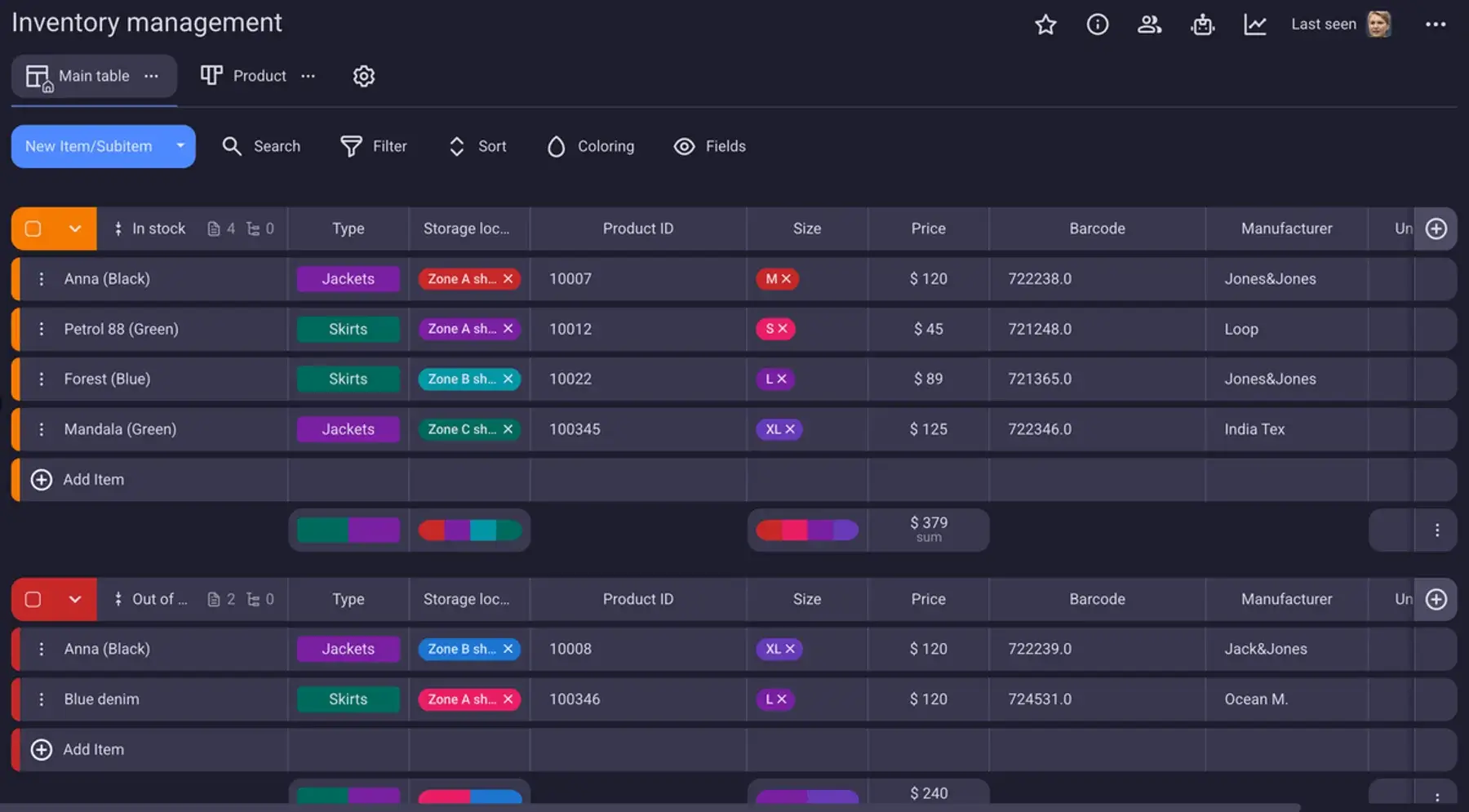
You’ll find that Plaky’s template is a lot more customizable than any spreadsheet, allowing you to set up custom Field types to track different aspects of your inventory.
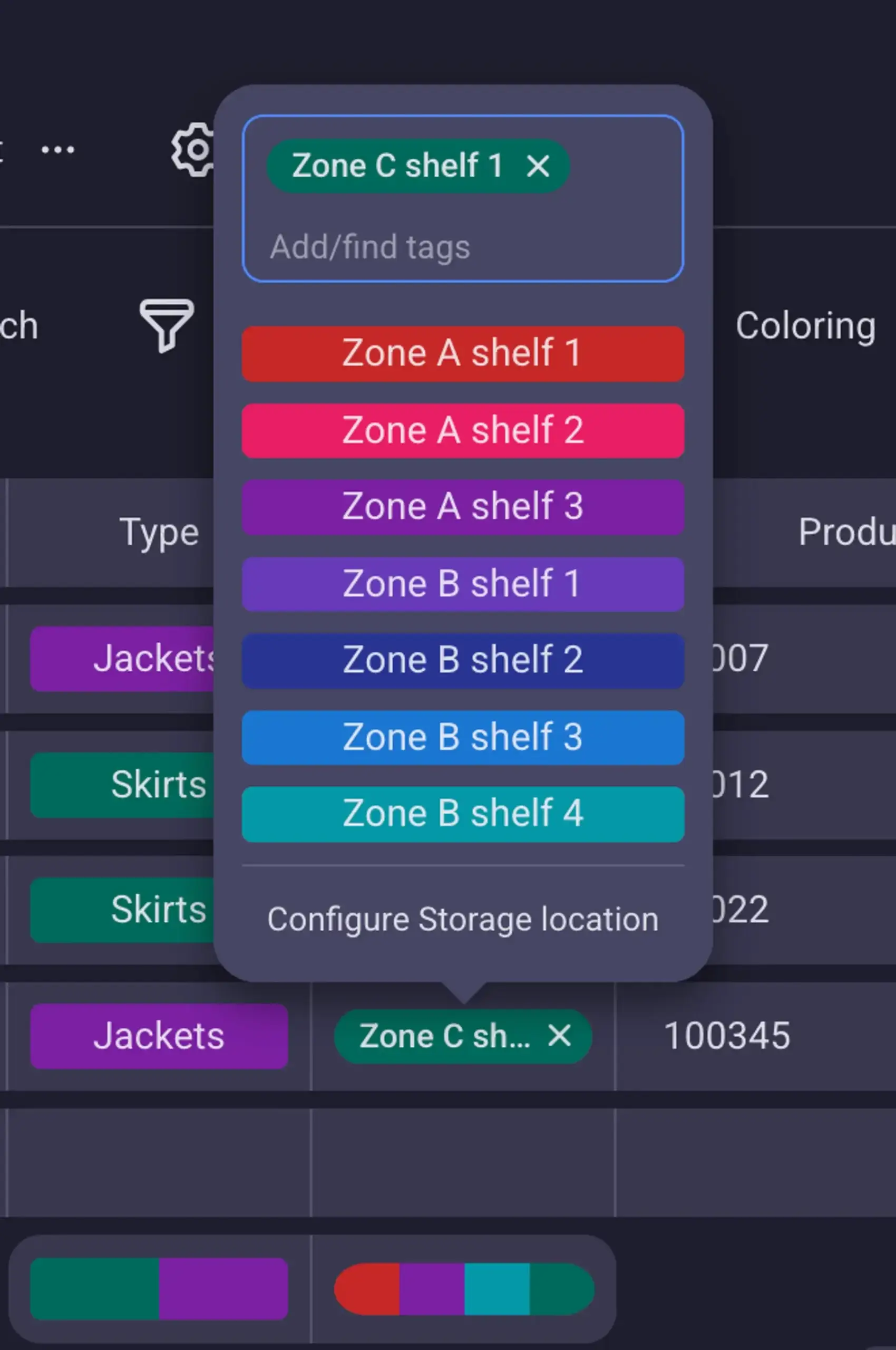
The Status and Tag fields are best for customization — both can hold completely custom values. The status field is great for item values that are one-or-the-other, like size or location. The tag field, on the other hand, is best for values that can coexist, like color.
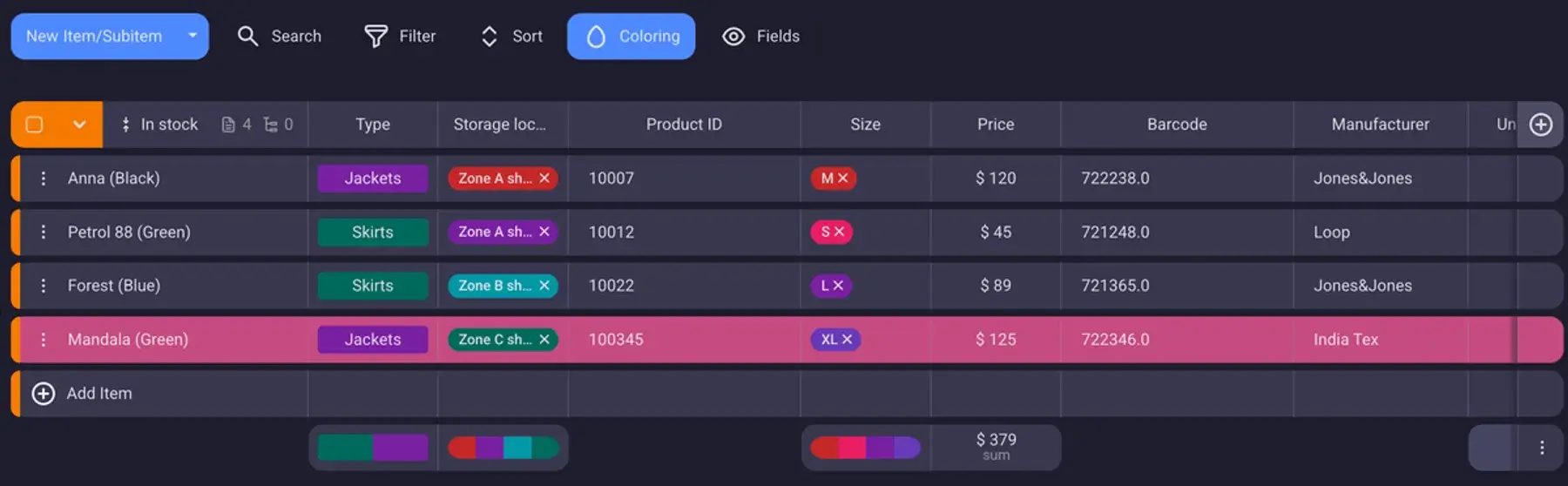
At the bottom of every appropriate field, there’s an automatic Summary row, which helps you keep track of the total values of each field. And, unlike the other templates here, it works on tags and status fields as well — so you can see the distribution of values just by looking at the colors of a certain field.
Moreover, with Plaky’s template, your team is notified in real time of all changes made to the inventory — automatically and without the need for an external app.
#2 Simple inventory sheet template
Download: Google Sheets | Excel | PDF
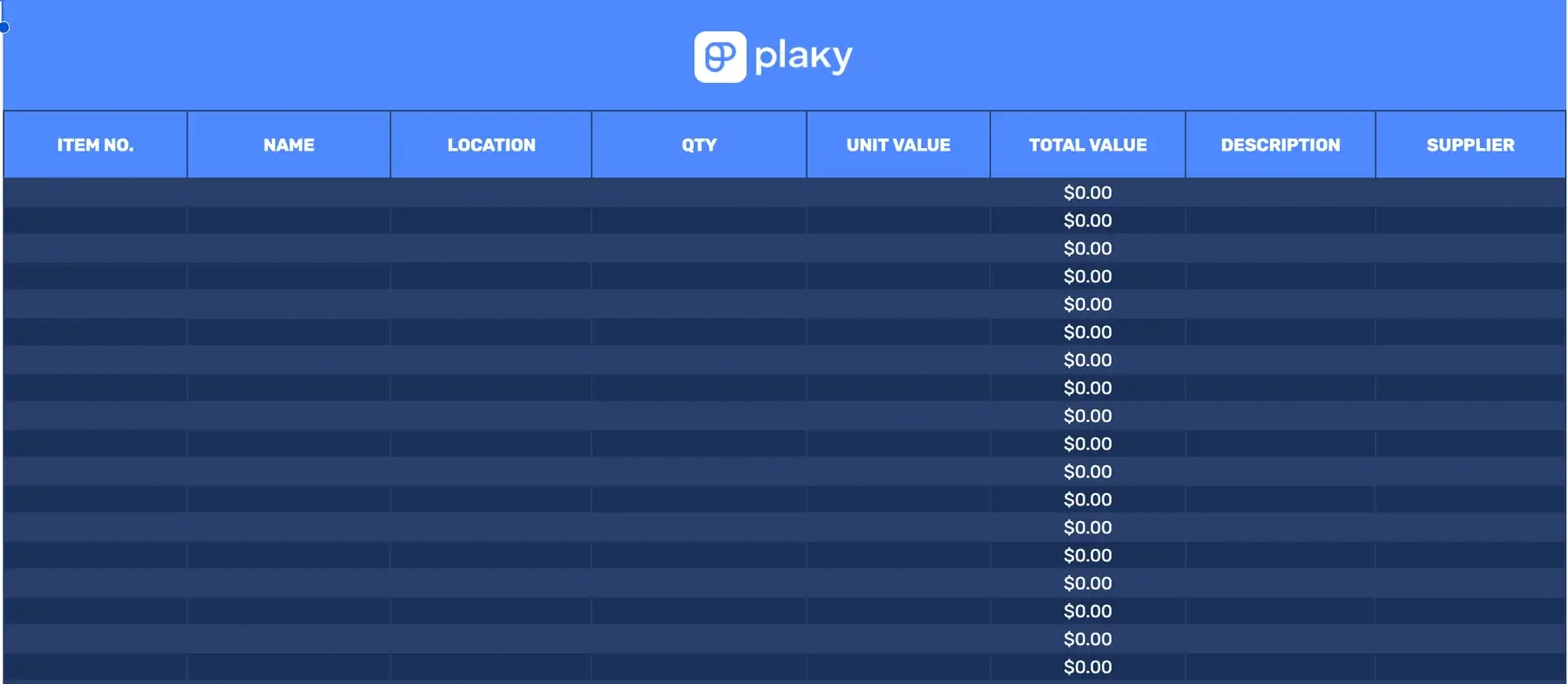
This simple inventory sheet template is the most elementary inventory sheet template you could get, while still containing all the crucial columns:
- Item number
- Name
- Location
- Quantity
- Unit value
- Total value (which is calculated automatically using a formula that multiplies the previous 2)
- Descrição
- Supplier
The template is useful for any type of inventory management and is especially suited for small businesses with no prior experience with inventory tracking.
If you prefer to have a physical piece of paper instead of a digital template, you can also download the PDF version and print it out.
💡 Dica profissional do Plaky
Find out how project management templates can help you stay on track with your tasks and resources:
#3 Google Docs and Word inventory list template
Download: Google Docs | Word | PDF
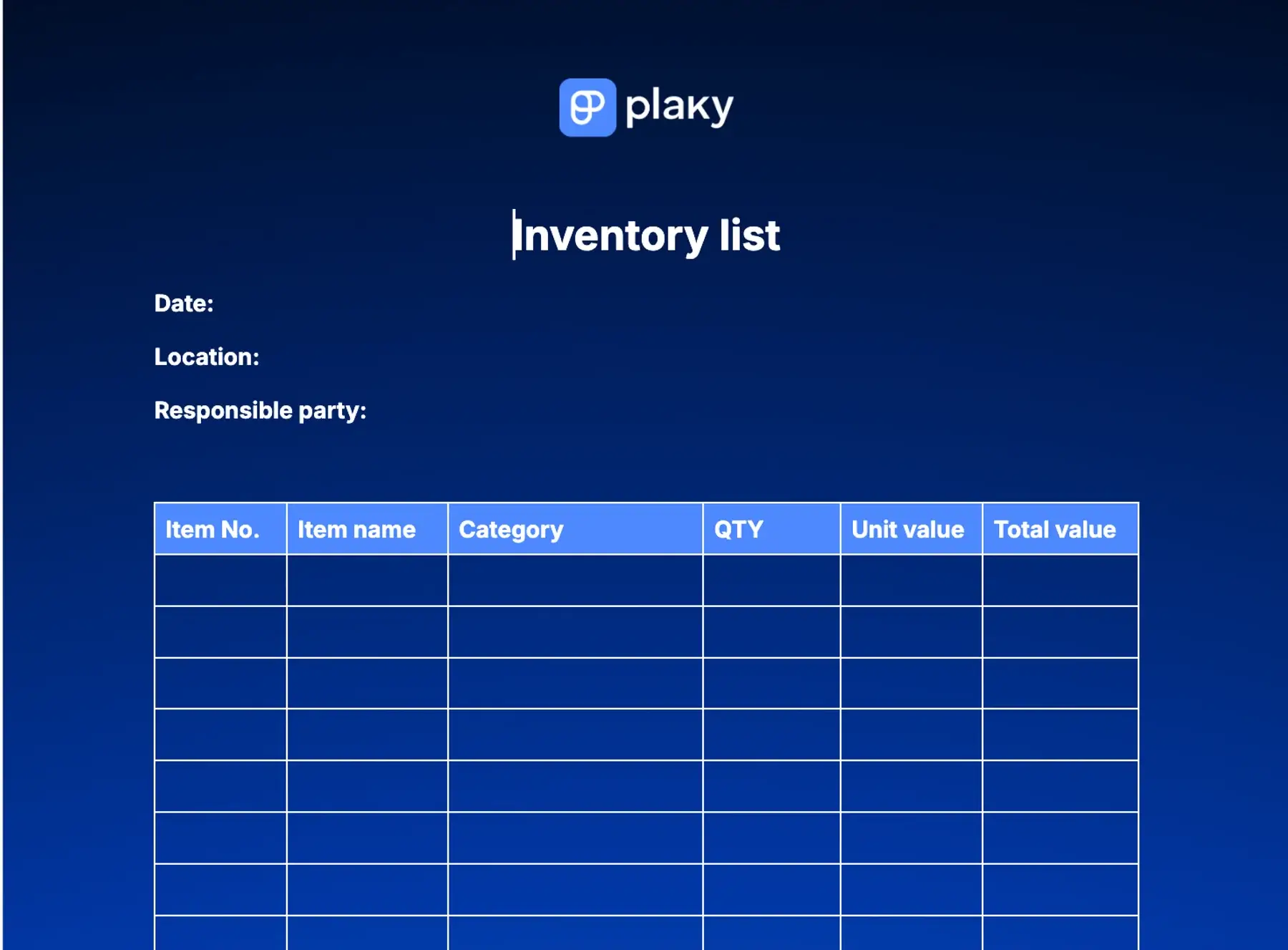
This inventory sheet template is a condensed version of our simple inventory tracker and it contains the most important elements from the previous spreadsheet. It’s ideal for quick rundowns or for checking inventory on a regular basis.
It’s designed to fit on an A4 size page in Google Docs or Word.
However, tables in this format don’t have formulas, so you’ll have to calculate the total value of your inventory items on your own.
And as with the previous one, this template is also designed with manual inventory tracking in mind. Just print out the PDF version, and you’ll have a clear and functional template to fill out.

#4 Inventory log template
Download: Google Sheets | Excel
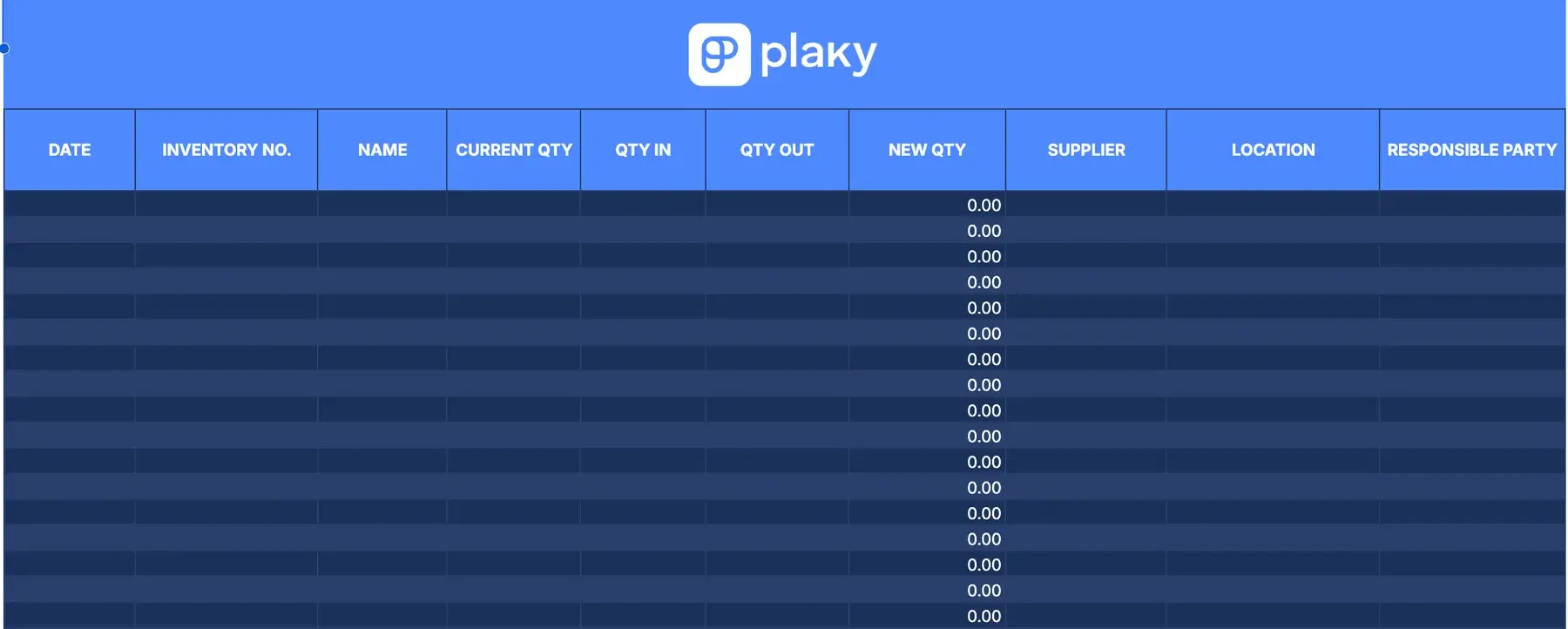
An inventory log template tracks stock movement.
Over time, you’ll make changes to your inventory — especially if your project scope grows. Whether it’s ordering new materials or sending out products, you’ll want to keep track of any major changes made to your inventory list.
Our inventory log template is made for this very purpose. Just input the current and the appropriate change in the quantity of a particular item. The template will then automatically update your inventory.
#5 Inventory checklist template
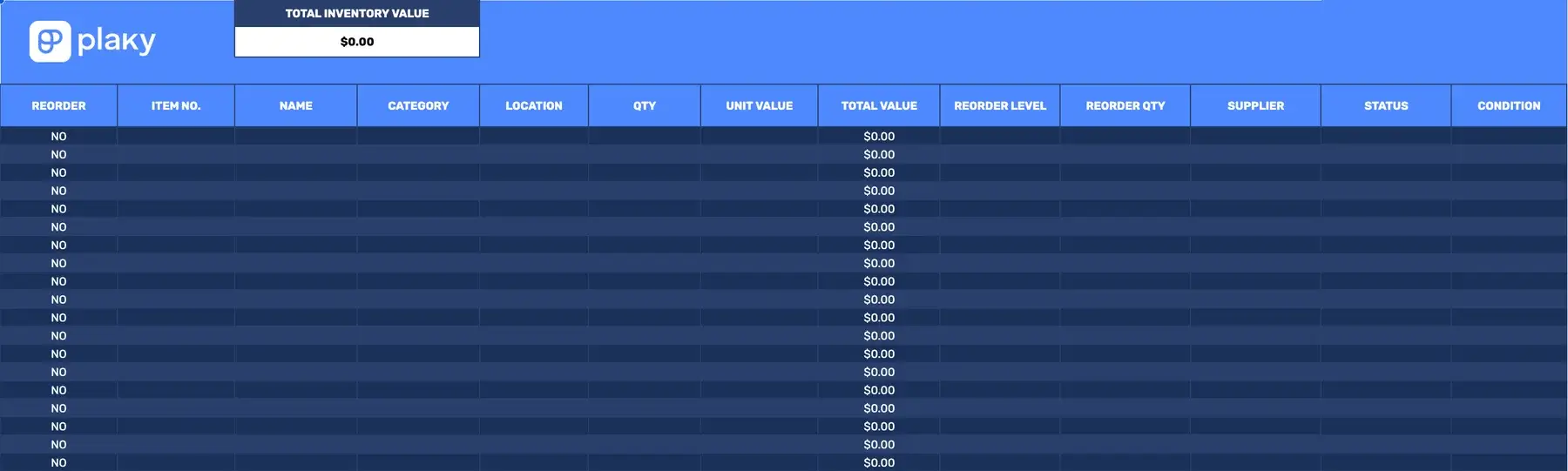
Download: Google Sheets | Excel
Inventory checklist template aims to help you keep a more detailed record of your inventory, as well as track whether a reorder is necessary. Just input the stock levels that tell you when reorders are needed — if an item’s quantity goes under that level, the reorder column will notify you.
Apart from reorders, this template also tracks the overall value of your inventory, as well as specific items’ status, condition, etc.
#6 Asset tracking template
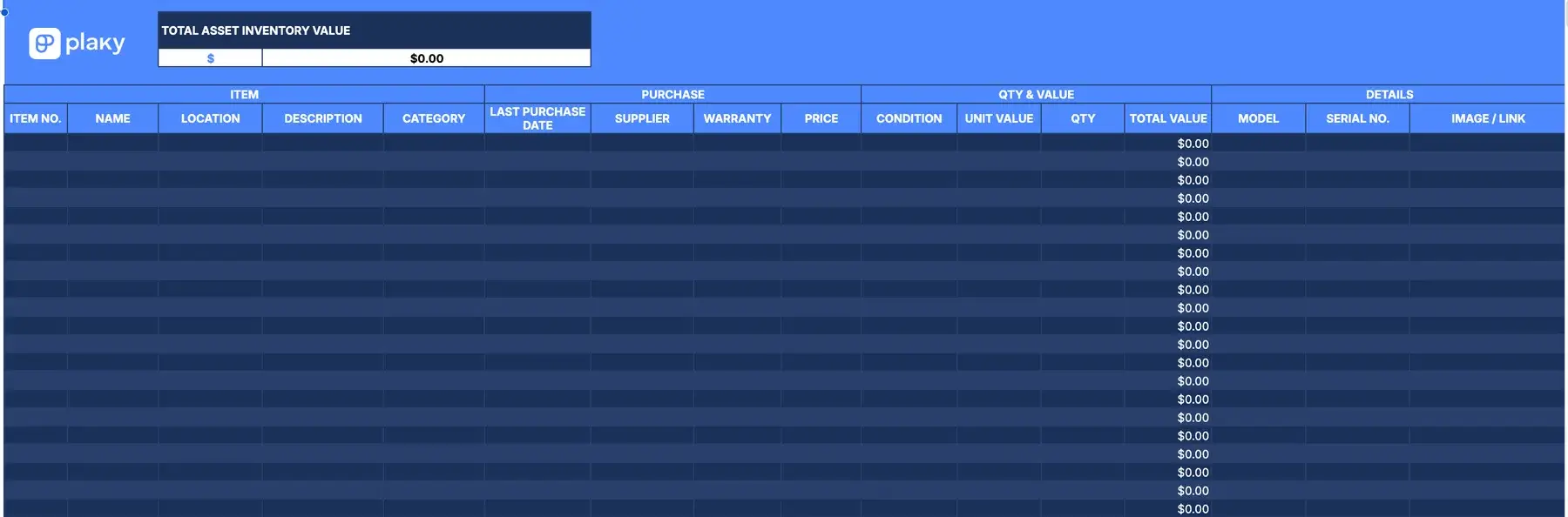
Download: Google Sheets | Excel
Our asset tracking template helps you keep track of every piece of equipment, machinery, or tool for your project.
It allows you to track important item purchase info, as well as more details on the item itself, like the item’s model and serial number.
You can even add a photo. Unfortunately, Google Sheets doesn’t support a drag-and-drop option for adding images, but you can always add them manually or link to them in the appropriate cell.
#7 Equipment inventory template
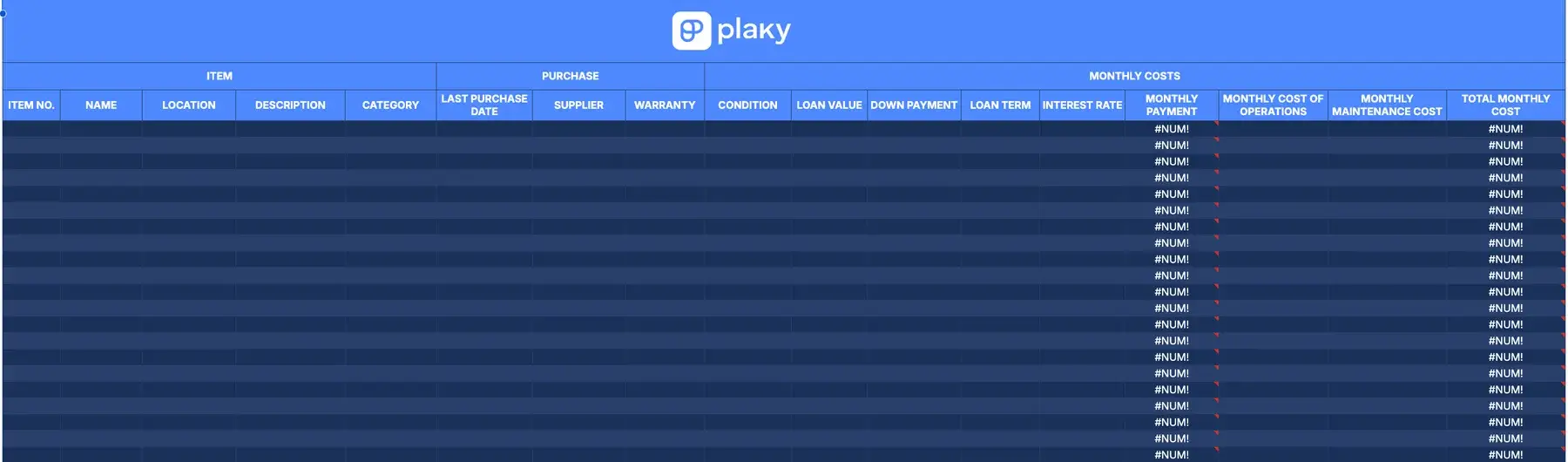
Download: Google Sheets | Excel
Equipment inventory template focuses on the fact that your equipment is expendable and helps you determine just how much that type of inventory costs you. These numbers will show how valuable an item is to your company, especially over time.
The template can also be used to determine when equipment needs to be replaced. It uses parameters associated with depreciation to help you make more informed decisions about replacing items in the future.

#8 IT inventory sheet template
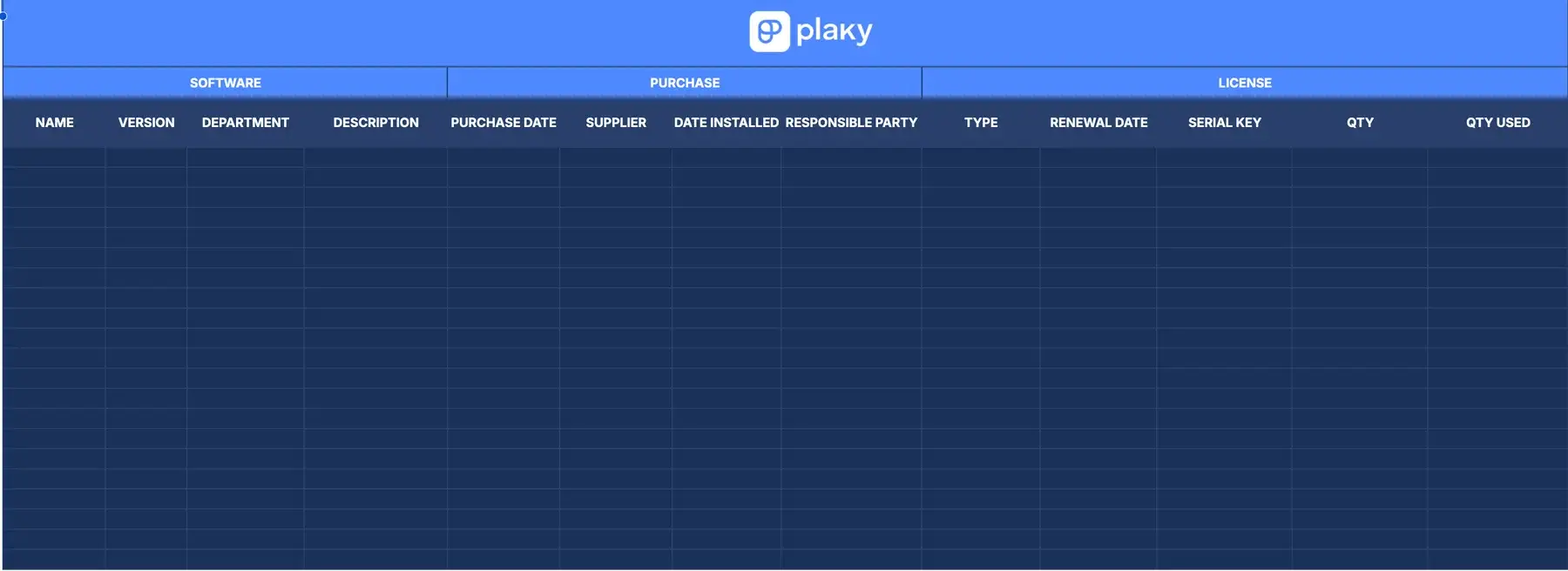
Download: Google Sheets | Excel
Our IT inventory template aims to help you keep track of all the software you use within your organization.
In IT, you need to make sure the software you use is always up-to-date and appropriately licensed. You also need to keep track of who installed the software so that you can contact them in case of any future issues.
#9 Restaurant inventory sheet template
Download: Google Sheets | Excel
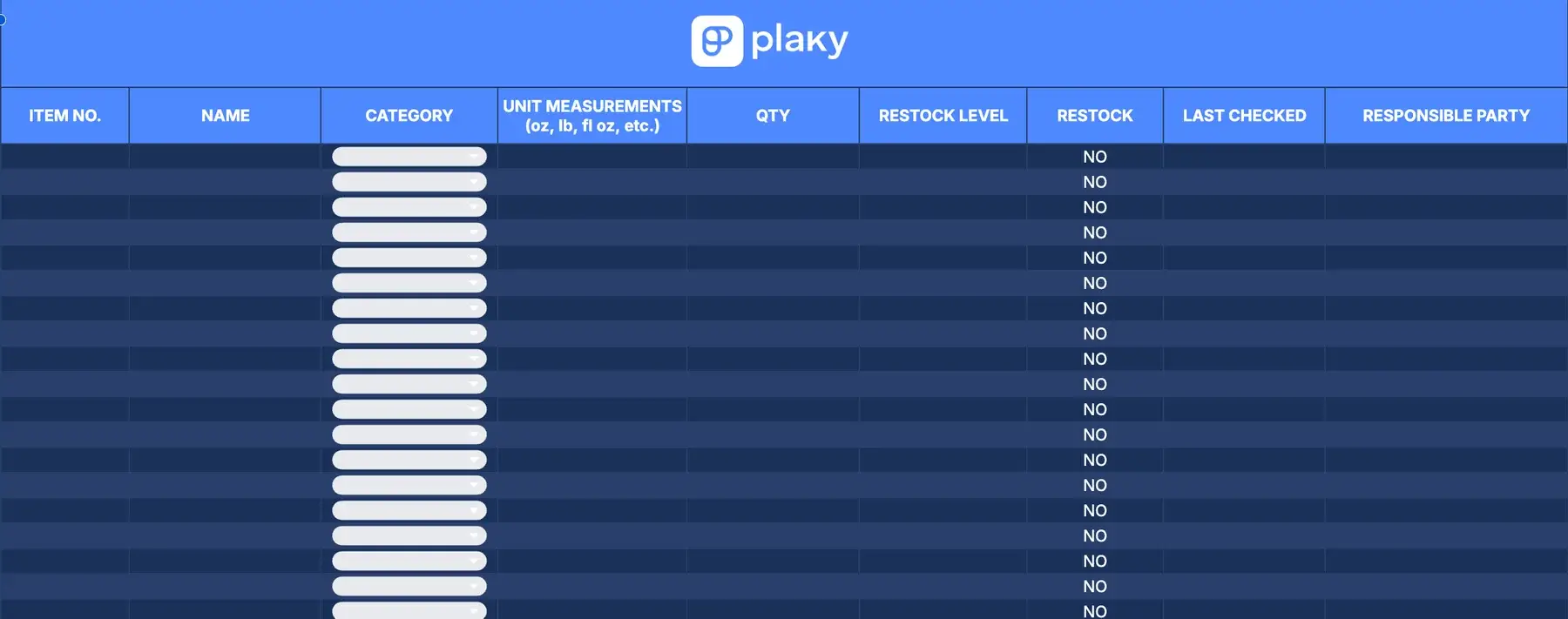
A restaurant inventory template should be concise, yet detailed, with:
- Multiple categories for the types of stock inventory a restaurant might have
- Precise unit measurements
- Clearly assigned responsible parties
As a high-stress, fast-paced environment, restaurants need to keep every aspect of work as organized as possible to prevent a disaster. A restaurant’s inventory needs to be detailed and precise — otherwise, a customer might end up without a meal.
#10 Purchase order & inventory sheet template
Download: Google Sheets | Excel
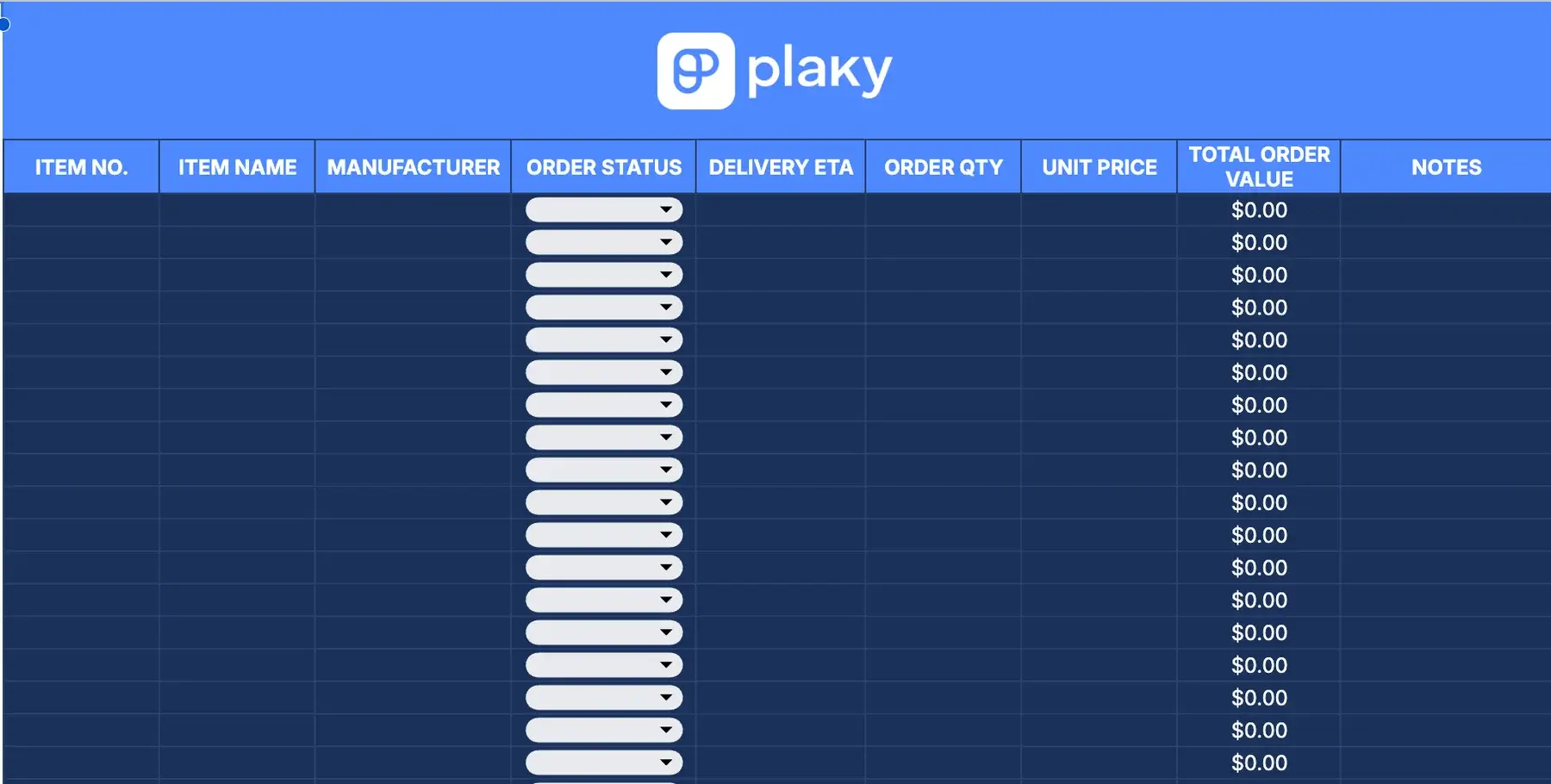
A purchase order & inventory template tracks all your orders, with their status and ETA.
Imagine this — you’re keeping track of inventory using the checklist template when you notice that a reorder is due. So, you place a new order and go on with your day.
The next day, however, before your order arrives, a colleague notices the same thing and places an order as well — overstocking on that item by the time both orders arrive!
This minor lapse in communication can lead to large financial damage to the project. The purchase order & inventory template prevents this by helping you keep a detailed track of all orders.
#11 Home inventory sheet template
Download: Google Sheets | Excel
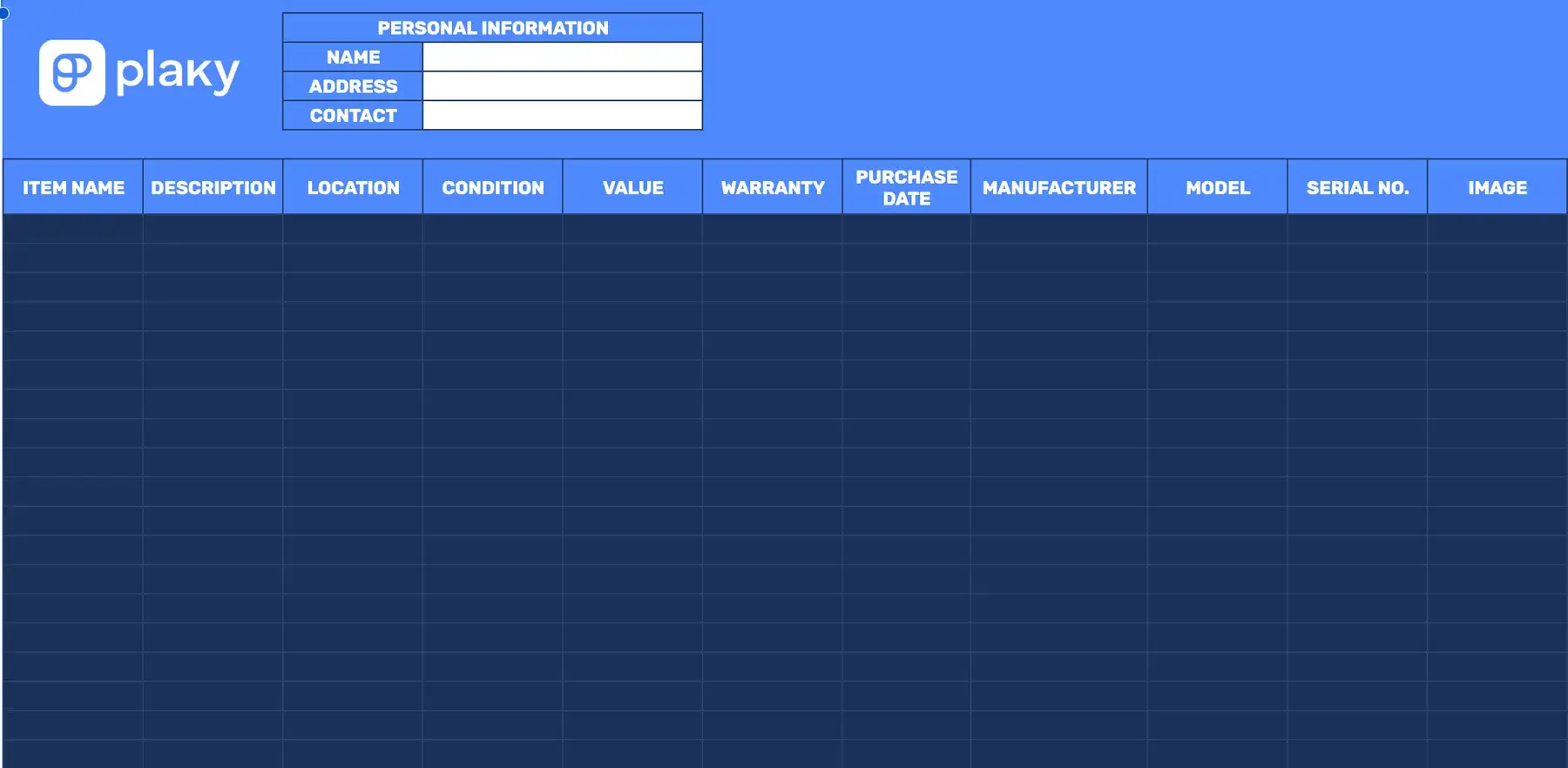
A home inventory list is a detailed record of all your belongings along with their estimated value. In case of an emergency or when disaster strikes — like a fire, storm, or theft — you have a list of all your belongings.
Let’s do an exercise — close your eyes and list every item in your living room. Even though you spend loads of time there, it’s really difficult, isn’t it?
This home inventory template was made for this very purpose.

#12 Personal inventory sheet template
Download: Google Sheets | Excel
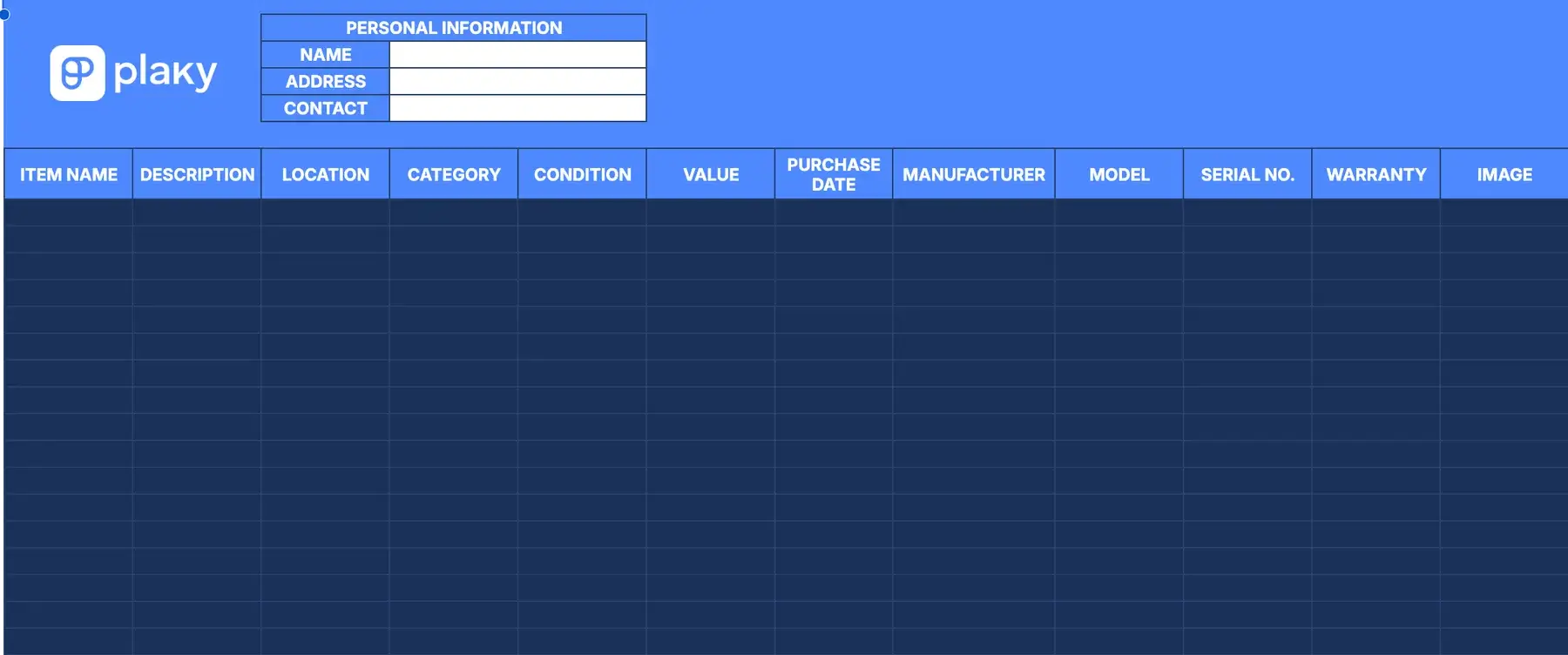
Our personal inventory template is similar to the home inventory template, though its utility lies more in organizing personal items by categories, rather than their insurance value in case of a disaster.
So, this template is more suited to situations like — for example — having to move and making sure every bit of your personal belongings is organized and accounted for.
💡Dica profissional do Plaky
Check out more templates for managing your personal and work life:
How disconnected inventory tracking can cost you
Here are some common consequences of using outdated spreadsheet formats to track inventory:
- Delivery delays caused by inaccurate stock information
- Over-ordering or stock shortages when inventory levels aren’t updated in real time
- Budget overruns from unnecessary purchases and emergency orders
- Communication gaps between warehouse teams, managers, and leadership
- Reduced visibility into inventory movement
To break it down further, let’s present an example. A warehouse employee updates a stock count. However, a manager places an order using the older version of the inventory spreadsheet. Then, the sales team promises inventory that is no longer available. The company lost out on a sale, and potentially a returning customer.
Even though the warehouse employee did their job correctly, this small disconnect quickly turned into a large issue.
The bigger your business, the bigger and more expensive these problems become. Additionally, your personnel spends less time on productive tasks, and more time tracking down information, correcting mistakes, and resolving preventable problems.
Modern inventory management requires a shared system with real-time updates that keeps everyone informed as inventory changes happen.
💡Dica profissional do Plaky
For better team productivity and accountability, you can try implementing daily reports. We’ll start you off with some daily report templates you can use:
How to choose an adaptive inventory system
When evaluating inventory management systems, focus on features that improve visibility, accuracy, and team coordination. The right system should help you keep inventory data current, accessible, and easy to manage across your entire organization.
Key capabilities to look for in a stock management system include:
- Real-time synchronization — inventory updates should instantly reflect across all devices and users to prevent stock discrepancies and over-ordering.
- Mobile on-the-go logging — teams should be able to update stock levels directly from the warehouse floor using mobile devices.
- Visual progress workflows — inventory status should be easy to track through stages such as Ordered, Received, and In Stock.
These capabilities help reduce manual work, improve inventory accuracy and ensure everyone is working with the same up-to-date information.
Use Plaky by CAKE.com to track inventory with ease
Spreadsheets are often the starting point for inventory tracking, but they can become difficult to manage as operations grow. Inventory data needs to be updated regularly, shared across teams, and accessible at any time and place.
That’s where a powerful and versatile inventory management software like Plaky by CAKE.com comes in.
You can use Plaky’s templates we offered earlier on, or create an inventory tracking board from scratch and customize it to your specific needs by:
- Adding custom tags to include specific information about the stock item
- Arranging Items into groups for better organization
- Managing inventory in the form of a Table, Kanban, or Gantt chart view, allowing team members to pick their preferred view
- Adding files and links to the item card for additional information
Plaky’s Table View offers the familiar grid structure of a spreadsheet while providing the flexibility and speed of a modern database. Teams can sort, filter, update, and organize inventory in seconds, and have the changes immediately logged for all other team members.
Plaky also enables you to automate your inventory list using conditional coloring. This feature comes in handy if you want to track item quantities.
For example, you can set the condition that when the quantity value of an item is smaller than 20, that item changes color to indicate that you must place a new order soon.
This way, you can see if you’re running low on stock at a glance, saving you precious time and effort.
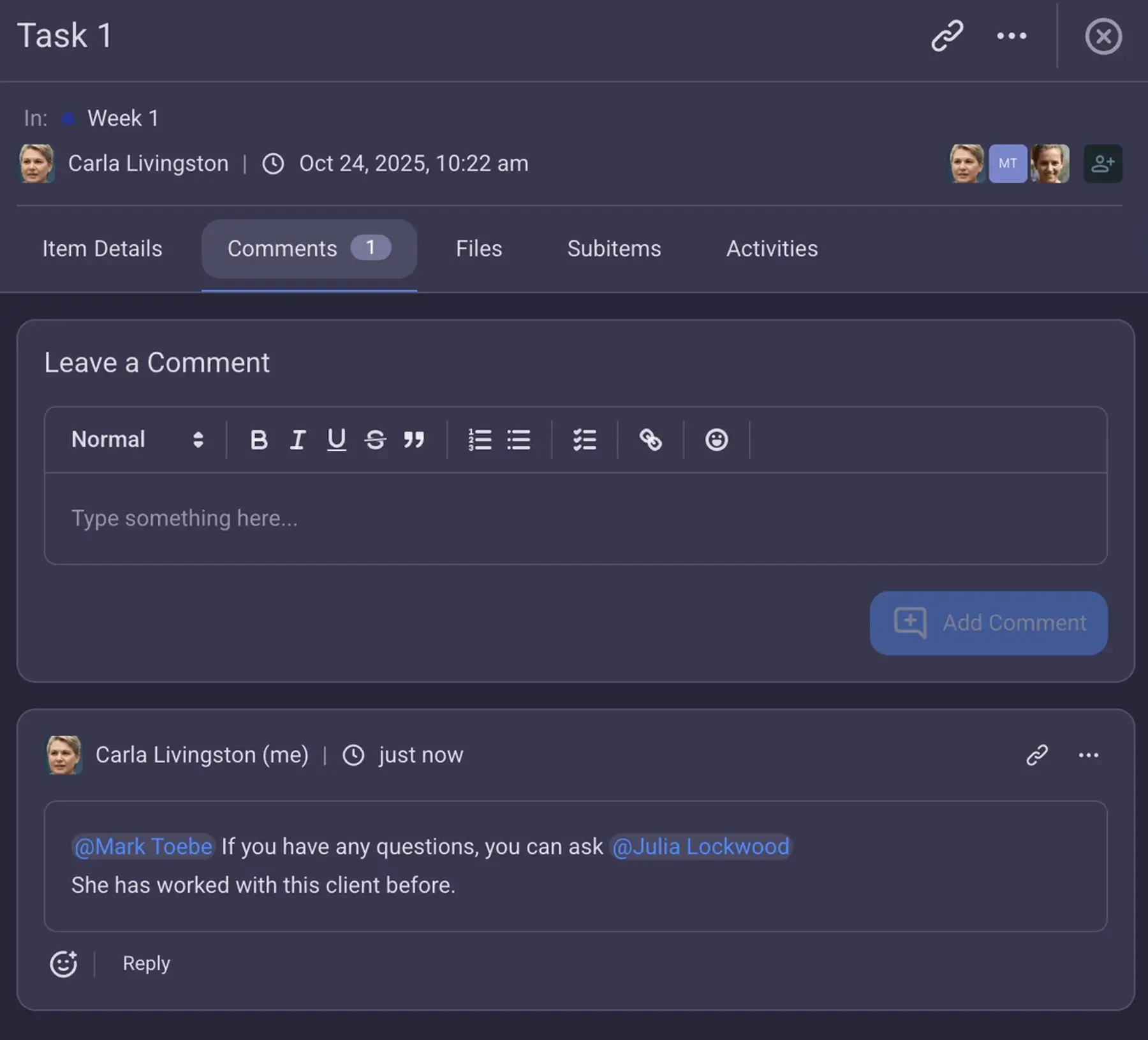
Additionally, Plaky fosters real-time collaboration with the help of Comments and Notifications.
You will receive a notification whenever a change to an item is made, so you can easily track the status of all your resources.
Plus, if there is ever a need for further clarification, you can leave comments to a team member or the entire team, keeping all discussions within the item cards — rather than scattered across DMs or separate communication apps.
Finally, Plaky offers a mobile app for Android and iPhone, so teams can coordinate work, check records, upload photos, and update stock levels wherever they are.
And, if you already use other CAKE.com products, Plaky fits naturally into your existing workflow. For example, you can integrate Plaky with Clockify and automatically track time spent organizing and updating inventory boards. Or, if you use Pumble, connect it to Plaky to get notified of inventory changes right away and avoid missing important updates.
Então, o que você está esperando?
Streamline your inventory management with Plaky. Sign up for a free account today!
Comece a usar o Plaky da CAKE.com
Como revisamos esta publicação: Nossos redatores e editores monitoram as publicações e as atualizam quando novas informações são disponibilizadas, para mantê-las atualizadas e relevantes.