Have your creative projects been chaotic lately?
Has your team been super-confused about what the final product should look like?
Maybe you wasted a lot of time making sure that everyone has all the necessary information.
All these problems can be avoided with one simple document — a creative brief.
Read on to discover how to write a high-quality creative brief and find 7 templates with examples to help you!

What is a creative brief?
A creative brief is a document that summarizes all relevant information about a creative project and functions as a guide for creative teams.
This doc should be, as the name suggests — brief. Ideally, it should fit on 1 to 2 A4 pages and contain just the gist of the project.
Although a creative brief is useful whenever you have to manage a creative project, it’s absolutely necessary when you are working on a complex project that has a large number of stakeholders and requires smooth cross-team collaboration.
Depending on the type of project, it can be written by various people. If it’s an in-house project, the creative brief will most likely be written by the creative team manager.
But, if a company is working with an agency, the creative brief can be written by someone from the company who is familiar with the project, like a marketing manager or a product manager. Of course, the people in the agency can give their input, and the brief can be revised if necessary.

Elements of a creative brief
Not all creative briefs have to look the same. There are many ways to organize a creative brief depending on the type of creative project it’s made for — marketing, social media, brand definition, logo creation, etc.
Still, the key elements to include are:
- Project title — indicates what the project is about,
- Company background — information about the company that can be relevant to the project,
- Objectives — what you are trying to accomplish with the project,
- Target audience — who you are trying to reach,
- Tone of voice — the way you speak to your target audience,
- Distribution — the channels by which your message will reach the target audience (such as social media or TV commercials),
- Budget — the amount of money set aside for the project,
- Competition — companies offering similar services or products as you, and
- Timeline — all relevant time points in the project from the start to the due date.
Of course, you aren’t limited to just these elements. What’s important is that the creative brief contains all the relevant information for your project.
For example, when creating a website or a logo for a business, instead of using the term “tone of voice”, “style” might be more appropriate. And you could add another element like “color scheme” since that is an important part of creating a good design.
How to write a creative brief
Developing a creative brief doesn’t have to be complicated — just focus on including all the relevant information and make it clear and concise.
The easiest way to achieve this is to follow the 10 steps listed below.
#1 Name your project and provide a short overview
The name of the project should be short and reflect the essence of the creative brief.
For example, the name “Creative brief for a TastyFood restaurant marketing campaign” clearly shows the purpose of the brief and the name of the client.
A short overview of the project should follow the title — just a sentence or 2 to summarize what the project is about.
#2 Summarize the company’s background
Next, you should outline the company’s background. There is no need to go into too much detail — just mention the company’s core values and the information relevant to the project (e.g., problems the company is currently facing, and the image they want to portray).
What you write in this section depends on whether your company hired an external agency for the job or if the creative team works at the said company.
If it’s the latter, you can omit general information about the company since it’s already known to all involved.
#3 List the objectives
Take the time to precisely state the objectives of the creative project, i.e., what you are trying to achieve. Some of the more general objectives can be:
- Rise in brand awareness,
- Increase in sales,
- Change of company image, etc.
Just try to make these general objectives more detailed and measurable if possible.
For example, a marketing strategy for an app may have an objective “increase the number of new signups by 10% in the next 3 months”.
💡 Plaky Pro Tip
If you want to make this step easier, learn more about objectives and key results in projects:
Manage project objectives in Plaky
#4 Define your target audience
It’s essential to know who your marketing campaign or ad is aimed at — who your potential clients or buyers are. So, you must have a clear vision of them when creating the brief.
Depending on the aim of the campaign and the product, different information can be relevant. Most often, you can include the audience’s:
- Age,
- Social status,
- Employment status,
- Education,
- Habits,
- Beliefs, and
- Interests.
#5 Choose the tone of voice
After establishing your target audience, the next question is how to get through to them.
You should determine what emotions you are trying to evoke and what picture you are conveying to the minds of the audience.
For example, a commercial for a bank should have a more serious tone that makes the bank look dependable.
On the other hand, a commercial for a soft drink company can have a more relaxed tone, attempting to connect the drink with the idea of having fun and being happy.
#6 Research the competition
If you want to conquer a market, you have to be aware of the competition. Or, in the words of Sun Tzu: “Know thy enemy”.
So first, study the market and list all your competitors. Then, do thorough research on them. What are they offering? At what price? And, most importantly, how can you best them and offer something more appealing to the audience?
#7 Set the budget
You should set the budget at the very beginning of the creative project — this enables the team to organize their work accordingly.
Note that it isn’t enough to define only the total budget. Instead, take your time to allocate your funds in as much detail as possible.
For example, if you are making an advertising campaign for new sportswear, set aside enough money for social media ads, TV commercials, and hiring a sportsperson to be the face of your brand.
💡 Plaky Pro Tip
If you want to learn about different budgeting methods, take a look at this article:
#8 Ask for feedback
Once you have completed the brief, you should ask for feedback from project stakeholders, such as your client or company executives, as well as your project team members.
You can organize a project kickoff meeting where people can express their opinions and ideas together or just send everyone a copy of the brief and have them send the feedback back to you.
#9 Review and edit
After you’ve received the feedback, consider the suggestions and make changes if necessary.
You can go back and forth between these 2 steps until both you and the stakeholders are satisfied with the brief.
#10 Distribute the brief
Once the creative brief is finished, distribute it to everyone working on the project.

Best practices for writing a creative brief
To help you create a top-notch creative brief, we asked professionals with experience in writing them to share some tips with us.
Here’s what they had to say.
#1 Define the aim of the project first
We spoke to James Parkinson, copywriter and content strategist, who emphasizes the importance of understanding the goal of the project:

“You need to understand what the end goal or aim for the project or task is before you try to create a brief. Many people get this wrong and end up producing a large document with contradicting information. When, in reality, if you fully understand the desired outcome, then the brief can be very to-the-point and efficient.”
💡 Plaky Pro Tip
If you want to become better at setting goals, make sure to read our article on the topic:
#2 Include success metrics
When making creative briefs, entrepreneur Gene Caballero says it’s important to decide on the success metrics for your project:

“Determine in advance how you will measure the success of the campaign. We usually focus on metrics like sign-up rates, website traffic, and social media engagement.”
#3 Take your time
Don’t be tempted to just rush through the brief so that you can start the project as soon as possible. Dedicate enough time to in-depth research.
Caballero emphasizes how important it is to dedicate sufficient time to the creation of the creative brief:
“Remember, the creative brief is a guiding document that helps ensure everyone is on the same page. It’s the roadmap for your project, so taking the time to do it well is critical.”

Creative brief templates (+ examples)
There are many types of creative briefs you can make for different creative endeavors.
We have singled out some of the most popular ones here and created free editable templates that you can use for your projects.
Also, in the pictures below, you can see examples of how a template can be used for a specific project.
Basic creative brief template
This basic creative brief is best suited for beginners — so if this is your first time writing one, start here.
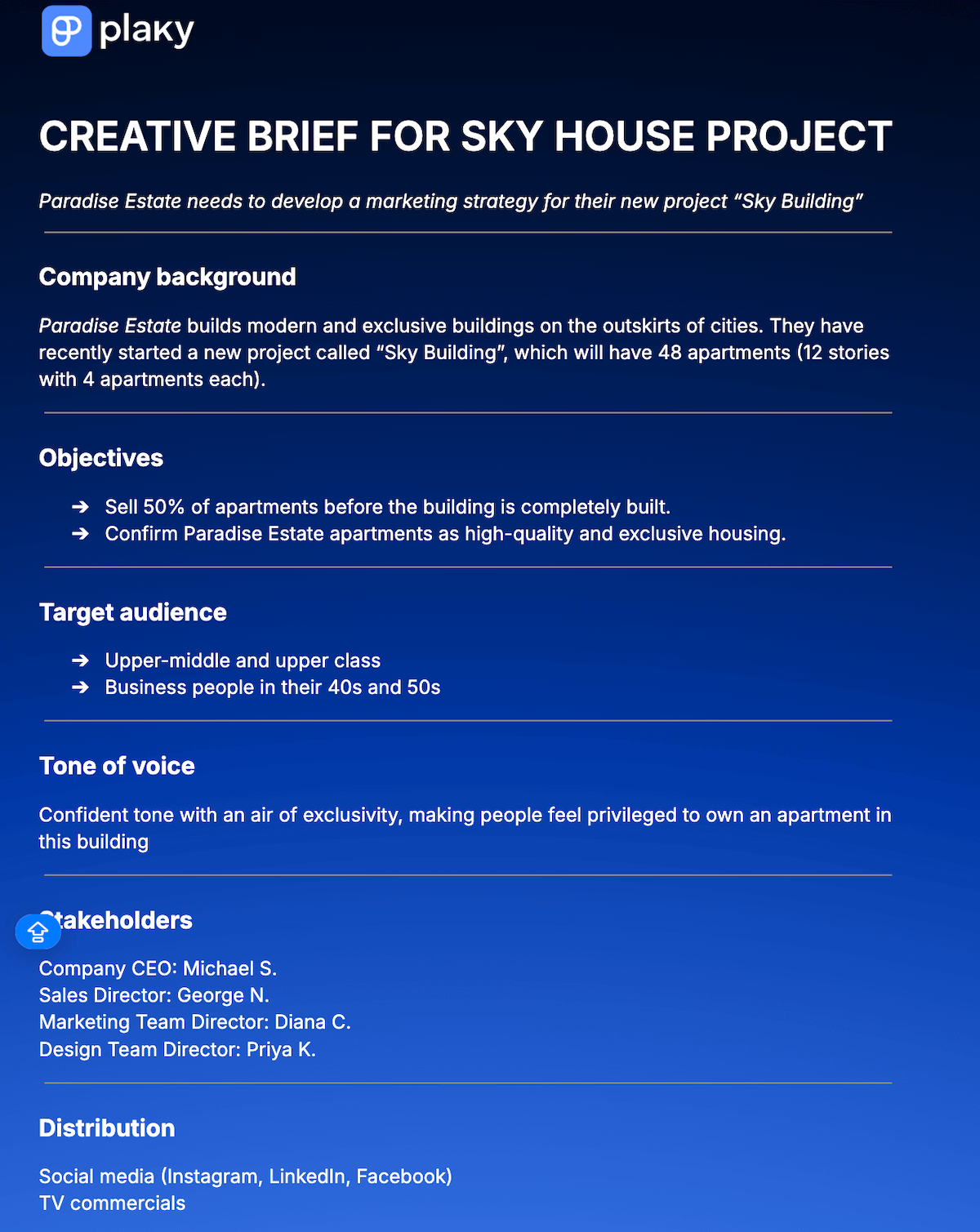
Get our basic creative brief template
The template has all the key elements necessary for a creative brief without any industry-specific details, so you can use it for any kind of creative project, both in-house and external.
It’s also completely customizable, which makes it easy to edit it to your preferences.
Marketing creative brief template
This marketing creative brief template is designed to help anyone managing a marketing project stay on top of all their tasks.
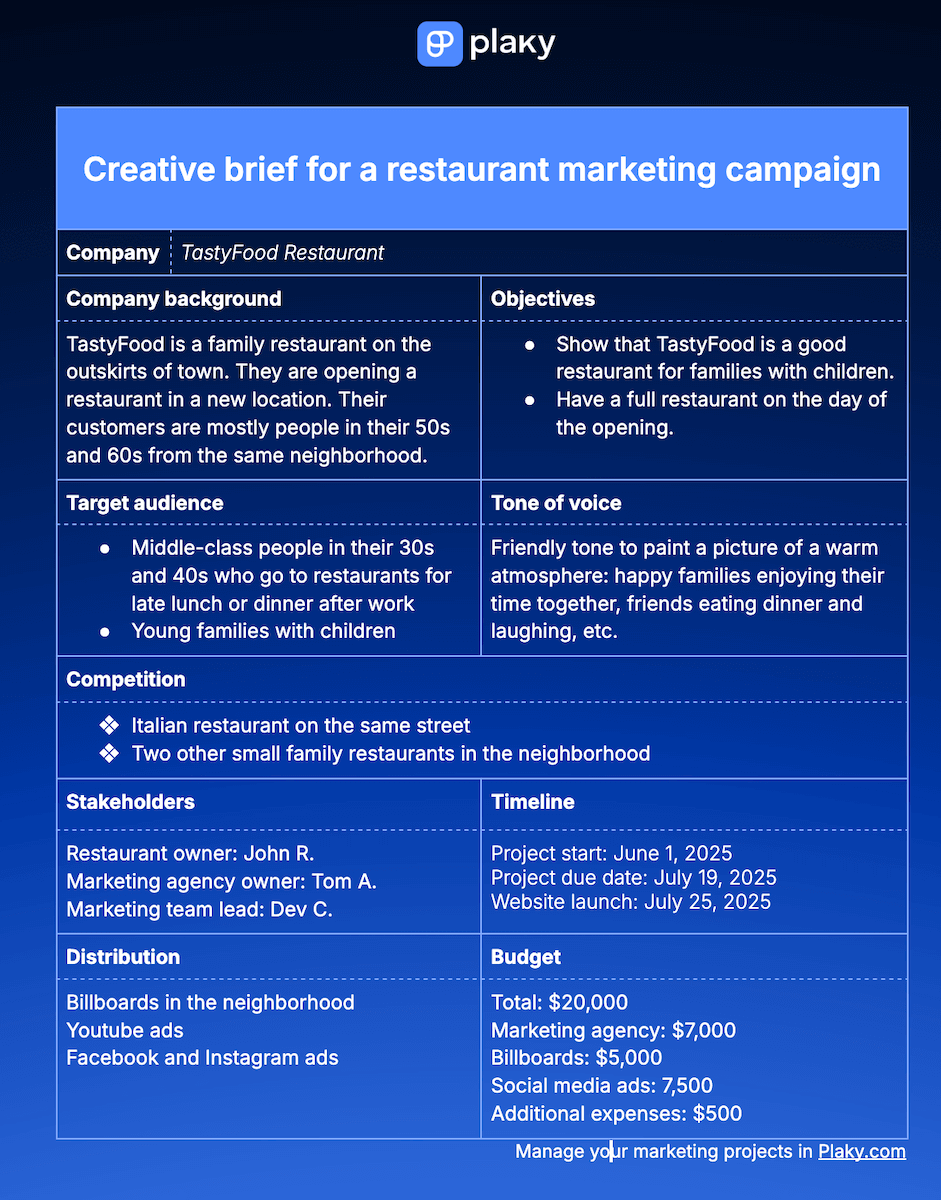
Get our marketing creative brief template
The template presents all the elements in a table and lets you adjust the space dedicated to each element to fit your project’s needs.
For example, you will probably want to describe the target audience and the tone of voice in more detail than the other elements since these 2 are crucial in organizing a good marketing campaign.
Advertising creative brief template
Similar to previous templates, the advertising creative brief contains sections such as:
- Company background,
- Objectives,
- Budget,
- Tone of voice, etc.
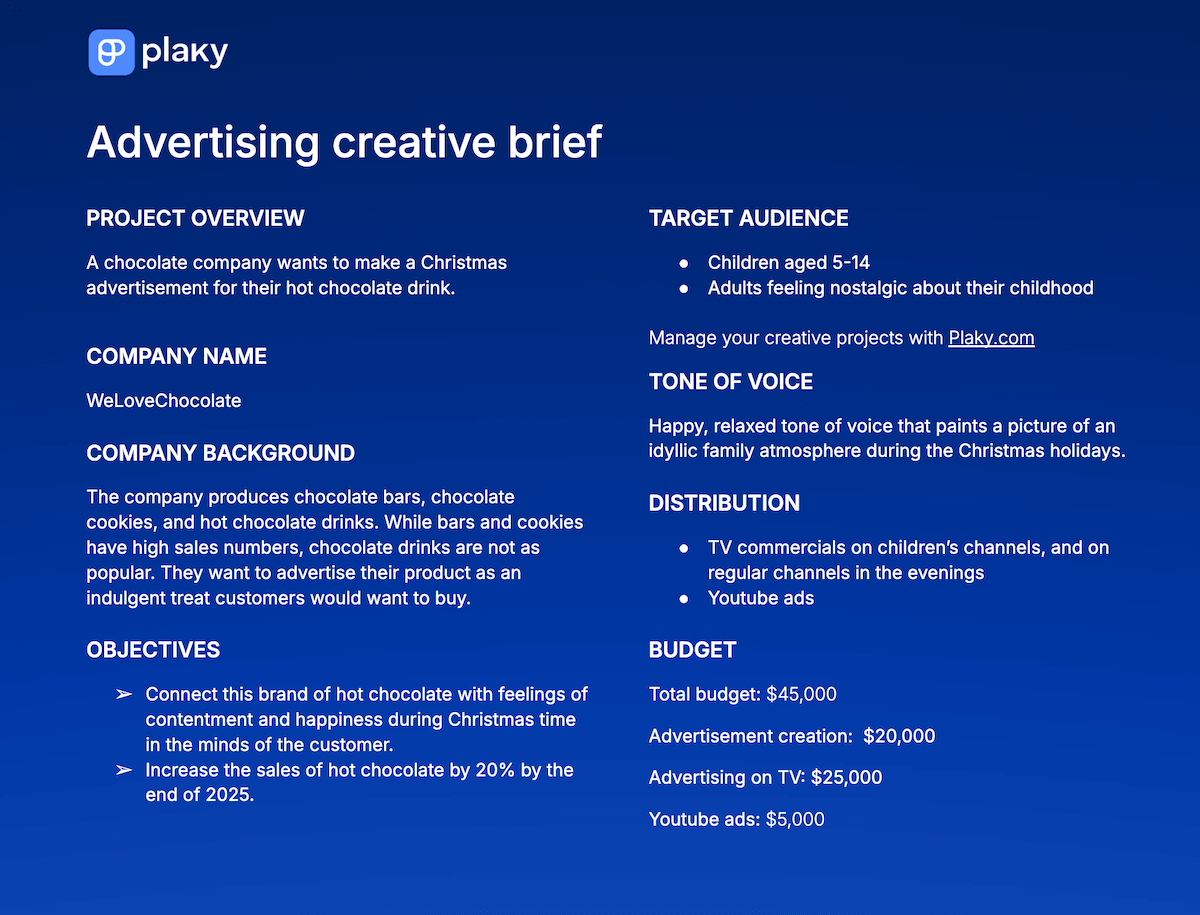
Get our advertising creative brief template
But the most important part is the distribution section — this is where you clearly state how you want your advertising campaign to reach your target audience. So be sure to dedicate a significant portion of the brief to this.
Video creative brief template
Our video creative brief enables video production companies and their clients to have all the necessary information in one place.
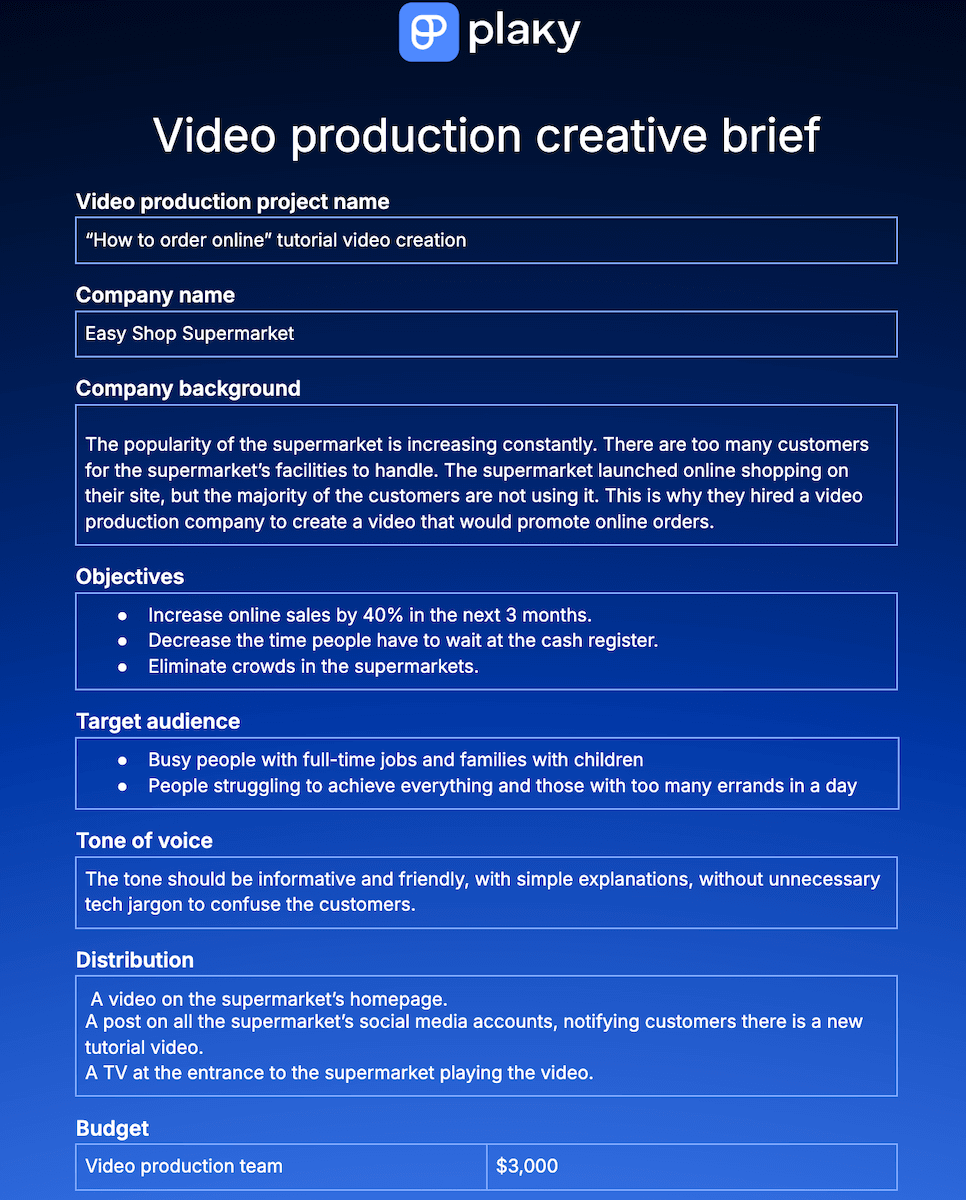
Get our video creative brief template
The video production process itself can be divided into 3 different, but equally important phases:
- Pre-production,
- Production, and
- Post-production.
That’s why, in this template, the timeline has a separate section for each of these phases, allowing you to go into as much detail as you need.

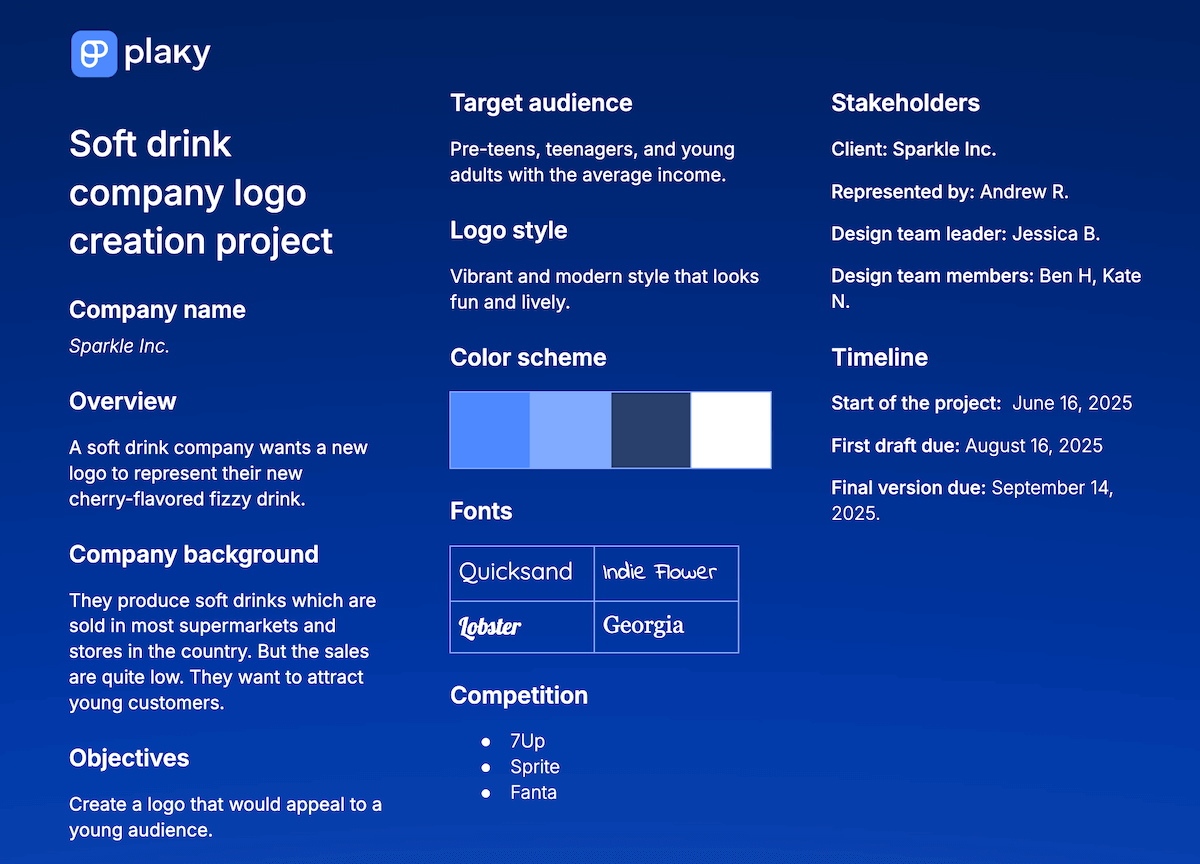
Logo creative brief template
This logo creative brief differs slightly from the other briefs because its main focus is the visual element — since that is the most important aspect of the logo.
Get our logo creative brief template
So, the logo brief doesn’t include “tone of voice”, but rather elements such as:
- Color scheme,
- Logo style and
- Font type.
Social media creative brief template
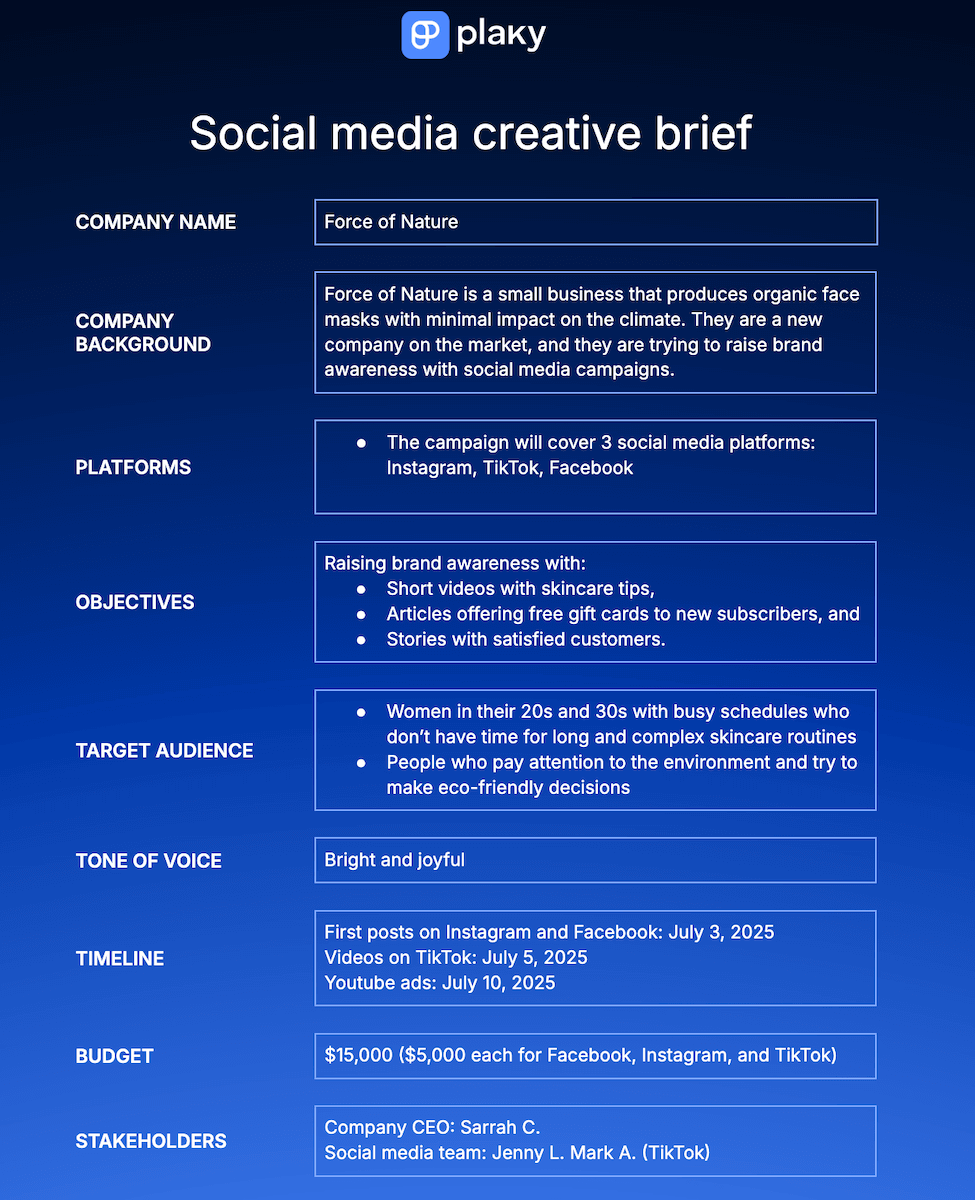
The social media creative brief template is designed to help you manage your social media campaigns with ease.
Get our social media creative brief template
Aside from the basic categories, there’s also a section where you specify which social media platforms you are focusing on.
For example, if your target audience is teenagers and people in their early 20s, you will probably focus on TikTok and Instagram. But, if you are targeting business professionals, your main focus should be LinkedIn.
Website creative brief template
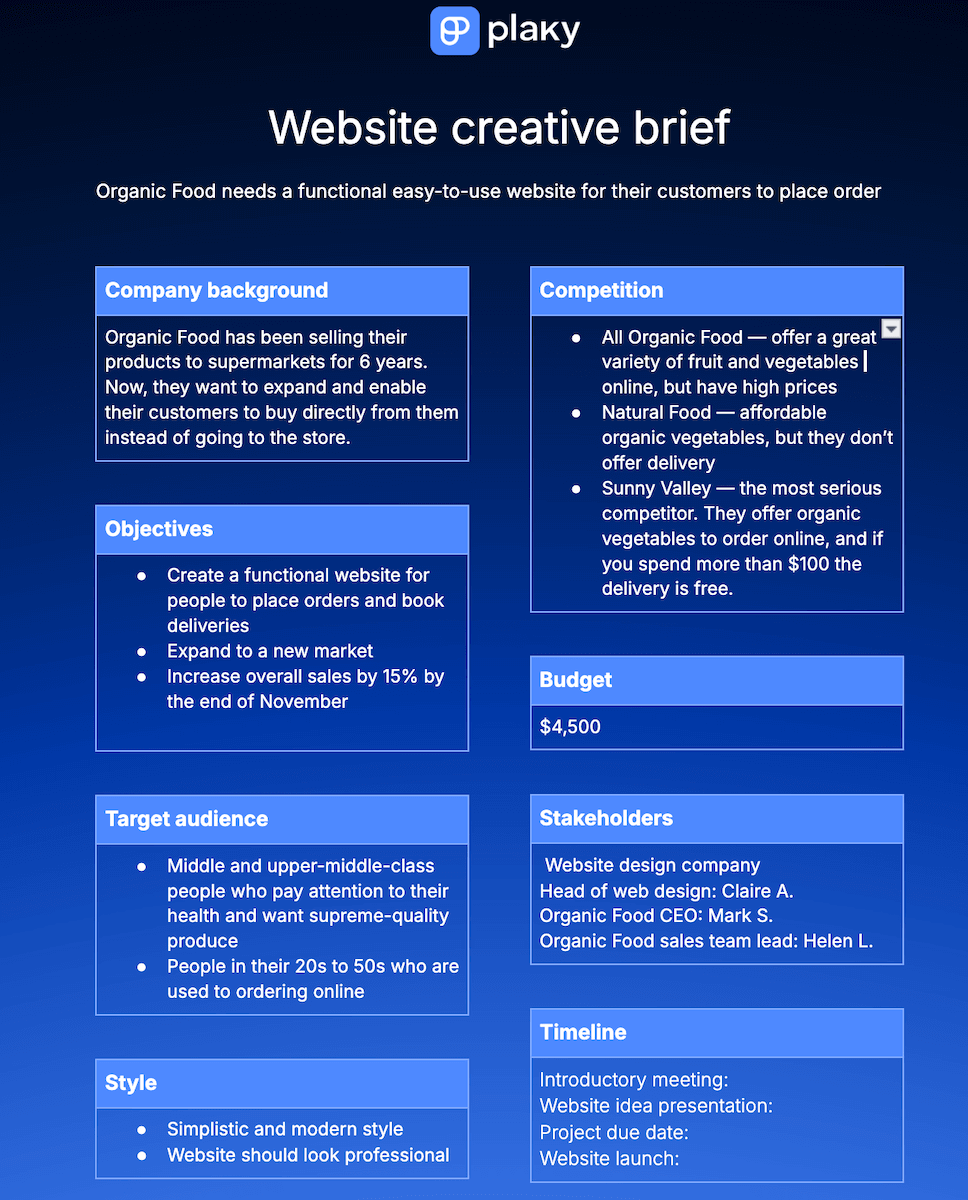
Since designing a website often involves a web design company and an external client, a well-written creative brief is a necessary part of the project.
Get our website creative brief template
This brief helps companies and web designers be on the same page and work together without problems.
It consists of 8 distinct blocks for each element of the brief. The tone of voice is replaced with style since it’s more suited for websites, which are primarily visual tools.
Why do you need a creative brief?
Composing a creative brief at the beginning of your project can make your overall project management much easier.
Here are some of the biggest benefits of a well-constructed creative brief.
#1 Eliminates confusion and saves time
Caballero explains how creative briefs help his team be on the same page and save time:
“We all know what it feels like to be lost in a swirl of emails and meetings. The brief keeps everyone aligned, cutting through the confusion. We’ve all got our copy, and it’s like we’re singing from the same hymn sheet. It’s a real time-saver.”
#2 Saves money
Creating a brief with everything planned at the very beginning of the project will save you money in the long run.
Having a creative brief means that everyone will know the objectives and expectations right at the start of the project. So, there is a higher chance that the creative team will succeed in creating what the stakeholders want.
This way, the project resources won’t be wasted on the trial-and-error stage of the project.
#3 Encourages creative thinking
Caballero points out how having a creative brief actually helps boost creativity:
“A clear brief sets boundaries but also grants the freedom to explore within those boundaries. It’s like having a sandbox where our creatives can build the most magnificent castles, resulting in unique and effective solutions.”
Manage creative projects with Plaky
Developing a creative brief is only the beginning of a long (and often hectic) process that is creative project management.
Luckily, there are project management tools to help you through this — like Plaky.
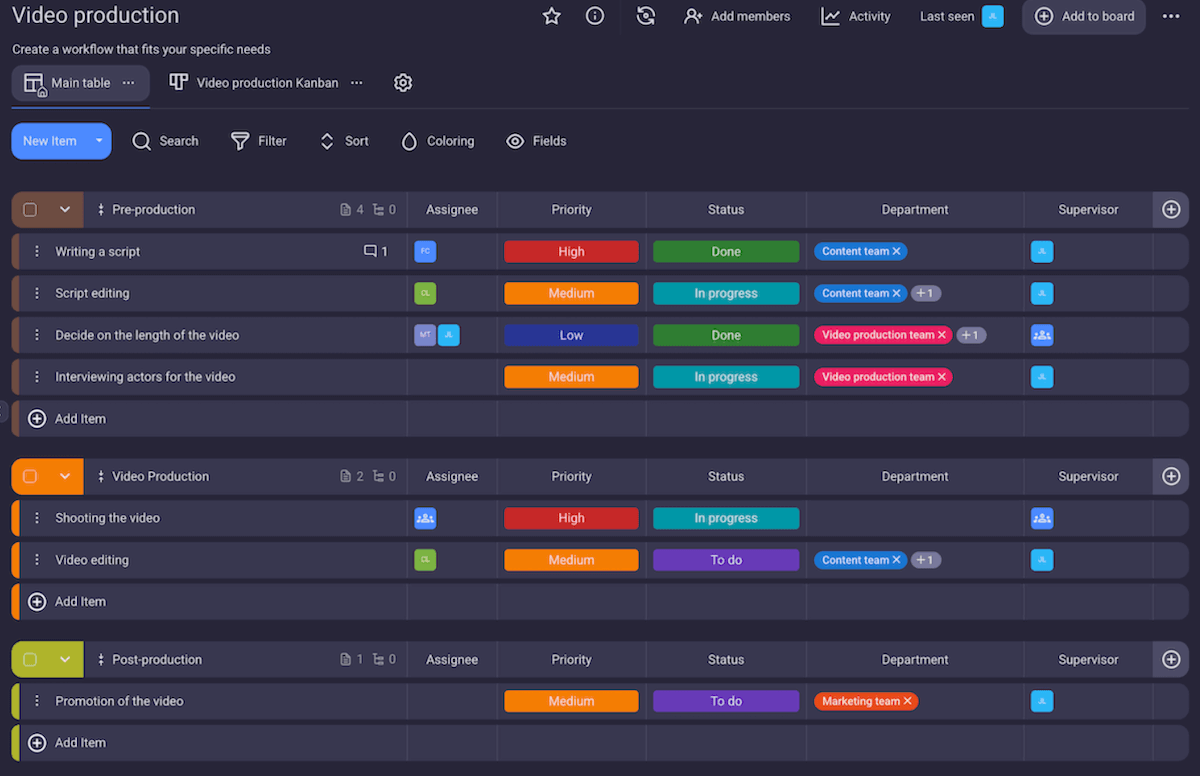
Plaky helps you organize all your tasks, delegate work, and track deadlines — all within a single space.
Manage creative projects with Plaky
In Plaky, you can:
- Create a private or public board for all your creative tasks,
- Keep all task details in one place: status, start and due date, assignee, progress, etc.,
- Keep an eye on your project timeline in a Gantt chart to ensure there are no bottlenecks or task overlaps,
- Notice important tasks right away with automated custom coloring (and choose what is important for you — tasks with approaching deadlines, tasks in review, unassigned tasks, etc.), and
- Communicate with your team directly in task cards through comments and @mentions.
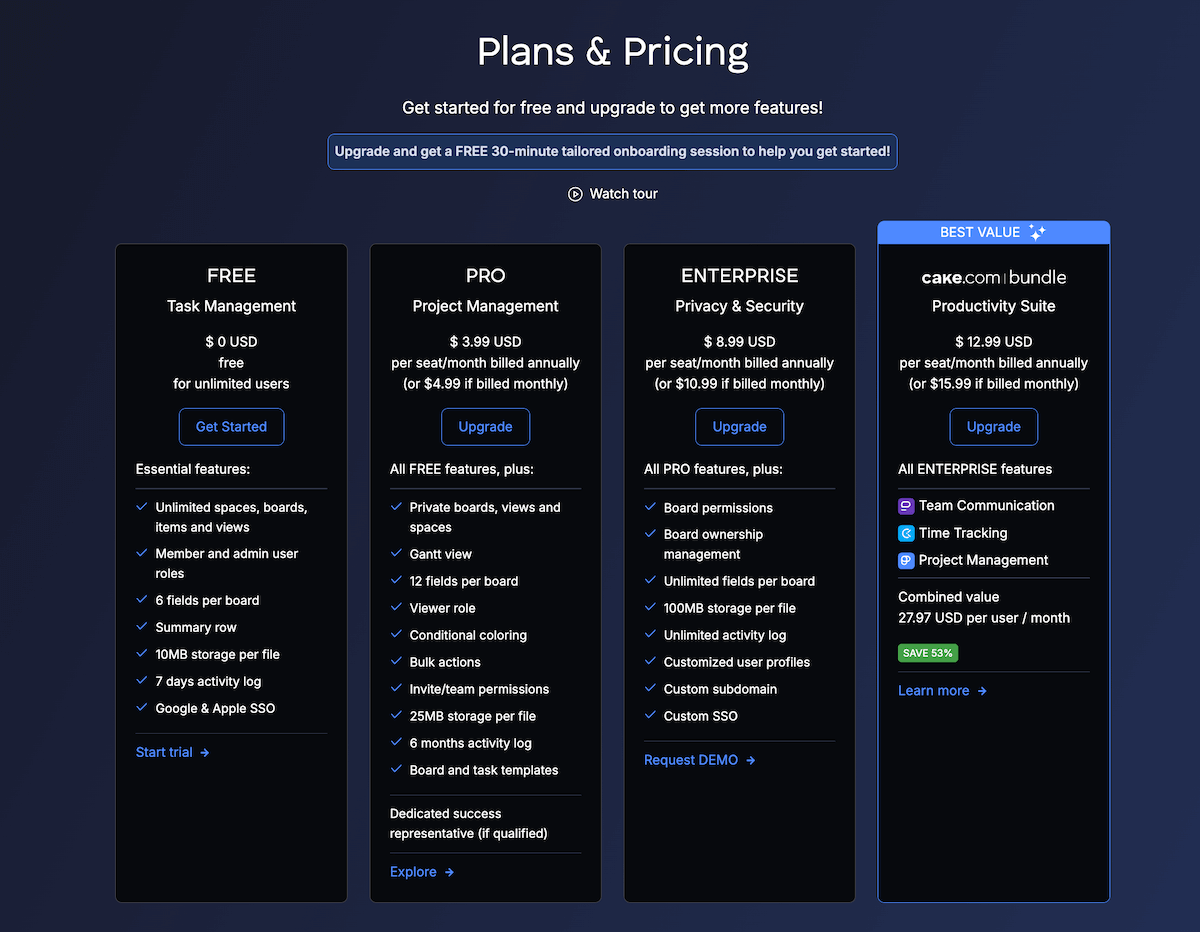
But, all this is just the beginning. Check out Plaky’s pricing page to see all the advanced features it has to offer and (finally) take your creative projects to a whole new level!
Bring structure to your creative projects. Sign up for a free Plaky account now!