 Published: May 14, 2025
A day in the life of a construction project manager is never a straight line. It’s based on plans that often change while the goal remains the same — to safely deliver a project on time and within budget.
Wondering how to find reliable scheduling software for construction projects that will help you achieve smooth project delivery? Look for a tool that will enable your team to:
- Keep plans and schedules organized,
- Collaborate with different teams and contractors in real time, and
- Track progress on-site and in the office.
Managing all this in one centralized platform that unites everything — from planning and execution to handover — is essential for teams that want to optimize their processes. And Plaky has proven to be a great choice for construction projects.
The best part about Plaky is that it is solving real problems, not just adding another tool to the pile.
Plus, Plaky’s becoming a go-to choice for construction teams that seek flexibility and customization in addition to regular task management, team collaboration, and progress tracking. Above all, this helps construction teams easily streamline their detailed construction schedules and boost productivity.
Why construction teams turn to Plaky
Construction projects involve a lot of moving pieces, and every setback can be costly. That’s why construction teams need a little helping hand — a proper construction scheduling app.
Whether they’re building a high-end residential complex or doing standard renovations, more and more construction teams are turning to Plaky to keep their projects on track.
With project management software like Plaky, teams can create a centralized construction milestone schedule and track progress across phases. It’s a practical way to organize day-to-day operations by:
- Assigning tasks,
- Managing project deadlines, and
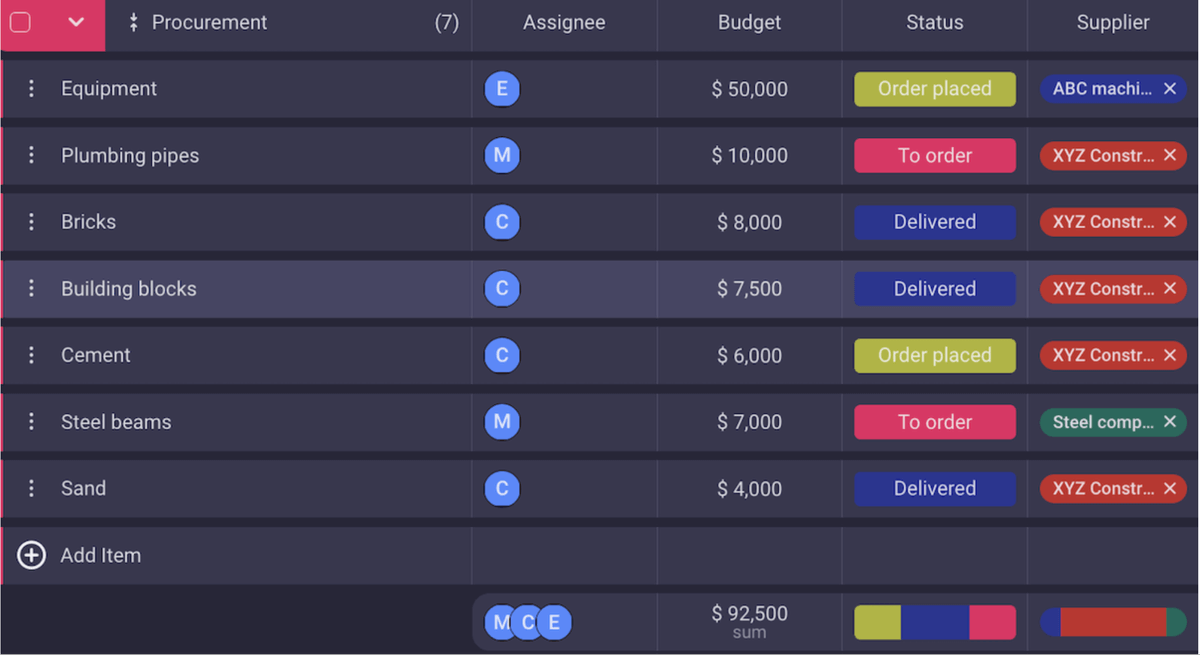
- Keeping budgets in place.
Plaky allows everyone — from the construction site workers to the clients — to keep track of what’s happening.
💡 Plaky Pro Tip
Learn about construction project management in our detailed guide:
Where Plaky fits into your construction process
By incorporating a tool like Plaky in your day-to-day work, you can turn your chaotic project plans into smooth execution. Whether you’re managing one site or juggling multiple projects simultaneously, Plaky cuts down on the busywork and keeps everyone aligned.
With Plaky, your team can also:
- Plan complex construction schedules across project phases,
- Stay aligned and communicate with architects, subcontractors, and clients,
- Track material deliveries and site issues in real time,
- Access project documents, anytime, even while on-site, and
- See timelines clearly and shift plans as needed.

How to use Plaky for your construction projects
Now that we know how Plaky can help with your construction projects, let’s go through a typical construction workflow in Plaky.
#1 Set up a board for your construction project
Create a board for each construction project or a specific phase, like Pre-construction, Foundation, or Finishing works.
No matter if it’s a big development, remodeling, or ongoing maintenance work, you can cover each phase of the process within a board.
To start, you can use Plaky’s ready-made construction schedule template, or create your own from scratch.
Try our construction schedule template
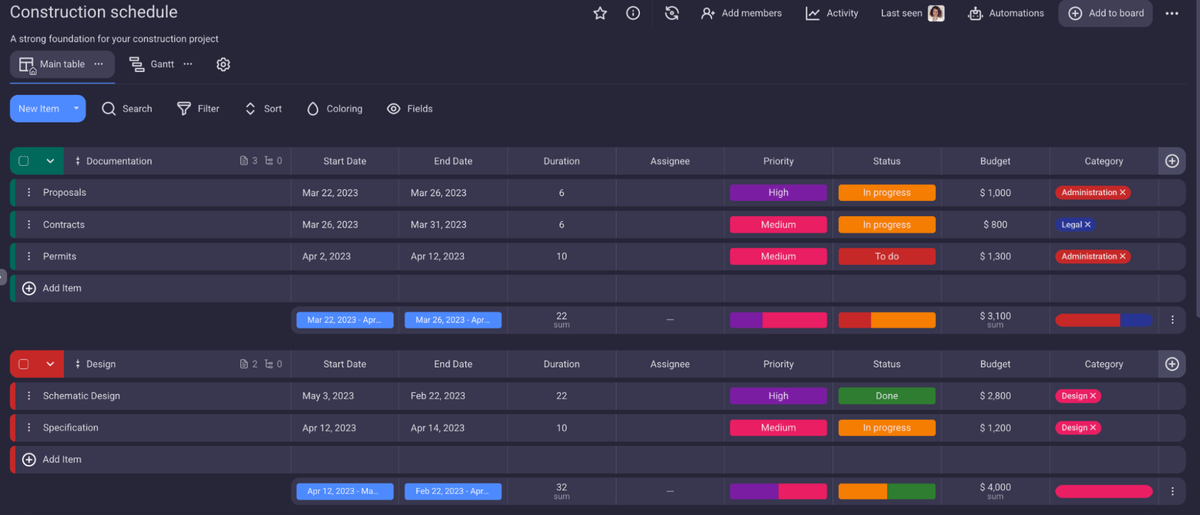
Useful tip: Use color-coding to differentiate stages, teams, or task status at a glance.
#2 Organize the construction phases into task groups
Break the project down into clear, manageable phases, and dedicate a group to each one, like:
- Site preparation,
- Permits & inspections,
- Electrical & plumbing, and
- Interior finishes.
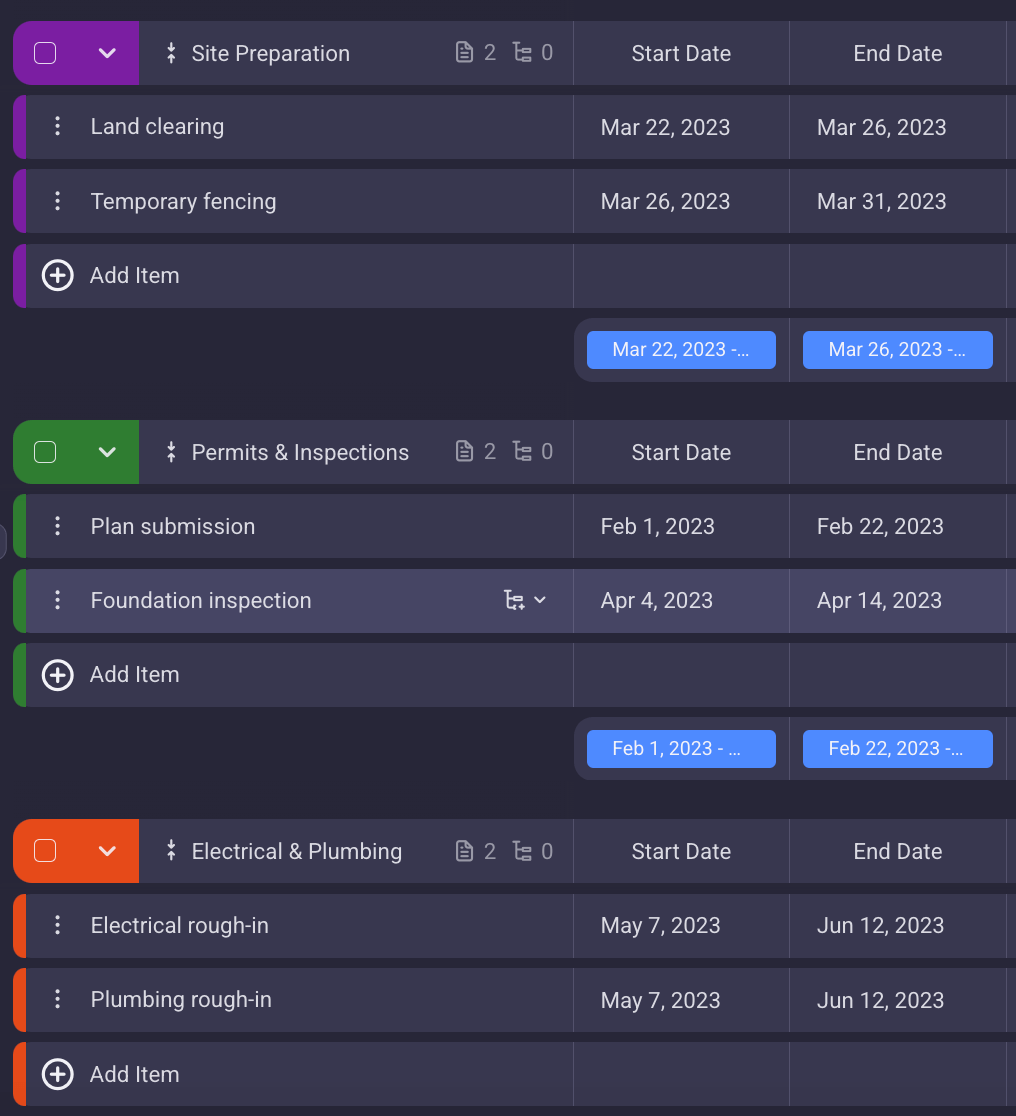
Each group in Plaky consists of individual tasks representing specific jobs (e.g., “Plan submission,” “Foundation inspection”, etc.).
This keeps your construction project organized and easy to follow, with a clear view of tasks and responsibilities.
#3 Assign responsibilities and roles
When you have all the to-dos in place for your project, it’s time to assign the right people or teams to each task.
Whether it’s your internal crew (e.g., the design team), or a subcontractor, you can include them in the item card, in the Person field. They’ll get an instant notification and know exactly what they’re responsible for.
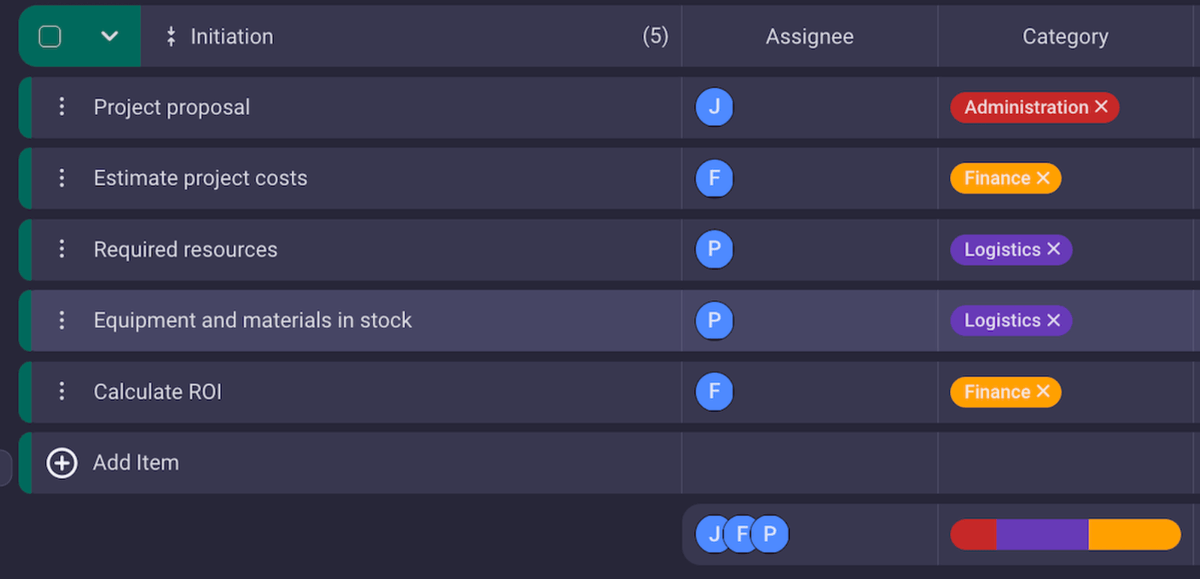
You can also assign multiple people to one task, making it easy for different professionals, like contractors, engineers, and inspectors to:
- Stay aligned,
- Share updates, and
- Move work forward together without confusion.
#4 Set priorities and track the progress of your project
Use priority labels like Low, Medium, High, or Critical to make sure everyone in your team knows which tasks are urgent and need to be handled first.
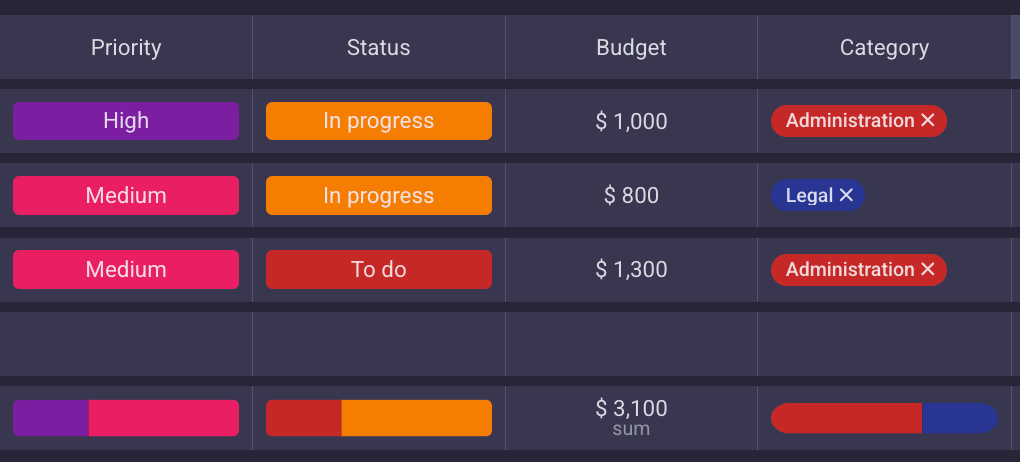
Also, to show what’s happening with each task, use status fields, such as:
- To do,
- In progress,
- Blocked, and
- Done.
Color-coded status fields let you quickly spot the progress of each task, so you can understand where the entire project stands with just one glance. Better yet, they help you identify bottlenecks before they affect your entire construction schedule.
Track project progress in Plaky
#5 Monitor on-site jobs with checklists
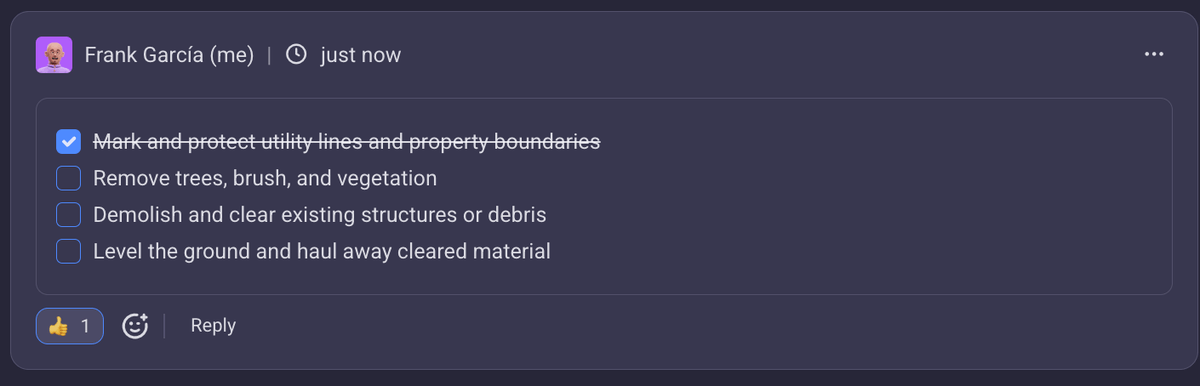
To make sure all the legal and technical requirements are met on a daily or weekly basis, create a checklist of your recurring tasks.
Site checklists can include:
- Safety inspections,
- Equipment maintenance,
- Material deliveries, and
- Site cleanup.
#5 Collaborate with partners — internal or external
Construction project management comprises various team activities that require involvement of many people and different parties, such as:
- Architects,
- Designers,
- On-site construction managers,
- Suppliers, and
- Clients.
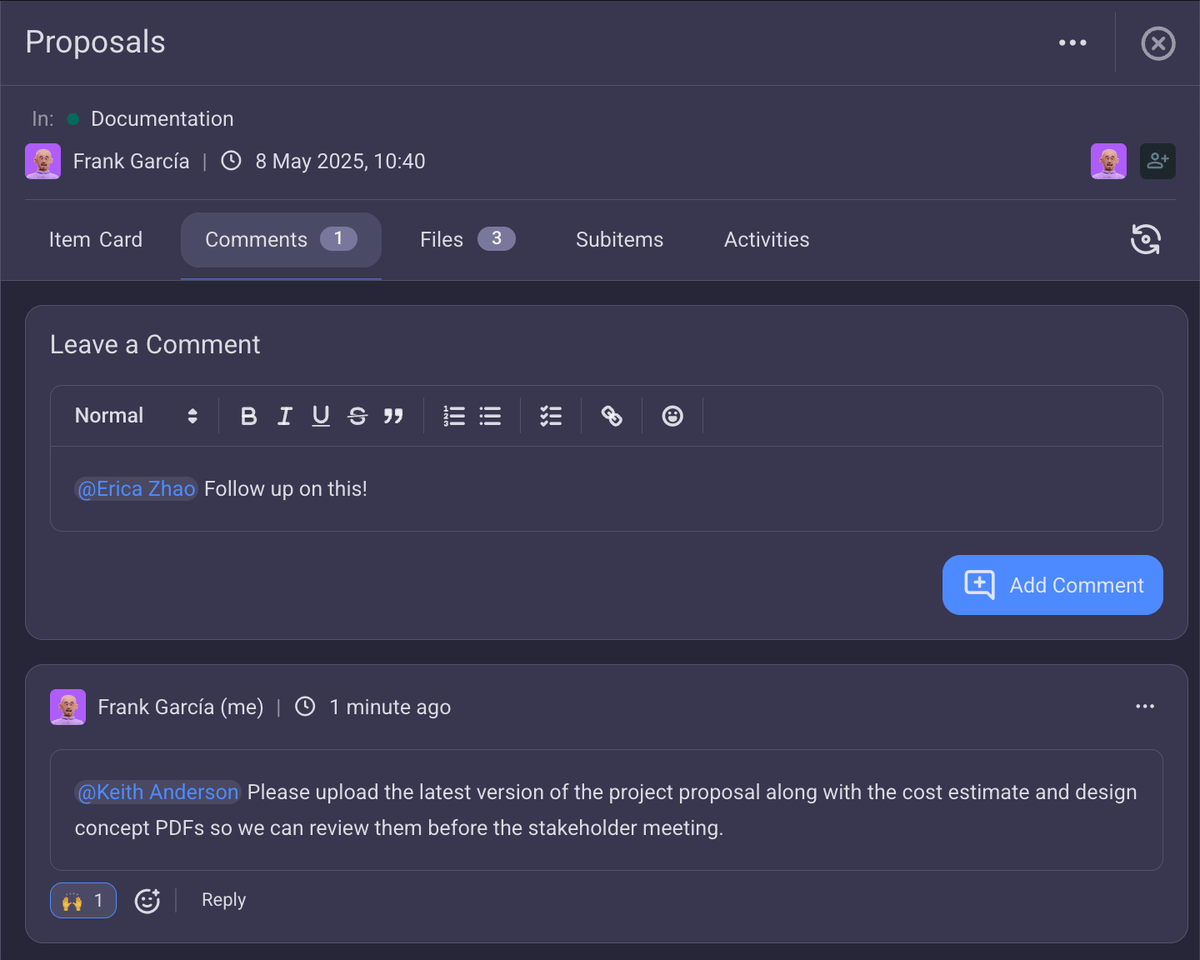
To unite these people under one centralized communication hub, Plaky has comments sections, where teams can:
- Share updates,
- Communicate by tagging their coworkers in comments,
- Instantly react and reply to comments, and
- Receive notifications for each change.
This not only secures transparent communication but also ensures smoother handoffs between teams and external partners.

#6 Keep all docs and files in one place
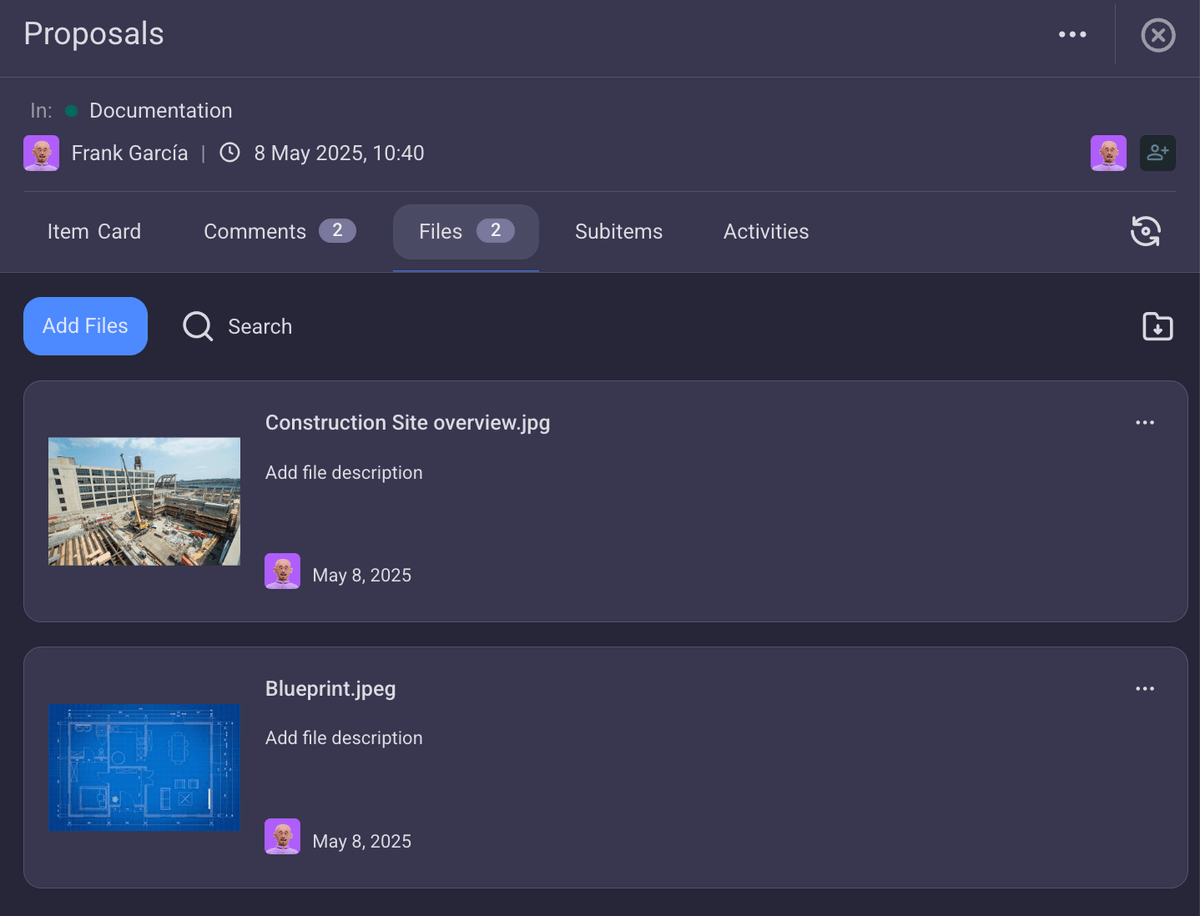
Documents and blueprints are essential in construction projects. Keeping them all in one place ensures that every stakeholder relies on a single source of truth, reducing the risk of miscommunication or missed details.
Plaky enables you to include all the project-related files directly in the item card under the files tab. You can attach:
- Contracts,
- Blueprints,
- Orders,
- Site photos, etc.
Essentially, this means no more digging through emails or chats just to find the file you need.
#7 Tailor your workflow to fit your construction process
Every construction company works differently. That’s not a dealbreaker for Plaky, as you have the full flexibility to customize your boards.
You can rename the existing fields or add new ones, like:
- Material type,
- Vendor,
- Cost,
- Inspection,
- Site location,
- Quantity ordered,
- Safety notes, and
- Permit status.
Shape your board to match how your team operates so that everyone can jump in and feel right at home.
#8 Choose a view to visualize your project
In Plaky, you can choose to structure your data in Table, Kanban, or Gantt chart view.
In particular, Gantt charts are perfect for construction schedules because they create a clear timeline of entire projects.
So, with efficient Gantt chart construction software like Plaky, you can:
- Keep stakeholders aligned and give them more visual clarity on project progress,
- Spot overlapping work that could cause delays, and
- Shift timelines with drag-and-drop flexibility.
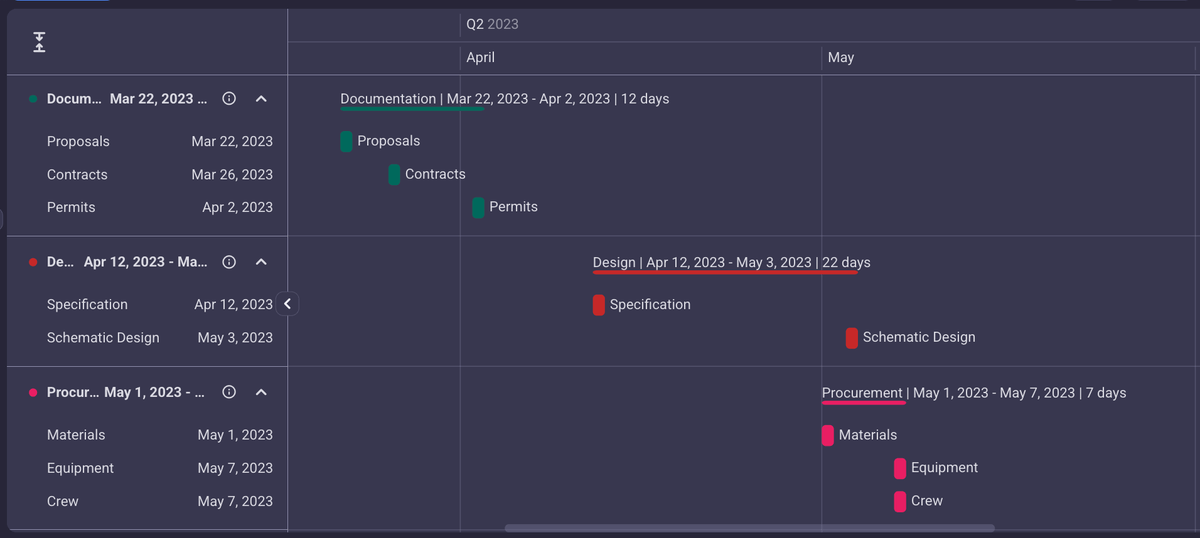
In fact, if a deadline shifts because of the weather, permit delays, or supply inconsistencies, you can easily update the task and make sure all stakeholders are instantly notified — keeping them on the same page.
Simplify construction, one board at a time
Construction is complex, but managing it doesn’t have to be. With the right system in place, clarity and control are just a board away.
Give Plaky a try and see firsthand why this construction scheduling software is the right tool for your business.
How we reviewed this post: Our writers & editors monitor the posts and update them when new information becomes available, to keep them fresh and relevant.