Most projects start off looking organized, with formal plans about teams, tools, and timelines. But no amount of planning is helpful unless you manage the connections between these plans throughout the project life cycle.
What you need is project integration management — processes that ensure all project elements fit together in practice.
Keep reading to see all the important definitions, tips, and tools!
- Project integration management is about keeping all project parts aligned.
- The 7 integration processes guide a project from initiation through planning, execution, monitoring, change control, and closure.
- Strong integration management minimizes working in silos and boosts the chances of project success.
- Effective integration relies on various tools and techniques for maintaining visibility and coordination.
What is project integration management?
Project integration management means coordinating all project elements (people, tasks, resources, timelines, and risks) to ensure they work together as one unified system.
Every part of a project needs to align with the overall business objectives, and changes in one area shouldn’t negatively impact another.
For instance, imagine a marketing agency launching a new website for a client. Although the design team, developers, content writers, SEO specialists, and account managers all have different responsibilities, they need to be coordinated at all times.
Say the client requests a major design change midway through the project — integration management helps assess how that change will affect development time, budget, content production, and launch deadlines before decisions are made.
Without project integration management, these teams would likely face issues like scope creep, duplicated work, unrealistic due dates, and so on.
What is the difference between project management and project integration management?
Project management entails planning, executing, and delivering a project from start to finish.
Project integration management is one specific knowledge area within project management that focuses on unifying all moving parts of a project instead of letting them become a set of isolated tasks.

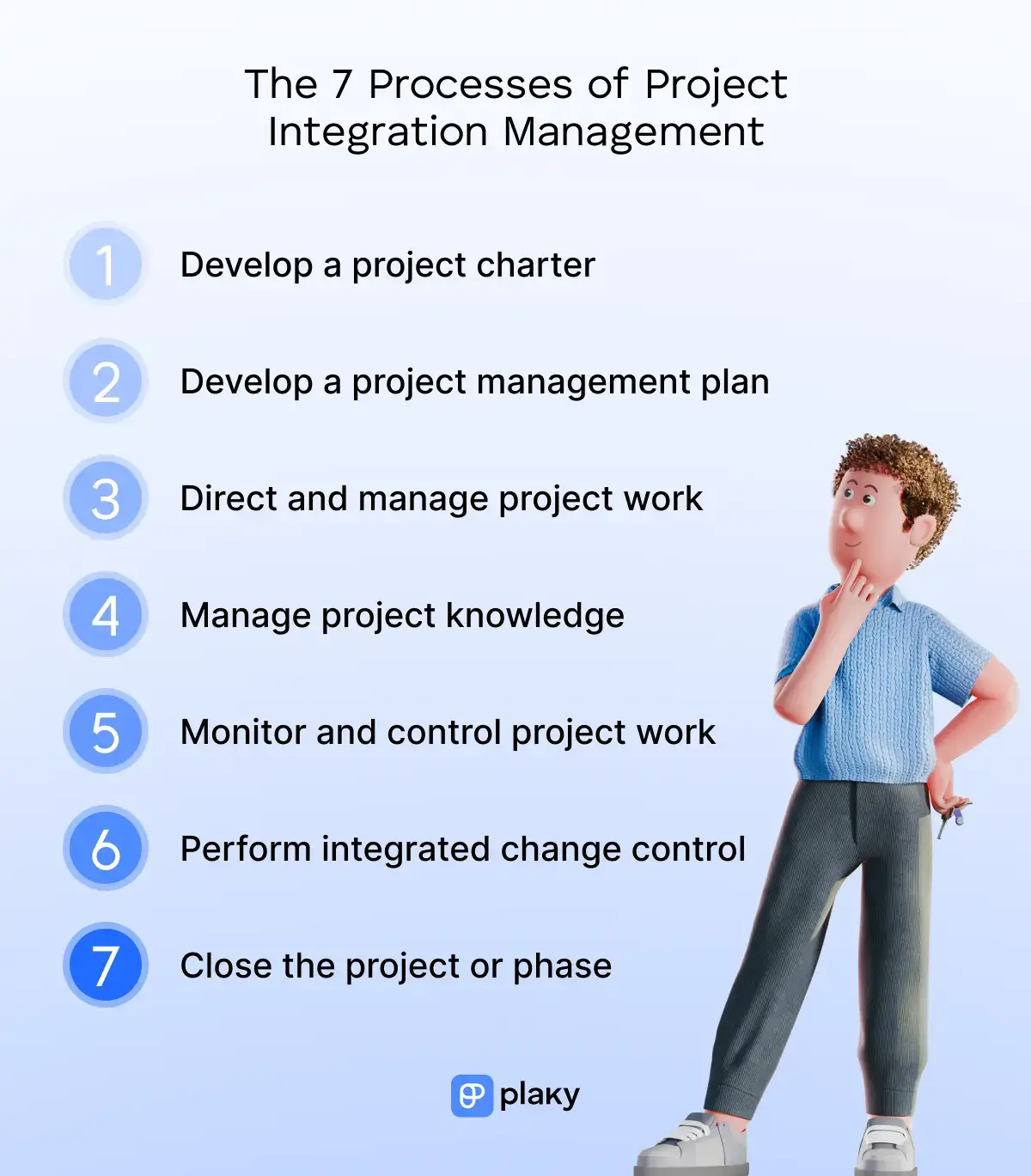
The 7 processes of project integration management
The Project Management Body of Knowledge (PMBOK) outlines the following 7 project integration management processes.
#1 Develop a project charter
The process of developing a project charter is the formal start of a project, outlining what it is intended to achieve.
Therefore, a project charter is a key document that aligns project stakeholders in terms of purpose, direction, and expectations before detailed planning begins.
The project charter typically involves elements such as:
- Project title
- Project scope
- Project deliverables
- Success criteria
- Project milestones
- Project risks
While not a detailed plan, the project charter sets clear boundaries that guide all future project decisions.
Get a free project charter template
#2 Develop a project management plan
The process of developing a project management plan is where your project moves from a high-level idea into a structured, actionable roadmap.
The project management plan defines how the work will actually be done by bringing together all subsidiary plans into one unified document, i.e., a collection of management plans covering aspects such as:
- Scope
- Schedule
- Cost
- Resources
- Communication
- Risks
- Procurement
It’s also essential to establish project baselines — the approved versions of the project scope, timeline, and budget serving as reference points throughout the project life cycle.
Importantly, the project management plan is a living document that can be updated as new information, constraints, or approved changes emerge.
#3 Direct and manage project work
Once project execution begins, teams start performing the tasks, producing deliverables, and carrying out the day-to-day work required to reach the project objectives.
The central role belongs to project managers — organizing workflows, resolving issues, and supporting communication between teams. Because projects are dynamic, managers often need to balance priorities, budgets, and stakeholder expectations simultaneously.
What’s especially useful during the project execution stage is project management software. A reliable PM tool helps you:
- Assign tasks
- Define deadlines
- Manage workloads
- Keep communication centralized
Since multiple activities happen at the same time during execution, having a shared system enhances visibility and reduces the risk of missed updates or bottlenecks.
#4 Manage project knowledge
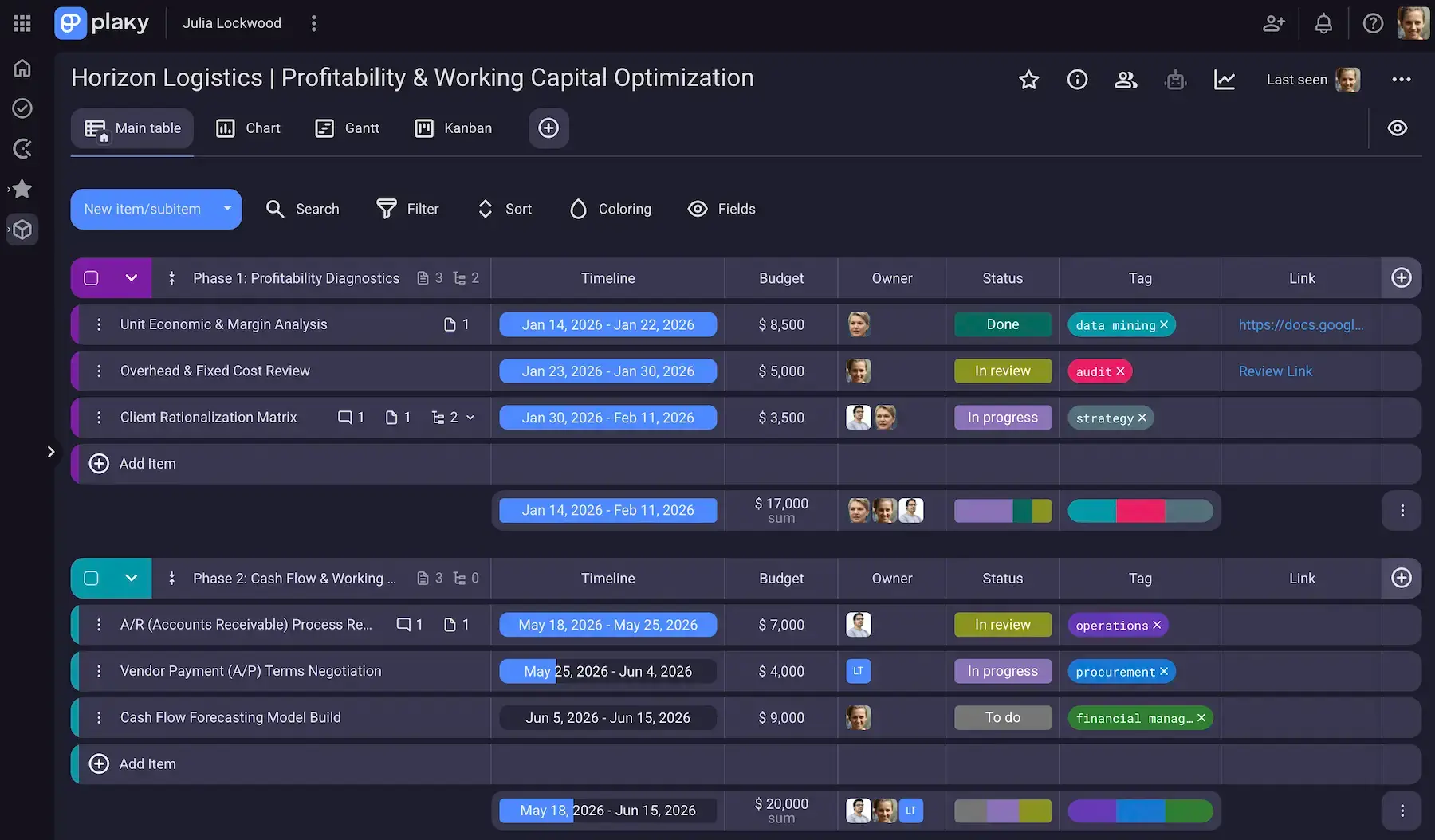
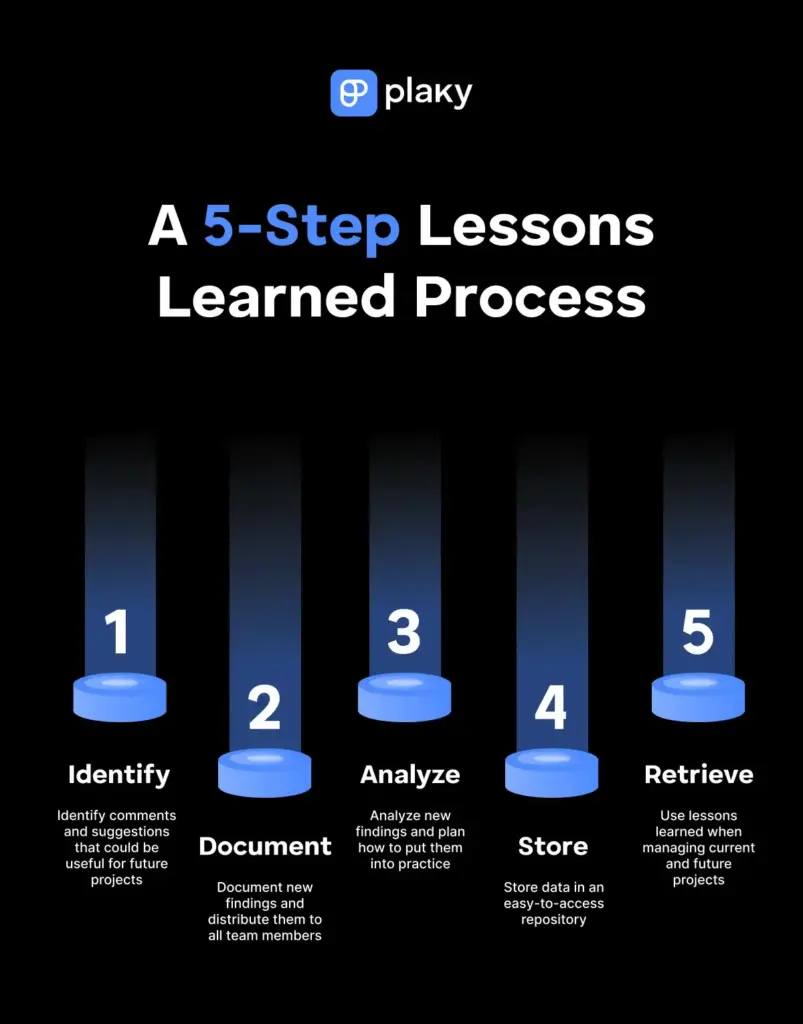
The process of managing project knowledge focuses on identifying, capturing, and using knowledge throughout the project to support better outcomes and avoid repeating mistakes.
There are 2 kinds of valuable information:
- Explicit knowledge — written down, documented, and easy to share (e.g., documents, reports, data)
- Tacit knowledge — gained through experience and harder to explain/document (e.g., insights, lessons learned)
The knowledge management process works in 2 directions: it uses existing knowledge to improve current project decisions, and it creates new knowledge based on project experience.
So, project teams must continuously document best practices and problem-solving approaches, making them accessible to others within the team or organization.
The benefits include higher efficiency, stronger risk management, and more informed decision-making in later stages of the project or in future projects.
#5 Monitor and control project work
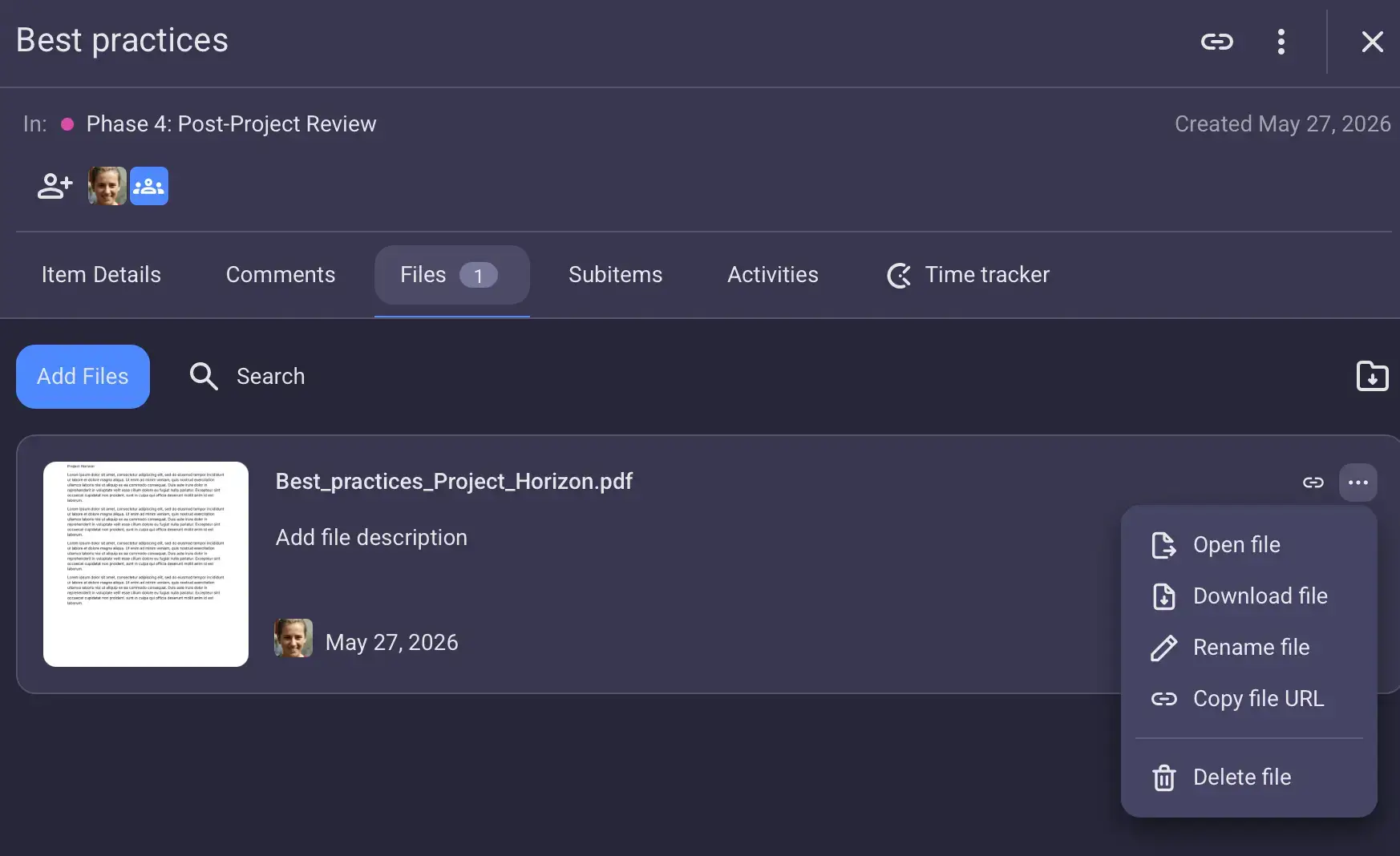
It’s necessary to perform project evaluation, i.e., track project work and compare it against the project plan to make sure the project is progressing as intended.
Here’s how project monitoring typically happens:
- Tracking against baselines — compare actual progress to the approved baselines to identify variances.
- Performance reporting — use status reports, dashboards, and KPIs to summarize project health.
- Regular status meetings — hold team check-ins, Sprint reviews, or stakeholder updates to review progress together.
- Change requests — log and evaluate any proposed changes that could affect project constraints before they are approved/rejected.
If the project starts to drift, corrective or preventative actions are necessary to bring it on track. Plus, you can use the insights to forecast future performance and anticipate risks before they become critical problems.
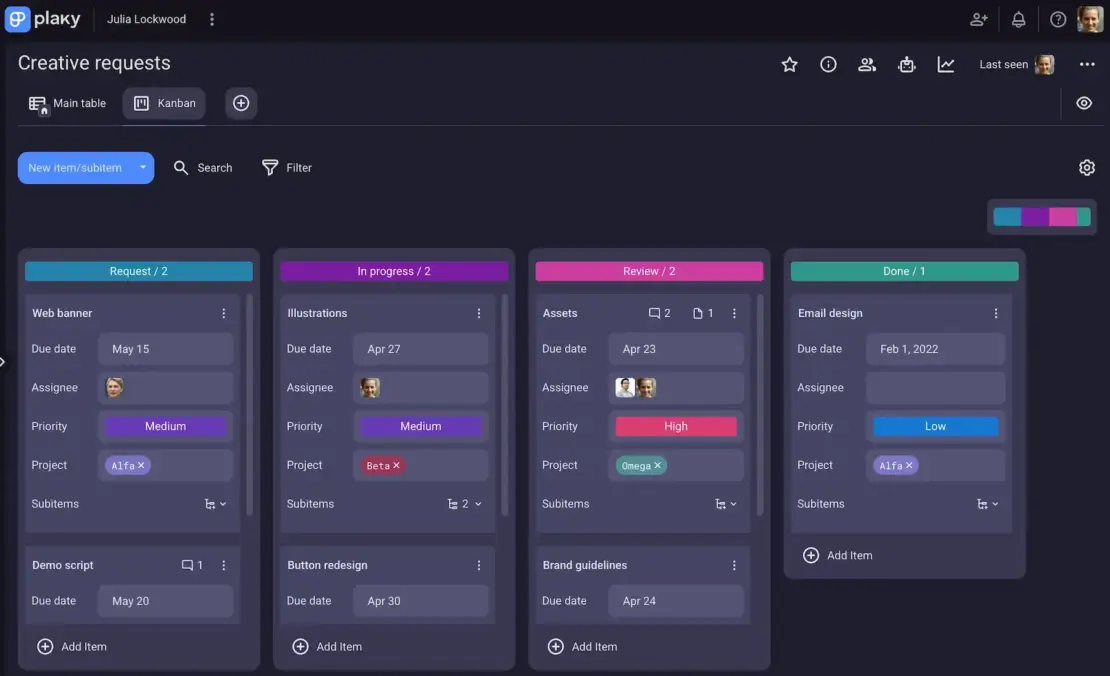
Again, using a PM app is very handy here, as features like task boards, different project views, and automations can simplify and clarify the progress tracking process.
#6 Perform integrated change control
The process of performing integrated change control focuses on reviewing all proposed changes so that they can be approved, rejected, or deferred.
A single change can affect multiple project areas, so you can’t evaluate it in isolation. In practice, no change comes for free, and typical trade-offs include:
- Time vs. scope — adding scope usually extends the timeline (unless extra resources are added).
- Cost vs. time — faster delivery often requires more budget (e.g., overtime, extra staff, outsourcing).
- Quality vs. cost/time — higher quality standards may require more testing, revisions, or specialized expertise.
All changes must be informed decisions, not assumptions. So, project managers typically assess impact reports, consult stakeholders, and consider dependencies before approving any project change.
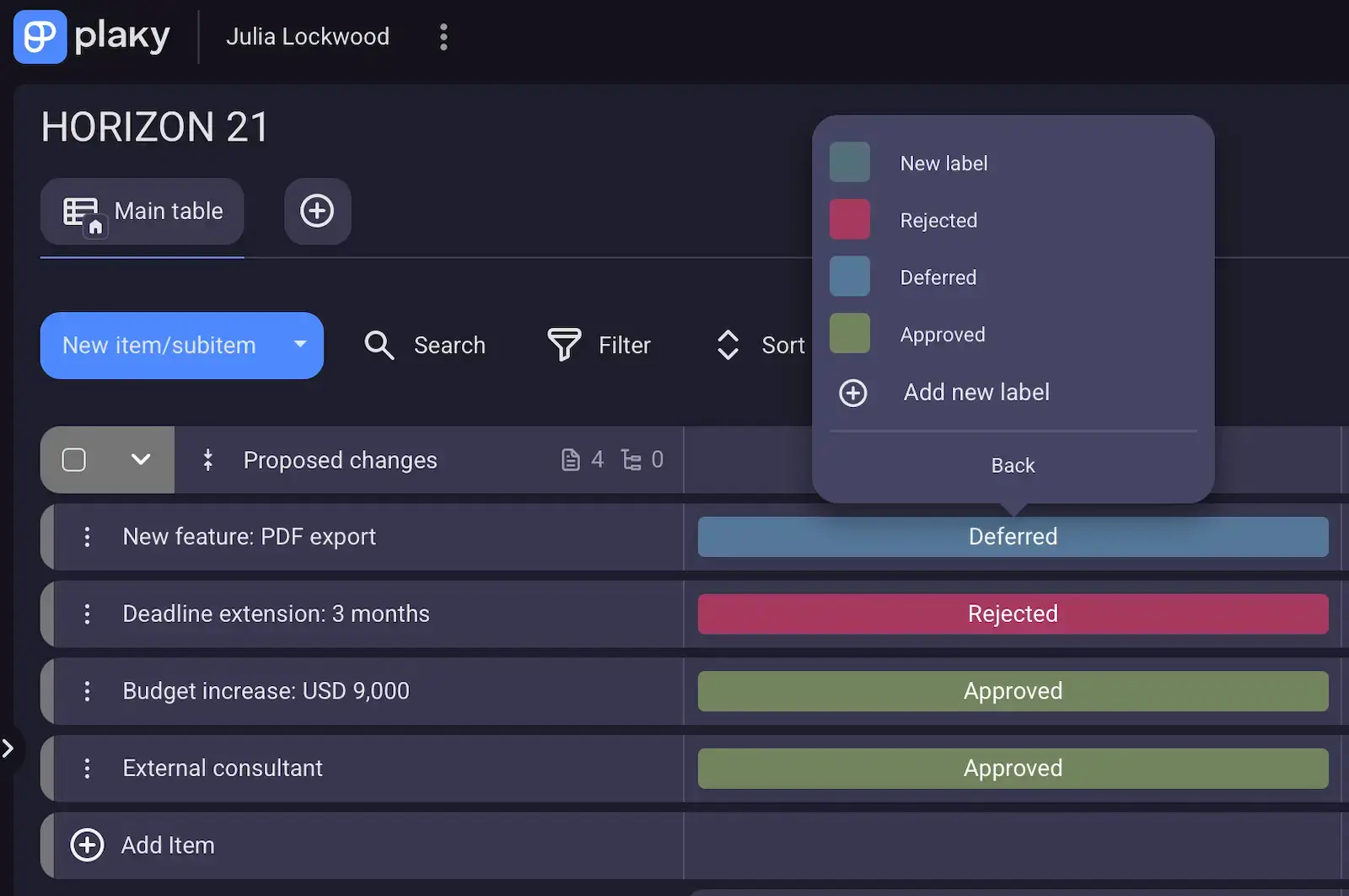
Naturally, approved changes must be reflected in updated project documents (including the project management plan and baselines). It’s crucial that the entire project team works from the same current versions.
#7 Close the project or phase
The final step in project integration management is the official transition from execution to closure or from one phase to the next.
A key part of project closure is confirming that all contractual and project requirements have been met, which includes:
- Obtaining formal acceptance from stakeholders or clients
- Finalizing documentation
- Closing contracts
- Releasing project resources
A project closure meeting is also common, though not strictly mandatory in every case. In practice, many organizations separate the closure into 2 parts:
- A formal sign-off meeting — focusing on acceptance and contractual closure
- A retrospective or lessons learned session — focusing on reflection and improvement
Regardless of whether you hold a closure meeting or not, the project team should reflect on both what went well and what could have been better, making those lessons learned valuable for future teams and projects.
Why is project integration management important?
Here are some of the biggest benefits of project integration management:
- Better cross-functional alignment — helping different teams and departments work toward the same objectives instead of operating in silos (isolated systems)
- Improved decision-making — giving project managers a complete view of how risks or changes affect the entire project
- Stronger control and visibility — making it easier to track progress, detect issues early, and prevent conflicting priorities
- Effective change management — ensuring changes are evaluated holistically before implementation to reduce unexpected impacts
To sum up, project integration management increases the likelihood of delivering projects on time, within budget, and according to stakeholder expectations.
Tools and techniques in project integration management
You need a combination of tools, techniques, and frameworks to coordinate work across multiple project areas — let’s look at some common examples.
PM software
According to project management statistics, high-performing project management offices (PMOs) tend to be more digitally organized and tool-driven. That’s likely because it’s easier to stay organized with a platform that offers features such as:
- Customizable fields
- Templates
- Gantt charts
- Automations
- Real-time notifications
Centralized task management and clear accountability ultimately lead to better productivity and higher chances of project success.
💡 Plaky Pro Tip
Interested in seeing our top 10 PM software recommendations? Check out this listicle:
PM methodologies
There are various project management methodologies, i.e., structured approaches for organizing and managing work with more precision and predictability.
Here are some of the most commonly used methodologies:
- Waterfall — a linear method where work is completed in sequential phrases, with each stage finishing before the next one begins
- Agile — an iterative approach that promotes flexibility, collaboration, and continuous improvement
- Scrum — a popular Agile framework that organizes work into short development cycles called Sprints
- Kanban — a visual workflow management system for tracking work progress through stages
- Scrumban — a hybrid approach that combines Scrum’s Sprint structure with Kanban’s flexible workflow visualization
The right methodology depends on factors such as project complexity, team structure, how frequently requirements are expected to change etc., so make sure to do your research and choose based on your specific needs.
Work breakdown structure
A work breakdown structure (WBS) is a planning technique that segments a project into smaller, manageable components.
To create a WBS, you need to:
- Define the project scope and objectives.
- Identify major project phases or deliverables.
- Decompose the deliverables into smaller tasks.
- Assign responsibility and estimate effort.
- Review and validate the WBS.
As a result, the WBS helps project managers spot dependencies and plan resources more accurately.
Critical path method
The critical path method (CPM) is a scheduling technique for determining the longest sequence of dependent project tasks.
The CPM also defines the shortest possible time in which the project can be completed. Any delay in a task on the critical path directly affects the overall project deadline, making it the most important sequence to monitor.
So, the CPM helps you understand which activities are essential for keeping the project on schedule and which have flexibility.
Critical chain project management
To focus on both task dependencies and resource availability, you can use a scheduling technique known as critical chain project management (CCPM).
A key feature of CCPM is the use of buffers — extra time built into a project schedule to protect it against delays. However, instead of adding buffers to individual tasks, CCPM puts them in one shared safety zone for the entire project.
By placing equal emphasis on task order and the necessary resources (people, tools, or equipment), CCPM leads to more realistic schedules and fewer bottlenecks.
How Plaky by CAKE.com supports project integration management
As you could see throughout this article, a reliable PM solution is a must for effective project integration management.
Consider Plaky — with unlimited projects, tasks, and users, our platform lets you scale without worrying about tool limitations or fragmented workspaces.
Plaky also offers benefits such as:
- Flexible work organization — Plaky’s hierarchy is neat and logical, organizing work into Spaces, Boards, and (Sub)Items. For extra convenience, you can move Items between groups within a project or even move them to another Board. Also, you can convert a Subitem into an Item if its complexity grows, requiring better visibility.
- High level of customization — Fields (Text, Numbers, Link, Date, etc.) and multiple project views (Table, Gantt, Kanban, and Chart) allow you to build whatever project boards your team needs. Plus, Plaky’s custom color picker ensures all tags and labels are the exact shade you want.
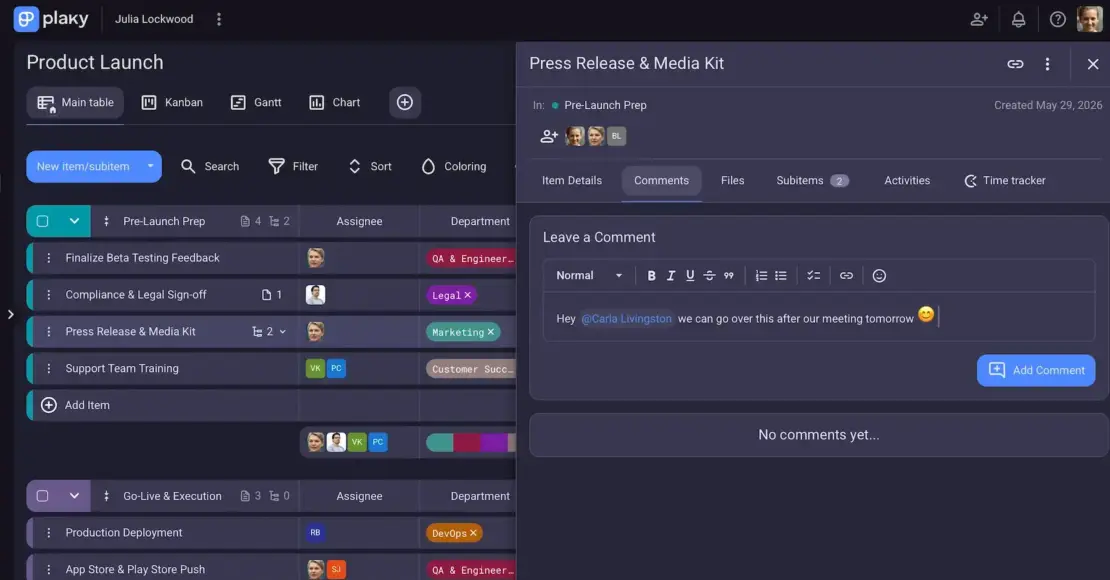
- Smooth collaboration — Plaky enables clear communication via threaded comments, @mentions, and emoji reactions. Centralized collaboration keeps all project discussions and decisions in one place, with the Activity log preserving all updates.
- Standardized processes — Board automations help you handle repetitive tasks with ease and ensure routine processes are performed consistently. In addition, Plaky’s templates allow every project to start with the same structure for consistency.
Moreover, Plaky has native mobile apps (Android and iOS), letting you stay connected to updates even when away from your desk.
As a cherry on top, Plaky’s pricing ranges from a functional free plan to an affordable enterprise-grade tier, depending on your needs and budget.
Keep every part of your project connected from start to finish — with Plaky by CAKE.com.
How we reviewed this post: Our writers & editors monitor the posts and update them when new information becomes available, to keep them fresh and relevant.