Most teams don’t set out to overload themselves, it just… happens. Demand grows, priorities shift, and suddenly there’s more work than capacity to handle it.
Capacity planning is about staying ahead of that moment — by understanding what resources you have and how much work they can support.
This article will walk you through everything you need to know about different capacity types, planning strategies, and helpful software.
Let’s begin!

- Capacity planning is about matching demand to reality.
- There’s more than 1 type of capacity to plan for, and ignoring any of them creates hidden bottlenecks.
- Lead, Lag, and Match are the most common strategies for planning capacity (and each comes with trade-offs).
- Adding structure to your process of capacity planning is what makes it actionable.
- This entire approach only works if it’s revised regularly.
Types of capacity planning
Capacity planning can focus on different parts of your operation. In fact, many teams deal with more than one aspect at the same time.
That said, here are the 3 main types of project resources to keep in mind while working on a capacity planning strategy.
Workforce capacity planning
Workforce capacity (also known as human resource/capital capacity) focuses on the people doing the work and how much they can realistically handle.
To figure out how much your team can take on without draining the staff capacity, you need to look at headcount, but also:
- Available working hours (minus vacation and sick leave),
- Skills and experience levels,
- Current commitments, and
- Planned hires or changes in project roles.
Example: Your consulting team has the opportunity to accept 2 new clients. On paper, you have enough people. However, workforce capacity planning reveals that only 1 consultant has the required expertise, and they’re fully booked.
As a result, your team can delay onboarding 1 client instead of risking burnout and delivery issues.

Product capacity planning
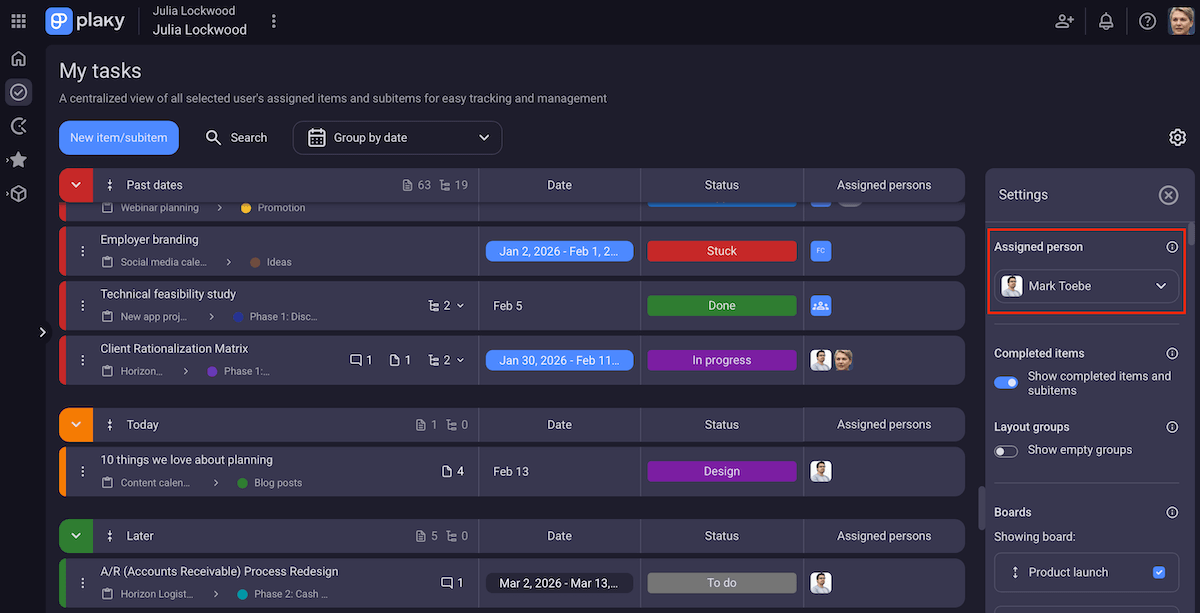
Product capacity planning focuses on producing and delivering your product at the volume and pace your customers expect.
In other words, this is about:
- Availability of materials, components, or inputs,
- Dependencies and constraints in the production process,
- Ongoing maintenance and support effort, and
- Capacity to scale without affecting quality/performance.
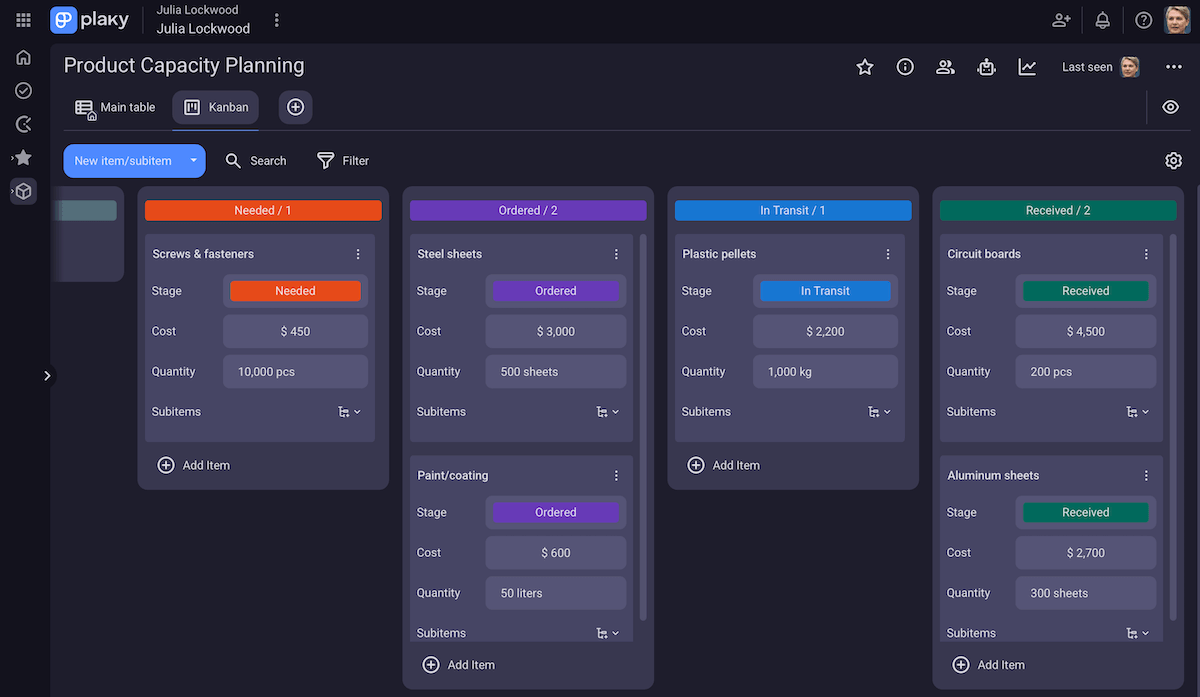
Example: Your manufacturing company sees an increase in demand for 1 of its products. While the production line can handle higher output, capacity planning reveals a limitation in raw material supply — lead times for key materials are much longer than expected.
Knowing it’s impossible to scale production immediately, you can adjust delivery commitments and secure additional suppliers before increasing sales.
Free Kanban app — Plaky by CAKE.com
Tool capacity planning
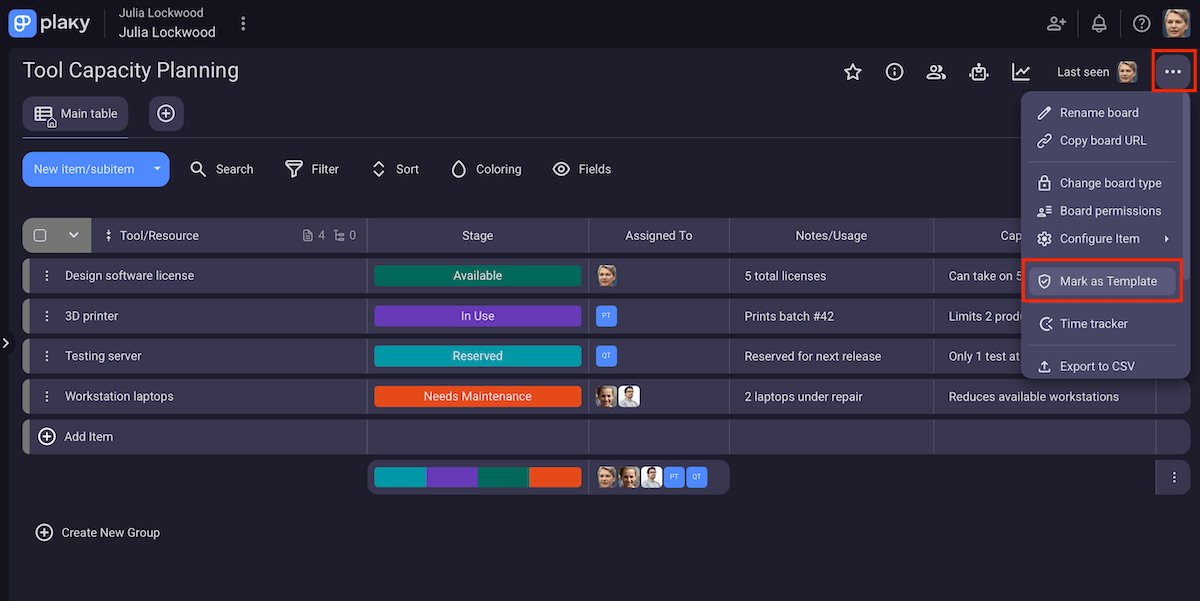
Tool capacity planning focuses on equipment, systems, and software needed to complete work efficiently.
This is important because even when people and plans are in place, limited or outdated tools can become a bottleneck.
Here’s what tool capacity planning covers:
- Availability and limits of tools and equipment,
- Software licenses and usage limits,
- System performance and scalability, and
- Tool readiness for increased demand.
Example: You run a creative agency with enough designers to take on more projects. However, tool capacity planning exposes a constraint: your design software licenses are limited, and your file-sharing systems are slow.
To solve the problem, you can upgrade the tools before accepting new commitments.
3 capacity planning strategies you can use
Capacity planning strategies describe when you adjust capacity in relation to demand.
Let’s go through the 3 main strategies — just remember there’s no universally right approach, as each one comes with tradeoffs depending on your risk tolerance and demand predictability.
Lead strategy
The Lead strategy means increasing capacity before demand actually materializes.
In other words, teams invest in people, production capability, or resources in anticipation of future growth. The aim is to be fully ready when demand arrives.
The advantages of the Lead strategy include:
- Fewer delivery delays during growth,
- More room to take on new opportunities, and
- Less pressure on teams during demand spikes.
That said, this method also has a few downsides — mainly high upfront investments and the risk of paying for unused capacity.
For example, let’s say a SaaS company hires additional engineers ahead of a planned growth phase. If demand rises as expected, releases will stay on track. However, if growth slows unexpectedly, part of the team will end up underutilized.
We can conclude that the Lead strategy works best when your demand is predictable or the cost of being under-capacity is high.
Lag strategy
The Lag strategy means increasing capacity after demand has already grown.
Essentially, you wait for clear signals before investing in resources or expanding production. This is a way to prioritize cost control over early readiness.
So, teams opt for the Lag strategy because it offers:
- Lower costs in the short term,
- Strong cost control in uncertain markets, and
- Lower likelihood of unused capacity.
There are potential disadvantages to consider too — e.g., slow response to sudden changes and negative impact on quality and customer experience.
To illustrate, we can imagine a consulting firm waiting to hire until new contracts are signed. If demand rises gradually, costs remain under control, without unused capacity. But, if several projects start at once, the team can easily become overloaded and have to bring in short-term contractors at a higher cost.
All in all, the Lag strategy is mostly for companies whose demand is volatile and budgets are tight.
Match strategy
The Match strategy sits between Lead and Lag, adjusting capacity gradually as demand changes.
This means making smaller, more frequent adjustments based on actual performance and updated forecasts.
The main benefits of this approach include:
- Balancing cost control and flexibility,
- Lower risk of major over- or underinvestment, and
- Supporting steady, sustainable growth.
However, you also need to consider potential drawbacks. The most obvious one is that the Match strategy requires constant monitoring and accurate data — and it still may offer limited protection against sudden demand spikes.
Here’s an example: an e-commerce business with steady month-over-month growth. Instead of making big investments, the company gradually increases warehouse staff and inventory levels as sales rise — no large swings in cost or workload.
Overall, this works best for mature teams with reliable data and the ability to monitor capacity regularly.
5 steps for optimized capacity planning
A structured approach makes this whole process manageable, so here are 5 key steps you can follow (including some capacity planning examples).
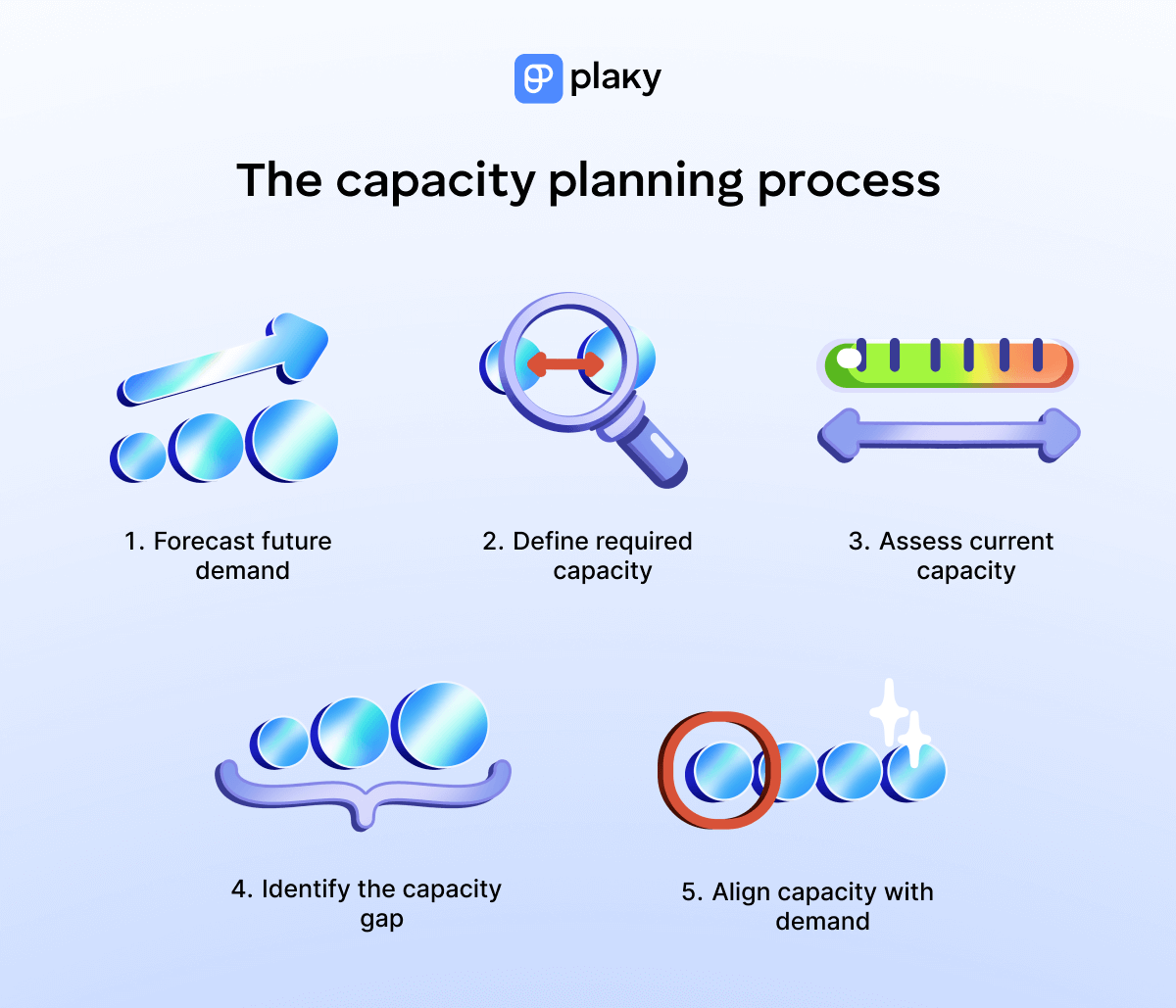
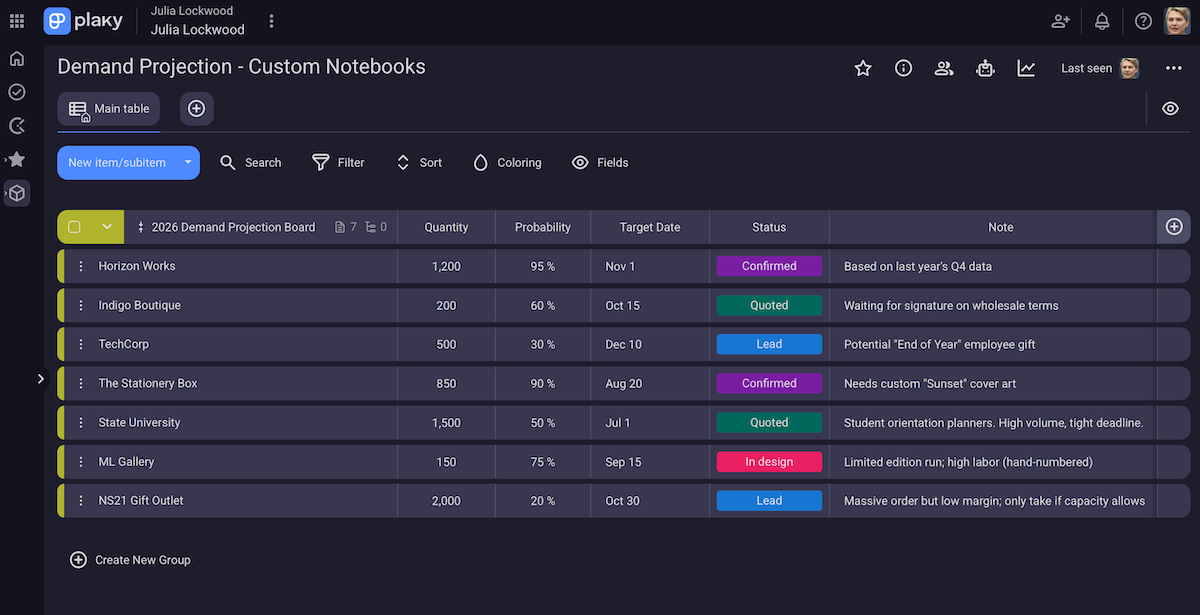
#1 Forecast future demand
Capacity planning starts with understanding how much work is likely to come your way.
Naturally, forecasting demand doesn’t mean predicting with full certainty, but you can make informed assumptions based on the data you have at the time.
This step typically looks at:
- Expected projects or orders over a defined period,
- Historical data,
- Planned launches,
- Known seasonal patterns, etc.
For more mature teams, this step can also include scenario planning. It means considering multiple demand scenarios rather than a single number (for example — conservative, expected, and high demand).
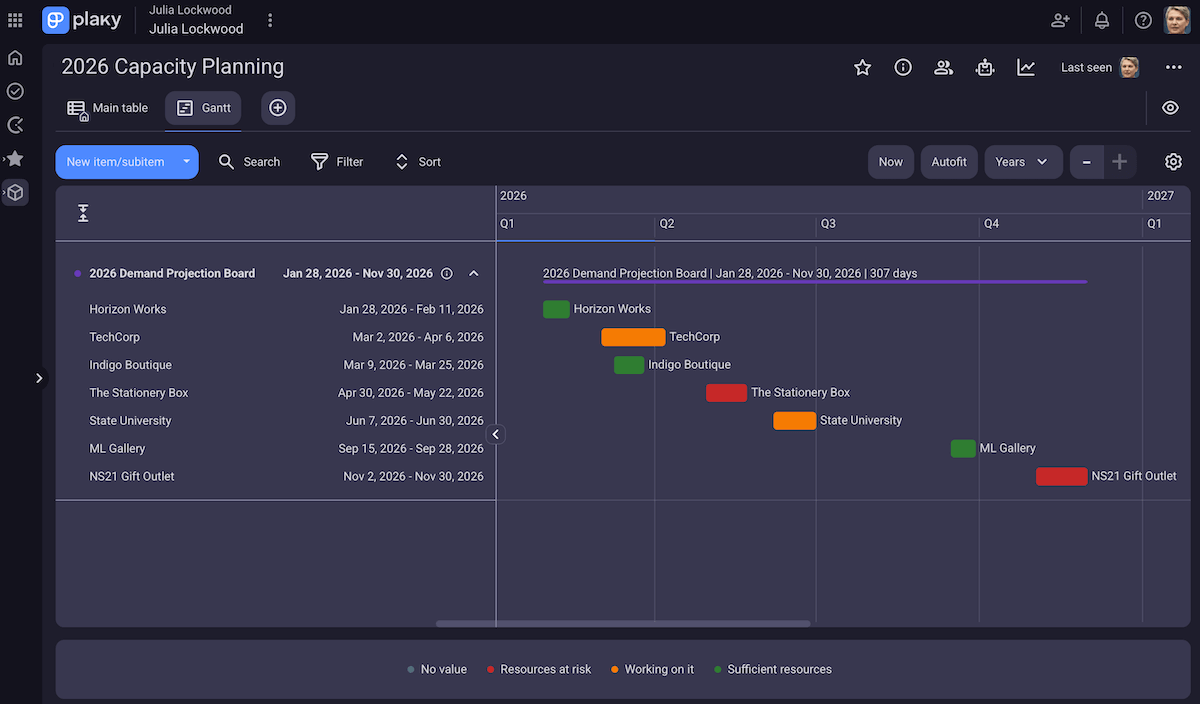
Plaky — capacity planning made simple
#2 Define required capacity
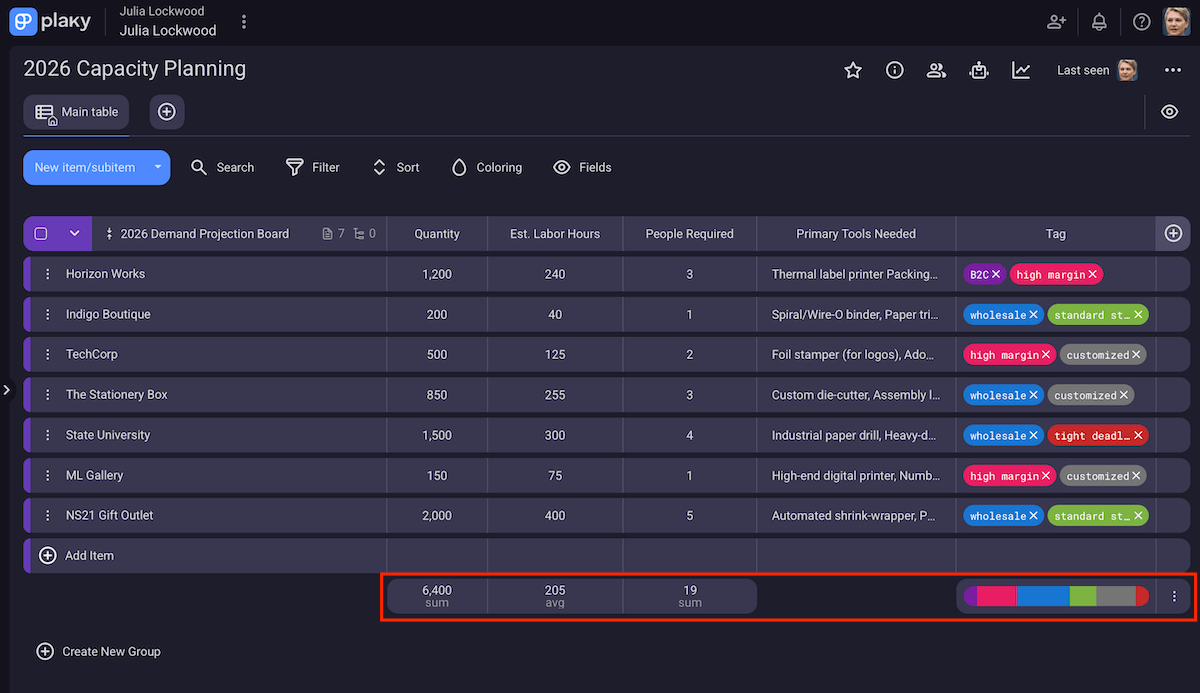
After assessing future demand, you need to translate it into capacity, i.e., break it down into hours, people, and tools required.
The goal is to describe what would be needed to meet demand as planned, before factoring in real-world constraints or limitations.
Still, you know that not all work takes the same amount of time or effort, so try to account for differences in complexity, scope, and quality expectations.
And, since work rarely goes exactly as planned, building in some buffer here makes the plan more resilient.
#3 Assess current capacity
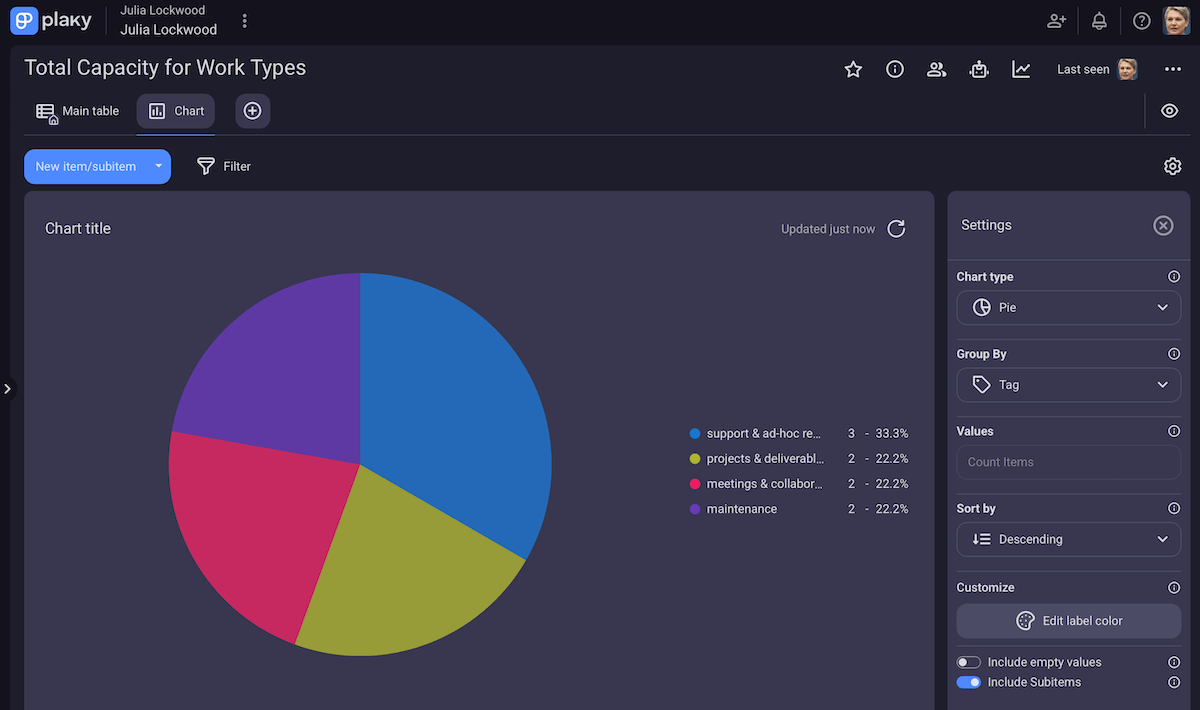
Once you have required capacity, it’s time to look at what’s actually available. This means understanding what your team, systems, and production setup can realistically provide during the defined period.
This step typically considers:
- Existing work and ongoing commitments,
- Planned time off, holidays, and other absences,
- Skill and experience differences within the team, and
- Tool, system, or process limitations affecting throughput.
Evaluating all types of capacity planning (workforce, product, and tool) shows what’s really available for new or planned work, not what looks available on paper.
Assess available resources in Plaky
#4 Identify the capacity gap
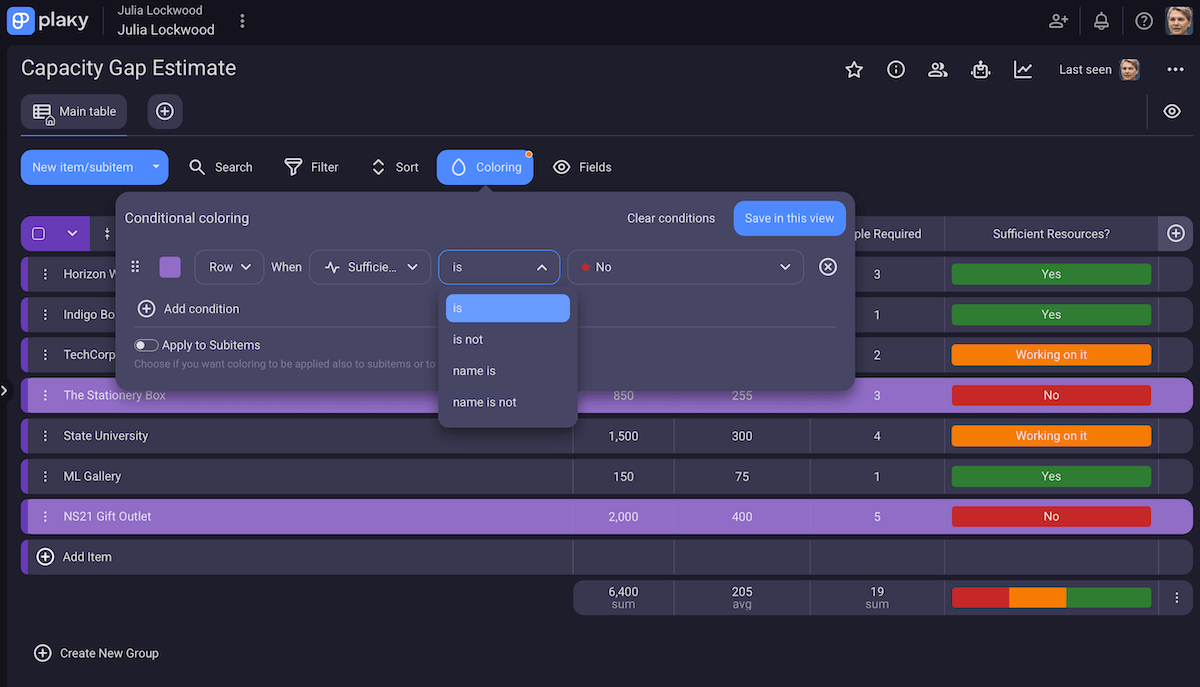
Now you need to compare required and current capacity to detect the capacity gap.
Whether it’s time, skills, tools, or production limits, this step helps you figure out:
- What you need more of, and
- What you have a surplus of.
Identifying the gap early allows teams to understand the size and nature of the problem before making any decisions.
For instance, a small, short-term gap may require minor adjustments, whereas a bigger or ongoing gap usually signals the need for more structural changes.
#5 Align capacity with demand
The final step is adjusting resource allocation, schedules, and priorities to ensure the team has the right capacity in the right place at the right time.
This is where you decide how to align capacity with demand, i.e., opt for one of the strategies we explained in the previous section.
In practice, this can involve:
- Redistributing workloads,
- Tweaking project management workflows,
- Hiring additional resources,
- Rescheduling projects,
- Upgrading tools or systems, etc.
Important disclaimer: Aligning capacity isn’t a one-time task. It entails regular monitoring and adjustments as demand fluctuates or unforeseen work arises.
When done consistently, this keeps teams productive and delivery on track.

Why is capacity planning important?
When a new business opportunity shows up, the first question is Can we take this on? — and without a clear view of capacity, the answer is usually a guess.
Capacity planning tools and strategies help teams avoid that guesswork, offering benefits such as:
- Actually planning instead of just reacting — Instead of reshuffling priorities every week, you can decide what to take on ahead of time.
- Balancing utilization across the team — When workload management is clear, it’s easier to spot who is overloaded/underutilized and adjust before performance suffers.
- Reducing last-minute hiring — Detecting capacity gaps early lets you plan hiring or outsourcing without rushing.
- Keeping delivery dates realistic — When commitments are based on actual capacity, deadlines are more likely to hold, and client trust is easier to maintain.
Bring structure to capacity planning with Plaky by CAKE.com
Even with the best intentions, many leaders struggle to move resources where they’re most needed.
According to the McKinsey State of Organizations 2026 report, only 30% of organizations successfully reallocate resources across the enterprise, defaulting to last year’s budget instead of shifting resources to high-growth areas.
Admittedly, future-oriented resource planning can feel overwhelming. Still, it’s less daunting than limited responsiveness and leaving your team under-resourced when demand is rising — which is the most likely outcome of planning inertia like the one in the McKinsey example.
To make everything easier, the right capacity planning software can help you visualize work, track resources, and stay aligned across projects.
As you could see throughout this guide, Plaky by CAKE.com can support all your capacity planning needs. But, if you’re still unsure, I can highlight some additional handy features:
- Customizable fields — Plaky’s Fields ensure flexible task management, including matters related to organizing capacity (task status, owner, deadline, budget, and more).
- Automation — Board automations reduce repetitive actions like task handoff, status updates, recurring tasks, etc.
- Communication features — Activity log, in-task comments, and file sharing keep everyone on the same page without endless meetings and emails.
- Native Plaky-Clockify integration — Tracking real work hours directly against planned capacity allows for smarter forecasting and reporting.
As a cherry on top, our app offers a user-friendly UI with affordable pricing plans (including a generous free tier for teams with basic needs).
Turn capacity planning into a daily habit, not a last-minute scramble — Plaky is ready when you are!