 Updated: marzo 16, 2026

Looking for a way to supercharge project management processes in your business?
Want to avoid enterprise complexity, but need some advanced functionalities for your growing team?
If that’s the case, Plaky’s Pro plan is just what you need. It builds on the well-known Free forever plan, but adds options that:
- Enhance your workflows,
- Help you collaborate with your team and stakeholders,
- Minimize your manual work,
- Give you an insight into past decisions, and much more.
Let’s see how exactly Plaky’s PRO plan drives your project management forward.
Free plan recap
Before all else, here’s a rundown of Plaky by CAKE.com’s generous free plan offering you all project management essentials such as:
- Unlimited users and teams,
- Unlimited Spaces, Boards, Items, and Folders,
- Unlimited Table, Kanban, and Chart views,
- 6 custom Fields per board,
- 10 MB storage per file,
- 7-day Activity log,
- Ready-made templates,
- Real-time notifications,
- 24/7 support, etc.
The next in line is Plaky’s Pro plan that gets 100% of free plan features, but adds lots of advanced functionalities designed to further improve your efficiency and productivity.
Start Plaky’s 7-day free trial
The benefits of Plaky’s Pro plan
Once you unlock the Plaky Pro plan, you’ll see it brings some really exciting enhancements to the table.
Private boards & workspaces
Privacy is paramount, and with our Pro plan, you gain full control over it.
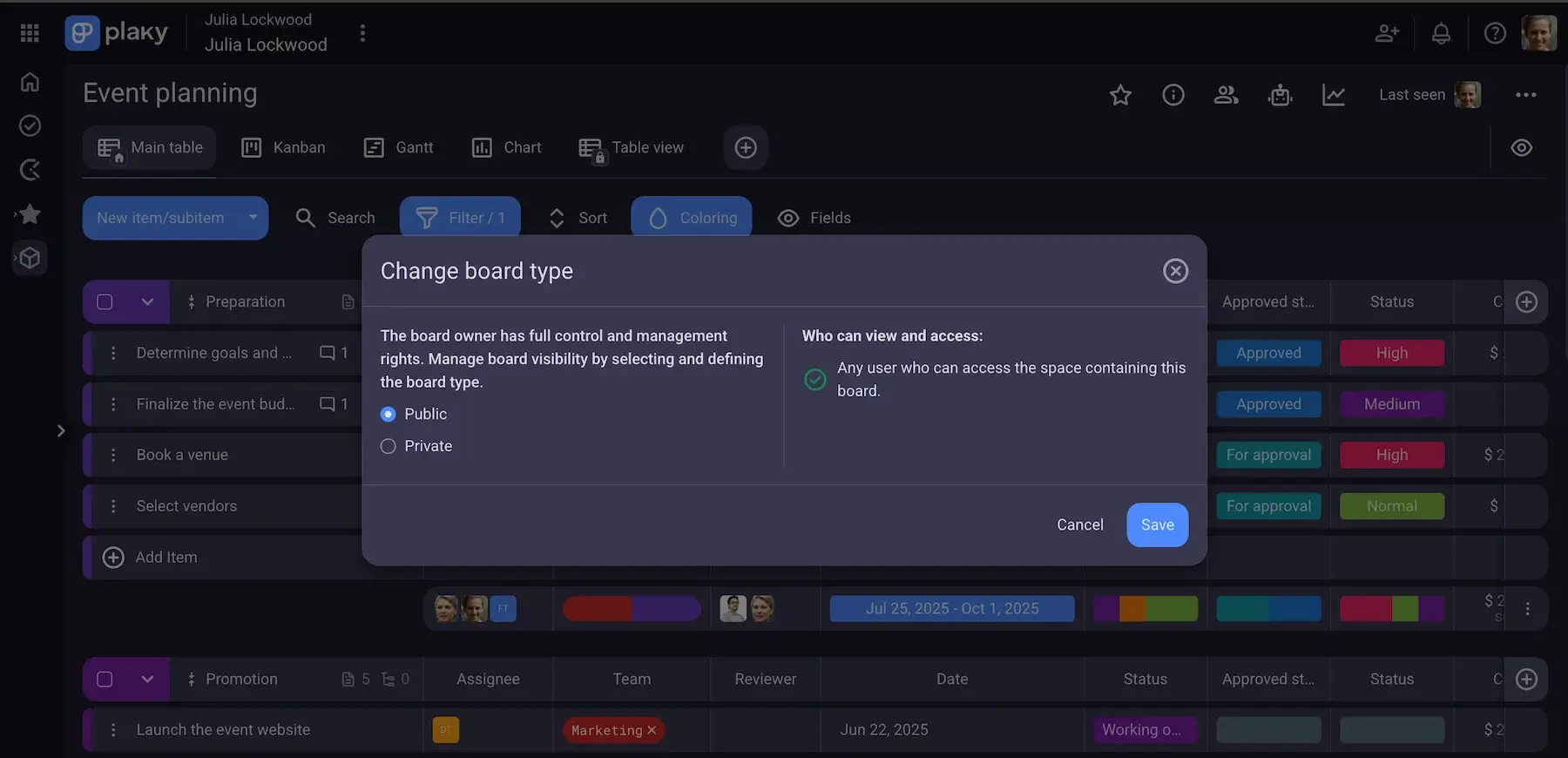
You can set your boards to be private, ensuring a safe environment for sensitive data, as only authorized team members get access to specific projects.
Additionally, Pro plan lets you close spaces and make them available only to specific departments, teams, or individuals. This is an ideal way to establish clean workflows and minimize information overload.
💡 CONSEJO PRO DE PLAKY
With Plaky, you can set up efficient project structure, and organize work and teams without a hitch. Check out the article below to find out how:
Rol de lector
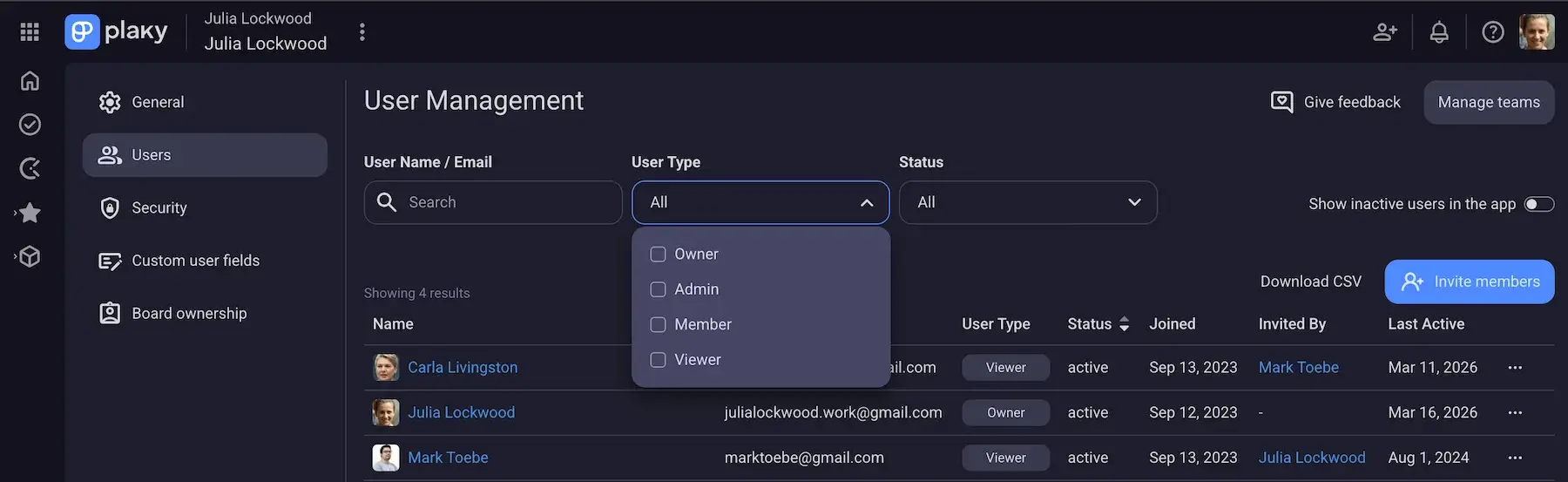
External collaboration is a significant advantage of our Pro plan. So, in addition to Admin and Member roles you get in the Free plan, we added a new role called “Viewer”.
This Plaky Pro feature enables you to minimize stakeholder friction by allowing you to seamlessly collaborate with external parties and/or team members. In Plaky, each paid seat can add 5 viewers for free.
Plaky’s viewer role gives them read-only access to project boards, so they can’t make any unauthorized changes or modify information by accident. This means you can share project updates and statuses in a polished and transparent way, which, ultimately, builds trust.
Make collaboration easy with Plaky
Bulk actions
Ever experienced the frustration of spending too much time updating individual tasks one by one?
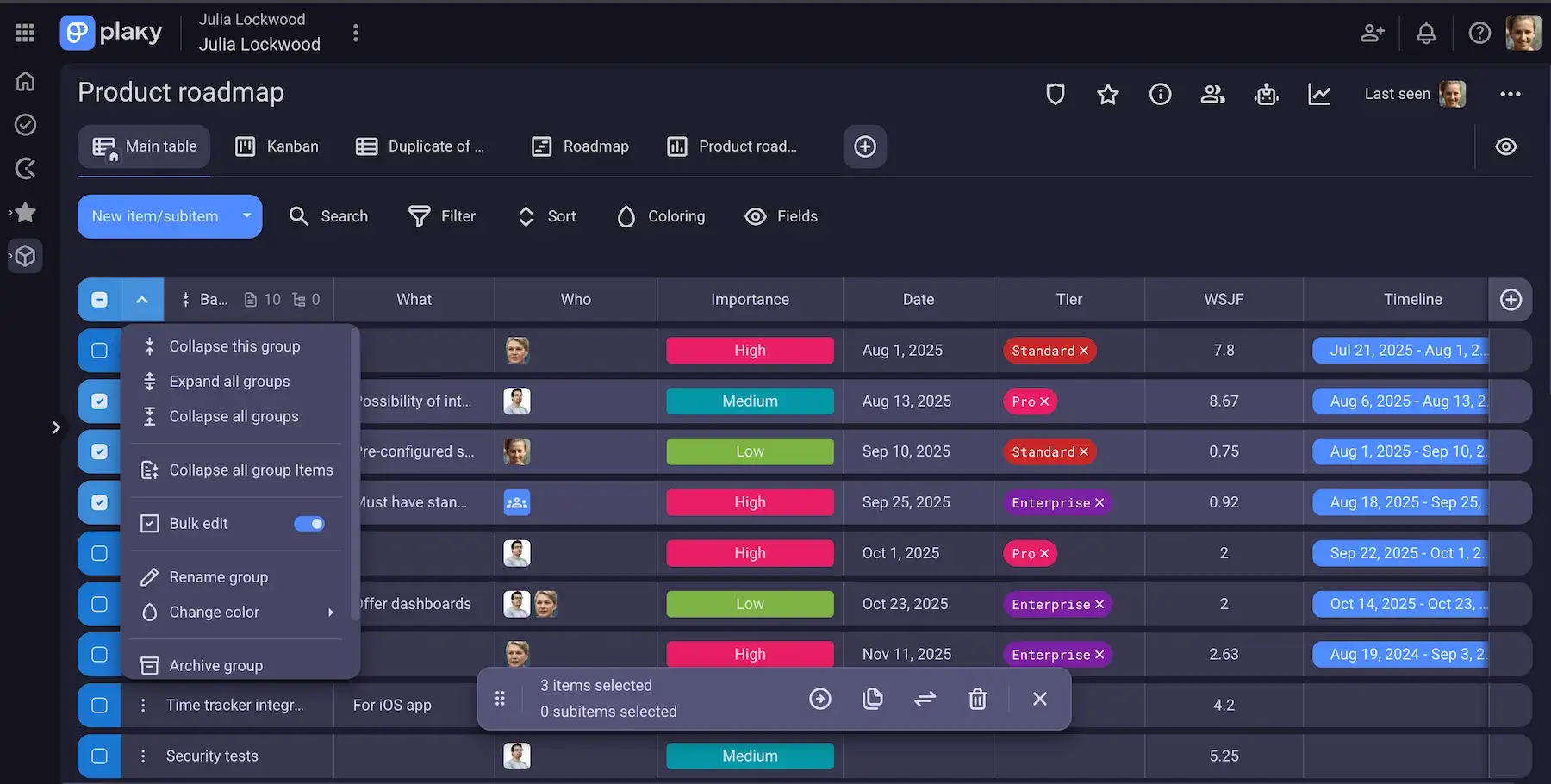
You can relax now, as Plaky Pro plan offers Bulk actions to help you apply the same action to multiple items and turn hours of work into minutes.
In Plaky, you can perform Bulk actions on both Items and Subitems to boost efficiency. You’ll have the option to:
- Bulk move items to Groups,
- Bulk duplicate items,
- Bulk convert items,
- Bulk edit the attribute levels, and
- Bulk delete items.
Apart from saving your time, this feature helps you manage your projects more efficiently.
25 MB per file
Although all Plaky’s plans guarantee unlimited storage, support for larger individual files in the Pro Plan is a major plus — especially for data-heavy extensive reports, or long/high-resolution videos.
With the Plaky Pro plan, you get 25 MB per file, which is 15 MB more than with the free version.
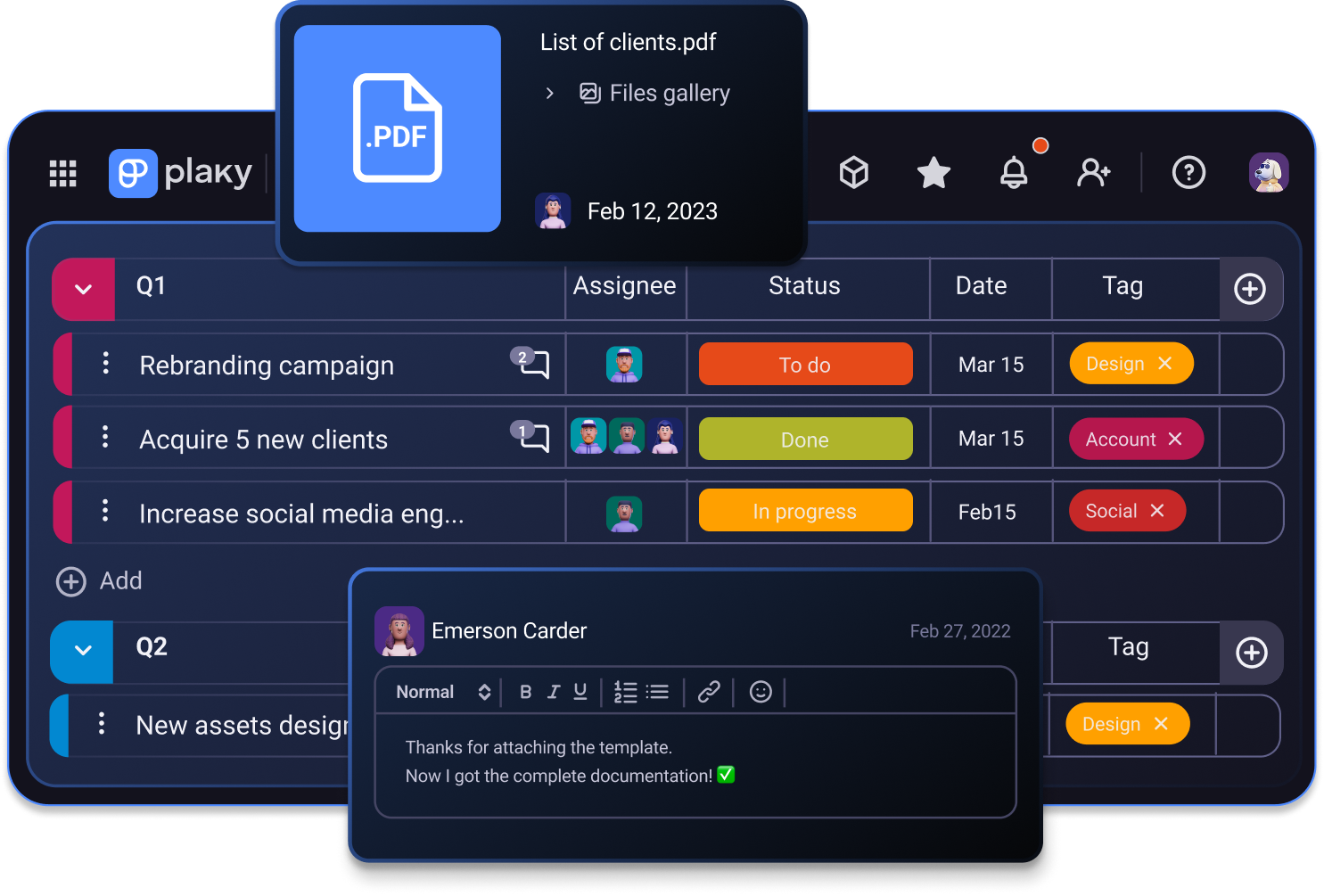
12 Fields per board
While you get 6 Fields per board in the Free plan, with the Plaky Pro plan, the number of fields is doubled! You get 12 Fields to efficiently organize and track your project data.
And, with 9 different Field types at your disposal, you have the flexibility to tailor your projects to perfection. For example, you can allow granular data tracking and monitor both estimated budget/hours and actual cost/hours.
Adapt boards to your needs in Plaky
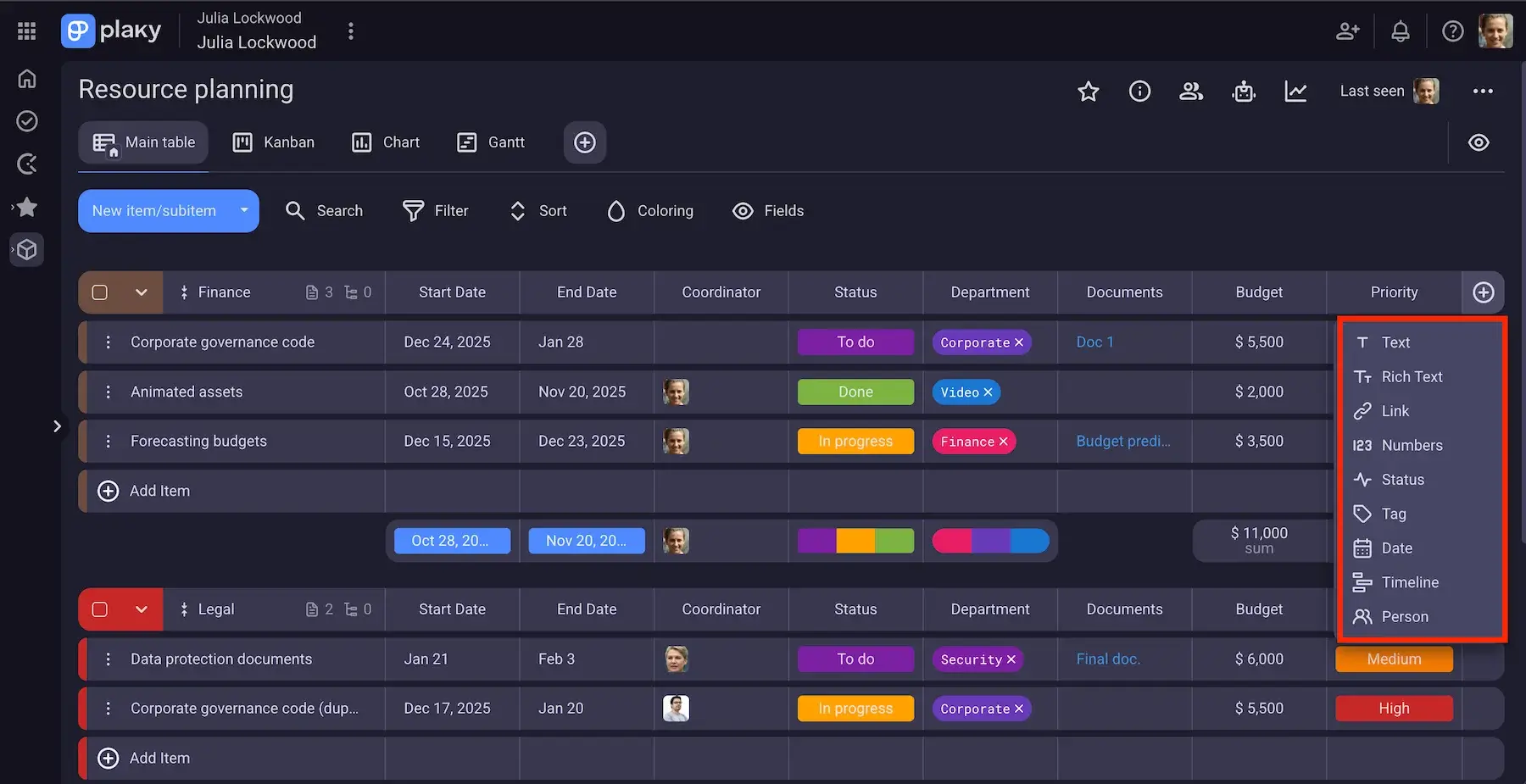
6-month Activity log
Another useful perk you get with the Pro plan is the Activity log.
This feature acts as a chronological record of all the activities made on boards and items and allows you to track your team’s tasks and stay up-to-date with all the changes.
With the Free plan, you get an activity history of 7 days whereas the Pro plan extends this log to 6 months.
This means you’ll get access to a 6-month activity log with all the changes and updates taking place on your boards and items. With this longer record of actions, you get a better control over your projects’ progress and history. It’ll be easier for you to maintain accountability as you’ll know who did what, for how long, and when. Also, you’ll be able to:
- Audit past decisions,
- Recover lost context, and
- Identify time wasters, bottlenecks, and even unauthorized access.
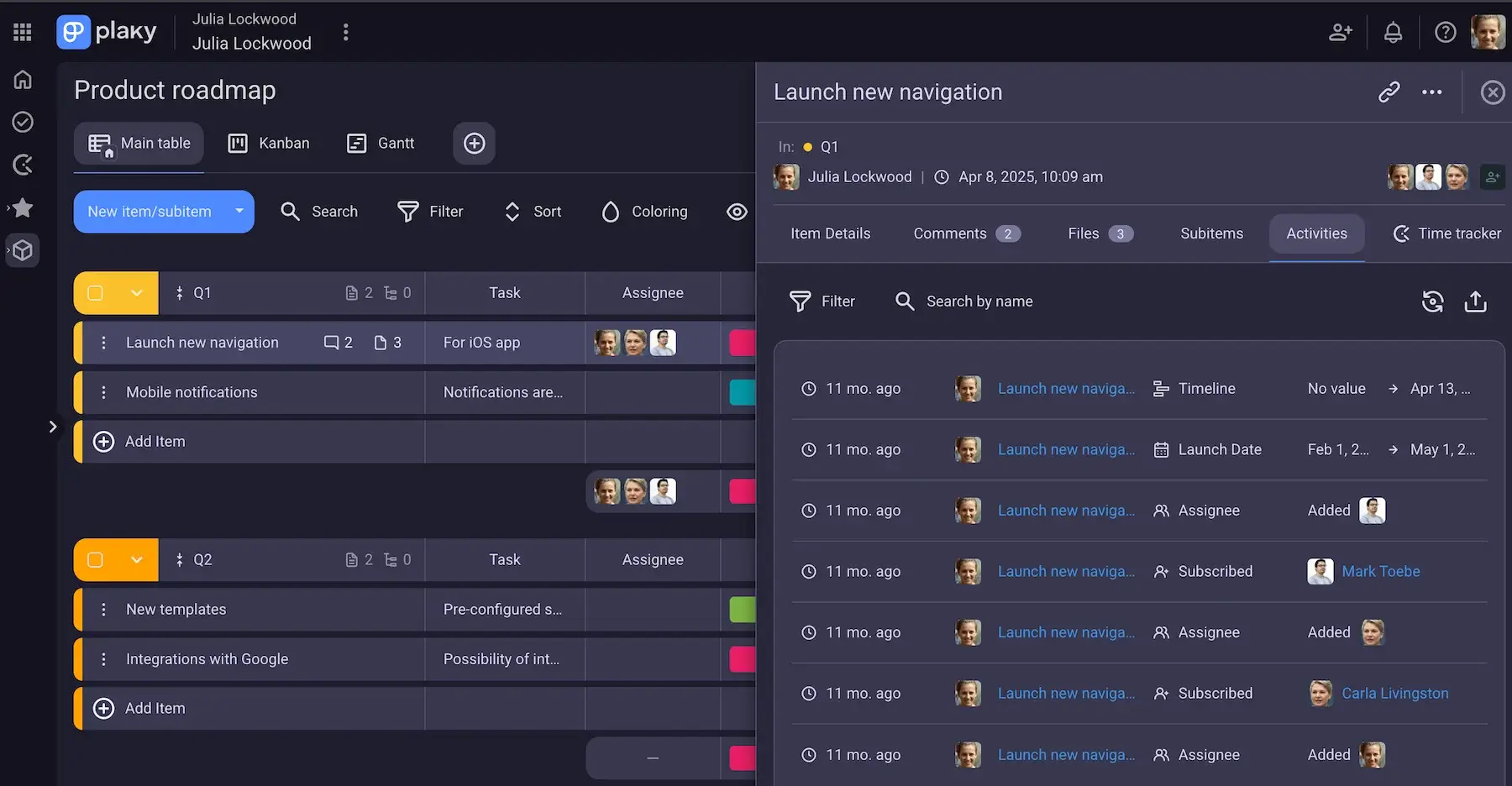
Track project updates with Plaky
Vista de Gantt
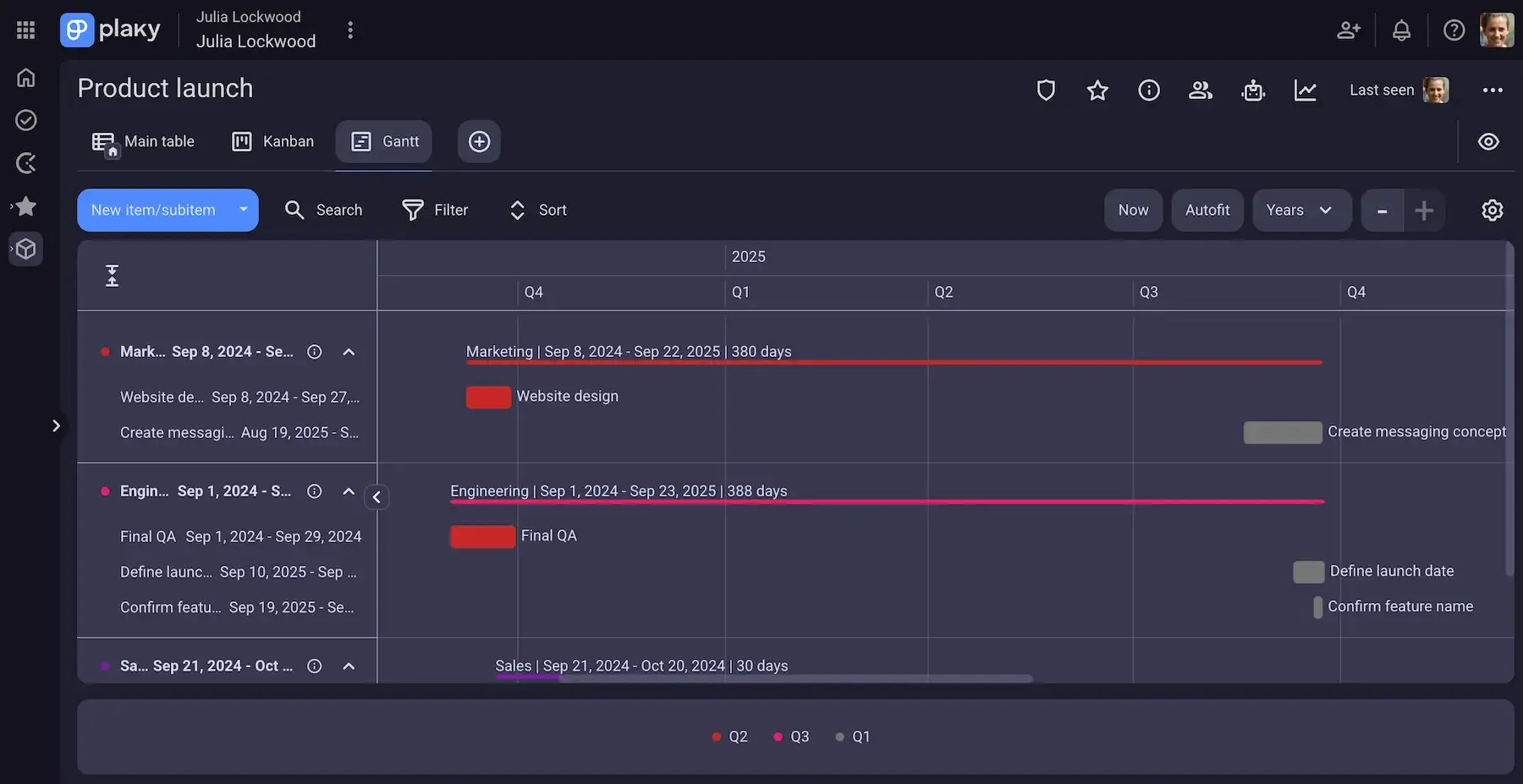
You can track the status of your tasks on the Free plan by including the Status field (To do, In progress, Stuck, Done, etc.), but Plaky’s Pro plan adds a more advanced feature for progress tracking — the Gantt chart view.
This view shows your tasks as horizontal bars on a timeline giving you more clarity on task durations and project schedule.
Also, you can visually track important dates and spot risks. With a simple drag-and-drop option, you can easily adjust the project timeline and keep your project on track.
Automations
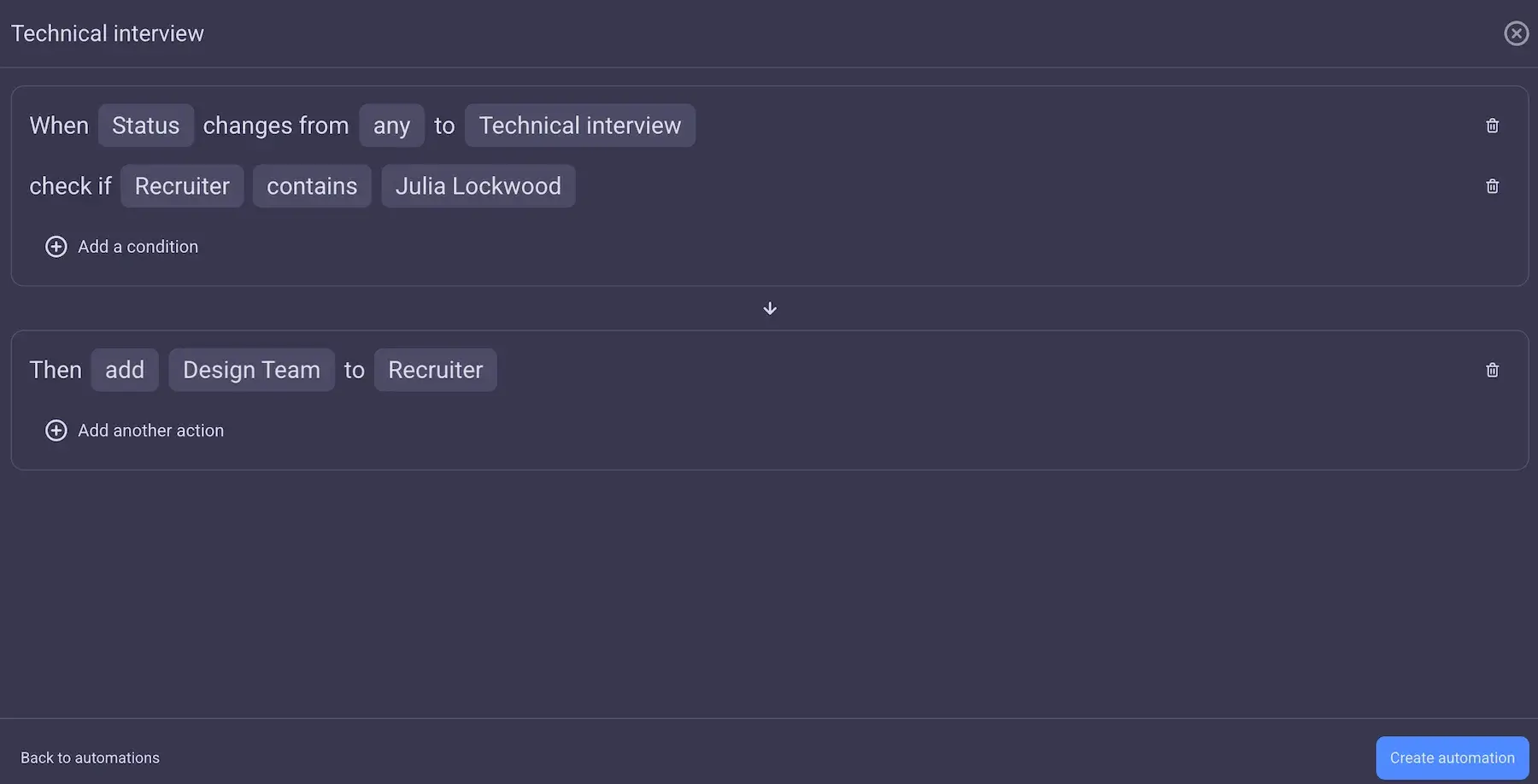
With the Pro plan, Plaky brings Board automations to its feature family. Now, you can save hours, as automations cut on manual work and eliminate repetitive tasks — and, you get 1,000 actions per month.
All you have to do is set the trigger that will initiate desired actions. By using the simple formula “When this happens, then do that”, you can effectively handle status changes, move items, update fields, and even send notifications to your team members.
By delegating routine tasks to the software, you speed up processes, reduce human error, and get more time to focus on high-value work.
Plantillas
Creating boards and tasks from scratch over and over again can be a real struggle — it’s time consuming and complex. But, it doesn’t have to be!
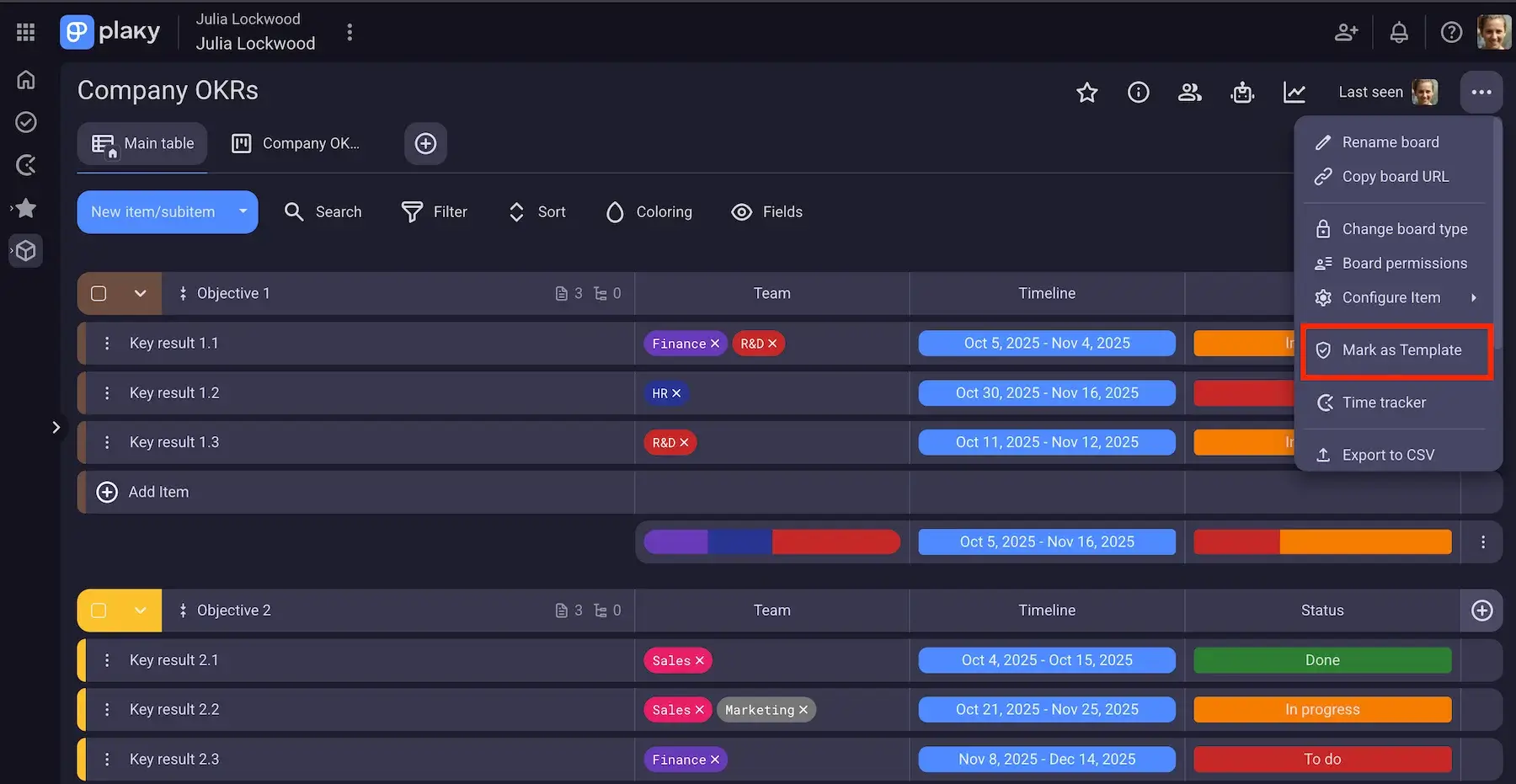
With Plaky’s Pro plan, you can turn your most used boards and tasks into templates to boost productivity and standardize processes.
Along with ready-made templates you get in the Free plan, Pro plan lets you take project planning to a higher level allowing you to reuse the same boards and tasks multiple times.
Affordable pricing
Plaky is one of the most affordable tools on the market. When it comes to Plaky Pro pricing, you can choose between monthly and annual subscriptions.
The monthly subscription costs $4.99/seat/month. On the other hand, the annual subscription saves your money in the long run, as your rate is $3.99/seat/month.
Upgrade to Plaky’s Pro plan today
💡 CONSEJO PRO DE PLAKY
We’re constantly improving Plaky, so if you want to check out what’s in store or what’s cooking in Plaky’s kitchen, visit the pages below:
Soporte
Plaky is a robust yet easy-to-use tool that gives you more control over your projects. Still, if you ever get stuck or issues pop up, you can rely on Plaky’s customer support — no matter the plan!
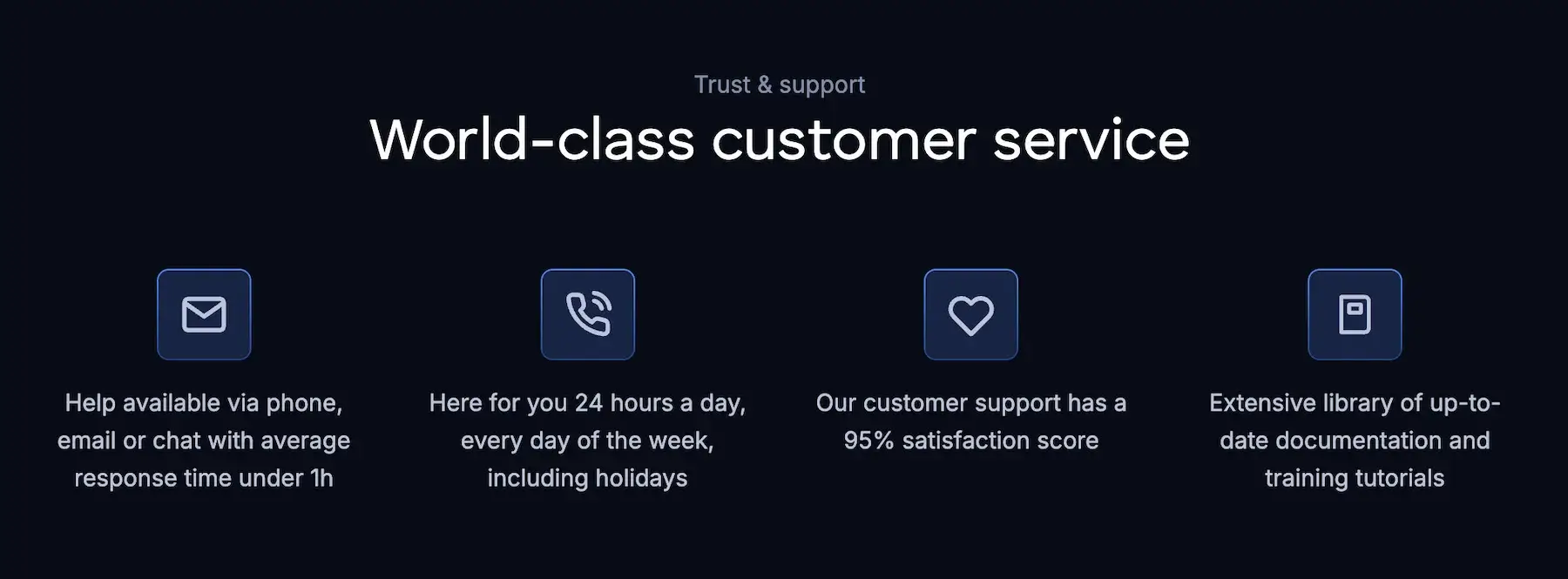
As a Plaky user, you get real 100% human support available 24/7 (even on holidays). You can reach them via email, chat, or phone to get advice on how to use features and /or resolve problems.
In addition to top-notch support, Plaky Pro plan offers concierge services to all businesses with at least 120 seats. Our dedicated success representatives help you adopt Plaky through tailored onboarding, consulting sessions, and more.
Mind you, all Plaky’s plans include access to an extensive knowledge base where you can browse through a great collection of articles and tutorials that can help you streamline your workflows with no trouble.
Not sure if this plan is right for you? Try out Plaky’s Enterprise plan
If your business scales to enterprise level and you realise you need stricter Plaky admin controls and board permissions, you should consider upgrading to Plaky’s Enterprise plan.
This plan is perfect to support your enterprise project management and help you juggle multiple projects with an enhanced access control.
With the Enterprise plan, you get all Pro plan features, plus:
- Unlimited Fields,
- Unlimited Activity log,
- Board permissions,
- Unlimited storage with a whopping 100 MB file size limit,
- Board ownership management,
- Unlimited automations,
- Perfiles de usuarios personalizados,
- Custom subdomain, and
- Single sign-on (SSO).
To step up your productivity even more, you can opt for the CAKE.com Bundle and get enterprise-level access to 3 of our products. This productivity suite offers Plaky, Clockify (a time tracking tool), and Pumble (a team communication tool) for only $12.99/seat/month.
💡 CONSEJO PRO DE PLAKY
Wanna compare all Plaky’s plans and see what tells them apart? Check out the article below for the overview:
Still not sure which plan to go for? Sign up for a free account and get 7 days to test Plaky’s full feature set!
