#NONPROFIT

Donors List Template

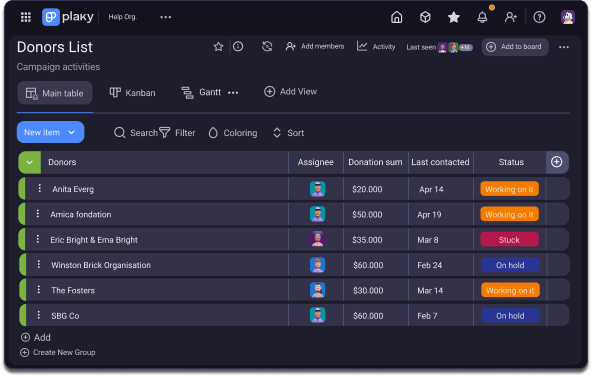
Simplify and streamline all your nonprofit operations in one place, with the easy-to-use Donations tracker template.

Get Started
Stay up to date in Plaky

Everything you need to plan and manage your list of donations in one place

Is creating a proper stakeholders management system a challenge? Do you sometimes get lost with deadlines and documents?

This template has the tools you need to structure your donors list & centralize your communication.

Use Plaky to:

Break donor’s data into manageable parts

Share critical information within a department

Track project performance

Gantt chart in Plaky

Benefits of using Donors list template

Maximize your nonprofit impact

Easily plan, track, and launch fundraising activities and donation pipelines. With Plaky easy set up you can jumpstart your projects quickly, no tech skills required.

Meet fundraising goals faster

Plaky empowers you to keep complete control over your projects and track their progress from day one till deadline. Filter it by status or priority, receive notifications in real-time and make sure you deliver your campaigns on time.

Donors list in three simple steps

1 Dedicate a task for each donor

Task is where you place and save all the valuable information about your donors. You can manage and track everything there, from files to other donor-related data.

2 Add fields for better organization

Fields in Plaky can categorize your tasks in many ways. You can have a field for donors details such as email address, geographical location, dates of interaction and much more.

Keep everything in your task and access this valuable data, anytime, anyplace.

3 Make updates and let the team stay in context

All changes that occur in the task, will automatically notify all relevant people in the team that are members of the board as assignees or reviewers.

From address changes to new file uploads. Make sure no one misses an update.

The features you’ll love in the Donors list template

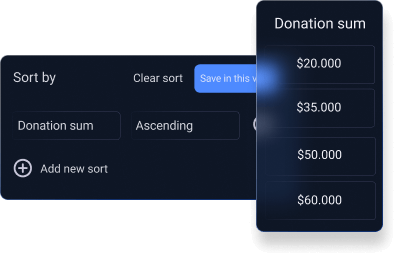
Sort

You can sort each Field according to some sort of criteria. This can help you organize your Board better and have a clearer overview of all the Items in the Board.

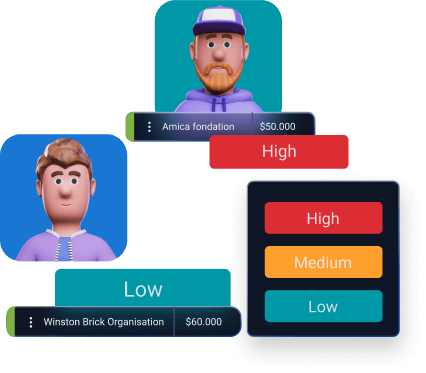
Priority

Quickly prioritize and assign each issue to team members in order of urgency and importance. Keep everyone aligned on each task’s status and ensure that the highest priority work is being tackled first.

Explore Plaky more and do more

Discover versatile tools and resources that can help your team plan and execute the best content.