 Published: março 13, 2026
To successfully lead and manage a growing multinational organization, you need a central collaboration hub that allows distributed teams to function as a cohesive whole.
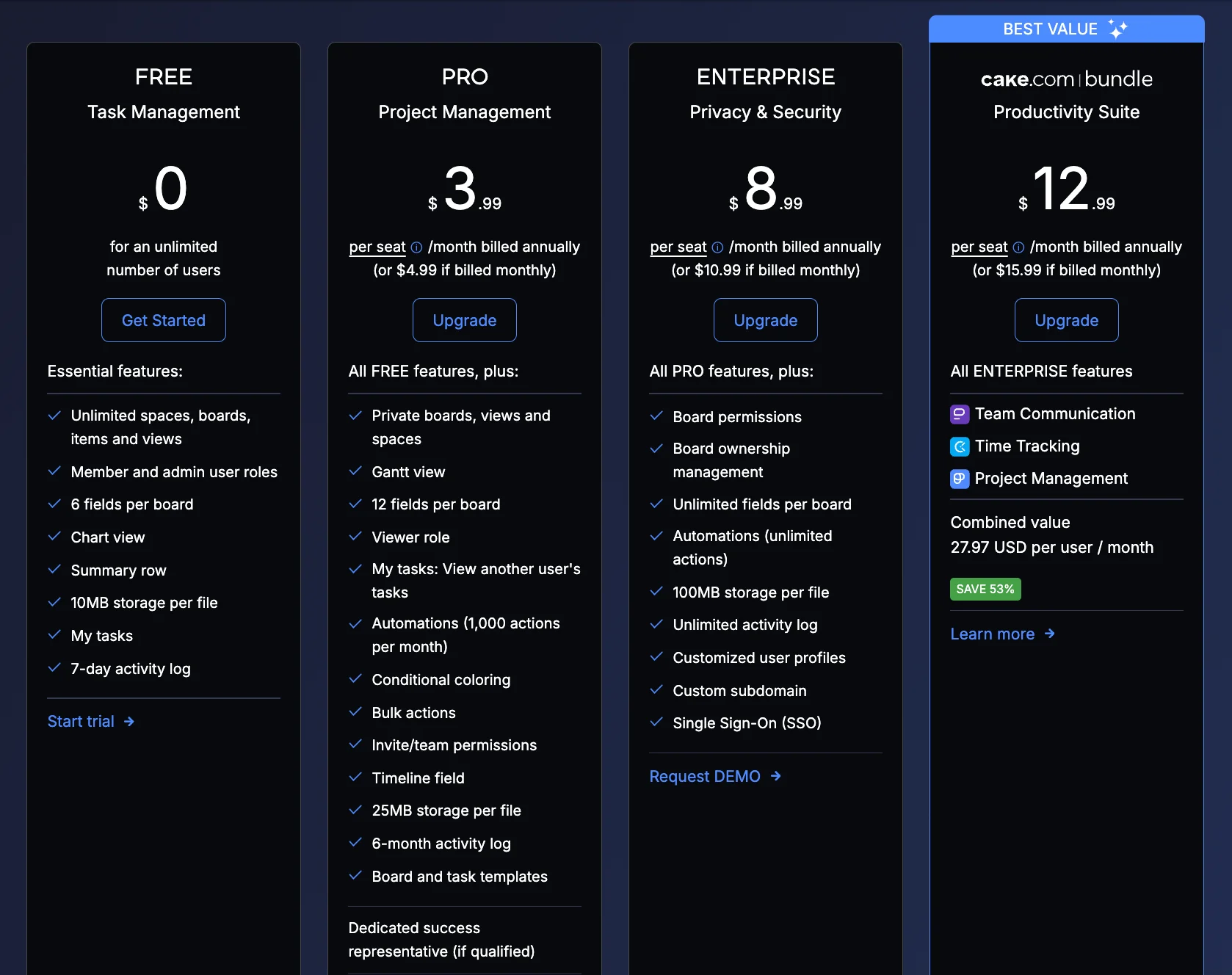
Plaky by CAKE.com is a project management and collaboration platform that lets you do just this on a scale of your choosing. This is thanks to its predictable Enterprise plan that scales without exponential or hidden cost ($8.99/seat billed annually).
The Plaky Enterprise plan gives you unlimited access to all features, security, and customization options Plaky has to offer, all while remaining easy to use regardless of age or professional background. This makes it the perfect choice for:
- Enterprises tired of overpaying for complex software employees aren’t using, or
- Growing organizations looking to upgrade current security and tool functionality without breaking the bank.
Read on to learn more about Plaky Enterprise security and features.

Reduce operational costs with Plaky Enterprise plan
A tool may be feature-packed and sound fantastic on paper, but if only a handful of departments implement it successfully, it is effectively a waste of money.
Compared to most enterprise project management software out there, Plaky is intuitive and highly customizable. This makes it easy to adapt to diverse workflows and speeds up company-wide implementation, helping you reach your internal compliance goals.
On top of this, Plaky’s Enterprise pricing is predictable, fair, and significantly lower than that of the competition, while still retaining much of the functionality on offer in comparable software.
But, the best part about Plaky Enterprise is that it opens the doors to an even better deal — the CAKE.com Productivity Bundle.
When you purchase the CAKE.com Bundle, you get unlimited access to all 3 CAKE.com tools, eliminating the need for 3 separate enterprise invoices:
- Plaky by CAKE.com for project management,
- Clockify* by CAKE.com for timekeeping, budgeting, and billing, and
- Pumble by CAKE.com for business communication.
*Clockify’s Regional Servers are not included in the bundle.
How Plaky Enterprise keeps your organization secure and compliant
Information security presents a unique challenge when hundreds of users in different roles are working in the same digital space where information can be easily accessed.
In response to this issue, Plaky by CAKE.com has created several protective layers that align with corporate security protocols and safeguard your data from both external and internal threats.
OAuth 2.0 SSO and custom subdomains
Single Sign On (SSO) is the first layer of security that does away with individual passwords. Instead, it allows all users to log in via the same secure identity provider, which gives you:
- Easy authentication and secure login, as it never shares your password with Plaky, and
- A simple and centralized way to manage all accounts within your organization through your provider.
For SSO to work, you first have to create a custom subdomain, which lets you change your Plaky workspace URL to contain the name of your organization.
Private Spaces and Boards
Safely handle sensitive projects and confidential information by making use of Plaky’s closed Spaces and private Boards.
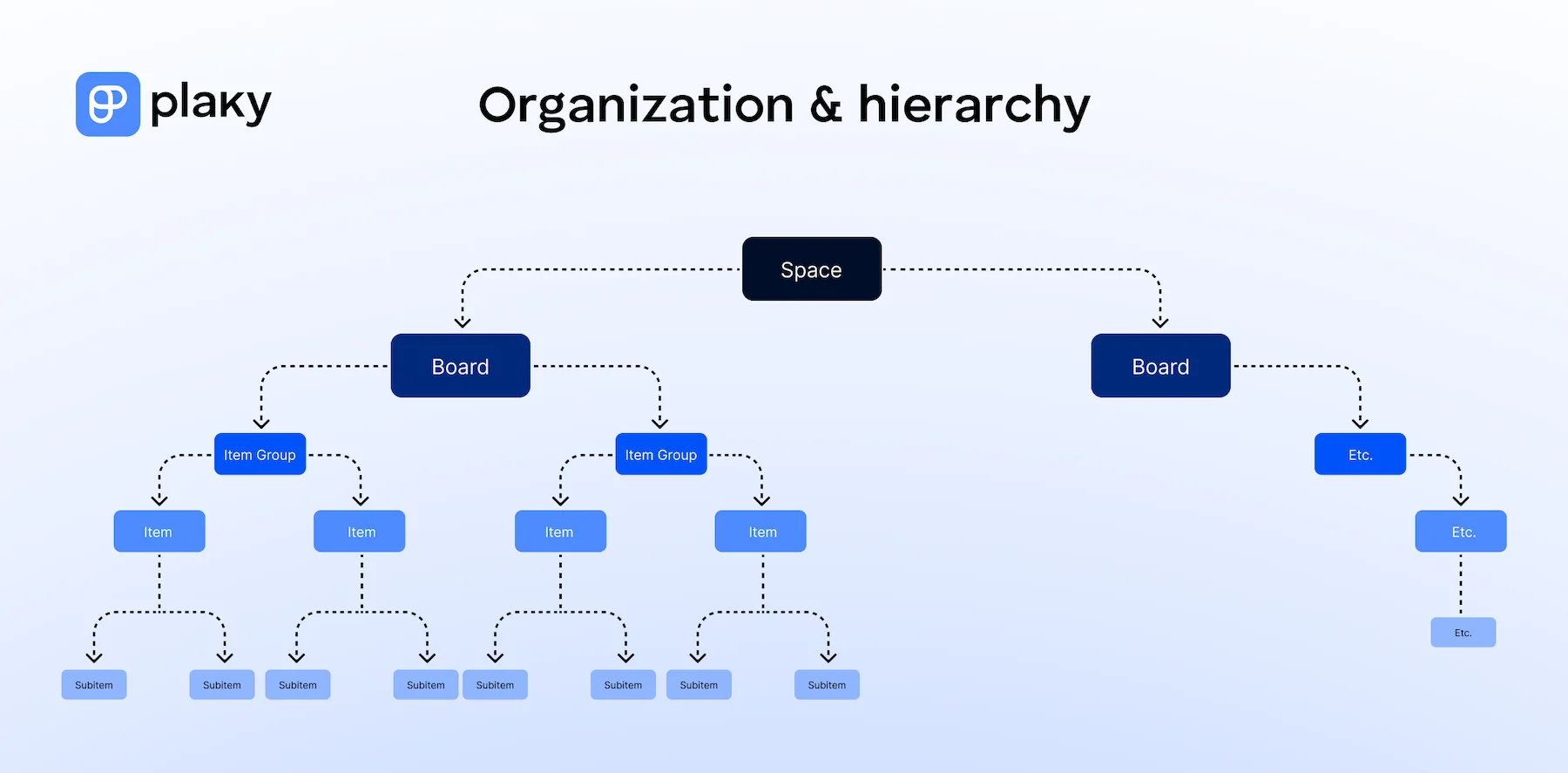
In Plaky’s organizational hierarchy, Spaces are the highest organizational unit. They can be open or closed. Only users with special permissions can access closed Spaces.
Spaces are further divided into Boards that can be public or private. Like closed Spaces, private Boards can only be accessed through special requests or invites.
Segregating confidential issues in this way allows for easy management without fear of compromising data.
Board permissions and ownership management
In Plaky, user roles give PMOs further administrative control over access and edit permissions within the organization’s workspace.
Plaky distinguishes between 3 main user roles (admin, member, and viewer), and their permissions are set on a per-board basis.
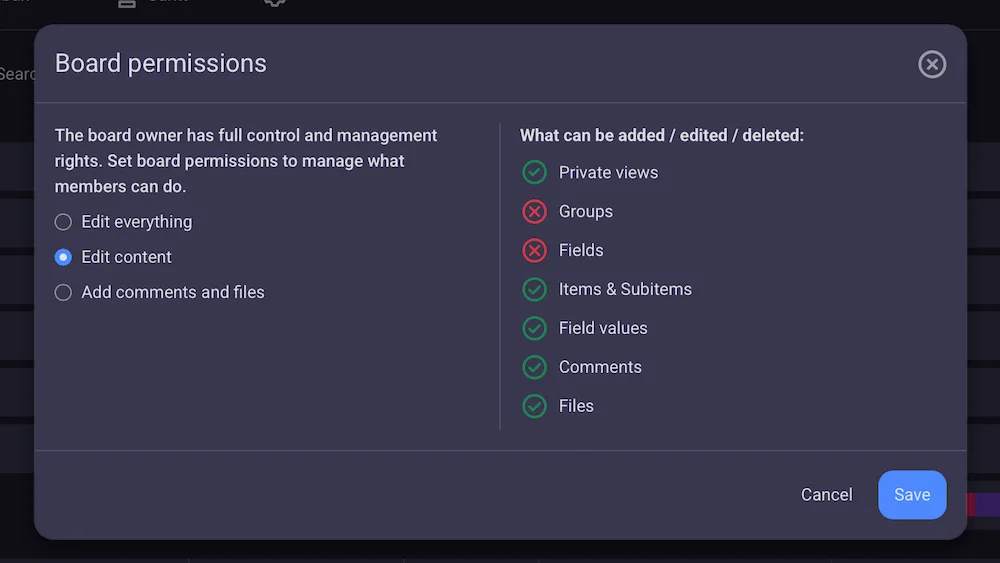
With advanced permissions, Plaky’s Enterprise plan allows PMOs to create standardized workflows by locking down board structures and allowing regular members to edit only the contents of the board.
Watch this video for a deeper dive into board permissions, ownership, and user roles in Plaky.
Viewer role
Collaboration with contractors, clients, and other external stakeholders is an integral part of enterprise project management.
With the Viewer role, you can share relevant boards with people outside your organization with read-only permissions, without risking data integrity.
Plaky Enterprise allows up to 5 free viewers per paid seat.
💡Keep an eye out for new and upcoming Plaky features at Plaky’s roadmap.
Unlimited Activity log
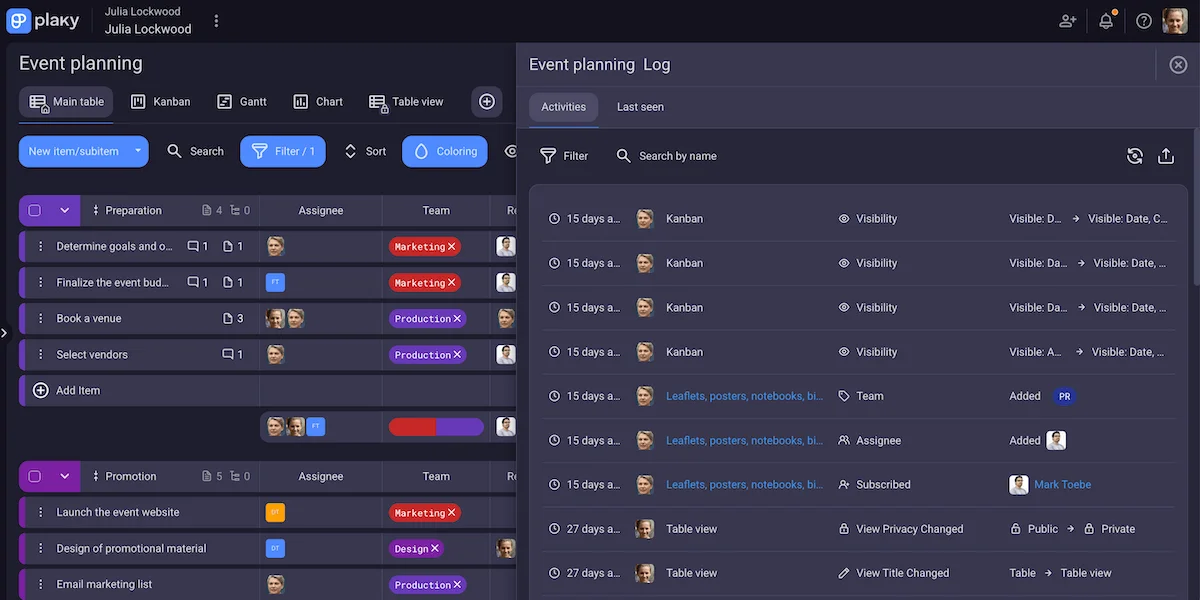
Activity logs are practical tools for fostering accountability and internal compliance. In case of special industry laws that require keeping detailed “paper trails”, activity logs also serve as irrefutable proof of activity since they cannot be tampered with.
With Plaky Enterprise, organizations get access to unlimited account history records. This includes 2 types of activity logs:
- Board Activity log — lets you see the history of changes on a board, and
- Item Activity log — lets you see the history of changes for a particular task.
Compliance and certification
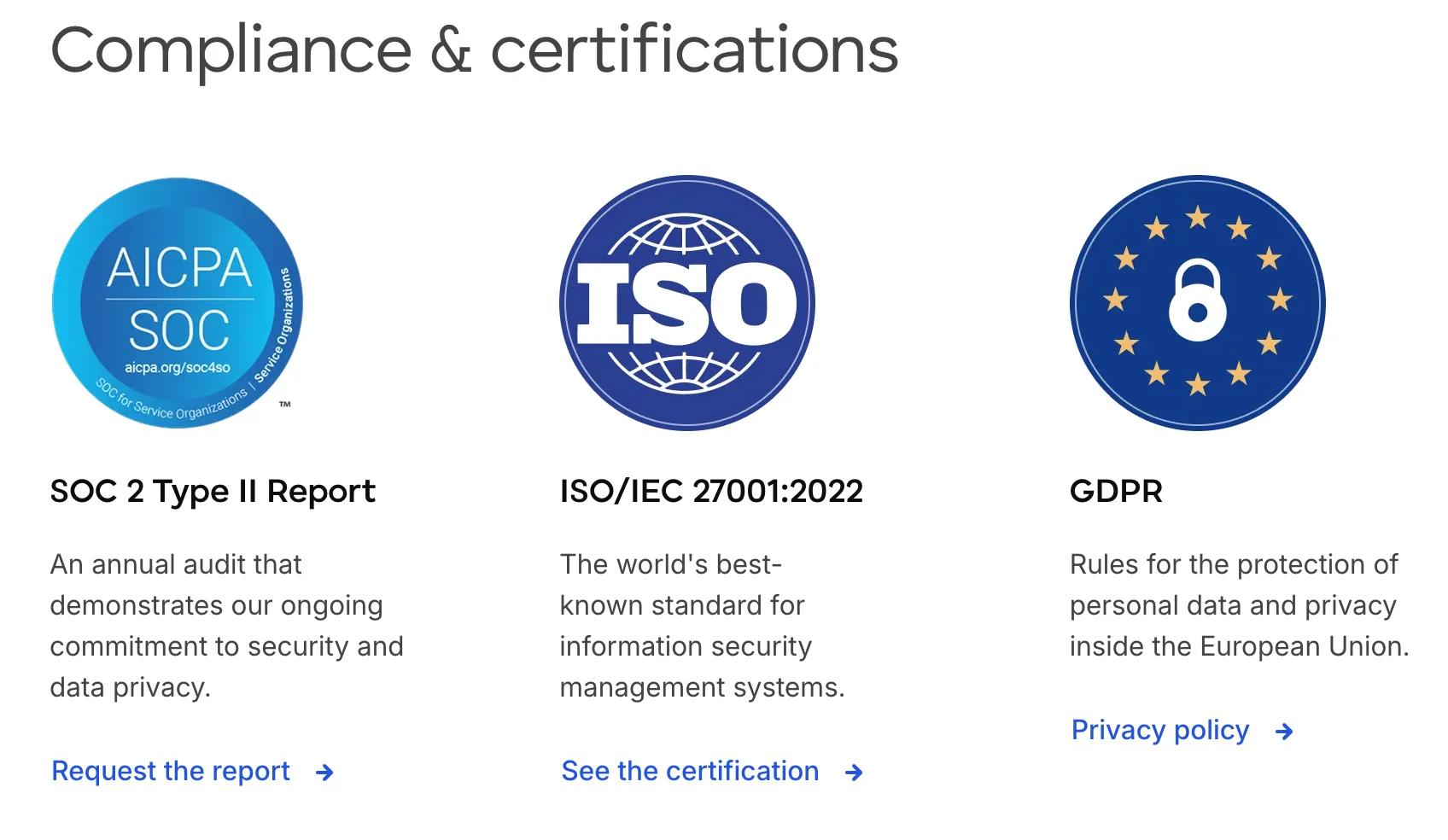
Plaky by CAKE.com holds the highest standard in data security by complying with the GDPR and ISO/IEC 27001:2022 laws and standards.
Plaky also holds the SOC 2 Type II certificate and has a public bug bounty program to ensure your data is always protected.
💡 Visit the CAKE.com Trust Center to learn more about how Plaky handles your organization’s security.
How Plaky Enterprise improves your operational efficiency
Plaky by CAKE.com represents digital headquarters where every single employee can seamlessly work and collaborate with their colleagues, regardless of geographical location.
With all departments, teams, and projects in one place, organizations gain increased visibility into the work that goes on and get more control over implementing standardized practices across the board.
Centralized collaboration hub
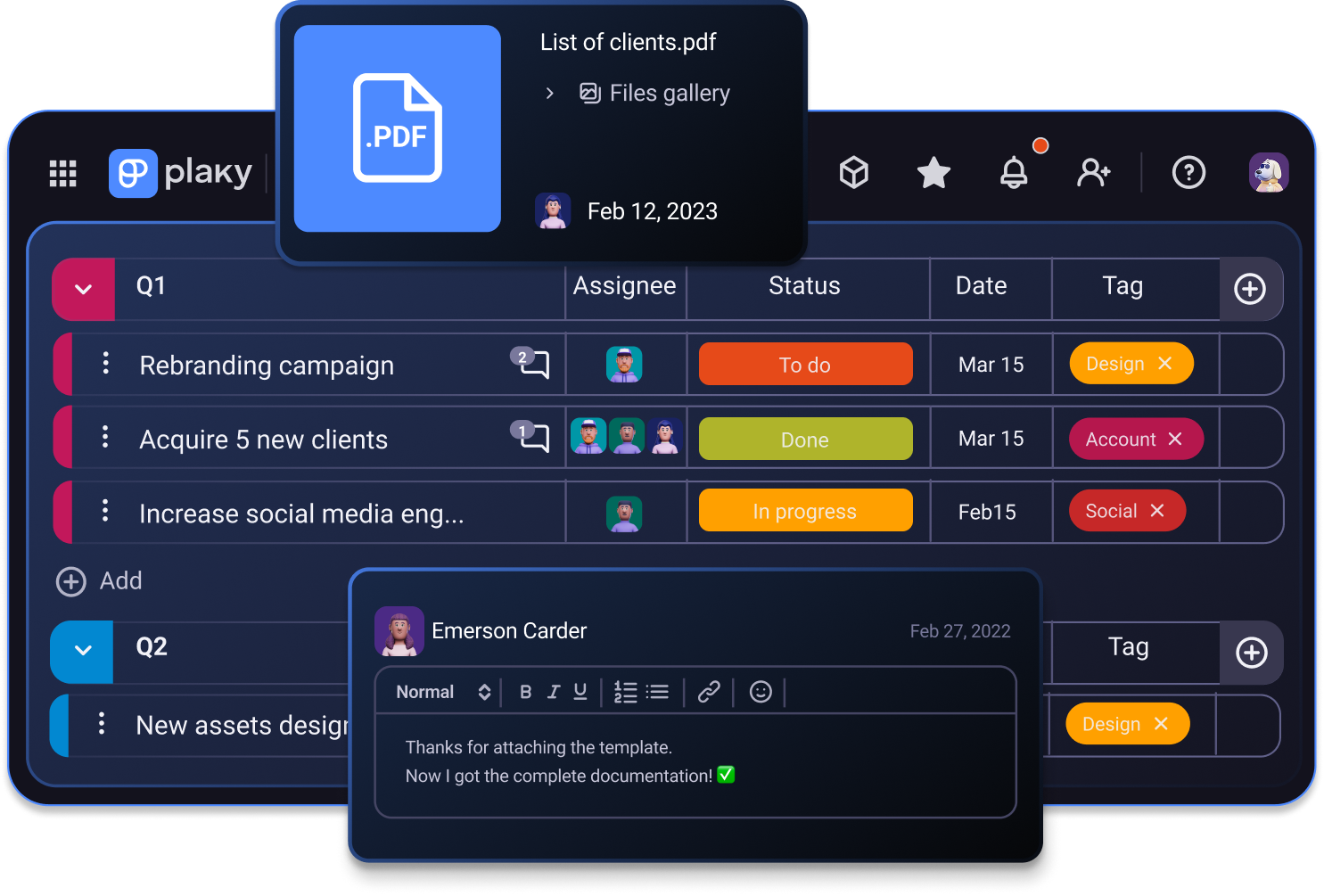
Uniting teams and work under one digital roof encourages independent work and improves cross-departmental collaboration.
Users have access to real-time updates, notifications, and comments, as well as boards used by teams that often collaborate on the same tasks. This keeps everyone in the know and allows employees to perform their duties with minimal involvement from management.
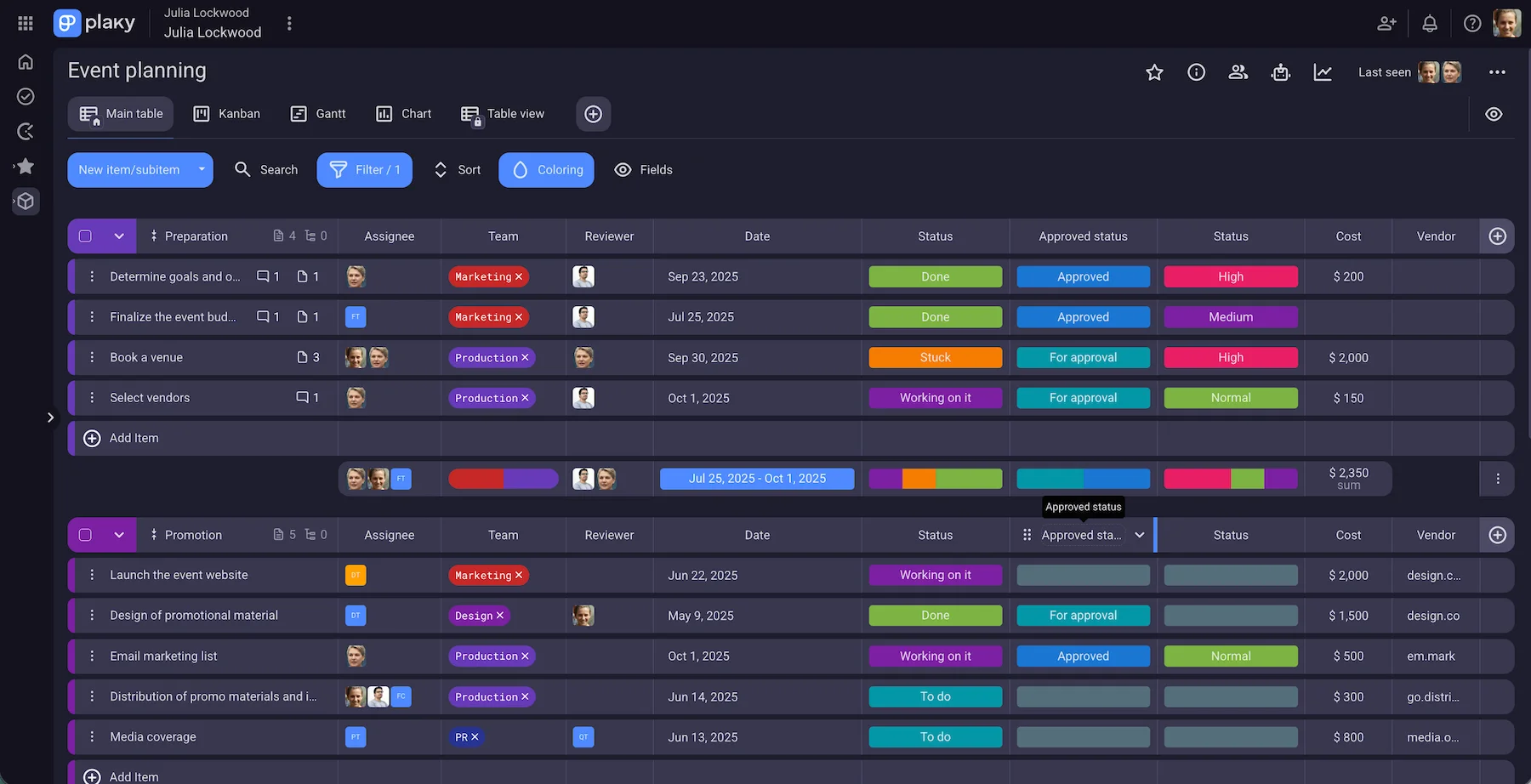
With all work-related information at your employees’ fingertips, there is less need for unproductive meetings, update emails, and back-and-forth communication, which improves operational efficiency and gives faster results.
On the leadership and management end of things, a centralized collaboration hub gives a top-down view of company-wide progress, and improves decision-making clarity that’s not possible when work is divided across multiple tools.
Custom Fields and templates
Plaky Enterprise plan enables organization-wide workflow standardization thanks to unlimited custom Fields and templates.
Custom Fields have nigh-unlimited use case options, allowing you to create boards for a wide range of uses and industries.
Custom templates can be created from both boards and items to reuse at your convenience. This function is useful for standardizing information sharing and reporting across your organization.
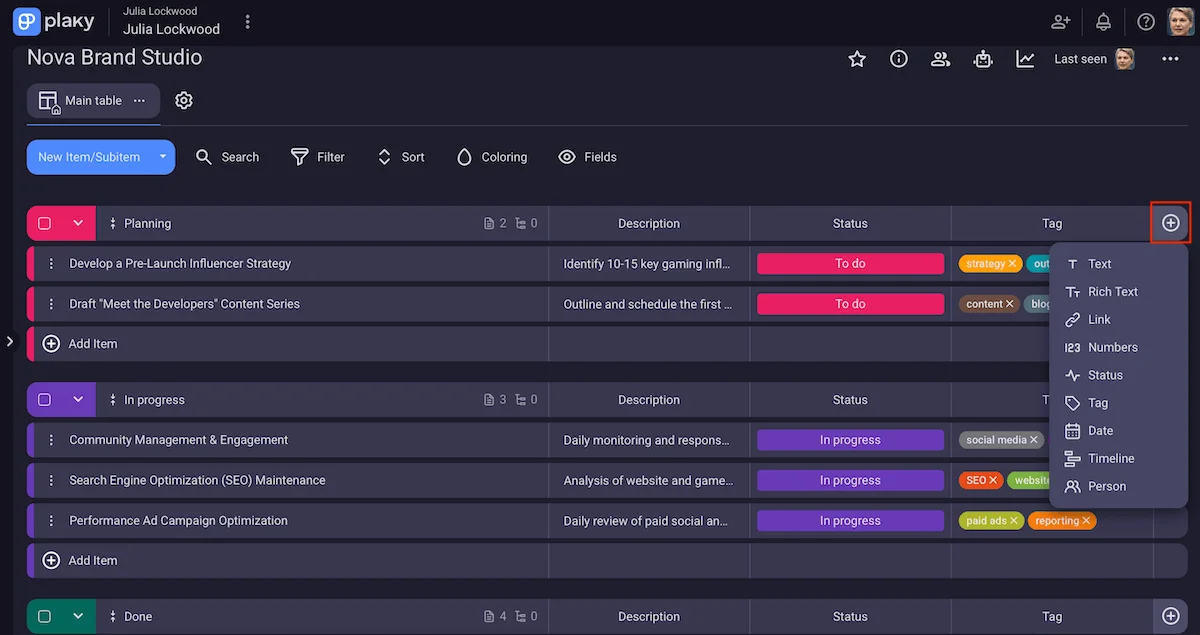
When everything is set up according to your organizational standards, you can lock the board structure to create a unified company work methodology. Do this by giving all members the permission to only edit the content of the boards, and not the boards themselves.
Gantt chart
A clear, bird’s-eye view of work is crucial for effective resource allocation. Whether it’s budget, physical, or human resources, use a Gantt chart to prevent under- or over-allocation.
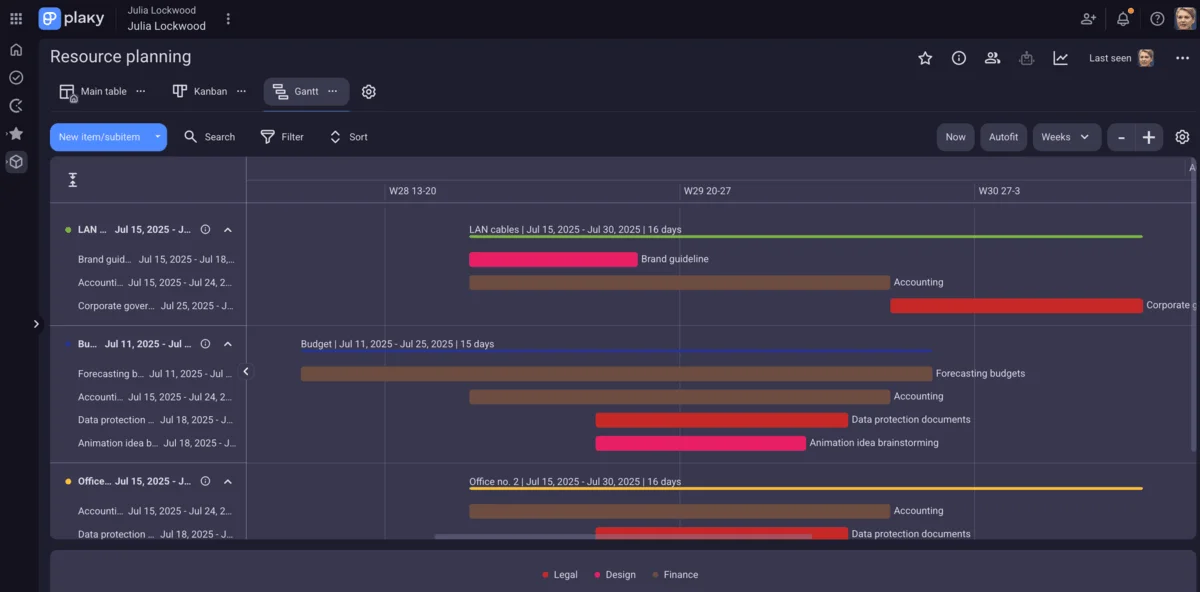
Plaky lets you determine which information you want to see on the timeline and switch between different parameters with a click of a button.
Setting up a Gantt chart to see task allocation by person or team allows you to check team capacity and re-allocate tasks to prevent bottlenecks or under-allocation.
Chart view
Plaky’s Chart view lets you visualize project data as pie or bar charts. You can add one or more of them to any board and choose which information you want it to display in Chart view settings.
Thanks to the simple way they represent data, Chart views are perfect for gaining quick project insights and sharing updates with external project stakeholders.
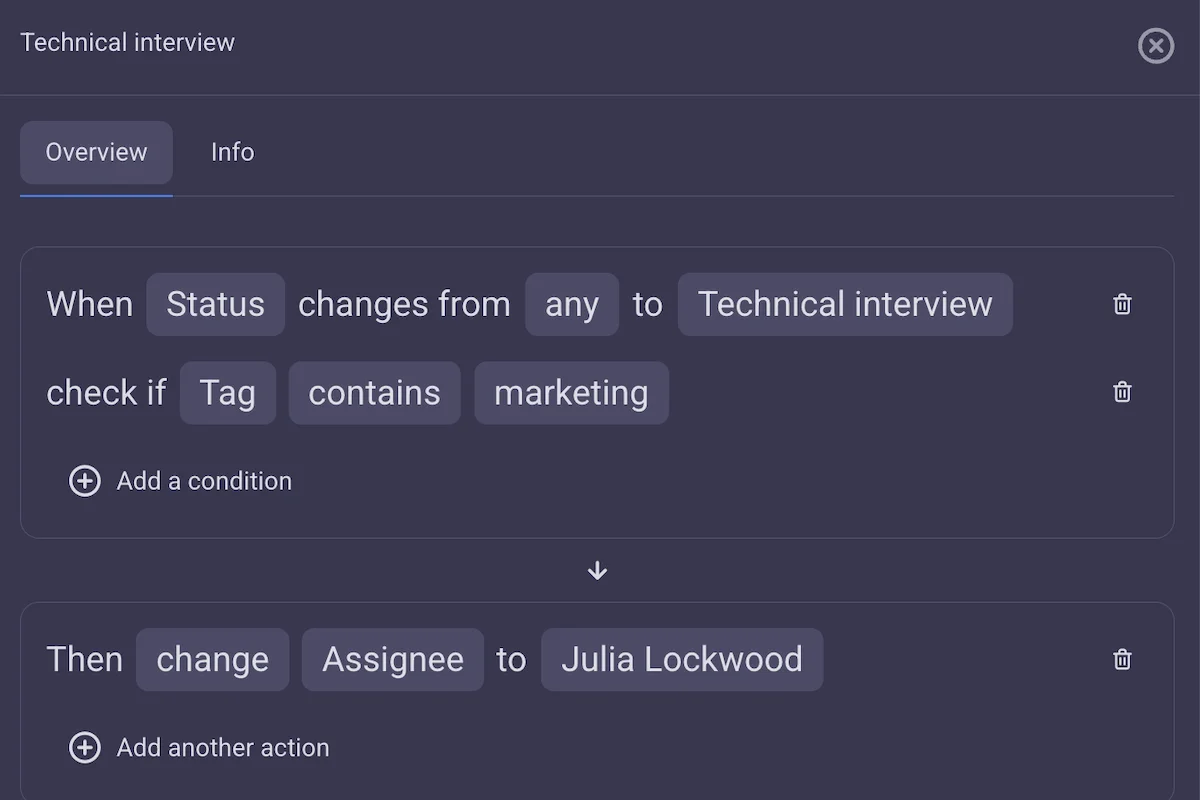
Board automations
Allow managers to do more valuable work by cutting time spent on repetitive tasks in half. Plaky’s board automations let you switch to autopilot mundane tasks such as:
- Managing handoff,
- Reshuffling tasks,
- Creating recurring tasks,
- Changing item subscribers,
- Notifying colleagues about recent updates, etc.
For more complex automations, you can use the and/or conditions or stack multiple independent ones.
Not ready for Enterprise? Explore Plaky Pro
If you want advanced project management functionality, without the enterprise data security features meant for large organizations, Plaky’s Pro plan is exactly what you need.
Plaky Pro builds off the Free plan by adding:
- Privacy options
- Permissions
- Automations
- Viewer role
- 12 instead of 6 fields per board
- Bulk actions
- Timeline field
- Board and Item templates
- Gantt view, and more convenient features that simplify managing a multi-department business.
💡 PLAKY PRO TIP
Take a more in-depth look into Plaky Pro and why it occupies the middle ground between Free and Enterprise plans.
Plaky’s Free plan is generous enough to allow effective project management for most Freelancers or Solopreneurs. But Plaky Pro grants users significantly more flexibility and control over workflow customization, making it a much better choice for small and medium-sized companies.
That said, when your business grows past a certain point, you will need to support greater work volume and pay stronger attention to information security, which is when you’ll need Plaky’s Enterprise features.
Regardless of where you are in your business journey, Plaky’s subscription plans are created to naturally support your growth progression without eating away at your budget.
Ready to try Plaky Enterprise? Start your free trial for a 7-day unlimited access to all Enterprise features (except SSO).
How we reviewed this post: Our writers & editors monitor the posts and update them when new information becomes available, to keep them fresh and relevant.