 Published: August 27, 2025
Are you tired of constantly switching between apps to get to the information you need?
Well, here’s some good news — the Plaky + Pumble integration is here!
You can now connect your favorite project management software with your trusted communication app and receive Plaky notifications directly in Pumble.
Read on to learn how to set up the integration and what benefits you can reap!

Key information
Before you connect these 2 apps, here’s some key information to keep in mind:
- This is a native integration, so it doesn’t need a third-party tool to function. Therefore, you can rest assured that your data is protected by CAKE.com’s security standards at all times and nothing is shared with a third party.
- There are no hidden costs — the integration is available on all plans (including the free plan!) and doesn’t require any additional payments. So, you can try it out whenever you want, and just turn it off if it doesn’t suit your needs.
- Currently, you can’t create Plaky items through Pumble. But, our team is always working on developing more features — so stay tuned.
Why should you connect Plaky and Pumble?
The Pumble and Plaky integration is designed to make your daily work both easier and more efficient. Here are the main benefits you can expect from it.
#1 Centralized data
With this integration, all relevant notifications are in one place — team discussions, DMs, and Plaky updates. So, all you need to do to stay in the loop is check Pumble. This centralized system ensures your team is always synced and safe from working in silos.
#2 No time wasted
This integration saves you valuable time by giving you real-time insights into Plaky through Pumble.
In practice, it looks like this: while you’re communicating with your team in Pumble, you will receive a message notifying you of an update in Plaky. Now, you can take immediate action if there’s an urgent task, instead of waiting for your teammate to shoot you a DM to let you know.
#3 Streamlined workflow
Instead of having to interrupt your workflow periodically to check whether there’s any news on your Plaky board, you can rely on Pumble to notify you whenever something changes.
And, once you’re no longer constantly jumping from one app to another, you can better focus on your work and be more efficient.

How to set up the integration (step by step)
Setting up the Pumble + Plaky integration is very simple since it doesn’t require any coding.
So, no need to worry if you aren’t tech-savvy. Both Plaky and Pumble are highly intuitive, and their integration is equally easy to master.
Just follow these 5 simple steps, and your integration will be up and running in a matter of minutes.
#1 Create Plaky and Pumble accounts
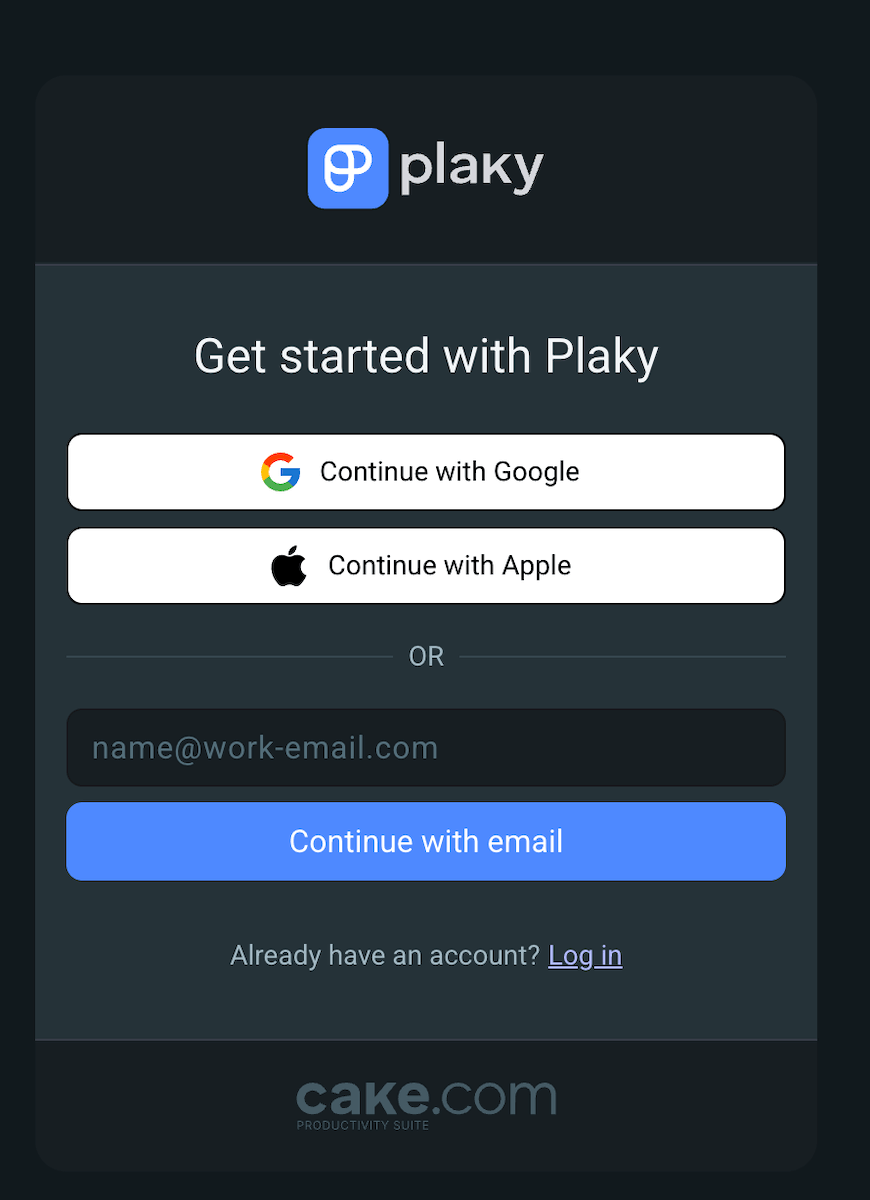
First, you need to sign up for both Plaky and Pumble (if you don’t already have accounts). The sign-up process itself is brief, requiring only your email address and name.
#2 Enable notifications in Plaky
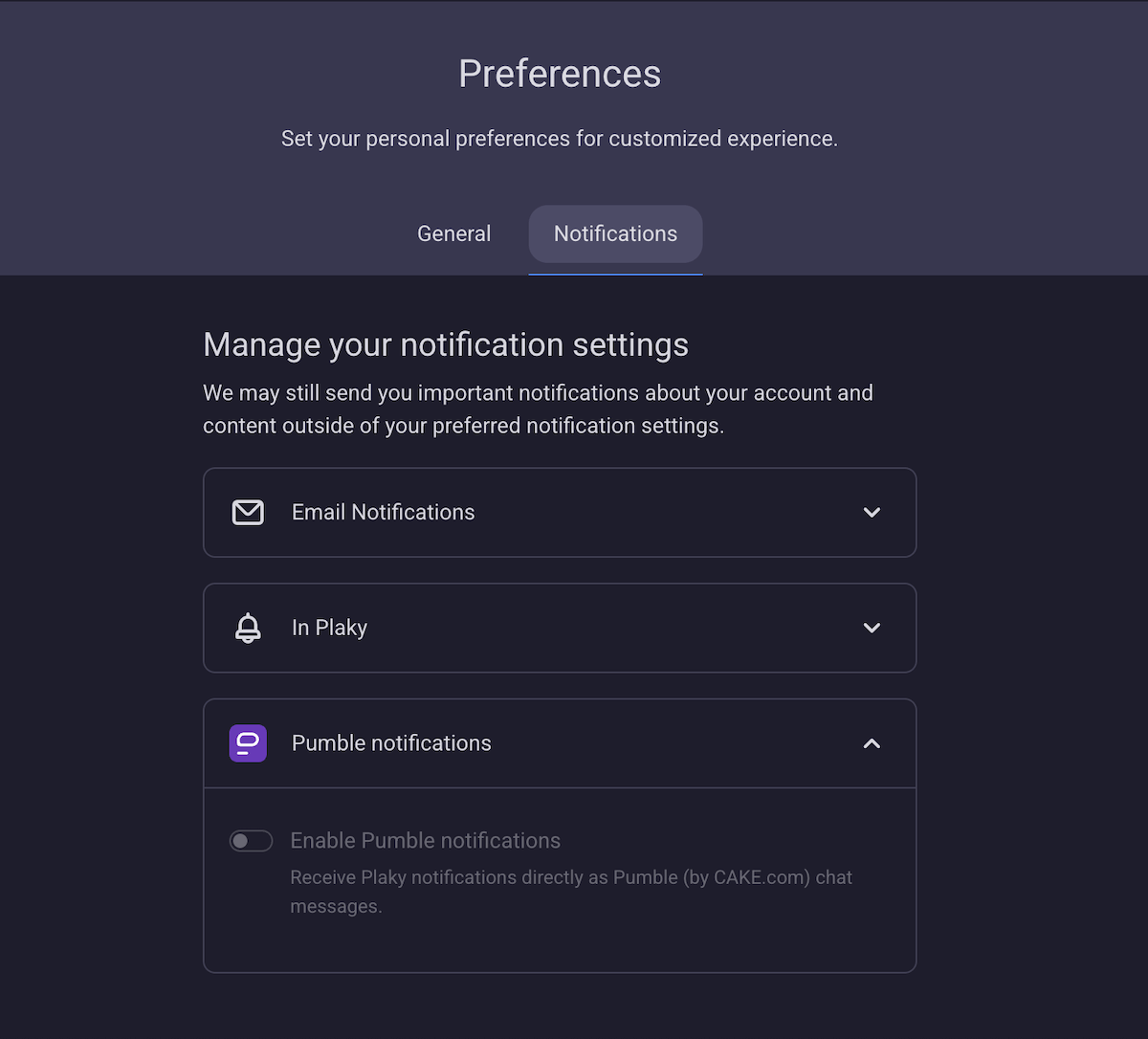
Next, you need to enable Pumble notifications in Plaky. Click on your picture in the right-hand side corner of your Plaky workspace and pick Preferences > Notifications. Once there, click on Pumble and toggle on Enable Pumble notifications.
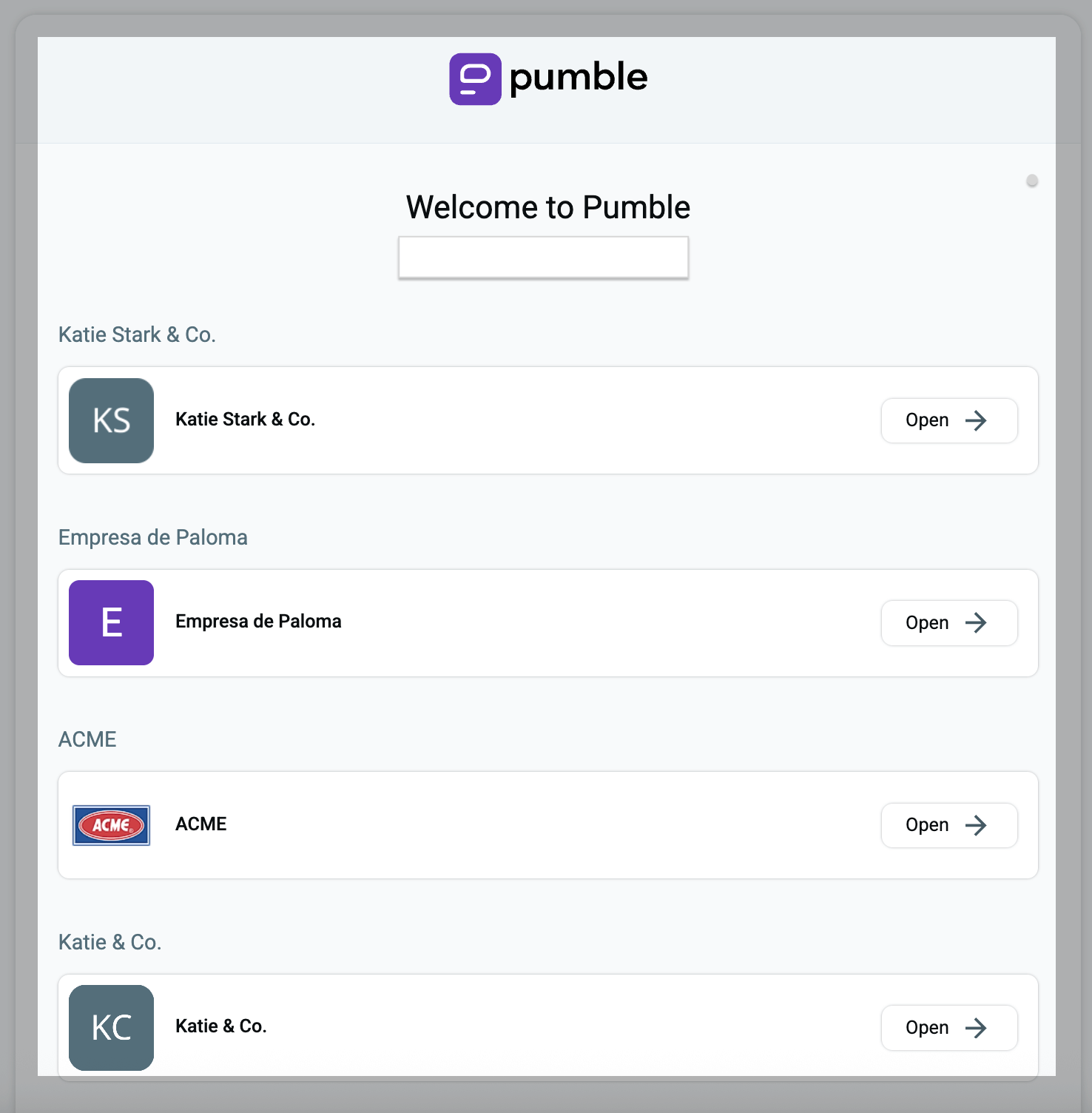
If you have multiple Pumble workspaces, you need to choose which one you want to pair with your Plaky workspace. If you only have 1 workspace, though, it will automatically connect Plaky to it.
#3 Customize your notifications
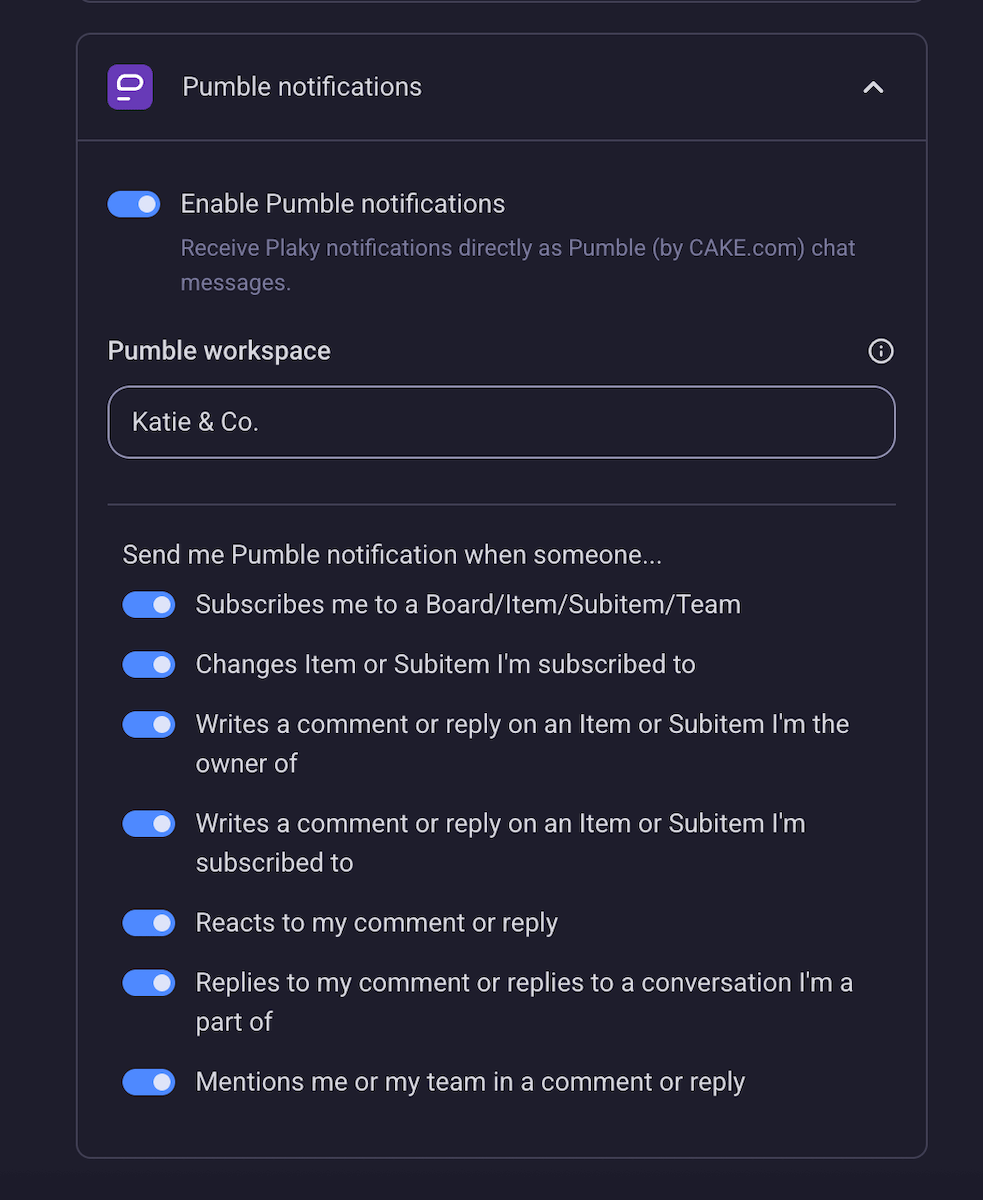
Naturally, you can pick which Plaky notifications you want to receive in Pumble and turn off all those you deem unnecessary.
Plaky classifies notifications into several categories. You can choose to receive a message if someone:
- Subscribes you to a board/item/subitem/team,
- Makes changes to an item/subitem you’re subscribed to,
- Writes a comment/reply on an item/subitem you’re the owner of or subscribed to,
- Reacts to your comment/reply,
- Replies to your comment or to a conversation you’re a part of, and
- Mentions you or your team in a comment or reply.
#4 Find the Plaky app in the Pumble sidebar
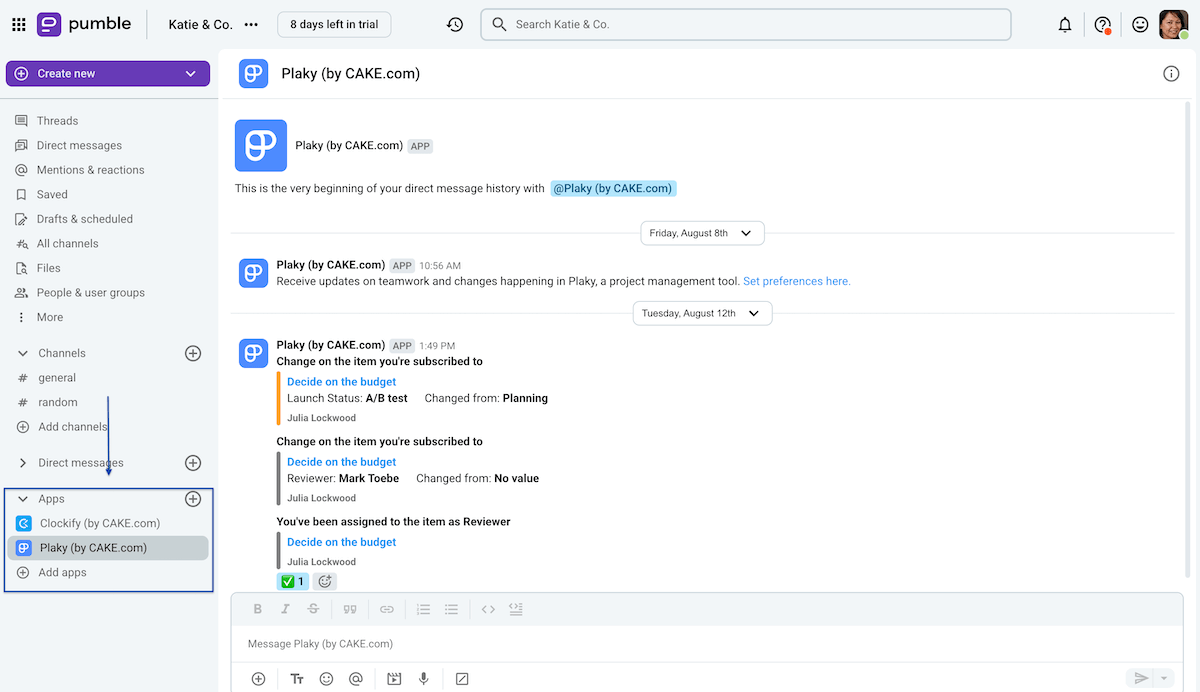
Once you’ve customized the notifications, go to Pumble’s sidebar and scroll down to Apps. There, choose Plaky from the list. It will open a conversation where Plaky will send you all the notifications you chose to receive.
#5 Start tracking Plaky updates in Pumble
And that’s it — now you can track Plaky notifications in Pumble.
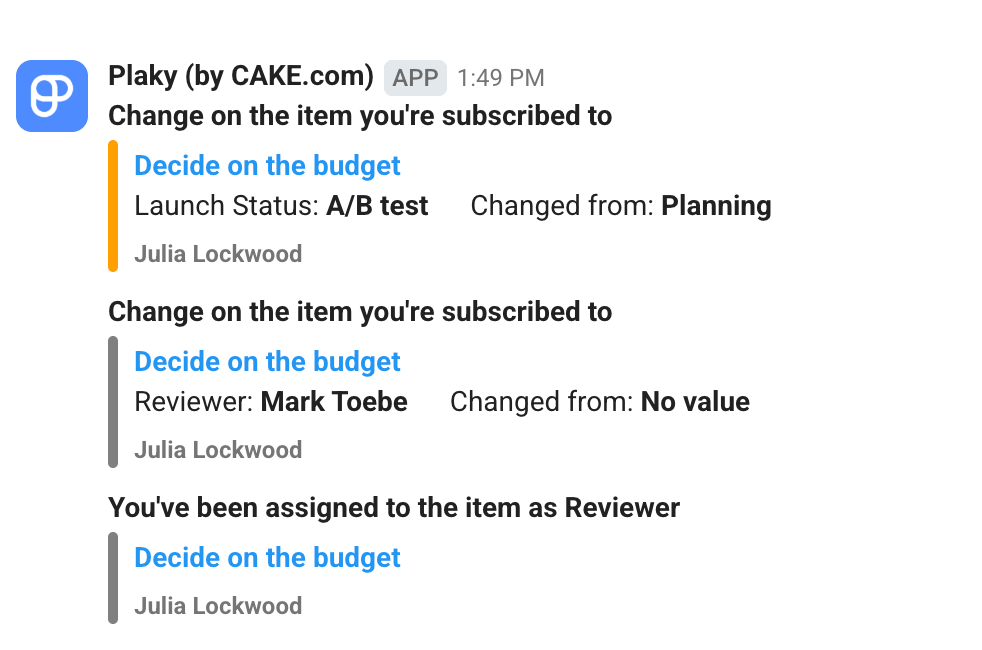
Each notification contains a link to the corresponding Plaky card, so you can react right away when something urgent happens.
For example, if you see that your team member has changed the status of a task from “In progress” to “Stuck”, simply click on the link in the Pumble notification. It will automatically take you directly to that task so that you can investigate immediately and offer assistance.
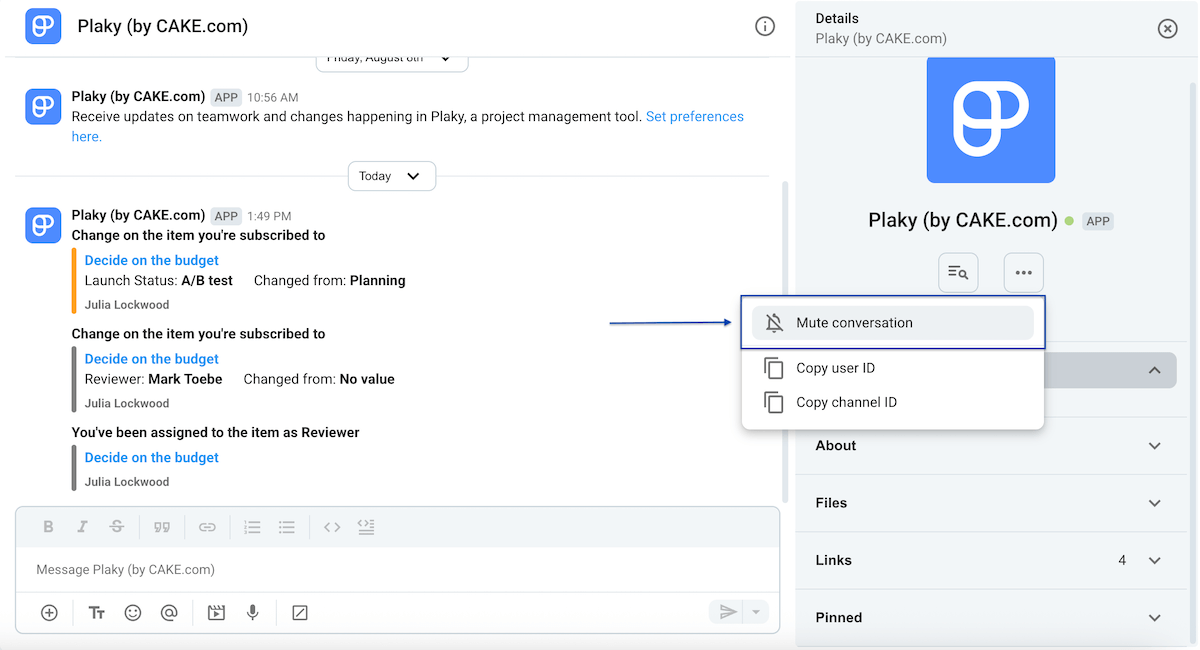
💡 Bonus tip: You can always choose to mute the Plaky conversation in Pumble. This is ideal for when you’re on vacation — just mute the entire conversation during that period and then unmute it when you come back to work.
Centralize project collaboration with Plaky and Pumble
The Plaky + Pumble integration will help you centralize all your workflows and eliminate the need to constantly jump from one app to another, ultimately saving you time and improving your efficiency.
But, this is just the tip of the iceberg, as both Plaky and Pumble offer a world of benefits individually.
Plaky is powerful project management software where you can:
- Track elaborate projects,
- Collaborate with your team in real time,
- Monitor project progress,
- Allocate resources, and so much more.
At the same time, Pumble is a high-quality team communication app that enables you to communicate with your team members via messages, calls, and video conferencing, as well as share files and maintain an unlimited message history.
But, there’s more! If you’re looking for an all-in-1 productivity solution, you can sign up for the CAKE.com Bundle and get our time tracking app, Clockify, together with Pumble and Plaky at a 53% discount.
Don’t waste time and energy on constant app switching. Connect Plaky and Pumble for free!
Streamline your workflow with Plaky + Pumble
How we reviewed this post: Our writers & editors monitor the posts and update them when new information becomes available, to keep them fresh and relevant.