

When communication isn’t clear, projects can fall apart. A quick update gets buried, feedback comes in late, and people end up working with incomplete information.
Plaky by CAKE.com solves the issue of communication with built-in features that enable fast and efficient collaboration, without having to switch apps.
Keep reading to find out more about communication in Plaky and how to get the most out of its features.
Why communication in project management matters
Most teams don’t struggle because of a lack of communication. They struggle because communication is disconnected from the work itself.
When conversations happen outside of your main collaboration tool, your team loses context, repeats the same questions, and spends time tracking down information instead of doing the work.
Keeping communication inside Plaky solves this by connecting every message to a specific task.
With Plaky, communication becomes:
- Task-based — every conversation is tied to a specific piece of work.
- Transparent — updates and decisions are visible to the entire team.
- Searchable — no more digging through messages to find key details.
- Documented — conversations become part of your project history.
- Asynchronous — teams can collaborate without needing to be online at the same time.
This structure helps teams avoid miscommunication and keeps everyone aligned, even during more complex projects.
Plaky features that enable effective communication
Instead of relying on external tools, Plaky lets you manage everything from quick questions to detailed feedback loops directly inside your workspace.
Here are the key Plaky features that turn updates into structured and meaningful communication.
Task comments for keeping every discussion in context
Comments under tasks are the starting point of task discussion in Plaky. They allow your team to communicate directly within the task, which keeps every message tied to the work at hand.
With Plaky’s comments, you can:
- Ask clarifying questions without starting a separate conversation,
- Share updates as work progresses,
- Provide feedback that stays visible to everyone involved, and
- Resolve issues without losing track of decisions.
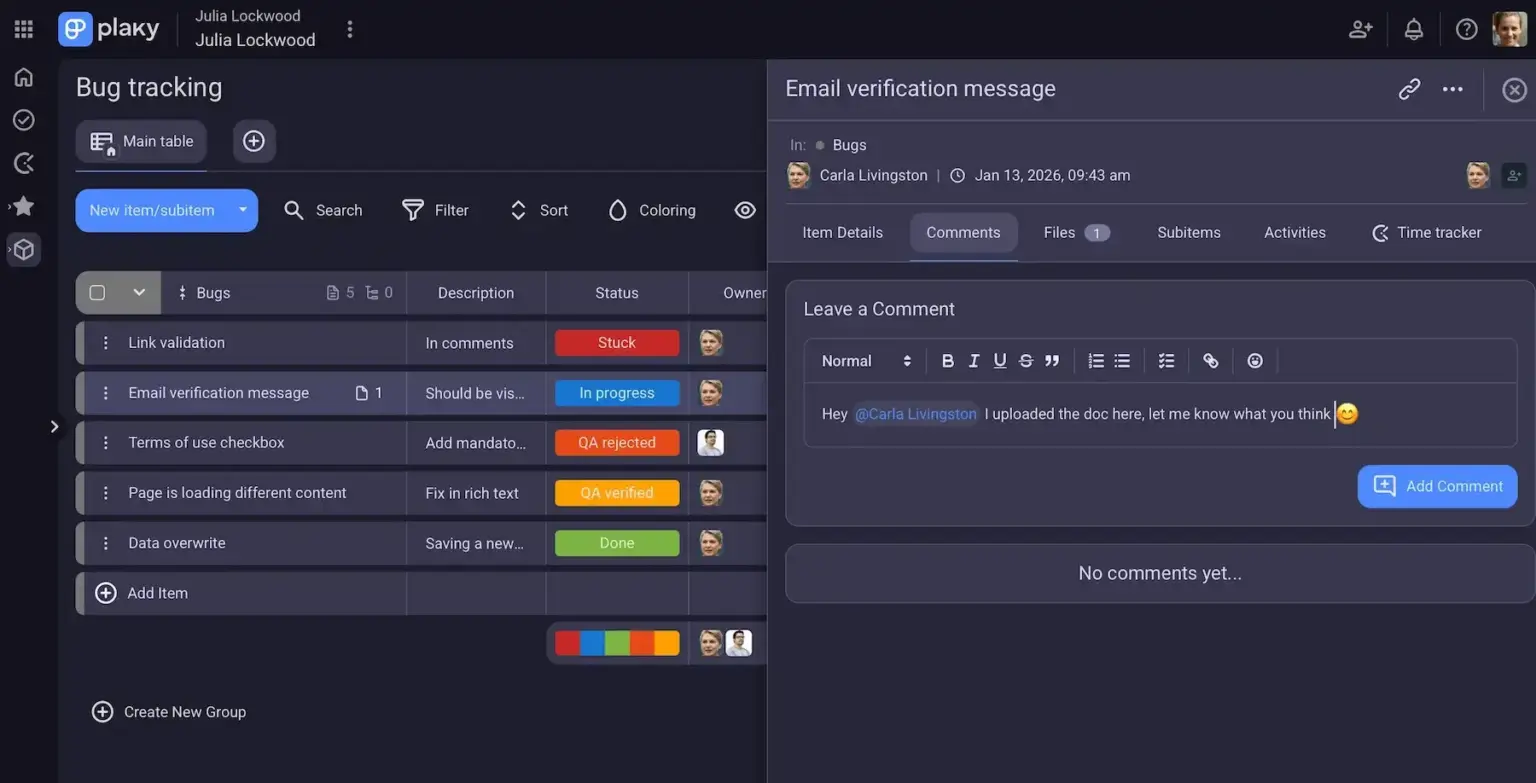
For example, say a team member has forgotten to attach design files to a current task. One way you could ask for the files is by sending a message or email that explains which task you’re referring to. A better way is to simply comment under that task in Plaky and ask for the files directly. By doing this, you keep the request, response, and all other information related to the task in one place. This boosts collaboration and builds a record of how a task evolved.
Speed up collaboration with Plaky
Mentions and tagging teammates to communicate directly
Sometimes, you need to involve specific people without notifying the entire team. That’s where Plaky mentions come in.
By tagging teammates in comments, you create a line of communication that’s both efficient and targeted.
Mentions help you:
- Bring the right people into a conversation instantly,
- Ensure important updates don’t go unnoticed, and
- Avoid unnecessary noise for the rest of the team.
For instance, if a designer needs input from a product manager they can simply mention them in the task. The product manager gets notified and can respond directly within the same context.
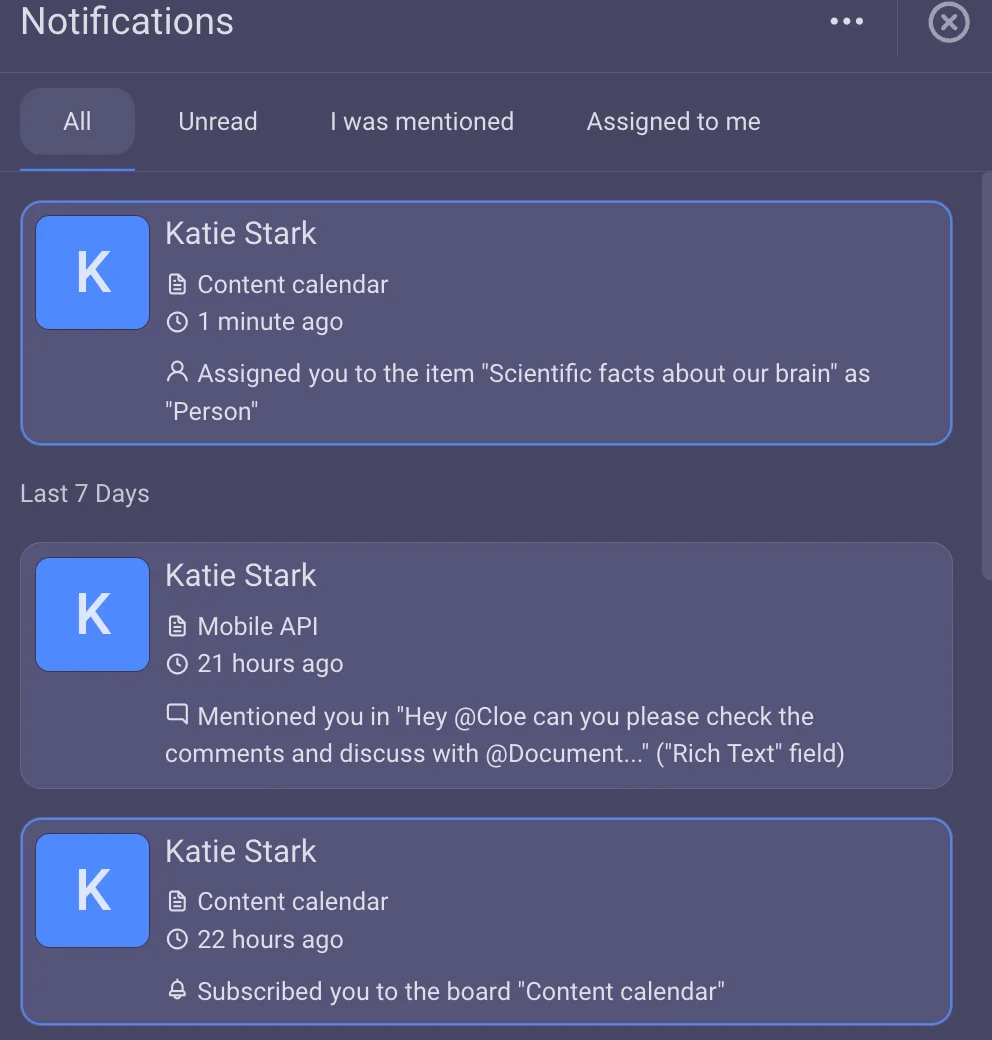
This keeps communication focused and prevents important details from being missed by relevant people.
File sharing for keeping everything in one place
File-sharing is an essential part of collaboration, andPlaky makes it simple to attach any files you need directly to a task.
Instead of sending files through email or chat, you can upload them where they belong. This includes:
- Documents and briefs
- Visual assets like images or designs
- Reports or spreadsheets
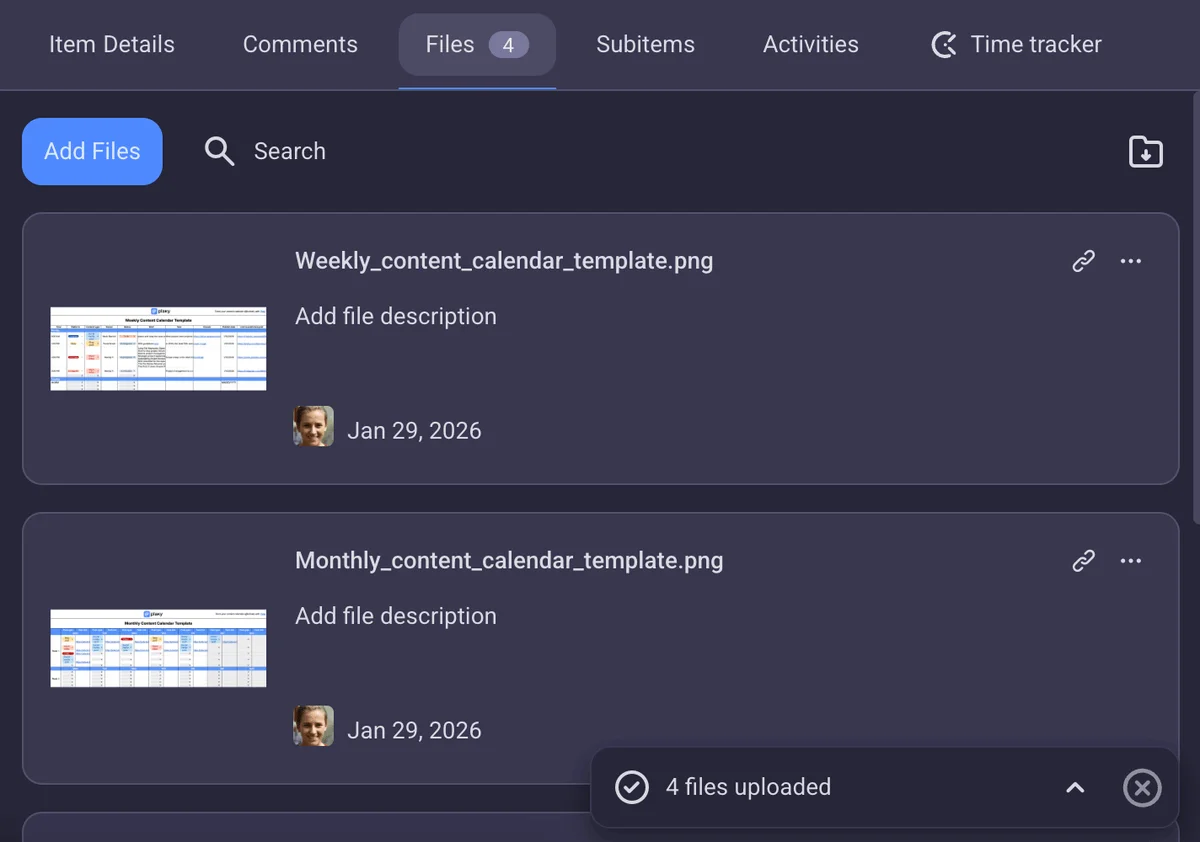
For example, a marketing team working on a campaign can attach all assets to one task. Copy, visuals, design, and reports are all stored together making collaboration smoother and more organized.
When files are attached to relevant tasks, your team always knows where to find them.
Task descriptions as documentation of responsibilities
Task descriptions act as the best source of information for each task. You can use task descriptions to define:
- Task requirements,
- Scope and expectations,
- Instructions, and
- Key deliverables.
A clear description reduces the need for repeated explanations and helps everyone start with the same understanding.
For example, instead of explaining the task multiple times in messages, a team lead can write a detailed brief in the task description. Anyone assigned to the task can refer back to it at any time.
This approach improves consistency, speeds up your workflow, and ensures that nothing important gets overlooked.
Status updates and activity tracking for fast information gathering
Efficient communication sometimes means knowing what’s happening without having to ask.
Plaky provides built-in status updates and activity tracking, giving you full visibility into task progress.
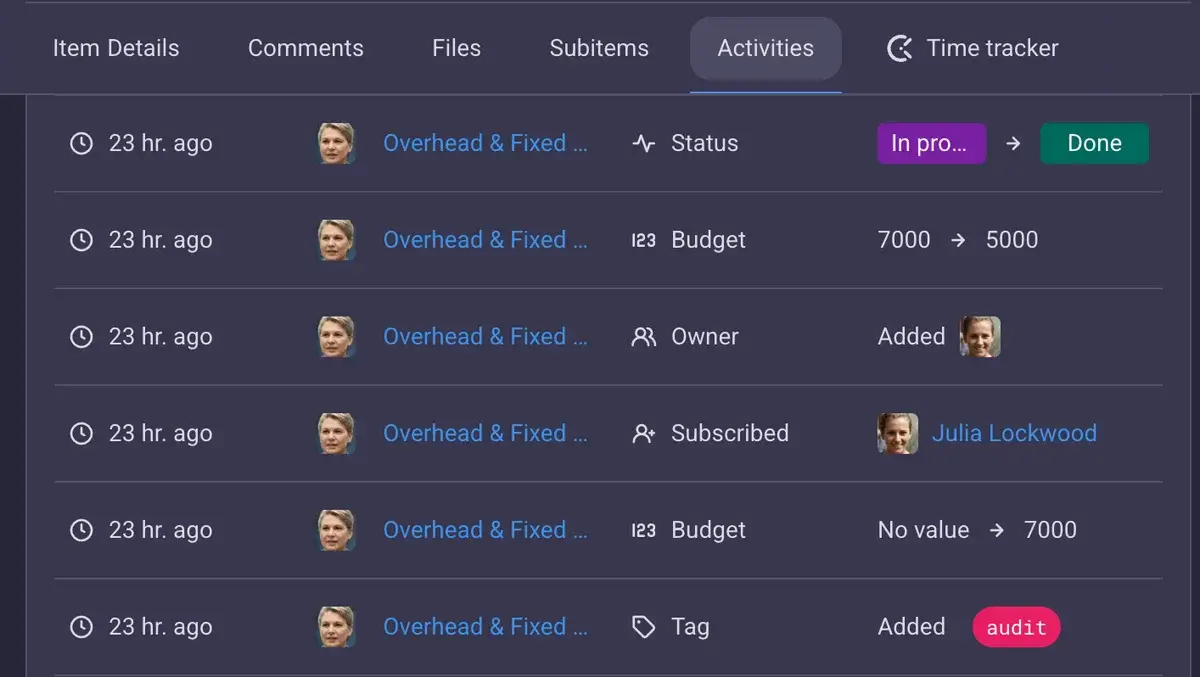
With features such as:
- Task status changes,
- Detailed audit trails,
- Different board views, and
- Summary row,
you can track:
- Who made changes,
- What exactly was updated, and
- When those updates happened.
This is especially useful for larger teams or complex projects with multiple contributors.
Instead of having to ask for updates, team members can simply check the activity log in Plaky and get a clear overview of what’s been done.
Track project progress with Plaky
Custom fields for structured communication
Not all communication needs to happen in comments. Some information is better presented in a structured way with Plaky’s custom Fields.
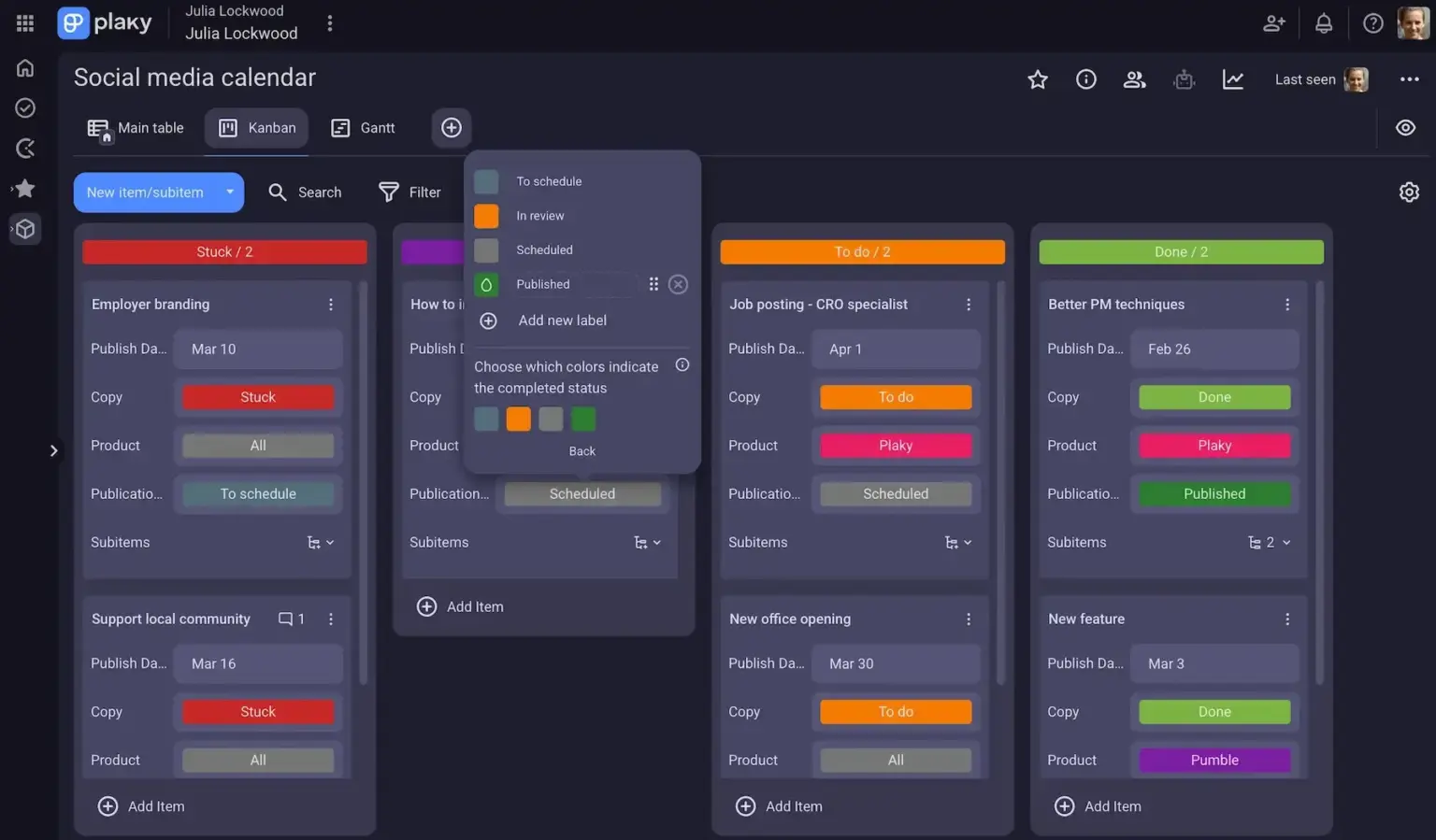
Custom Fields in Plaky allow you to standardize important details such as:
- Priority levels
- Task type
- Deadlines
- Ownership
For example, instead of asking “Is this urgent?” or “Who’s responsible for this?”, that information is already visible within the task.
This reduces back-and-forth and makes project overviews easy to understand at a glance.
When Plaky by CAKE.com is effective for communication (and when it isn’t)
Plaky covers most day-to-day communication needs, especially when it comes to structured, task-related work.
Plaky’s communication features work best for:
- Asynchronous communication,
- Task discussions and feedback loops,
- Documenting decisions and updates, and
- Maintaining clear and organized project overviews.
This makes it ideal for teams that want to stay focused and avoid constant interruptions. Additionally, it works best for highly independent teams and projects where team members can focus on their own tasks.
However, there are situations where real-time communication is more effective, such as:
- Brainstorming sessions
- Urgent clarifications
- Fast moving discussions that require immediate input
In these cases, switching to a chat tool can save time and help ideas flow more naturally.
Plaky-Pumble integration for a full communication and collaboration package
To support both structured and real-time communication, Plaky integrates with Pumble by CAKE.com — a team chat tool designed for easy communication.
As an all-in-one communication tool, Pumble offers both asynchronous and synchronous features such as:
- Channels and threads
- Direct messages
- Video conferencing
- Voice calls
- Video and voice messages
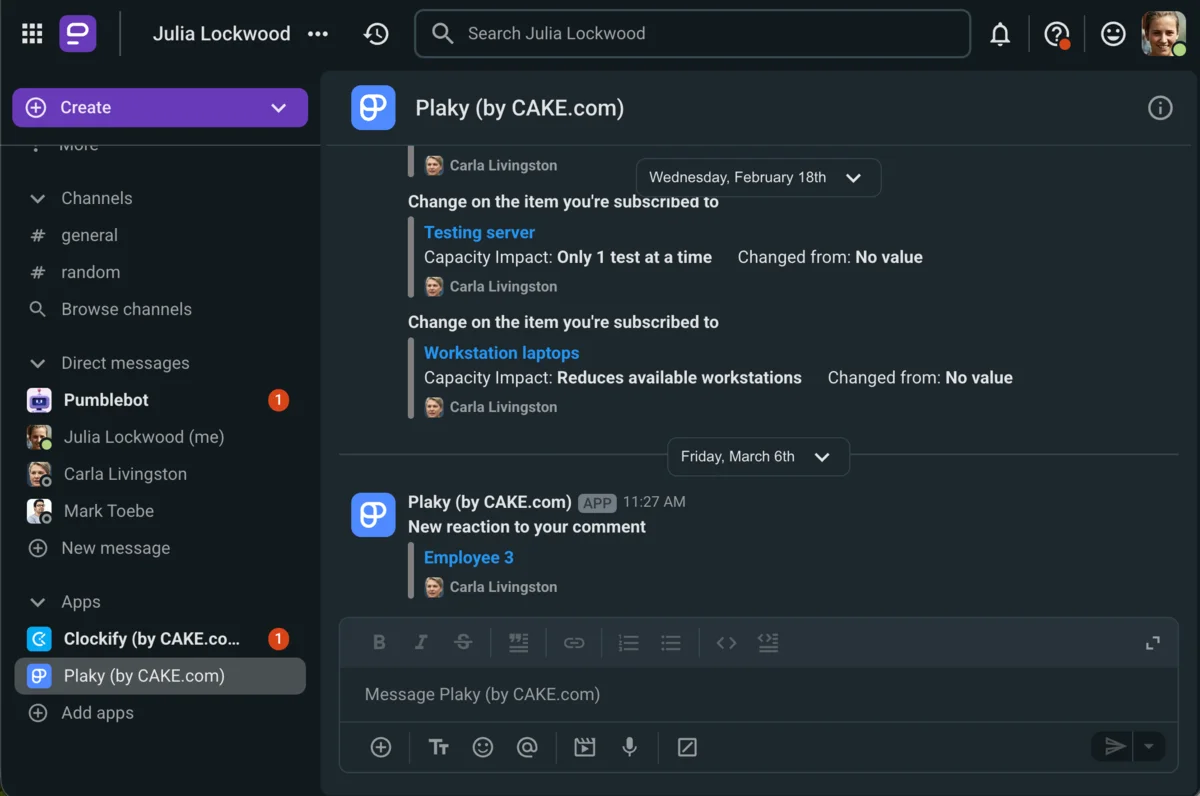
This Plaky-Pumble integration allows teams to use each tool for what it does best.
A typical workflow for a team using both Pumble and Plaky might look like this:
- Use Pumble for brainstorming ideas over video calls,
- Answer questions and finalize decisions in Pumble channels and threads,
- Move finalized decisions into Plaky tasks,
- Continue task-related discussions through comments,
- Keep all documentation and updates in one place under the task.
For example, a team might brainstorm campaign ideas in chat, agree on a direction, and then create tasks in Plaky with clear descriptions and assigned responsibilities.
This way communication stays fast when needed, but also organized and traceable when it matters.
Communicate effectively with Plaky by CAKE.com
Effective communication isn’t about using more tools — it’s about using the right ones in the right way.
By using the powerful communication features in Plaky, your team:
- Keeps conversations connected to tasks,
- Builds better feedback loops, and
- Stays aligned without unnecessary complexity.
And, when you pair it with real-time communication through Pumble, you get a balanced system that supports both effective collaboration and efficient communication.

