Change your language in Plaky
1 min read
Who can use this feature?
Owner, Admin, Member
Available on all plans
Plaky’s interface is available in multiple languages (English, Spanish, and Portuguese), so you can work in whichever one you’re most comfortable with. Changing it takes a few clicks in your settings, and the new language applies across your account right away.
Here’s how you can do it:
Web
iOS
Android
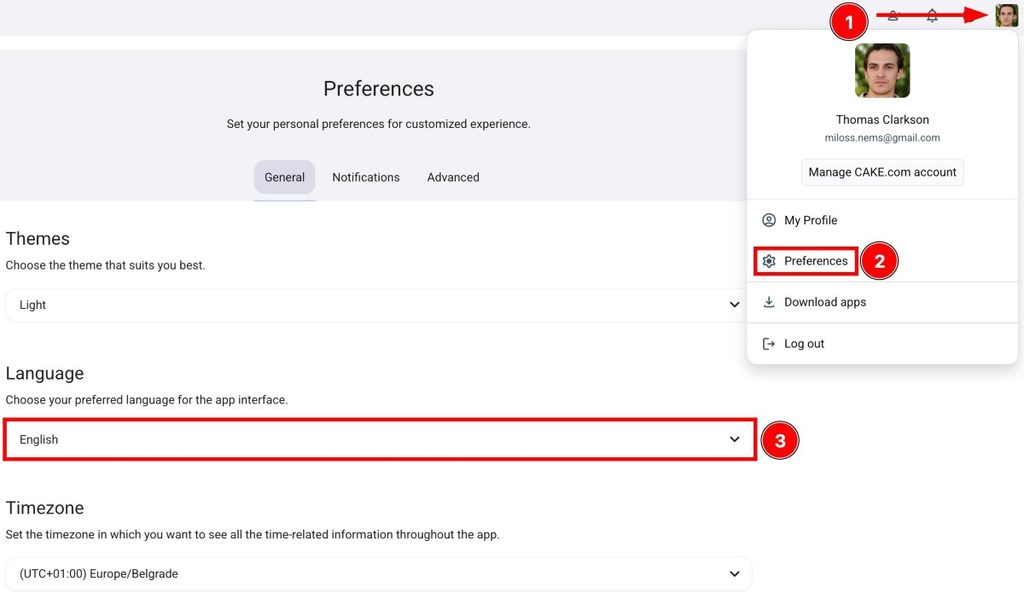
- Click on your profile picture in the top right corner
- Click on Preferences
- Select a language from the Language dropdown
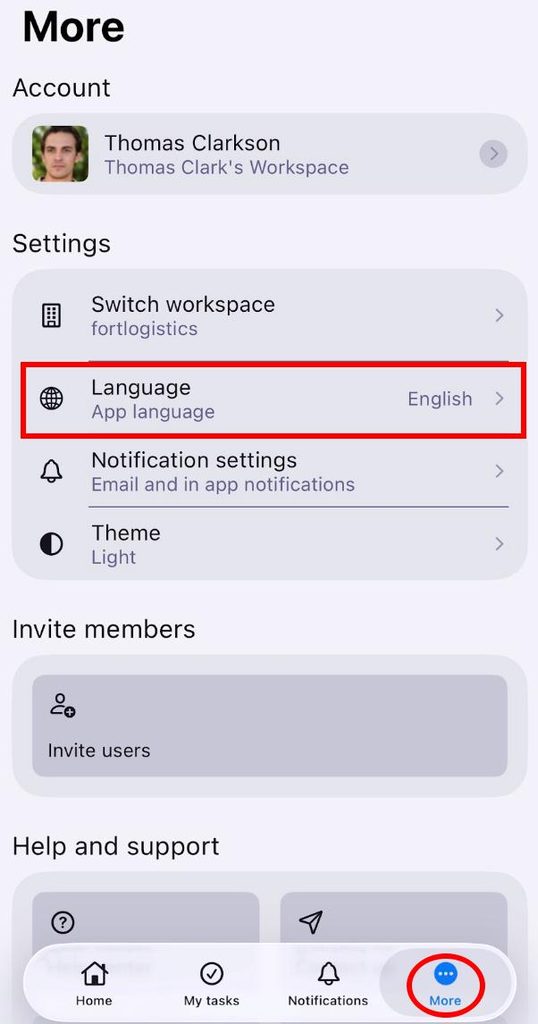
- Tap on More in the bottom sidebar
- Tap on Language
- Select your preferred language
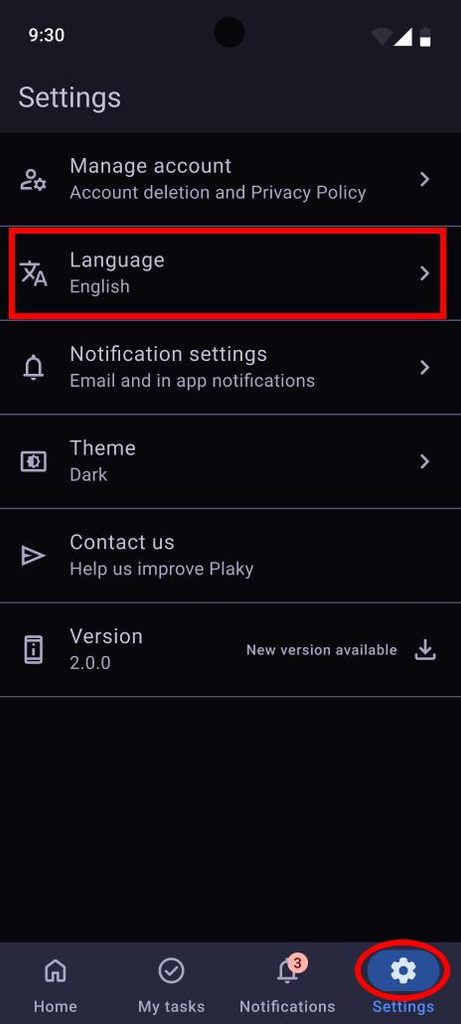
- Click on the Settings button in the bottom sidebar
- Select Language
- Choose a language
Was this article helpful?
Thank you! If you’d like a member of our support team to respond to you, please drop us a note at support@plaky.com