



Todo projeto tem seus marcos e objetivos, e alcançá-los exige diferentes conjuntos de habilidades e conhecimentos. Certas funções em projetos se tornaram padrão ao longo do tempo, e algumas agora estão presentes em quase todos os projetos, independentemente do setor.
Confira as principais funções em projetos e suas responsabilidades e aprenda como implementá-las em seu próximo projeto.
- As funções e responsabilidades da equipe variam de projeto para projeto e em diferentes setores, portanto, não existe um conjunto universal de funções de projeto.
- Gerentes de projeto são figuras fundamentais em qualquer projeto, pois são responsáveis por conduzir todas as fases até a conclusão.
- Você pode definir facilmente as funções da equipe definindo as metas que deseja alcançar e determinando o conjunto de habilidades necessário para sua equipe.
- Softwares de gerenciamento de projetos, com permissões de usuário definidas, podem ajudar muito no gerenciamento de diferentes funções.
O que é uma equipe de projeto?
Uma equipe de projeto se refere a um grupo de pessoas que trabalham em um projeto compartilhado.
Os membros da equipe de projeto tendem a possuir habilidades diversas que se complementam, criando um grupo coeso com diferentes funções e responsabilidades.
O número de funções e membros da equipe de projeto pode variar dependendo do tipo de projeto e do setor da empresa.
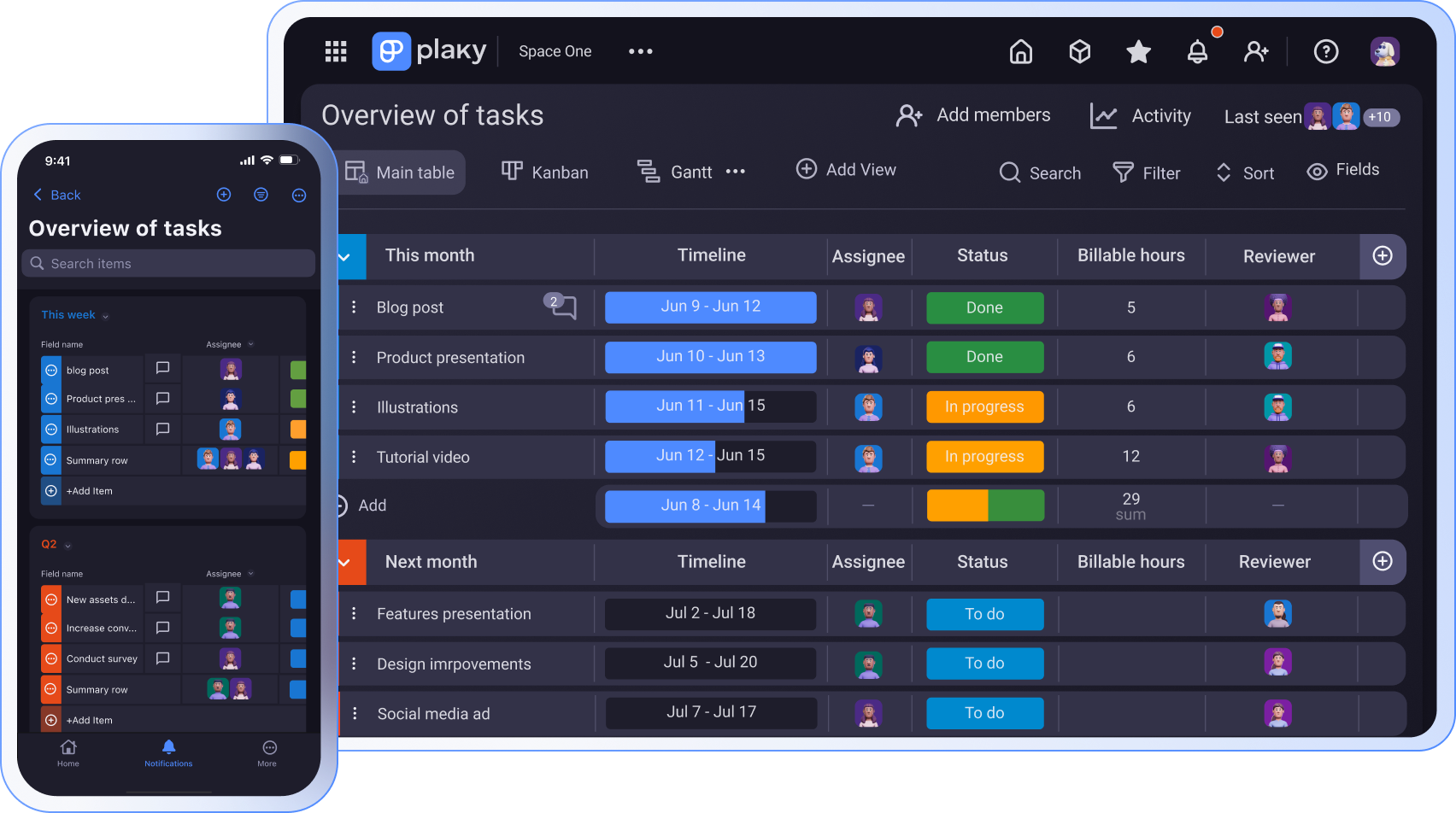
Funções e responsabilidades essenciais em um projeto
As funções em um projeto variam dependendo do tipo de projeto e de negócio, portanto, não existe uma lista universalmente aceita que possamos aplicar a todos os casos.
Em vez disso, podemos descrever as nove funções essenciais que você provavelmente encontrará em uma equipe de projeto.
Vamos explicar brevemente o que cada função abrange.
Gerente de projeto
Os gerentes de projeto são responsáveis por gerenciar projetos. Eles cuidam do planejamento, organização, gestão, controle e elaboração de relatórios em todas as fases do projeto.
Os gerentes de projeto são profissionais que mantêm o projeto dentro do cronograma e do orçamento, ao mesmo tempo que alcançam o seu objetivo.
Algumas das responsabilidades mais importantes de um gerente de projeto são:
- Definição do escopo do projeto
- Planejamento e organização de tarefas
- Gerenciamento de recursos do projetos
- Negociação com empreiteiros e fornecedores
- Assessing & managing risks,
- Avaliação e gerenciamento de riscos
- Comunicação com o patrocinador do projeto e outras partes interessadas
- Gerenciamento de mudanças
- Documentação do progresso do projeto
- Coleta de assinaturas
💡 Dica profissional do Plaky
Quer se tornar um gerente de projetos? Confira ótimas dicas em nossos guias:
Patrocinador do projeto
Um patrocinador de projeto geralmente é uma pessoa ou um grupo de pessoas em nível sênior dentro da gestão.
Os patrocinadores são responsáveis pelo sucesso do projeto e fornecem orientação e recursos à equipe do projeto e ao gerente de projeto. Eles têm 3 responsabilidades principais:
- Visão — garantir que o projeto esteja alinhado com as metas, a estratégia e os objetivos do negócio
- Governança do projeto — assegurar que o lançamento e a execução do projeto sejam conduzidos adequadamente
- Valor e benefícios — gerenciar riscos e mudanças, garantindo a qualidade do projeto
Em geral, o patrocinador do projeto:
- Alinha o projeto com a estratégia, metas e objetivos gerais da empresa
- Assegura o lançamento e a iniciação adequados do projeto
- Aprova o orçamento do projeto e todas as alterações significativas de escopo
- Toma decisões importantes para o projeto
- Assegura a disponibilidade de recursos para o projeto
- Fornece feedback regular à equipe do projeto sobre o desempenho em relação às expectativas
- Avalia o status e o progresso do projeto
- Define os critérios para o sucesso do projeto e como ele se encaixa nos negócios em geral
Em resumo, o patrocinador do projeto está envolvido no projeto durante todo o seu ciclo.
Partes interessadas (stakeholders) do projeto
As partes interessadas do projeto são pessoas interessadas em um projeto específico e que influenciam seus resultados.
O que caracteriza as partes interessadas stakeholders do projeto:
- Podem ser internos ou externos ao projeto
- Podem estar envolvidos passivamente ou ativamente em um projeto — ou até mesmo desconhecer o seu envolvimento
- Suas prioridades podem mudar durante as diferentes fases do projeto
- Seus interesses também podem mudar ao longo do projeto
- Eles dão informações, conforme necessário, para garantir que o projeto seja executado conforme o planejado e atinja as metas e entregas pretendidas
Não existe uma lista universal de partes interessadas que se aplique a todos os projetos. Além disso, lembre-se de que os projetos geralmente são influenciados por fatores externos que devem ser levados em consideração.
Membros da equipe do projeto
Uma equipe de projeto é composta por pessoas com diferentes habilidades e funções dentro de um projeto.
Os membros da equipe de projeto fazem o seguinte:
- Fornecem a expertise necessária para executar as tarefas do projeto
- Concluem o trabalho atribuído
- Colaboram com outros membros da equipe para atingir os objetivos do projeto
- Participam de reuniões da equipe
- Relatam problemas e o status do projeto
- Documentam o processo
Os membros da equipe do projeto podem se envolver em um projeto em regime integral ou parcial, dependendo dos requisitos do projeto.

Analista de negócios
Os analistas de negócios trabalham com membros da equipe do projeto e as partes interessadas para estabelecer as necessidades do negócio. Eles garantem que as equipes de projeto tenham as ferramentas, a tecnologia e os recursos necessários para concluir as tarefas.
As principais responsabilidades de um analista de negócios incluem:
- Planejamento e monitoramento de práticas comerciais
- Determinação e priorização das necessidades e requisitos operacionais e técnicos da organização
- Compreensão das metas, estratégias e necessidades de negócios
- Verificação se as entregas do projeto atendem aos requisitos
- Análise de dados
- Documentação e análise dos requisitos do projeto
Coordenador de projeto
Um coordenador de projetos auxilia o gerente de projeto e os membros da equipe com tarefas administrativas relacionadas ao projeto, para que ele possa continuar funcionando sem problemas.
As tarefas de um coordenador de projeto podem incluir:
- Monitorar o progresso diário do projeto e fornecer atualizações aos gerentes de projeto ou outras partes interessadas
- Solicitar os equipamentos e materiais de escritório necessários
- Garantir que os membros da equipe tenham os recursos necessários para concluir as tarefas dentro do prazo e do orçamento
- Executar tarefas relacionadas à faturação e contabilidade
- Organizar faturas, contratos, relatórios e outros documentos financeiros
- Gerenciar a documentação relacionada ao projeto
- Gerenciar prazos e fluxo de trabalho
- Agendar reuniões e compromissos
Consultor de gerenciamento de projetos
Ao contrário dos gerentes e coordenadores de projetos, os consultores de gerenciamento de projetos são especialistas externos contratados por uma empresa para auxiliar em um projeto específico.
Portanto, são especialistas externos em gerenciamento de projetos que podem ajudar o gerente de projetos a direcionar o projeto no caminho certo.
As responsabilidades de um consultor de gerenciamento de projetos incluem:
- Familiarizar-se com a empresa e seu funcionamento
- Ajudar o gerente de projeto a criar uma estratégia adequada às suas necessidades
- Apresentar soluções inovadoras para auxiliar o projeto
- Solucionar problemas e gargalos potenciais
- Fornecer conhecimento especializado em áreas com as quais o gerente de projeto não esteja familiarizado
Comitê diretivo
Os membros de um comitê diretivo geralmente são a administração da empresa e as principais partes interessadas.
O papel de um comitê diretivo é:
- Supervisionar um projeto do início ao fim
- Fornecer orientação
- Garantir a entrega dos resultados do projeto
Em termos simples, um comitê diretivo apoia os gerentes de projeto que trabalham para definir as diretrizes estratégicas da empresa.
O comitê é responsável por:
- Definir a direção estratégica dos projetos
- Fornecer consultoria sobre o orçamento e alterações no projeto
- Identificar as prioridades do projeto
- Identificar possíveis riscos
- Monitorar riscos e cronogramas
- Priorizar e repriorizar os entregáveis do projeto
- Determinar os resultados esperados do projeto e auxiliar na sua concretização
Especialista no assunto
Especialistas no assunto possuem conhecimento profundo de um assunto específico, área de negócios ou área técnica. Eles aconselham e orientam equipes de projeto e as ajudam a aprimorar os processos de negócios para atingir os resultados esperados do projeto.
Especialistas no assunto geralmente:
- Comunicam -se com gerentes de projeto ou partes interessadas do projeto para sugerir melhores práticas ou procedimentos
- Fornecem informações às partes interessadas e aos gerentes de projeto para ajudar a definir as metas e os requisitos do projeto
- Definem procedimentos ou padrões (já que são especialistas que conhecem a maneira correta ou melhor de executar as tarefas)
- Fornecem sugestões para melhorias de procedimentos
- Determinam objetivos de desempenho e especificam níveis de desempenho aceitáveis.
- Respondem a perguntas sobre o conteúdo ou a estratégia das tarefas do projeto
- Ajudam os gerentes de projeto a identificar possíveis riscos e corrigir problemas relacionados à sua área de especialização
💡 Dica profissional do Plaky
Os papéis em uma equipe podem ser muito diferentes, e os gestores precisam encontrar maneiras de incentivar ativamente a colaboração. Você pode encontrar algumas dicas sobre como fortalecer o espírito de equipe em nossos guias:
Exemplo de uma equipe de projeto
Para explicar melhor as funções de uma equipe de projeto, vamos analisar um exemplo específico. Vamos nos concentrar em uma equipe de desenvolvimento web em uma empresa de desenvolvimento de software.
Uma equipe de projeto de desenvolvimento web pode ter os seguintes profissionais em sua composição:
- Gestor de projeto
- Desenvolvedores
- Equipe de controle de qualidade
- Designers de UX/UI
- Analista de negócios
O gerente de projeto executa as seguintes ações:
- Planeja o projeto
- Desenvolve um cronograma para o projeto
- Monta uma equipe para o projeto
- Define o foco da equipe
- Gerencia a carga de trabalho da equipe
- Gerencia os riscos e o orçamento
Os desenvolvedores trabalham no desenvolvimento front-end e back-end, enquanto a equipe de controle de qualidade garante a melhor qualidade do software, testando-o para detectar erros.
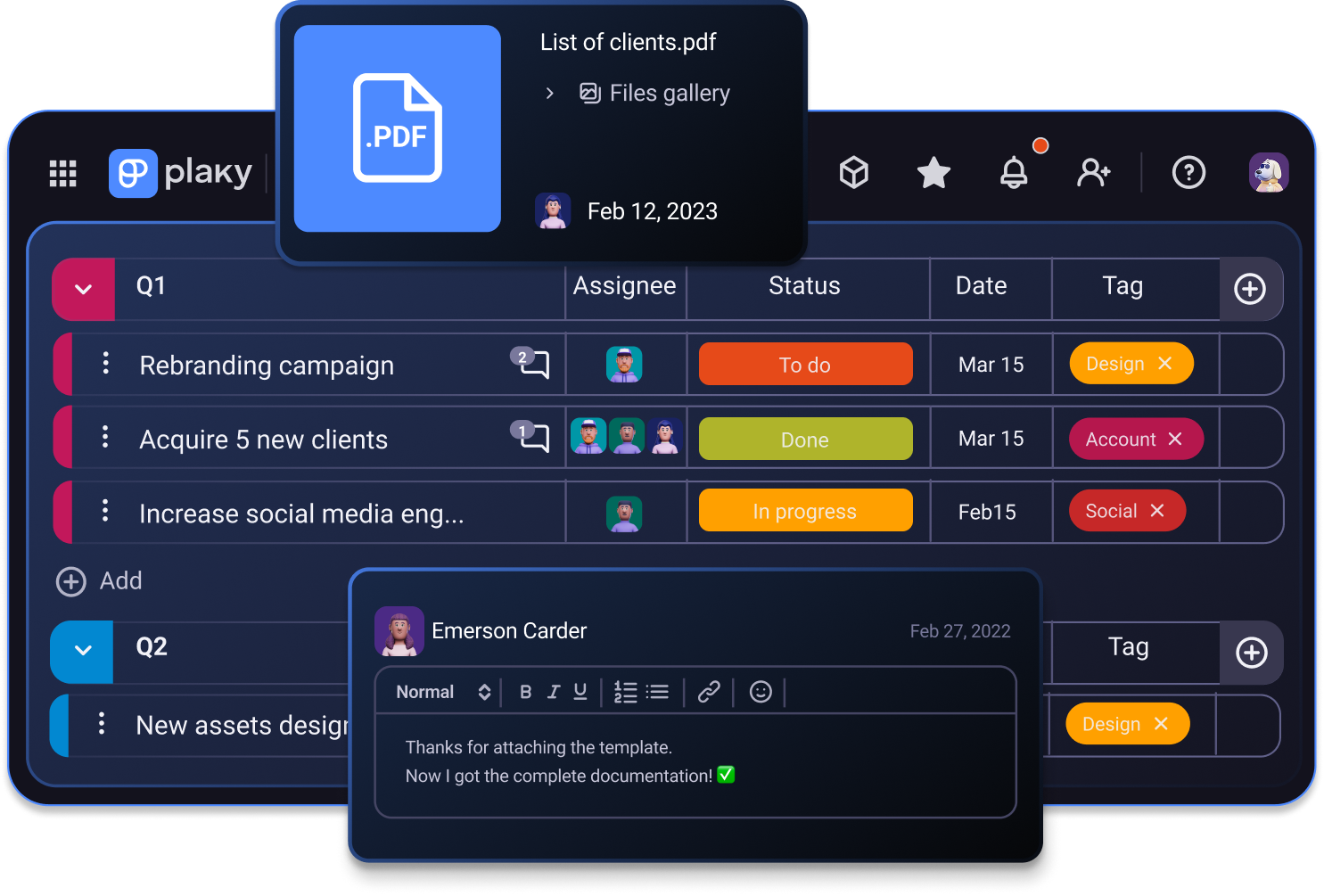
Os designers de UX/UI são responsáveis por:
- Coletar e avaliar os requisitos do usuário em colaboração com gerentes de produto e engenheiros
- Fornecer ideias de design e projetar elementos de interface gráfica do usuário, como menus, ícones e abas
Por fim, o analista de negócios:
- Garante que os requisitos sejam atendidos
- Atua como uma ponte entre o cliente, o design e o desenvolvimento
- Traduz as solicitações do cliente em especificações sobre como uma determinada funcionalidade deve se comportar
💡 Dica profissional do Plaky
Vai começar um projeto de desenvolvimento web? Ganhe tempo e escolha um dos modelos de desenvolvimento de software pré-fabricados e totalmente personalizáveis do Plaky:
Como implementar funções de projeto em 4 etapas
Se você não tem certeza de como implementar diferentes funções de projeto em sua equipe, aqui está um guia rápido de 4 etapas:
- Identificar funções
- Definir competências e expectativas
- Avaliar a carga de trabalho
- Atribuir funções
Identificar funções
Depois de definir as metas e objetivos do projeto, comece a criar um plano de ação para alcançá-los.
Cada fase do projeto exigirá determinados recursos e profissionais.
Por exemplo, o lançamento de uma nova linha de roupas exigirá costureiras, estilistas, gerentes de vendas, e modelos. Já os projetos de construção precisarão de empreiteiros, engenheiros e arquitetos.
💡 Dica profissional do Plaky
Se você é um gerente de projetos na área de arquitetura e precisa de uma ferramenta confiável para gerenciar seus projetos, confira esta lista de ferramentas:
Definir competências e expectativas
Ao definir as funções necessárias, você também precisa determinar as responsabilidades de cada um.
Mesmo que você já tenha uma equipe disponível, é importante definir as habilidades necessárias para o projeto e o que se espera de cada função. Dessa forma, você poderá comparar imediatamente quem é adequado e quem está faltando.
Encontrar as pessoas necessárias antes do início do projeto também pode economizar custos adicionais posteriormente. Quando o projeto já está em andamento, a falta de especialistas pode causar atrasos dispendiosos, prolongando o projeto e causando alterações no cronograma e na disponibilidade de recursos.
Economize tempo usando uma matriz de habilidades. Temos uma gratuita que você pode experimentar:
Obtenha nosso modelo de matriz de habilidades de recursos
Avaliar a carga de trabalho
Às vezes, algumas funções são essenciais apenas durante certas atividades e fases do projeto, sendo completamente desnecessárias para o restante. Por isso, você deve determinar de quem precisa e quando.
Se a função já existe na empresa, o responsável provavelmente já está trabalhando em algo. Você pode informar a ele e às outras equipes o cronograma do seu projeto para que a coordenação seja melhor.
Por outro lado, se a função ainda não existe, você pode iniciar uma busca por um freelancer ou um funcionário fixo.
💡 Dica profissional do Plaky
Descubra como recrutar candidatos com as competências e a experiência necessárias de forma eficaz no nosso guia:
Atribuir funções
Finalmente, depois de determinar as funções necessárias para concluir seu projeto com sucesso, você pode escolher as pessoas que vão desempenhar estes papéis.
Lembre-se de que os funcionários atuais são mais fáceis de avaliar, pois você já conhece a personalidade e as habilidades deles, mas novas pessoas também podem trazer uma sensação de ar fresco para a equipe.
Portanto, ao atribuir funções, concentre-se no conhecimento e na experiência necessários para atingir os objetivos do seu projeto. Novos funcionários podem contribuir para expandir a base de conhecimento geral e melhorar a dinâmica da equipe. Às vezes, até mesmo um talento adicional pode fazer uma grande diferença.
📖 Algumas metodologias e frameworks de gerenciamento de projetos, como o Scrum, têm funções específicas. Para saber mais sobre elas e outros termos de gerenciamento de projetos, consulte nosso Glossário de Termos de Gerenciamento de Projetos.
Gerencie funções de projeto com o Plaky
Não seria ótimo poder gerenciar projetos e equipes inteiras com diferentes funções em um único aplicativo? Felizmente, ferramentas como o Plaky podem ajudar você a organizar todo o seu trabalho em um só lugar.
Com o Plaky, você pode colaborar facilmente com todos os membros da equipe e acompanhar o progresso do projeto. Veja como!
Gerenciamento de permissões
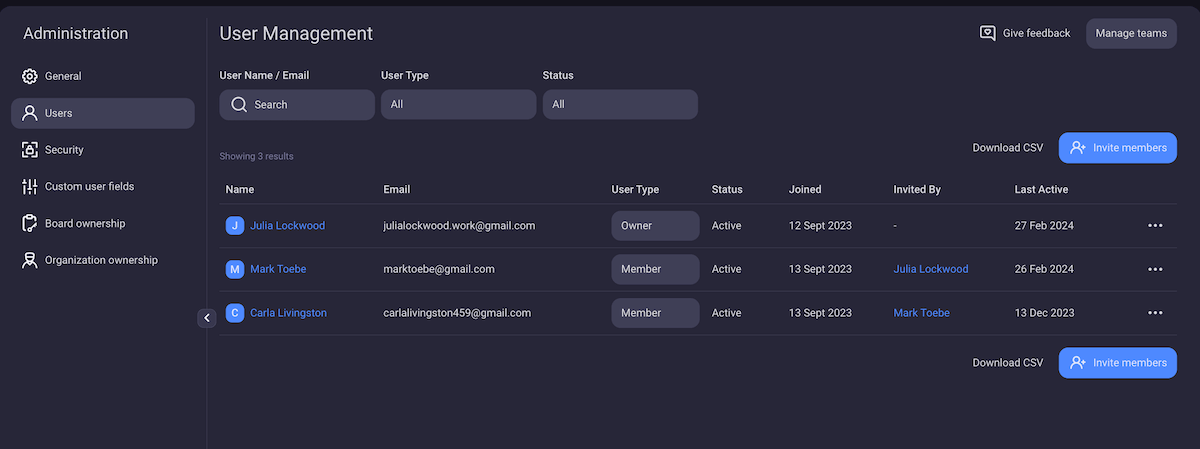
Depois de convidar sua equipe, você pode atribuir diferentes funções e conceder permissões. Todos os membros da equipe acompanham o progresso do projeto sem comprometer a integridade das informações ou levantar preocupações com a segurança.
Existem 3 funções de usuário no Plaky:
- Administrador
- Membro
- Visualizador (disponíveis nos planos pagos do Plaky)
Diferentes funções vêm com diferentes permissões, então você pode atribuir funções com base na função real de uma pessoa em uma equipe. Por exemplo, um gerente de projeto será um usuário Administrador, enquanto um stakeholder externo pode receber a função de Visualizador para acompanhar o progresso do projeto.
Se você estiver gerenciando um projeto que contém informações confidenciais, o plano Pro do Plaky permite que você crie espaços fechados ou quadros privados e limite o acesso apenas aos membros.
Se você for além e assinar o plano Enterprise do Plaky, poderá até mesmo alterar as permissões do quadro para que apenas pessoas selecionadas possam modificar as informações e a estrutura do quadro.
Gerenciamento de tarefas
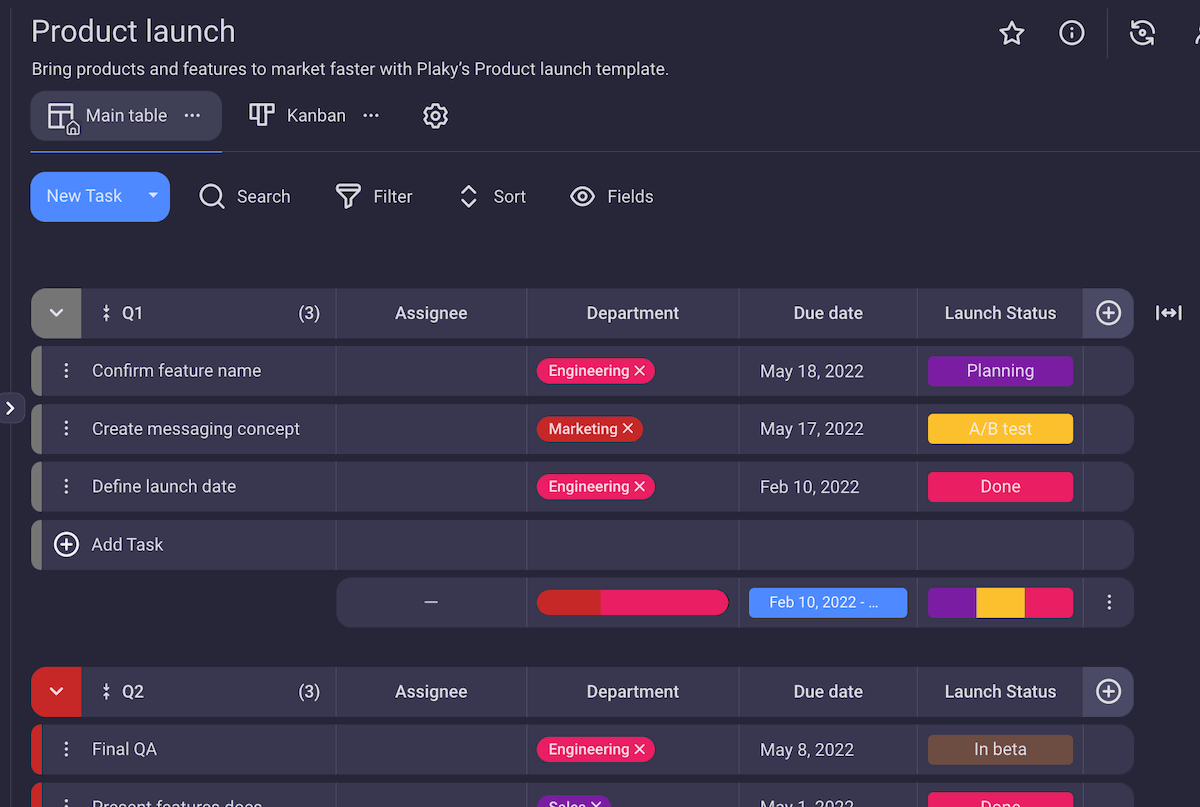
Para começar, você pode economizar tempo e usar um dos muitos modelos de gerenciamento de projetos que o Plaky oferece. Você também pode começar do zero e criar seu próprio quadro para se adequar ao seu projeto.
Projetos diferentes exigem estruturas diferentes e — entre as várias visualizações de quadro — você pode escolher a que melhor se adapta às suas necessidades.
Você também pode criar itens que podem ser atribuídos a um ou mais membros da equipe. Como alternativa, cada membro da equipe pode ter um grupo de itens dedicado com todas as tarefas atribuídas. Isso permite que os gerentes de projeto acompanhem facilmente o progresso do trabalho.
O melhor de tudo é que cada item pode ser tão detalhado quanto necessário — basta adicionar os campos que você precisa, incluindo:
- Descrição da tarefa
- Data de entrega
- Prioridade e mais
Colaboração perfeita
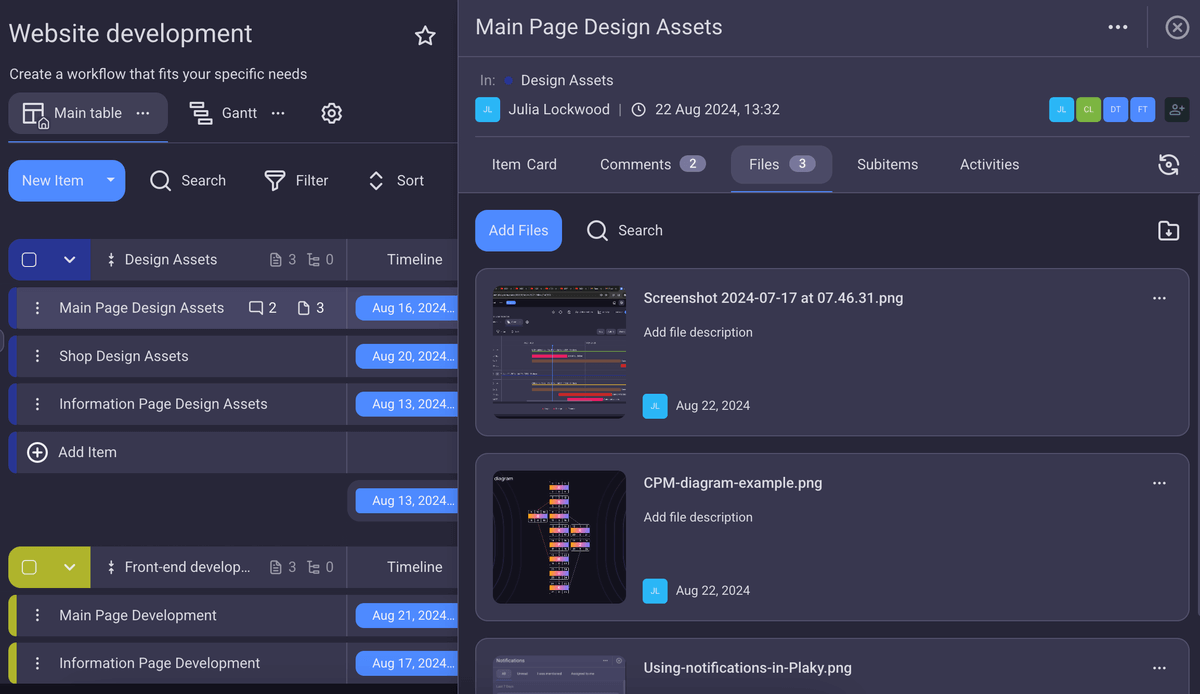
No Plaky, os itens podem conter não apenas descrições, mas também arquivos. Você pode anexar documentos e imagens antes de começar a trabalhar em uma tarefa, durante o trabalho ou depois que a tarefa for concluída.
Dessa forma, todas as informações e todos os arquivos relacionados a um determinado assunto estarão em um só lugar — assim, ninguém precisará perder tempo procurando em sua caixa de entrada.
Outro ótima funcionalidade do Plaky é a seção de comentários, onde você pode se comunicar com outras pessoas em tempo real. Assim que alguém tiver uma novidade ou uma pergunta, pode marcar a pessoa certa, que receberá uma notificação imediatamente. Além disso, para atualizações mais rápidas, você pode usar reações com emojis!
Gerenciar funções de projeto é muito fácil com os recursos administrativos certos, e o Plaky é tão meticuloso nisso. Então, se você quer que todos os membros da equipe acompanhem o progresso do projeto dentro das permissões de suas funções, você já sabe por onde começar.
Ainda não está convencido? Experimente o Plaky! O teste gratuito de 7 dias está esperando por você com todas as ferramentas.
Como revisamos esta publicação: Nossos redatores e editores monitoram as publicações e as atualizam quando novas informações são disponibilizadas, para mantê-las atualizadas e relevantes.