



Do you struggle to recall action items from a meeting right after it ends?
Do important things fall through the cracks because someone said “I didn’t know it was my job”?
If the answer is yes, it’s time you start tracking action items to gain clarity and make sure even small work units are captured.
To help you, we’ve created 10 templates you can download for free and tweak them to fit your style.
You’ll find them in various formats including PDF versions for those who prefer pen and paper.
#1 Basic action item list template
Download: Excel, Google Sheets, PDF
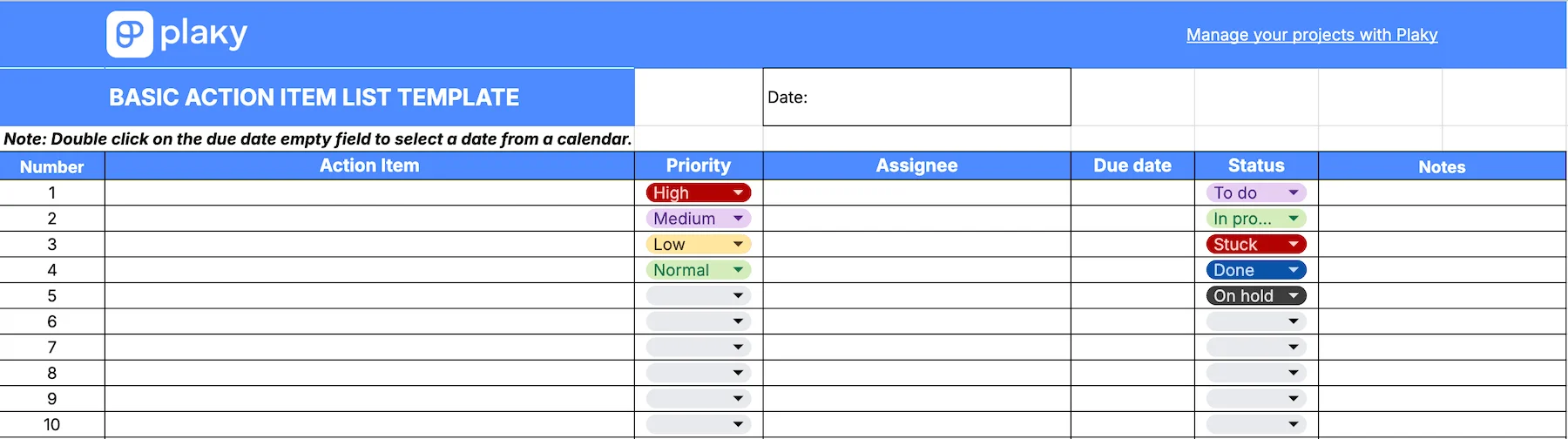
In this simple action item list template, you get a table for your action items that includes:
- Action item (the name of the action item)
- Priority (the level of urgency for completing the action item)
- Assignee (the person responsible for the action item)
- Due date (the deadline for completing the item)
- Status field (dropdown list with To do, In progress, Stuck, On hold, and Done statuses)
- Notes (for comments or issues)
A priority column helps you identify high-priority action items that should be done first. Thanks to this column, you’ll prioritize workload effectively and ensure better time management.
Meanwhile, the due date and the status columns next to one another make it easy to see whether your action items are on the right track.
💡 PLAKY PRO TIP
Not sure how to create an action item list? Check out the article below to master it:

#2 Action item tracker template
Download: Excel, Google Sheets, PDF
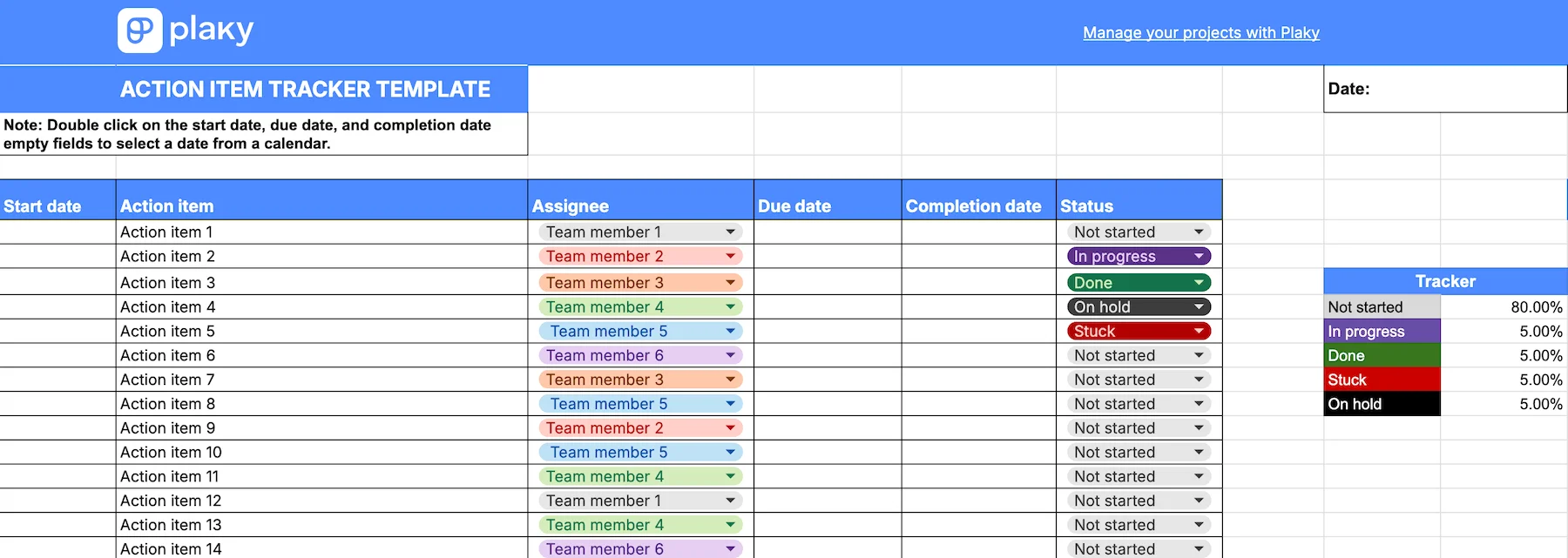
This action item template consists of the following columns:
- Start date
- An action item name
- Assignee (select the appropriate team member from the list)
- Due date
- Completion date
- Status (choose the right action item status from the drop-down list)
Each team member is assigned a different color, making this template ideal for project managers who need to check who’s working on each action item at a glance.
Moreover, thanks to start, due, and completion date, this template allows you to easily identify tasks done ahead of time as well as delays.
The best part is the tracker that gives you a detailed breakdown of your work progress. You’ll see the real progress in the blink of an eye within the tracker table showing the percentage of action items “Done”, “In progress”, “Stuck”, etc.
#3 Meeting action items template
Download: Excel, Google Sheets, PDF
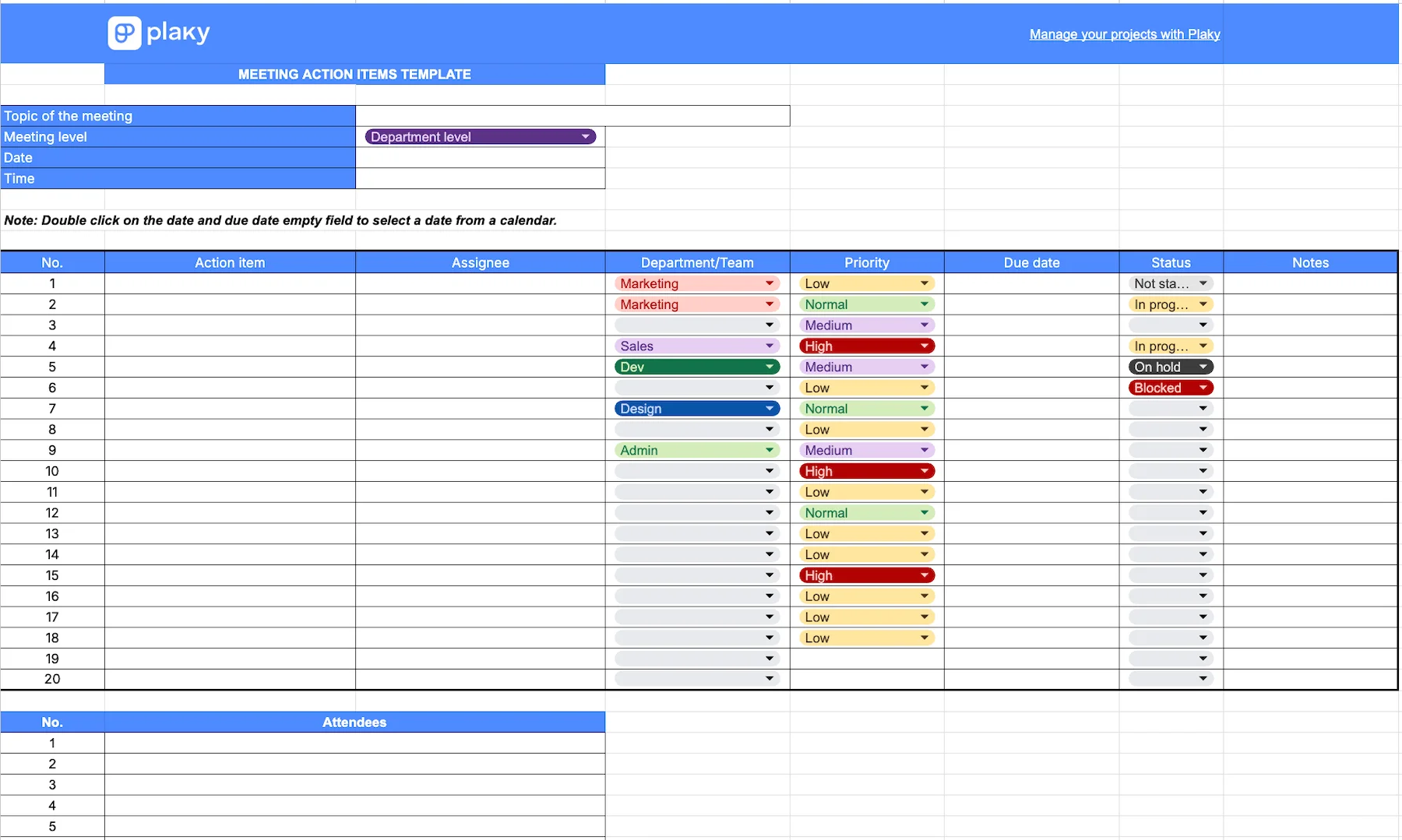
Our meeting action items template helps you stay on top of ad hoc tasks that arise during a meeting without disrupting it. You can use it to quickly input all points raised in the discussion.
After you fill in the topic of the meeting, choose meeting level, and add date and time, this template lets you:
- Add action items.
- Set up priority status for each of the items.
- Select the department or team that will be in charge of a particular action item.
- Assign team members to work on action items.
- Define due dates.
- Set up status (dropdown menu).
To ensure nothing is skipped or forgotten, it’s best to take this template with you to meetings and write down action items as they are mentioned. After the meeting, you can take the time to decide who should be doing what and by when.
This template also comes with a designated field for notes. There, you can add any additional information that was mentioned during the meeting and may be relevant to the assignee.
#4 Action items template with goals
Download: Excel, Google Sheets, PDF
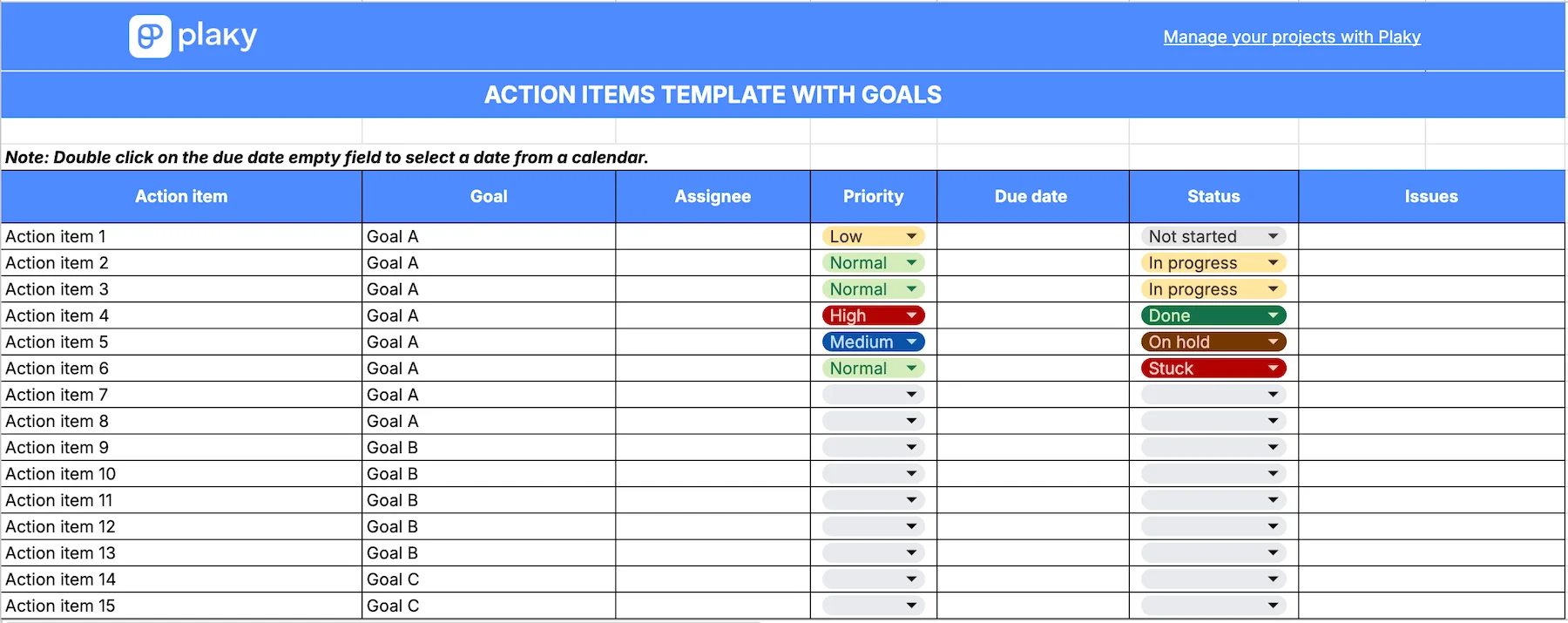
This action items template connects action items with goals you want to achieve, helping you and your team members know exactly why a certain action item is important. It includes the following columns:
- Action item
- Goal
- Assignee
- Priority
- Due date
- Status
- Issues
When working on large projects, it can be hard to see how small pieces of work connect to the big picture. But when you assign each item to a goal, the person working on it understands how their work contributes to the project’s success.
Another plus of this template is that you can jot down issues that you’ve encountered while working on your action items. This way you can spot potential risks on time and react accordingly.

#5 Daily action items list template
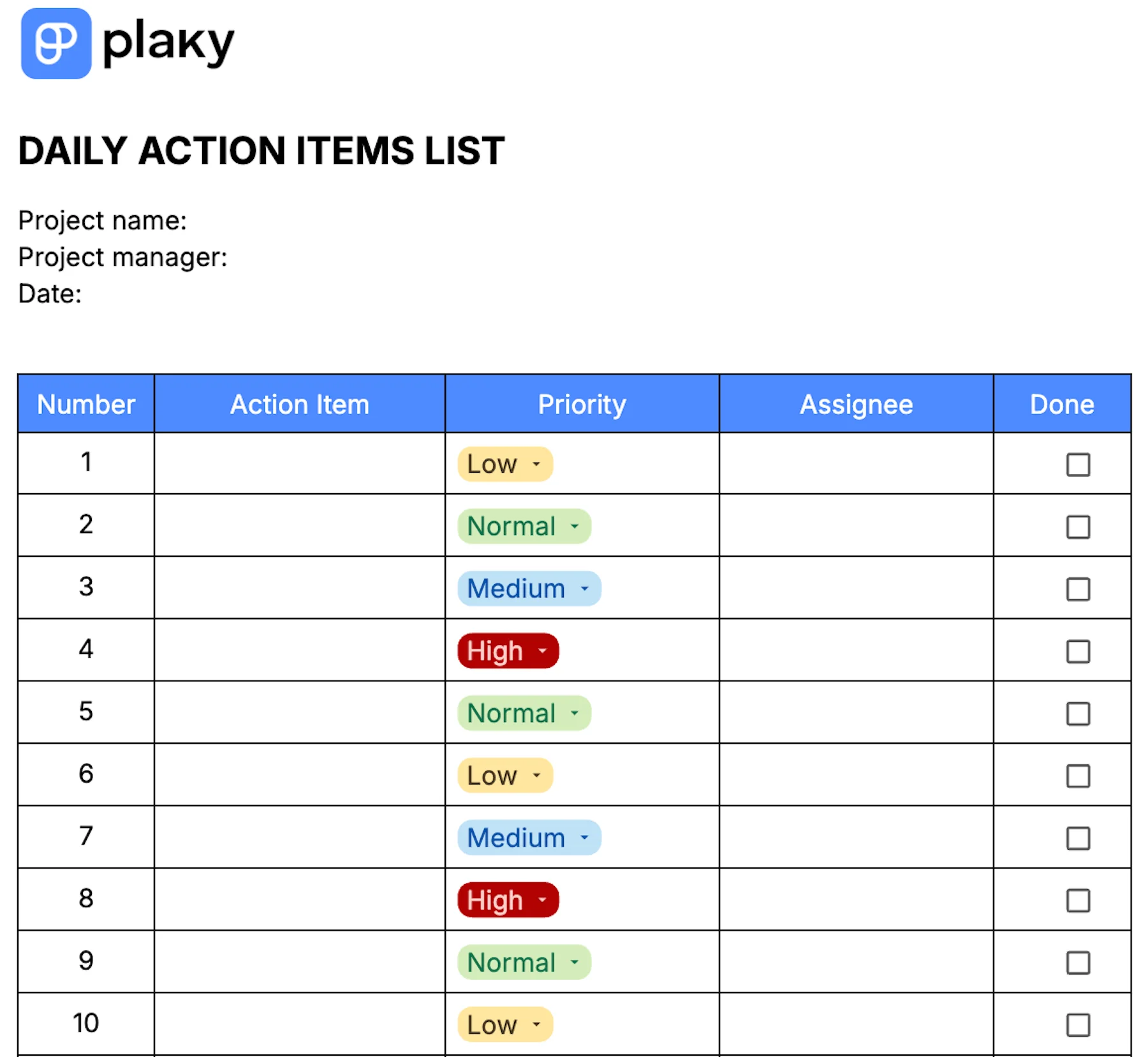
Download: Word, Google Docs, PDF
The daily action items list template is a straightforward template that enables you to quickly organize your team’s daily tasks.
Simply open the template in the morning (while you’re sipping coffee at your desk maybe) and define:
- Action items
- Assignees
- Priority for each item
At the end of the day, check which action items are ticked off to verify whether the work for that day has been completed.
💡 PLAKY PRO TIP
Tired of writing your daily reports from scratch? Check out our list of 19 daily report templates and save time for focused work:

#6 Project management action tracker template
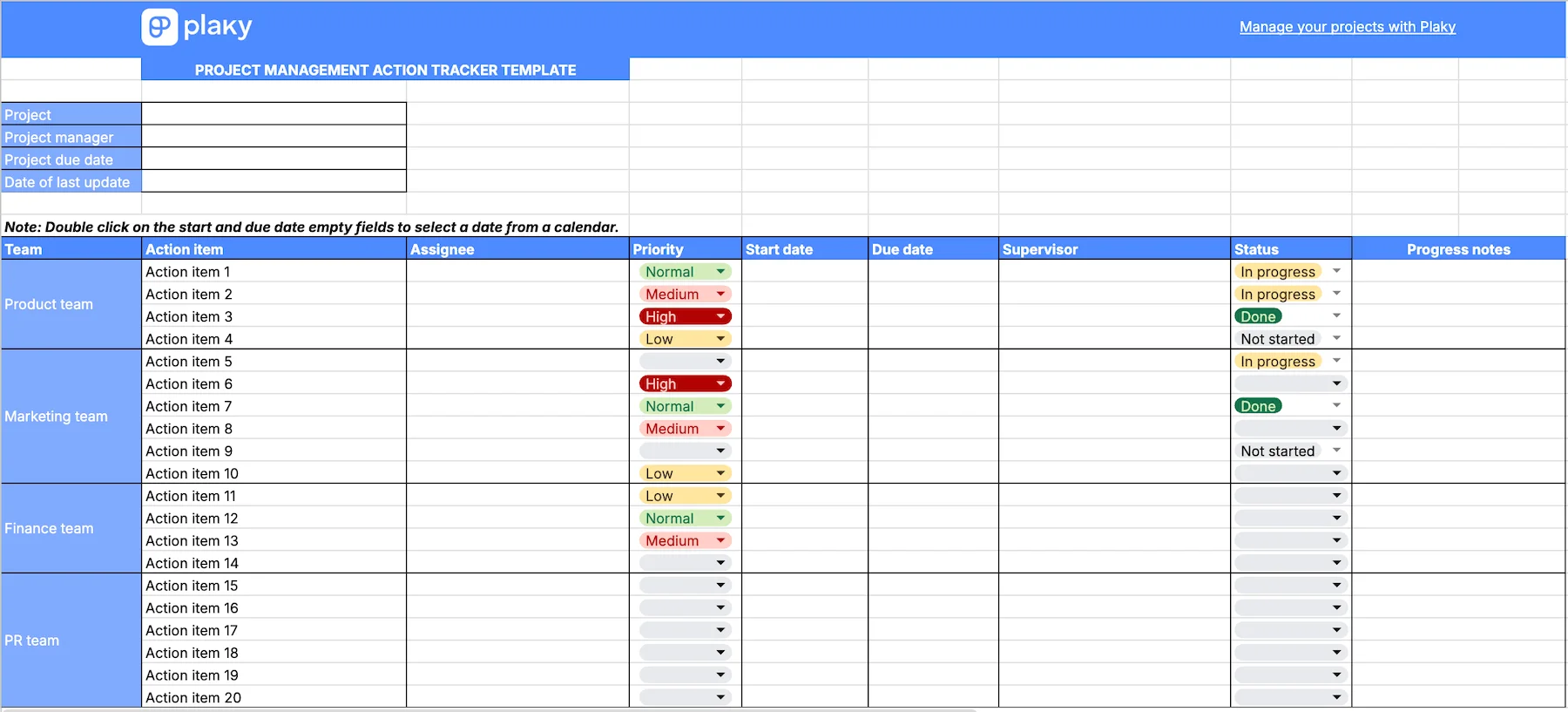
Download: Excel, Google Sheets, PDF
The project management action tracker template categorizes all project action items according to the team that’s working on them. Each action item has:
- An assignee
- Supervisor (usually the team manager)
- Start date, due date, priority, and status
There’s also a dedicated column for progress notes where you can jot down important updates, issues, possible risks, etc.
This template is great for complex projects with many teams collaborating on it since it keeps the action items of all teams in one place — giving you a comprehensive overview of the project’s progress.
💡 PLAKY PRO TIP
Find out how using templates in project management helps you achieve great results:
#7 Rolling action item list template
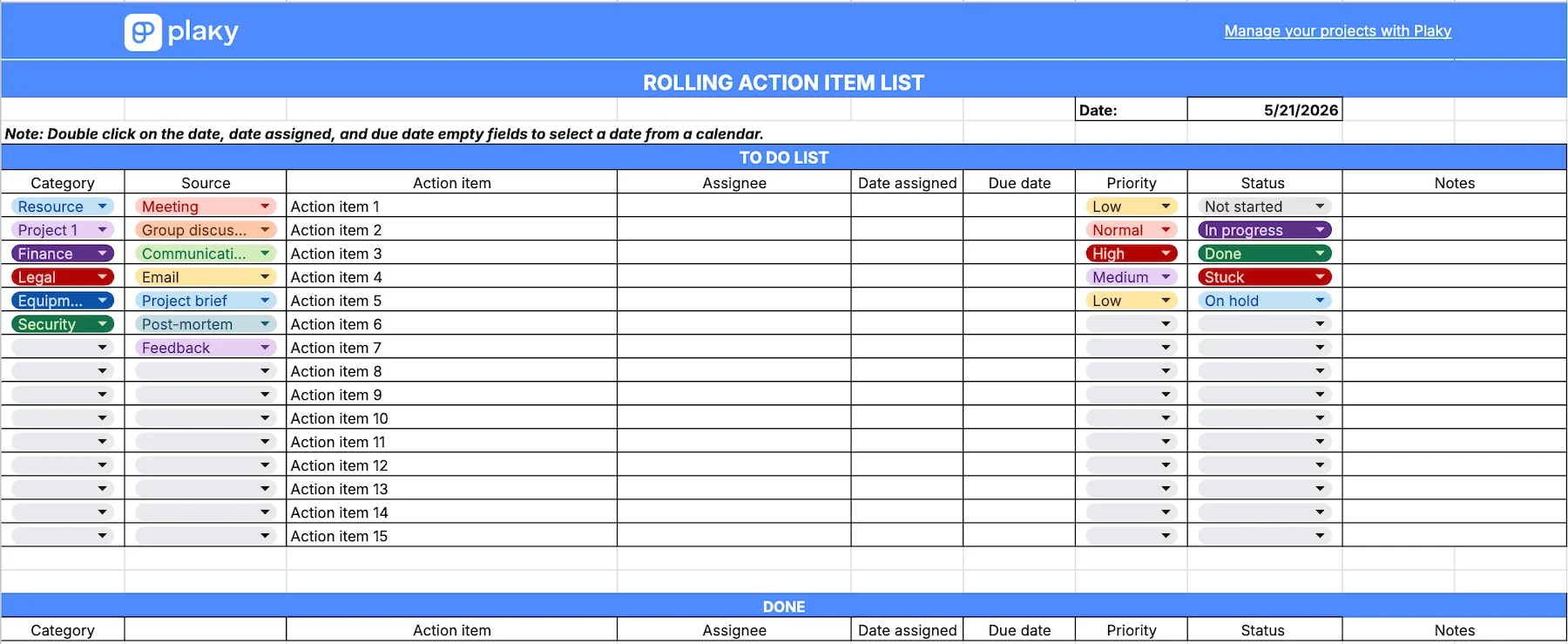
Download: Excel, Google Sheets, PDF
The rolling action item list template helps you differentiate between finalized action items and those that are yet to be completed.
It consists of 2 tables — “To do list”, and “Done”.
Here, you’ll find columns for:
- Action items
- Category action items belong to (Resource, Project 1, Legal, Equipment, etc.)
- Assignees
- Date assigned and due date
- Priority and status
- Notes
All action items are initially added to the “To do” list. Once they are finished, they’re transferred to the “Done” table.
To move an action item, click on the number of the column where the action item is located, and drag and drop it in the “Done” table.
#8 Board meeting action items template
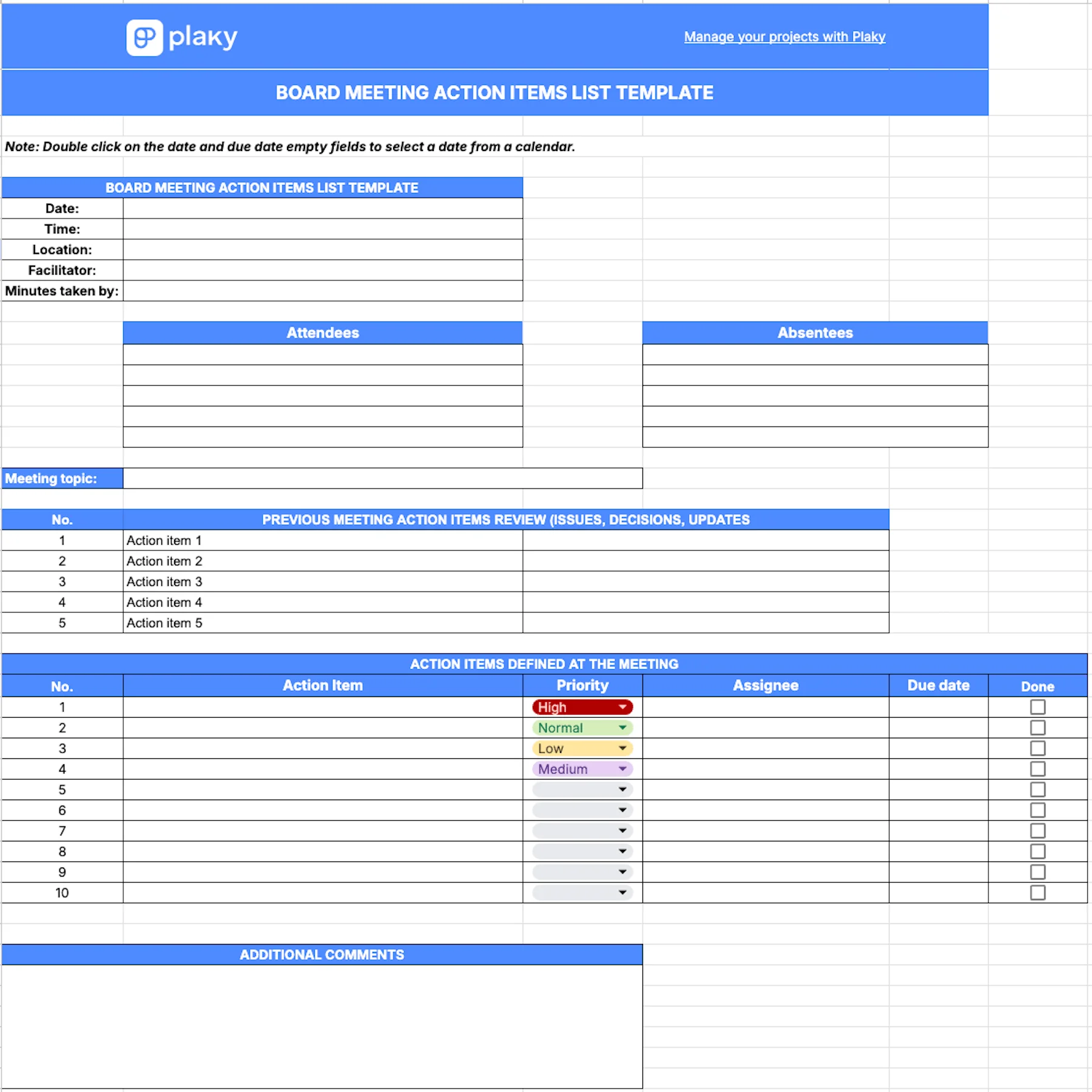
Download: Google Docs, Word, Google Sheets, Excel, PDF
Unlike our Meeting action items template, this one is more focused on documenting board meeting minutes. You get a standardized document with enough space for:
- Board meeting details (date, time, facilitator, etc.)
- List of attendees and absentees
- Previous meeting action items review
- New action items list with details like priority, due date, and assignee
- Additional comments
With board meetings taking place several times a year, this template serves as a reference document for board members. It clearly captures action items and important data making it easy to find key information.
#9 Action items list template for issue management
Download: Excel, Google Sheets, PDF
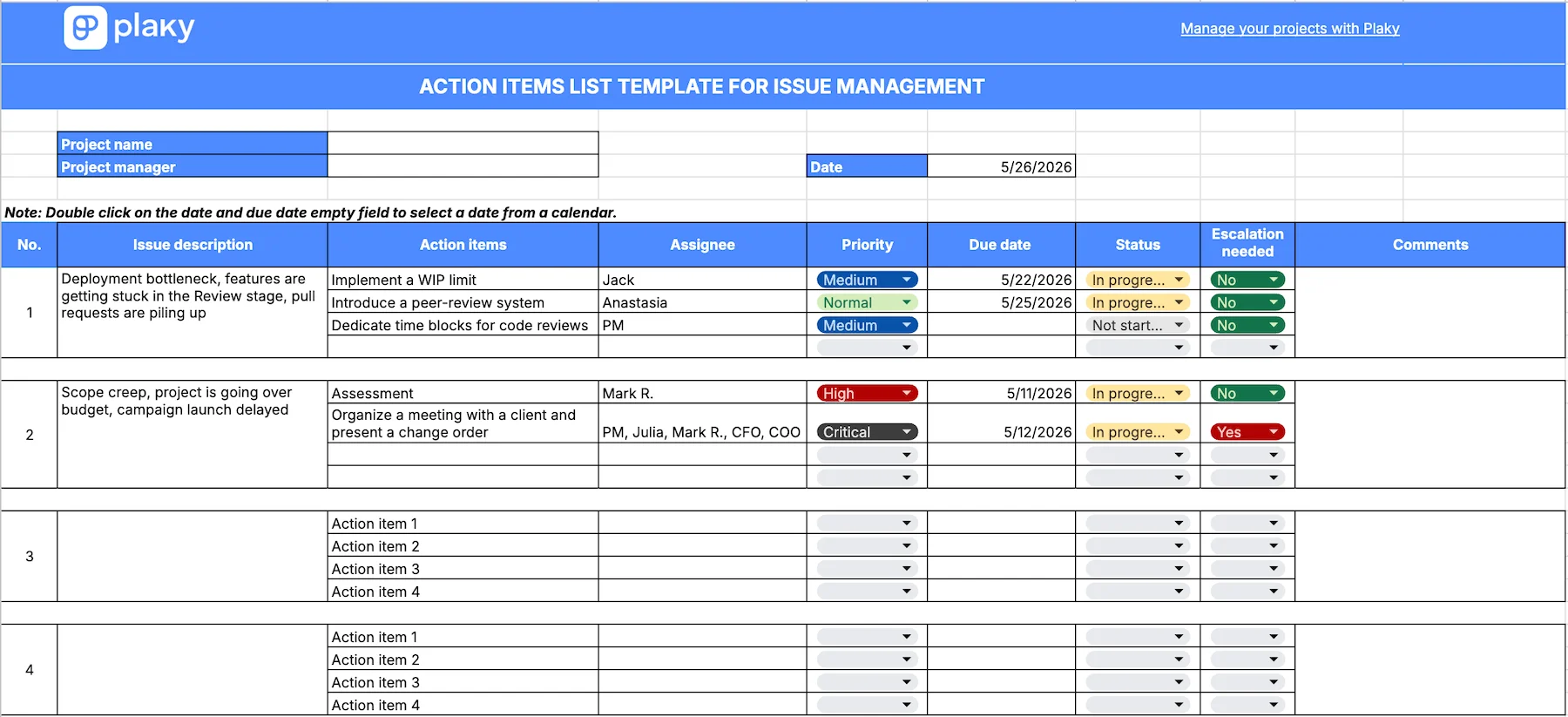
This comprehensive template keeps a log of your project issues, but also lists action items for dealing with those issues and includes all important details, such as:
- Assignee
- Priority
- Due date
- Status
- Escalation need options (“yes” and “no”)
- Comments
Thanks to the color-coded statuses (In progress, Not started, Done, Stuck, and On hold), you get an instant visual insight into how your team deals with current issues.
Moreover, in case there’s any need for upper management to step in, you can easily mark it by choosing the “yes” option in a dedicated column.
💡 PLAKY PRO TIP
Don’t know how to deal with project issues? Read the article below to learn more about the 5 key steps of the issue management process:
#10 Personal weekly action items list template
Download: Google Docs, Word, PDF
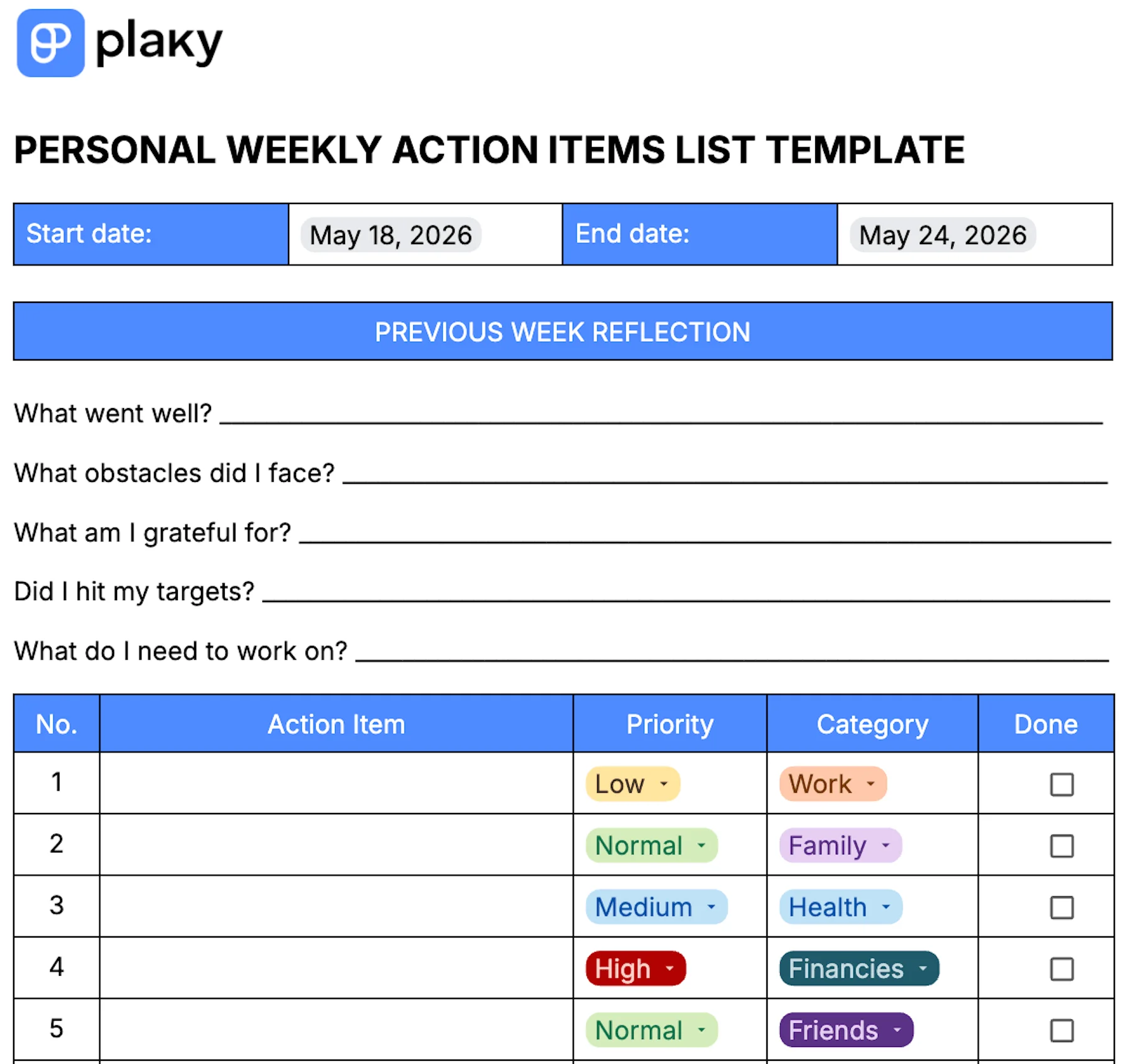
Our personal weekly action items list template helps you capture and track action items planned for a particular week and keeps you focused on your weekly goals.
The template includes columns where you can:
- List your action items.
- Select their priority from the dropdown menu (Low, Normal, Medium, High).
- Choose the category the action item belongs to (Family, Work, Health, etc.).
- Mark an action item as Done.
Another advantage of this template is that you can evaluate your previous week and identify what went well and what you need to work on in terms of your time management and efficiency.
A clear log of your personal action items helps you reduce mental load, and ensures that nothing important falls through the cracks during the busy week.
FAQ
Here are the answers to some of the questions you might have about action items.
What exactly are action items?
Action items are specific units of work that take a short amount of time to complete and are usually assigned to an individual.
They typically spring from discussions, meetings, or brainstorming sessions and can be a part of a bigger action plan, to-do list, or complex task.
What makes a good action item?
A good action item is:
- Action-oriented — be as direct as possible and start with an action verb like “review”, “fill out”, “send”.
- Time-specific — establish a clear date (and time) for the completion to make sure it is done when planned.
- Detailed — make sure you give precise instructions to the assignee so that they know what needs to be done, how, when, and why.
- Owned by one person — assign one person that will be responsible for the completion.
What are examples of common action items?
The nature of action items varies depending on the industry, but there are some common action items that pop up in most working environments:
- Send a status report tomorrow.
- Schedule a team meeting for Friday 11 a.m.
- Proofread an article by 3 p.m.
- Prepare the outline for presentation by the end of the week.
- Patch the bug on client software in the next 7 days.
- Edit designs by the next week’s meeting.
- Resolve the ticket by the end of the day.
- Sign off proposals by tomorrow.
- Send a follow-up to a client by Wednesday.
- Approve the budget before the end of the month.
How do you write action items in meeting minutes?
When writing action items in meeting minutes, make sure you:
- Start with an action verb.
- Describe what should be done.
- Mark the assignee.
- Set a due date.
- Set priority status.
It’s best to use a dedicated action items template that you’ll later share or collect action items within a centralized tool where you can manage and track them in a simple and practical way.
What is the best way to follow up on action items?
The best way to follow up on action items is to document them properly with relevant details on “what”, “who”, and “by when”.
You can use a custom template that allows you to add all necessary information along with options for setting priority status, status stage, and important dates.
By sharing the template with your team and stakeholders and keeping it accessible to everyone involved, you can agree with them to update it on a daily basis so that you can have a clear overview of the progress.
Still, the best way to follow up on action items is to use a project management tool that will help you organize and track tasks in real-time. Such tools allow you to keep all action items in one shared location, update statuses, adjust schedules, and manage priority in a few clicks.
Stay on top of your action items in real time with Plaky by CAKE.com
Word or Excel templates help you cover the basics of action item management. But, for a more elaborate and scalable action item log, you need project management software like Plaky.
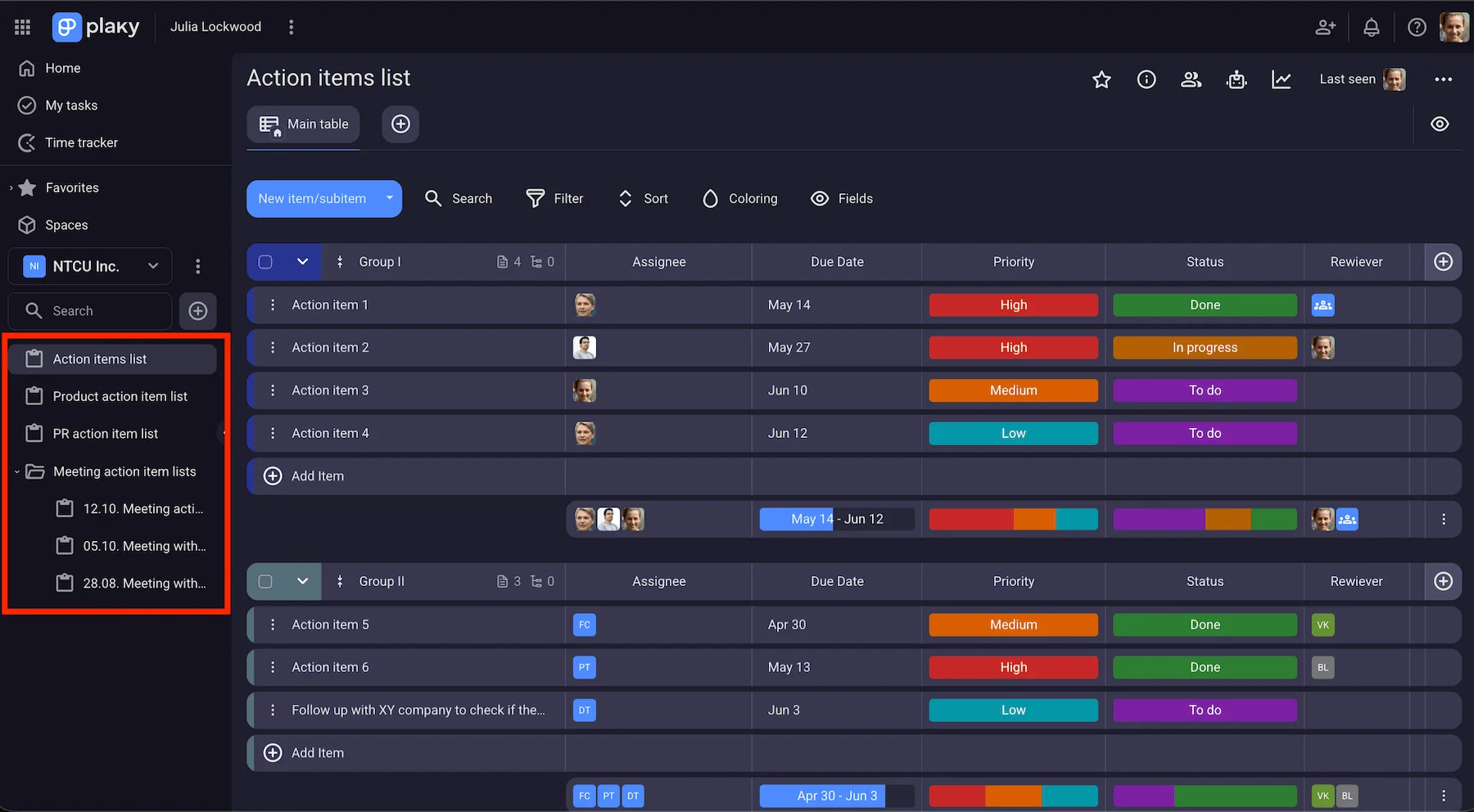
Plaky by CAKE.com lets you create and store different action item lists within one centralized space.
No more searching for information, having it scattered across multiple docs and apps, or wondering where you’ve saved the list from last week’s meeting.
In Plaky, you can use separate boards for each list or have more lists grouped within one board — it’s all up to you.
Each action item list is a colorful table with a great variety of custom Fields, including:
- Priority level
- Status
- Due date
- Assignee
- Text
Moreover, every board you’ve created for your action items can be turned into a template you can use to create new action item logs. This eliminates repetitive work and saves you precious time! Plus, you can even set a view as default to ensure everyone refers to the same action item list.
Experimente o Plaky gratuitamente
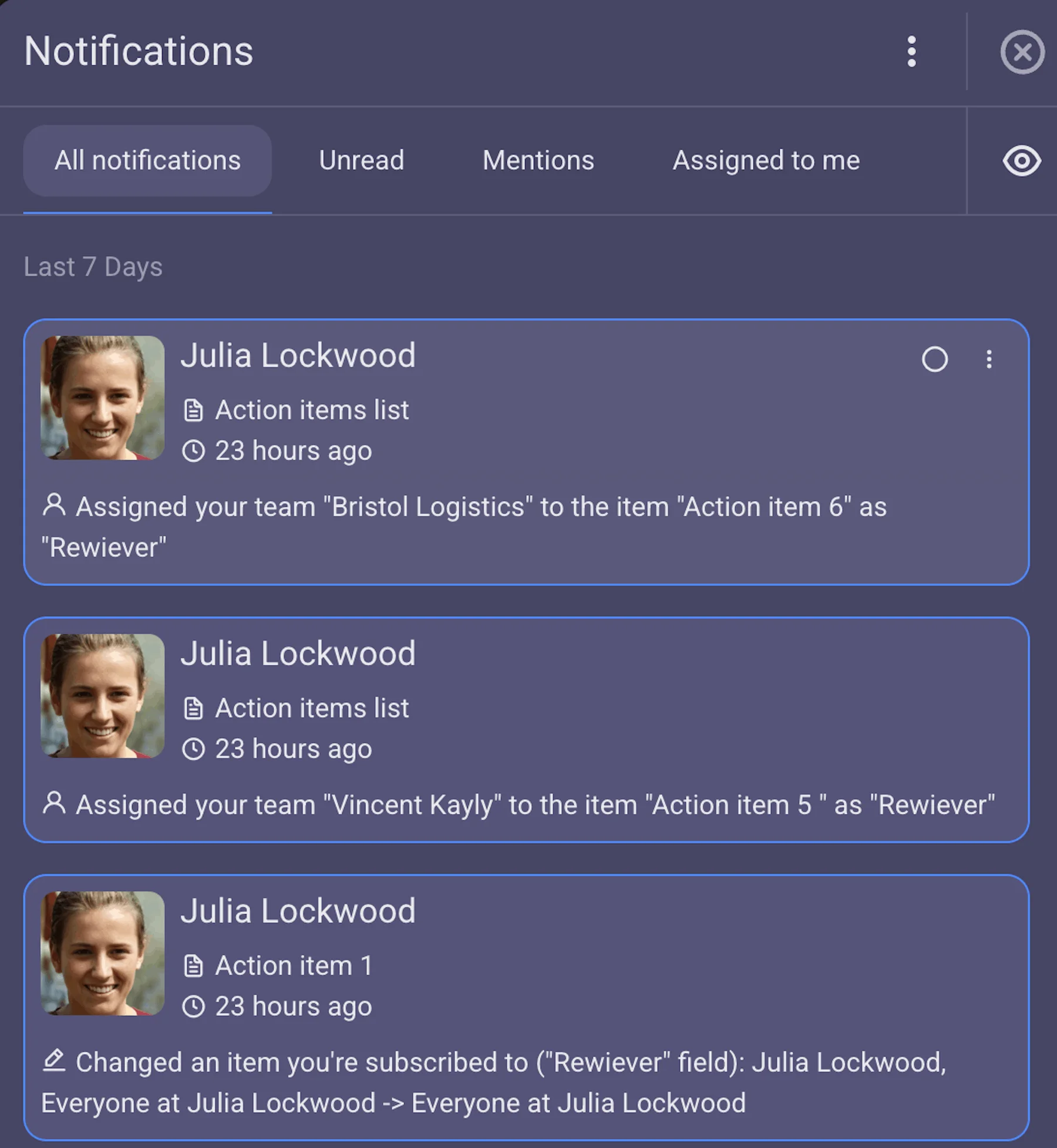
Plaky allows you to subscribe all your team members to your action item list board, so whenever you assign an item to someone, they’ll receive a real-time notification. And, in turn, you’ll be notified when someone changes the status of the action item — and know exactly how the work is progressing.
In short — everyone easily stays in the loop with Plaky’s custom notifications.
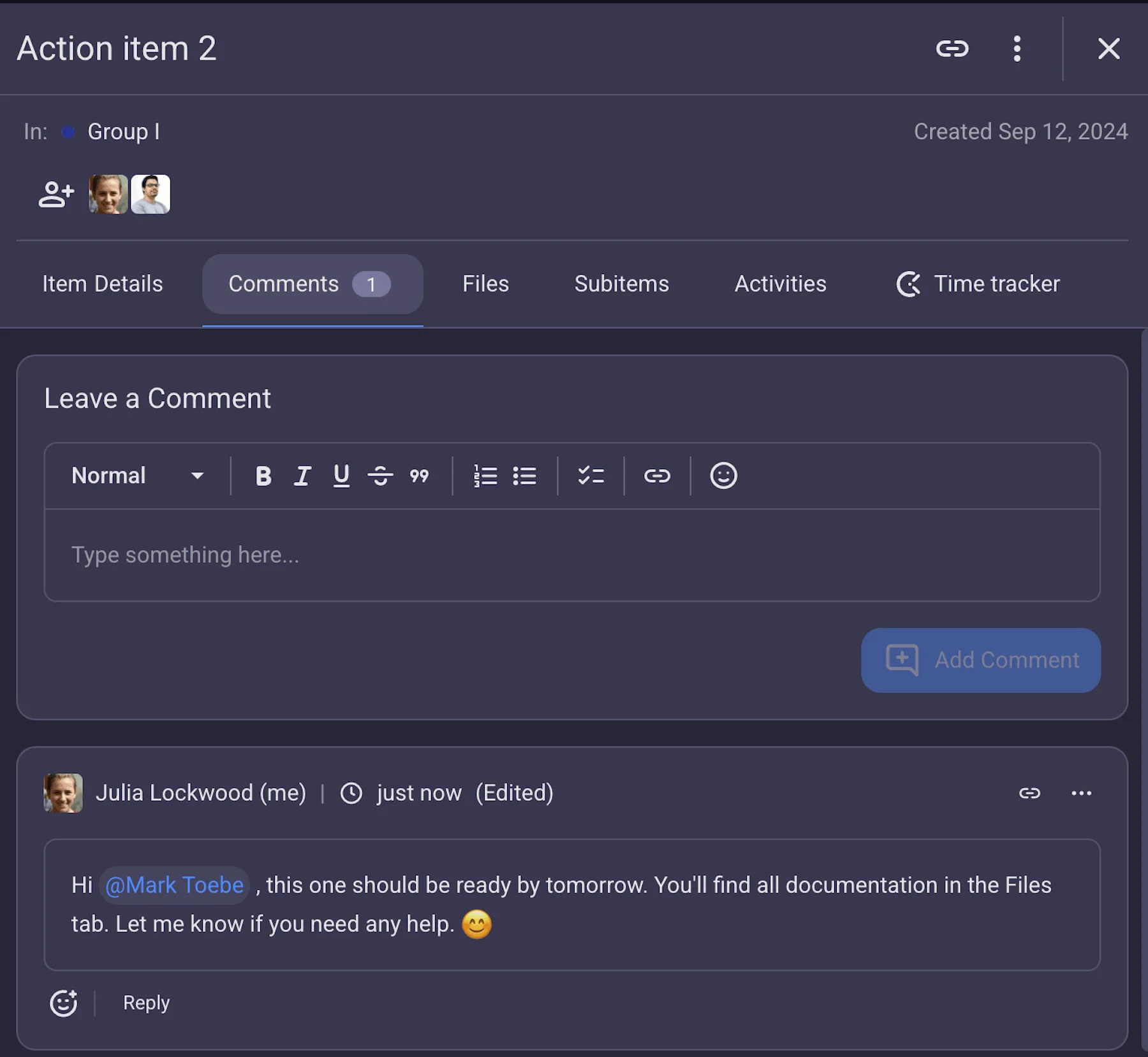
Another Plaky’s perk is the Comment section within every board item. In this section, you can ask questions, give feedback, or offer further instructions. This way you keep all communication about a specific item in one place and not scattered across various DMs.
What’s best about it is you can direct a comment to a specific person or team by @mentioning them to avoid any confusion over who’s doing what.
Want to level up your action item management? Sign up for Plaky now!
Como revisamos esta publicação: Nossos redatores e editores monitoram as publicações e as atualizam quando novas informações são disponibilizadas, para mantê-las atualizadas e relevantes.