Knowing whether a project is worth pursuing is not easy. And persuading your stakeholders they should invest in it is even harder. But, cold hard numbers can help sway them in the right direction.
This is where cost benefit analysis comes into play. It calculates whether a project is worth investing in and gives you clear evidence to support your plan.
However, conducting one can be difficult and time consuming. That’s why we created simple and useful templates to help you.
So, read on to find the template you need, download it, and run effortless cost benefit analyses.
- Cost benefit analysis (CBA) is a process that determines whether a project or a plan is worth investing in by comparing the costs and expected benefits.
- Cost benefit analysis is best suited for short- and mid-term projects with clearly defined financial objectives.
- The 2 methods to calculate cost benefit analysis are net present value (NPV) and benefit-cost ratio (BCR).
- To make these calculations easier, you can use our templates in Excel, Google Sheets, Word, Docs, Google Slides, PowerPoint, and Plaky.
What is a cost benefit analysis?
Cost benefit analysis (CBA) is a process that determines whether a project or a plan is worth investing in by comparing the costs and expected benefits.
It is commonly expressed through benefit-cost ratio (BCR) or net present value (NPV).
Free cost benefit analysis templates
Cost benefit analysis templates are excellent assets to have since they help save you time and ensure you don’t make a mistake in your calculations.
Here are our top choices for the cost benefit analysis templates you can download for free.
#1 Cost benefit analysis template in Plaky
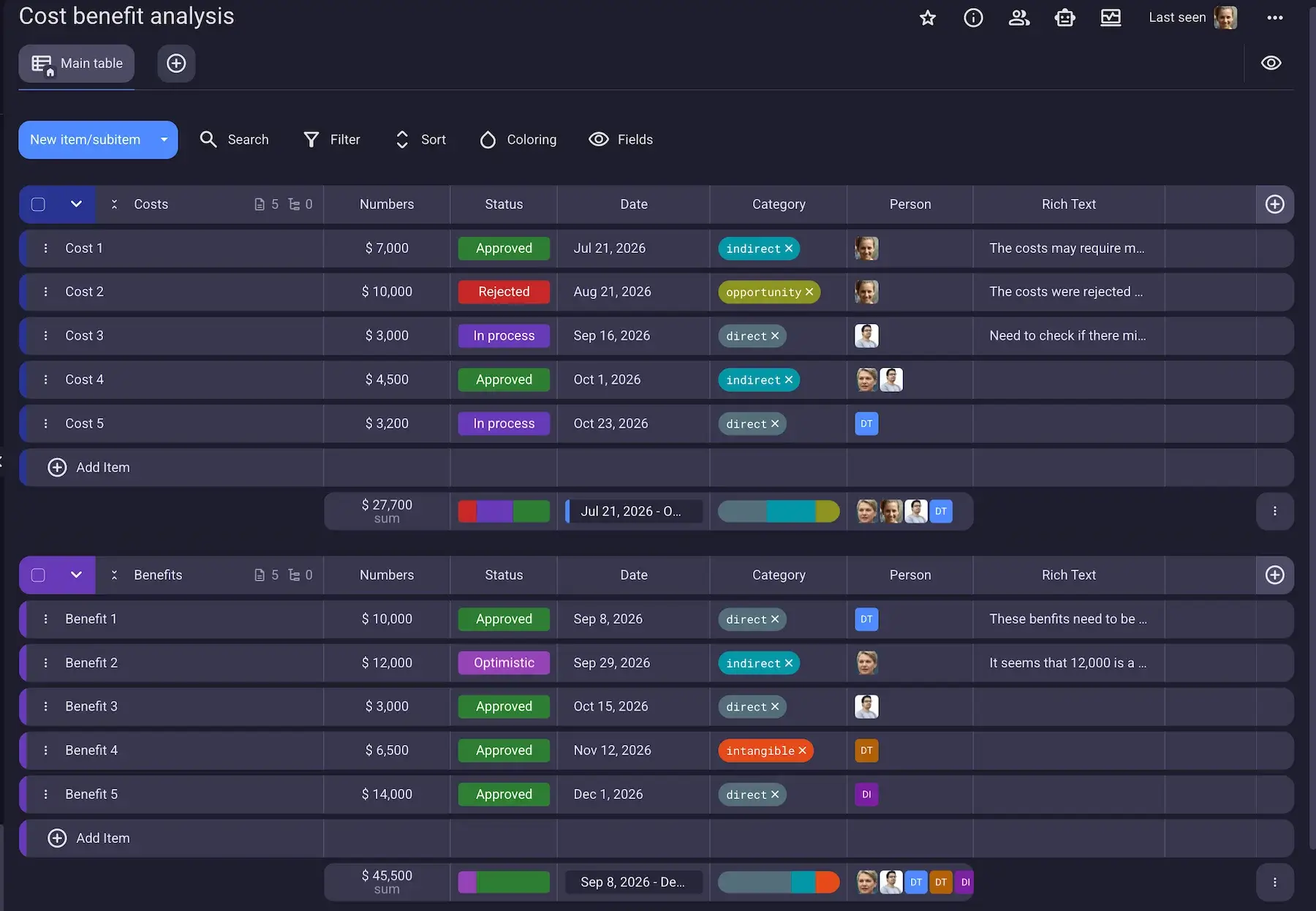
The best way to track and analyze the costs and benefits of your projects is to use Plaky — a high-end project management tool.
Plaky is based on Boards (Table, Kanban, Gantt, and Chart) filled with Items containing information in custom Fields.
You can track costs and benefits in 2 separate Item groups within 1 Plaky Board giving you a clear overview of both at once. At the bottom of each group is a Summary row that shows you the sum of all your costs and benefits.
Plaky’s custom fields help you track all relevant data for the analysis:
- Status for whether a cost is approved or not
- Number for amounts of money
- Tag for cost categories (direct, indirect, intangible, opportunity, etc.)
- Text for additional notes or explanations
- Person for assigning a team member to a particular benefit or cost
- Rich text for checklists of actual items that make up the costs
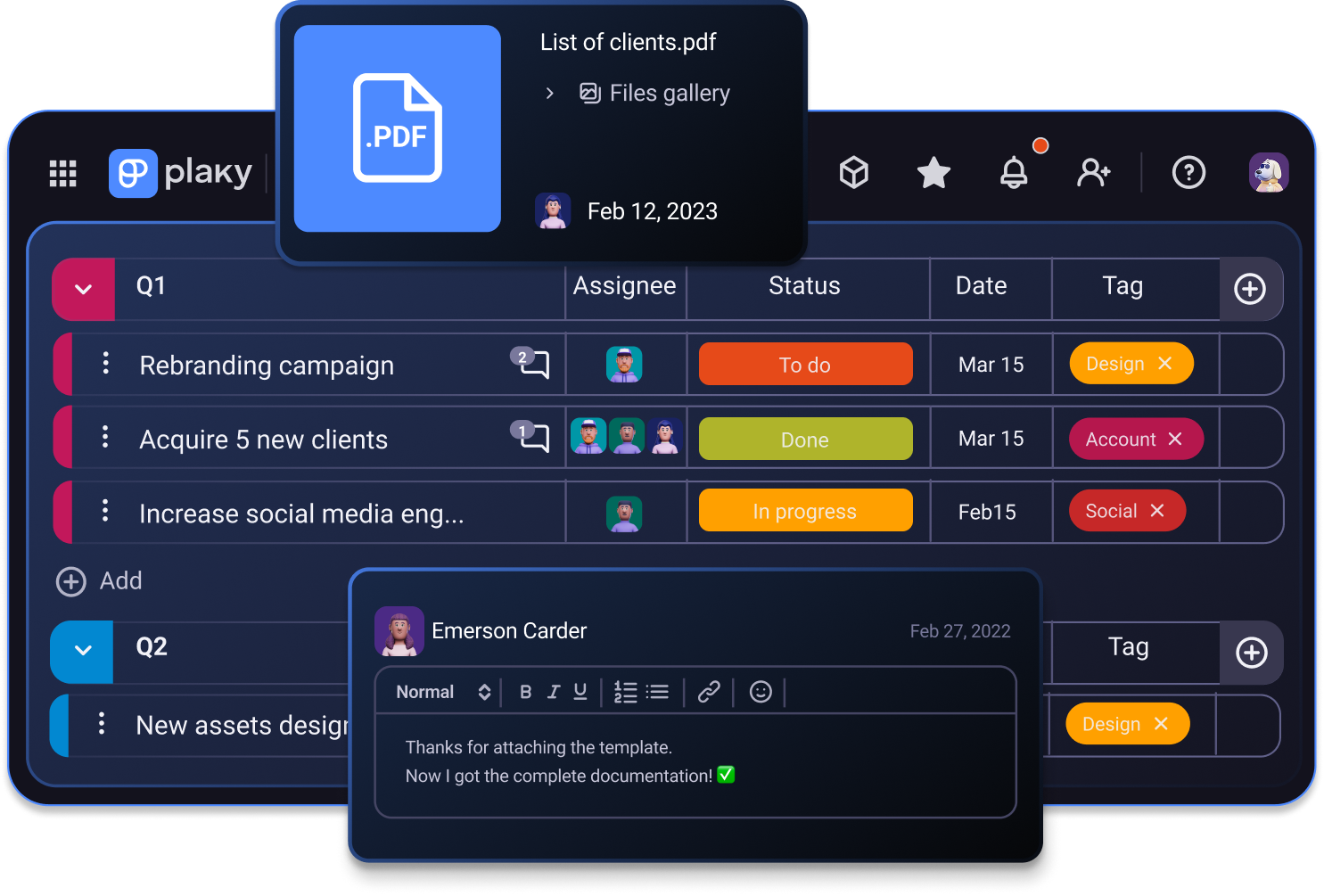
Moreover, you and your team members can leave Comments on Items. That way, if anyone has a suggestion or a question, they can start a discussion right where all the information is, rather than in a separate DM.
The best part — Plaky offers viewer access, so you can invite stakeholders to view your cost benefit analysis without allowing them to make any changes.
Once you create your ideal CBA board, you can save it as a template in Plaky, ready for your next project.
#2 Excel cost benefit analysis template
Download: Google Sheets | Excel
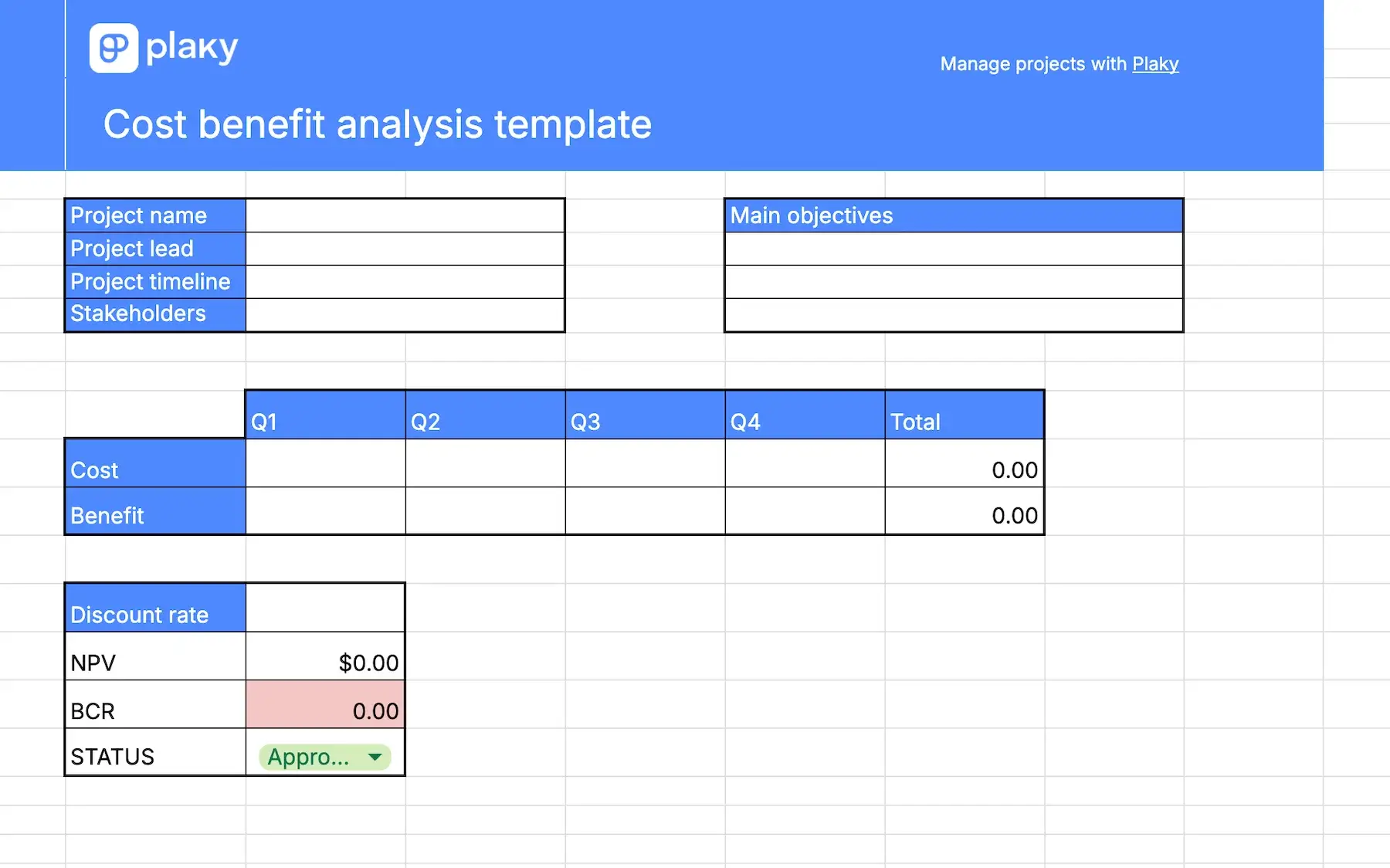
This Excel cost benefit template is ideal if you need to calculate the benefit cost ratio (BCR) and net present value (NPV) of your project without going into details of particular costs and benefits.
It requires you to put in expected costs and gains across quarters, and to include the discount rate, and you’ll get the CBR and NPV.
You don’t have to worry about making a mistake in the calculations, since the template will do the work for you.
#3 Google Sheets cost benefit analysis template
Download: Google Sheets
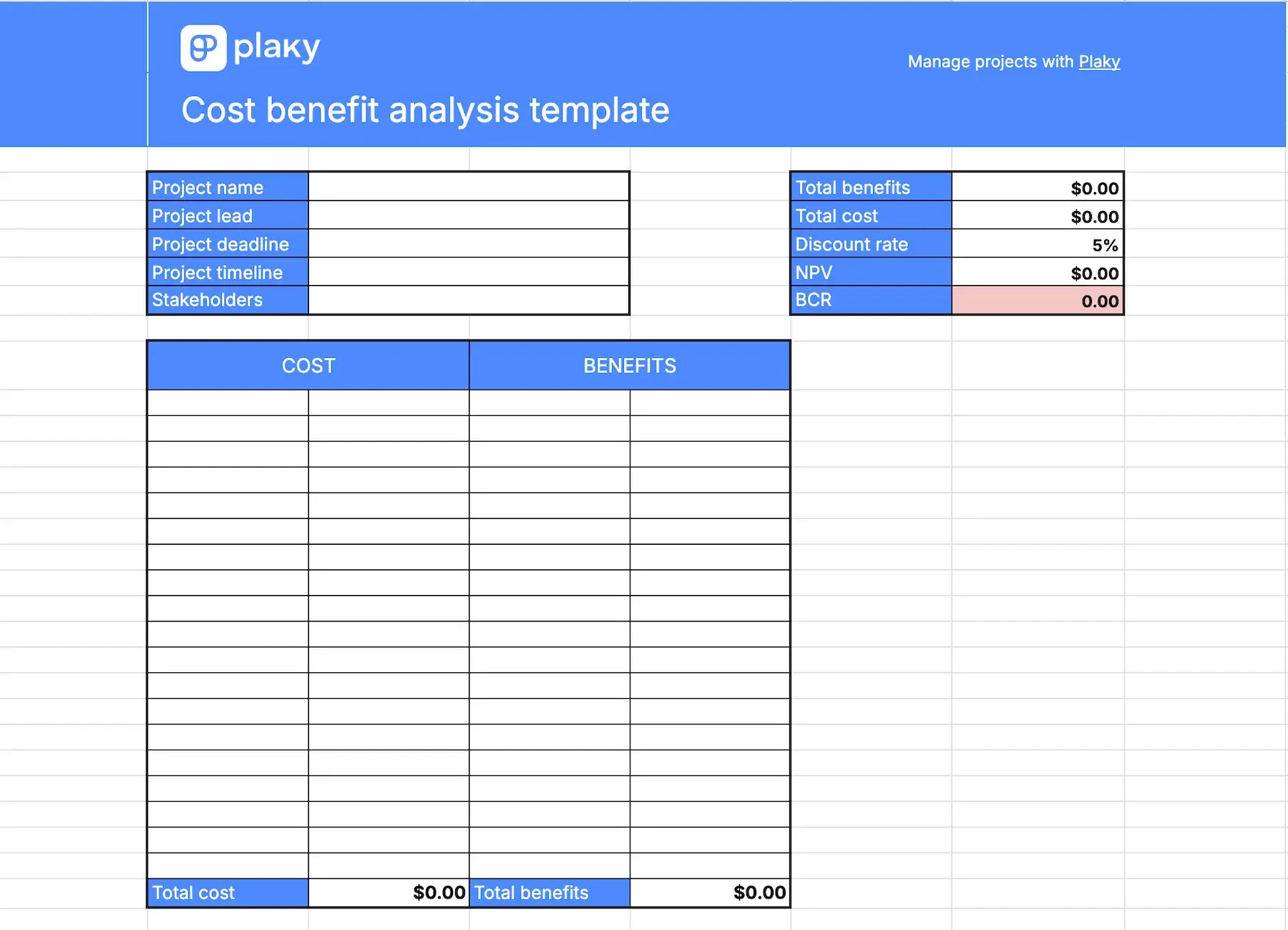
This cost benefit analysis template is great for tracking individual costs and seeing how they add up and compare to expected benefits.
What makes this template different from the others on this list is that you can track individual benefits as well. This will be a great addition if you can predict the earnings from different aspects of the project.
Once you’ve included all the costs and benefits, the Google Sheets template will calculate the NPV and BCR for you.
#4 Microsoft Word cost benefit analysis template
Download: Google Docs | Word
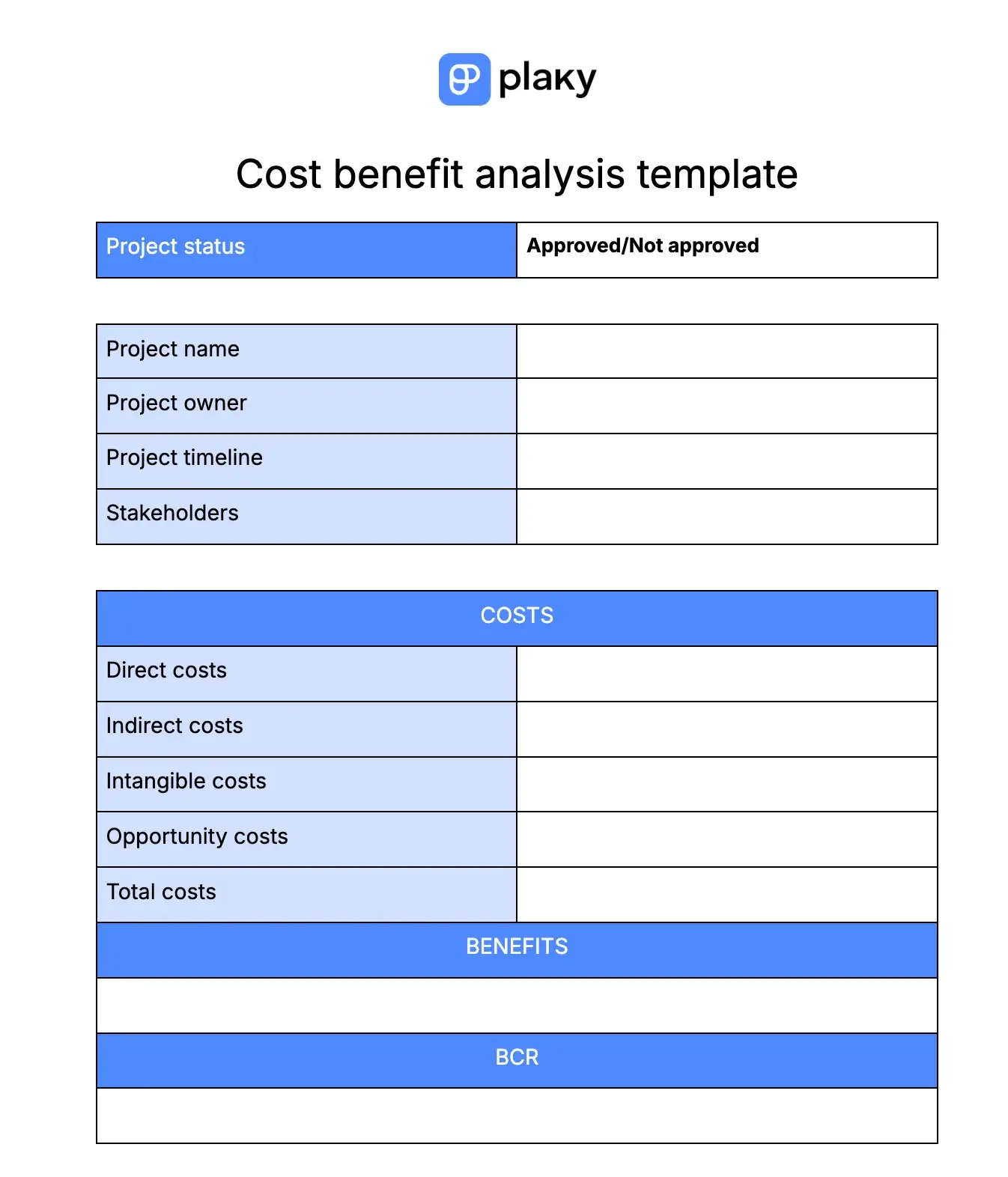
This Microsoft Word cost benefit analysis template in Word is designed to help you track costs across different categories and compare them to the benefits.
At the top of the template, there is a cell where you can mark the status of the project — whether it was approved after the analysis or not.
There’s also a table with general information about the project, followed by a list of individual costs, the total sum of costs, and the amount of benefits you expect to earn.
At the end of the table, there’s a space for benefit-cost ratio, which stands as a parameter to determine if the project should be approved or not.
#5 Simple cost benefit analysis template
Download: Google Docs | Word
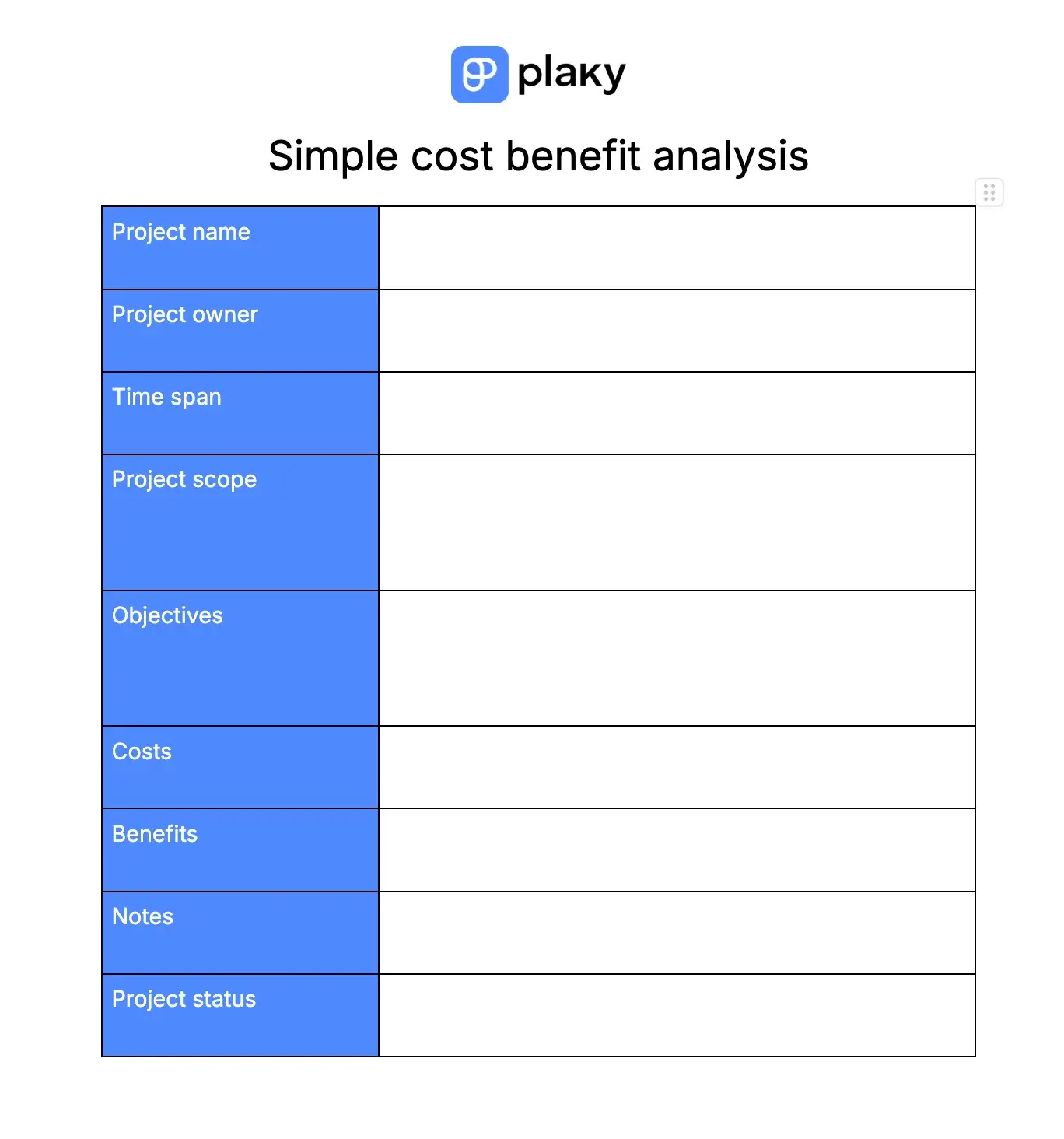
This simple cost benefit analysis template groups basic information about the project and analyzes the costs and benefits by calculating the benefit-cost ratio (BCR).
There’s a separate section in the table for:
- Basic information (project name, owner, timeline)
- Project objectives
- Project scope
- Costs
- Benefits
- Notes
- Project approval status
It’s ideal for when you want to keep project details in the same place as the CBA.
#6 Advanced cost benefit analysis template
Download: Google Sheets | Excel
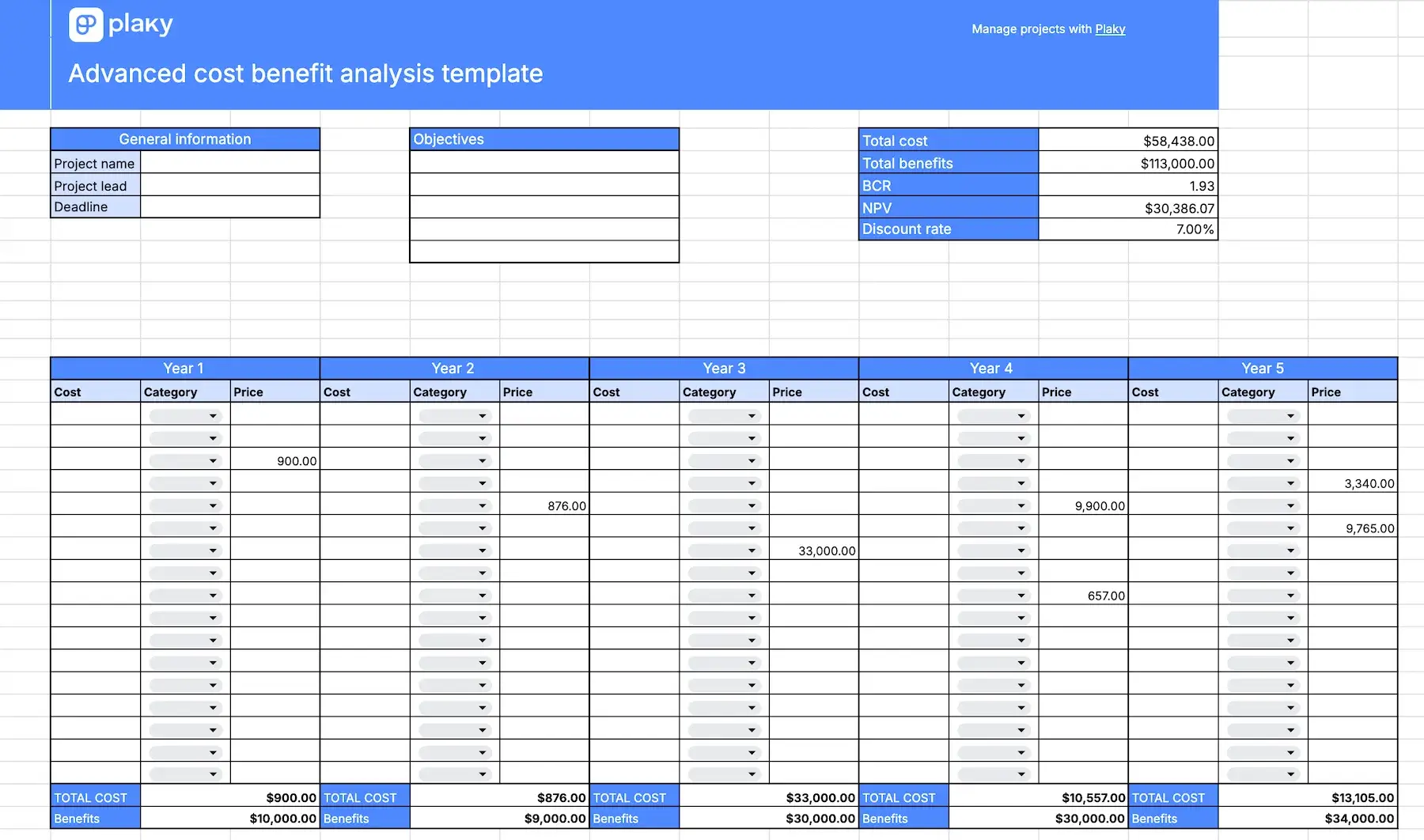
The advanced cost benefit analysis template gives you the all-round view of your costs and benefits. You can track costs from different categories (direct, indirect, opportunity, etc.), and the template will calculate total cost for each year.
Once you’ve entered all costs and benefits across the years, all relevant information will be calculated and neatly presented at the top of the template. You’ll see:
- Total costs
- Total benefits
- Net present value (NPR)
- Benefit-cost ratio (BCR)
#7 Multi-project cost benefit analysis template
Download: Google Sheets | Excel
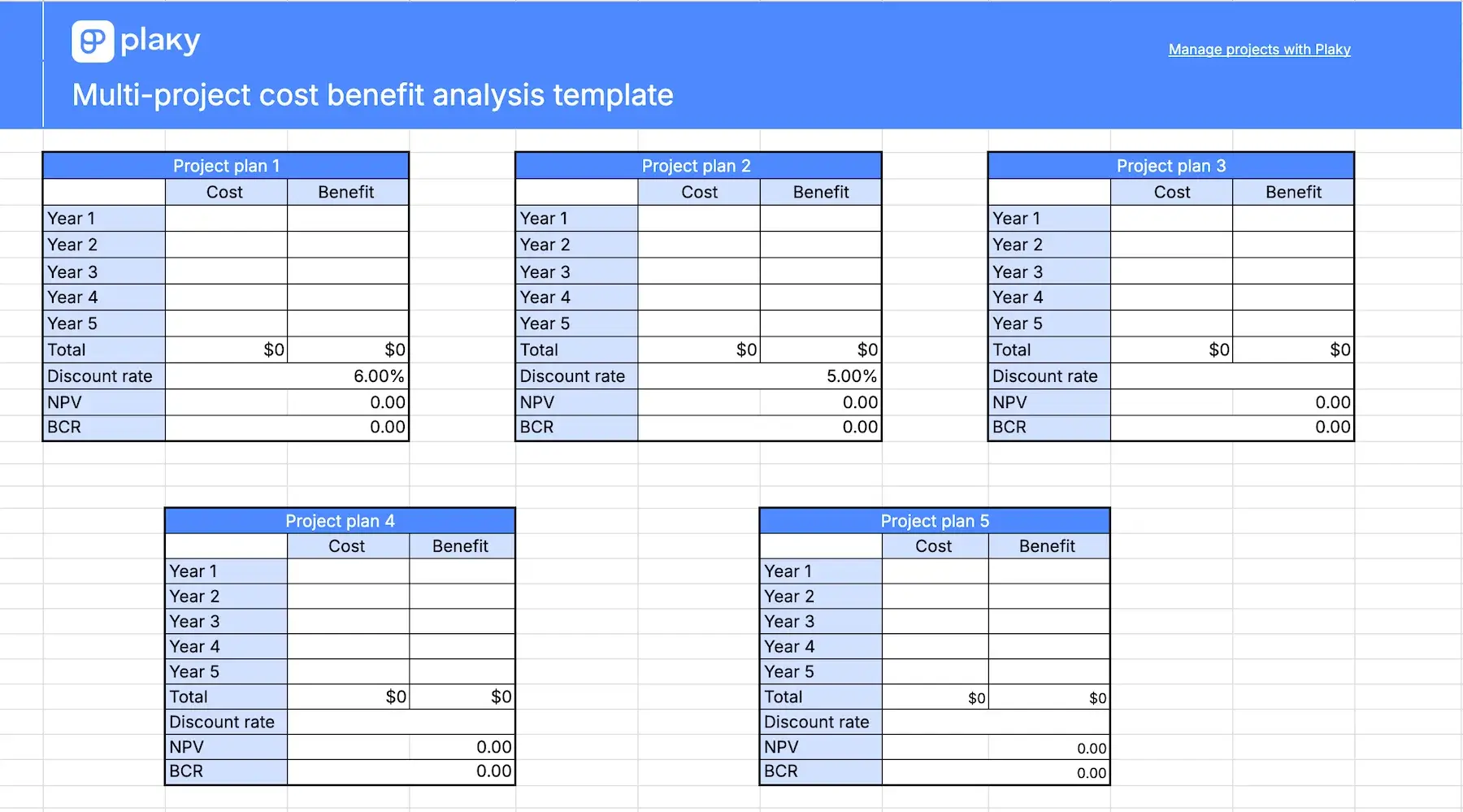
The multiple project cost benefit analysis template serves as a tool to help you decide which project is worth investing in.
If you’re planning multiple projects, but don’t have the resources to finance them all, this cost benefit analysis template will help you decide which one is worth your time.
In the first sheet, you’ll find information about all projects in one single table for easier review. In the other sheet, there’s a table for each project with all the relevant details:
- Costs
- Benefits
- Discount rate
- Net present value (NPV)
- Benefit cost ratio (BCR)
#8 Cost benefit analysis for PowerPoint
Download: Google Slides | PowerPoint
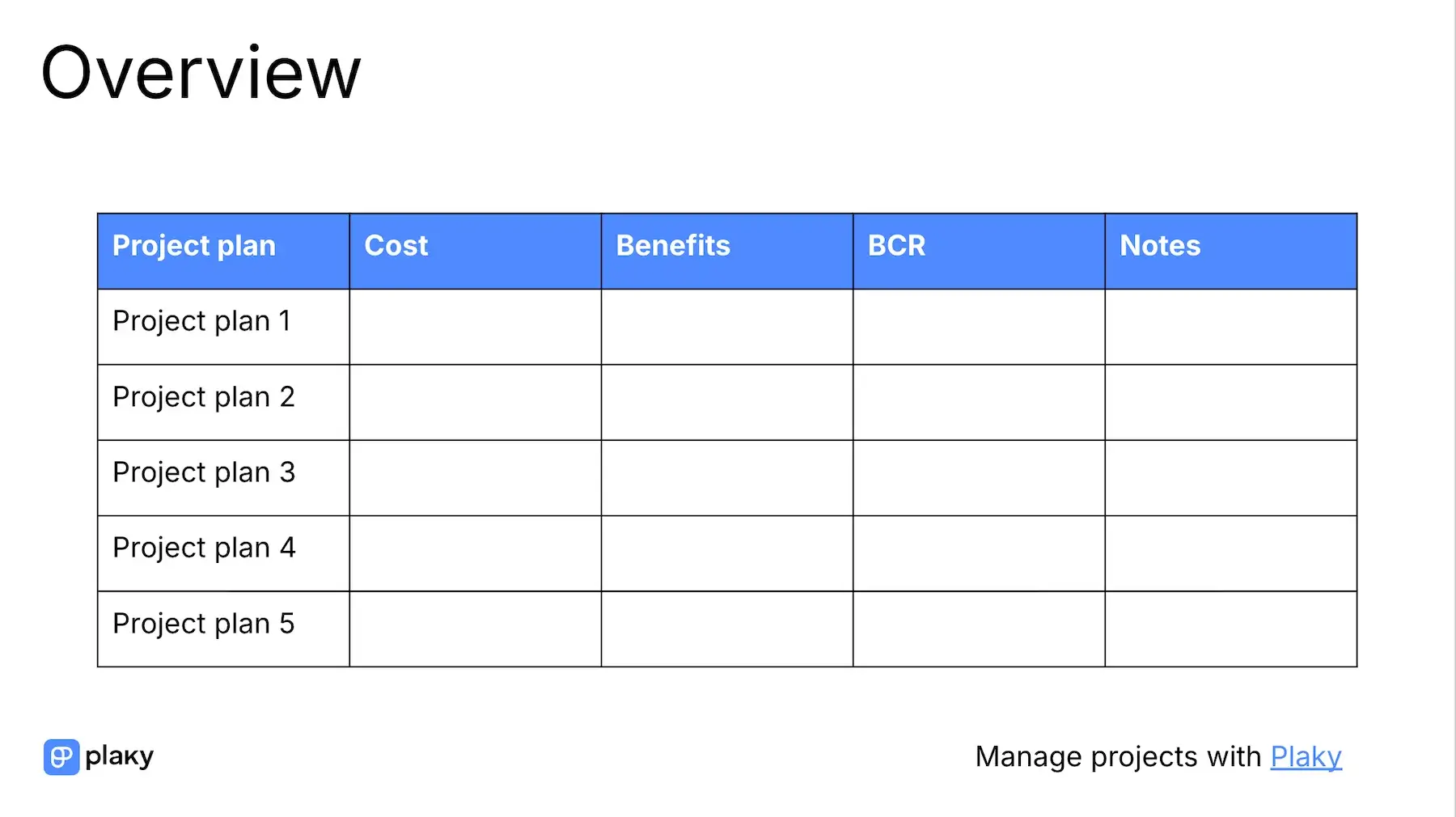
You can use this CBA template to present your calculations to stakeholders to convince them that a project is worth investing in.
The first slide shows a table with the overview of all project options or project plans with predicted costs and benefits, BCRs, and notes for additional information.
The rest of the slides are dedicated to specific project plans and allow you to break down their costs and benefits through time.
The tables are customizable, so you can adjust the timeline to fit your plans.
How to do a cost benefit analysis (a step-by-step guide)
Here’s a simple step-by-step guide to calculating a cost benefit analysis.
#1 Decide on the objectives and define the scope
Before you start the actual cost benefit analysis, you need to define project scope and objectives, so that all stakeholders are aware of the expectations and boundaries of the project.
At this point, you should also decide on the timeline you will track — how long it will take to reap the benefits of this endeavor.
#2 Catalog all the costs
Specify all the costs you’ll have to bear during the course of the project.
For a more detailed cost overview, you can classify them in 4 different categories:
- Direct costs — costs directly related to the project itself (workers, materials, equipment, etc.)
- Indirect costs — fixed costs only partially linked to the project (utilities, rent, etc.)
- Intangible costs — non-measurable costs (a drop in customer satisfaction, risk of employee’s burnout, etc.)
- Opportunity costs — costs of losing the opportunity to invest the money somewhere else (choosing this project over another)
Make sure to exclude all sunk costs, i.e. past costs you’ve already incurred. The CBA should include future costs only.
💡 CONSEJO PRO DE PLAKY
If you need additional templates to track your resources, check out the post below:
#3 List the benefits
Write down the benefits you expect in the future. The timeline is important here, so estimate what benefits you’ll get in each section of the project timeline.
Usually, benefits are calculated across months or quarters, but that decision will depend on the length of your project.
#4 Calculate the benefit-cost ratio and net present value
Once you’ve got the necessary data, it’s time for the analysis. For a simple CBA analysis, calculate the benefit-cost ratio (BCR) to see if the project is worth investing in.
If you need a more detailed analysis, calculate the net present value (NPV). To do that, you need to determine the discount rate of return. This helps you compare your potential project with an alternative (another project or an investment such as bonds).
The discount rate can be, for example, the interest rate for a savings account or the Weighted Average Cost of Capital (WACC) for your business.
#5 Compare the alternatives and make a choice
Finally, once you have the results, you need to decide whether the project is worth investing in or not. If you have several alternative projects, you need to compare them and choose the one that’s most profitable.
Cost benefit analysis example
Have a look at how you can use one of our templates to make a cost benefit analysis for an actual project.
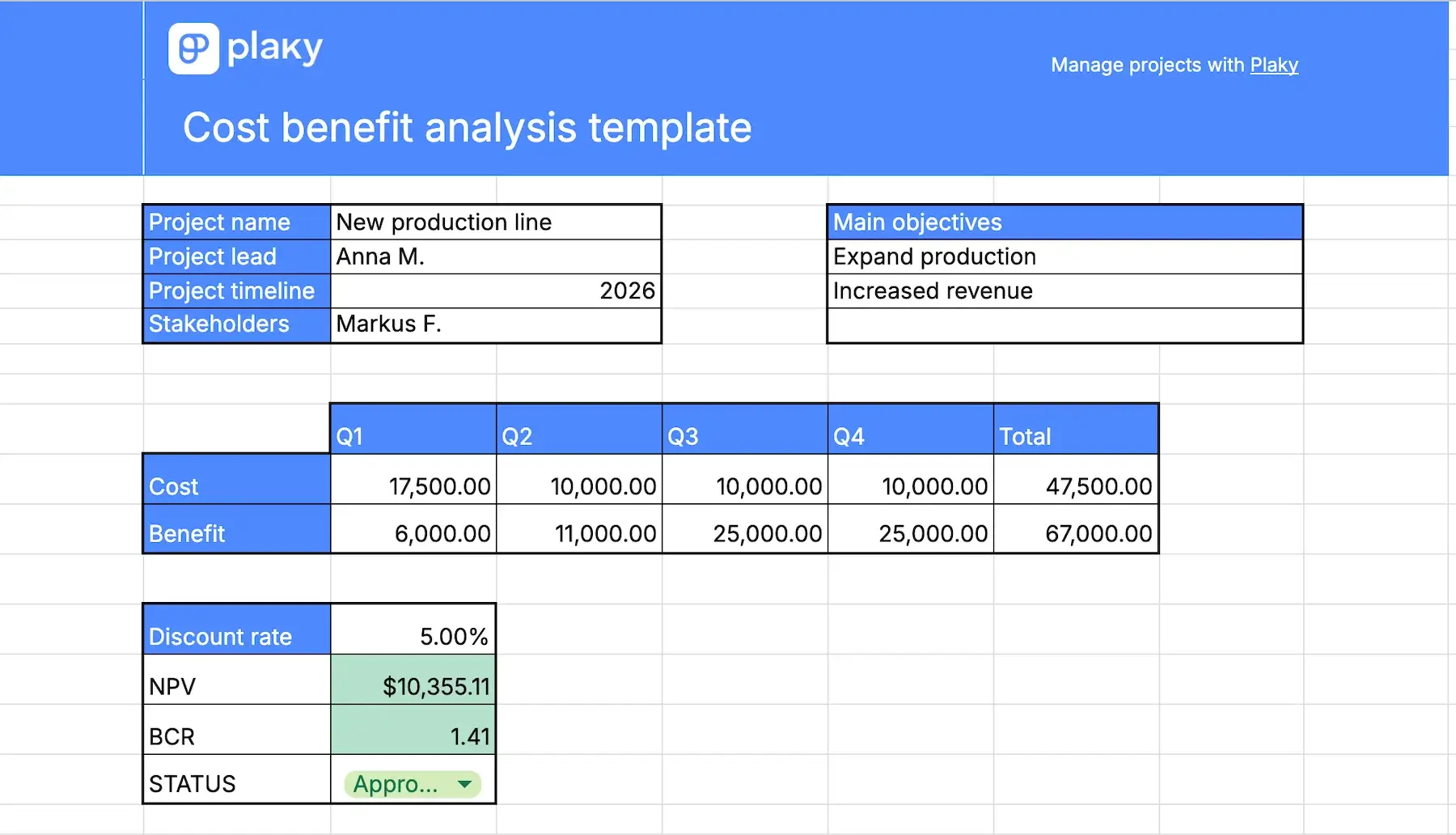
For example, let’s say you have a manufacturing company and are looking to add another production line. You and your stakeholders are debating whether this would be profitable or not.
First, you make your objectives clear: expand production and increase the profits by 10% annually.
Next, catalog all the costs:
- Construction costs — $4,000 in Q1
- Equipment — $3,500 in Q1
- Manpower — $8,000/quarter
- Electricity bills — $1,000/quarter
- More storage space — $1,000/quarter
Now, calculate the benefits you expect to earn from the increased production:
- Q1 — $6,000
- Q2 — $11,000
- Q3 — $25,000
- Q4 — $25,000
Once you’ve entered all these into the template and decided on the discount rate, the template will calculate the BCR and NPV for you.
Here’s how it all looks in our Excel template:
When (not) to use cost benefit analysis
Cost benefit analysis is best suited for projects with clearly defined financial objectives. Projects that have more abstract goals, such as raising brand awareness or increasing customer satisfaction, won’t benefit from this analysis.
CBA is also best for short- and mid-term projects where you can make accurate cost and benefit predictions. On the other hand, it’s not ideal for long-term projects, since there are too many external factors you can’t take into account, such as inflation or geopolitical changes and their influence on the economy. These could have a significant impact on your eventual benefits, but are almost impossible to predict.
Preguntas frecuentes
Here are the answers to some of the most common questions about cost benefit analysis.
What are the 2 methods of cost benefit analysis?
The 2 methods to calculate cost benefit analysis are net present value (NPV) and benefit-cost ratio (BCR).
Benefit-cost ratio is calculated by dividing the projected benefits with the cost. It can be more, less, or equal to 1. If the ratio is bigger than 1, the project will be profitable — the higher the number, the better.
NPV is calculated by subtracting the current value of invested money from the current value of expected earnings. Unlike the BCR, it takes into account the discount rate of return and transfers future costs and benefits into present value. The higher the NPV, the more profitable the project will be.
Is cost benefit analysis hard to do?
CBA can be difficult to get right since you have to predict both the costs and the benefits. Still, as you grow more experienced, you should be able to become more accurate.
Once you’ve made your estimations, however, the analysis process itself is not hard if you use a template to help you.
Does Excel have a cost benefit analysis template?
Yes! We have created a cost benefit analysis template in Excel for you. Simply download it and fill in the information.
Track project costs and benefits directly in your PM software — Plaky
Conducting a cost benefit analysis from scratch by yourself can be daunting. So, make your life easier by taking one of our templates. Each one is designed to serve a specific purpose — a simple calculation, advanced and detailed analysis, or a presentation for stakeholders.
But, if you want a template that truly matches all your requirements, you should create one in Plaky. Yes, it might take a few extra minutes compared to using Word or Excel, but you can use the template over and over again, so it definitely pays off in the long run.
Plus, since Plaky is powerful project management software, it can do much more than just help you calculate whether your project is feasible. You can create project plans and schedules, assign work to your team members, plan your resources, and so much more.