Statusfeld konfigurieren
In this article
Das Statusfeld hilft dir und deinen Teammitgliedern, den Status deiner Aufgaben visuell darzustellen. Auf diese Weise kannst du leicht zwischen ihnen unterscheiden und erhältst einen klaren Einblick in den Fortschritt der Aufgaben deines Teams.
Der Status ist ein vordefiniertes Feld, daher kann ein Board nur ein Status-Feld haben. Um Elemente nach Priorität, Typ oder Kategorie zu kennzeichnen, verwende stattdessen das Dropdown-Feld. Dropdown-Felder funktionieren ähnlich wie das Status-Feld, besitzen jedoch keinen Status für „Erledigt“.
Plaky bietet drei Standardstatusstufen. Diese sind:
- Zu erledigen
- In Bearbeitung
- Erledigt
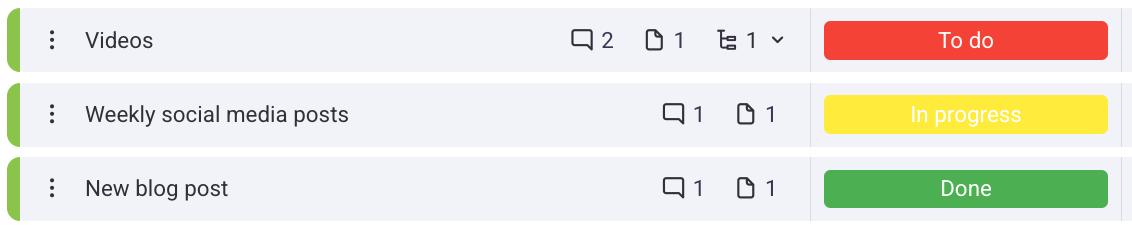
Statusbeschriftungen können angepasst werden und du kannst bei Bedarf auch neue Beschriftungen hinzufügen.
So fügst du Beschriftungen hinzu/bearbeitest sie:
- Klicke auf den Status, den du erstellt hast
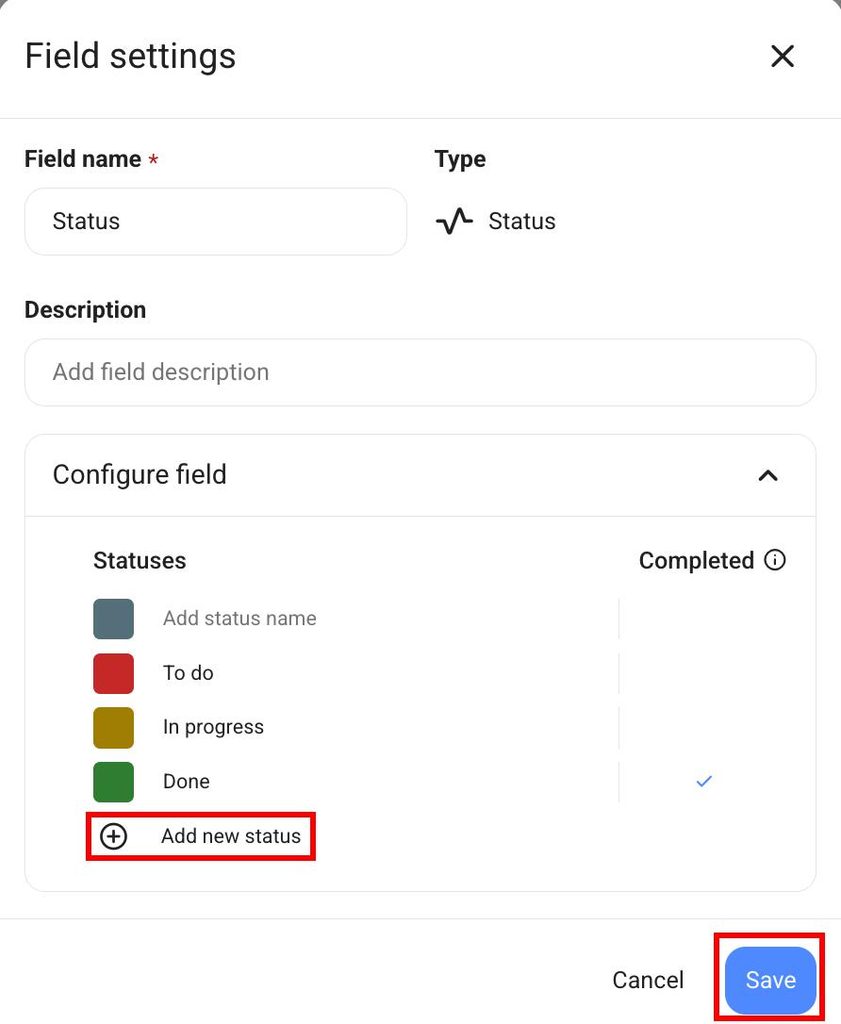
- Klicke auf Optionen bearbeiten
- Klicke auf einen Status, um ihn zu bearbeiten
- Klicke auf +Neuen Status hinzufügen, um einen neuen Status einzufügen
- Klicke auf Speichern, um die Aktion abzuschließen
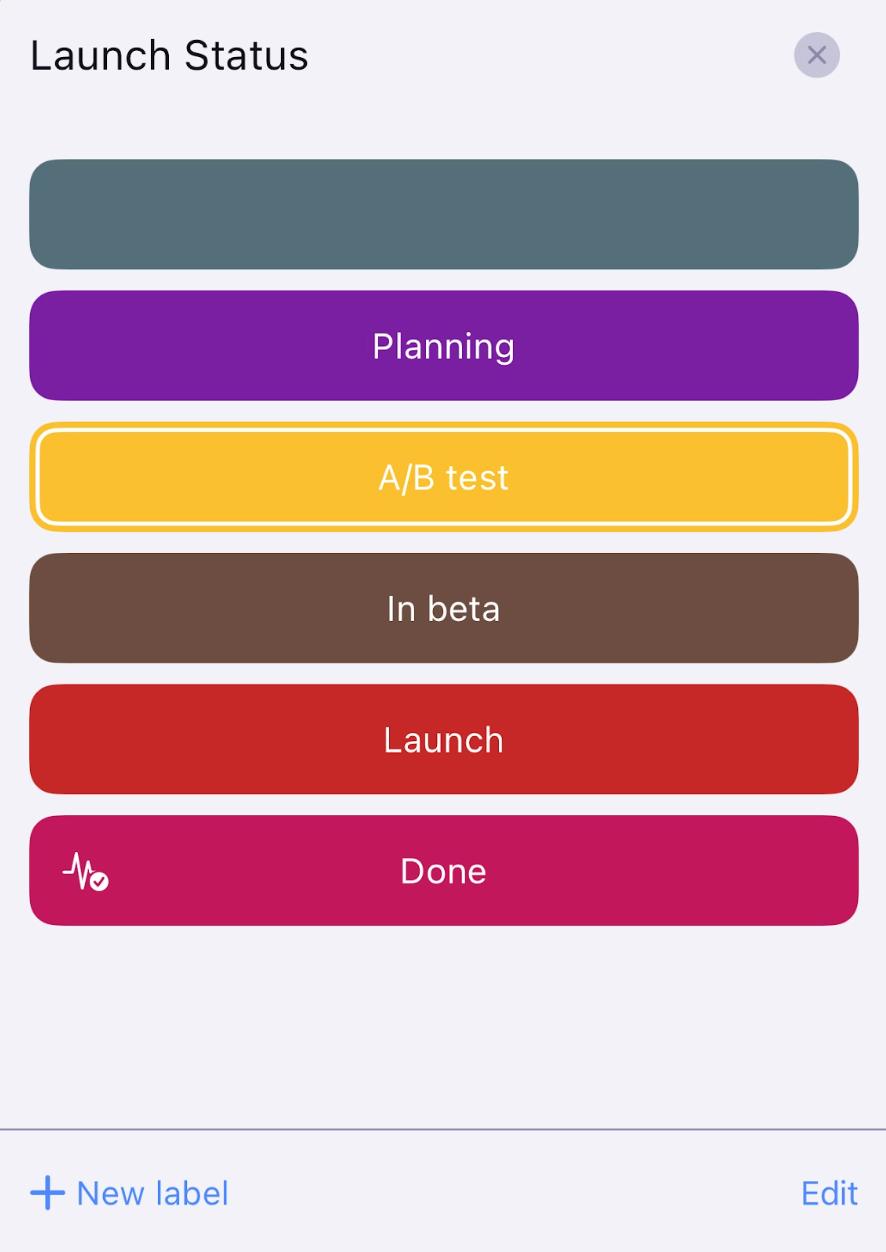
- Tippe auf das Statusfeld
- Tippe unten rechts auf Bearbeiten
- Tippe auf eine beliebige Beschriftung, um sie umzubenennen oder die Farbe zu ändern
- Speichere die Änderungen
- Tippe auf +Neue Beschriftung, um eine neue Beschriftung hinzuzufügen
- Benenne die Beschriftung, wähle eine Farbe und tippe auf Speichern
- Tippe auf Fertig, um die Aktion abzuschließen
- Tippe auf das Statusfeld
- Tippe auf Bearbeiten
- Tippe auf eine beliebige Beschriftung, um sie umzubenennen oder die Farbe zu ändern
- Tippe auf +Neue Beschriftung, um eine neue Beschriftung hinzuzufügen
- Speichere die Änderungen
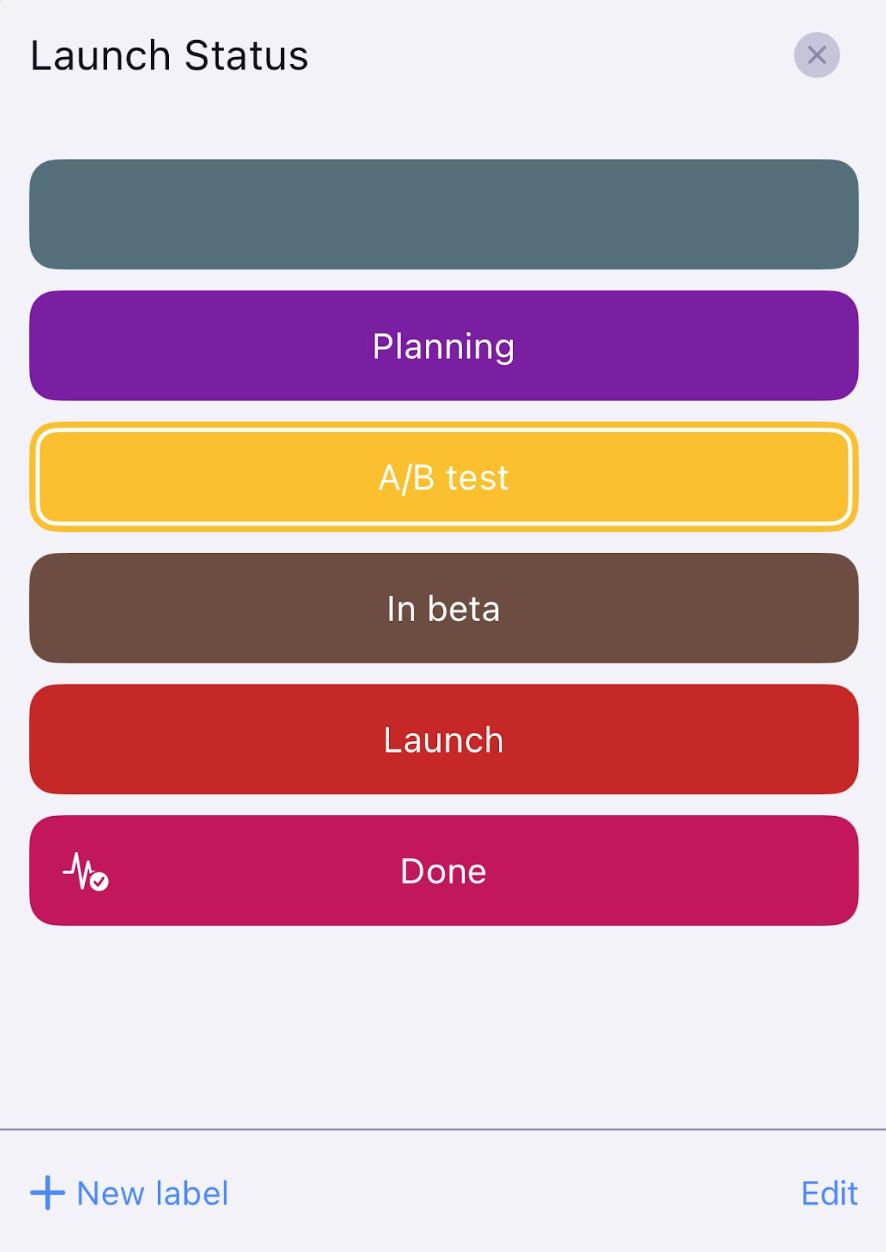
Du hast den Status im Board erfolgreich angepasst. Der erste Status, der in der Liste angezeigt wird, ist der Standardstatus, der erscheint, wenn du das Status-Feld hinzufügst.
Nur Teammitglieder, mit denen das Board geteilt wird, können diese Aktion ausführen.
Status als „Erledigt“ markieren
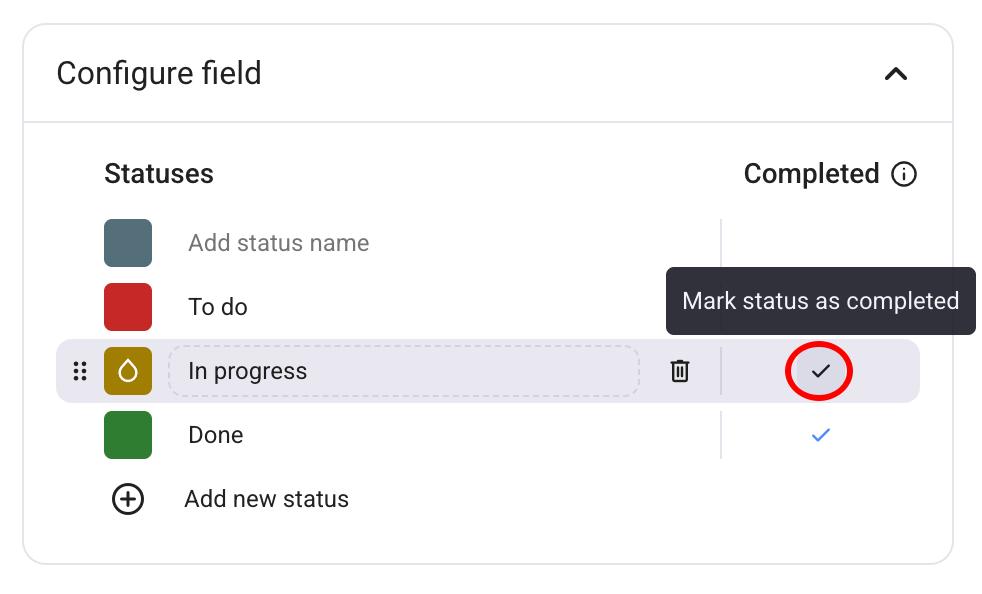
Du kannst festlegen, welcher Status als "Erledigt" auf deinem Board markiert wird. So funktioniert es:
- Klicke auf das Dropdown-Menü neben dem Status-Feld
- Wähle Feldeinstellungen
- Klicke auf Feld konfigurieren
- Klicke auf ✔️ neben dem Status, den du als erledigt festlegen möchtest
- Tippe auf das Status-Feld
- Tippe auf Bearbeiten unten rechts
- Wähle ein Status-Feld aus
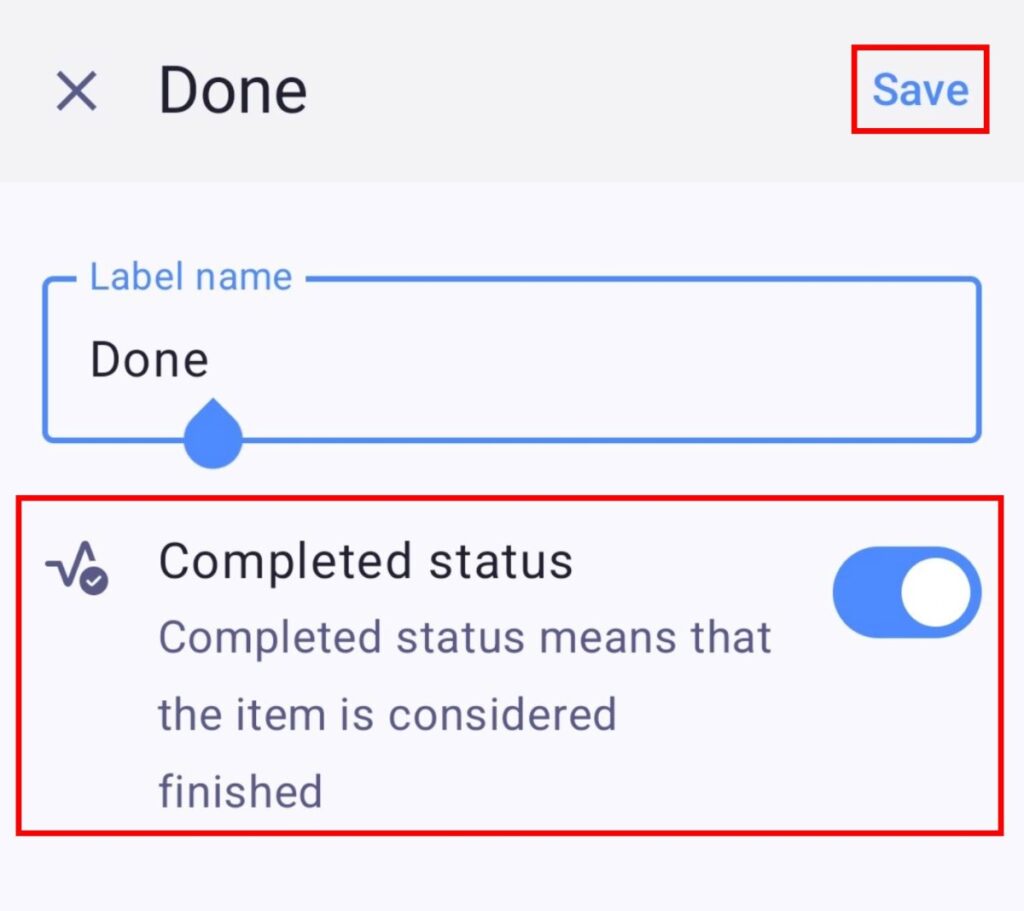
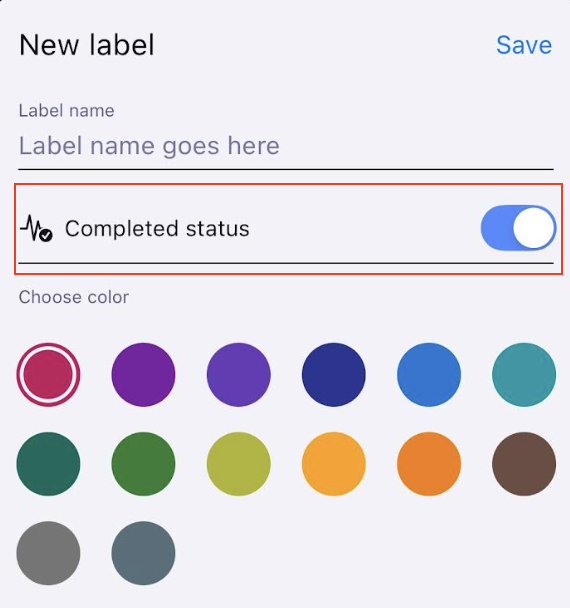
- Deaktiviere/Aktiviere den Schalter Status: Erledigt
- Tippe auf Speichern, um die Aktion abzuschließen
- Tippe auf das Status-Feld
- Tippe auf Bearbeiten oben rechts
- Wähle ein Status-Feld aus
- Deaktiviere/Aktiviere den Schalter Status: Erledigt
- Tippe auf Speichern, um die Aktion abzuschließen