Cambiar tu idioma en Plaky
1 min de lectura
¿Quién puede utilizar esta función?
Propietario, administrador, miembro
Disponible en todos los planes
Plaky’s interface is available in multiple languages ( English, Spanish, and Portuguese), so you can work in whichever one you’re most comfortable with. Changing it takes a few clicks in your settings, and the new language applies across your account right away.
Aquí te explicamos cómo hacerlo:
Web
iOS
Android
PRÓXIMAMENTE
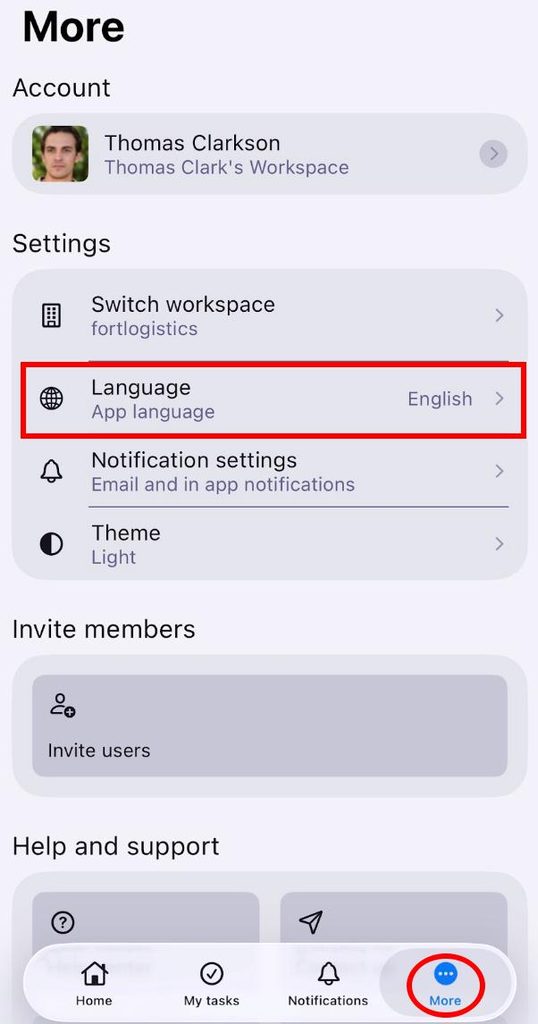
- Toca Más en la barra lateral inferior
- Toca Idioma
- Selecciona tu idioma preferido
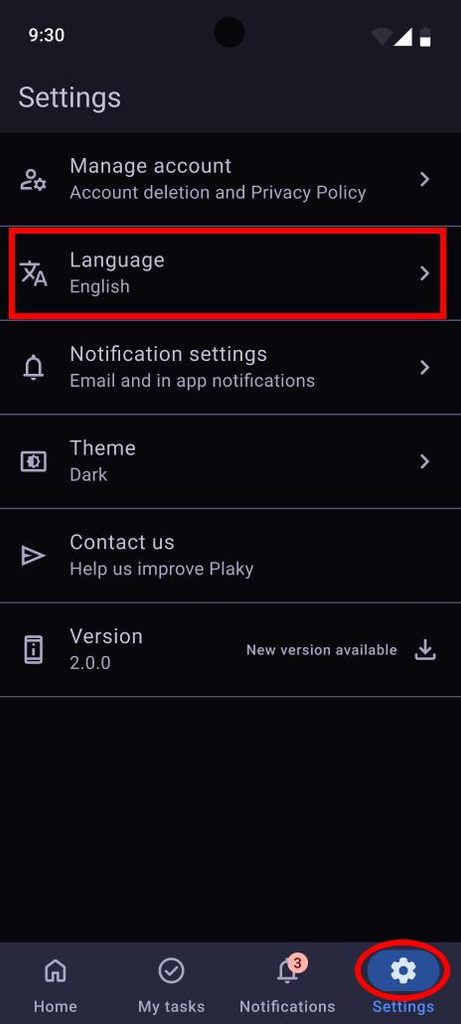
- Click on the Settings button in the bottom sidebar
- Select Language
- Choose a language
Información
Changing your language in Plaky is currently available only on iOS.
¿Te resultó útil este artículo?
Thank you! If you’d like a member of our support team to respond to you, please drop us a note at support@plaky.com