Sprache in Plaky ändern
1 Min. Lesezeit
Wer kann diese Funktion nutzen?
Inhaber, Admin, Mitglied
Verfügbar in allen Tarifen
Plaky’s interface is available in multiple languages (English, Spanish, and Portuguese), so you can work in whichever one you’re most comfortable with. Changing it takes a few clicks in your settings, and the new language applies across your account right away.
So geht's:
Web
iOS
Android
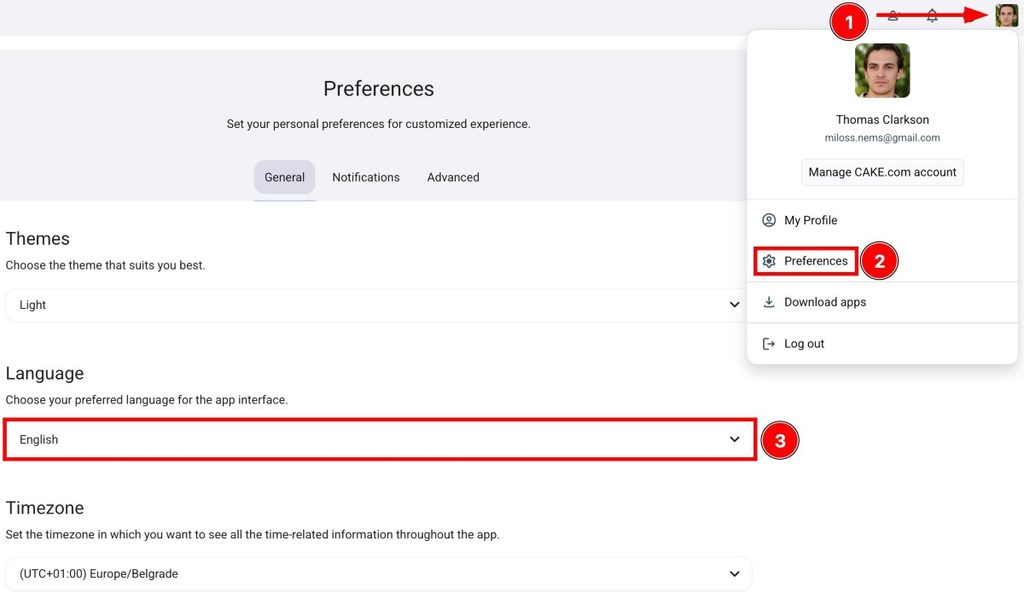
- Klicke auf dein Profilbild oben rechts
- Klicke auf Einstellungen
- Wähle eine Sprache aus dem Dropdown-Menü Sprache aus
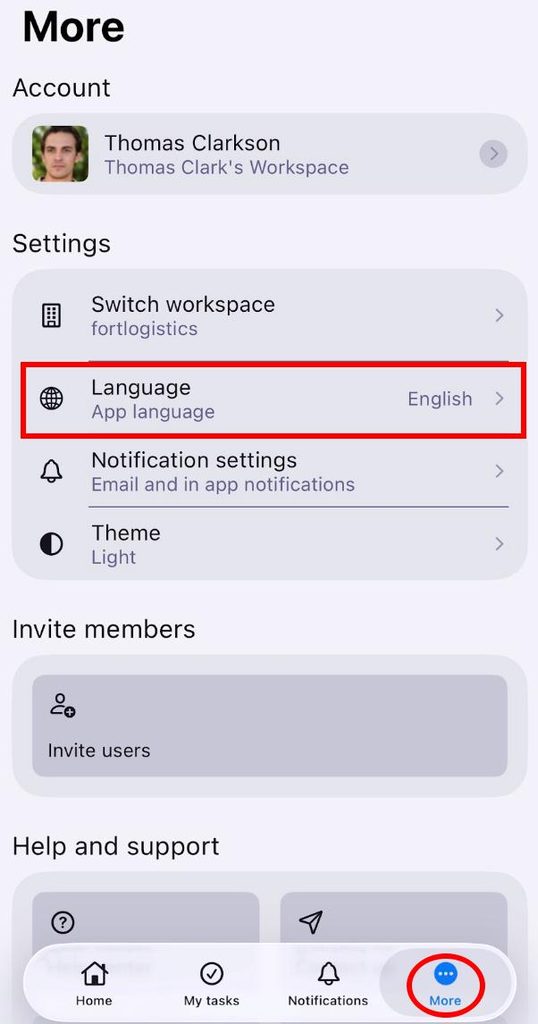
- Tippe in der unteren Seitenleiste auf Mehr
- Tippe auf Sprache
- Wähle deine bevorzugte Sprache aus
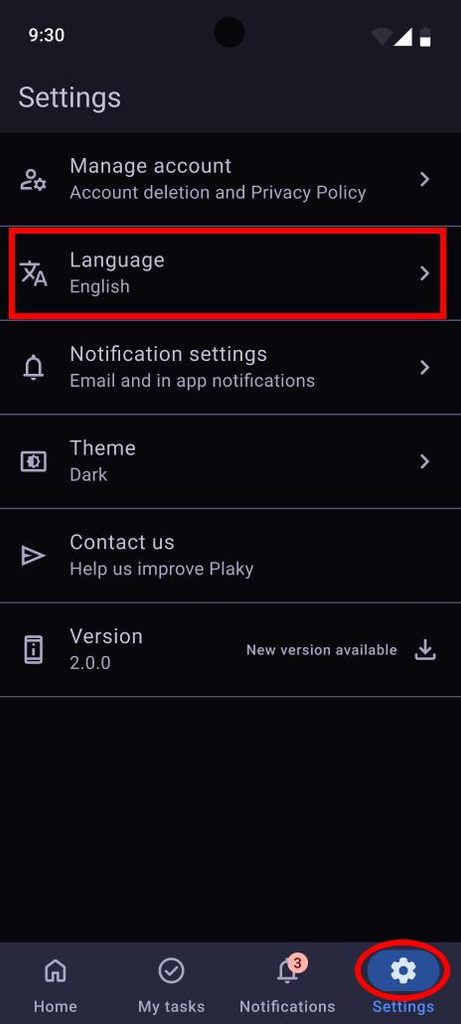
- Klicke in der unteren Seitenleiste auf die Schaltfläche Einstellungen
- Wähle Sprache aus
- Wähle eine Sprache aus
War der Artikel hilfreich?
Thank you! If you’d like a member of our support team to respond to you, please drop us a note at support@plaky.com