
Board löschen
1 Min. Lesezeit
Wer kann diese Funktion nutzen?
Board-Eigentümer
In allen Tarifen verfügbar
So löschst du ein Board:
Web
iOS
Android
- Navigiere links zum Board-Namen
- Klicke auf die drei Punkte, um das Menü zu öffnen
- Wähle Board löschen
- Bestätige die Aktion
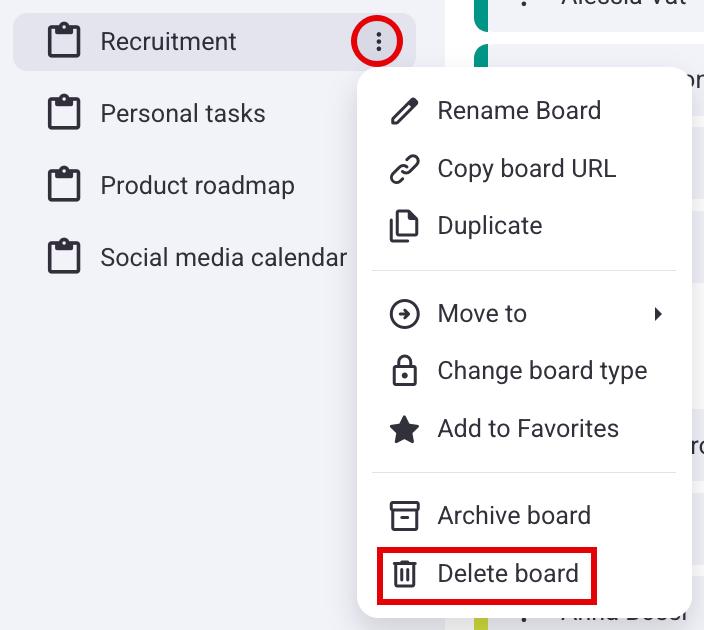
Das gelöschte Board wird 30 Tage lang in deinem Papierkorb aufbewahrt, sodass du es während dieses Zeitraums wiederherstellen kannst.
- Tippe auf die drei Punkte in der oberen rechten Ecke des Boards
- Wähle Board-Info
- Tippe auf Board löschen
- Tippe auf Löschen, um die Aktion abzuschließen
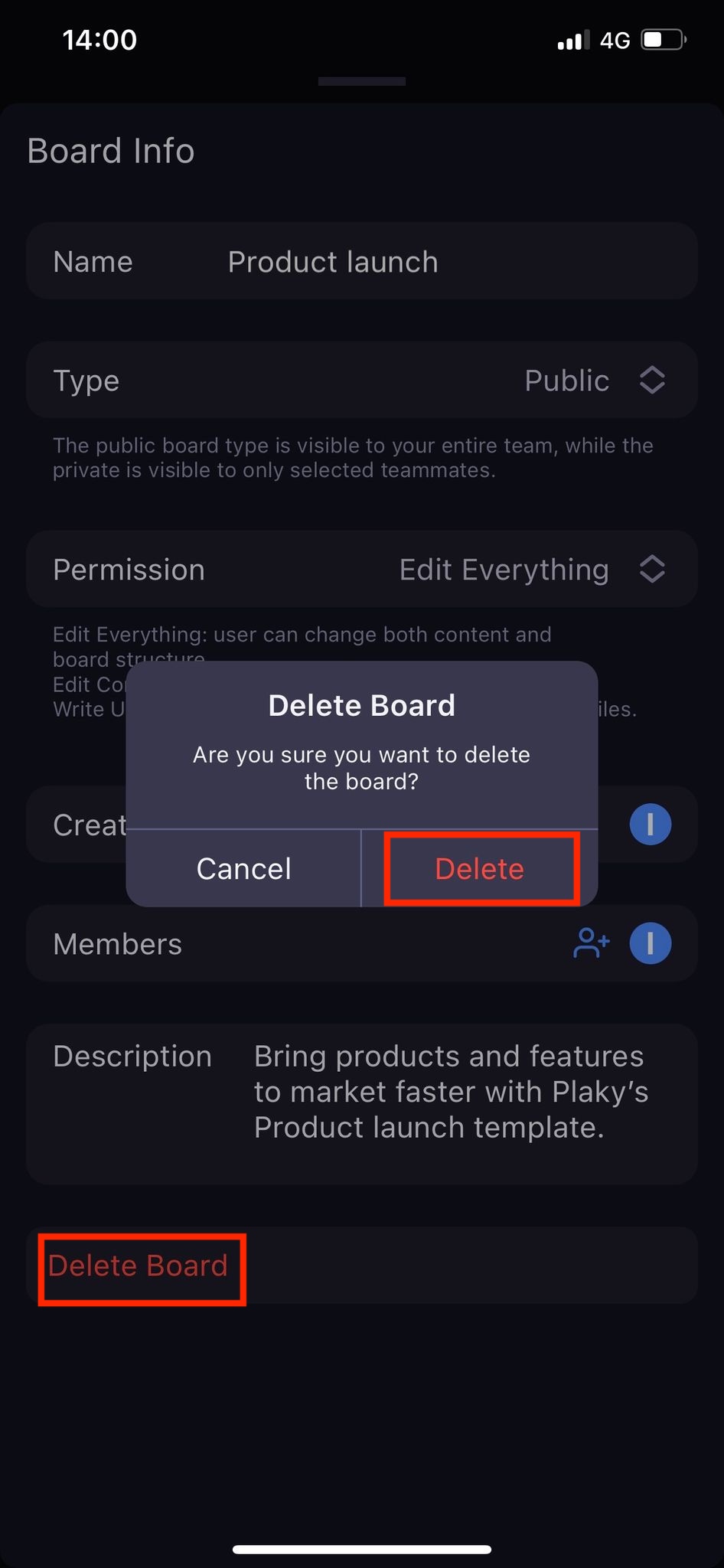
- Tippe auf die drei Punkte in der oberen rechten Ecke des Boards
- Tippe auf Board löschen
- Bestätige die Aktion
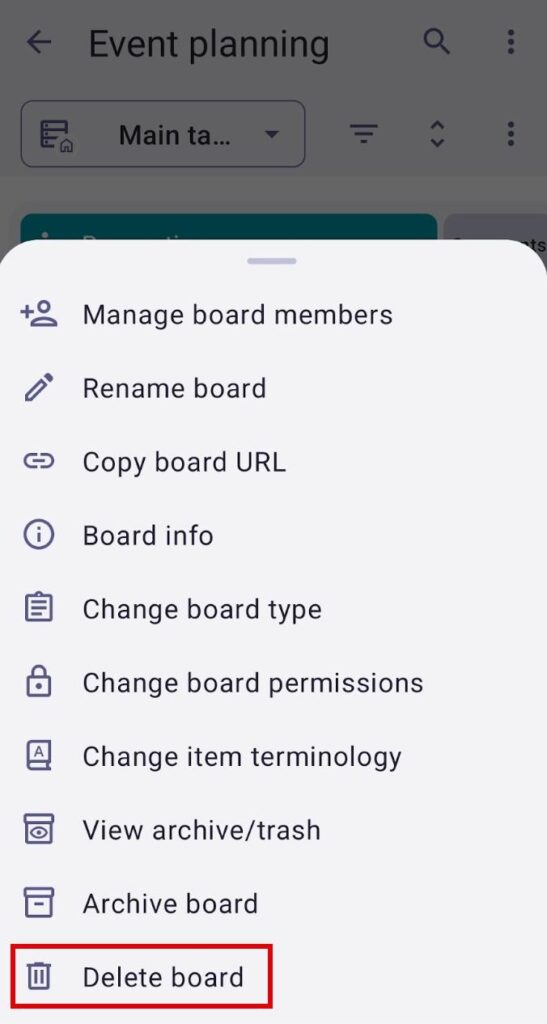
Info
Sobald das Board gelöscht ist, werden auch alle Elemente, Kommentare, Dateien und andere Änderungen gelöscht.
War der Artikel hilfreich? #
Thank you! If you’d like a member of our support team to respond to you, please drop us a note at support@plaky.com