
Create Board on iOS App
Plaky Board helps you visualize your Team’s tasks, workflows and processes. With its highly interactive features you can communicate with your Team in a faster and more efficient way.
This article provides step-by-step instructions on how to create a board using the iOS version of the Plaky app. For information on managing your board, please check out this article.
Create Board #
Du kannst das Board von Grund auf auf der Startseite erstellen oder indem du eine Board-Vorlage auswählst, die deinen Anforderungen und Bedürfnissen entspricht. Wähle beispielsweise die Vorlage „Produktstart“, wenn du deinen Fortschritt verfolgen und deine Aufgaben besser priorisieren möchtest.
So erstellst du ein Board:
Tippe auf die Schaltfläche + in der oberen rechten Ecke des Startbildschirms.
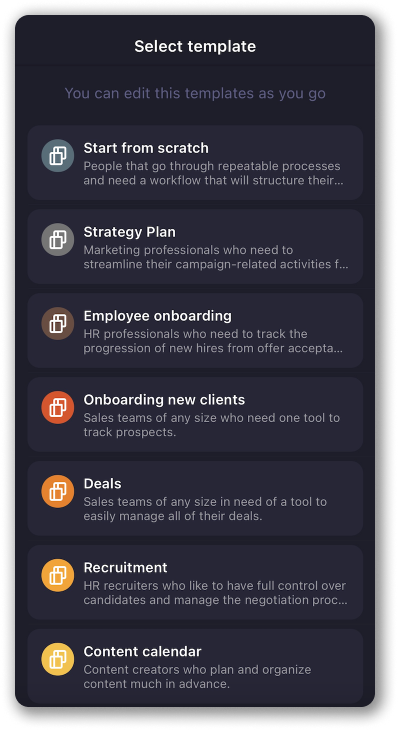
Wähle die Vorlage aus, die du verwenden möchtest, und tippe auf Diese Vorlage auswählen, um die Aktion abzuschließen.
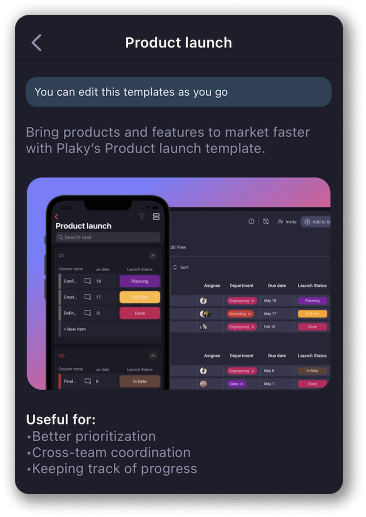
ODER
Wähle Von Grund auf neu beginnen und du erhältst ein Board mit einem Standardelement innerhalb einer Standardelementgruppe, das du weiter bearbeiten und anpassen kannst.
Take control of your board’s organization by leveraging Custom fields to structure and better organize items within item groups on your Board. Check out this text to learn how to create and configure Fields on iOS version of Plaky app.