Profile, time zone & theme
In this article
This article covers how to edit your personal account settings, time zone, and display theme. All of these are personal and apply only to your own account, not to other Workspace users.
Your profile #
This is your identity on Plaky, where you will find your name, email address, and profile picture. Everything is managed through your CAKE.com account, and changes you make there will automatically sync to Plaky.
Here’s how to open your CAKE.com account.
- Klicke auf den App-Switcher in der oberen linken Ecke
- Klicke auf CAKE.com-Konto
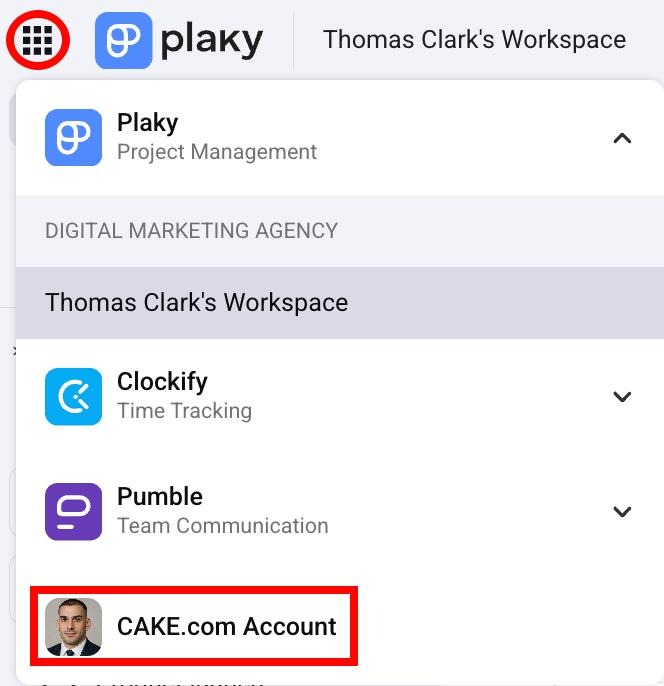
Check out this article to learn how to edit your profile information at CAKE.com.
Certain information about your profile can be edited directly from Plaky. Here’s how to access your profile on Plaky:
- Click on your profile picture in the top right corner
- Klicke auf Mein Profil
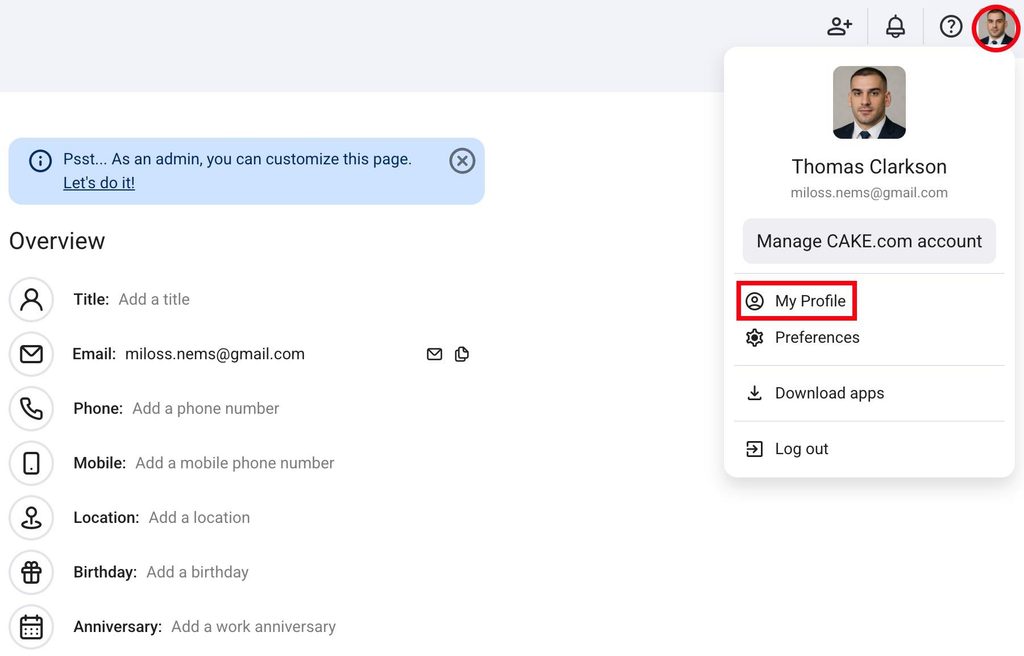
These are the default Fields you can edit here:
- Titel
- Phone
- Mobile
- Standort
- Geburtstag
- Dienstjubiläum
- Tippe in der unteren Seitenleiste auf Mehr
- Tap on your account
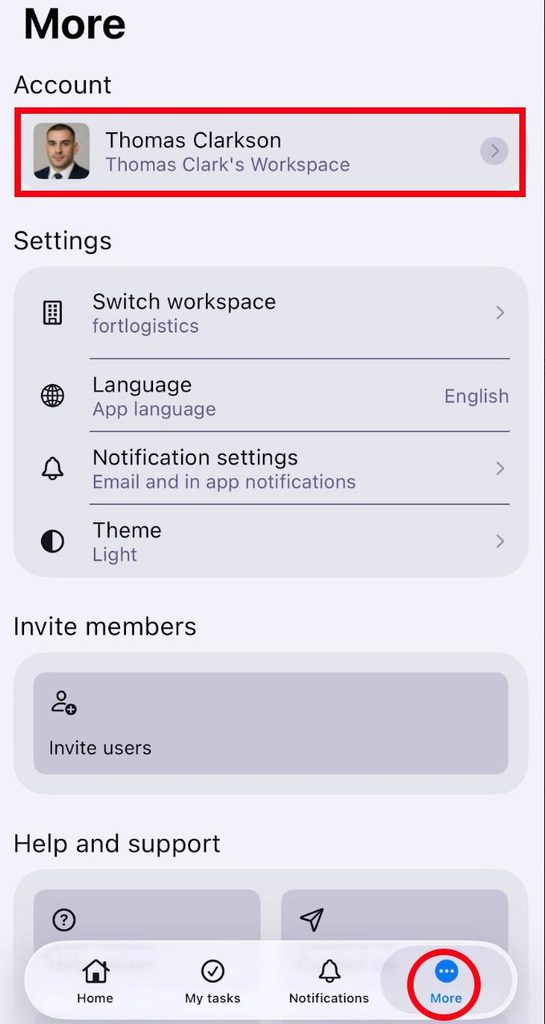
Here you can edit:
- Titel
- Phone
- Mobile
- Standort
- Geburtstag
- Anniversary
- Tap on your profile picture in the top right corner
- Tap on See profile
- Tap on Edit profile in the top right corner
- Tap on the field you want to change
- Tippe auf Speichern, um die Aktion abzuschließen
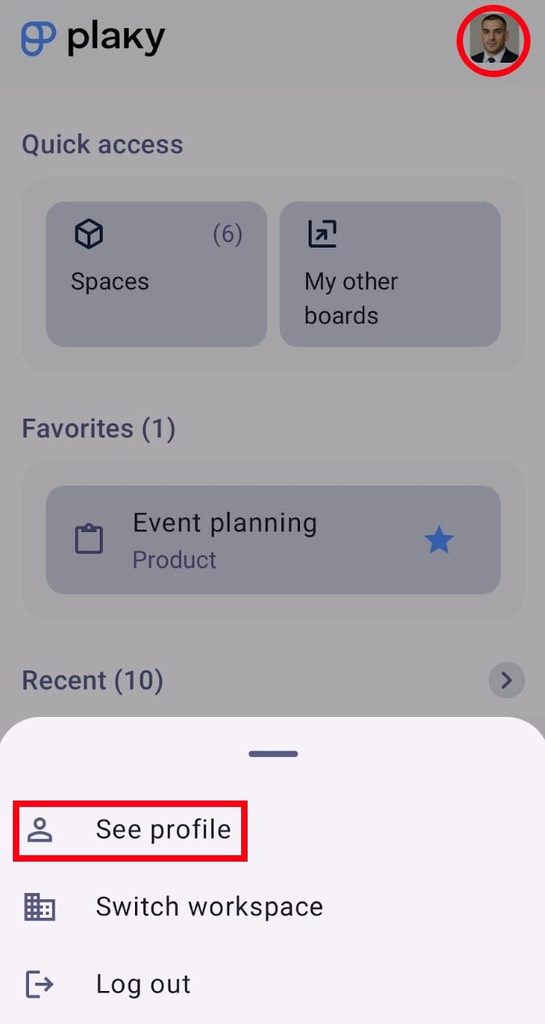
Here you can edit:
- Titel
- Phone
- Mobile
- Standort
- Geburtstag
- Anniversary
Time zone #
Your time zone controls how timestamps in Plaky are displayed to you. This includes comment timestamps, notification times, and date field values. Time zones are personal, so each user can see a different time based on their time zone.
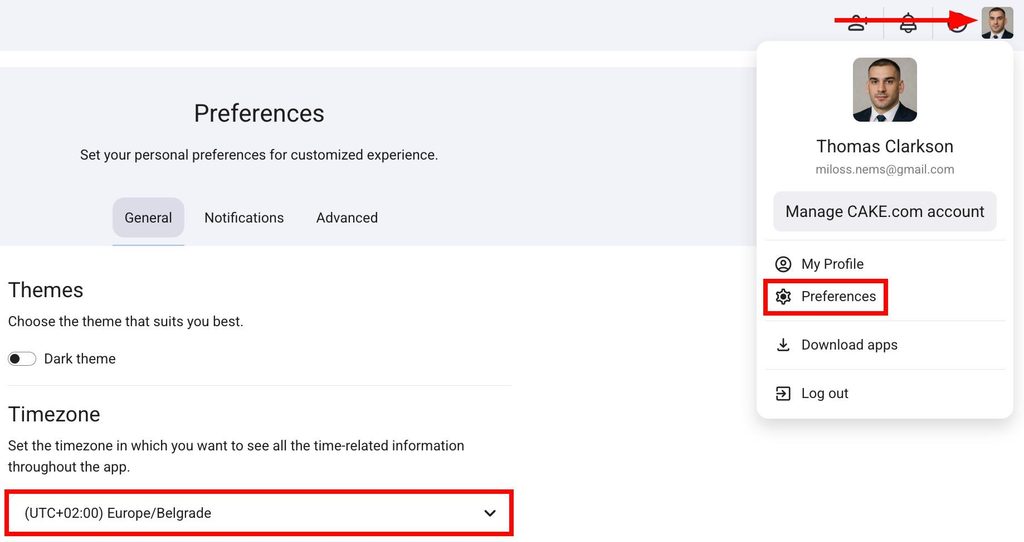
When you log in to Plaky, the system will automatically set the time zone to the time zone of the device you are using. If the device’s time zone changes, you will be prompted to update the time zone settings. Here’s how you can do that:
- Click on your profile picture in the top right corner
- Klicke auf Einstellungen
- Select the time zone under Timezone
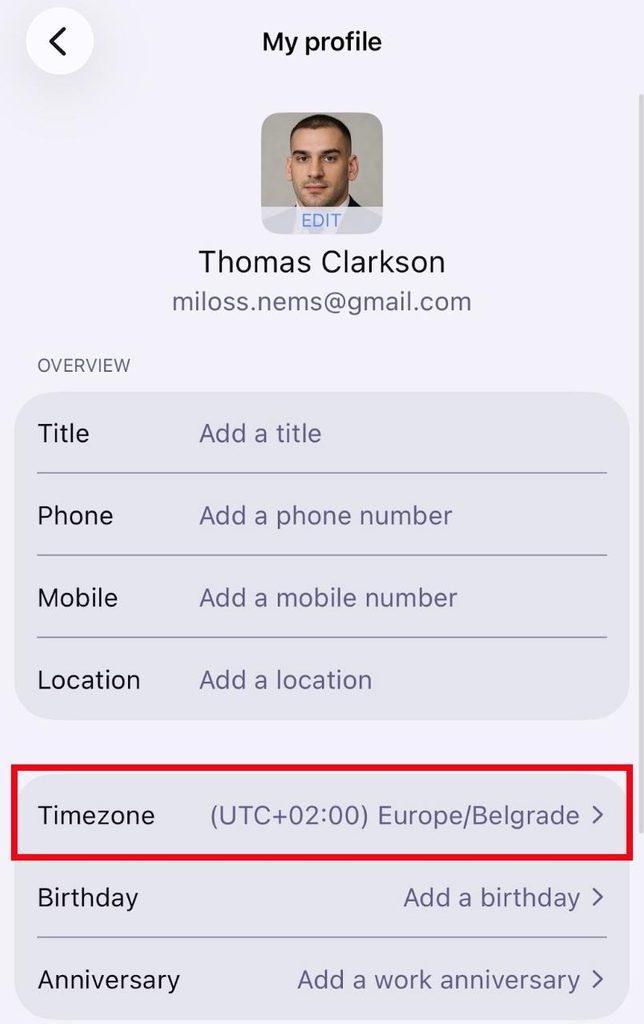
- Tippe in der unteren Seitenleiste auf Mehr
- Tap on your account
- Tippe auf Zeitzone
- Select a time zone
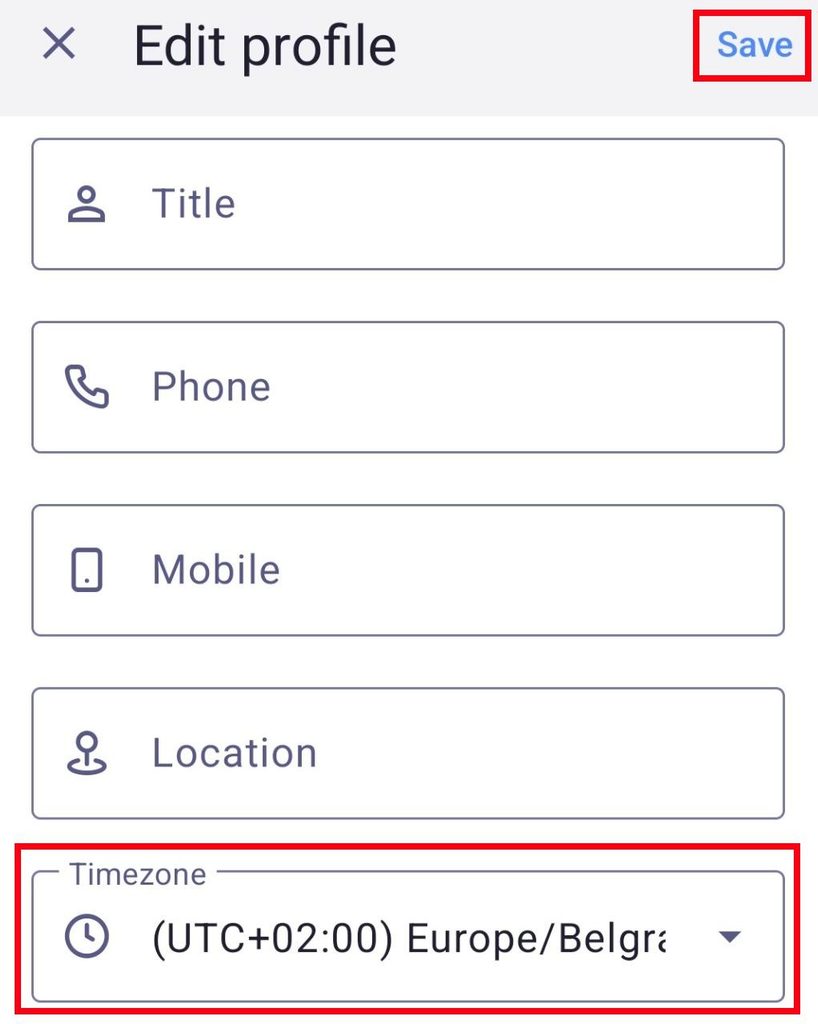
- Tap on your profile picture in the top right corner
- Tap on See profile
- Tap on Edit profile in the top right corner
- Tippe auf Zeitzone
- Select a time zone
- Tippe auf Speichern, um die Aktion abzuschließen
Design #
In Plaky, you can use both light and dark themes. Your theme preference is saved to your account and stays consistent across devices.
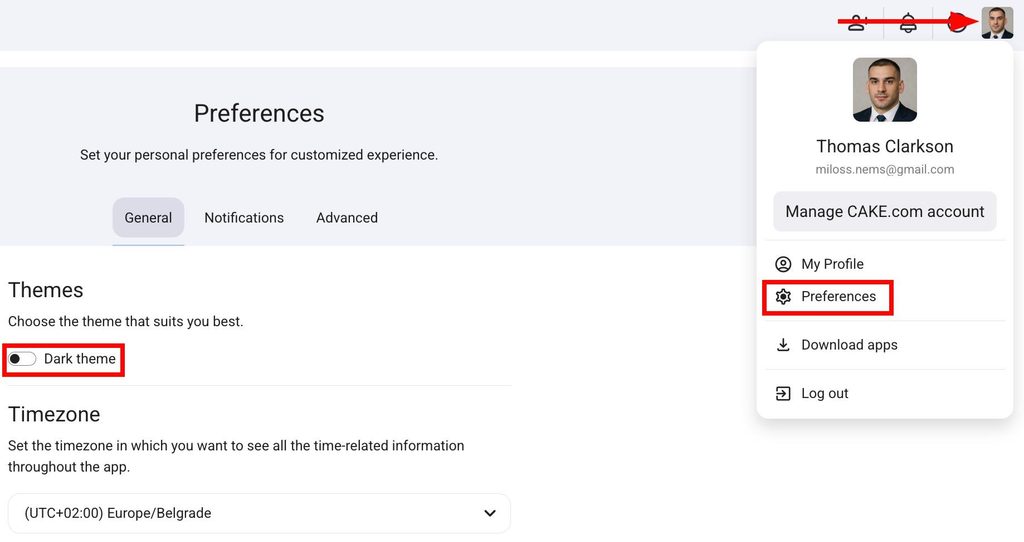
Here’s how you can change your theme:
- Click on your profile picture in the top right corner
- Klicke auf Einstellungen
- Switch between light and dark themes under Themes
- Tippe in der unteren Seitenleiste auf Mehr
- Tippe auf Design
- Choose a theme (Dark, Light, Device)
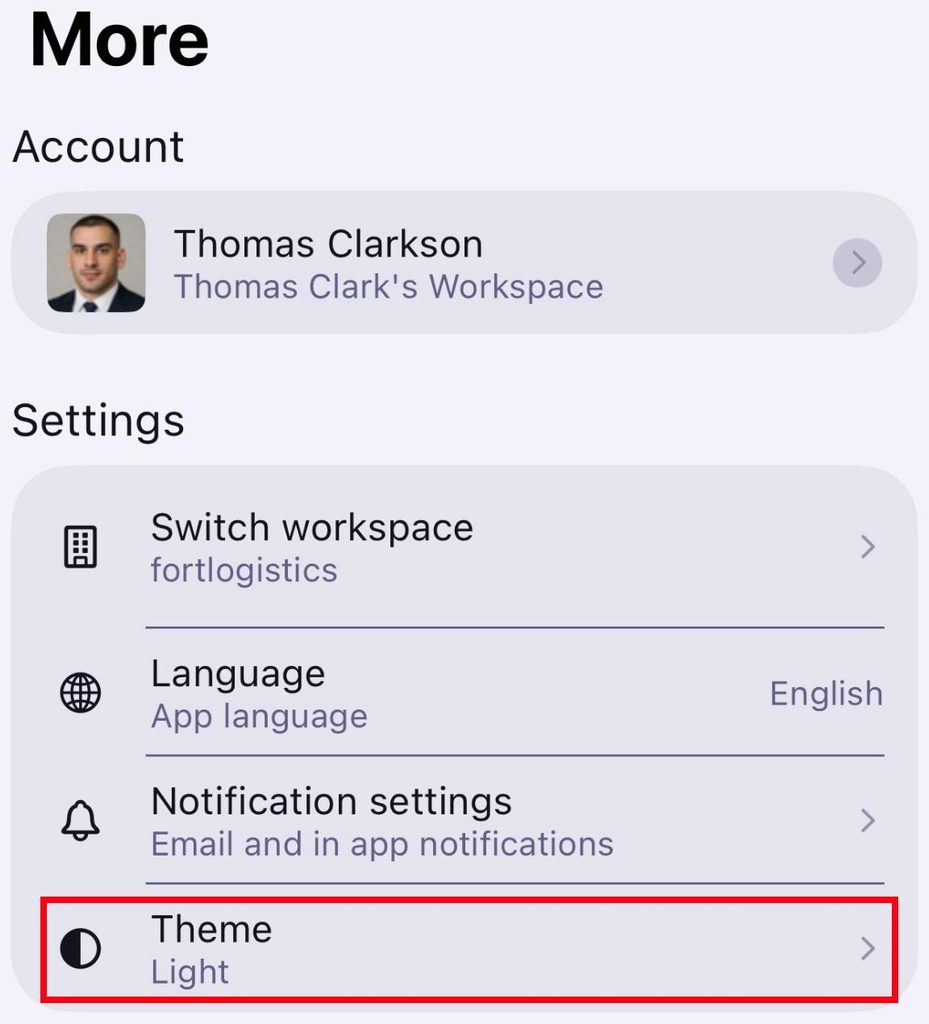
- Tap on Settings in the bottom sidebar
- Tippe auf Design
- Select the theme (Automatic, Dark, Light)
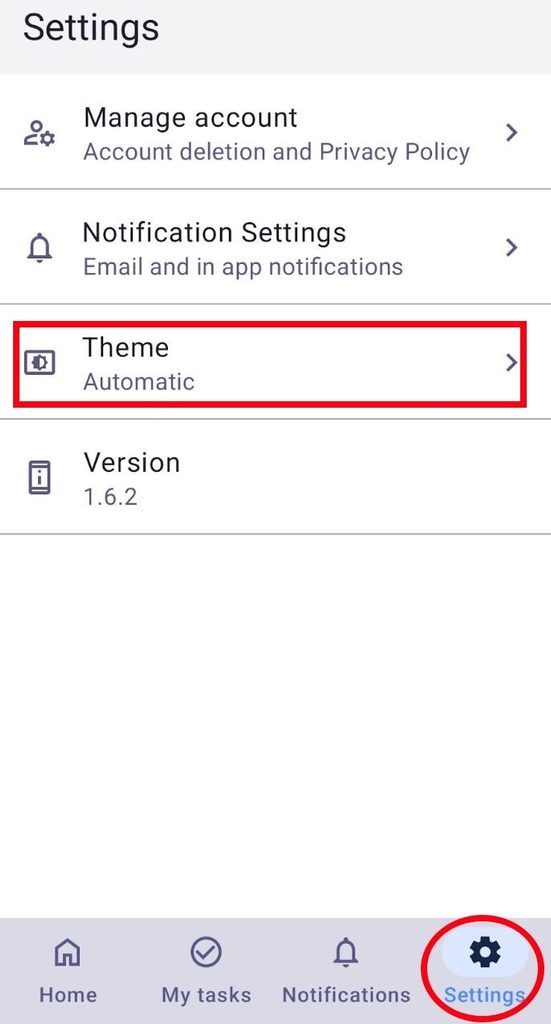
Dark theme is the default theme in Plaky.