Delete a Space
1 min de leitura
In this article
Quem pode usar este recurso?
Proprietário do espaço
Disponível em todos os planos
Deleting a Space removes it from the Workspace along with everything inside it.
Aviso
Deleting a Space moves all of its Boards, Folders, and Items to the Trash section. Content in Trash can be restored during the retention period, but the Space itself can’t be returned.
What gets deleted? #
When a Space is deleted, the following are all deleted as well:
- Quadros
- Folders
- Items and Subitems
- Files and attachments
- Space subscriptions
Checklist before deletion #
Before you delete a Space, consider going over this checklist to avoid potential inconveniences.
- Export any data you need to keep
- Notify the Space members
- Check for active automations
- Check for active integrations
- Consider archiving Space content
How to delete a Space #
Here’s how you can remove a Space:
Web
iOS
Android
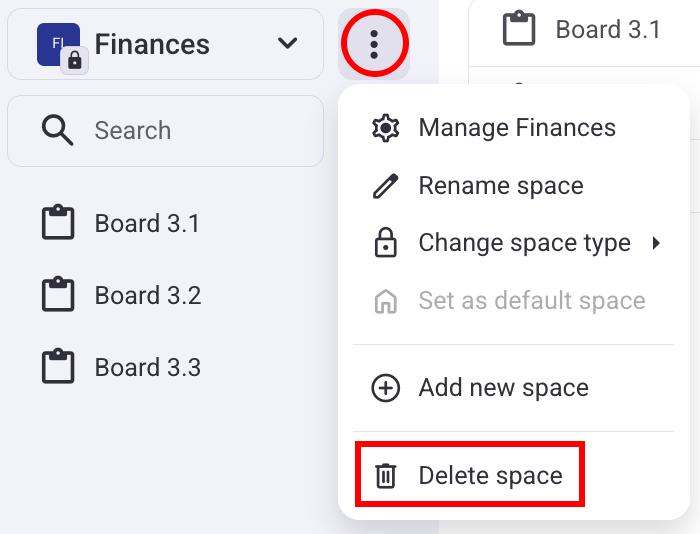
- Select the Space from the left sidebar
- Click on the three dots next to a Space
- Select Delete space
- Confirme a ação
- Open a Space
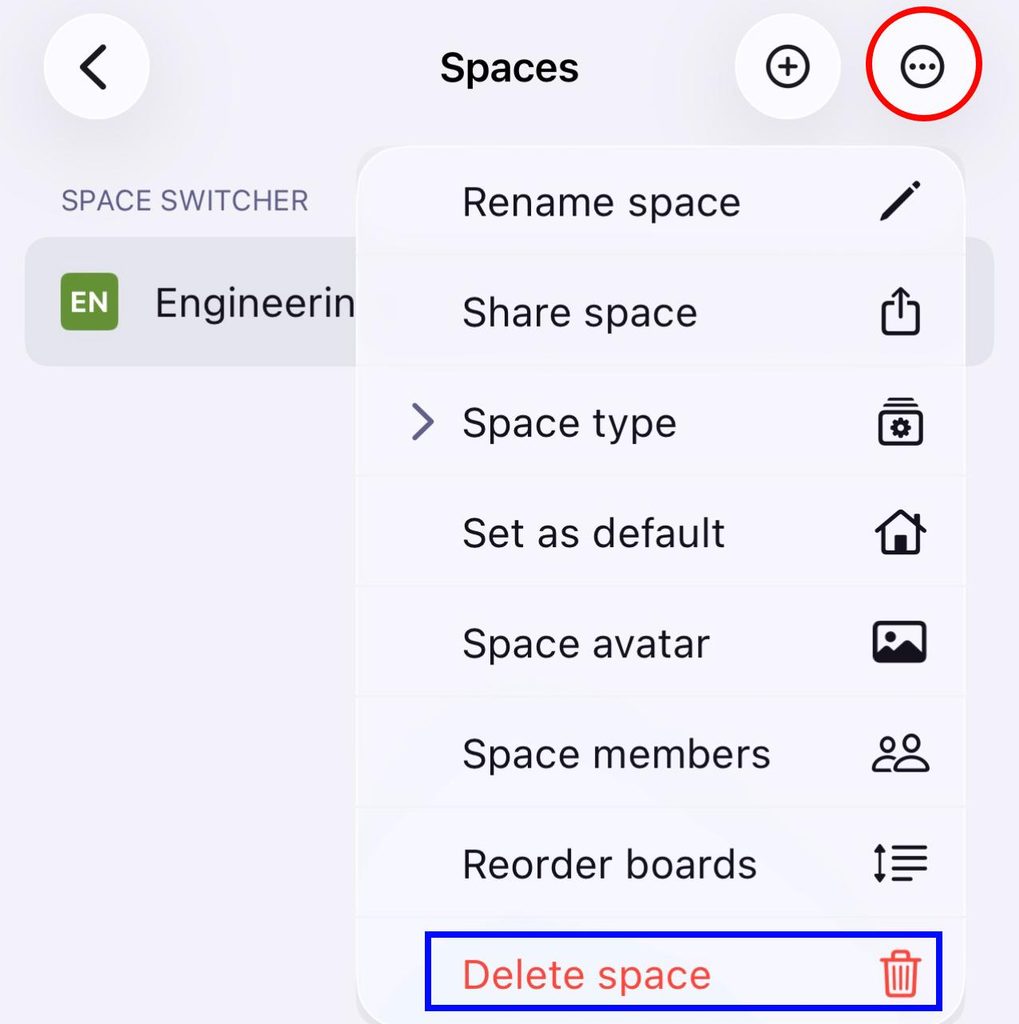
- Toque nos três pontos no canto superior direito
- Select Delete space
- Confirme a ação
EM BREVE
Informações
O espaço principal (aquele criado automaticamente durante o primeiro cadastro) não pode ser excluído.
Esse artigo foi útil?
Thank you! If you’d like a member of our support team to respond to you, please drop us a note at support@plaky.com