
Invite Members on Android App
1 Min. Lesezeit
Plaky Android app enables inviting new members to join a workspace. Whether you are looking to expand your team or collaborate with others, inviting new members is a seamless process. Follow the steps below to get started.
To invite new Members:
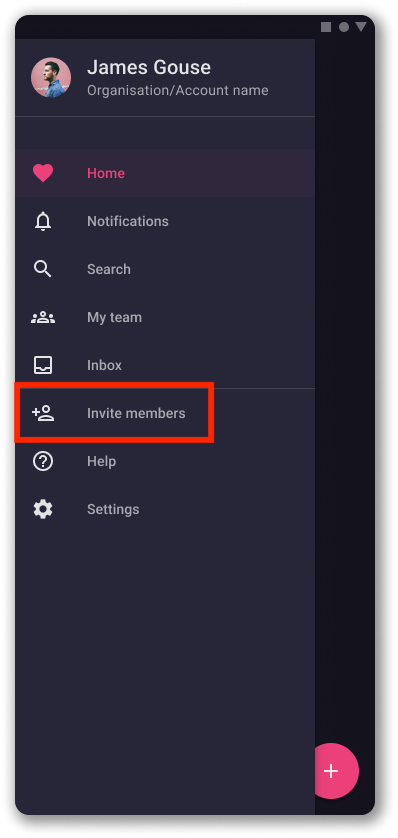
- Tippe auf das Hamburger-Menü
- Choose Invite Members option
- Gib die E-Mail-Adressen der Teammitglieder ein, die du einladen möchtest
- Tap Invite
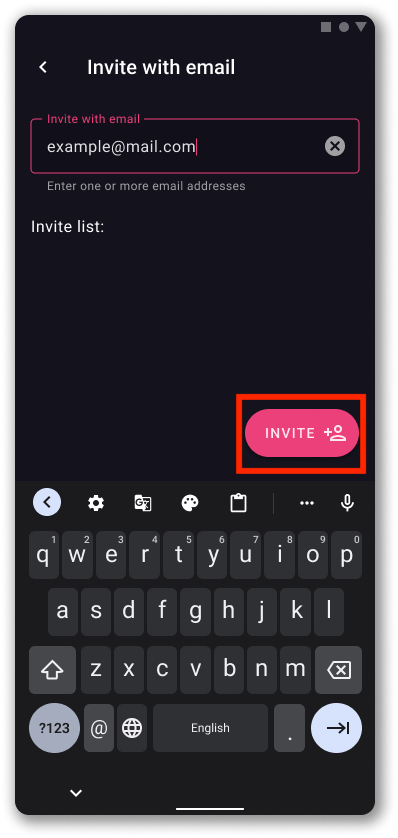
That’s it! You have successfully invited a new member to join your workspace. The member will get the invitation email with the link to the Workspace they are invited to.
War der Artikel hilfreich? #
Thank you! If you’d like a member of our support team to respond to you, please drop us a note at support@plaky.com