Plaky-Elemente in Pumble erstellen
1 Min. Lesezeit
Wer kann diese Funktion nutzen?
Besitzer, Admin, Mitglied
Verfügbar in allen Tarifen
Wenn du Pumble für die Kommunikation mit deinem Team nutzt, kannst du Plaky-Elemente direkt aus deinem Pumble-Arbeitsbereich erstellen. Dadurch musst du nicht mehr zwischen den beiden Apps wechseln, was den Arbeitsablauf erheblich erleichtert.
So erstellst du ein Element in Pumble:
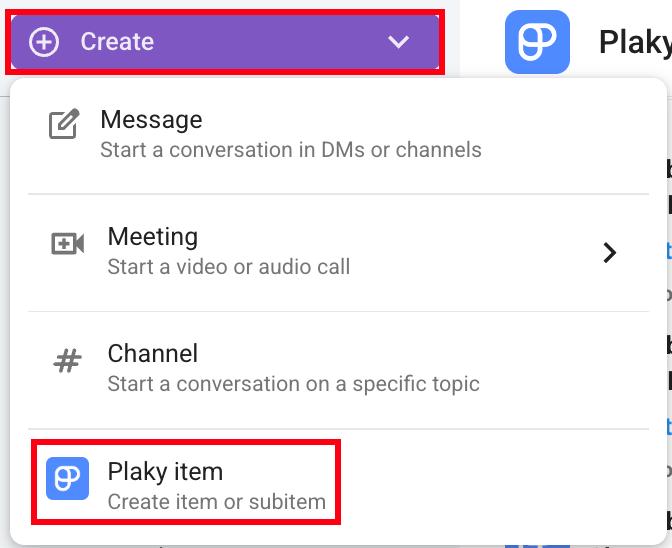
- Klicke oben links auf die Schaltfläche Erstellen
- Klicke auf Plaky-Element
- Wähle einen Bereich und ein Board aus
- Gib den Titel des Elements ein
- Klicke auf Erstellen, um den Vorgang abzuschließen
Oder
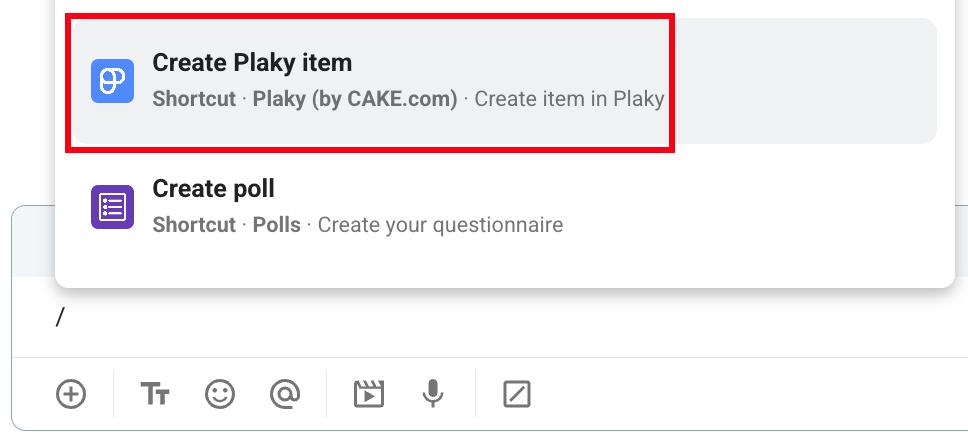
- Gib / in das Nachrichtenfeld ein
- Wähle Create Plaky item aus dem Dropdown-Menü
- Wähle einen Bereich und ein Board aus
- Gib den Titel des Elements ein
- Klicke auf Erstellen, um den Vorgang abzuschließen
Oder
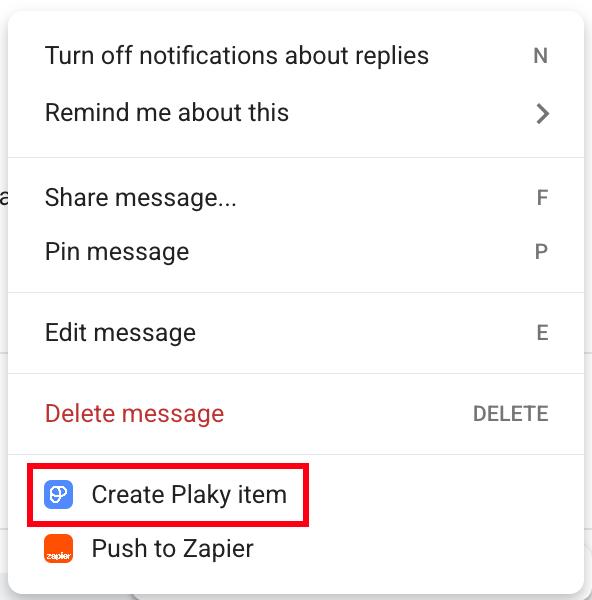
- Fahre mit der Maus über eine Nachricht
- Klicke auf das Drei-Punkte-Menü
- Wähle Plaky-Element erstellen
- Wähle einen Bereich und ein Board aus
- Gib den Titel des Elements ein
- Klicke auf Erstellen, um den Vorgang abzuschließen
Info
Wie du Plaky-Benachrichtigungen direkt in Pumble erhältst, erfährst du in diesem Artikel.
War der Artikel hilfreich?
Thank you! If you’d like a member of our support team to respond to you, please drop us a note at support@plaky.com