
Qu'est-ce que Plaky ?
Plaky est un outil de gestion de projet qui vous permet de gérer vos projets, vos équipes et vos tâches de manière efficace et rapide.
Il offre aux entreprises de toutes tailles un moyen de gérer efficacement les équipes, les projets et le travail.
De plus, il propose des tableaux, des éléments et des vues, le tout gratuitement.
Dans cet article, nous vous aiderons à comprendre ce qu'est Plaky et nous mettrons en avant ses composants clés.
Qu'est-ce qu'un Espace de travail ? #
L'espace de travail est l'entité globale ou l'entreprise qui utilise Plaky comme outil de gestion de projet. Il représente le niveau hiérarchique le plus élevé de Plaky. Lorsque vous vous inscrivez à Plaky, vous inscrivez en fait un espace de travail.
Qu'est-ce qu'un Espace ? #
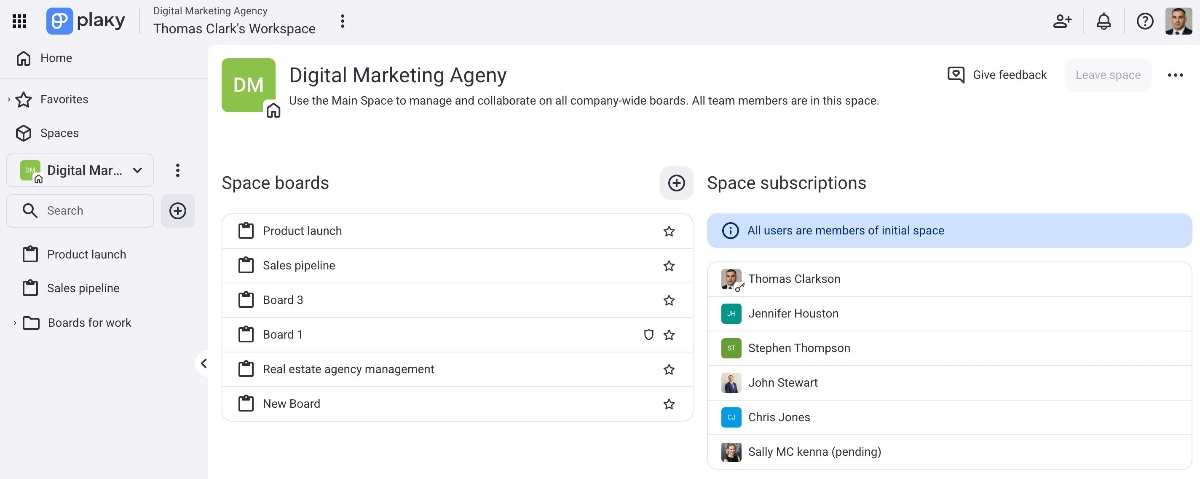
L'espace est un environnement virtuel dans l'espace de travail qui vous permet de collaborer avec les membres de votre équipe et de gérer vos tâches. Un espace principal est automatiquement créé lors de l'enregistrement de votre espace de travail. Vous pouvez ajouter et gérer plusieurs espaces dans votre espace de travail, les renommer ou les rendre ouverts ou fermés.
Qu'est-ce qu'un Tableau de bord ? #
Le tableau est un environnement où vous pouvez gérer tous vos éléments (tâches) et sous-éléments (sous-tâches). Vous pouvez ajouter plusieurs tableaux, les configurer comme privés ou publics, et définir les paramètres pour que les autres utilisateurs puissent tout modifier, modifier le contenu, ou ajouter des commentaires et des fichiers.
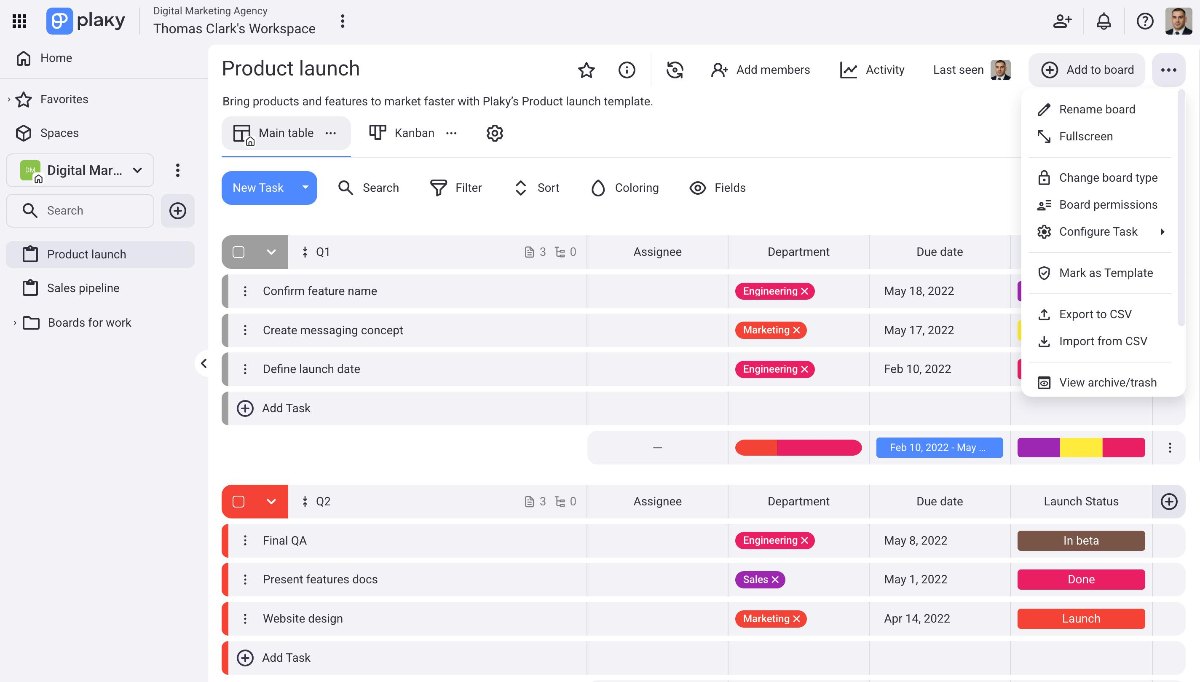
Les tableaux privés sont une fonctionnalité payante disponible avec les plan Pro et Enterprise. Les autorisations des tableaux — Modification du contenu et Ajout de commentaires et de fichiers sont réservées à l'abonnement Enterprise.
Qu'est-ce qu'un Élément ? #
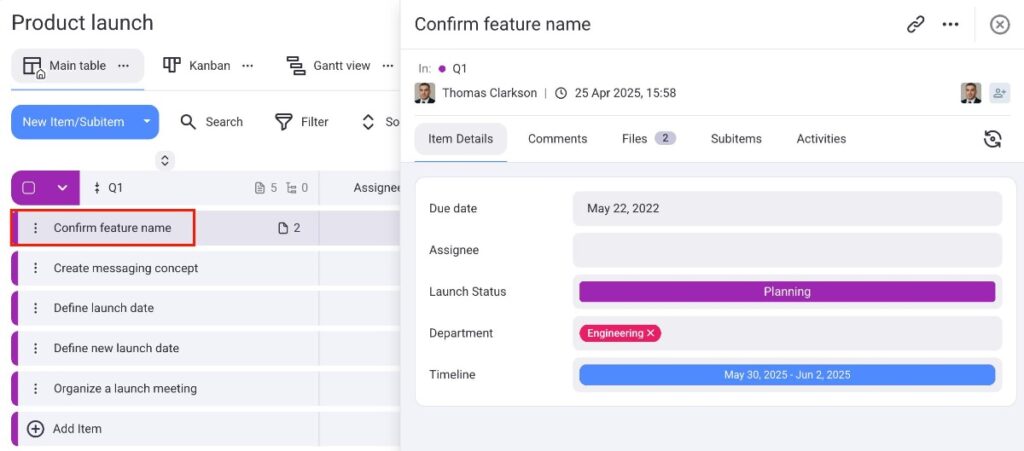
L’élément représente toute tâche, mission ou responsabilité liée au projet et devant être accomplie. Vous pouvez créer un nombre illimité d'éléments, les organiser en groupes, créer un modèle d'élément, laisser un commentaire ou partager des éléments avec un autre membre.
Les modèles des éléments ne sont disponibles que pour les plans Pro et Enterprise.
Qu'est-ce qu'un Sous-élément ? #
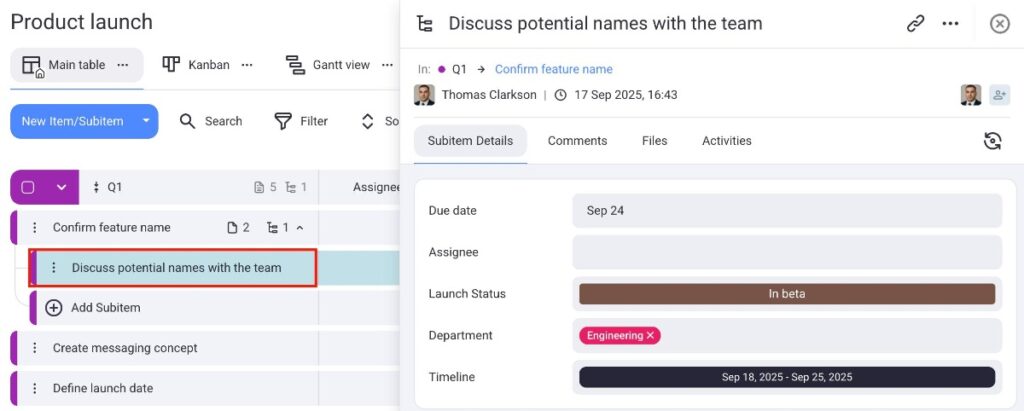
Les sous-éléments désignent les tâches ou les éléments qui sont imbriqués dans un élément principal d'un tableau. Ils sont utilisés pour décomposer des tâches plus importantes en éléments plus petits et plus faciles à gérer, ce qui permet un suivi et une organisation détaillés. Chaque sous-élément hérite des champs personnalisés de son élément parent.
Qu'est-ce qu'un Groupe d'éléments ? #
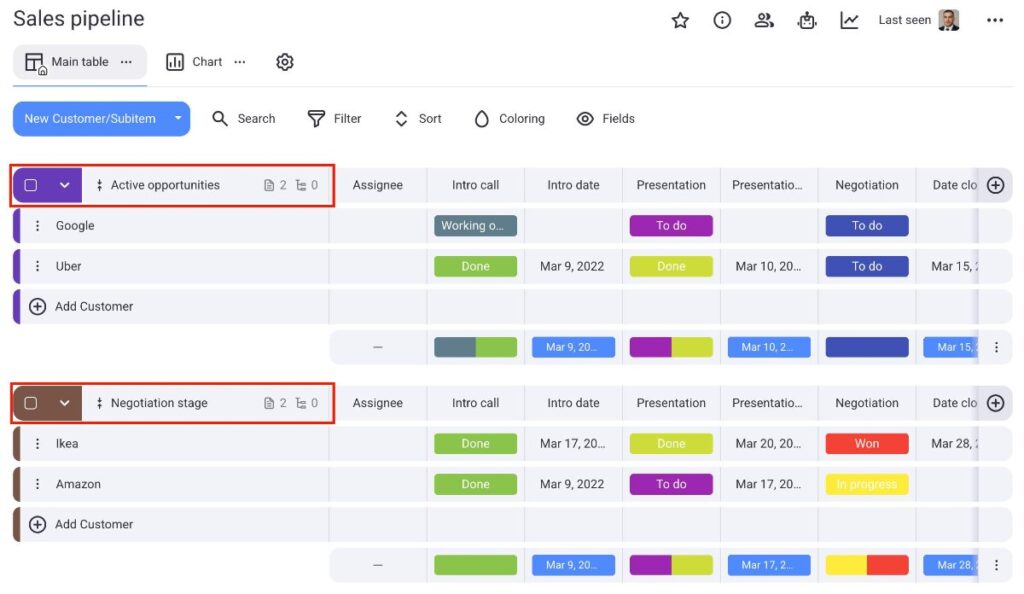
Chaque élément créé sur le tableau appartient à un groupe d'éléments. Un groupe d'éléments est un type de conteneur qui permet d'affiner le tableau et d'organiser les éléments. Vous pouvez organiser votre tableau comme vous le souhaitez et selon vos critères.
Qu'est-ce qu'un Champ ? #
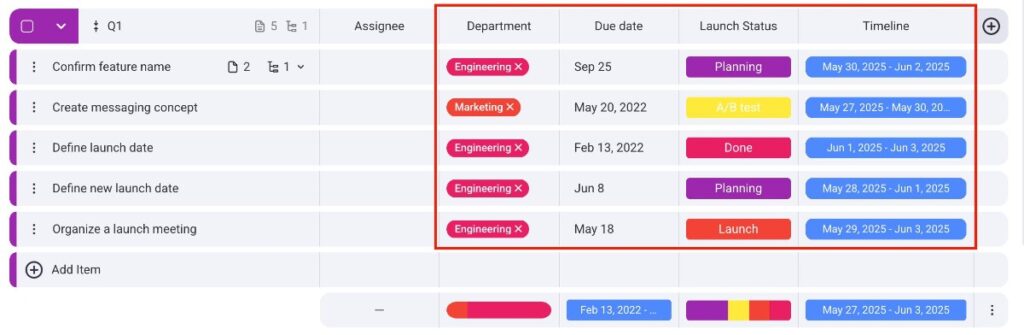
Les champs représentent tout type de données pouvant être ajoutées à vos éléments et vous aident à les organiser sur votre tableau de la manière la plus efficace (par exemple, texte, lien, statut, personne).
Qu'est-ce qu'un Membre d'un espace/tableau ? #
Les utilisateurs que vous invitez dans votre espace ou sur votre tableau sont appelés des membres. Lorsqu'une personne rejoint un tableau, vous pouvez partager des tâches avec elle et collaborer sur des projets. Les membres peuvent avoir différents rôles (administrateur, membre, visionneur) et permissions, qui déterminent leurs actions possibles sur un tableau.
Les visionneurs sont disponibles uniquement sur les plans payants.