
Crear elementos de Plaky en Pumble
1 min de lectura
¿Quién puede utilizar esta función?
Propietario, administrador, miembro
Disponible en todos los planes
Si estás utilizando Pumble para comunicarte con tu equipo, puedes crear los elementos de Plaky directamente desde tu espacio de trabajo de Pumble. Esto elimina la necesidad de cambiar entre las dos aplicaciones y facilita mucho el flujo de trabajo.
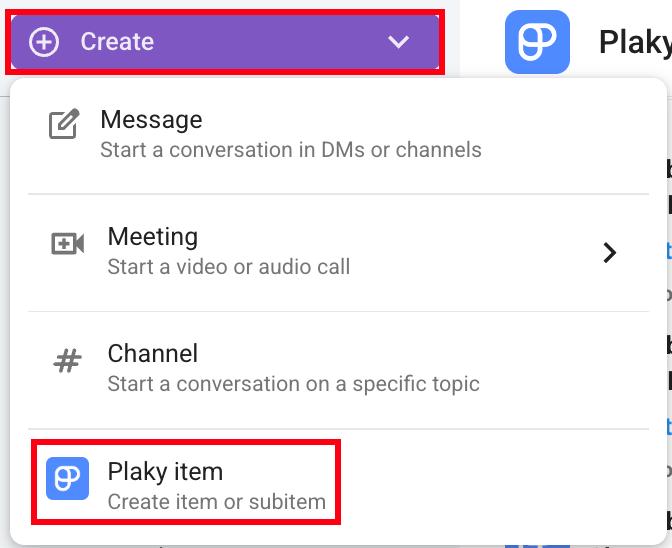
Aquí te explicamos cómo puedes crear un elemento en Pumble.
- Haz clic en el botón Crear en la esquina superior izquierda
- Haz clic en Elemento de Plaky
- Selecciona Espacio y Tablero
- Escribe el título del elemento
- Haz clic en Crear para completar la acción
O
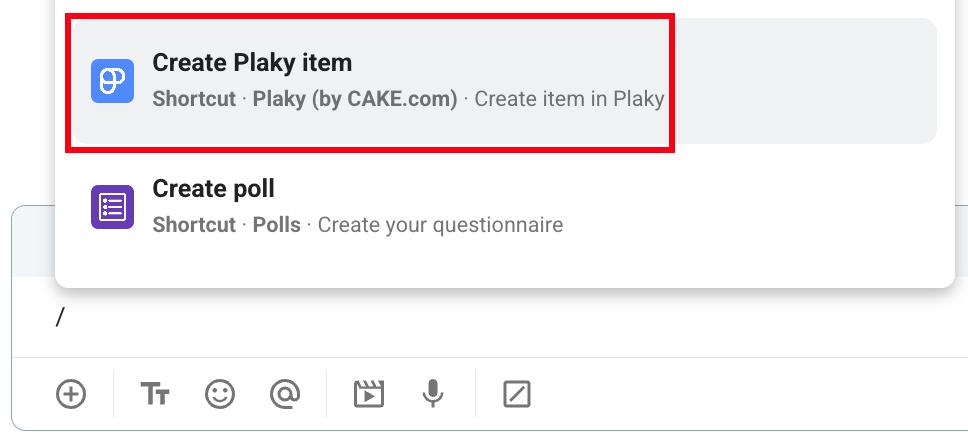
- Introduce / en el cuadro de mensajes
- Select Create Plaky item from the dropdown
- Selecciona Espacio y Tablero
- Escribe el título del elemento
- Haz clic en Crear para completar la acción
O
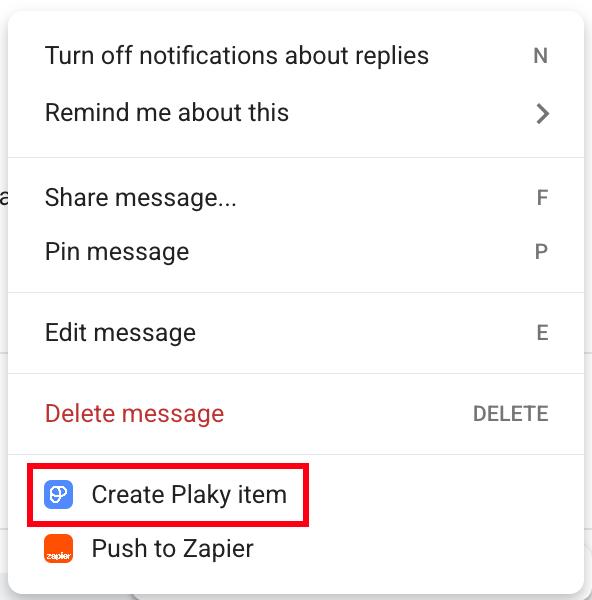
- Pasa el cursor sobre un mensaje
- Haz clic en el menú de tres puntos
- Selecciona Crear elemento de Plaky
- Selecciona Espacio y Tablero
- Escribe el título del elemento
- Haz clic en Crear para completar la acción
Información
Para aprender cómo obtener las notificaciones de Plaky directamente en Pumble, visita este artículo.
¿Te resultó útil este artículo?
Thank you! If you’d like a member of our support team to respond to you, please drop us a note at support@plaky.com