Grant or transfer Ownership
In this article
Ownership in Plaky is separate from a Workspace role. Workspace members can own a Space, Board, or Item, giving them greater control over that specific entity.
Viewers can’t become Owners of Board entities.
What is Ownership #
Ownership is independent of a user’s Workspace role. An Owner of a Space controls who can access it and how it’s configured. An Owner of a Board controls its permissions, automations, and members list.
The creator of a Space, Board, or Item becomes its first owner automatically.
Grant Ownership #
Owner with an Admin or Member user role can grant the ownership of their Space, Board, or Item to another Member or Admin.
Space Ownership #
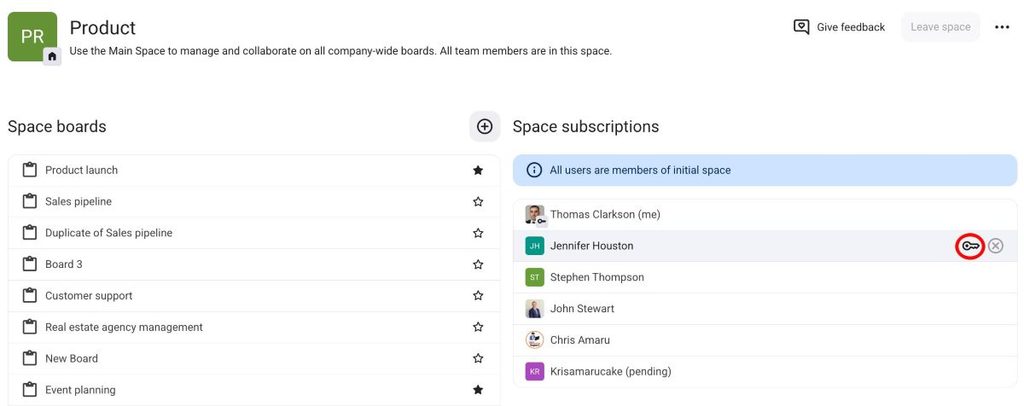
To grant Space Ownership, follow these steps:
- Open a Space
- Hover over a member under the Space subscriptions
- Click on the key next to the user’s name on the right to appoint them as Owner
- Remove yourself if you no longer want to be the Owner of the Space
Board Ownership #
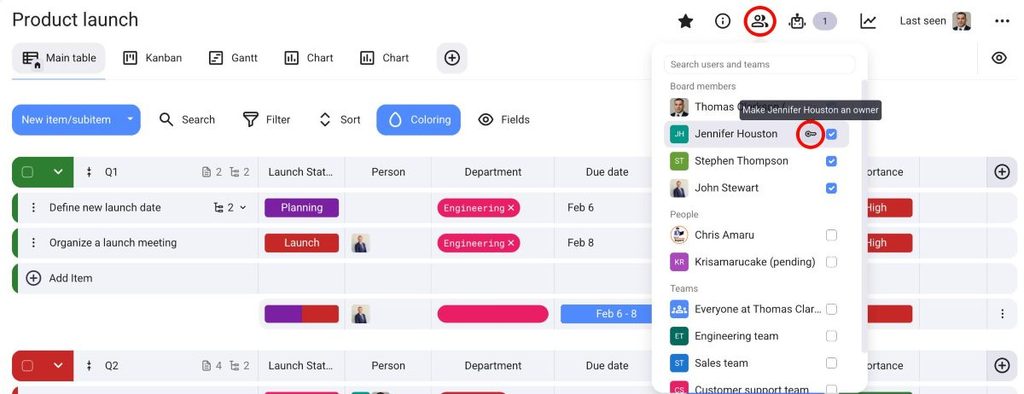
To grant Board Ownership, follow these steps:
- Abra um quadro
- Click on Board members in the top right corner
- Hover over a member
- Click on the key next to the user’s name on the right to appoint them as Owner
Propriedade do item #
To grant Item Ownership, follow these steps:
- Abra um item
- Click on Item subscribers
- Hover over a member
- Click on the key next to the user’s name on the right to appoint them as Owner
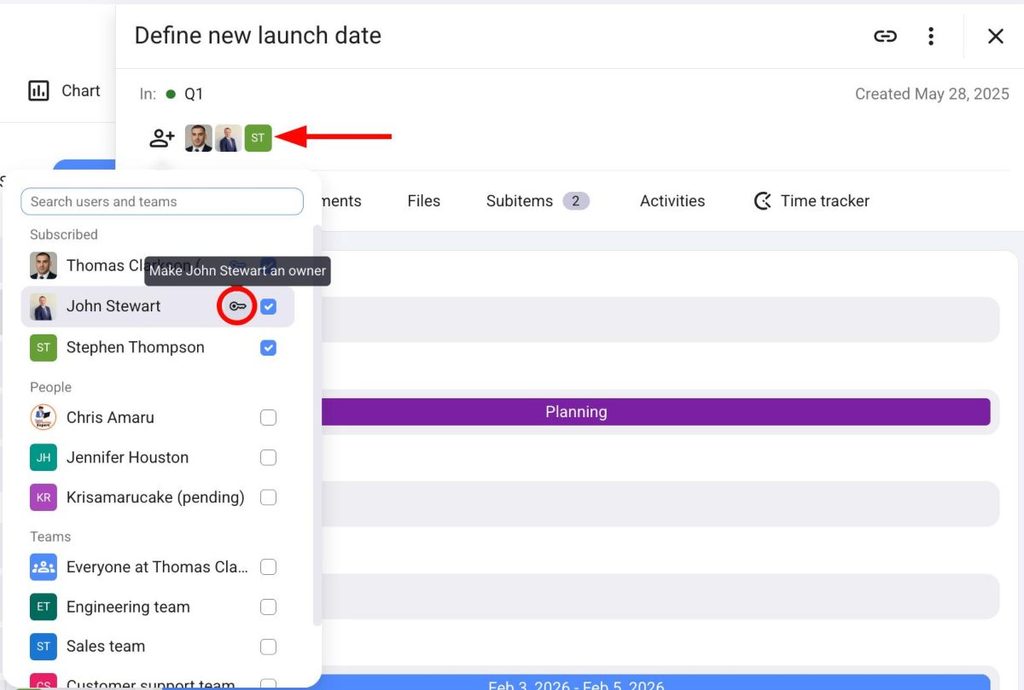
To grant Item ownership to a certain member, the member must first be subscribed to the Item.
Share or transfer Board ownership between users #
You can share or transfer Board Ownership between team members.
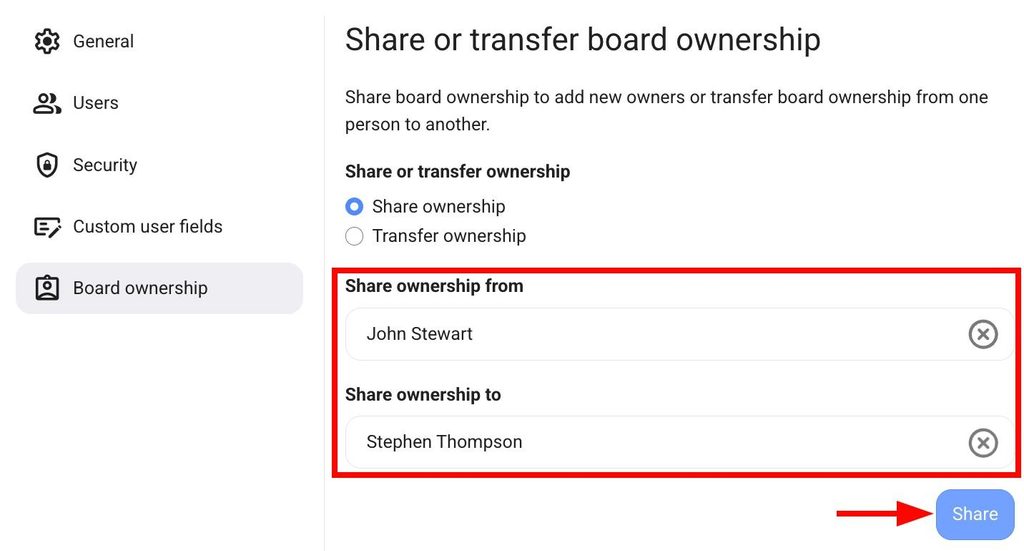
If you share Ownership the new Owner will become the Owner of all the Boards where the first Owner has Ownership. Here’s how you can do this:
- Click on three dots in the top left corner
- Selecione Administração
- Open Board Ownership section
- Select Share ownership
- Select the current owner from the dropdown
- Select the user to share the ownership with from the dropdown
- Click Share
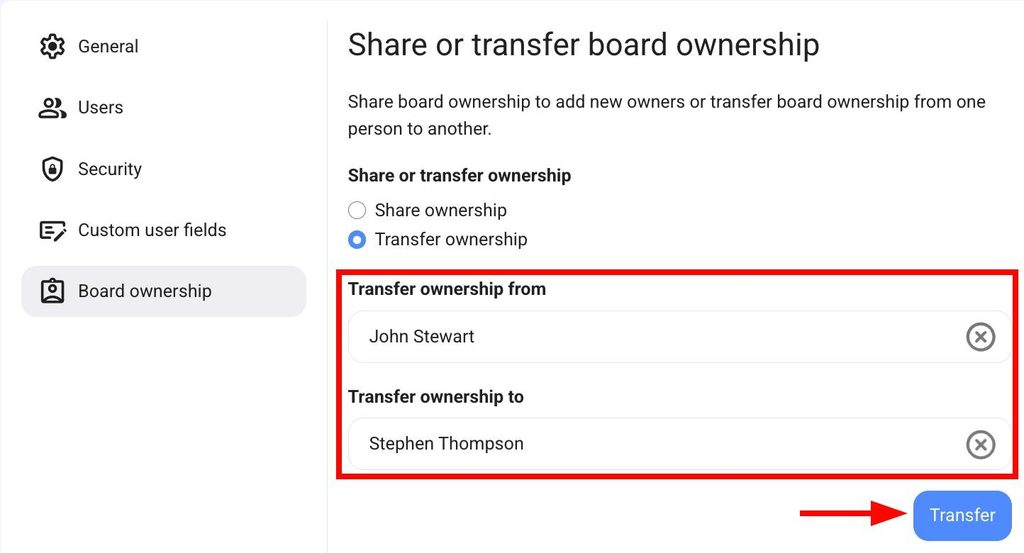
If you transfer Ownership from one member to another, the Ownership will be changed and only the new Owner will remain. Here’s how to do this:
- Click on three dots in the top left corner
- Selecione Administração
- Open the Board Ownership section
- Select Transfer ownership
- Select the current owner from the dropdown
- Select the user to share the ownership with from the dropdown
- Clique em Transferir
Manage Ownership for Boards without Owners #
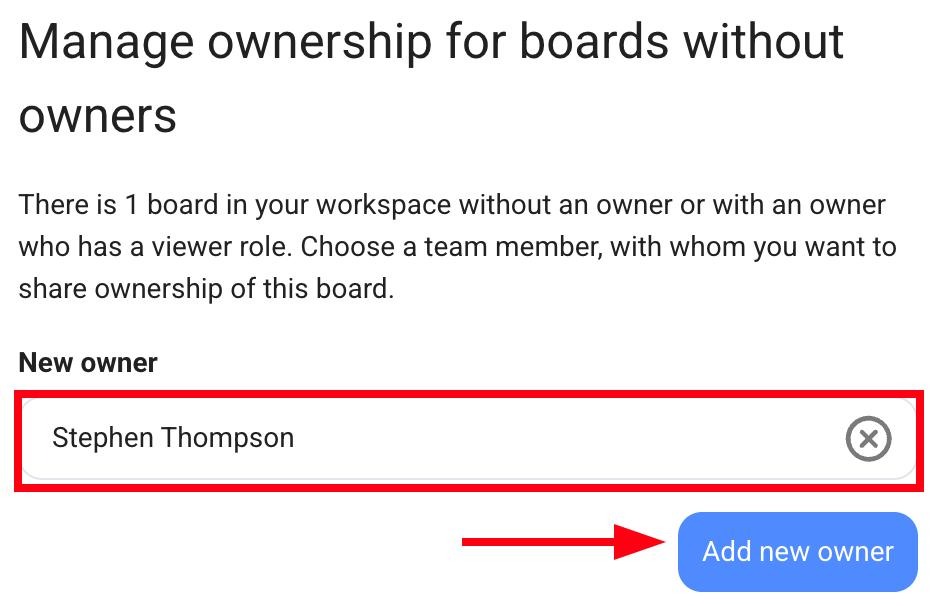
If there are Boards without Owners in your Workspace, you can assign a new Owner for those Boards. Here’s how you can do this:
- Click on the three dots next to the Workspace name
- Clique em Administração
- Select Board ownership in the left sidebar
- Choose the new Owner in the Manage ownership for boards without owners section
- Click Add new owner