
Recevoir les alertes de Plaky directement sur Pumble
Si vous utilisez Pumble pour la communication d'équipe, vous pouvez l'intégrer à Plaky et améliorer la réactivité et l'engagement sur vos projets.
Grâce à cette intégration, Pumble vous enverra des messages pour chaque action activée dans la section dédiée de Plaky. Cela vous permet de suivre vos projets sans manquer de mises à jour importantes, tout en évitant de passer manuellement d'une application à l'autre.
Comment activer les notifications Pumble #
Vous pouvez configurer les notifications Pumble directement dans Plaky. Pour ce faire, suivez ces étapes :
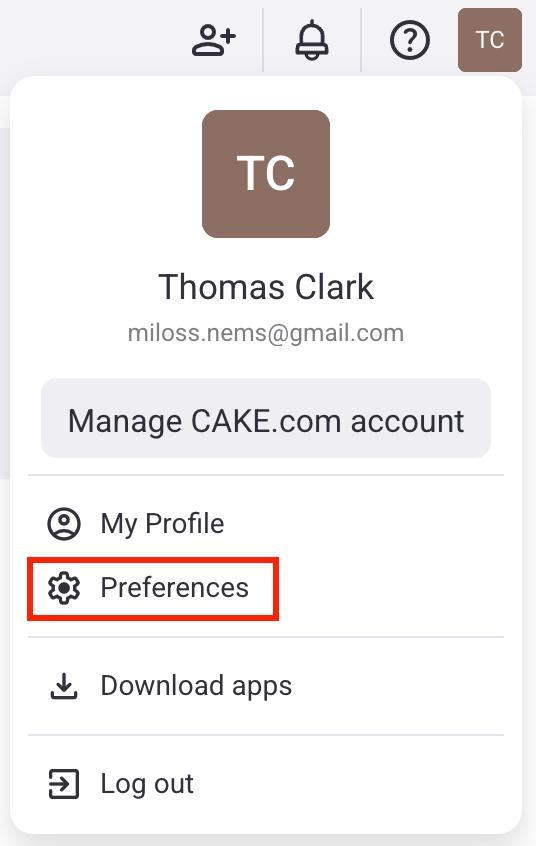
- Cliquez sur votre photo de profil en haut à droite
- Sélectionnez Préférences
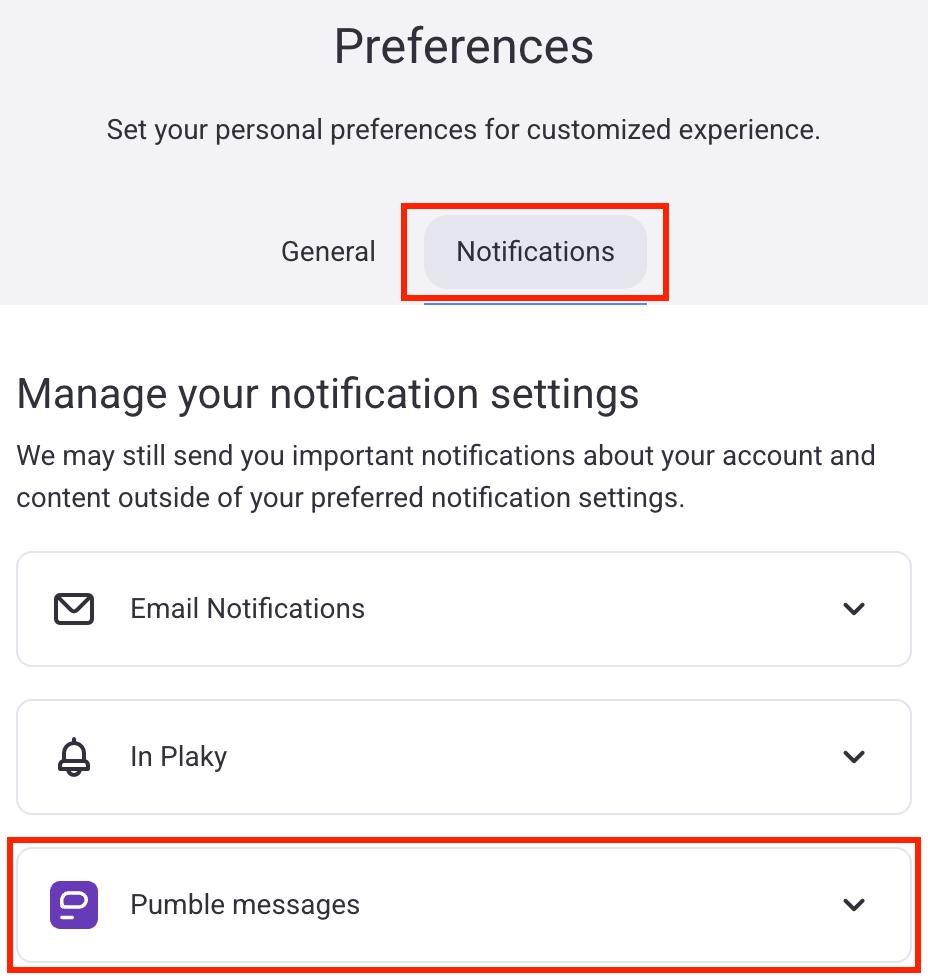
- Cliquez sur les Notification
- Cliquez sur les messages de Pumble
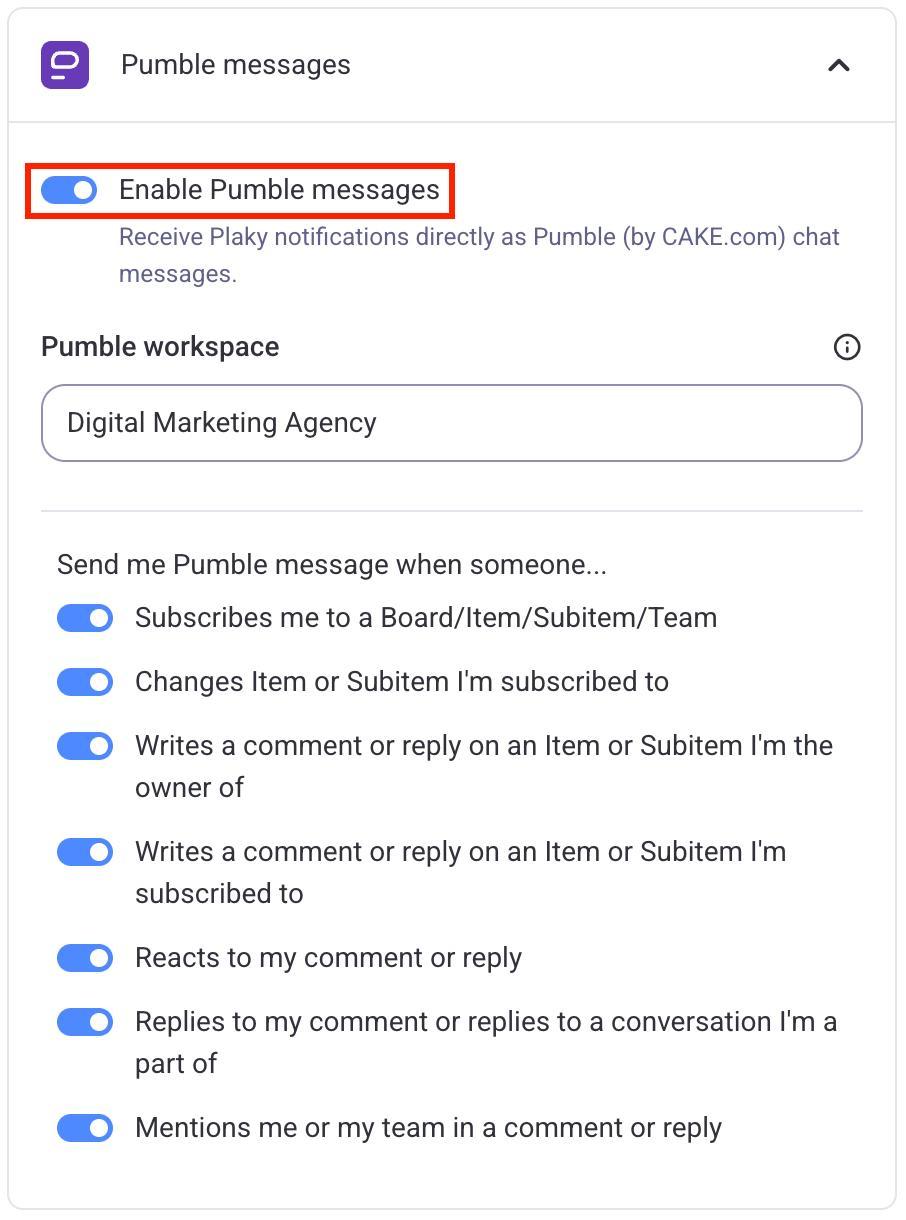
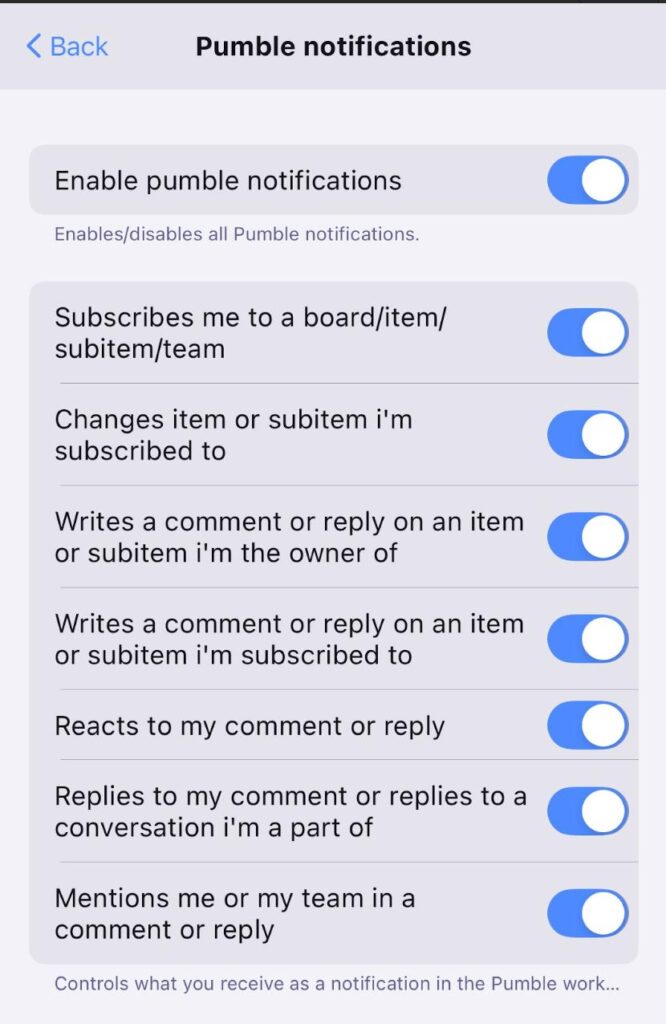
- Activez/désactivez le bouton Activer les messages Pumble
- Sélectionnez l'espace de travail
- Activez les cas dans lesquels vous souhaitez que Pumble envoie des messages
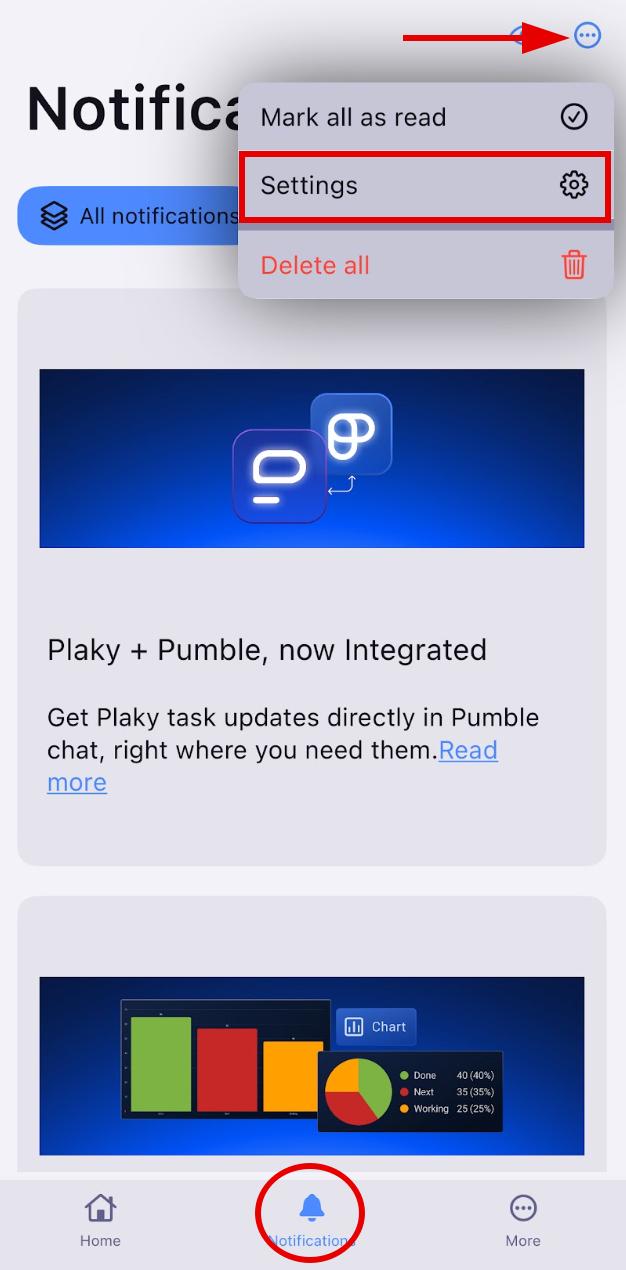
- Appuyez sur Notifications en bas de l'écran
- Cliquez sur les trois points dans le coin supérieur droit
- Sélectionnez Paramètres
- Appuyez sur Messages de Pumble
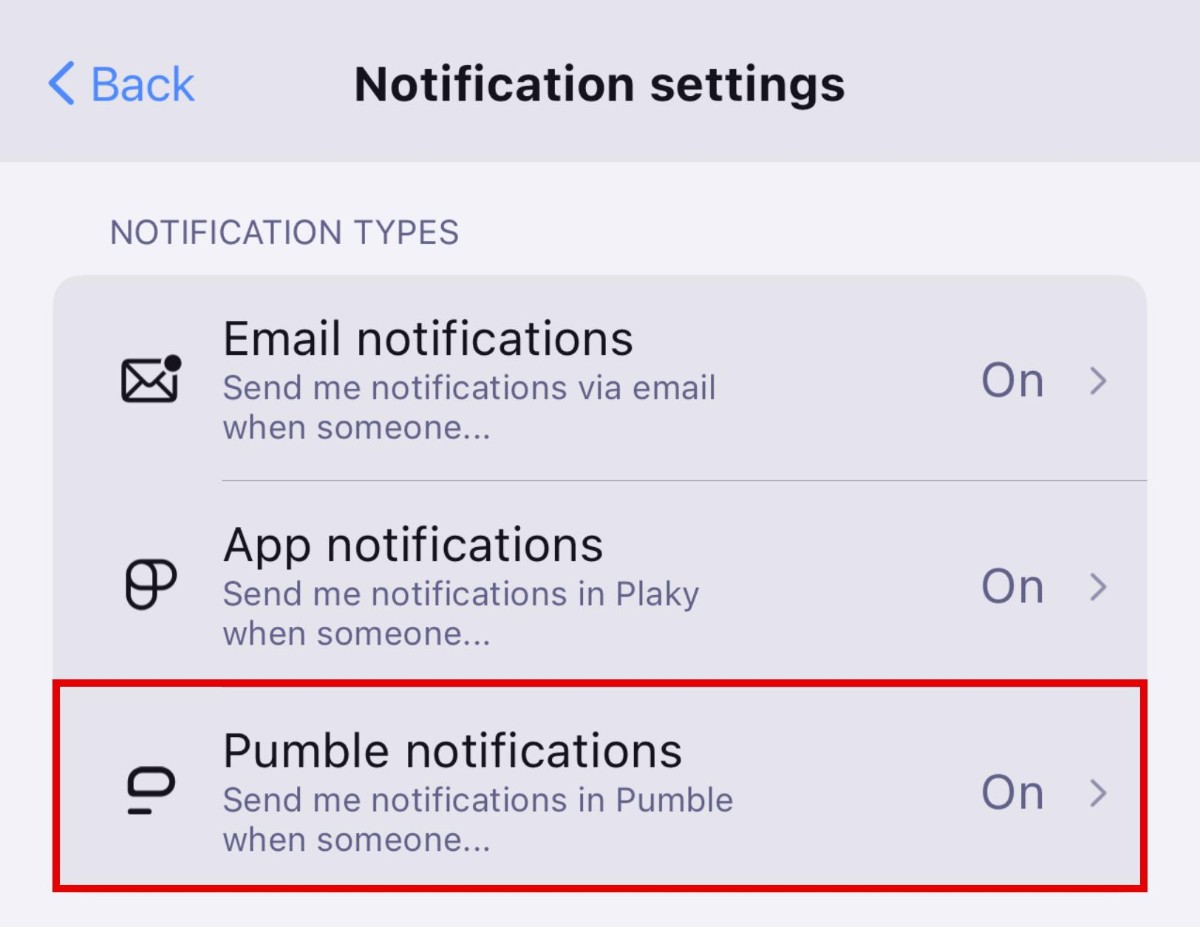
Cette option n'apparaît que si elle est activée dans les préférences de votre espace de travail Plaky sur le Web.
Activez les types de notifications que vous souhaitez que Pumble vous envoie.
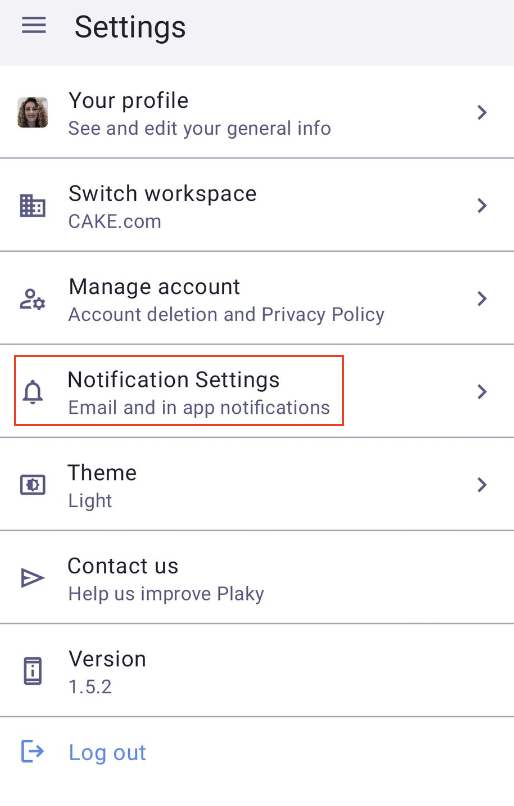
- Depuis l'écran d'accueil, appuyez sur le menu principal en haut à gauche
- Appuyez sur Paramètres
- Choisissez Paramètres de notification dans la liste
- Dans les Paramètres de notification, sélectionnez Notifications Pumble
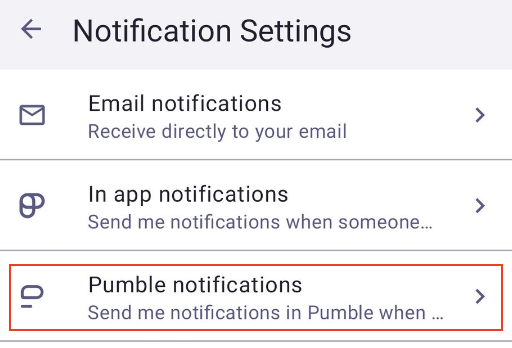
Cette option ne sera visible que si elle est activée dans les préférences de votre espace de travail Plaky sur le Web.
Activez les types de notifications que vous souhaitez que Pumble vous envoie.
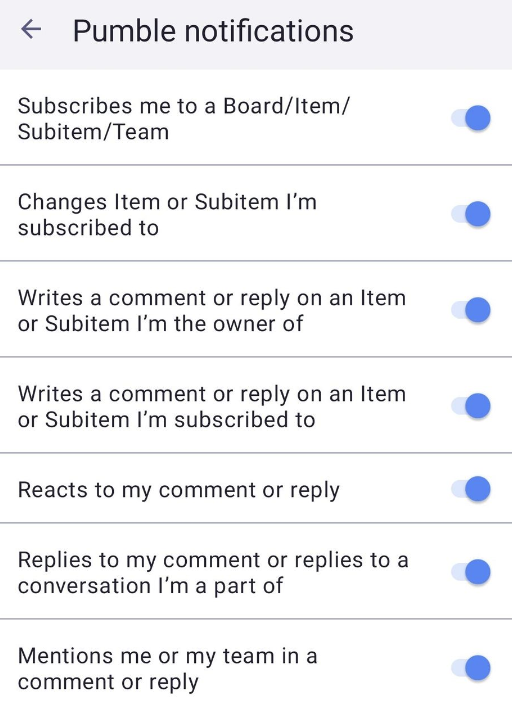
Les paramètres seront automatiquement enregistrés sur votre compte Plaky.
Si vous n'avez qu'un seul espace de travail Pumble, l'activation des messages Pumble vous y connectera automatiquement. Si vous avez plusieurs espaces de travail, vous pouvez sélectionner celui auquel vous connecter dans le menu déroulant. Si vous n'avez pas d'espace de travail, vous pouvez en créer un.
Types de notifications que vous pouvez recevoir #
Lorsque vous activez les messages Pumble dans Plaky, vous pouvez recevoir des notifications lorsqu'une personne :
- Vous abonne à un tableau/élément/sous-élément/équipe
- Change un élément/sous-élément auquel vous êtes abonné
- Commente ou répond sur un élément/sous-élément dont vous êtes propriétaire
- Commente ou répond sur un élément/sous-élément auquel vous êtes abonné
- Réagit à votre commentaire ou à votre réponse
- Répond à votre commentaire ou à votre réponse dans une conversation à laquelle vous participez
- Vous mentionne ou votre équipe, dans un commentaire ou une réponse
Si vous travaillez sur un nouveau projet constamment mis à jour, cette intégration peut être un excellent moyen de rester informé de tous les derniers changements.