
Créer des éléments Plaky dans Pumble
1 min de lecture
Qui peut utiliser cette fonctionnalité ?
Propriétaire, Administrateur, Membre
Disponible dans toutes les formules
Si vous utilisez Pumble pour communiquer avec votre équipe, vous pouvez créer des éléments Plaky directement depuis votre espace de travail Pumble. Cela évite de devoir basculer d’une appli à l’autre et simplifie grandement votre flux de travail.
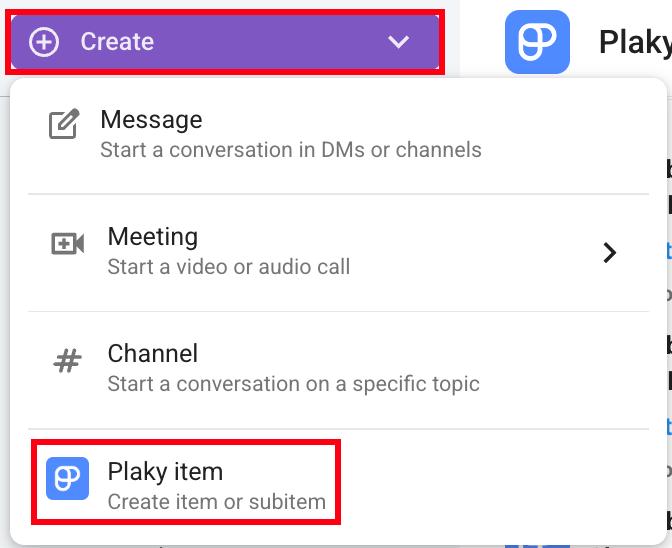
Voici comment créer un élément dans Pumble :
- Cliquez sur le bouton Créer dans le coin supérieur gauche
- Cliquez sur Élément Plaky
- Sélectionnez un espace et un tableau
- Saisissez le titre de l’élément
- Cliquez sur Créer pour valider l’action
Ou
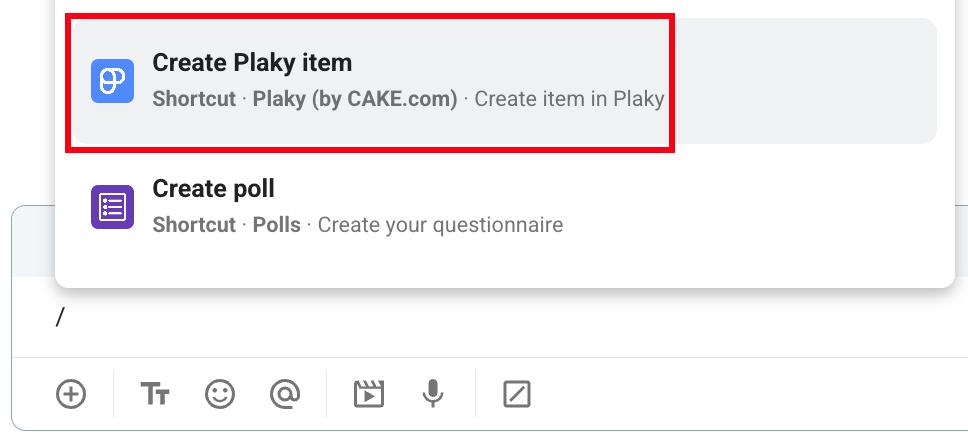
- Saisissez / dans la zone de message
- Sélectionnez Créer un élément Plaky dans le menu déroulant
- Sélectionnez un espace et un tableau
- Saisissez le titre de l’élément
- Cliquez sur Créer pour valider l’action
Ou
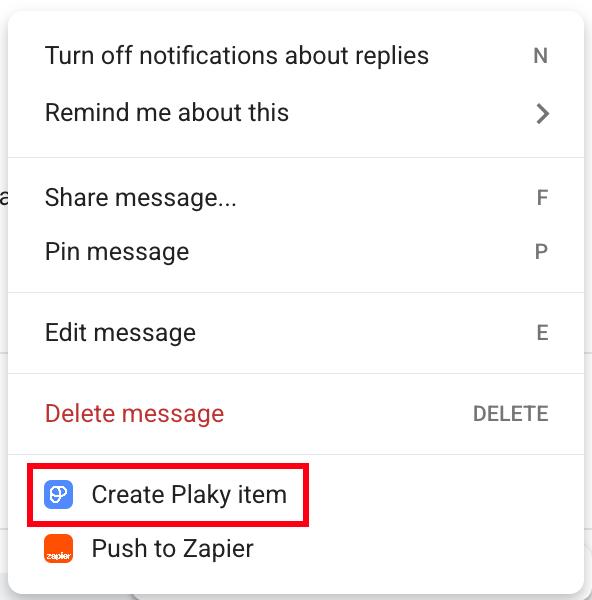
- Survolez un message
- Cliquez sur les trois points
- Sélectionnez Créer un élément Plaky
- Sélectionnez un espace et un tableau
- Saisissez le titre de l’élément
- Cliquez sur Créer pour valider l’action
Info
Pour savoir comment recevoir les notifications Plaky directement dans Pumble, consultez cet article.
Cet article vous a-t-il été utile ?
Thank you! If you’d like a member of our support team to respond to you, please drop us a note at support@plaky.com