
Aperçu de l’API Plaky
2 min de lecture
Qui peut utiliser cette fonctionnalité ?
Propriétaires, Administrateurs, Membres
Disponible sur tous les plans
En utilisant la documentation de l’API de Plaky, vous pouvez intégrer Plaky à d’autres applications. Dans cet article, nous vous montrerons comment générer une clé unique et ce que vous pouvez en faire.
Que pouvez-vous faire avec l’API de Plaky ? #
Avec l’API de Plaky, vous pouvez effectuer les opérations suivantes :
Commentaires d’éléments :
- Mettre à jour les commentaires d’éléments
- Supprimer les commentaires d’éléments
- Obtenir les commentaires d’éléments
- Créer des commentaires d’éléments
- Mettre à jour les réactions aux commentaires d’éléments
Éléments/Sous-éléments :
- Créer un élément
- Modifier les valeurs des attributs d'un élément
- Obtenir l'ID d'un élément
- Supprimer un élément
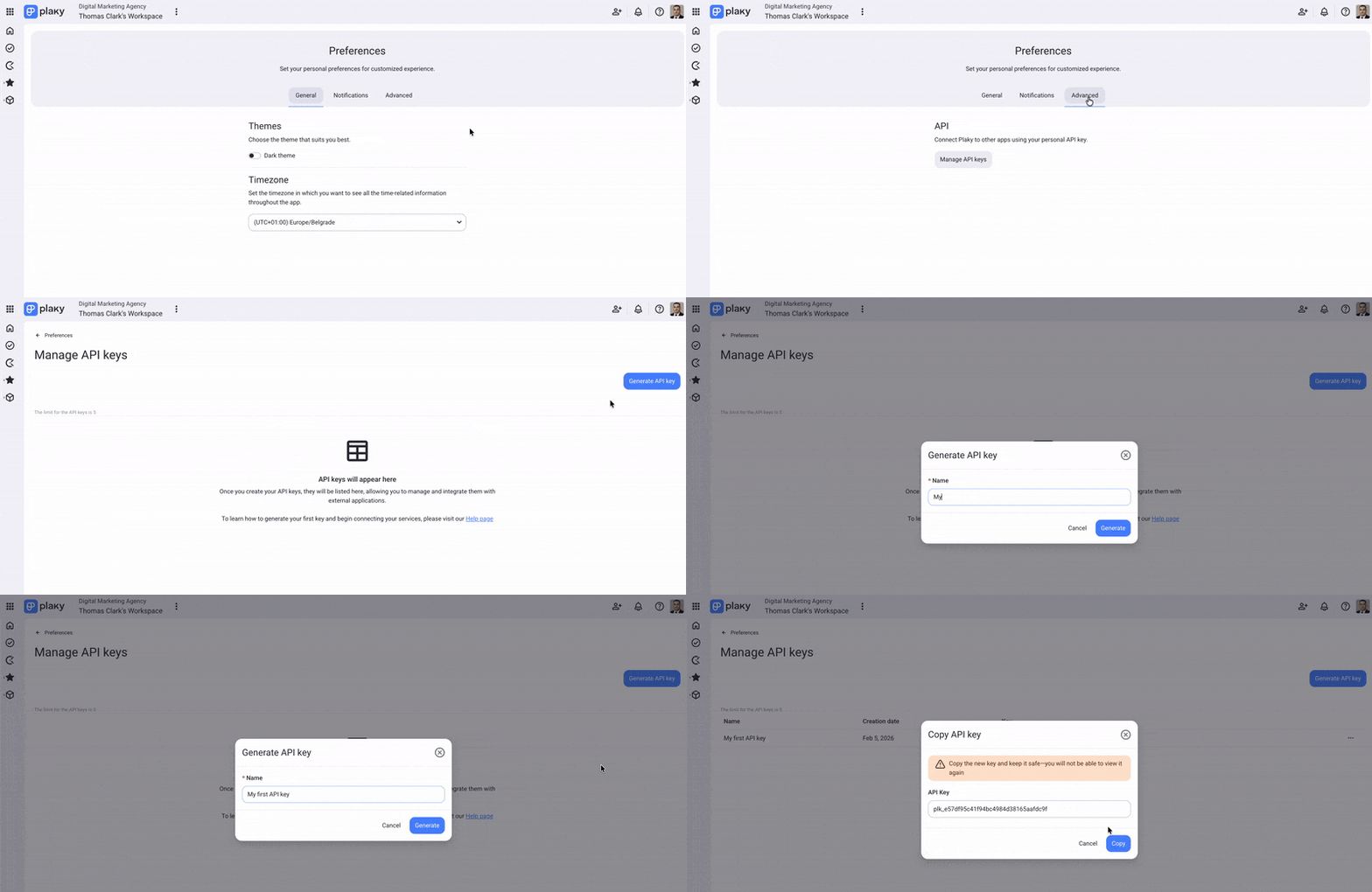
Générer une clé API #
Voici comment générer une clé API :
- Cliquez sur votre photo de profil en haut à droite
- Sélectionnez Préférences
- Sélectionnez l'onglet Avancé
- Cliquez sur Gérer les clés API
- Cliquez sur Générer une clé API
- Saisissez le nom de la clé
- Cliquez sur Générer
Renommer une clé API #
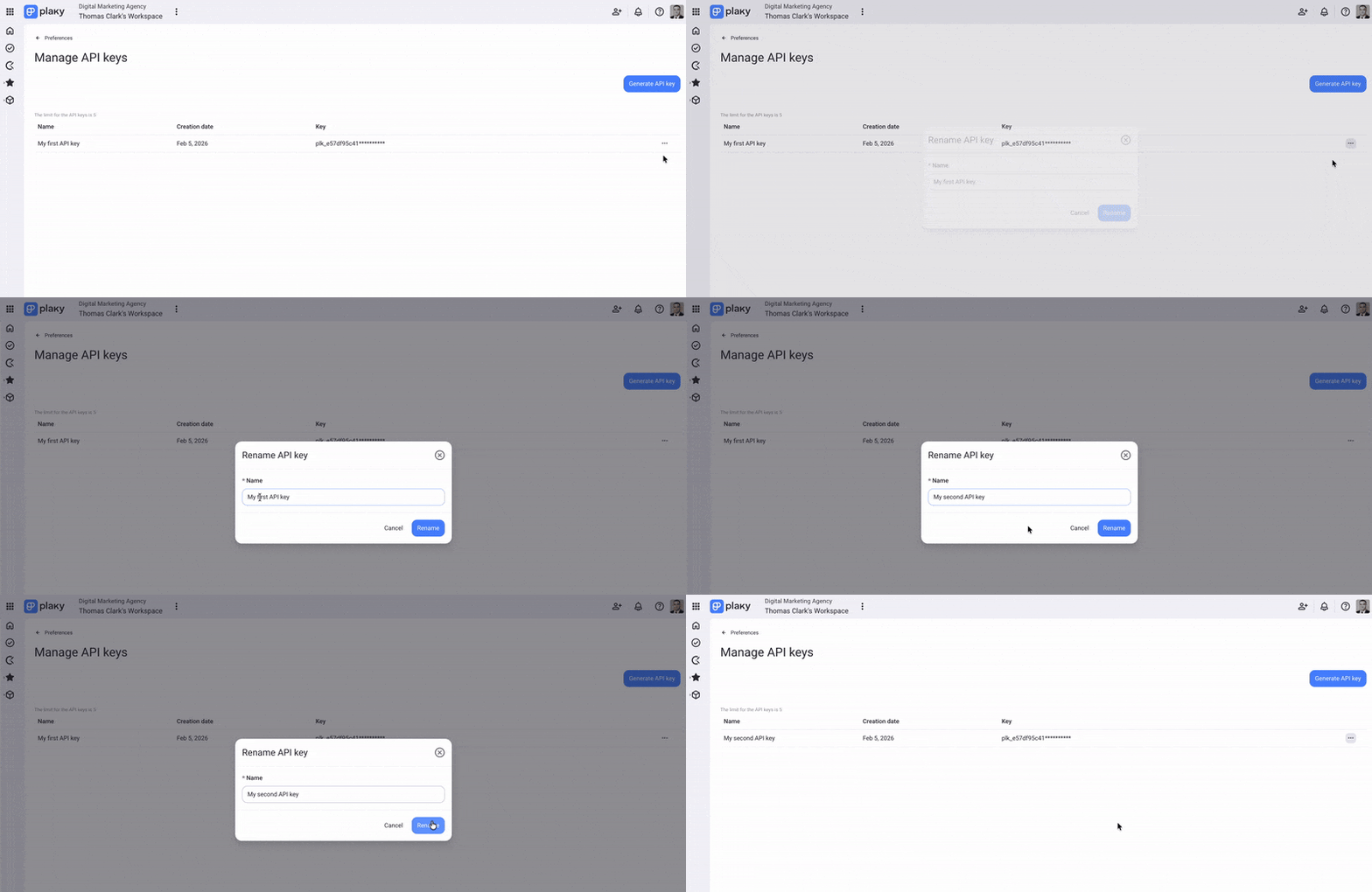
Vous pouvez modifier le nom de votre clé API sans en changer la valeur.
Voici comment procéder :
- Cliquez sur les trois points à droite de votre clé
- Sélectionnez Renommer et insérez le nouveau nom
- Cliquez sur Renommer pour confirmer l'action
Supprimer la clé API #
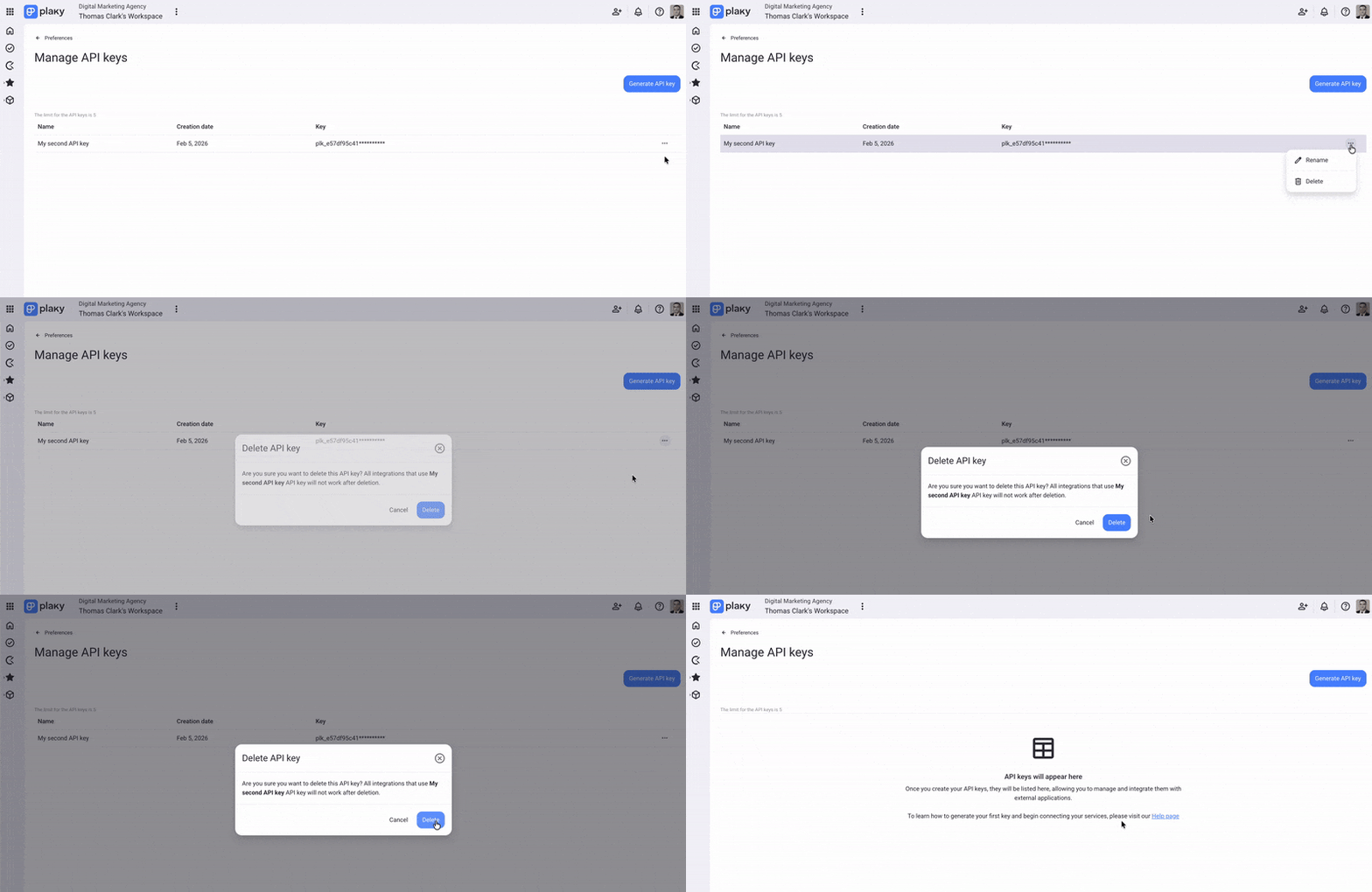
La suppression d’une clé API la retire définitivement de votre espace de travail.
Voici comment procéder :
- Cliquez sur les trois points à droite de votre clé
- Sélectionnez Supprimer
- Cliquez sur Supprimer pour confirmer l’action
Cet article vous a-t-il été utile ? #
Thank you! If you’d like a member of our support team to respond to you, please drop us a note at support@plaky.com